CommerceBird – Multi-store Dashboard, ERP Integrations & B2B for WooCommerce (Zoho, Exact Online).
| 开发者 | fawadinho |
|---|---|
| 更新时间 | 2026年9月10日 02:30 |
| PHP版本: | 8.2 及以上 |
| WordPress版本: | 7.1 |
| 版权: | GPLv3 |
| 版权网址: | 版权信息 |
标签
下载
详情介绍:
- Product Review Summary Block — instantly turns long review threads into clear buying insights, so customers can understand product value in seconds instead of scrolling for minutes.
- Dynamic FAQ Block — automatically surfaces the right pre-purchase questions and answers on each product page, reducing uncertainty and removing common conversion blockers before they cause a drop-off.
- QA Block — gives shoppers a dedicated question-and-answer experience right on the product page, helping them resolve objections quickly and move from "maybe" to "add to cart."
- WooCommerce AI Blocks — drive conversion with AI-powered store blocks like Dynamic FAQ and Product Summary using the native WP AI connectors
- Certified Bi-Directional ERP Integrations — connect your store in real-time to Zoho CRM, Zoho Inventory or Exact Online for 2-way sync
- Multi-Store Dashboard — manage all your WooCommerce stores from one powerful interface
- AI Analytics & Recommendations — get insights that help you grow, not just report
- Quotes & Quote Management — create, send, and convert quotes directly from your dashboard
- Instant Purchase Orders - create and automate purchase orders based on low-stock, out of stock or directly from an order. Ideal for dropshipping.
- Advanced Product Import - import tens of thousands of products in the background using any csv format.
- Support for Popular Plugins - WPML, WC Subscriptions, Product Bundles, ACF, PDF Invoices, Sequential Order Numbers and more!
- Works with any WooCommerce site, new or established
- Perfect for B2B stores and in hybrid B2C/B2B contexts
- One product, different prices, discounts, and tiered pricing
- Works with all WooCommerce payment and shipping methods
- Access control to set visibility by group, hide prices, hide categories, hide brands, hide website
- Custom fields in registration form, billing address and checkout
- Extended and dedicated registration forms, approve registration
- Request a quote payment, invoice payment, purchase order payment
- Wholesale quick order form and live search
- Different shipping methods, payment methods, minimum order amount for any group
- HPOS compatible
- No coding required
- Zoho CRM and Inventory API to synchronize Orders, Products and Customers – TOS and Privacy Policy
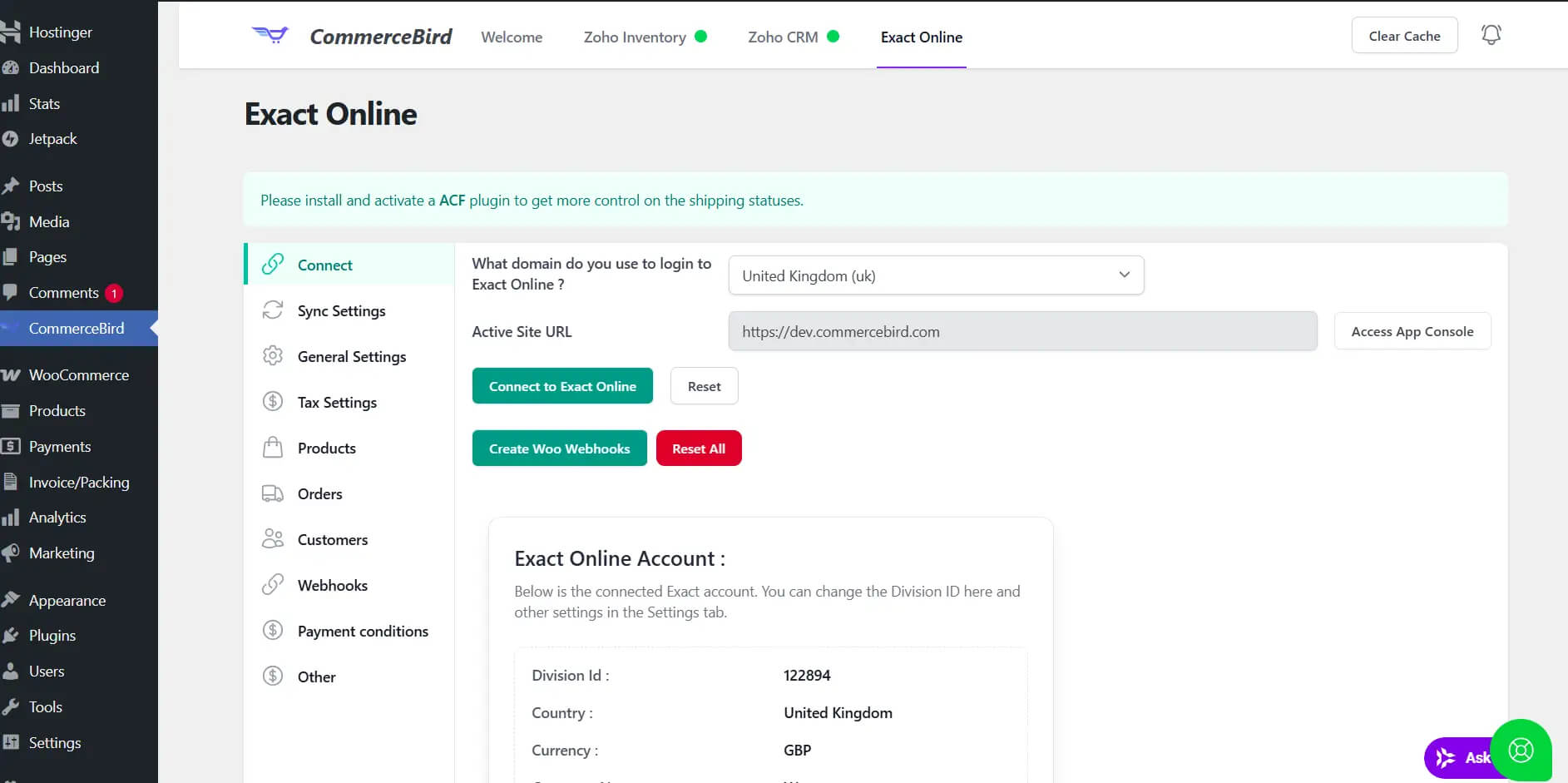
- Exact Online API to synchronize Orders, Products and Customers - TOS and Privacy Policy
安装:
- Download and activate the plugin
- Go to Pricing and subscribe for the trial
- Click on the "next steps" button to visit the my account page
- Open a new browser tab and connect your domain to our App
- Click on the Copy Token button
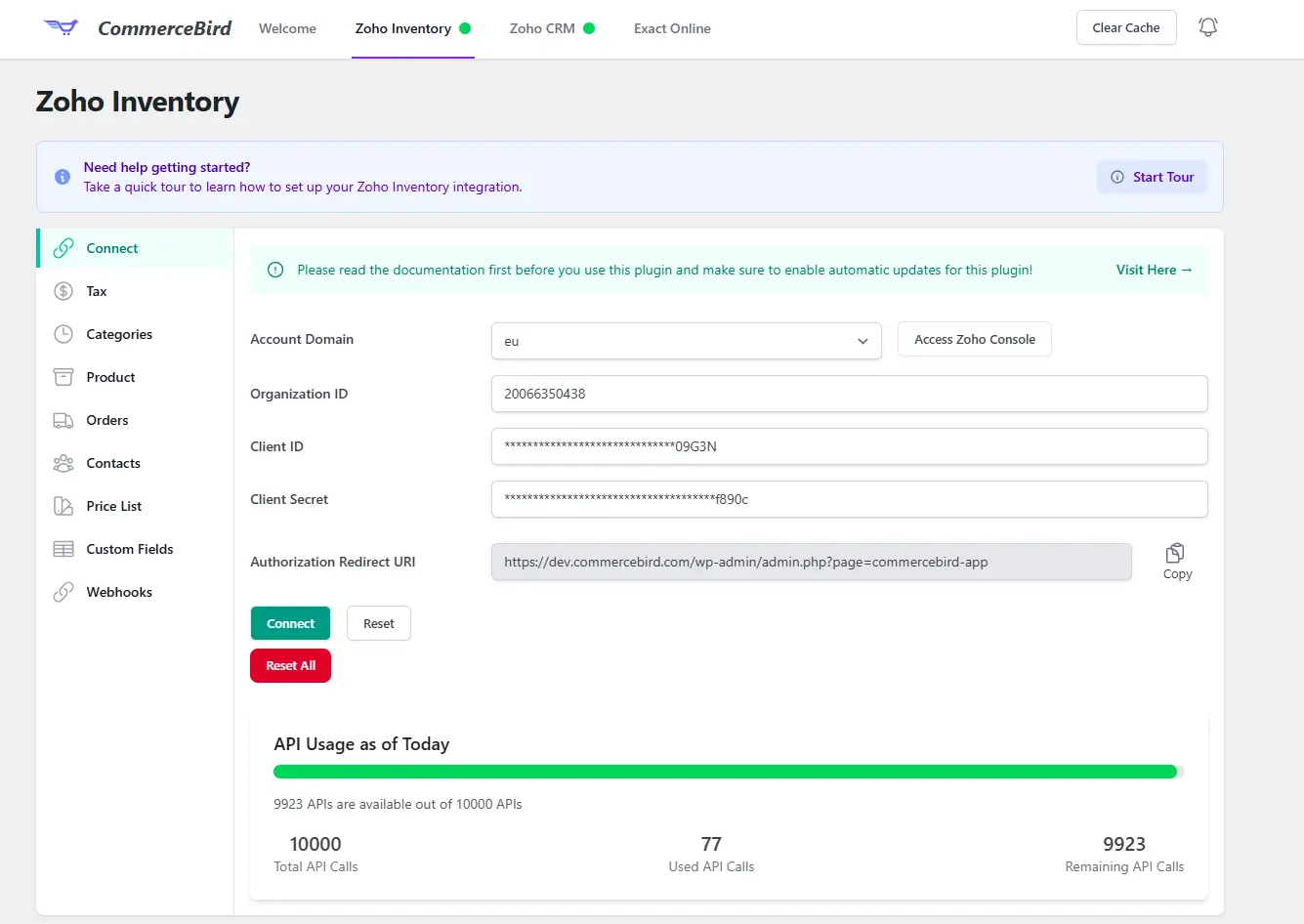
- Go to your store's wp-admin menu > commercebird > paste the subscription id, token and your e-mail address and click save!
屏幕截图:
常见问题:
Q: Do I need a paid plan to use this plugin?
A: No, you just need to create a free account on commercebird.com to use this plugin. The Exact Online integration does require a Premium plan.
Q: Which product types does it support?
A: Simple, Variable, Bundles, Simple Subscription & Variable Subscription.
Q: Is it compatible with the WPML plugin?
A: Yes, this plugin has no compatibility issues with WPML.
Q: Can I create Purchase Orders?
A: Yes! you can even create a PO from an order or a list of low-stock and out-of-stock products.
Q: Which Integrations does it support?
A: Zoho CRM, Zoho Inventory and Exact Online. The advanced integrations features require the Premium plan.
Q: What plan do I need for the integrations?
A: The Free plan for the Zoho integrations (core sync), some features require the Premium plan. Please check the Pricing for more info.
Q: Do the integrations support Guest orders?
A: Yes, all our integrations support guest orders.
Q: Is my WooCommerce data safe with CommerceBird?
A: Yes, as a matter of fact, we save 0 data in our own server as the app is fully dependent on the WooCommerce API. Meaning; you own your data! = Q: Where can I see the documentation and contact support? A: Please visit the Support site to read the docs and open support ticket for the integrations. For plugin specific issues, please open an issue here on wordpress.org.
更新日志:
- Fix: Fatal error Quotes
- Fix: Contactperson mapping Zoho Inventory on checkout
- Fix: Custom fields mapping Zoho Inventory
- Tweak: improved Exact Online Items import by separating concerns
- Tested up to WooCommerce 11.1
- New: Zoho Books integration
- New: Zoho integrations Logs in Log page
- New: Support for gallery images of Zoho Inventory/Books (beta)
- Fix: search widget rendering in footer
- Tweak: fallback for order sync if thankyou hook not triggered
- New: support for WPO PDF Invoices plugin
- Tweak: improved get orphaned items from Exact for 10k+ items
- Tweak: updated mcp adapter to 0.6.1
- New: logs for Exact Online
- Fix: importing items from Exact Online in background
- Fix: refactored image duplication check to use md hash
- Tested up to WooCommerce 11
- New: import Zoho orders to Woo via daily cron
- Fix: routing orders to Zoho location
- Fix: Exact Online styling issues
- Tweak: CommerceBird can now create and edit Posts via MCP
- Fix: assigning category to variable products during zoho import - support for term cache
- Fix: featured image of variation was not fetched due to stale cache object
- Fix: webhook zoho inventory new format to support updating woo products
- Fix: enable stock management after purchase order received status
- Tweak: updated mcp abilities to support canonical abilities in Woo 10.9
- Tested with WooCommerce 10.9
- Fix: Category assignment on cronjob for zoho items
- Fix: AI connector check
- Fix: Exact Online premium check
- New: Zoho integrations available on Free plan
- Fix: ACF error on Zoho custom fields
- Fix: Datepicker upgraded to support tailwind v4
- Fix: some cases wrong category assigned during zoho inventory items import - edge case
- New: revamped UI with tailwind v4
- New: ai-powered product summary for product detail page
- New: ai-powered dynamic FAQ for product detail page as custom tab
- New: ai-powered QA to answer any question about a product and save it in the dynamic FAQ tab
- Fix: reverted zoho image validation for strict duplication check
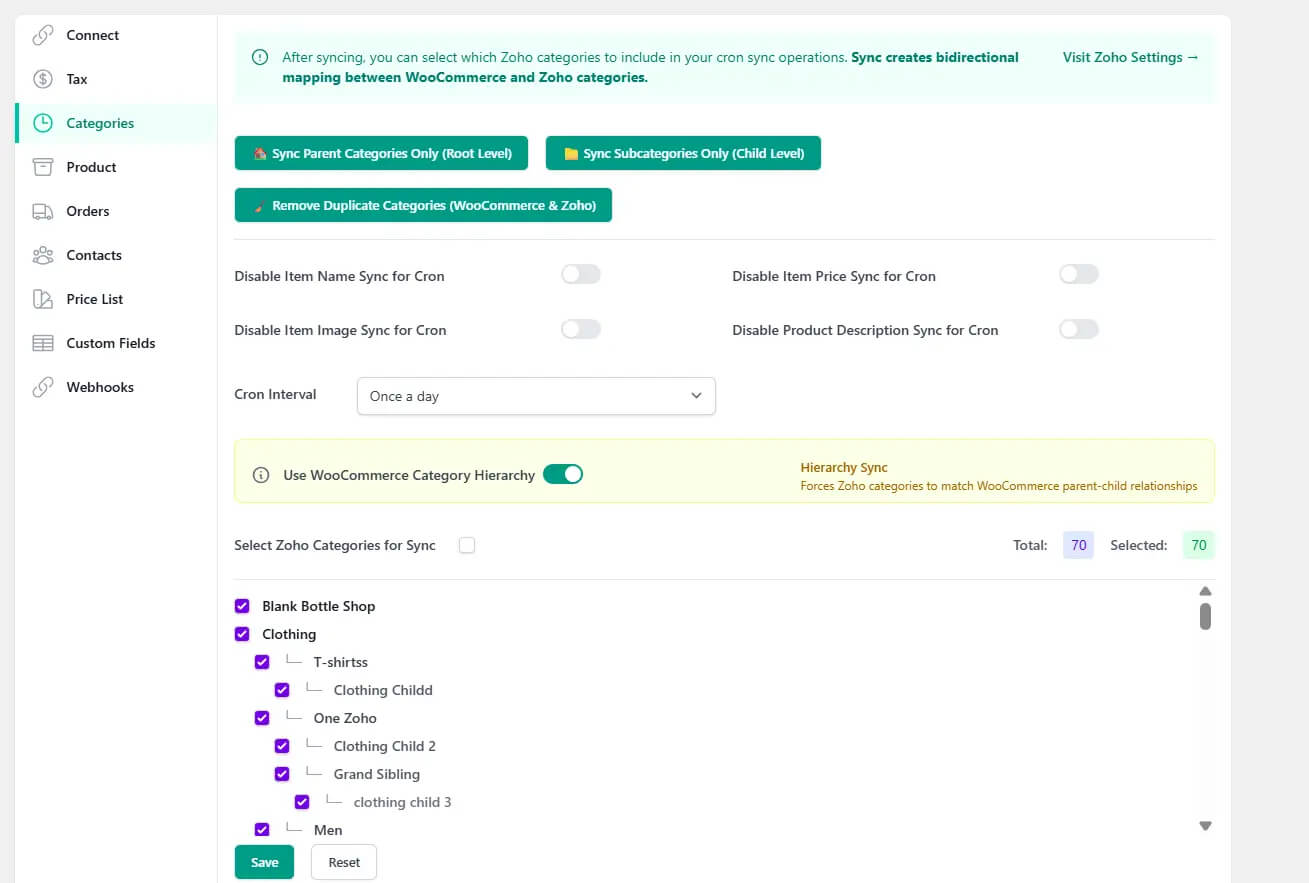
- Fix: avoid duplicate woo categories in zoho inventory
- Fix: Zoho Category Mapping Table upon plugin update process
- Fix: Selected Zoho categories were getting emptied after a while
- Fix: Parent variable product stock was getting enabled during Exact Items update
- Fix: Featured image will not get updated if its already there during Exact Items import
- New: action hook filters for Zoho Inventory and Exact Online - see docs.
- New: Exact Online Stock Cron added
- Fix: persistent zoho category mapping improvements
- Tested up to WordPress 7.0
- Tested up to WooCommerce 10.8
- New: support for attachments custom Item fields from Zoho Inventory
- Tweak: removal button added for mapped Zoho Inventory categories
- Fix: saving mapped custom fields in options table
- Fix: pagination for Exact Online Sync endpoints
- New: Zoho Inventory category mapping control panel
- New: Zoho Inventory custom fields mapping UI control
- Fix: Zoho import items category and featured image
- Fix: Zoho create order webhook refactored
- Fix: Loader frozen after subcategory sync
- Fix: Zoho pricelist import
- New: Exact Online will now use Sync endpoints for Items, Orders, Customers
- New: Zoho variations without attributes will be imported as simple items
- Fix: Zoho categories are unselected after some time
- Fix: Zoho image import validation less strict to handle correct product linking
- Tweak: run parent category sync on first time usage
- Tested up to WooCommerce 10.7
- Fix: zoho inventory category saving during sync
- Fix: screen freeze after subcategory sync
- Tweak: quotation payment disabled by default
- Tweak: email to admin if group items missing attribute1
- New: automatic products update for Exact Online once a day
- Fix: fatal error on checkout when quotation payment was disabled
- Fix: mcp-adapter
- New: Quotes
- New: MCP adapter v0.5.0
- Fix: Bulk update variations via our app
- Fix: restored assets
- Fix: always get latest tax rates for Zoho tax mapping
- Fix: enable auto-generated order number for Zoho Inventory
- Fix: get correct tax class id during Zoho items import
- Fix: disable items sync settings not always enforced
- Fix: Zoho CRM connect tab showed empty on tab switch
- Fix: disable price sync for zoho inventory import
- New: enable zoho inventory sales order cycle to auto-generate package and invoice
- Fix: exact online orphaned products count
- New: toggle for importing items as published from Exact Online
- Fix: updating item via Exact Webhook
- Fix: updating stock status via bulk import from Exact Online
- Fix: connecting to Zoho Inventory sometimes failed - edge case
- Tested up to WooCommerce 10.6
- New: dynamic locations mapping based on shipping country
- Fix: sync selected categories to Zoho Inventory
- Fix: cronjob not triggered for zoho inventory items
- Fix: exact online webhook not updating product name
- Fix: connecting to Zoho Inventory CA
- Fix: compound tax rate for shipping cost
- Fix: duplicated categories being added in Zoho inventory
- Fix: updating variations via cron or manually
- Fix: mapping variable products via Sync Product button
- Fix: discount was sent with tax to Zoho during order sync
- Improvement: reduced update product action hook triggering
- Fix: order sync to zoho inventory
- New: support for compound tax rates for zoho inventory order sync
- Fix: create order via zoho inventory webhook
- Compatibility tested with WooCommerce 10.5
- New: Zoho Inventory Item Groups import now runs via Batch API
- New: Support for WPML when importing products from Zoho
- Fix: Guest order sync missing billing and shipping in some cases
- Fix: Attributes of variations not assigned after importing Zoho Inventory
- Fix: Empty billing & shipping address due to Zoho API changes
- New: Zoho Inventory simple items import now runs via Woo Batch API
- New: Stock toggle for Exact Online items import
- Tweak: Migrated cost_price to woocommerce native cost of goods sold
- Fix: Pagination of item groups import
- Fix: Product update resulted in excessive api usage of Zoho Inventory - lock added
- Fix: memory freeze during simple items import
- Fix: Zoho CRM fatal access token error
- Fix: Exact Online bulk items import (Thanks to Woo HQ)
- New: added Exact Online UK support
- Fix: import simple items from Zoho Inventory from restored categories
- Fix: disconnect Exact Online
- Fix: tax mapping Exact Online
- Fix: import all products from Exact Online
- Fix: general mapping not saving properly in WP 6.9
- Fix: importing attributes of group items from Zoho Inventory
- New: remove orphaned products after Exact Online import items
- Fix: default currency always used for multi-currency stores
- Fix: invalid variation name from woo to zoho inventory
- Fix: duplicated removal of categories was not removing all duplicates
- Fix: duplicated categories will only be removed on its button click
- Tweak: improved security PHP to meet WordPress 6.9 requirements
- Tested up to WordPress 6.9
- New: Zoho CRM Canada support added
- Fix: not all zoho inventory categories were showing on Categories tab
- Fix: improved guest orders sync to Zoho Inventory
- New: Bulk customer export for Zoho CRM
- New: Select contact template for Zoho CRM
- New: Closed order status of Zoho Inventory will complete the order in WooCommerce
- Fix: Variations set as simple items during import from Zoho Inventory caused fatal error
- Tweak: ACF plugin can be installed directly via the plugin for Premium users
- Fix: Guest order sync to Zoho Inventory
- Fix: Tax exempt items in Orders for Zoho Inventory India
- Tweak: Install WooCommerce B2B plugin directly for Premium users
- New: Onboarding wizard for Zoho Inventory Integration
- New: Guest Order support for Zoho Inventory Order Sync
- New: Product metabox for Zoho Inventory Item Request Body
- Fix: Incorrect gst_treatment for India GST on order sync and contact sync
- Fix: License activation check during Zoho Inventory Webhook sync
- New: Added support for Zoho Inventory GST India on Order and Contact sync
- Tweak: Improved image duplication check during import from Zoho Inventory
- Fix: Order update to Zoho CRM when item price is 0