Conditional Content Block - AI Citation Optimizer
| 开发者 | aion11 |
|---|---|
| 更新时间 | 2026年3月13日 13:21 |
| 捐献地址: | 去捐款 |
| PHP版本: | 5.8 及以上 |
| WordPress版本: | 6.9.4 |
| 版权: | GPLv2 or later |
| 版权网址: | 版权信息 |
详情介绍:
- control which visitors see specific content blocks
- improve public-facing content so it is easier for AI systems and readers to understand, extract, and cite
- Keep personalized or gated content inside conditional blocks
- Keep Quick Answer and FAQ content public when visibility matters
- Improve AI citation readiness before publishing
- Add answer-focused content blocks directly in Gutenberg
- Catch structural issues like weak intros, long paragraphs, missing tables, and thin extractability
- AI SEO and answer engine optimization
- AI-ready blog posts and tutorials
- FAQ and quick answer content strategies
- membership or lead-generation content with public summaries
- editorial QA before content goes live
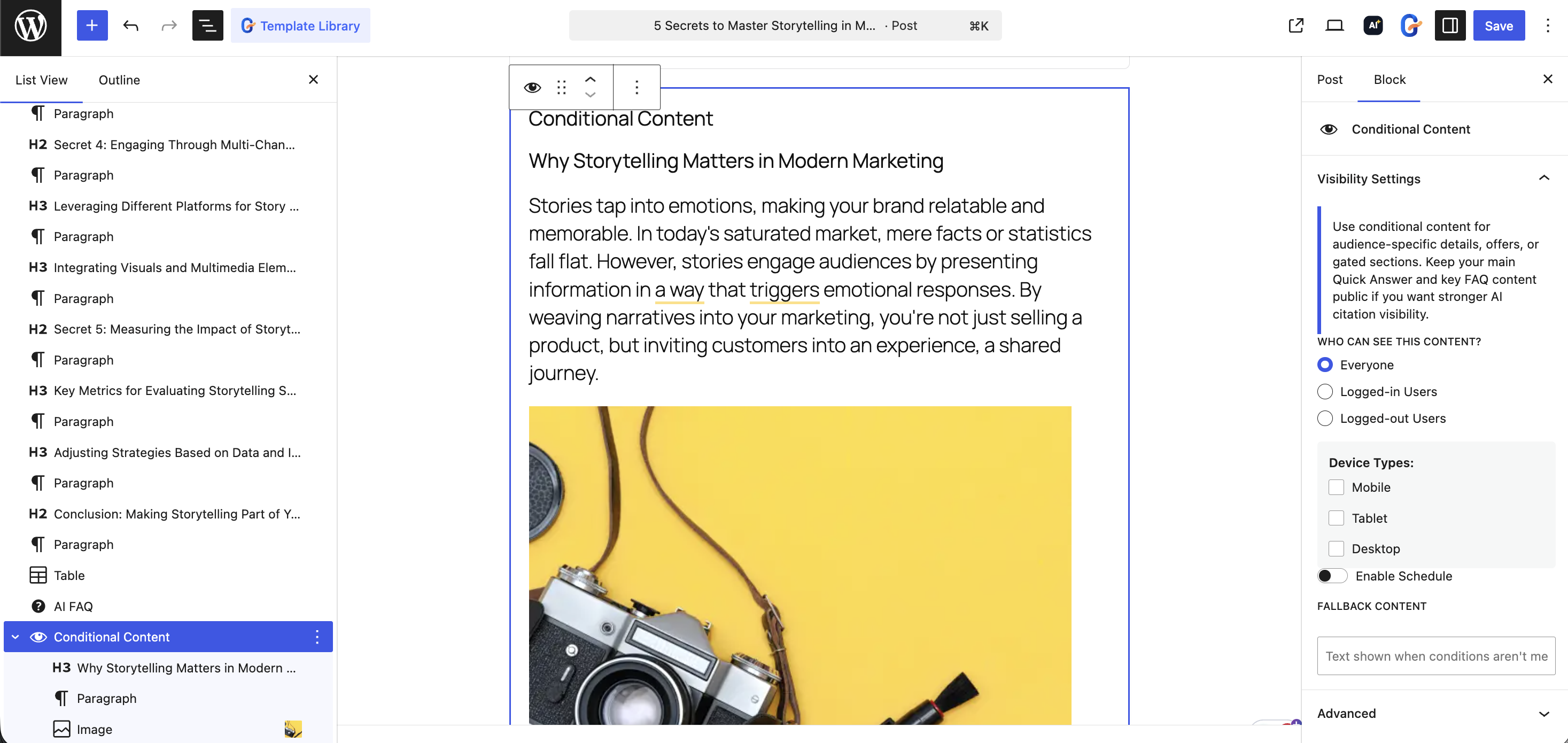
- Backward-compatible Conditional Content block
- Smart visibility rules for logged-in users, logged-out users, roles, device targeting, and schedules
- AI Citation Optimizer sidebar inside Gutenberg
- Citation score and citation probability analysis
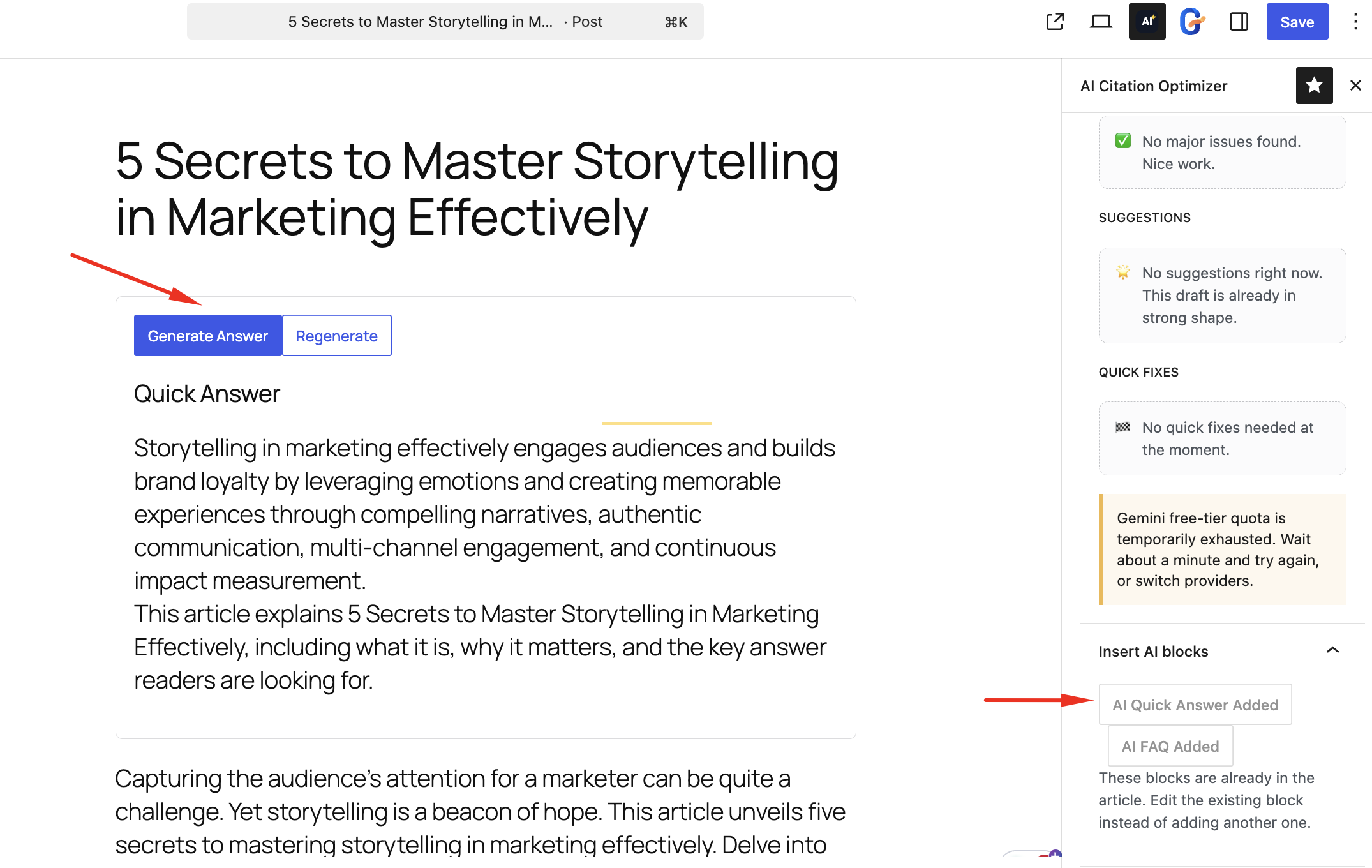
- AI Quick Answer block with generate, regenerate, and manual editing
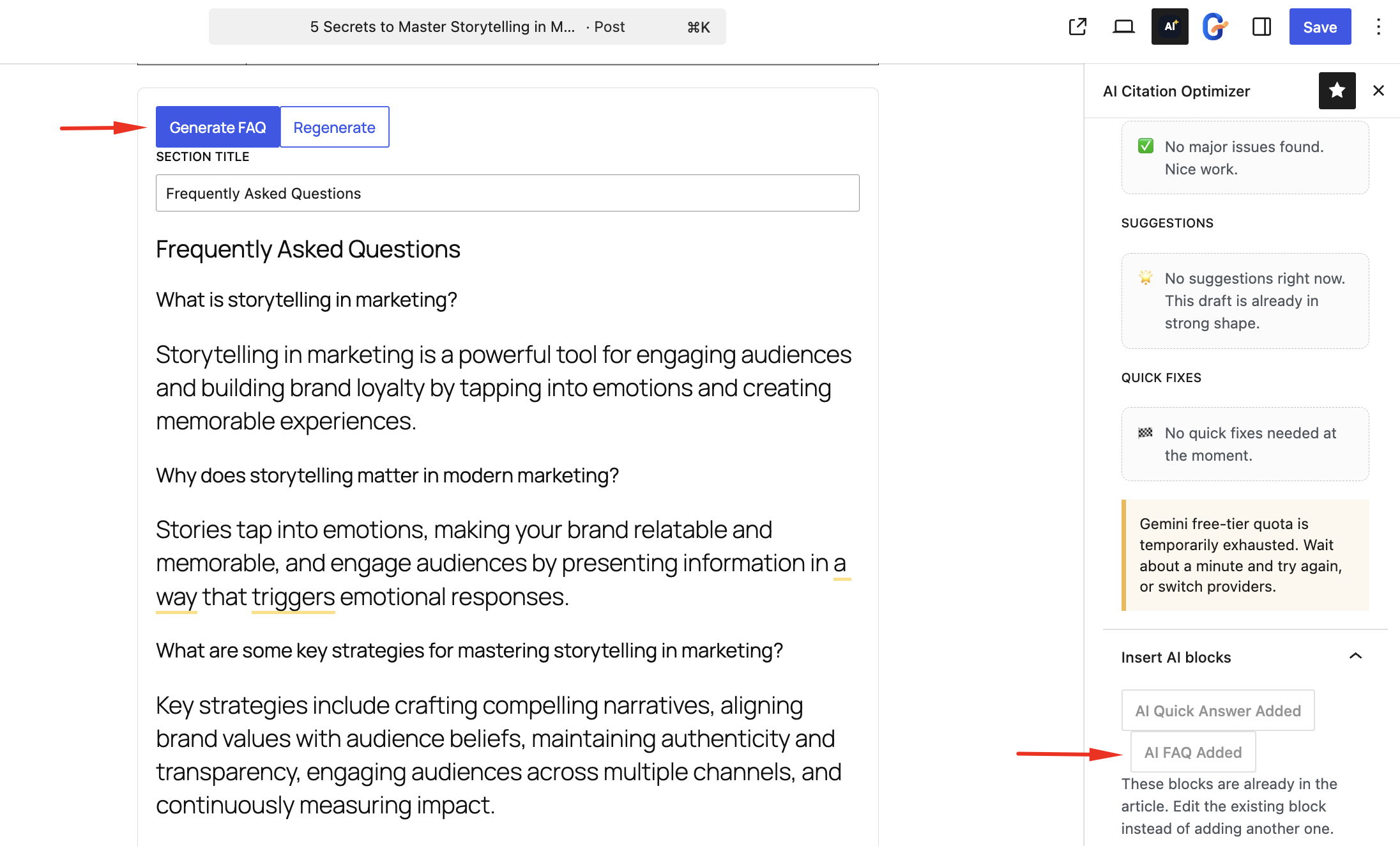
- AI FAQ block with AI-assisted question and answer generation
- Extractability analyzer for long paragraphs
- Visibility-aware warnings when key answer content is hidden inside conditional blocks
- AI quick fixes for article tables and paragraph rewrites
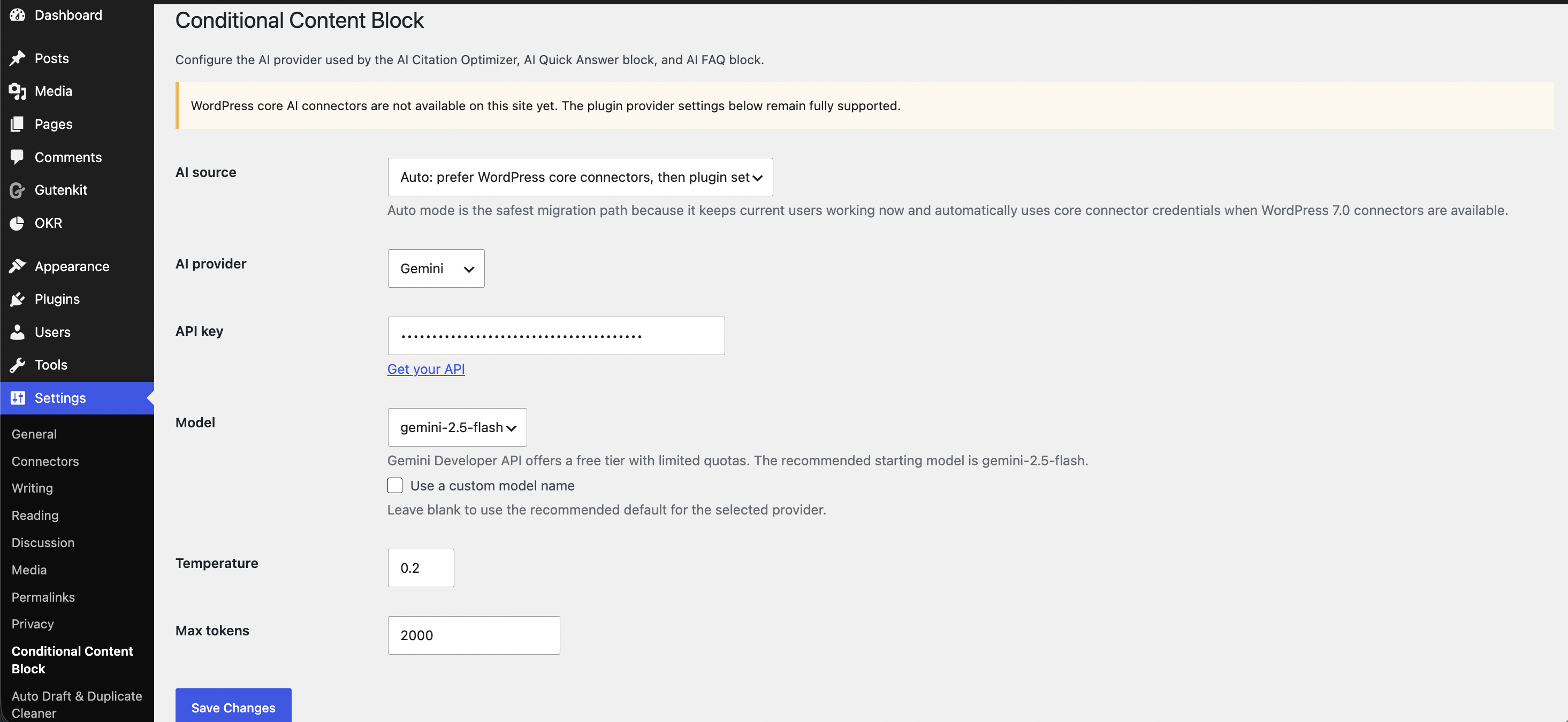
- OpenAI, Anthropic, Gemini, and WordPress core connector support
- Provider-aware settings with direct API key links
- Cached analysis results for performance Target keyword themes
- conditional content plugin for WordPress
- AI citation optimizer
- AI SEO plugin
- answer engine optimization plugin
- WordPress FAQ block
- quick answer block
- content optimization plugin
- AI-ready content
- extractable content formatting
- definition paragraph presence
- quick answer placement
- FAQ coverage
- heading hierarchy
- intro length
- paragraph extractability
- table usage
- visibility conflicts affecting public AI-readable answers
- OpenAI
- Anthropic
- Gemini
- WordPress core AI connectors when available
安装:
- Upload the
conditional-content-blockfolder to the/wp-content/plugins/directory - Activate the plugin through the 'Plugins' menu in WordPress
- Configure AI provider settings in Settings > Conditional Content Block
- Add the "Conditional Content", "AI Quick Answer", or "AI FAQ" block in the editor
- Use the AI Citation Optimizer sidebar to analyze content on demand
屏幕截图:
常见问题:
Does this remove the original conditional content functionality?
No. The original conditional content block remains available and backward compatible.
Which AI providers are supported?
OpenAI, Anthropic, and Gemini are supported through the plugin settings page.
Can I use the optimizer without an AI provider?
Yes. The rule-based scoring engine works without any AI connection. AI integration is optional.
Can I still use this as a normal conditional content plugin?
Yes. The original conditional visibility workflow remains part of the plugin and stays backward compatible with existing content.
Where should I place the AI Quick Answer and AI FAQ blocks?
For best results, place the AI Quick Answer near the top of the article. The AI FAQ block works best near the end of the post as a follow-up section.
What is the plugin optimizing for?
The plugin is designed for AI citation readiness, answer engine optimization, extractable formatting, FAQ coverage, and stronger content structure inside Gutenberg.
What does the citation score evaluate?
It checks structure, quick answers, FAQ coverage, heading hierarchy, intro length, paragraph extractability, tables, and optional AI guidance.
Can hidden content affect AI citation visibility?
Yes. If your most important answer content is restricted inside a conditional block, public visitors and AI systems may not see it. The optimizer warns about this.
Where are analysis results stored?
The latest analysis is cached in post meta and recalculated only when the content changes or the editor requests a new analysis.
更新日志:
- Improved WordPress.org release presentation with updated readme, screenshots, and plugin icon
- Refined product positioning around AI citation optimization and smart content visibility
- Added visibility-aware guidance for public Quick Answer and FAQ content
- Improved Gutenberg sidebar UX and block insertion behavior
- Tested with WordPress 6.9.4
- Repositioned the plugin as smart content visibility plus AI citation optimization
- Added AI Citation Optimizer Gutenberg sidebar
- Added rule-based citation readiness scoring engine
- Added OpenAI, Anthropic, and Gemini provider abstractions
- Added AI Quick Answer and AI FAQ Gutenberg blocks
- Added extractability analyzer and AI-assisted quick fixes
- Added visibility-aware optimizer guidance for public answer content
- Preserved backward compatibility for the original conditional block