
Connect CRM RealState
| 开发者 |
closetechnology
davidperez |
|---|---|
| 更新时间 | 2026年9月7日 18:13 |
| PHP版本: | 7.4 及以上 |
| WordPress版本: | 7.1 |
| 版权: | GPL-2.0-or-later |
| 版权网址: | 版权信息 |
详情介绍:
Connect CRM RealState imports properties from popular real estate CRM systems (Inmovilla and Anaconda) into WordPress. Properties are stored as custom post types with full field mapping, photo galleries, and property information displays.
Supported CRM Systems:
- Anaconda - Full REST API integration
- Inmovilla Procesos - REST API v1 integration
- Inmovilla APIWEB - Legacy API support
- Manual property import with progress tracking
- Configurable field mapping between CRM and WordPress custom fields
- Auto-map fields for quick setup
- Property photo gallery with carousel (shortcode and auto-display)
- Property information box with icons (shortcode and auto-display)
- Custom post type registration or use any existing post type
- Filter imports by postal code
- Configure actions for sold/unavailable properties
- Download images locally for better performance
- Import statistics dashboard
- Rate limit detection and automatic retry
- Compatible with Yoast SEO and Rank Math
[ccrmre_property_gallery]- Display property photo gallery[ccrmre_property_info]- Display property information box with price, bedrooms, bathrooms, area, and location
- Automatic background synchronization via cron
- Add ability to filter by postal code and province
- WPCLI for long-running tasks
- SEO-optimized property content (coming soon)
- AI-powered property descriptions with LLM (coming soon)
安装:
- Upload the plugin files to the
/wp-content/plugins/connect-crm-realstatedirectory, or install the plugin through the WordPress plugins screen. - Run
composer installin the plugin directory to install dependencies. - Activate the plugin through the 'Plugins' screen in WordPress.
- Go to Connect CRM RealState > Settings to configure your CRM API credentials.
- Go to Merge Variables to map CRM fields to WordPress custom fields.
- Go to Import Properties to start importing.
屏幕截图:
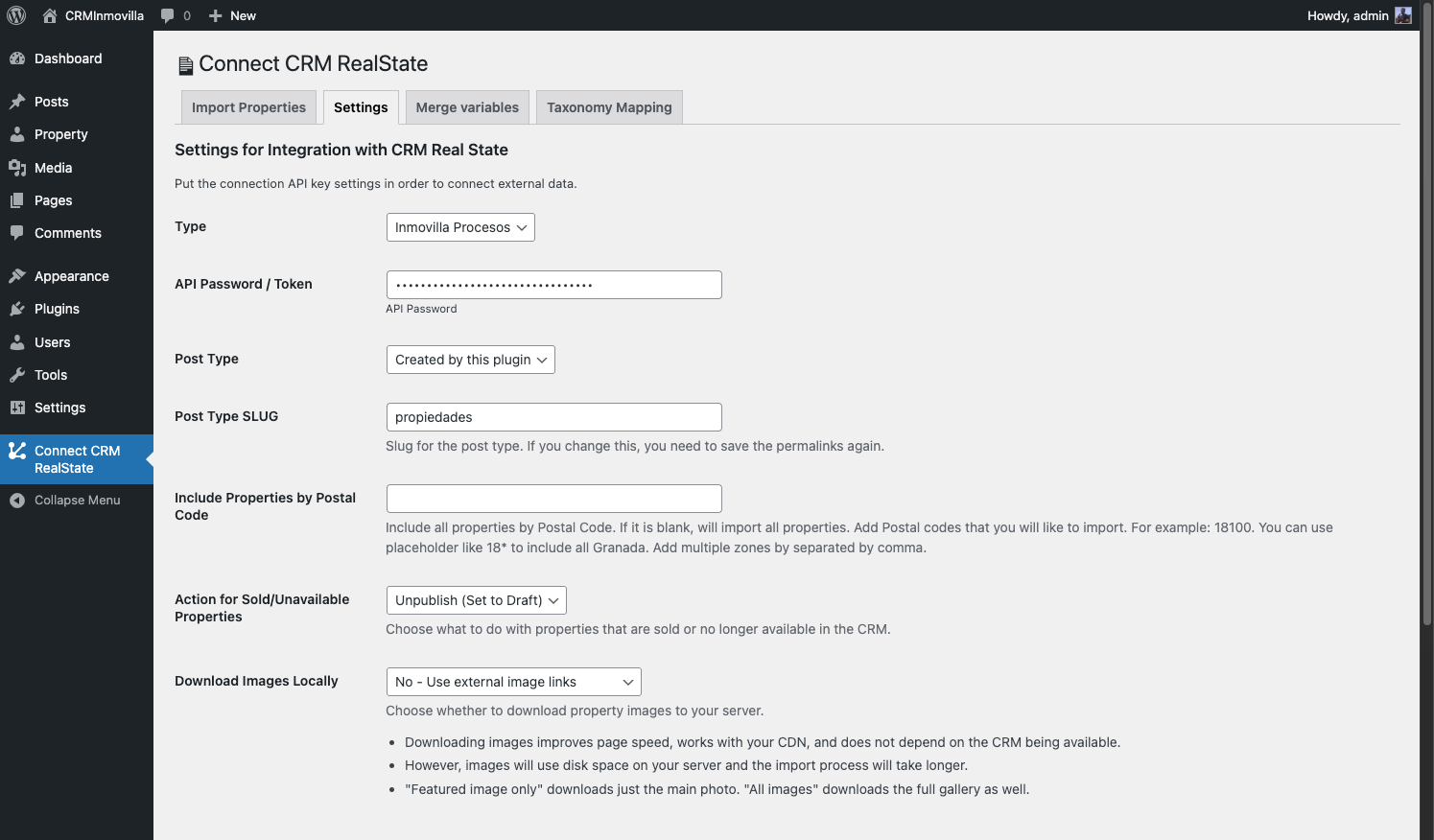
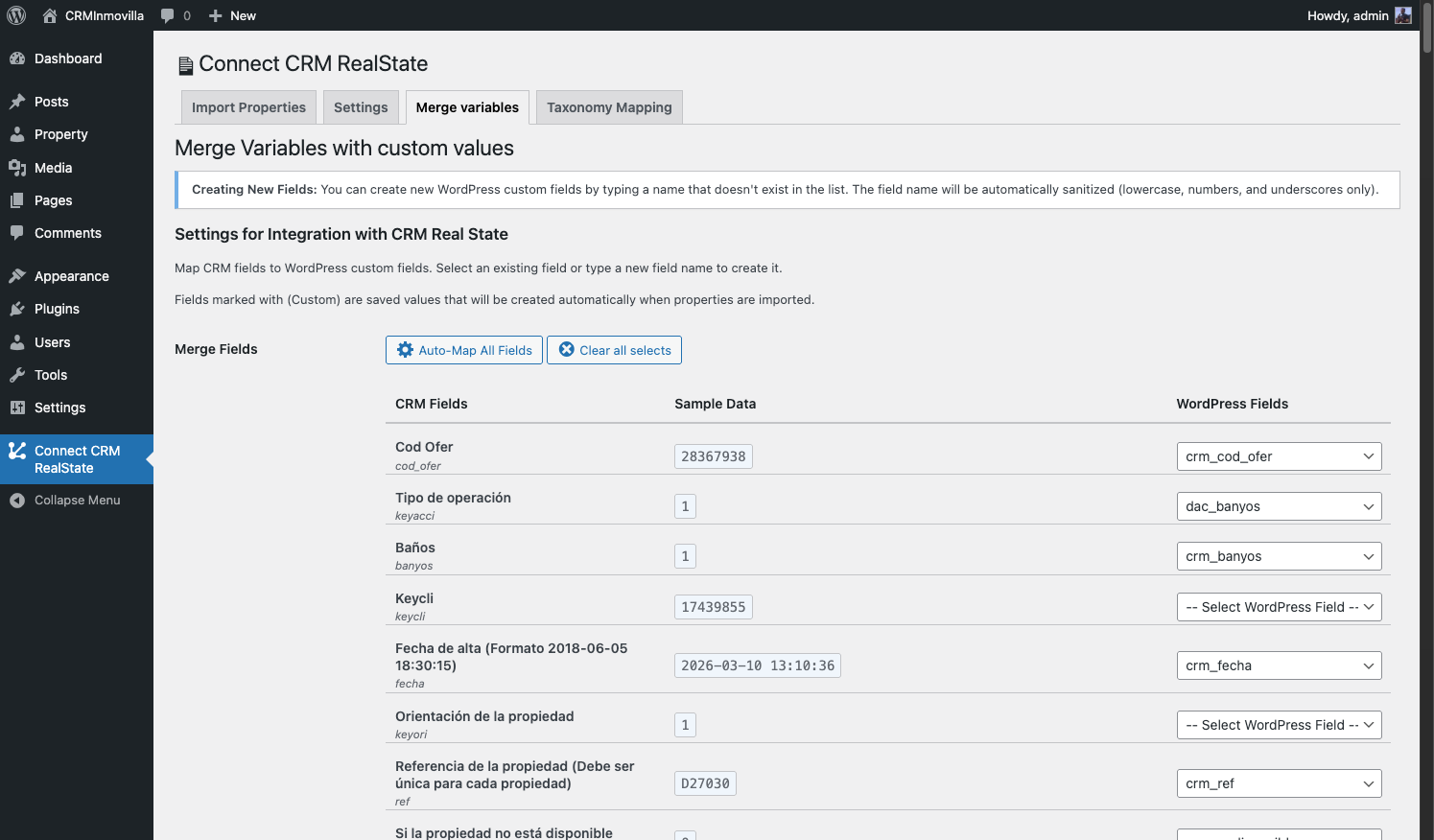
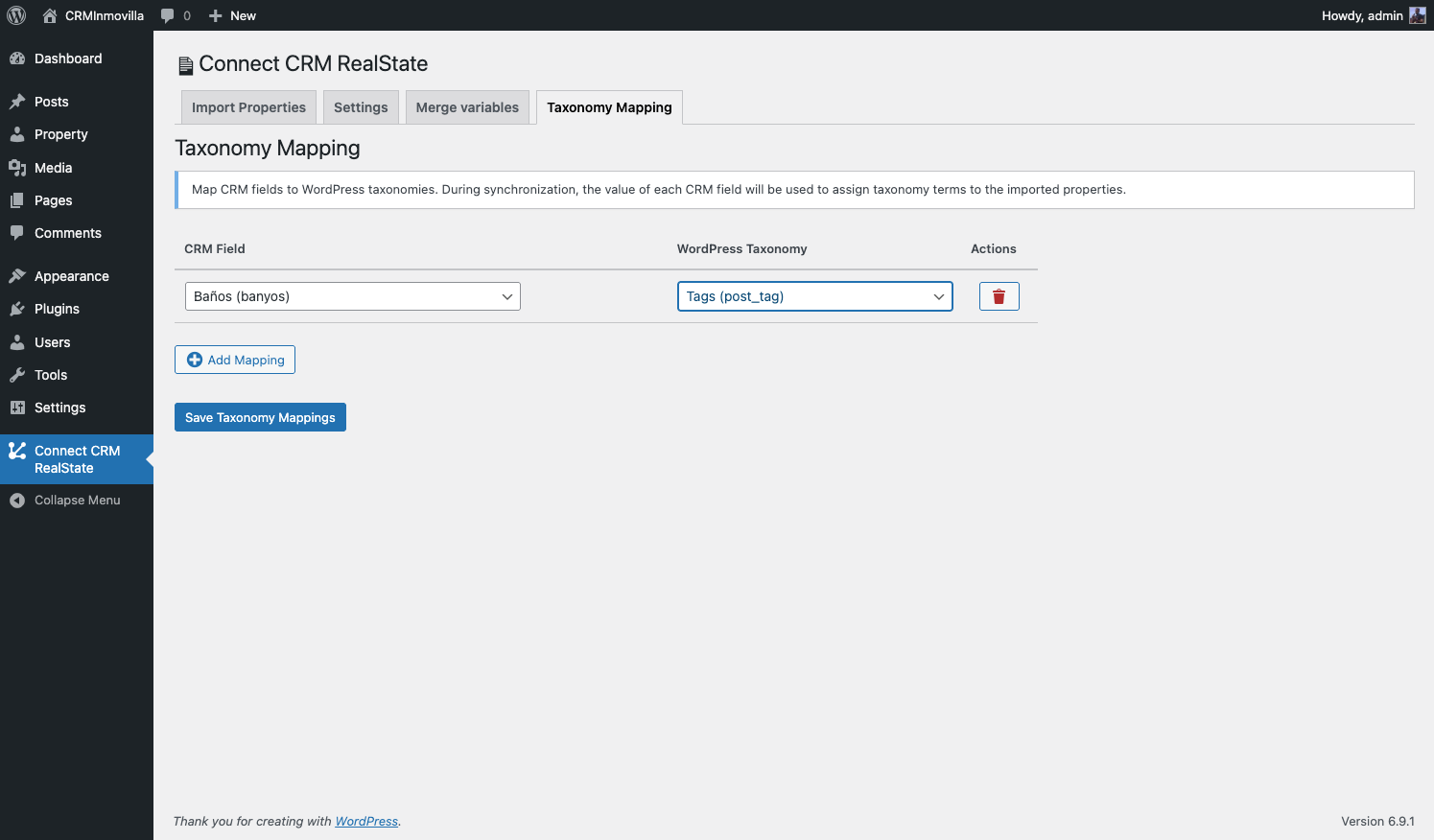
常见问题:
Which CRM systems are supported?
The plugin supports Anaconda, Inmovilla Procesos (REST API), and Inmovilla APIWEB.
Can I use my own custom post type?
Yes, in Settings you can choose to use the built-in "Property" post type or any existing public post type.
How do I display the photo gallery?
Either enable auto-display in Settings or use the [ccrmre_property_gallery] shortcode in your templates.
Can I filter which properties are imported?
Yes, you can filter by postal code. Use wildcards like 18* to include all properties from an area.
更新日志:
Unreleased
1.2.6
- Improved Inmovilla APIWEB error diagnostics with the request URL, redacted request parameters, HTTP status, and API response for Inmovilla support.
- Fixed APIWEB reserved properties (
estadoficha = 7) being treated as available. They now follow the configured action for sold/unavailable properties. - Changed the daily PRO reconciliation to apply the configured sold/unavailable action to properties that are no longer returned by the CRM.
- Fixed Inmovilla APIWEB requests to leave IB empty by default; it is now sent only when a proxy IP is explicitly configured.
- Added configurable IA and IB IP parameters for Inmovilla APIWEB connections. IA defaults to the current user's IP address and IB to the server's public IP address.
- Fixed: automatic sync error due to IP address change.
- Fix cron import not getting IP address for Inmovilla APIWEB, causing registration errors and failed imports.
- Fixed property info box not displaying all mapped fields: display now iterates dynamically over configured merge fields instead of relying on hard-coded field name lists.
- Added support for Inmovilla-specific field names (
banyos,total_hab,habdobles,m_cons,m_uties,m_terraza,m_parcela,precioalq,preciotraspaso,nbtipo,nbconservacion,zona,ref,cod_ofer, etc.). - Boolean feature fields (balcony, elevator, terrace, parking, pool, sea views, etc.) now shown as cards when active.
- Multiple price types (sale, rental, transfer) each displayed in the price header row when available.
- Fixed property info box light color scheme: replaced theme CSS variables that resolved to dark colors with fixed light values; removed automatic dark mode override.
- Fixed: automatic sync error due to IP address change (missing
$_SERVER['REMOTE_ADDR']check). - Added ability to filter properties by different variables (postal code, province, etc.).
- Improved API request management with better error handling and retry logic.
- Fixed detection of Inmovilla IP registration errors to skip unnecessary retries.
- Fixed city names being saved as numeric IDs instead of city names in Inmovilla APIWEB.
- Added admin settings tab with enums for CRM-specific field options.
- Removed legacy Inmovilla APIWEB PHP files from tests.
- Fixed Auto Display Photo Gallery setting not saving (form input name did not match the settings sanitizer).
- Added ability to filter by Postal Code.
- Added ability to filter by Province.
- Major refactor. Created the free version of the plugin.
- Error in property API does not stop the import.
- Added Taxonomy Mapping feature: repeater field to map CRM fields to WordPress taxonomies.
- Added automatic taxonomy term assignment during property synchronization.
- Initial release on WordPress.org.
- Manual property import from Anaconda, Inmovilla Procesos, and Inmovilla APIWEB.
- Configurable field mapping with auto-map.
- Property gallery and info box shortcodes.
- Import statistics dashboard.
- Rate limit detection and retry.
- Image download options.
- Postal code filtering.