
Connector for Propstack
| 开发者 |
laolaweb
threadi |
|---|---|
| 更新时间 | 2026年9月16日 22:00 |
| PHP版本: | 8.2 及以上 |
| WordPress版本: | 7.1 |
| 版权: | GPL-2.0-or-later |
| 版权网址: | 版权信息 |
详情介绍:
安装:
- Upload "connector-for-propstack" to the "/wp-content/plugins/" directory.
- Activate the plugin through the "Plugins" menu in WordPress.
- In Propstack, create an API key with read permissions for objects and object status.
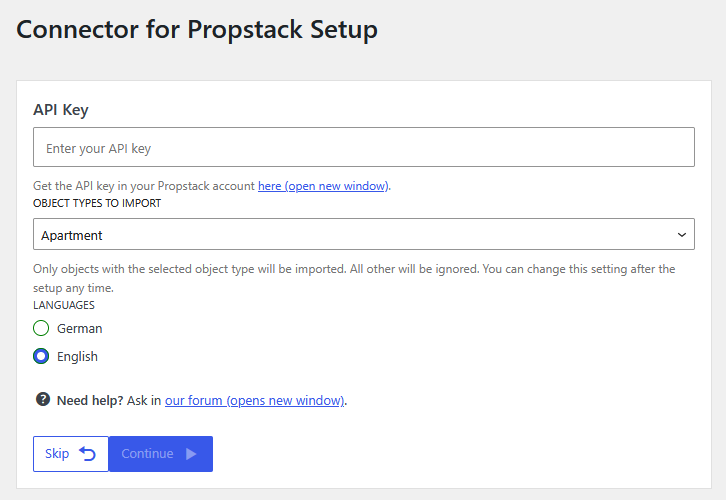
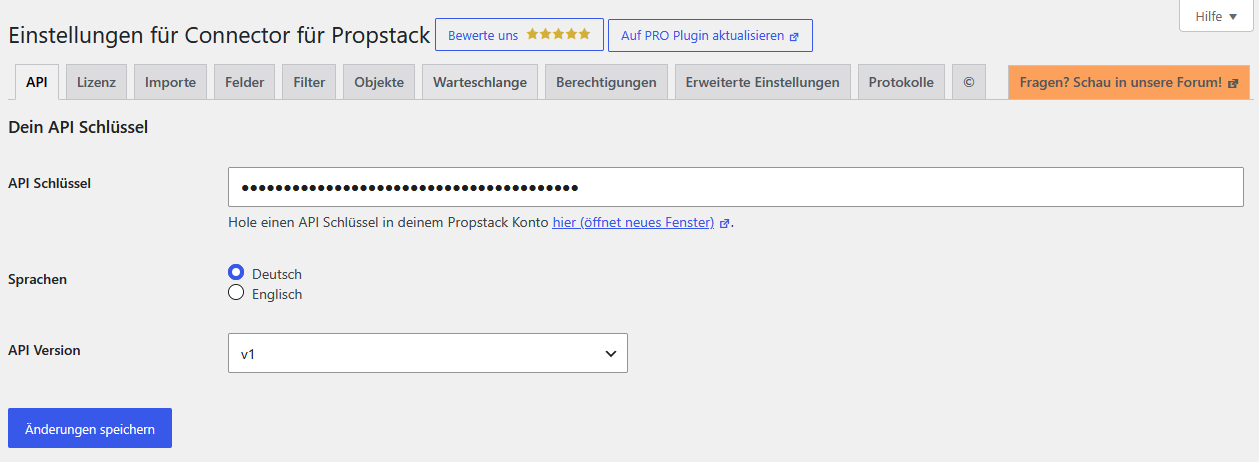
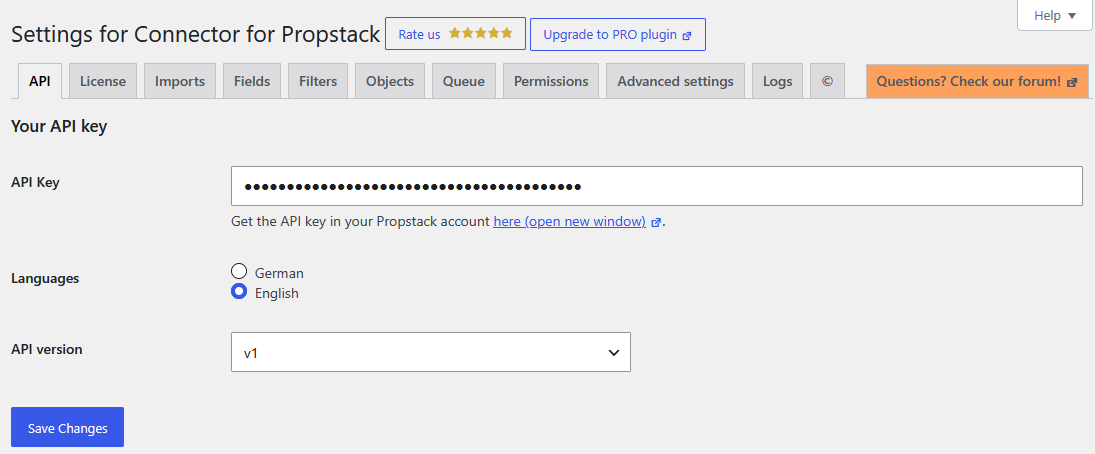
- Enter the API key in WordPress under "Settings > Connector for Propstack > API" and run the setup.
- Place your properties on your site using one of the blocks or shortcodes.
屏幕截图:

常见问题:
What is the difference between the free and the Pro version?
The free version imports your properties of the types "Apartment", "House" and "Garage" and displays them on your website with filter, list view and detail view. The list view shows up to 10 properties. It is free to use, permanently. The Pro version displays your properties without any limit and adds all remaining property types such as "Plot", "Office" and "Store", considerably more data fields, eight widgets with ready-made templates for page builders, additional blocks, contact forms that submit enquiries directly into Propstack, and personal support. The annual licence also includes up to 3 hours of setup service. You can find the current pricing on our website.
How do I create an API key in Propstack?
Log in to your Propstack account and open the API key administration under Admin > API keys. Click "Add API key" and either choose the "WP ImmoMakler" template or set the permissions for "Objects" and "Object status" to "Read". Copy the key and paste it into WordPress under "Settings > Connector for Propstack > API". A read-only key is sufficient. The plugin never needs write access to your CRM.
Will my properties be found by Google?
Yes. Every property becomes a regular WordPress post type entry with its own URL, its own title tag and its own meta-description. Your list and detail views are delivered as indexable HTML from your own domain, so search engines treat them as your content. SEO plugins such as Yoast SEO, Rank Math or SEOPress can be used on them like on any other page.
Does this plugin use iFrames?
No. No iFrame is used to embed any data. Your properties are stored in your own WordPress database and rendered by your own site.
Can I use the plugin with Elementor, Bricks or Avada?
The import works regardless of which page builder you use. Creating and editing property templates inside a page builder requires the Pro version, which ships widgets and prepared templates for Avada, Bricks, Brizy, Elementor, Salient and WPBakery. In the free version you design your property views with the seven blocks of the block editor, with shortcodes and with CSS.
How do I send contact enquiries from my website to Propstack?
In the free version, build a form with the form plugin of your choice, receive the submissions by email and enter them into Propstack manually. With Connector for Propstack Pro this transfer happens automatically: enquiries from Avada Forms, Elementor Forms, Contact Form 7 or WPForms are submitted directly into your Propstack account, with no manual step in between.
Does Propstack receive data about my website visitors?
No. The plugin communicates with the Propstack API only from your server, in order to import your own property data. Your visitors never connect to Propstack, so no visitor IP addresses or browser data are transferred. This is one of the practical differences to an embedded iFrame, which usually requires consent in your cookie banner.
What happens to properties that are sold or archived?
Properties that are no longer marketed in Propstack are removed from the import. Consider setting up redirects for their URLs so that existing links and search engine results do not end in a 404 error.
Can I use the plugin without a Propstack account?
The plugin can be installed without a Propstack account, but it cannot do anything useful without Propstack data. A Propstack account with API access is required.
Where do I get support?
For the free version, please use the support forum here on WordPress.org. Pro customers get personal support directly from the developers, either through the "Questions? Ask here" function inside the plugin or by email.
更新日志:
- Optimized deletion of objects for more speed
- Optimizations on import for more speed too
- Check for valid API key during first step in setup and show hints if there are any problems
- Show info about empty feed from Propstack in setup
- Better infos in import dialog about the start
- Prevent crypt error after installation
- Updates setup and settings lib
- Fixed 2 wrong textdomains in Settings.php
- Fixed missing usage of Lightbox for the gallery widget
- Fixed old interval name for 2 settings older changes