LukasApps CAPTCHA tools for Contact Form 7
| 开发者 | 247wd |
|---|---|
| 更新时间 | 2026年9月24日 12:42 |
| PHP版本: | 6.2 及以上 |
| WordPress版本: | 7.1.2 |
| 版权: | GPLv2 or later |
| 版权网址: | 版权信息 |
详情介绍:
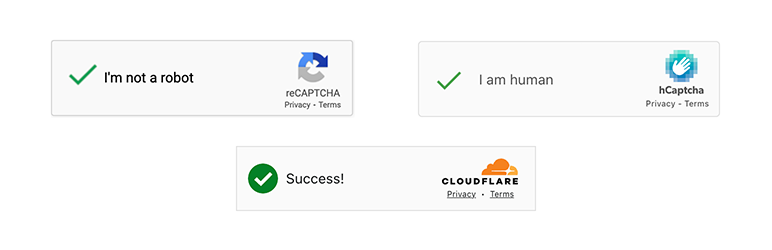
Protect your Contact Form 7 forms with Google reCAPTCHA V2, Google reCAPTCHA V3, hCAPTCHA, or Cloudflare Turnstile.
Easy integration and supports multiple forms on a single page.
Four CAPTCHA Options
Choose the CAPTCHA provider that works best for you:
- Google reCAPTCHA V2 — Google's classic "I'm not a robot" checkbox.
- Google reCAPTCHA V3 — Google's invisible, score-based bot verification.
- hCAPTCHA — A privacy-first alternative that offers robust bot protection while keeping user data secure.
- Cloudflare Turnstile — A modern CAPTCHA that verifies users in the background, only requiring a simple click if the visitor appears suspicious.
- Sign up with your chosen CAPTCHA provider and grab your Site Key and Secret Key.
- Paste them into CF7 Captcha in your WordPress admin.
- Add protection to any CF7 form in seconds using the shortcode provided in the same settings page.
- Size — Choose between normal and compact to fit your form layout.
- Theme — Switch between light and dark themes (or auto for Turnstile) to match your site's design.
- Language — Force any CAPTCHA to render in a specific language for your audience.
- Sender IP — See the IP address of the person who contacted you.
- Source Page — Know exactly which page on your site the form was filled out on.
- Device & Browser — Get technical details about the sender's setup.
安装:
- Upload the entire contents of the zip file to your plugin directory
- 通过 WordPress 的的“Plugins”菜单激活插件
- Configure plugin from Admin => CF7 Captcha
更新日志:
0.2.0
- Fix: reCAPTCHA v3 token is now refreshed after every form submission, preventing "Invalid captcha" errors when resubmitting a form after a validation error.
- Fix: reCAPTCHA v3 script is no longer added multiple times when several forms are on the same page.
- Security fix: A vulnerability allowed an unauthenticated visitor to trigger execution of shortcode content when submitting a form. Reported responsibly by Jakub Herman via WPScan/Jetpack (Automattic). All users are strongly encouraged to update immediately.
- Fix: Updated "Requires at least" version to match plugin headers and readme.
- Fix: Reduced tags list to comply with the 5-tag limit.
- Improvement: Documented third-party services (Google reCAPTCHA, hCaptcha, Cloudflare Turnstile) in the readme.
- Improvement: Revised plugin description to remove unverifiable marketing claims.
- Security: Added proper output escaping to shortcode callbacks to prevent XSS.
- New: Introduced [cf7sr-insights] tag - easily collect sender's IP, Source Page, and Browser info.
- New: Added support for Google reCAPTCHA v3 Invisible
- Improvement: Security upgrade - Switched CAPTCHA verification to POST method.
- Improvement: Enhanced bot detection by including 'remoteip' in API verification calls.
- Improvement: Performance boost - Optimized form validation to bypass expensive shortcode rendering.
- Improvement: Cleaned up and consolidated language files for a smaller plugin footprint.
- Fix: Modernized script enqueuing system to eliminate conflicts with modern themes/popups.
- Fix: Corrected Hungarian translation and refined admin notice dismissal behavior.
- Fix: Resolved a bug in the admin notice dismissal logic.