Content Flow Manager
| 开发者 | classic40 |
|---|---|
| 更新时间 | 2026年2月8日 05:11 |
| PHP版本: | 8.0 及以上 |
| WordPress版本: | 6.9 |
| 版权: | GPLv2 or later |
| 版权网址: | 版权信息 |
详情介绍:
Content Flow Manager adds a structured, professional editorial review workflow to WordPress.
It is designed for multi-author blogs, editorial teams, news platforms, content agencies, and organizations that need to review, approve, or reject content before it is published.
Instead of relying on informal checks, chat messages, or external tools, Content Flow Manager introduces a clear approval process directly inside the WordPress editor.
Why Content Flow Manager?
WordPress is powerful — but out of the box, it needs a true editorial approval layer.
On multi-author sites, this often leads to:
- Posts being published accidentally
- Feedback scattered across emails or chat tools
- No clear approval history
- Editors lacking visibility into content status Content Flow Manager bridges this gap by introducing a structured review step between content creation and publication — without changing how authors write.
- An author creates or updates a post
- The post is marked as Pending Review
- An editor or administrator reviews the content
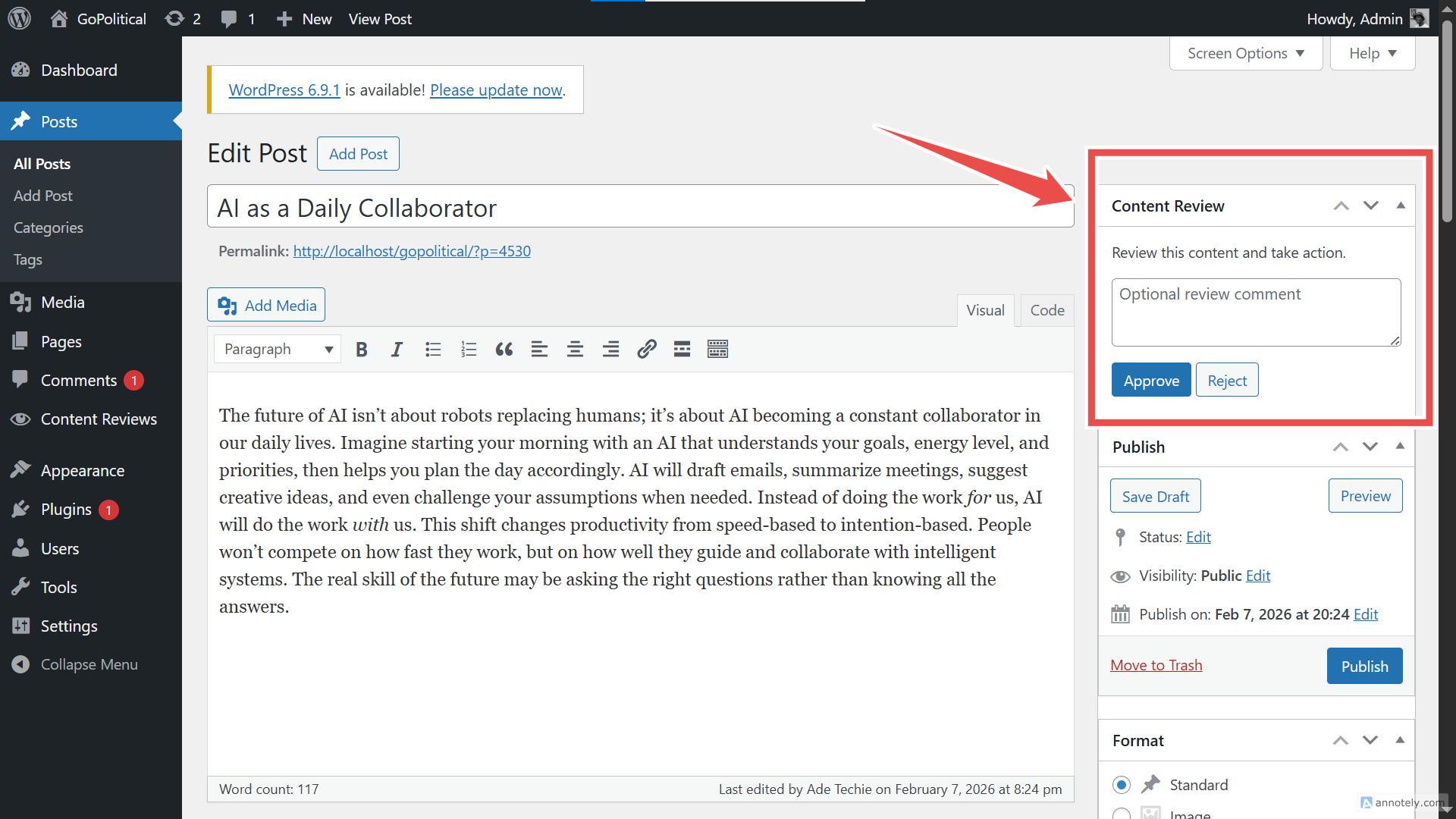
- The reviewer approves or rejects the post with a note
- The author sees feedback and can revise accordingly
- Approved content is published with full traceability
- Keep the entire editorial process inside WordPress
- Provide clear accountability for approvals
- Give authors transparent feedback
- Offer a clean, extensible foundation developers can trust The goal is not to replace WordPress — but to complete it for serious content teams.
- Editorial review system with approve / reject actions
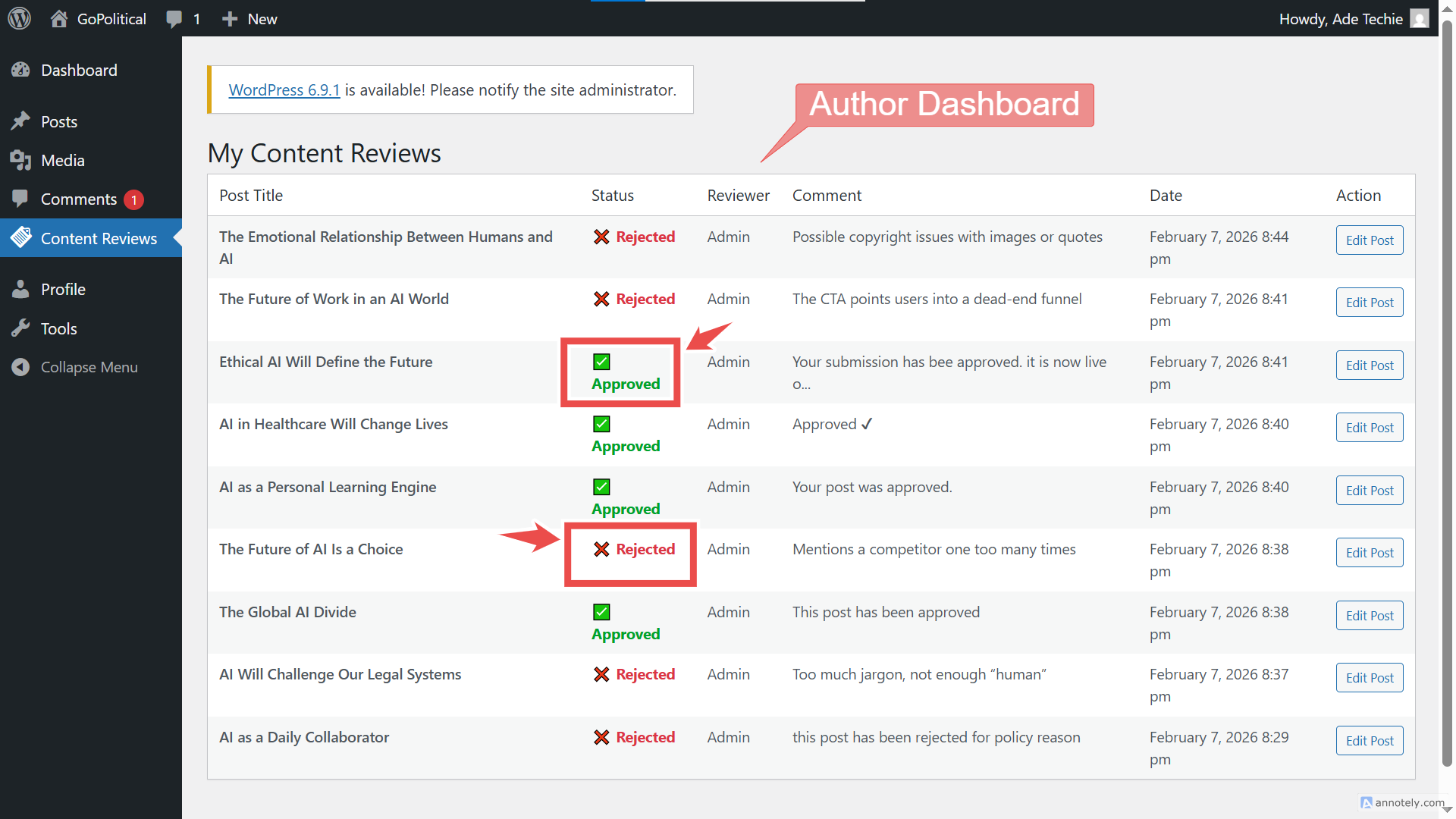
- Reviewer notes and feedback visible to authors
- Clear pending review state after content submission
- Author dashboard to track review status and feedback
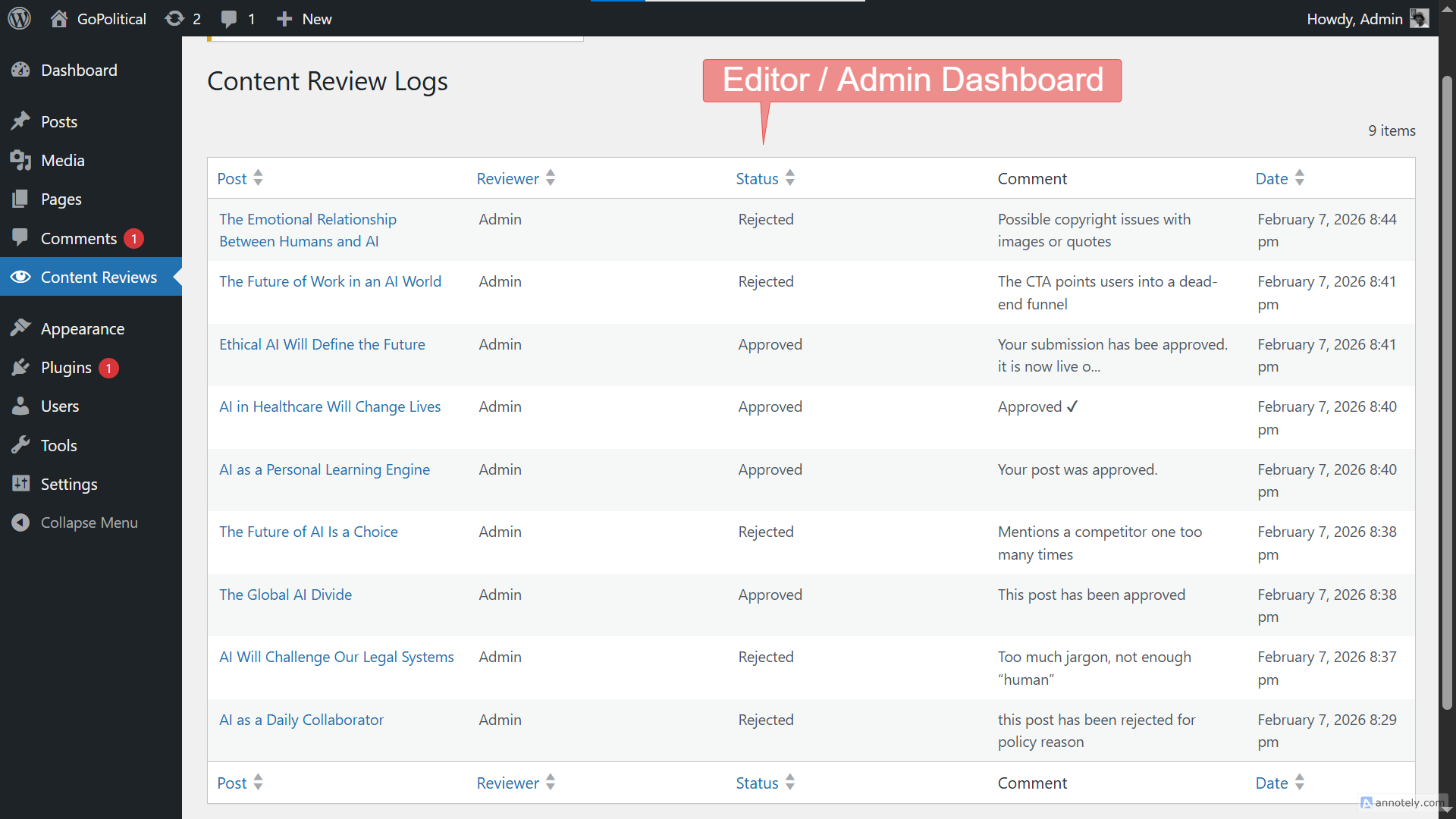
- Admin/editor dashboard showing full approval history
- Review activity logs stored in a custom database table
- Secure implementation using nonces, sanitization, and capability checks
- Cron-based reminders for pending reviews
- Developer-friendly, extensible architecture using modern PHP
安装:
- Upload the
content-flow-managerfolder to the/wp-content/plugins/directory. - Activate the plugin through the Plugins menu in WordPress.
- The plugin will automatically create its required database table on activation.
- Create or edit a post and use the Review Status panel to manage approvals.
屏幕截图:
常见问题:
Who can approve or reject content?
Users with editorial capabilities (Editors and Administrators by default) can review and approve content.
Can authors see reviewer feedback?
Yes. Authors can view reviewer notes and approval status directly from their dashboard.
Is this suitable for multi-author sites?
Absolutely. Content Flow Manager is specifically designed for multi-author and editorial team workflows.
Does it support custom post types?
Yes. Any post type that supports the editor and standard WordPress capabilities can be included.
Can developers extend the workflow?
Yes. The plugin is built with a clean architecture that allows developers to extend states, hooks, and logic.
更新日志:
1.0.2
- Fixed issue where restoring a trashed post caused an error
- Improved workflow handling for system-triggered post state changes
- Minor security improvements
- Internal workflow refinements
- Initial release
- Editorial workflow system implemented
- Review logging database schema added
- Admin and author dashboards introduced
- Cron-based review reminders
- Secure and extensible architecture