Drip Content & Scheduled Content Unlock – Content Time Lock
| 开发者 | wpmakedev |
|---|---|
| 更新时间 | 2026年9月6日 22:32 |
| PHP版本: | 7.4 及以上 |
| WordPress版本: | 7.1 |
| 版权: | GPLv2 |
| 版权网址: | 版权信息 |
详情介绍:
- Unlock content by date. Schedule content release for any post, page, or custom post type — set the unlock date and time right inside the post editor, one field, one click. Works with standard posts, pages, and any custom post type.
- Drip feed course content from each student's own start date. Instead of a fixed date, release content after registration: set a number of days after signup — Lesson 2 unlocks 7 days after each student registers, Lesson 3 unlocks 14 days after, and so on. Every student gets their own personal schedule automatically.
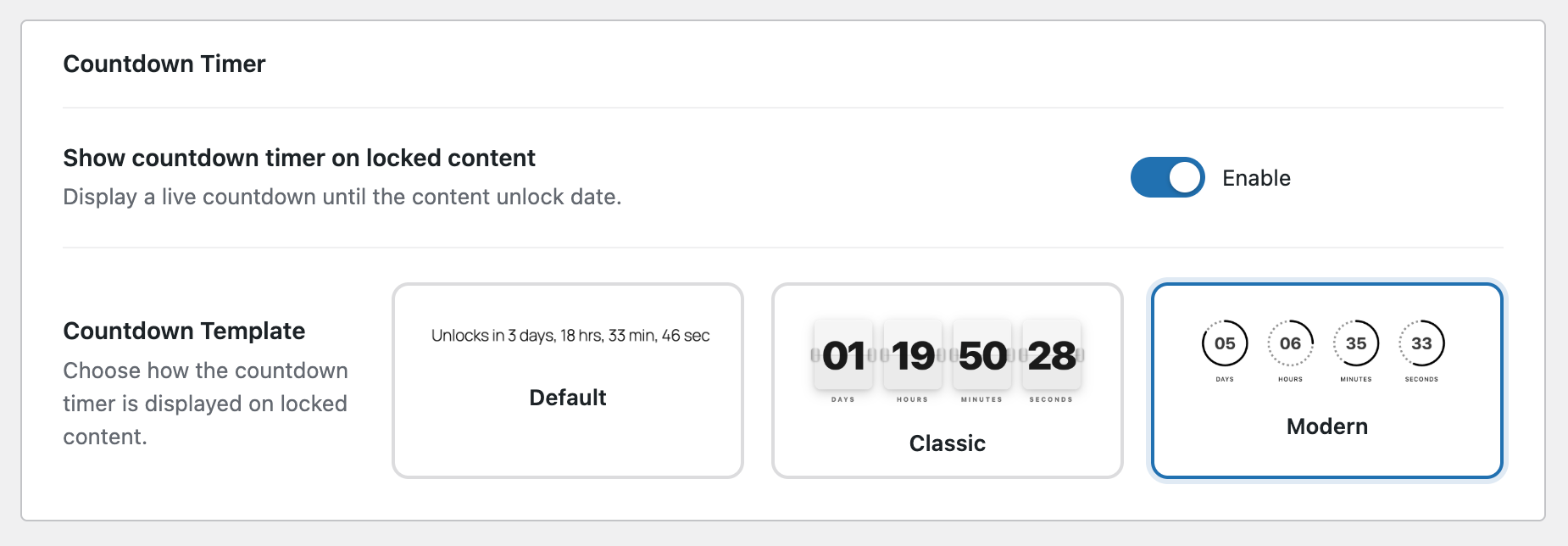
- Show students a live countdown timer. While the content is locked, students see a ticking timer — "Unlocks in 3 days, 4 hours, 12 minutes." Three display styles to choose from: simple text, flip-card, or circular. When the countdown hits zero, the page tells them the content just unlocked and prompts a refresh.
- Restrict content by user role. Choose whether to lock content for all logged-in users, specific roles only, or guest visitors. Administrators always see everything regardless of lock settings.
- Write your own locked-state message. Replace the default placeholder text with whatever you want students to see — HTML supported. Set a global default and override it per post when you need different messages for different lessons.
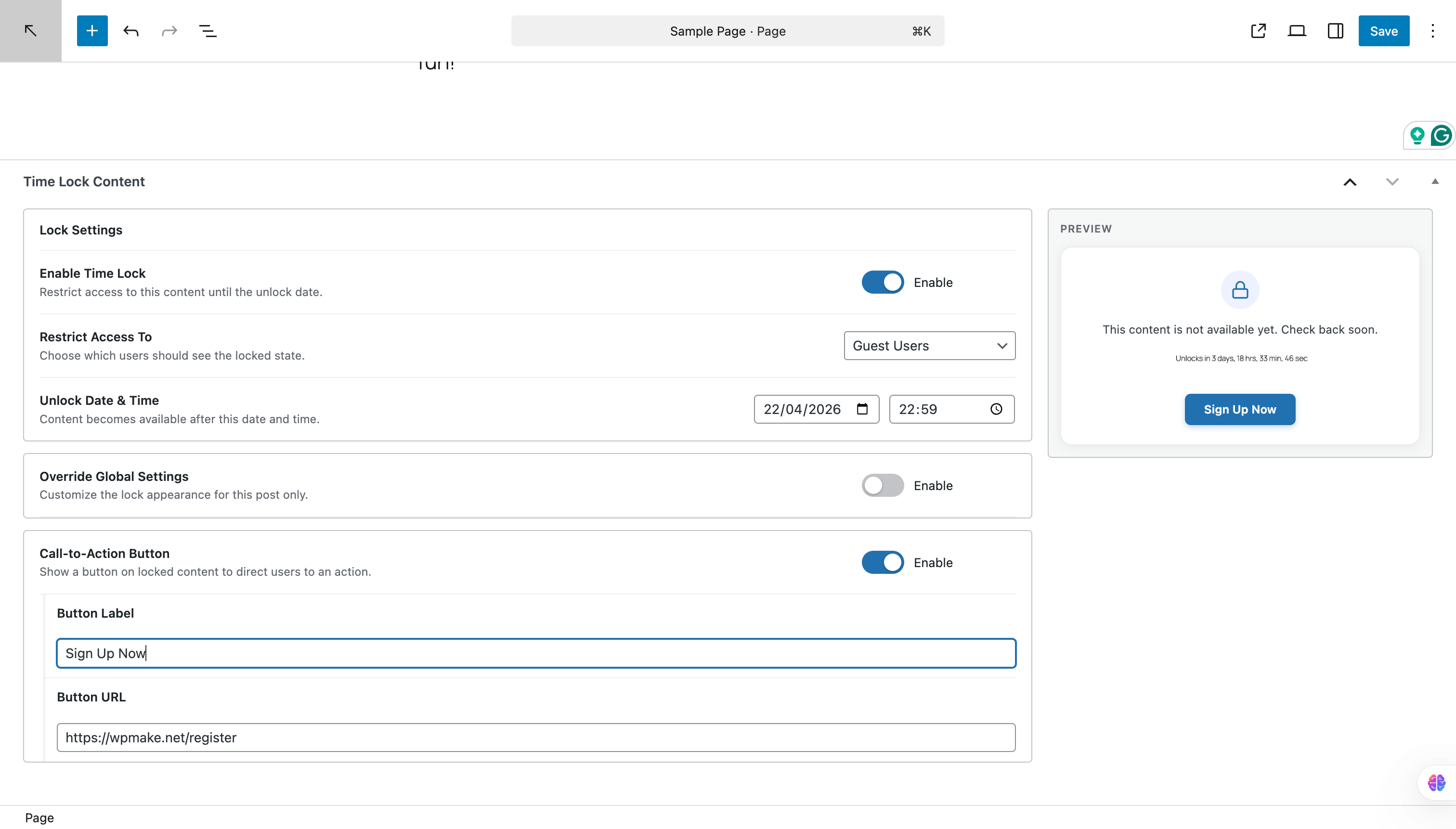
- Add a call-to-action button on the locked screen. Point students somewhere useful while they wait — a prerequisite lesson, a community forum, or a welcome page. Custom label and URL, toggled per post.
安装:
- Upload the
content-time-lockfolder to/wp-content/plugins/or install through Plugins → Add New. - Activate the plugin.
- Go to Time Locker → Settings to set your global defaults — lock message, countdown style, and custom CSS class.
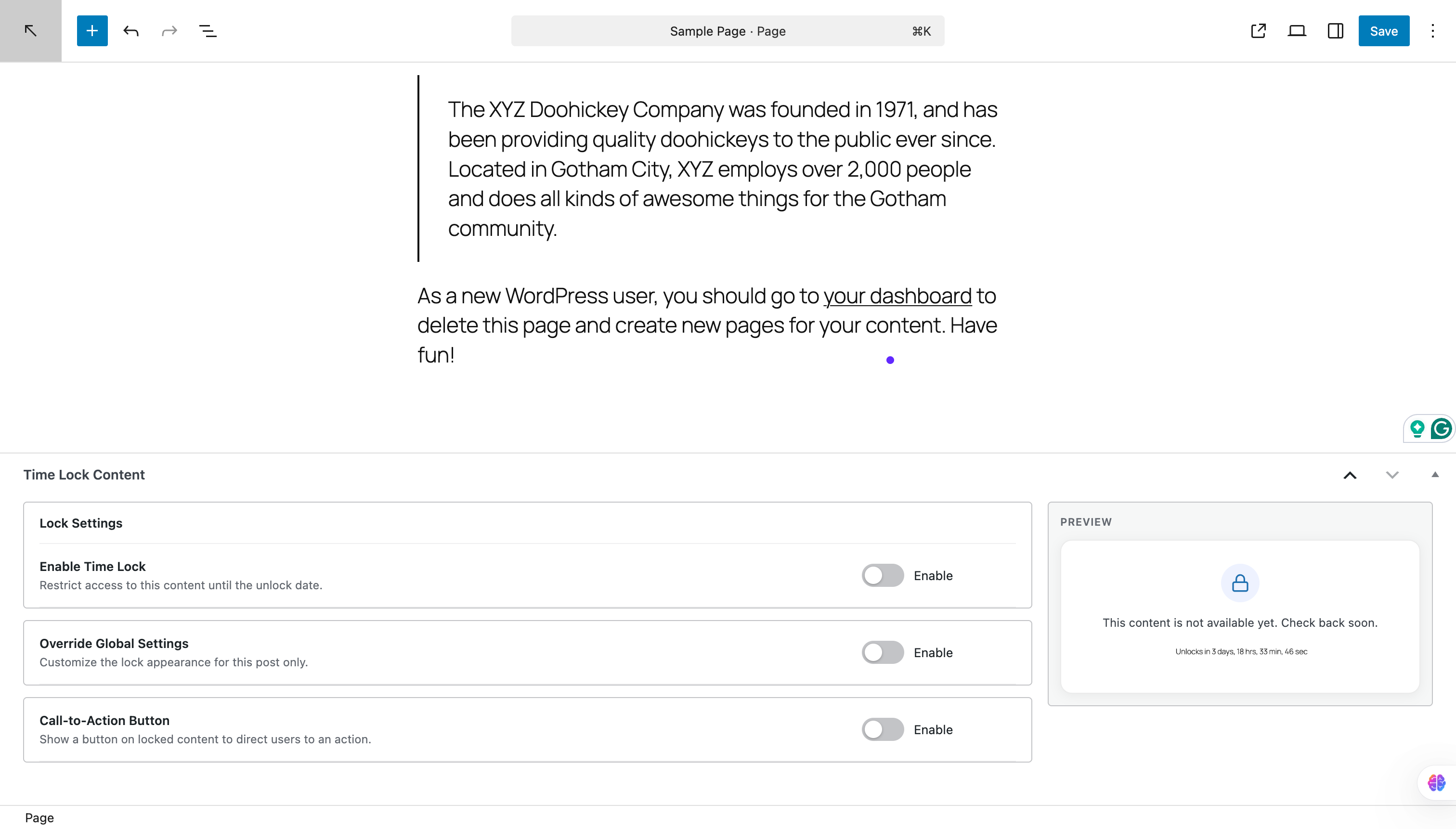
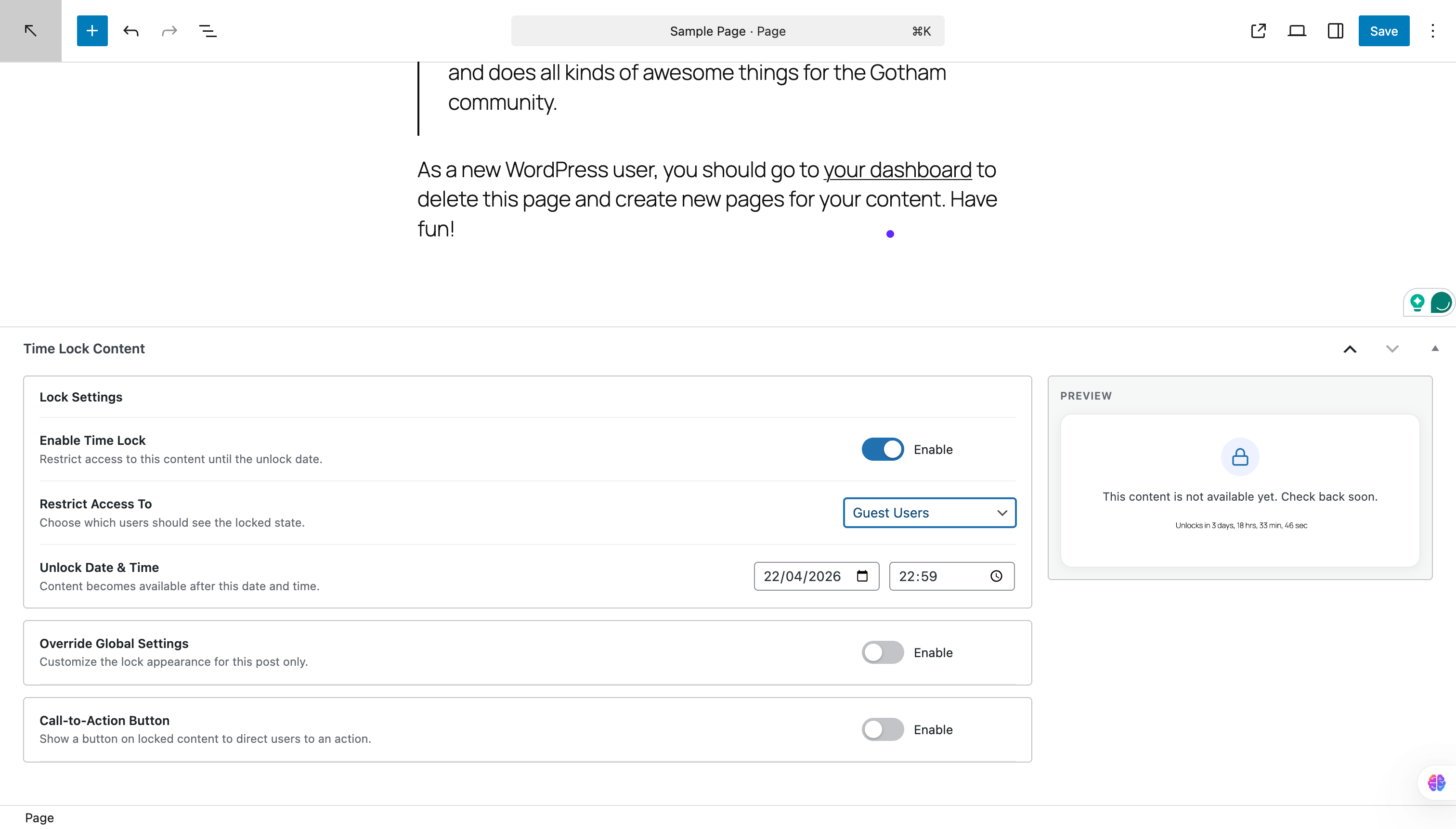
- Open any post or page, find the Time Lock Content metabox, check Enable Time Lock, choose who to restrict, select a lock mode (fixed date or days after registration), fill in the unlock value, and save.
- That is it. The content is now hidden until the date or registration offset you set.
屏幕截图:
常见问题:
What data does the plugin collect?
Nothing, unless you opt in. On activation you are asked once whether to share usage data. If you skip that screen, or never answer it, the plugin sends nothing at all and every feature works exactly the same — none of it is gated on opting in. If you do opt in, the following is shared with WPMake through Freemius:
- Your WordPress user's first name, last name and email address
- Your site's homepage URL and title, WordPress version, PHP version and site language
- This plugin's version, the Freemius SDK version, and whether it is active or uninstalled
- The names, slugs and versions of your other plugins and themes, and whether each is active
add_filter( 'tcl_enable_freemius', '__return_false' );
How do I turn off the review request notice?
The notice appears once the plugin has been active for a week, on the Dashboard and the plugin's own settings screen only, and only for administrators who have actually created a lock. "Don't ask again" removes it for good, and each administrator answers for themselves. To switch it off in code for everyone — useful on client sites — drop this in a plugin or your theme's functions.php:
add_filter( 'tcl_show_review_notice', '__return_false' );
Do my students need an account?
Yes, for most setups. The plugin restricts content by user role — so to keep lessons away from everyone except paying students, those students need a WordPress user account with the right role. You can create accounts manually, let students register themselves, or connect any plugin that assigns roles on signup or purchase (WooCommerce + User Role Editor, for example). Guest lockout is also available if you want to block unregistered visitors entirely.
Will this work with my theme?
Almost certainly yes. The plugin hooks into the_content filter — the standard WordPress mechanism that every well-built theme uses to output post content. It also has specific compatibility handling for Elementor, Beaver Builder, and SiteOrigin Page Builder. If you hit an issue with a particular theme or builder, open a support thread with the theme name and we will take a look.
Can I drip content based on when someone registers?
Yes. Set the lock mode to "Unlock X days after user registers" and enter the number of days. Each logged-in user's unlock time is calculated from their individual account creation date — so a student who registers today and one who registered last month each get their own personal schedule. Guest visitors always see the locked state when this mode is active since they have no registration date.
What is the difference between the two lock modes?
Unlock on specific date — one fixed calendar date and time applies to all visitors equally. Use this for cohort-based courses where everyone starts together (e.g. a live workshop launching on 1 June). Unlock X days after user registers — each user gets a personal unlock time calculated as their registration date plus however many days you set. Use this for self-paced courses where students can enrol at any time and still follow the same relative schedule.
Does this work with WooCommerce?
Yes, indirectly. Content Time Lock does not connect to WooCommerce orders or subscriptions directly — it does not know when someone purchased. What it does do is restrict content by WordPress user role. If you use WooCommerce with a role-assigning plugin (like WooCommerce Memberships or the free User Role Editor), customers who buy get a specific role, and you can lock your lessons to that role. Use the fixed-date mode for cohort launches or the days-after-registration mode for self-paced access. WooCommerce decides who has access; this plugin decides when they get it.
更新日志:
- Feature - Welcome screen after activation, with the two-minute setup path and docs link.
- Feature - Optional usage-data sharing, asked once on activation and entirely skippable.
- Feature - Settings sidebar with help links, related plugins and a review card.
- Fix - The role selector in the Time Lock panel stayed a plain list because a bundled script failed to load.
- Fix - The Time Lock block was left out of the release package, so it never appeared on installed sites.
- Fix - The All Time Locks screen loaded without its stylesheet and script.
- Fix - Review notice buttons sat misaligned and doubled as the notice's dismiss control.
- Fix - Right-to-left admin styles were out of date with their source stylesheets.
- Tweak - Renamed the plugin so drip and scheduling searches actually find it.
- Tweak - Tested up to WordPress 7.1; no compatibility changes were needed.
- Tweak - Reworked readme tags and description to match how people search.
- Tweak - Added a Docs link beside Settings on the plugin's Plugins screen row.
- Tweak - The panel now warns that "All Logged In Users" does not restrict signed-out visitors.
- Tweak - The review request now waits a week and only follows real usage.
- Tweak - Deleting the plugin now clears the review notice's stored state.
- Dev - Rewrote DOCUMENTATION.md for 1.2.0; it still described the 1.1.0 menus, panels and limits.
- Feature - Introduced Time Lock Block.
- Feature - Partial restriction for contents.
- Feature - Overlay settings for restricted content message.
- Fix - Option visibility mismatch in metabox options toggle.
- Fix - Post or page lock not restricting other sections like Comments, etc.
- Fix - The CTA button on frontend restricted message appearing even if URL and Text both are not provided.
- Feature - Added "Days after registration" lock mode as an alternative to the fixed unlock date. Content unlocks individually for each user based on their account creation date plus a configurable number of days.
- Feature - New "Lock Mode" radio group in the Time Lock metabox lets you switch between "Unlock on specific date" (existing) and "Unlock X days after user registers" (new).
- Fix - Metabox design.
- Lock any post, page, or custom post type until a specific date and time.
- Role-based restrictions: lock content for all logged-in users, specific roles, or guests.
- Live countdown timer in three display styles: text, flip-card, and circular SVG.
- Per-post settings override global defaults for lock message, countdown visibility, timer style, and CTA button.
- Call-to-action button with custom label and URL on the locked-content screen.
- Administrators always bypass all locks.
- Page builder compatibility for Elementor, Beaver Builder, and SiteOrigin.
- Global settings page under Content Time Lock admin menu.
- All Time Locks admin list with status badges and unlock-date sorting.
- Initial release.