ContentGate – Content Restriction & Access Control by Login Status & User Role
| 开发者 | ThemeGrill |
|---|---|
| 更新时间 | 2026年10月16日 12:30 |
| PHP版本: | 7.4 及以上 |
| WordPress版本: | 6.9 |
| 版权: | GPLv3 |
| 版权网址: | 版权信息 |
详情介绍:
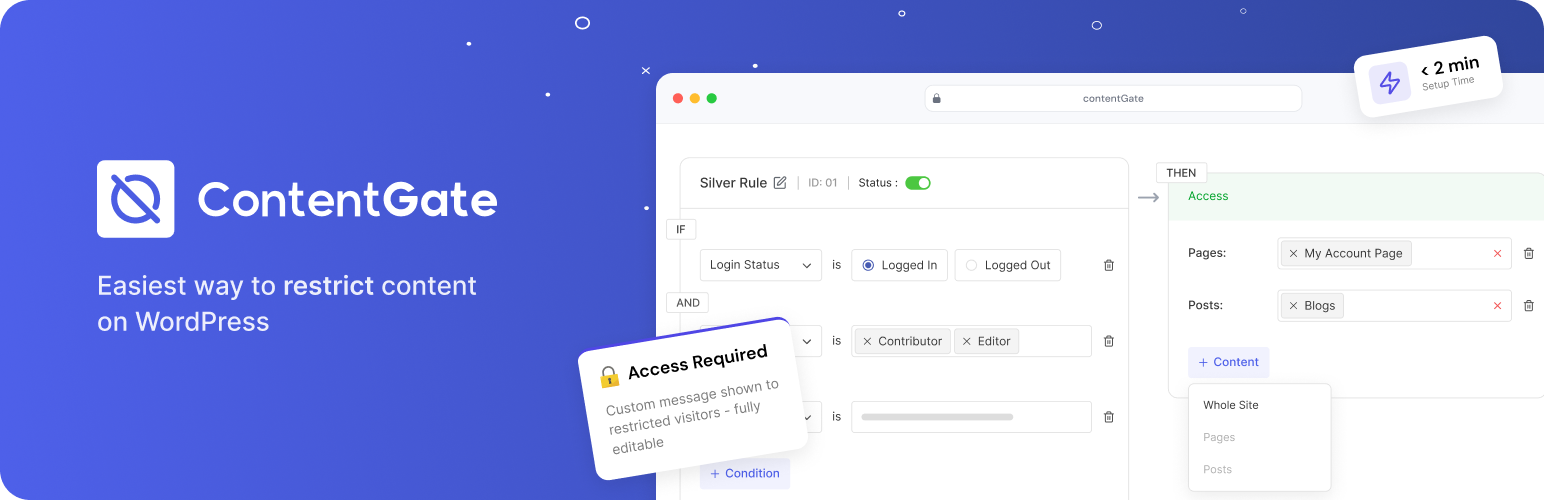
Restrict content on your WordPress website with simple, rule-based access control.
ContentGate lets you control who can view your content based on login status and user roles. Whether you want to hide pages from non-logged-in users, limit access by role, or protect specific posts, ContentGate makes it easy to create clear rules and apply them instantly.
Set conditions once and control content visibility across your site without complex setup.
Key Features
Rule-Based Content Restriction
Content Restriction based on:
- Login Status (Logged in vs logged out users)
- WordPress user roles (Administrator, Editor, Author, etc.)
- Combined conditions using AND logic
- IF user is “Logged In” → access page A, B and C (logged out user cannot access A, B and C)
- IF user role is “subscriber” or “editor” → can access page A, B and C (Contributor cannot access pages)
- IF user is “Logged In” and role is “Author” → can access page A, B and C (Others will see content restriction message)
- Entire website
- Specific pages
- Individual posts
- Show custom instructions
- Prompt users to log in
- Use smart tags for dynamic content
- Create a rule
- Set conditions (login status, user role, or both)
- Choose content to restrict
- Save and apply
- Add, update, or delete rules anytime
- Clean interface focused on quick setup
- No coding or technical setup required
- User Registered Date: before, after or between dates
- Registration Period: how long ago a user signed up
- Email Domain: for example, only
@yourcompany.comaddresses - Min. Public Posts: users who have published a set number of posts
- Capabilities: any WordPress capability, not just roles
- Restrict: block the users who match a rule, as well as allowing them
- Redirect to any URL, or to a page on your site
- Custom restriction message for each rule, with smart tags
- Blur Content + CTA: show a teaser of the content under a blurred overlay with your call-to-action, plus site-wide CTA defaults
- Post types, taxonomies, menu items and custom URIs
- Parts of a page, with the Content Restriction block
- AND/OR groups of conditions
- Drag and drop to set the order rules are checked in
- Create a Login Requirement: Require users to log in before accessing your content.
- Restrict Content by Role: Control which user roles can view specific content.
- Protect Selected Content: Restrict access to specific pages or posts without affecting the entire site.
- Restrict Your Entire Website: Make your whole website accessible only to selected users or logged-in visitors.
- Combine Conditions for Better Control: Use AND logic to apply multiple conditions together:
- Logged in AND specific role
- Logged out AND restricted content
- Website owners who need simple content restriction
- Blogs that require login to view content
- Small websites with basic access control needs
- Private or internal websites
- Anyone looking for a lightweight restriction solution
- Control who can view your content
- Protect sensitive or limited-access pages
- Manage visibility with simple rules
- Uses native WordPress roles and login system
- Works with existing pages and posts
- Lightweight and performance-friendly
更新日志:
1.0.3 - 16-10-2026
- Feature - Pro features are now shown in the rule editor and settings, locked, with an Upgrade to Pro link.
- Feature - New Usage Data setting (off by default) to share usage data with ThemeGrill and see an occasional feedback survey.
- Feature - Optional feedback form when deactivating the plugin, and a one-click rollback to the previous version.
- Tweak - The plugin description now explains what ContentGate Pro adds.
- Tweak - Creating a rule through the REST API now also returns its rule_id.
- Fix - PHP warnings when ContentGate Pro is activated while ContentGate is active.
- Fix - Some labels shared with Pro used the wrong text domain and could not be translated.
- Fix - Condition and content menus no longer open behind the header on short screens.
- Fix - WooCommerce products and the Shop page restricted with per-post settings no longer cause a fatal error, and now show the restriction message on classic themes.
- Fix - Log In link in the restriction message now returns to the gated page after login.
- Fix - Administrators are no longer locked out by rules that do not include the administrator role.
- Fix - Hide unrelated admin notices
- Initial Public Release