
ContentLatch
| 开发者 | elijahwill |
|---|---|
| 更新时间 | 2026年10月12日 11:30 |
| PHP版本: | 8.1 及以上 |
| WordPress版本: | 7.1 |
| 版权: | GPLv2 or later |
| 版权网址: | 版权信息 |
详情介绍:
ContentLatch is a WordPress content governance and validation plugin. Site administrators define rules for WordPress Core and Advanced Custom Fields (ACF) fields, then ContentLatch evaluates content against those rules when editors save or publish.
Define the content rules your site requires, then automatically validate content against those rules before publication.
ContentLatch is not an AI tool, SEO scanner, malware scanner, spell checker, or content generator. It enforces the rules you configure.
How it works
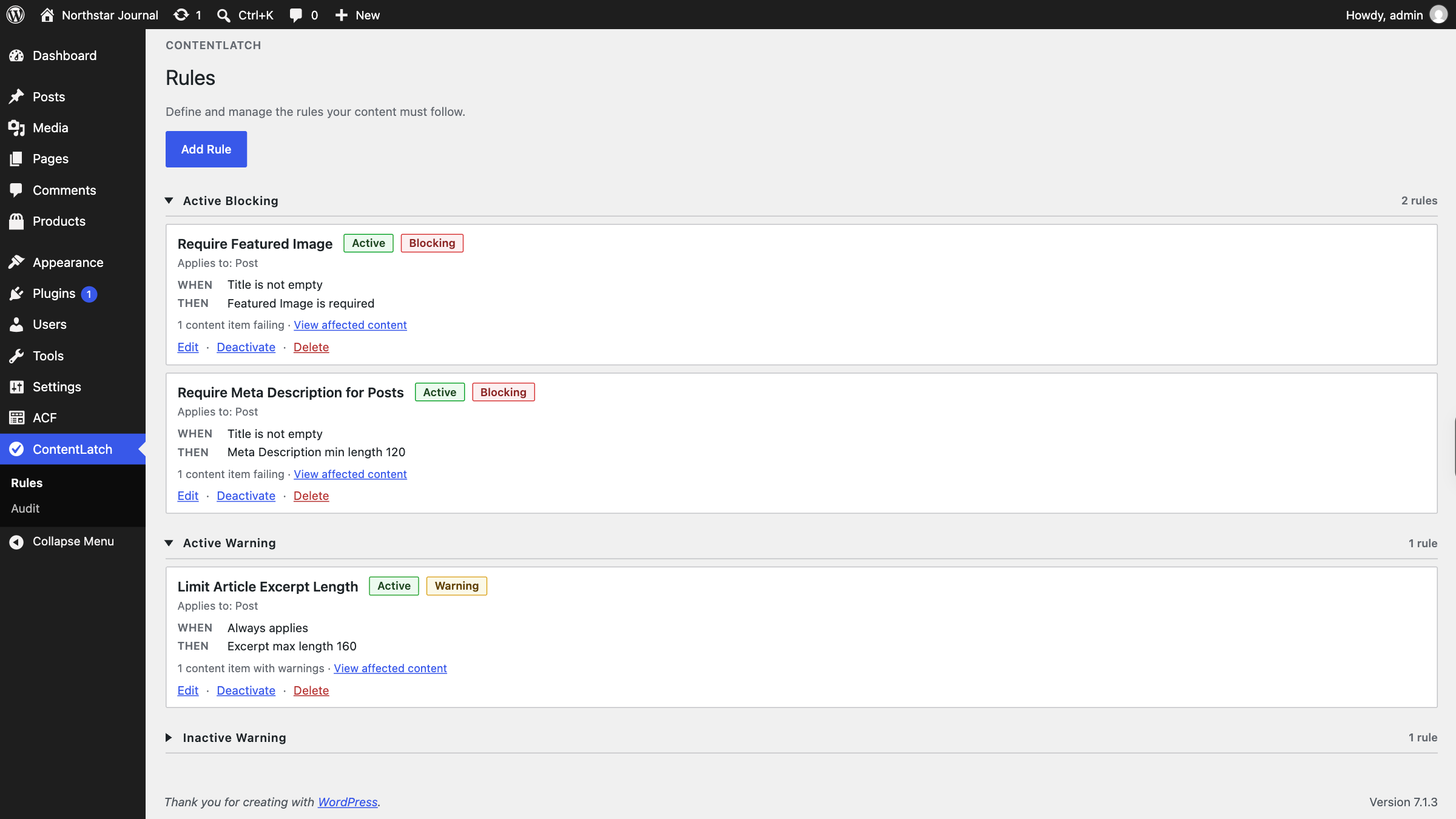
- Create a rule for a post type.
- Optionally choose when the rule applies (a WHEN condition).
- Optionally choose what must be true (a THEN validation).
- Choose severity: Blocking or Warning.
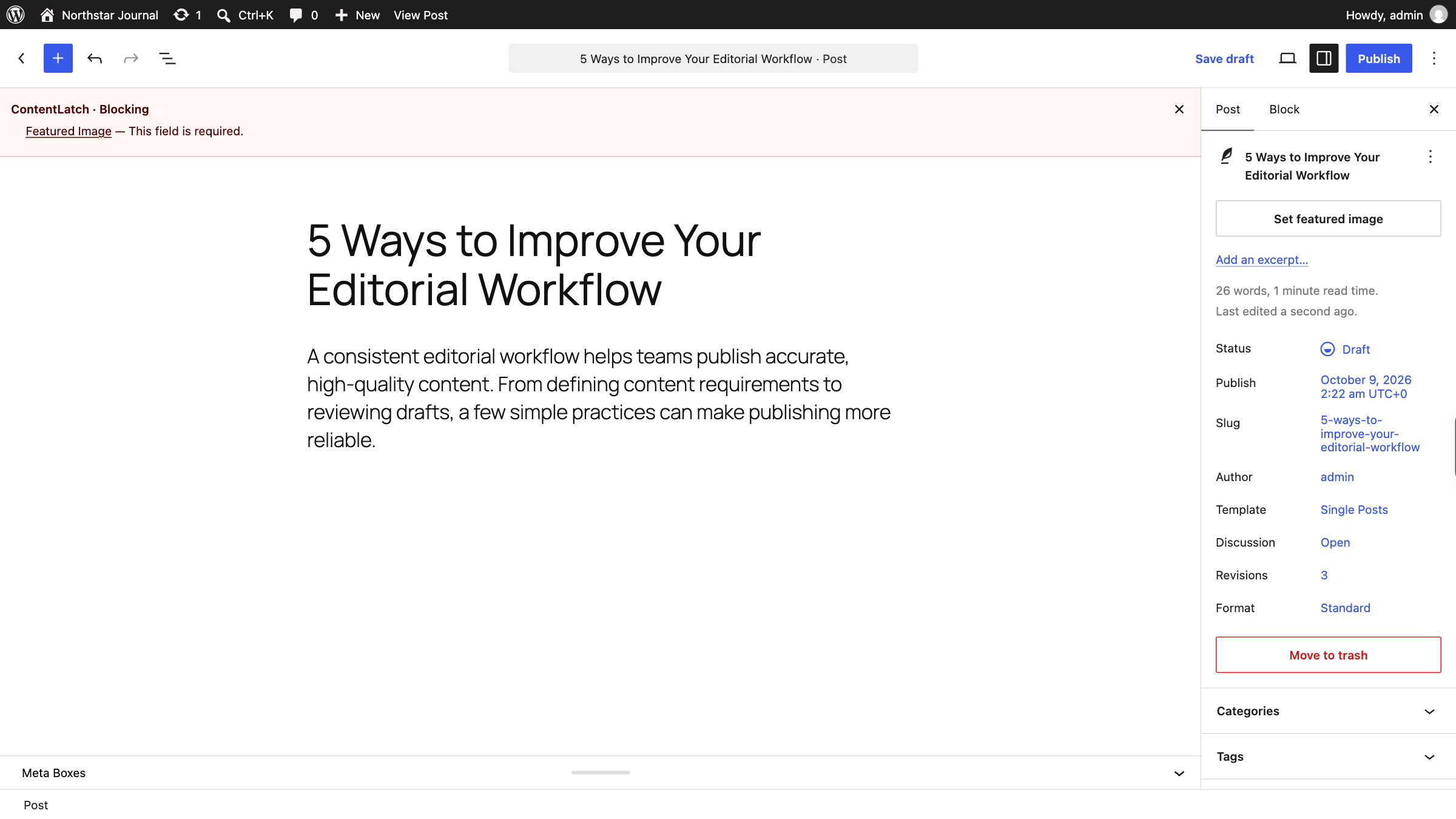
- ContentLatch evaluates content during editing and save.
- Blocking findings prevent publishing or updating published/private content.
- Warnings alert the editor but do not block publication.
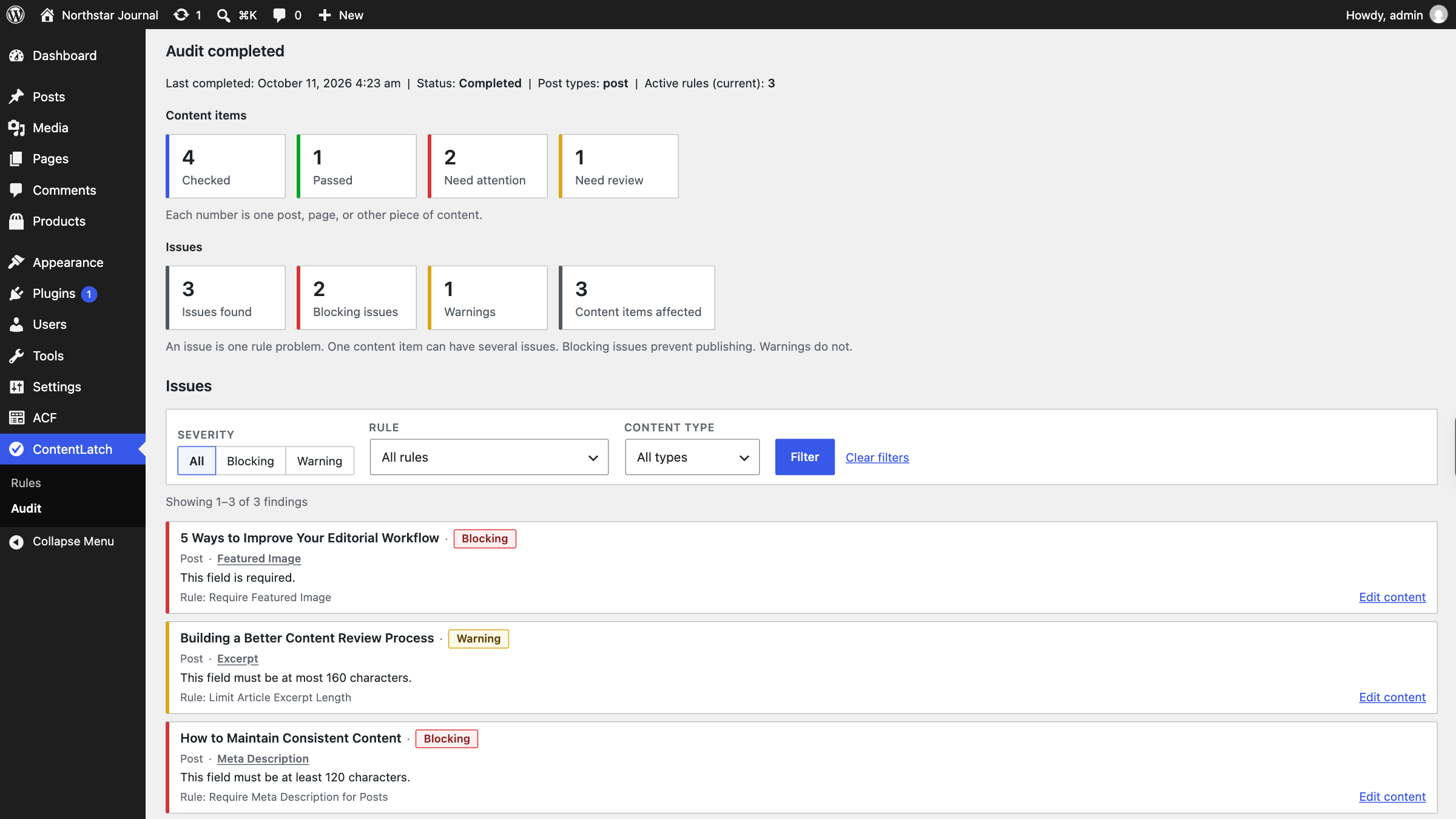
- Run an Audit to evaluate existing published and private content against your active rules.
- Title
- Content
- Excerpt
- Slug
- Featured Image
- Author
- Text, Textarea, Number, Range
- Email, URL, Password
- WYSIWYG
- Select (single), Radio, Button Group, True/False
- Date Picker, Date Time Picker
- Color Picker
- Group → scalar
- Repeater → scalar
- Nested Repeater → scalar (up to two Repeater levels)
- Flexible Content → scalar, and Flexible Content → Group → scalar
- Clone → scalar, and Clone → Group → scalar (seamless or group display)
- Clone inside Repeater or Flexible Content
- Repeater → Clone → scalar
- Equals / Not equals
- Empty / Not empty
- Contains / Does not contain
- Greater than / Greater than or equal
- Less than / Less than or equal
- Required
- Minimum length
- Maximum length
- Allowed values
- Blocking — Prevents publishing or updating content when the rule fails. In V1, blocking applies to publish and private update flows. Drafts, autosaves, and revisions are not blocked.
- Warning — Shows an editor notice but does not prevent publishing.
- Classic Editor
- Block editor (Gutenberg)
- ACF save validation
- WordPress Core field validation
- Results summarize content that passed, needs attention, or needs review.
- Findings identify the affected field and rule.
- Repeater findings retain row context.
- Completed audit runs can be reviewed historically.
- Large sites may take longer because audits process content in batches.
- All ContentLatch rules
- Audit runs and findings (custom database tables)
- The ContentLatch management capability
安装:
- In WordPress Admin, go to Plugins → Add New.
- Search for ContentLatch, then install and activate it.
- For ACF field validation, install and activate Advanced Custom Fields 6.0 or higher (Free or Pro, as needed for your field types). WordPress Core field validation works without ACF.
- Alternatively, install from a downloaded package: upload the plugin ZIP via Plugins → Add New → Upload Plugin, or place the plugin folder at
/wp-content/plugins/contentlatch, then activate ContentLatch. - Open ContentLatch in the admin menu to create rules and run audits.
屏幕截图:
常见问题:
Does ContentLatch require Advanced Custom Fields (ACF)?
No. ContentLatch works with WordPress Core fields without ACF installed. To validate ACF fields, Advanced Custom Fields 6.0 or higher (Free or Pro) is required. ACF Pro is required for Repeater, Flexible Content, and Clone fields.
Can I create a rule with only a WHEN condition?
Yes. When the condition matches, the rule becomes the finding. Use Blocking or Warning severity as needed.
Does Audit change my content?
No. Audit only reports findings against your active rules.
What happens when I delete the plugin?
Uninstalling removes ContentLatch rules, audit data, and the ContentLatch management capability. Deactivation alone does not remove that data.
Does ContentLatch work with the block editor?
Yes. ContentLatch validates supported Core and ACF fields in both the Classic Editor and the block editor on the supported save paths.
更新日志:
1.0.2
- Fix mixed WordPress Core/ACF validation rules being skipped during Gutenberg ACF AJAX validation when the request does not include Core field values. Core WHEN conditions can use stored post values while ACF THEN validations evaluate incoming submitted values.
- Fix misleading admin notice that implied Advanced Custom Fields was required for all ContentLatch features. ACF remains optional for WordPress Core field validation; a warning is shown only when an installed ACF version is older than 6.0.
- Initial public release.
- Rule-based content validation for WordPress Core and ACF fields.
- WHEN conditions and THEN validations, including condition-only rules.
- Blocking and warning severity.
- Classic Editor and block editor validation.
- ACF Group, Repeater (including two-level nesting), Flexible Content, and Clone support as documented above.
- Site-wide content audits with historical review and Repeater row context.
- Uninstall removes ContentLatch rules, audit data, and capability.