ContentTimer — Content Expiry & Automation
| 开发者 | muhammadsiddiqui |
|---|---|
| 更新时间 | 2026年10月10日 12:34 |
| PHP版本: | 7.4 及以上 |
| WordPress版本: | 7.1 |
| 版权: | GPLv2 or later |
| 版权网址: | 版权信息 |
详情介绍:
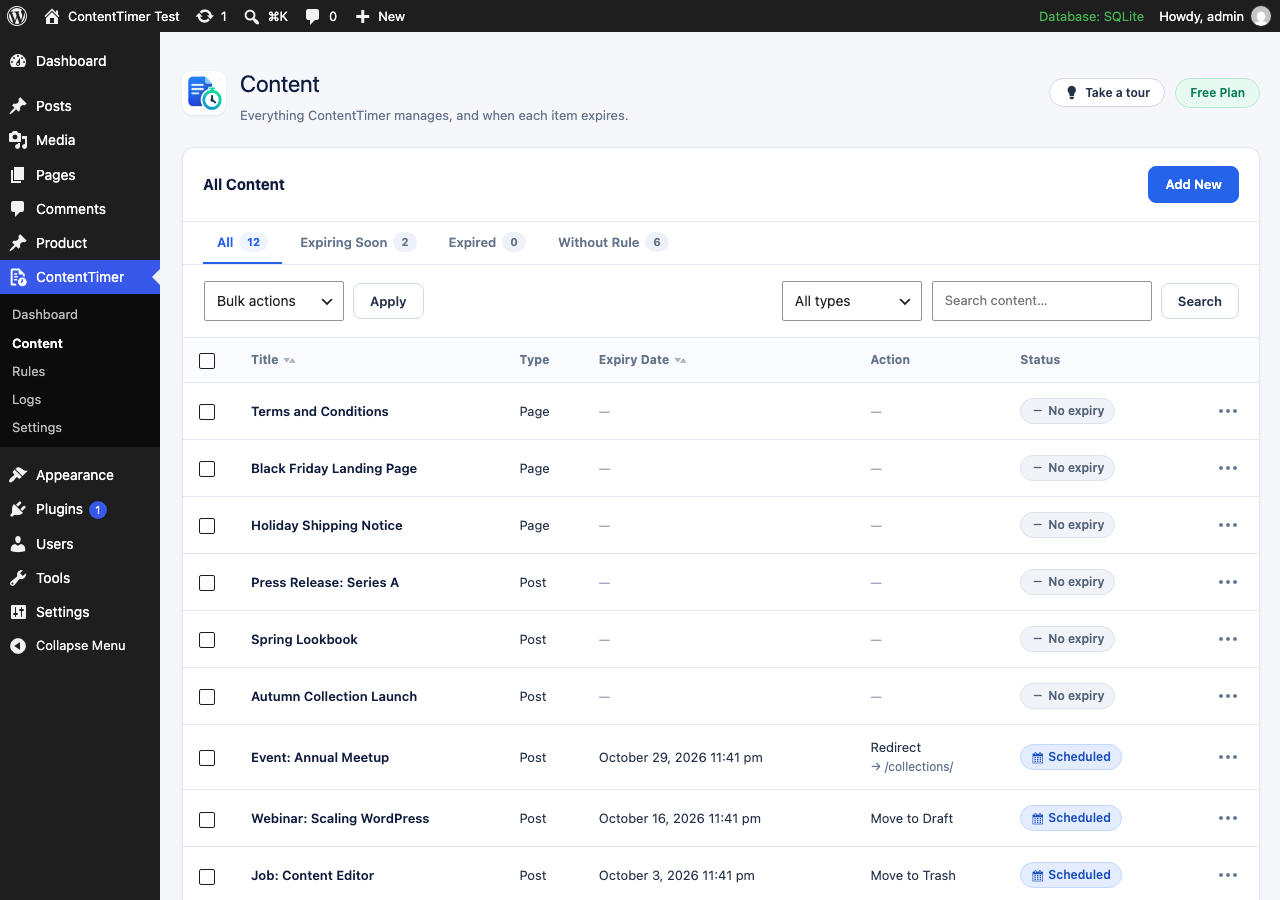
- Give any post, page or public custom post type an expiry date and time
- Choose the action: move to draft, make private, move to trash, unpublish, or redirect
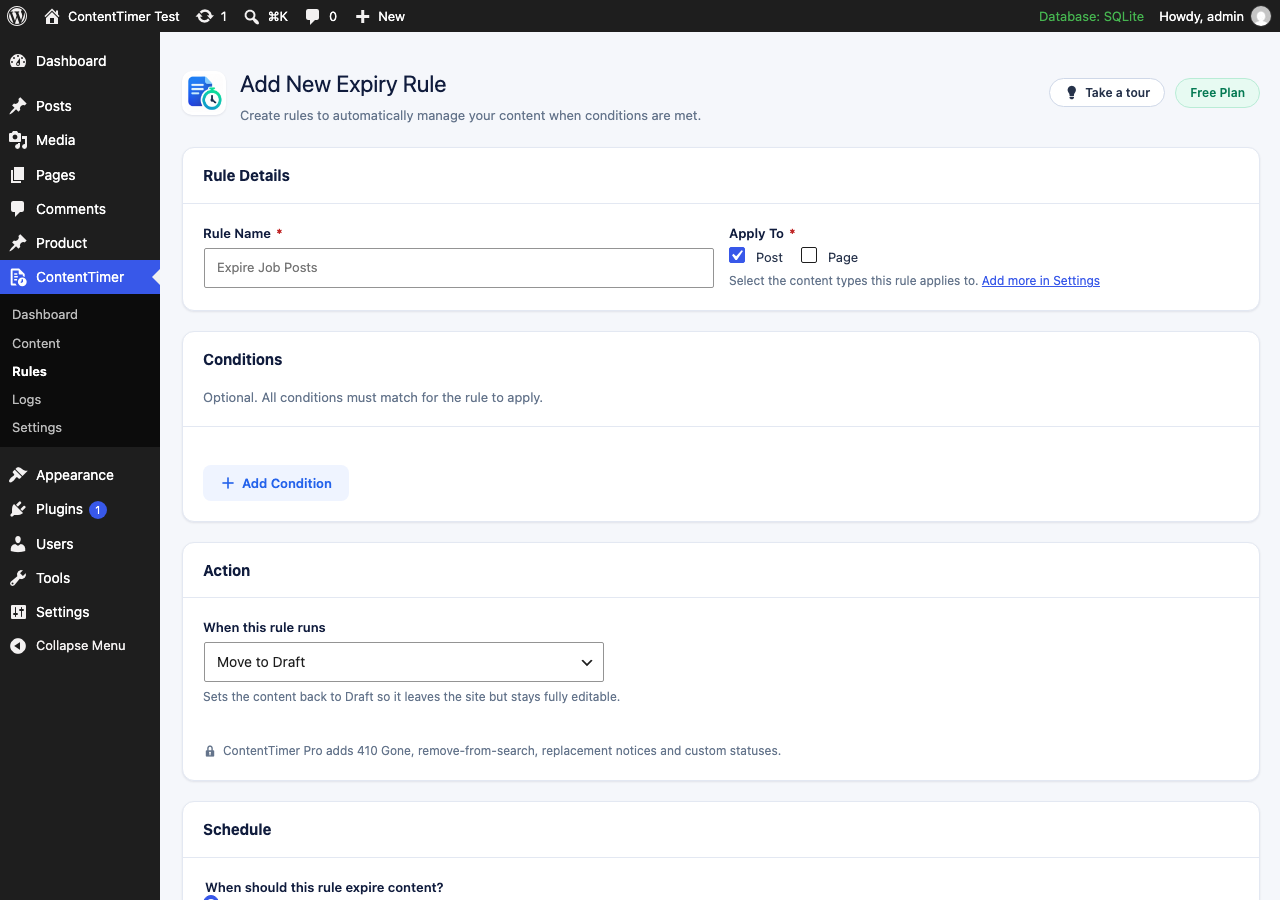
- Build reusable rules that apply to whole groups of content
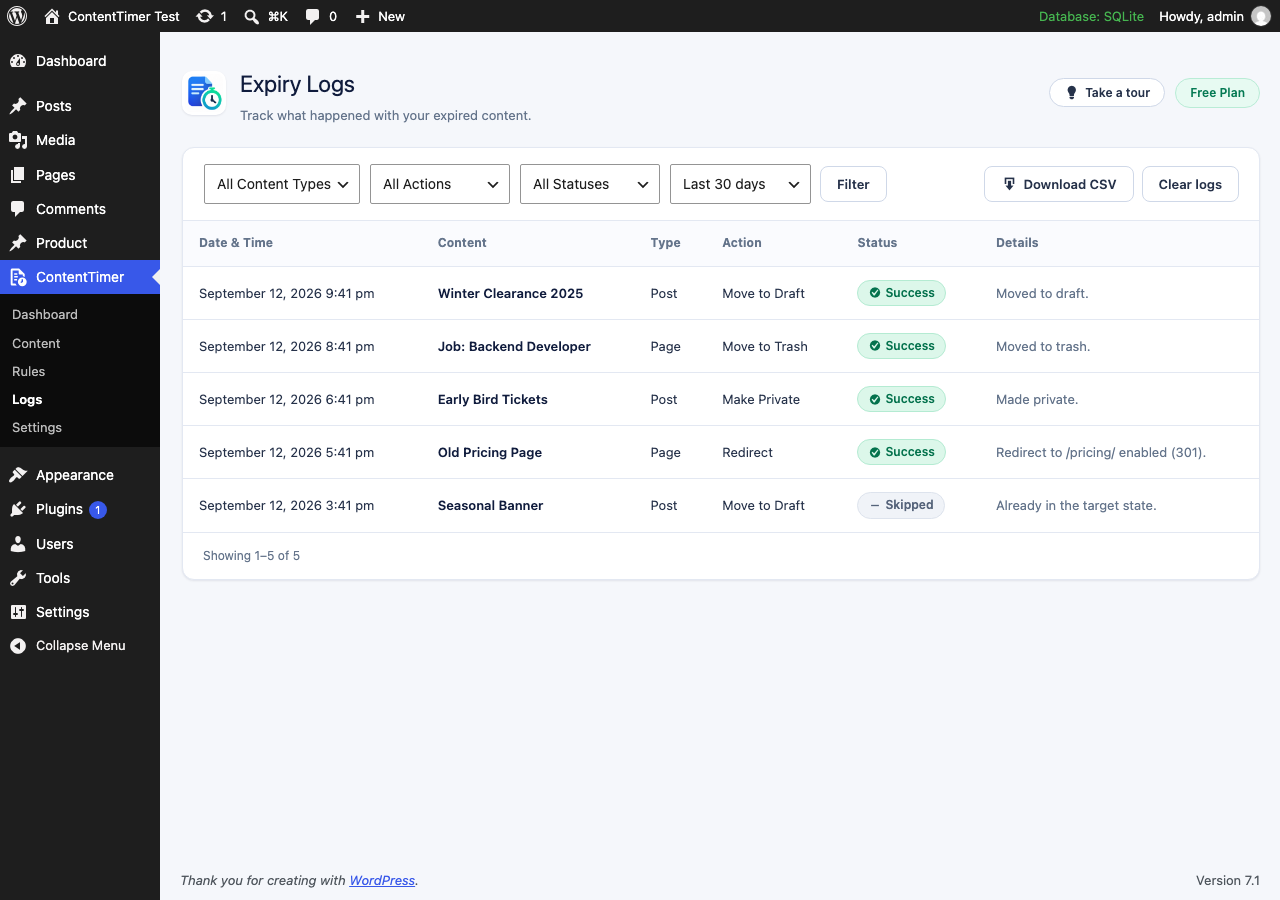
- Watch everything from one dashboard, and check the log for what happened
- Run an expiry check by hand at any time
- Open the page, set the expiry date and time in the ContentTimer panel
- Choose the Redirect action and enter
/shop/ - Save
/shop/ with a 301 and writes a log entry recording the result. Nothing else in your site changes.
Expiry actions included
- Move to Draft — back to Draft, fully editable
- Make Private — stays published, visible only to people who can read private posts
- Move to Trash — recoverable; nothing is deleted permanently
- Unpublish — removed from the public site and marked Pending Review
- Redirect — 301, 302 or 307 to another page or an external URL
- No processing on front-end page loads
- Work is batched, so a site with thousands of posts stays responsive
- All timestamps respect the site timezone, including across daylight saving changes
- Duplicate cron runs cannot apply a destructive action twice
安装:
- Upload the
contenttimerfolder to/wp-content/plugins/, or install through Plugins → Add New - Activate ContentTimer through the Plugins screen
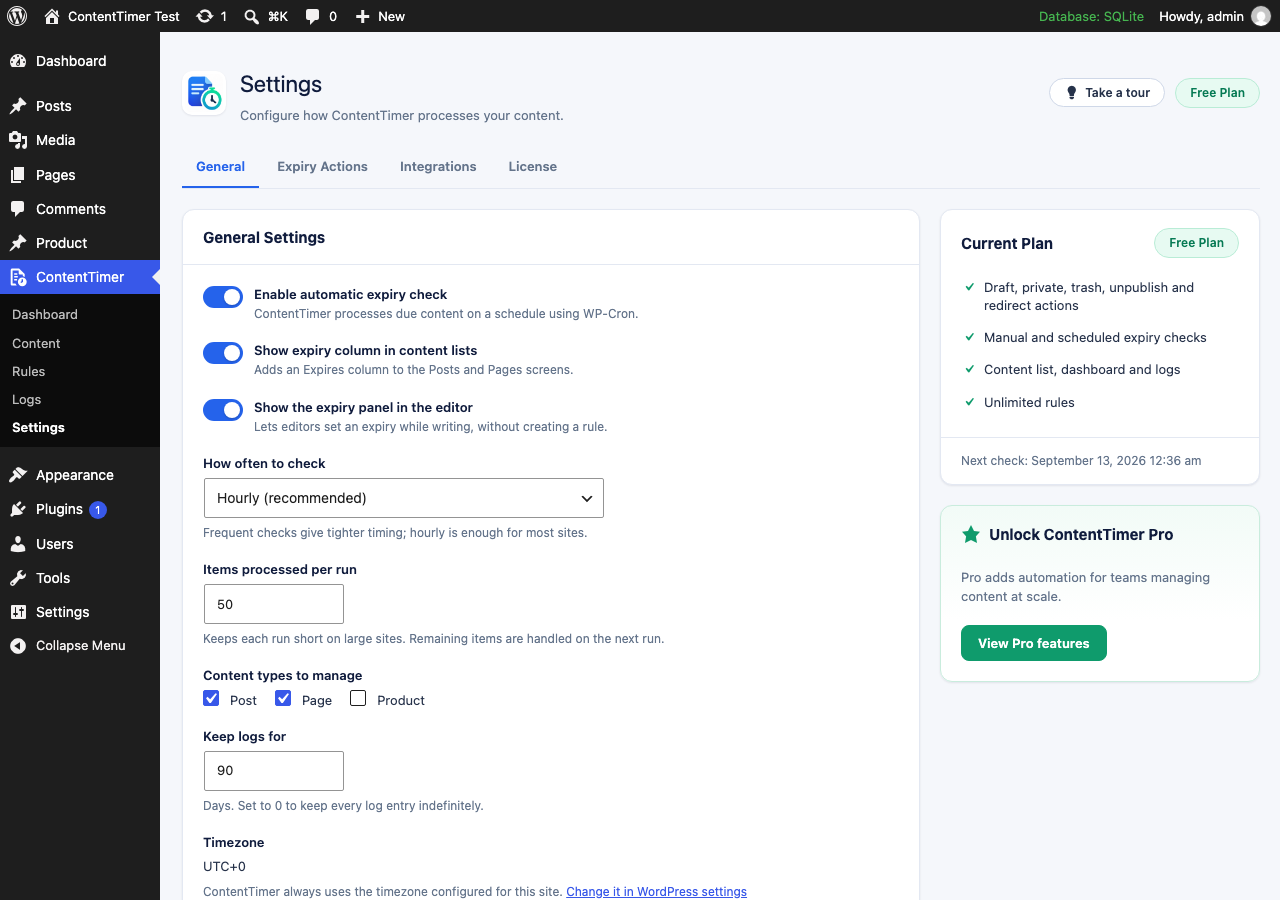
- Open ContentTimer → Settings and choose which content types to manage
- Set an expiry on a post, or create a rule under ContentTimer → Rules
屏幕截图:
常见问题:
Does ContentTimer delete my content?
No. The Move to Trash action uses the normal WordPress trash, from which content can be restored. Nothing is ever deleted permanently, and uninstalling the plugin never touches your posts or pages.
What happens if WP-Cron does not run?
Expiry runs on the next request that triggers WordPress cron. If DISABLE_WP_CRON is set on your site, ContentTimer says so on its dashboard, and you can either point a real server cron at wp-cron.php or use the Run Expiry Check button.
Can the same action run twice by mistake?
No. Each run takes a lock, each item's state is re-read immediately before the action runs, and every action checks whether the change is already in place. A repeated run records a "skipped" log entry instead of acting again.
I run my own store. How do I configure checkout and webhooks?
Add the relevant constants to wp-config.php. None are required for the free plugin to work:
define( 'CONTENTTIMER_LS_STORE', 'yourstore' ); // yourstore.lemonsqueezy.com
define( 'CONTENTTIMER_LS_VARIANT_MONTHLY', '123456' );
define( 'CONTENTTIMER_LS_VARIANT_YEARLY', '123457' );
define( 'CONTENTTIMER_LS_WEBHOOK_SECRET', 'your-signing-secret' );
define( 'CONTENTTIMER_LS_ENVIRONMENT', 'test' ); // omit for live
The webhook URL is shown on the License tab once a signing secret is present.
Which timezone are the dates in?
The timezone configured in Settings → General. Dates are stored in UTC internally and converted for display, so daylight saving changes do not shift your schedules.
Where do redirects point?
Anywhere you like: a path on your own site such as /shop/, or a full https:// address. Destinations using any other scheme are rejected, and a destination that points back at the same content is refused so no redirect loop can be created.
Does it work with custom post types?
Yes. Every public custom post type registered by your theme or another plugin can be enabled from ContentTimer → Settings.
Will it slow down my site?
No. ContentTimer does no work on normal front-end requests. The only front-end code is the redirect check, which reads post meta WordPress has already loaded and adds no database query.
更新日志:
- The Plugins screen now lists the author as CT, linking to the ContentTimer website.
- The plugin icon and the admin header mark now use the original ContentTimer logo artwork.
- Fix: the Schedule expiry dialog rendered without the plugin palette, so the Save expiry button showed white text on a white background and the toggle stayed grey when switched on.
- Fix: fields inside the Schedule expiry dialog now size the same way as the rest of the admin screens.
- New: once a licence is active, the License tab offers an authorised download of the ContentTimer Pro add-on, and shows its installed version and status once it is present.
- The free plugin never downloads or installs executable code: the download is a link you choose to follow, and the package is installed by you in the usual way.
- New: licensing foundation for ContentTimer Pro — activate, re-check and deactivate a Lemon Squeezy licence from Settings → License.
- New: centralised feature gate, so Pro access is decided in one place and enforced server-side rather than by hiding controls.
- New: Upgrade to Pro checkout links and a Manage Subscription link, both driven by configuration rather than hard-coded ids.
- New: optional Lemon Squeezy webhook endpoint with signature verification and duplicate protection.
- New: a 14-day grace period so a licence server outage does not interrupt a paying customer.
- Free functionality is unchanged. No existing feature has been moved behind a licence.
- Fixed: paging past the end of a list left an empty screen with no way back. Each list now offers a link to the first page.
- Fixed: the daily log-cleanup event was not restored if it went missing while automatic expiry was switched off.
- Fixed: uninstalling left the guided tour's per-user flag behind.
- Housekeeping: readme now records the WordPress version actually tested against.
- Fixed: re-scheduling content that had previously been redirected left the old redirect in place, so the page stayed unreachable. Scheduling a new expiry now lifts it.
- Fixed: toolbar controls on the Content and Logs screens wrapped onto separate lines instead of sitting inline.
- Fixed: the three condition fields on the rule form were misaligned, and their labels are now proper accessible names rather than hidden markup.
- Fixed: fields on the License tab ran together with no spacing.
- Fixed: the header described actions that are only in the Pro add-on.
- Added: the tables are recreated automatically if they go missing while the schema version still says they exist.
- Changed: log retention deletes in bounded passes rather than one large query.
- Polish: clearer Already Expired icon, compact upgrade card on the dashboard, Posts and Pages listed first among content types, schedule fields grouped under the option they belong to.
- Fixed: the dashboard counters described the size of the site rather than ContentTimer's own work. The first card now reports content that is actually scheduled to expire, with the library size shown as context.
- Fixed: content sent to the trash by an expiry disappeared from the plugin entirely, so a successful run appeared to have done nothing. Trashed content now stays visible and counted on the Expired view.
- Fixed: expiry driven by a rule was never reflected on the dashboard or the Content screen. Every execution is now recorded against the content, whatever triggered it.
- Fixed: only one rule could ever act on a given piece of content. Each rule now tracks its own history, so several rules can apply in turn without blocking one another.
- Fixed: rules ran in an unpredictable order when they shared an expiry moment.
- Fixed: every expiry created a post revision, filling the author's revision history with status-only entries and adding around nine database queries per item.
- New: the Title and Expiry Date columns on the Content screen can be sorted.
- Deleting a rule now clears the markers it left on content.
- New: a guided tour of the plugin, shown on first visit and available any time from the "Take a tour" button in the header.
- Fixed: the admin menu icon rendered at the wrong size because its data URI was not in the format WordPress requires for SVG menu icons.
- Fixed: row action menus on the Content screen appeared already open. They are now closed by default rather than relying on the hidden attribute winning a cascade.
- Fixed: Quick Actions, Current Plan and the Pro card had no inner padding, so their contents sat flush against the card edge.
- Fixed: the Add New button on the Content screen shared a cramped row with the filter tabs; the tabs now have their own row.
- Fixed: a rule could act on a content type that had been removed from "Content types to manage".
- First release.
- Per-content expiry date, time and action.
- Rules with post type, taxonomy, author and status conditions.
- Fixed-date and relative ("days after publishing") schedules.
- Actions: move to draft, make private, move to trash, unpublish, redirect.
- Dashboard, content list, rules, logs and settings screens.
- Batched, locked, idempotent expiry engine with WP-Cron scheduling.
- CSV export of the expiry log.