SOMNEVORA Article-to-PDF
| 开发者 | maryamnoor00 |
|---|---|
| 更新时间 | 2026年9月19日 18:32 |
| PHP版本: | 7.4 及以上 |
| WordPress版本: | 7.1 |
| 版权: | GPL-2.0-or-later |
| 版权网址: | 版权信息 |
详情介绍:
SOMNEVORA Article-to-PDF allows WordPress site owners to provide downloadable PDF versions of their posts directly from the frontend.
Visitors can download an article as a PDF with a single click, while site administrators can control how the PDF and download button appear.
The plugin is designed for blogs, documentation websites, educational content, guides, resources, and other websites that want to make their articles available as downloadable PDF documents.
Features
- Generate downloadable PDFs from WordPress posts.
- Display the PDF download button before or after post content.
- Customize the text displayed on the download button.
- Include or exclude the post featured image.
- Choose between portrait and landscape orientation.
- Select A4, Letter, or Legal paper sizes.
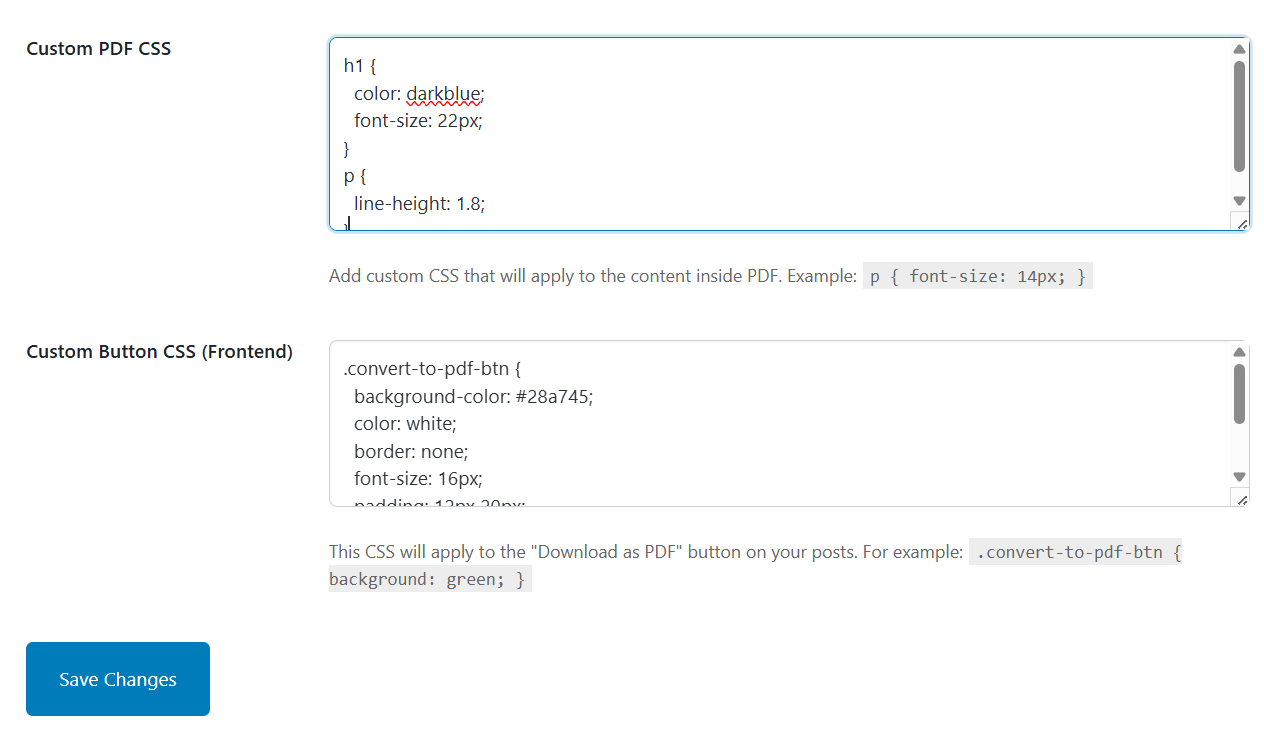
- Add custom CSS to generated PDF documents.
- Add custom CSS to the frontend download button.
- Uses the Dompdf PHP library for PDF generation.
- No JavaScript required for PDF generation.
安装:
- Upload the plugin folder to
/wp-content/plugins/or install the plugin through the WordPress Plugins screen. - Activate SOMNEVORA Article-to-PDF.
- Go to Tools → SOMNEVORA Article-to-PDF.
- Enable PDF downloads and configure your preferred settings.
- Visit a single WordPress post to test the PDF download button.
屏幕截图:


常见问题:
Can I change the text displayed on the PDF button?
Yes. The button label can be customized from the plugin settings.
Can I change where the download button appears?
Yes. You can display the button before or after the post content.
Can the featured image be included in the PDF?
Yes. Featured images can be enabled or disabled from the plugin settings.
Which PDF page sizes are supported?
The plugin currently supports A4, Letter, and Legal paper sizes.
Can I change the PDF orientation?
Yes. You can choose between portrait and landscape orientation.
Can I add my own CSS?
Yes. Separate custom CSS settings are available for PDF content and the frontend download button.
Does the plugin use JavaScript to generate PDFs?
No. PDF generation is handled using the Dompdf PHP library.
更新日志:
1.1.0
- Rebranded the plugin as SOMNEVORA Article-to-PDF.
- Introduced a redesigned premium settings interface.
- Added customizable PDF download button text.
- Improved PDF generation and template handling.
- Improved compatibility with modern WordPress and PHP environments.
- Improved validation and error handling.
- Updated plugin branding, icons, banners, and screenshots.