
Kit (formerly ConvertKit) - Email Newsletter, Email Marketing, Membership, Subscribers and Landing Pages
| 开发者 |
nathanbarry
growdev travisnorthcutt ggwicz |
|---|---|
| 更新时间 | 2026年5月5日 14:04 |
| 捐献地址: | 去捐款 |
| PHP版本: | 7.1 及以上 |
| WordPress版本: | 6.9 |
| 版权: | GPLv3 or later |
| 版权网址: | 版权信息 |
标签
下载
详情介绍:
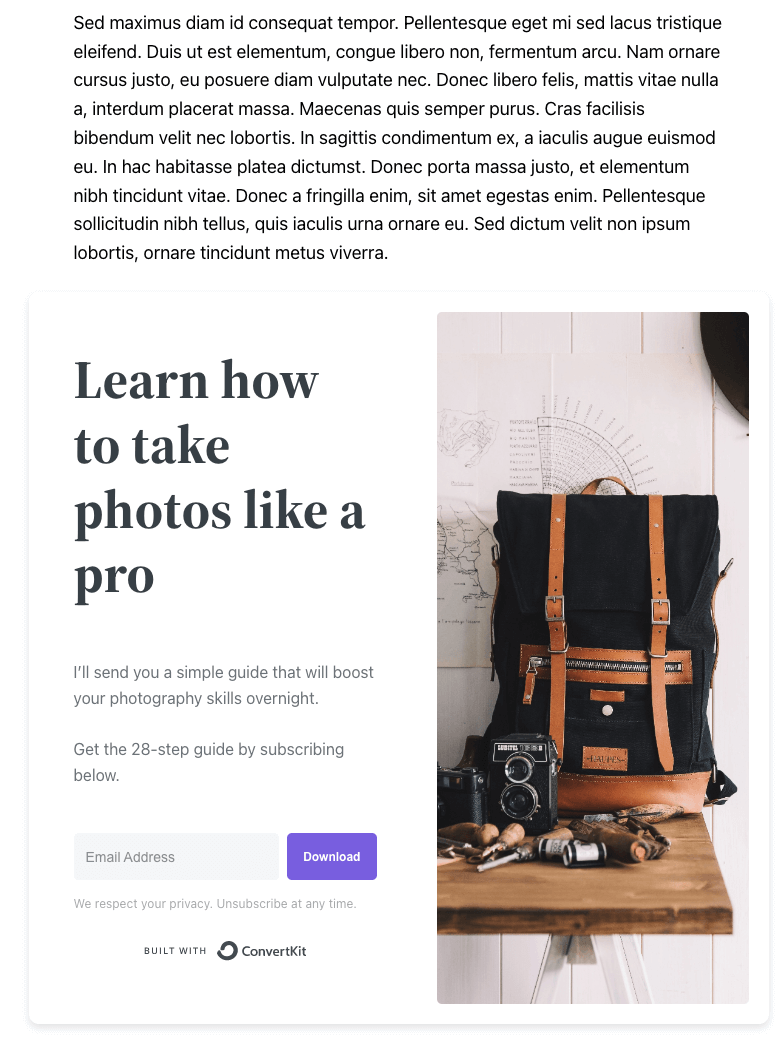
- Design email newsletter subscription forms in Kit, automatically appending them to any WordPress post or page, or displaying forms within your WordPress content using the supplied Gutenberg block and shortcode options. Perfect for building your email subscribers lists and growing your newsletter audience.
- Build landing pages in Kit, and display landing pages on a WordPress page to capture additional email subscribers for your newsletter
- List past email newsletters on your WordPress site to engage your newsletter subscribers
- Send free content, such as a PDF newsletter
- Display when the user is about to leave the page
- Subscribe to an email newsletter, with powerful tagging and segmentation options for your newsletter subscribers
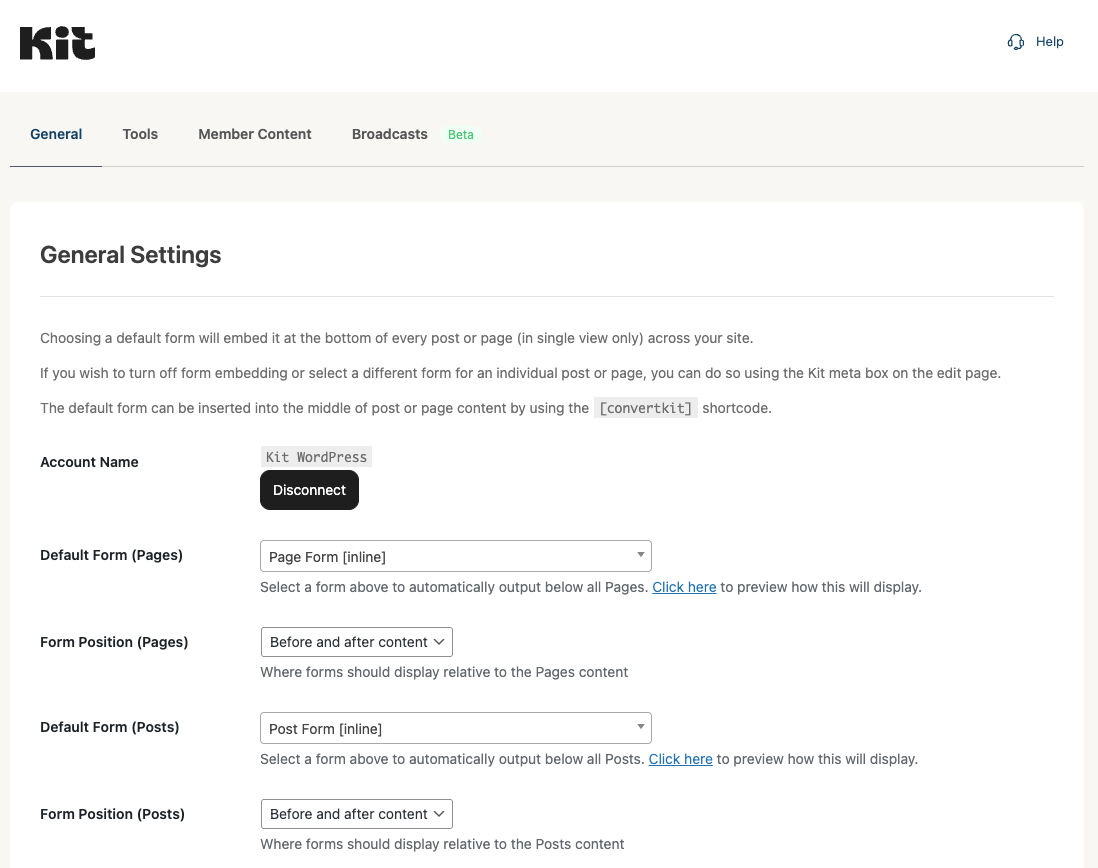
- Choose a default form to be displayed below each individual Post Type (Pages, Posts and other public Post Types, such as WooCommerce Products) to grow your email subscribers
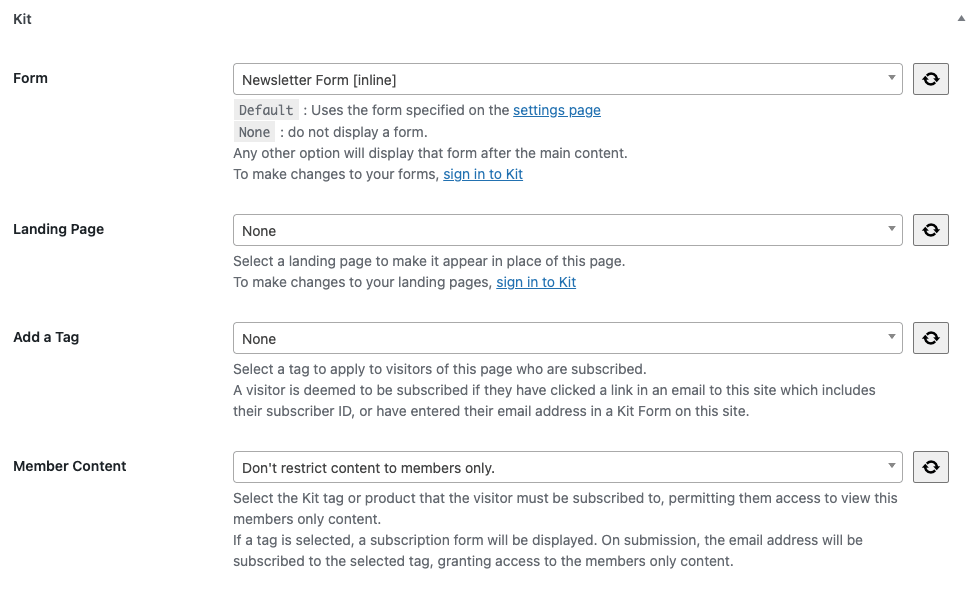
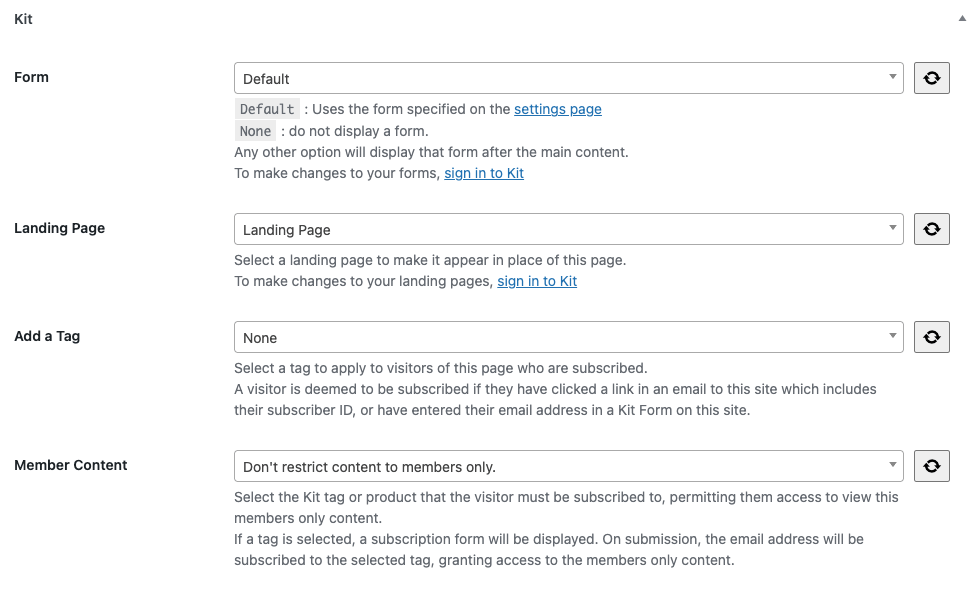
- Choose a specific email marketing form to be displayed below a specific Page, Post or custom post type
- Turn off form embedding at both site wide and/or individual Page/Post level to control your email newsletter strategy
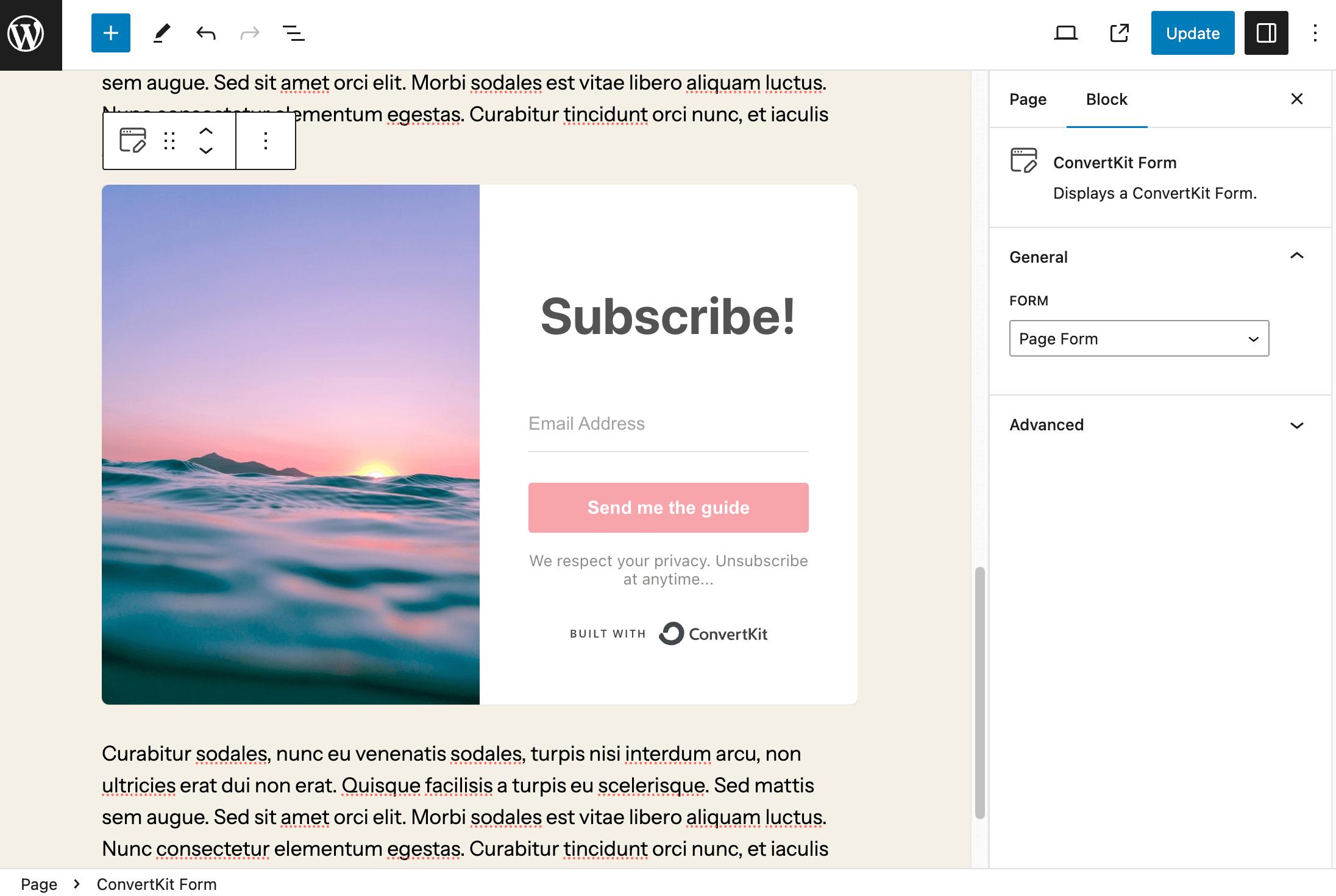
- Using the Kit Forms block in Gutenberg
- Using the
[convertkit]shortcode in the Classic Editor - Using the Form Builder block in Gutenberg, to build fully custom subscription forms directly in WordPress - perfect for following your theme's styles
- Add fields such as first name, email address, and custom fields
- Apply tags and sequences to subscribers for powerful segmentation
- Enable reCAPTCHA protection (if configured in your Kit account)
- Style forms using block editor controls, with full support for your block theme’s CSS and styling
- Subscription forms to grow your email subscribers list
- Contact forms that connect directly to Kit
- Custom forms tailored to your email marketing strategy
- Using the Kit Broadcasts block in Gutenberg
- Using the
[convertkit_broadcasts]shortcode in the Classic Editor
- Elementor: Form and Broadcast widgets natively integrated with Elementor, to embed Kit forms and broadcast lists for your email newsletter strategy
- Contact Form 7: Automatically add email subscribers to Kit when they submit a Contact Form 7 form
- WishList Member: Automatically subscribe, unsubscribe and tag users based on their membership level - perfect for membership site management
- Kit for WooCommerce: Subscribe, tag and assign sequences to customers at checkout, and send order data to Kit
- Kit for Gravity Forms: Automatically add email subscribers to Kit when they submit a Gravity Form, with tagging options
安装:
- Upload the
convertkitfolder to the/wp-content/plugins/directory - Active the Kit plugin through the 'Plugins' menu in WordPress
屏幕截图:
常见问题:
Is Kit free for email newsletter creators?
Yes! Kit is 100% free for your first 10,000 email subscribers - sign up today. This makes it perfect for new newsletter creators, bloggers starting email marketing, and small membership sites. You can grow your email subscribers list, send newsletters, create landing pages, and even sell membership products without paying anything until you exceed 10,000 newsletter subscribers.
How do I create newsletter signup forms?
Create newsletter subscription forms directly in your Kit account using the visual form builder. Design inline forms, modal popups, slide-in forms, or sticky bars optimized for email subscriber conversion. Once created, the newsletter forms automatically sync with the WordPress plugin and become available for embedding on your site to grow your email subscribers list.
Can I create landing pages for email subscriber growth?
Yes! Design professional landing pages in Kit's landing page editor, then display them on any WordPress page. Landing pages are optimized specifically for email newsletter signups and subscriber conversion. Choose from pre-built landing page templates or customize your own. The plugin seamlessly integrates Kit landing pages into WordPress for consistent subscriber experience.
How does the membership site feature work?
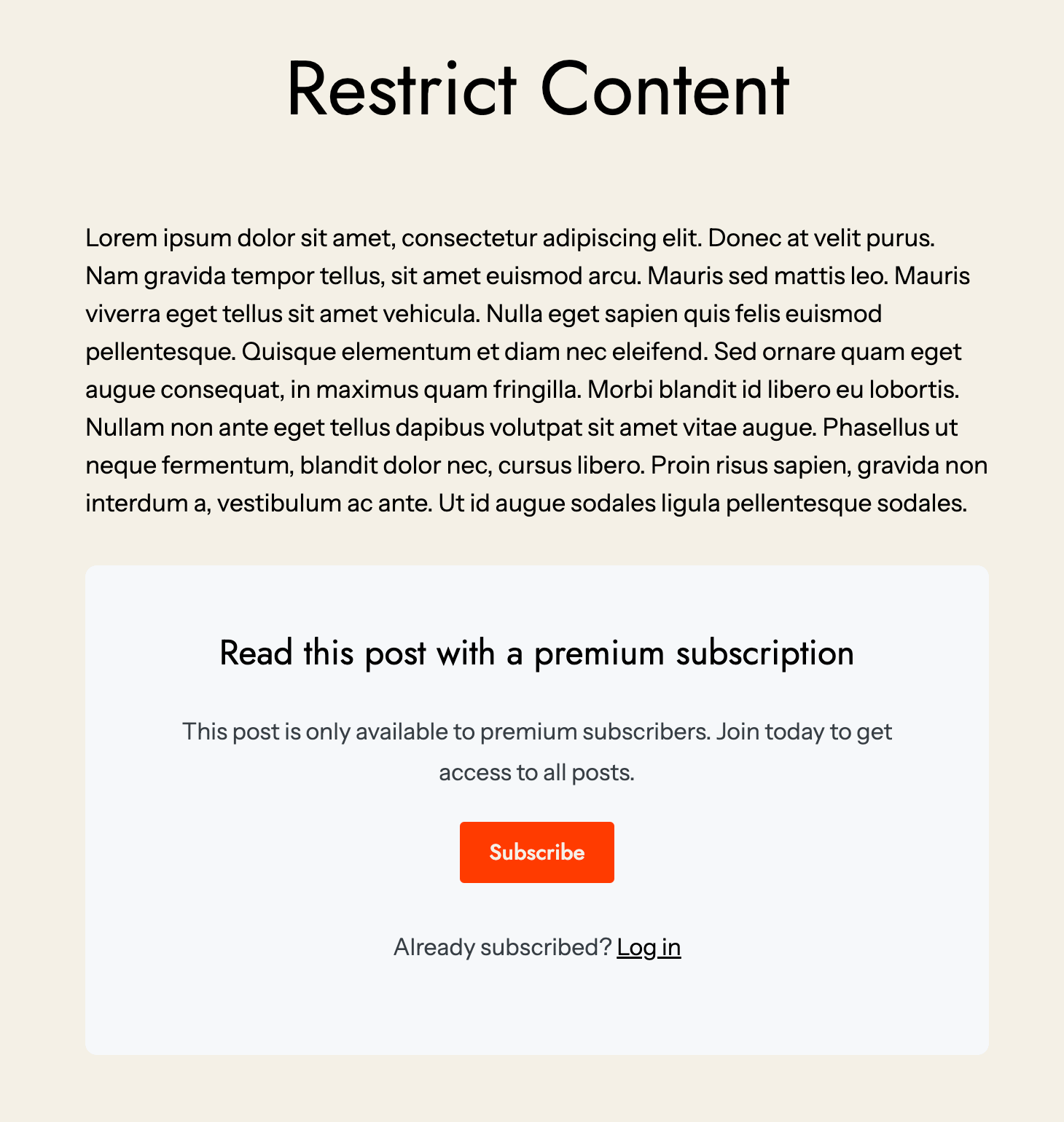
The membership feature lets you restrict WordPress content to paying email subscribers or newsletter members. Create Products in Kit, then assign them to specific WordPress pages or posts. When email subscribers visit protected content, they're prompted to enter their email. If they've purchased the required Kit Product, they receive membership access via a magic link. No complex membership plugins needed.
Can I segment my email subscribers for targeted newsletters?
Absolutely! Kit provides powerful subscriber segmentation using tags. Automatically tag email subscribers based on which newsletter form they used, which links they clicked, or which Kit Products they purchased. Send targeted email newsletters to specific subscriber segments for more relevant email marketing campaigns and higher newsletter engagement rates.
Do I need coding knowledge to use this plugin?
No coding required! Create newsletter subscription forms, landing pages, and email campaigns using Kit's visual editors. Embed newsletter forms using native WordPress blocks or simple shortcodes. Build membership sites by selecting Products from dropdowns. Even custom newsletter forms in WordPress can be built using the drag-and-drop block editor without touching code.
How do I refresh available forms, landing pages, and tags?
Click the refresh button next to Form, Landing Page, or Tag dropdowns when editing Pages or Posts. This syncs your latest newsletter forms and products from Kit to WordPress. You can also refresh all resources at once by navigating to Settings > Kit and clicking refresh. This ensures your newest email subscriber capture forms are always available.
Can I automatically import email newsletters to WordPress?
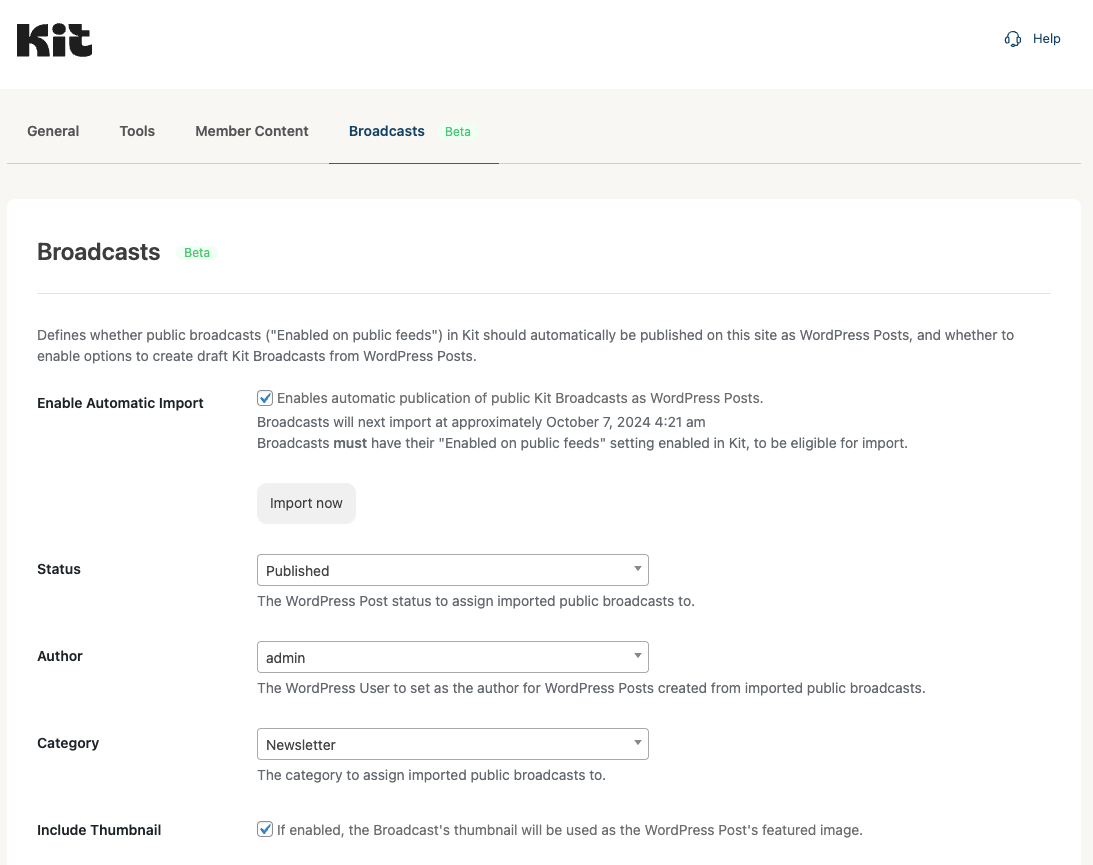
Yes! Navigate to Settings > Kit > Broadcasts and enable automatic import. Your published email newsletters from Kit will automatically import as WordPress posts. Configure the import schedule, post author, category, and featured image settings. This keeps newsletter subscribers engaged by making your email content discoverable on your site.
What integrations work with email subscriber capture?
The plugin integrates with Contact Form 7, Gravity Forms, WooCommerce, WishList Member, Elementor, and more. Automatically add form submissions as email subscribers, tag WooCommerce customers for email marketing, sync membership levels with newsletter subscriber tags, and use native Elementor widgets for newsletter forms. Additional integrations available through separate plugins.
How do I display newsletter forms in specific locations?
You have multiple options for newsletter form placement. Set site-wide defaults that display newsletter signup forms automatically below posts and pages. Override defaults on individual posts to show specific email subscriber forms. Use blocks or shortcodes to embed newsletter forms within content at optimal conversion points. Add widget newsletter forms to sidebars and footers.
Can I create free membership content for newsletter subscribers?
Yes! You can gate content requiring only email subscription without requiring payment. This is perfect for exclusive newsletter subscriber content, free member communities, or content upgrades. Use Tag-based restrictions where entering an email and receiving membership access via magic link is all that's required. Great for building email subscriber loyalty.
Does this work with my WordPress theme?
The plugin works with any WordPress theme. Newsletter signup forms and landing pages are designed to adapt to your theme's styling. The Form Builder block uses your theme's CSS ensuring newsletter forms match your site perfectly. Inline forms blend seamlessly into content while modal, slide-in, and sticky bar newsletter forms maintain Kit's polished design.
How do I track email subscriber growth and conversions?
Track subscriber growth, newsletter form conversion rates, email campaign performance, and landing page analytics directly in your Kit dashboard. Monitor which newsletter forms convert best, which landing pages drive the most email subscribers, and which email newsletters get the highest engagement from your subscriber list. All metrics update in real-time.
What's the difference between inline and non-inline newsletter forms?
Inline newsletter forms embed directly within page content and scroll with the page. They're great for email subscriber capture within blog posts. Non-inline forms include modals (popups), slide-ins (appear from corners), and sticky bars (fixed to top/bottom). Non-inline newsletter forms demand attention and often achieve higher email subscriber conversion rates.
Can I customize newsletter form colors and styling?
Yes! Customize newsletter subscription forms in Kit's form editor matching your brand colors, fonts, and style. Adjust form button colors, input field styling, and background colors. For inline forms, the Form Builder block in WordPress uses your theme's styling automatically, ensuring newsletter forms blend seamlessly with your site design.
What happens when someone subscribes to my newsletter?
When visitors submit newsletter signup forms, they're added as email subscribers to your Kit account. You can configure forms to immediately add subscribers to your newsletter list, tag them for segmentation, or enroll them in automated email sequences. Subscribers receive welcome emails if configured, and you can start sending email newsletters immediately.
How do membership magic links work for subscribers?
When an email subscriber tries accessing protected membership content, they enter their email address. If they've purchased the required Kit Product or have the necessary tag, they receive an email containing a one-time code and magic link. Clicking the magic link or entering the code grants immediate membership access without requiring passwords.
Can I sell digital products through membership features?
Yes! Create Products in Kit and sell them directly to your email subscribers. Products can be one-time purchases, subscriptions, or tip jars. Assign Products to WordPress pages and posts as membership content. When newsletter subscribers purchase Products, they automatically get membership access to all associated content in WordPress.
Do newsletter forms slow down my site?
No. Newsletter subscription forms load asynchronously and are optimized for performance. The plugin only loads necessary assets on pages actually displaying newsletter forms. Landing pages are hosted on Kit's servers ensuring fast load times. The lightweight codebase ensures email subscriber capture doesn't impact your WordPress site speed.
How many newsletter forms can I create?
There's no limit to the number of newsletter subscription forms you can create in Kit. Design different forms for different audiences, pages, or lead magnets. Create targeted newsletter signup forms for each email subscriber segment. Test variations of forms to optimize conversion. All forms sync automatically with the WordPress plugin.
Can I schedule email newsletters to subscribers?
Yes! Kit's email marketing platform lets you schedule newsletter campaigns to send at optimal times for your email subscribers. Write newsletters in advance and schedule them for future delivery. Set up recurring newsletters that send automatically on a schedule. Ensure global email subscribers receive newsletters at appropriate times for their timezone.
What's the difference between tags and segments for email subscribers?
Tags are labels you apply to newsletter subscribers based on interests, behavior, or characteristics. Segments are filtered views of your subscriber list based on one or more tags. Use tags to organize email subscribers, then create segments to send targeted newsletters. For example, tag subscribers as "interested in courses" then create a segment for course email marketing.
Can I migrate existing email subscribers to Kit?
Yes! Kit provides easy import tools for migrating email subscribers from other platforms. Import CSV files containing subscriber data. The plugin maintains subscriber tags and preferences during migration. You can continue sending newsletters immediately after importing. Kit's migration support team helps with large subscriber list transfers.
How do I remove email subscribers from newsletters?
Email subscribers can unsubscribe from newsletters using links automatically included in every email campaign per email marketing regulations. You can also manually remove subscribers from Settings > Kit in WordPress or directly in your Kit account. Unsubscribed email addresses are automatically excluded from future newsletter sends.
Does this work with WooCommerce for email marketing?
Yes! The separate Kit for WooCommerce plugin adds powerful integrations. Automatically subscribe WooCommerce customers to email newsletters at checkout. Tag purchasers for targeted email marketing campaigns. Track purchase data for each newsletter subscriber. Send abandoned cart emails to recover lost sales. Build email subscriber value over time.
Can I create multiple membership tiers for subscribers?
Yes! Create different Kit Products for each membership tier. Assign Products to different WordPress content. Newsletter subscribers purchase the membership tier they want and automatically get access to corresponding content. Create Bronze, Silver, Gold membership tiers each with different Products and content access for paying email subscribers.
How do landing pages improve email subscriber conversions?
Landing pages are specifically designed for single conversion goals like email newsletter signups. They remove navigation and distractions, focusing visitors entirely on becoming email subscribers. Use compelling headlines, clear value propositions, social proof, and strong calls-to-action. Kit's landing page templates are proven to convert visitors into newsletter subscribers at high rates.
What email marketing automations can I create for subscribers?
Create welcome sequences greeting new email subscribers with your best content. Build product launch funnels promoting offers to newsletter segments. Set up abandoned cart sequences for WooCommerce email marketing. Create re-engagement campaigns for inactive newsletter subscribers. Configure behavioral automations tagging email subscribers based on email clicks and website activity.
Can I embed past email newsletters on my WordPress site?
Yes! Use the Broadcasts block or [convertkit_broadcasts] shortcode to display past email newsletters on any page or post. This keeps newsletter content discoverable for website visitors, drives email subscriber signups from engaged readers, and extends the life of newsletter content beyond inboxes.
How do I optimize newsletter forms for mobile email subscribers?
All newsletter subscription forms and landing pages are automatically mobile-responsive. Forms resize and reorganize for small screens ensuring easy email subscriber signup on phones and tablets. Test newsletter forms on mobile devices to verify the email subscriber experience. The Form Builder block uses responsive WordPress patterns for perfect mobile newsletter conversion.
What's the best strategy for growing email subscribers?
Use multiple newsletter form types strategically. Place inline newsletter forms within valuable blog posts where visitors are most engaged. Add exit-intent modal newsletter forms to capture abandoning visitors as email subscribers. Include sticky bar newsletter forms for persistent visibility. Create dedicated landing pages for lead magnets. Test and optimize all newsletter forms for maximum email subscriber growth.
Can I use newsletter forms with page builders?
Yes! The plugin includes integrations with popular page builders. Use native Elementor widgets for newsletter forms and email subscriber content. Divi modules available for newsletter integration. All page builders support the shortcode method for email subscriber forms. The WordPress block editor provides native blocks for newsletter capture.
How do I create a newsletter lead magnet funnel?
Create a compelling lead magnet (ebook, checklist, course) that solves a specific problem for your target email subscribers. Design a dedicated landing page promoting the lead magnet optimized for newsletter signups. Create a newsletter subscription form offering the lead magnet in exchange for email addresses. Set up an automated email sequence delivering the lead magnet and nurturing new newsletter subscribers.
What is the Form Builder block for email newsletter forms?
The Form Builder block is a native WordPress block that lets you create custom email newsletter subscription forms directly in the WordPress editor without any coding. Unlike embedding pre-designed forms from Kit, the Form Builder block gives you complete control to design newsletter signup forms that perfectly match your WordPress theme's styling and branding for optimal email subscriber conversion.
How does the Form Builder block differ from regular newsletter forms?
Regular newsletter forms are designed in Kit and embedded in WordPress. The Form Builder block lets you build email subscription forms entirely within WordPress using the block editor. Form Builder newsletter forms automatically inherit your theme's typography, colors, and spacing. You can customize every aspect including form fields, button styling, colors, spacing, and layout while maintaining your site's design consistency for email subscribers.
Can I customize Form Builder newsletter forms to match my brand?
Yes! The Form Builder block provides extensive customization options for email newsletter forms. Adjust typography including font families, sizes, and weights. Customize colors for form fields, buttons, labels, and backgrounds. Control spacing with margin and padding settings. Add custom CSS classes for advanced styling. Form Builder newsletter forms adapt to your WordPress theme while allowing granular control over email subscriber form appearance.
What fields can I add to Form Builder newsletter subscription forms?
The Form Builder block supports multiple field types for email newsletter signups. Add email address fields (required), first name fields, last name fields, and custom fields you've created in Kit. All fields can be marked as required or optional. This flexibility lets you collect exactly the email subscriber information you need while keeping newsletter forms simple and conversion-focused.
Does the Form Builder block work with Kit tags and sequences?
Absolutely! When building newsletter subscription forms with the Form Builder block, you can assign Kit tags to segment email subscribers automatically. Subscribe new email addresses to specific Kit sequences to trigger automated email marketing campaigns. Configure reCAPTCHA protection if enabled in your Kit account. Form Builder newsletter forms have full integration with Kit's email subscriber management features.
How do I add a Form Builder newsletter form to my WordPress site?
In the WordPress block editor, click the plus icon to add a new block and search for "Kit Form Builder." Add the block to your page or post. Configure your email newsletter form by adding fields like email and first name. Customize the styling, colors, and spacing to match your theme. Optionally assign tags or sequences for email subscriber segmentation. Publish to start capturing email subscribers with your custom newsletter form.
Can Form Builder newsletter forms collect custom subscriber data?
Yes! The Form Builder block supports custom fields you've created in your Kit account. Add custom fields to collect specific information from email newsletter subscribers like job titles, company names, interests, or any data relevant to your email marketing strategy. Custom field data syncs to Kit automatically, enabling advanced email subscriber segmentation and personalized newsletter campaigns.
Are Form Builder newsletter forms mobile responsive?
All Form Builder newsletter subscription forms are automatically mobile responsive. Forms adapt to screen sizes ensuring email subscribers can easily sign up on phones and tablets. The Form Builder block uses responsive WordPress patterns and follows your theme's mobile styling. Test newsletter forms on multiple devices to verify the optimal email subscriber experience across all screen sizes.
Can I use the Form Builder block for contact forms and email subscribers?
Yes! The Form Builder block works as both a newsletter subscription form and a contact form. Collect email addresses and additional information from visitors. When someone submits a Form Builder form, they're automatically added as email subscribers to your Kit account and can be tagged or added to sequences. This makes Form Builder perfect for dual-purpose forms capturing both contacts and newsletter subscribers.
Does the Form Builder block support spam protection for newsletter signups?
Yes! The Form Builder block integrates with Google reCAPTCHA v3 if configured in your Kit account at Settings > Kit > General. This protects your email newsletter forms from bot submissions and fake email subscribers. reCAPTCHA runs invisibly in the background, ensuring legitimate newsletter subscribers have a smooth signup experience while blocking spam from polluting your email list.
How does the Form Builder block handle newsletter form styling?
The Form Builder block uses your WordPress theme's CSS by default, ensuring newsletter subscription forms match your site design automatically. You can then customize individual elements including button colors, input field borders, label typography, and spacing. The block provides intuitive controls in the WordPress editor sidebar letting you style email newsletter forms visually without touching code while maintaining theme consistency.
Can I view Form Builder newsletter form submissions in WordPress?
Yes! Navigate to Settings > Kit > Form Entries to view all submissions from Form Builder newsletter forms. Search entries by email address, filter by submission date or API result, and export subscriber data as CSV files. This gives you a WordPress-based view of email newsletter signups alongside Kit's subscriber management, perfect for tracking email subscriber acquisition and form performance.
Where can I find complete plugin documentation?
Comprehensive documentation is available at: Kit WordPress Plugin Setup Guide The documentation covers newsletter form setup, landing page configuration, membership site creation, email marketing automation, subscriber segmentation, and all plugin features for growing your email newsletter.
更新日志:
- Fix: Form Builder: Set
inactivesubscriber state when a Kit Form is specified - Fix: Form Builder: Support subscribing to a Legacy Form
- Fix: Block Editor: Settings Sidebar: Correct logo size in options menu
- Added: Block Editor: Settings Sidebar: Refresh Resources
- Fix: Page/Post Settings: Member Content: Include Forms when Refresh Resources button clicked
- Fix: LiteSpeed Cache: Exclude Forms from LiteSpeed Cache's
JS Combinesetting, ensuring Forms display
- Added: Block Editor: Form, Landing Page, Tag and Member Content settings moved to block editor sidebar
- Fix: Resources: Delete cached resources when structure invalid e.g. when upgrading from < 1.6.0 to 1.9.6 or higher
- Updated: WordPress Libraries to 2.1.6
- Added: Settings: Revoke Access and Refresh Tokens, and remove from settings, when
Disconnectbutton clicked - Added: Uninstall: Revoke Access and Refresh Tokens, and remove from settings, when the Plugin is deleted (Plugins > Kit > Delete)
- Added: Remove v3 API Secret if detected in settings
- Updated: WordPress Libraries to 2.1.5
- Fix: Downgrade WordPress Libraries to 2.1.3, resolving issues in 3.2.2 and 3.2.2.1
- Fix: Fatal error: Cannot redeclare trait ConvertKit_API\ConvertKit_API_Traits
- Fix: Only run
get_subscriber_id_from_requestwhen viewing Pages with "Add a Tag" configured, to improve performance - Removed: Global
validate_and_store_subscriber_idmethod; Custom Content and Member Content functionality performs necessary subscriber ID validation - Updated: Use WordPress Libraries 2.1.4
- Fix: Divi 5: Fatal error when activating Theme
- Fix: Removed errant
<html>and<head>tags when Settings > Kit > Form Position = After element
- Added: Minify CSS into single frontend.css resource
- Added: Minify JS into single frontend.min.js resource
- Added: Settings: Advanced: Option to disable Add New button for Landing Pages and Member Content
- Updated: Blocks: Broadcasts: Improve REST API
- Updated: Classic Editor (TinyMCE/Quick Tags): Improve REST API
- Updated: Blocks: Use apiVersion 3 when WordPress version is 6.3 or higher
- Fix: Classic Editor (TinyMCE/Quick Tags): CLosing tag on
colorinput types was missing - Fix: Blocks: Specify apiVersion in registerBlockType, to honor loading apiVersion 2 or 3 blocks
- Added: Settings: Tools: Campaign Monitor to Kit Form Importer: Support replacing shortcodes with single quotation marks
- Updated: Blocks: Broadcasts: Use REST API, replacing admin-ajax.php
- Updated: Classic Editor (TinyMCE/Quick Tags): Use REST API to fetch modal views, replacing admin-ajax.php
- Updated: Member Content: REST API improvements
- Fix: Setup Wizard: Only register form importers when on Setup Wizard screen for performance
- Added: Setup Wizard: Replace third party detected forms with Kit Forms
- Added: Settings: Tools: ActiveCampaign to Kit Form Importer
- Added: Settings: Tools: Campaign Monitor to Kit Form Importer
- Added: Settings: Tools: MailPoet to Kit Form Importer
- Added: Settings: Tools: Newsletter Plugin to Kit Form Importer
- Added: Settings: Tools: Importers: Support migrating blocks from AWeber, MC4WP, MailPoet and Newsletter, as well as shortcodes
- Added: Settings: Tools: AWeber for WordPress Plugin to Kit Form Importer
- Added: Settings: Member Content: Container CSS Class setting
- Added: Member Content: Automatically add
grve-containerCSS class for Impeka Theme - Fix: Form Builder: Set email field type=email
- Fix: Blocks: Use Spinner when ProgressBar component unavailable in WordPress versions older than 6.3
- Updated: Blocks: Use apiVersion 2
- Added: Blocks: Field controls: Use 40px default size
- Fix: Blocks: Static flag warning
- Fix: Blocks: Unique
keyprop warning - Fix: Setup Wizard: Replace
ConvertKitwithKitin browser tab/window title - Updated: Use WordPress Libraries 2.1.3
- Fix: Settings: Improve logic to automatically delete invalid Access Tokens
- Fix: Settings: Disconnect: Immediately disconnect Plugin from Kit, instead of loading resources first
- Fix: Settings: Disconnect: Remove cached Custom Fields and Sequences
- Updated: Use WordPress Libraries 2.1.2
- Fix: Block Registration: Improve Frontend Performance
- Fix: Settings: Move hooks to ensure invalid Access Tokens are automatically deleted
- Added: Settings: Tools: Mailchimp for WordPress to Kit Form Importer
- Fix: Settings: Non-inline Forms: Correctly output
data-kit-limit-per-session - Fix: Settings: Automatically delete invalid Access Tokens
- Fix: Member Content: Courses: Next/Previous Links compatibility for WordPress 6.9
- Fix: Landing Pages: Prevent LazyLoad Plugin from lazy loading images on Landing Pages, which would result in missing images
- Updated: Blocks: Refresh Resources: Use REST API, replacing admin-ajax.php
- Updated: Refresh Resources: Use REST API, replacing admin-ajax.php
- Updated: Member Content: Use REST API, replacing admin-ajax.php
- Updated: Use WordPress Libraries 2.1.1
- Removed: Unused
convertkit_store_subscriber_id_in_cookieAJAX function
- Fix: Member Content: Product: Display 'no access' notice when logged in and no access
- Added: Settings: Improve override description wording to make clearer how it operates
- Fix: Settings: Handle
WP_Errorgracefully when attempting to fetch Kit account information
- Added: Blocks: Form Builder: Settings: Display fields conditionally based on configuration
- Added: Blocks: Broadcasts: Settings: Display fields conditionally based on configuration
- Added: Classic Editor: Broadcasts: Settings: Display fields conditionally based on configuration
- Added: Divi: Broadcasts: Settings: Display fields conditionally based on configuration
- Added: Elementor: Broadcasts: Settings: Display fields conditionally based on configuration
- Fix: Settings: Don't refresh resources via API when request is AJAX or CRON
- Fix: Member Content: Use correct Post ID and include correct Post URL in subscriber verification email
- Added: Blocks: Form Builder: Option to subscribe to Kit Form, to trigger incentive email
- Added: Settings: Advanced: Option to opt in to usage reports
- Fix: Member Content: Improve performance in admin UI by optimising query and only running query when Posts created/edited/deleted
- Added: Refresh resources button: show loading indicator until refresh is complete
- Updated: WordPress Coding Standards for JS and CSS
- Updated: Use WordPress Libraries 2.1.0
- Fix: Member Content: Improve login form layout on mobile
- Fix: Blocks: Form Builder: Typo on block description
- Added: Blocks: Form Builder: Display asterisk for required fields
- Added: Settings: Form Entries: Filter by API result
- Fix: Landing Pages: Prevent Autoptimize lazy loading images on Landing Pages, which would result in missing images
- Updated: Improved HTML parsing for Broadcasts and Form Builder block
- Added: Blocks: Form Builder. Create your own subscription forms with custom fields, tag and sequence support, within the block editor
- Added: Blocks: Form: Alignment option
- Added: Settings: Form Entries: View, search, delete and export entries submitted via Form Builder blocks
- Added: Settings: Non-inline Forms: Option to only display one non-inline form per session
- Fix: Settings: Improve Intercom help integration
- Updated: Settings: Renamed
Site Widesection toNon-inline Forms - Updated: Settings: Moved reCAPTCHA settings from Member Content to General settings, as reCAPTCHA is used for both the Form Builder and Member Content
- Updated: Settings: Documentation links
- Updated: Settings: Improved wording on
Disable ScriptsandDisable CSS, to make clearer what these settings do
- Added: Blocks: Form: Margin, padding and background color options
- Added: Debug: Forms:
data-kit-source-post-idattribute to scripts when Debugging enabled - Added: JS: Emit
kit_subscriber_id_removed_from_urlevent when theck_subscriber_idis removed from a URL - Fix: Debloat Plugin: Exclude Forms from Debloat's Defer and Delay JS
- Fix: Classic Widgets: Form: Uncaught error: Call to undefined method
ConvertKit_Resource_Forms::output_select_field_all - Fix: Blocks: Refactored and removed unnecessary duplicate render callback functions in the block editor
- Fix: Form Trigger: Revert running
scripttags throughwp_kses, as WordPress.com strip the script tag
- Fix: Form Block: Correctly style "No Content" message when selecting a modal form
- Fix: Member Content: Display all Posts if filter = All content
- Fix: Broadcasts, Form Trigger and Product Blocks: Improve rendering accuracy between block editor and frontend site
- Fix: Sanitization and security enhancements
- Added: Broadcasts Block: Display order option
- Added: Broadcasts, Form Trigger and Product Blocks: Use
get_block_wrapper_attributesfor blockclassandstyleattributes - Added: Broadcasts, Form Trigger and Product Blocks: Typography options
- Added: Broadcasts, Form Trigger and Product Blocks: Margin and padding options
- Added: Member Content:
All member-only contentoption added to filter dropdown in Posts and Pages tables - Fix: Member Content: Replace
Members onlywithmember-only - Fix: Automatically refresh Access Token when expired
- Fix: Broadcasts: Remove emoijs from Permalink whem importing Broadcasts to WordPress Posts
- Fix: Coding Standards: Use
wp_doing_cronfunction, instead ofDOING_CRONconstant
- Added: Member Content: Permits Apple, DuckDuckGo, OpenAI Search, Perplexity and Yandex to crawl Member Content if the Permit Search Engine Crawlers option is enabled
- Fix: Classic Editor: Display refresh button icon
- Updated: Require PHP 7.1 or greater
- Updated: Use WordPress Libraries 2.0.9
- Fix: Divi Theme: Register modules correctly (Broadcasts, Form, Form Trigger, Product)
- Fix: Fatal error
Uncaught Error: Class "ConvertKit_Admin_Bulk_Edit" not foundwhen using Solid Central (previously iThemes Sync) - Fix: Use
add_filterforconvertkit_admin_settings_register_sectionshook
- Fix: Divi Builder: Display Visual Editor / TinyMCE buttons when Divi Builder or Divi Theme active
- Fix: Member Content: Improved support for Uncode Theme
- Updated: Use WordPress Libraries 2.0.8
- Added: Member Content: Support for Uncode Theme
- Fix: Member Content: Prevent fatal error when both
Add a TagandMember Contentsettings defined on a Page, and the visitor has entered the Member Content code / clicked the magic link via email - Fix: Default Forms (Site Wide): Don't output non-inline site wide forms on 404 or search pages
- Fix: Gutenberg / Block Editor: Improved method for block editor detection to prevent loading JS when a page builder is active
- Fix: Remove
load_plugin_textdomaincall, as it's not needed since WordPress 4.6 - Fix: Issue client ID, site-specific v4 API Access and Refresh Token when upgrading from < 2.5.0
- Fix: Member Content: Only automatically configure caching Plugins if Member Content is used on a Page, Post or Custom Post
- Updated: Use WordPress Libraries 2.0.7
- Fix: Member Content: Set
wordpress_ck_subscriber_idcookie to beat WP Engine's server caching - Fix: Settings: Forms: Check Post Type of main Post, to ensure correct form is output when multiple Posts output on a singular Post, Page or CPT
- Added: Broadcasts (Beta):
convertkit-broadcastbody CSS class to Posts imported from Kit Broadcasts, to allow targeted CSS styles - Fix: Broadcasts (Beta): Remove table borders and background colors added by Elementor on imported Kit Broadcasts
- Fix: Member Content: Support magic links in emails
- Fix: Tools: Import & Export: Include Broadcasts settings
- Added: Member Content: Tags: Display login link when
Require loginoption enabled - Added: Member Content: Option to gate content by Kit Form
- Added: Default Forms (Site Wide): Option to honor
Nonesetting on Page, Post and Custom Post level - Updated: Use WordPress Libraries 2.0.6
- Added: Member Content: Option to require login when gating content by Tag. Subscribers receive an email with a magic link / code to securely access member-only content
- Added: Broadcasts (Beta): Option to export WordPress Pages and Custom Post Types to draft Kit Broadcasts using
Create Broadcast in Kitoption in admin tables - Added: Settings: Intercom help integration
- Fix: Remove
ck_subscriber_idfrom URL usingreplaceState, ensuring current URL is only stored once in browser history
- Added: Populate the
referrerproperty in Kit when Contact Form 7 or Forminator is configured to subscribe an email address to a Kit Form - Added: Settings: Group Settings in UI
- Added: Refresh resources button to update the list of Kit Forms / Products when using an applicable block or shortcode
- Added: Member Content: Support using a signed subscriber ID when viewing content gated by Kit Tag
- Fix: Settings: Uncaught TypeError when clicking Save Changes at Settings > Kit when a Kit account has no resources and no checkboxes are checked
- Updated: Kit WordPress Libraries to 2.0.6
- Added: Member Content: Automatically configure WP Rocket to not cache when the
ck_subscriber_idcookie is present, to ensure Member Content correctly displays - Fix: Don't strip hash from URL, ensuring anchor links work
- Added: Settings: Default Forms (Site Wide): Option to specify more than one non-inline site wide Form
- Added: Settings: Member Content: Option to enable Google reCAPTCHA v3 when using Member Content by Tag functionality
- Fix: Fatal error when a non-inline Form specified in Plugin, Post or Category settings and Form Position set to
After element
- Removed:
convertkit_store_subscriber_id_in_cookieAJAX call, as logic exists server side
- Added: Categories:
Noneoption added to specify no Form displays on Posts assigned to the Category - Added: Honor Block Visibility Plugin's conditions when used on a Kit Form block set to output a non-inline Form
- Fix: Character encoding when a Form is set to display after a specific element at
Settings > Kit > Form Position - Fix: Settings: Broadcasts: Ensure
Import Nowdisplays - Fix: Broadcasts: Automatically reschedule cron event for importing Broadcasts to WordPress Posts, if removed
- Added: OAuth: Issue site-specific Access and Refresh Token when using the same Kit account on multiple WordPress sites
- Fix: Exclude Forms from WP Rocket Minification and Combine
- Updated: ConvertKit WordPress Libraries to 2.0.5
- Added: Settings: Broadcasts: Option to import images to the WordPress Media Library when importing Broadcasts to WordPress Posts
- Added: Broadcasts: Remove heading title from content when it matches the Broadcast's title
- Fix: Broadcasts: Retain
figureandfigcaptionelements when importing Broadcasts to WordPress Posts
- Added: Broadcasts: Exclude Polls when importing Broadcasts to WordPress Posts
- Added: Settings: Forms: Only display Form settings if Forms exist in Kit
- Fix: Add a Tag: Honor setting when defined on individual WordPress Pages and Posts, using the v4 API Access Token
- Added: Settings: Option to output Default Forms after a given number of elements (paragraphs, headings, images)
- Fix: Kit branding tweaks and secondary button colors
- Fix: Landing Pages: Replace Cloudflare JS
typeprefixes, to ensure JS runs - Updated: Changed branding to Kit
- Updated: Kit WordPress Libraries to 2.0.4
- Added: Settings: Option to output Default Forms above, below or above and below content
- Fix: Settings: Initialize Forms Resource class when no public Post Types (resolves PHP Uncaught Error:
Call to a member function non_inline_exist() on bool) - Fix: Landing Pages: Correctly parse HTML, honoring redirect if "Redirect to an external page" defined on Landing Page in Kit
- Fix: Query separator / question mark incorrectly appended to URLs when
ck_subscriber_idcookie set - Fix: JS Uncaught TypeError:
Cannot read properties of null (reading ‘matches’) - Fix: PHP Warning:
Attempt to read property “base” on null - Updated: Kit WordPress Libraries to 2.0.3
- Added: Remove jQuery as a dependency from some backend JS
- Fix: Fatal error
Uncaught TypeError: Kit_API_V4::get_subscriber(): Argument #1 ($form_id) must be of type int, string givenwhen a blank or non-numericck_subscriber_idsupplied in the URL
- Added: Divi: Kit Broadcasts Module
- Added: Divi: Kit Form Trigger Module
- Added: Divi: Kit Product Module
- Fix: Landing Pages: Honor redirect if "Redirect to an external page" defined on Landing Page in Kit
- Fix: Preserve other URL query parameters when removing
ck_subscriber_id
- Added: Pages: Add New Landing Page Setup Wizard, to easily create a WordPress Page that displays a Kit Landing Page
- Added: Divi: Kit Form Module
- Updated: Pages: Landing Page + Member Content Wizards now display in a dropdown button
- Fix: Contact Form 7: Set subscriber to
inactivewhen a Kit Form is specified, honoring the Form's opt in setting. - Fix: Forminator: Set subscriber to
inactivewhen a Kit Form is specified, honoring the Form's opt in setting. - Fix: WishList Member: Set subscriber to
inactivewhen a Kit Form is specified, honoring the Form's opt in setting.
- Added: WishList Member: Option to just subscribe email, subscribe to a Form, Tag or Sequence or unsubscribe
- Fix: Contact Form 7: Typo on description text
- Fix: Forminator: Typo on description text
- Fix: Contact Form 7: Update description on settings screen to reflect new settings
- Fix: Forminator: Update description on settings screen to reflect new settings
- Fix: WishList Member: Fatal error
Uncaught TypeError: Kit_API_V4::add_subscriber_to_form(): Argument #1 ($form_id) must be of type int, string given
- Added: Contact Form 7: Option to just subscribe email, or subscribe to a Form, Tag or Sequence
- Added: Forminator: Option to just subscribe email, or subscribe to a Form, Tag or Sequence
- Fix: Landing Pages: Prevent Perfmatters lazy loading images on Landing Pages, which would result in missing images
- Updated: Kit WordPress Libraries to 2.0.1
- Added: Use Kit v4 API and OAuth
- Updated: Kit WordPress Libraries to 2.0.0
- Added: Categories: Option to display specified Kit Form on Category archives
- Fix: Move "Add a Tag" logic to backend when tagging a subscriber, instead of using AJAX
- Fix: Settings: Don't import Broadcasts to WordPress Posts when viewing Settings screen, for performance
- Fix: Broadcasts (Beta): Check
DOMDocumentavailable to parse Broadcasts, instead of producing a fatal error - Fix: Autoptimize: Don't output duplicate Forms when Autoptimize's
Defer JSoption is enabled - Updated: Removed upgrade path from Plugin versions below 1.4.1
- Fix: Member Content: Display Content when using a frontend Page Builder, such as Beaver Builder
- Fix: Forms: Sticky Bar: Set
z-indexCSS property to ensure Sticky Bar Forms correctly display over some WordPress Theme headers and menus
- Fix: WP-Rocket: Display Forms when WP-Rocket's
Delay JavaScript Executionoption is enabled - Fix: Perfmatters: Display Forms when Perfmatters'
Delay JavaScriptoption is enabled - Fix: Broadcasts (Beta): Improve parsing of Broadcasts when removing unsubscribe and hidden sections
- Fix: Debug Log: Change log file location to log subfolder, with .htaccess and index.html protection
- Fix: Debug Log: Mask email addresses, first names and signed subscriber IDs
- Added: Products: Block and Shortcode: Option to immediately load checkout step when button clicked, instead of Product image and description
- Fix: Siteground Speed Optimizer: Display Forms when Siteground's
Combine JavaScript Filesoption is enabled - Fix: LiteSpeed Cache: Don't output duplicate non-inline Forms when LiteSpeed Cache's
Load JS Deferredoption is enabled - Fix: Member Content: Improved UI on mobile devices
- Added: Remove jQuery as a dependency from Setup Wizard, Modals and Refresh buttons
- Added: Forms: Automatically center inline forms on non-block Themes
- Fix: Forms: Remove bottom margin on non-inline forms
- Fix: Setup Wizard: Preview Form link for Pages would incorrectly display a Post
- Fix: Landing Pages: Prevent WP Rocket caching and lazy loading images on Landing Pages, which would result in missing background images
- Fix: Classic Editor: Modal window: Don't display vertical scrollbar on Safari
- Fix: Member Content: Refresh button: Populate Tags and Products in applicable option groups
- Fix: Member Content: Refresh button: Define correct option values on refresh, ensuring settings save successfully.
- Fix: Member Content: Corrected grammar for
member-only
- Added: Settings: Option to specify Default Form on public Custom Post Types
- Added: Custom Posts: Option to specify Form and Tag on individual public Custom Post Types
- Added: Member Content: Support for Member Content functionality on public Custom Post Types
- Added: Removed jQuery as a dependency from Bulk Edit, Quick Edit and TinyMCE JS
- Fix: Divi: Allow scrolling when editing using the Divi Builder in tablet or mobile view
- Fix: Jetpack Boost: Prevent inline Forms from displaying in footer when added to a Page or Widget area when Jetpack Boost Plugin active
- Fix: Settings: Remove whitespaces from API Key and Secret when saving
- Fix: Broadcasts (Beta): Improve descriptions to make clear that only public Broadcasts are imported to WordPress
- Added: Member Content: Option to permit search engines to crawl Member Content at
Kit > Member Content > Permit Search Engine Crawlers - Added: Removed jQuery from frontend JS and as a dependency
- Fix: Site Editor: Use
enqueue_block_assetshook instead ofenqueue_block_editor_assetshook - Updated: WordPress Libraries to 1.4.1
- Added: Broadcasts (Beta): Option to store Kit Broadcast thumbnails as WordPress Post's Featured Image
- Added: Products: Block and Shortcode: Option to include a discount code
- Added: Products: Block and Shortcode: Option to disable modal on mobile. Recommended if the Kit Product is a digital download (PDF) being purchased on mobile, to ensure the subscriber can immediately download the PDF once purchased.
- Fix: Kit Error: Could not load Plugin class
outputwhen editing, quick or bulk editing a Post.
- Added: Settings: Display Kit Form's format (inline, slide in, sticky bar, modal) where a
selectdropdown option is presented - Fix: Settings: Default Form (Site Wide): If defined, honor non-inline Form specified at Page, Post or Post Category level, to avoid two non-inline forms displaying
- Fix: Settings: Moved Documentation tab to Help link in header, for compat. with smaller screen resolutions
- Added: Member Content: Display log in and authentication code forms in modal to better match Kit
- Added: Broadcasts (Beta): Define WordPress Post Author when importing Kit Broadcasts
- Fix: Broadcasts (Beta): Don't show next scheduled date and time immediately after clicking
Import Now - Fix: PHP Warning: Use of deprecated
FILTER_SANITIZE_STRING
- Added: Member Content: Output manual or generated excerpt if no read more tag present in the Post's content
- Fix: Member Content: Force padding on buttons to prevent Themes overriding button layout
- Fix: Member Content: Add
requiredattribute on form fields
- Added: Member Content: Updated UI of gated content screens to better match Kit
- Added: Settings: Member Content: Separate text settings can be configured for display when restricting by Kit Tag
- Added: Member Content: Improve UI of authentication code screen
- Fix: Don't attempt to append Kit Forms to unsupported Post Types
- Added: Broadcasts (Beta): Define WordPress Post status (Draft, Pending Review, Private or Published) when importing Kit Broadcasts
- Added: Settings: General: Option to display a site wide non-inline form
- Updated: WordPress Libraries to 1.4.0
- Added: Broadcasts (Beta): Option to export WordPress Posts to draft Kit Broadcasts
- Added: Member Content: Wizard: Option to restrict content by Kit Tag
- Fix: Member Content: Check Product or Tag exists in Kit before restricting content
- Fix: Form Trigger Block: Add spacing to button on non-block themes
- Fix: Form Trigger Block: Render button in Gutenberg to better match frontend output when changing background color
- Fix: Product Block: Add spacing to button on non-block themes
- Fix: Product Block: Render button in Gutenberg to better match frontend output when changing background color
- Added: Member Content: Option to restrict content by Kit Tag, displaying a subscription form and subscribing the entered email address to the tag
- Added: Member Content: Posts: Display Filter dropdown in Posts table
- Fix: Member Content: Always enable Member Content options, ensuring imported Paid Broadcasts correctly show / hide content.
- Fix: Prevent blank submenu entries displaying under
Dashboardmenu when using a third party admin menu editor Plugin - Updated: Kit WordPress Libraries to 1.3.9
- Fix: Settings: Member Content: Added missing
forlabel attributes - Fix: Settings: Broadcasts: Added missing
forlabel attributes - Fix: Posts: Add / Edit Category:
forlabel attribute now matches the field ID - Fix: Select2: Remove whitespace on tooltip hover
- Fix: Blocks: Include
editorScriptinblock.json
- Added: Forminator: Option to map Forminator Forms to Kit Forms, to subscribe email addresses at Settings > Kit > Forminator
- Added: Forminator: Option to Enable Creator Network Recommendations modal on individual Forms at Settings > Kit > Forminator
- Added: Blocks: Register blocks using block.json
- Fix: Landing Pages: Use WordPress Site Icon as favicon, if defined
- Added: Broadcasts (Beta): Automatically publish public Kit Broadcasts as WordPress Posts. Head over to
Settings > Kit > Broadcaststo get started. - Updated: WordPress Coding Standards
- Updated: Kit WordPress Libraries to 1.3.8
- Fix: Use
file_get_contentsinstead ofWP_Filesystemfor reading plugin files, to avoid fatal error on activation when file ownership/permission issues occur - Fix: Block Editor: Prevent block error in WordPress 6.0 and lower by checking if
useAnchoris available
- Added: Contact Form 7: Option to Enable Creator Network Recommendations modal on individual Forms at Settings > Kit > Contact Form 7
- Added: Form Trigger: Block: When no API Key specified, link to Setup Wizard in a popup window to complete setup
- Added: Form: Block: When no API Key specified, link to Setup Wizard in a popup window to complete setup
- Added: Product: Block: When no API Key specified, link to Setup Wizard in a popup window to complete setup
- Updated: Member Content: Removed beta label
- Added: Broadcasts: Shortcode: Tabbed UI when adding broadcasts through the Classic or Text Editor
- Added: Broadcasts: Block: Moved pagination settings to own sidebar panel
- Fix: Classic Editor: Insert button would stop working when switching from Text Editor to Classic Editor
- Fix: Uncaught Error: Call to undefined method Kit_Resource_Forms::get_by()
- Added: Form Trigger: Block: Display message with link when no API Key specified, or no non-inline Forms exist in Kit
- Added: Form Trigger: Shortcode: Display message with link when no API Key specified, or no non-inline Forms exist in Kit
- Added: Forms: Shortcode: Display message with link when no API Key specified, or no inline Forms exist in Kit
- Added: Products: Shortcode: Display message with link when no API Key specified, or no Products exist in Kit
- Fix: Bulk & Quick Edit: Show contextual icons for Form, Tag and Member Content settings, instead of the default Form icon
- Fix: Settings: Conditionally load CSS and JS depending on the section (General, Tools, Member Content)
- Fix: Settings: Link to Kit form creator when no Forms exist in Kit
- Fix: Use higher quality SVG icons for blocks, shortcodes and formatters
- Updated: Kit WordPress Libraries to 1.3.6
- Added: Broadcasts: Options to display grid, images, descriptions and/or read more link
- Added: Broadcasts: Output as single column on smaller screen resolutions
- Added: Forms: Block: Display message with link when no API Key specified, or no Forms exist in Kit
- Added: Products: Block: Display message with link when no API Key specified, or no Products exist in Kit
- Fix: Settings: Disable CSS: Improve description of Disable CSS functionality, making it clearer what this setting does
- Fix: Use
esc_urlinstead ofesc_attrfor linkhrefproperties
- Added: Elementor: Kit Form Trigger Block
- Added: Member Content: Automatically configure WP Fastest Cache and WP-Optimize Plugins to not cache when the
ck_subscriber_idcookie is present, to ensure Member Content correctly displays - Added: Member Content: Display a notice if Litespeed Cache, W3 Total Cache or WP Super Cache Plugins are active and have not been configured to exclude caching when the
ck_subscriber_idcookie is present - Fix: Elementor: Kit Product: Button icon was missing
- Fix: Block Editor: Don't display options to link text to display a non-inline form if no forms exist in Kit
- Fix: Block Editor: Don't display options to link text to display a Product or Tip Jar if no Product / Tip Jar exists in Kit
- Fix: Settings: Escape tab links on output
- Added: Kit Form Trigger Block, outputting a button which displays a non-inline form (modal, slide in, sticky bar) when pressed
- Added: Kit Form Trigger Shortcode, outputting a button which displays a non-inline form (modal, slide in, sticky bar) when pressed
- Added: Block Editor: Link text to display a non-inline form (modal, slide in, sticky bar) when pressed
- Added: Block Editor: Link text to display a Kit Product or Tip Jar when pressed
- Fix: Forms: Output non-inline scripts once per form, to avoid the same form displaying twice when embedded two or more times in a page
- Fix: Forms: Output non-inline scripts using the
wp_footerhook, ensuring modal overlays fill the screen - Fix: Member Content: Append
ck-cache-bustquery parameter after entering code, to prevent plugin / host caching showing stale data - Fix: Settings: Tools: Import / Export: Include Member Content settings in import and export configuration
- Fix: Settings: Member Content: Display warning notice that web host caching / caching plugins must be configured to disable caching when the
ck_subscriber_idcookie is present
- Fix: Improve UI compatibility for buttons in WordPress 5.x, using
button-heroCSS class instead of custom padding - Updated: Kit WordPress Libraries to 1.3.4
- Added: Link to Setup Wizard on Plugins screen
- Added: Improved Kit Icons in Classic Editor and block editor for Broadcasts, Forms, Products and Custom Content
- Fix: Post: Settings: PHP notices when settings are not an array
- Fix: Landing Pages and Legacy Forms: Deprecated
mb_convert_encoding()message in PHP 8.2
- Added: Member Content (Beta): Require subscribers to purchase a Kit Product to access specific Pages on your WordPress site. Head over to
Settings > Kit > Member Contentto get started. - Fix: Product: Block and Shortcode: Set stylesheet ID to
convertkit-product-css, to match other blocks - Fix: Blocks: Use wp.serverSideRender instead of soon to be deprecated wp.components.ServerSideRender
- Fix: Forms: Preview: Support for previewing and editing Legacy Forms
- Fix: Improved performance in WordPress Admin when invalid API credentials specified on new installation
- Fix: Display notice in WordPress Admin with link to settings screen when invalid API credentials specified See changelog for all versions.