Email Gated Downloads
| 开发者 | coreessentials |
|---|---|
| 更新时间 | 2026年9月19日 15:34 |
| PHP版本: | 7.4 及以上 |
| WordPress版本: | 7.1.1 |
| 版权: | GPLv2 or later |
| 版权网址: | 版权信息 |
详情介绍:
email, name and file in your automation (Mailchimp, Kit, HubSpot, Google Sheets, and similar). This is not a native Mailchimp or Kit connection.
What you can do with Email Gated Downloads
- Gate a PDF download behind an email form (great for guides, ebooks, brochures, spec sheets)
- Gate a ZIP download (templates, assets, bundles)
- Create a clean lead generation offer: “Enter your email to download”
- Send leads to your CRM or email tool (Premium) POST each download to Zapier, Make, n8n, or any webhook-compatible service, then map the fields into Mailchimp, Kit, HubSpot, or similar
- Prevent casual scraping with secure links and rate limiting
- Keep a lightweight audit trail of who downloaded what (CSV export)
- Email capture for lead magnets – Exchange a valuable download for an email address and build your list.
- Webhook to your existing stack (Premium) – Push leads into Mailchimp, Kit, HubSpot or another tool via Zapier, Make or n8n. Paste a webhook URL; there is no native CRM API.
- Secure gated download links – Generate one time, time limited tokens so your file URL is not publicly exposed.
- GDPR friendly consent – Built-in consent checkbox and customizable message.
- Download logging + CSV export – Record email, optional name, file, IP, and timestamp. Export to CSV for your CRM or email tool.
- Lightweight & theme friendly – Minimal footprint, optional stylesheet (or disable and style it yourself).
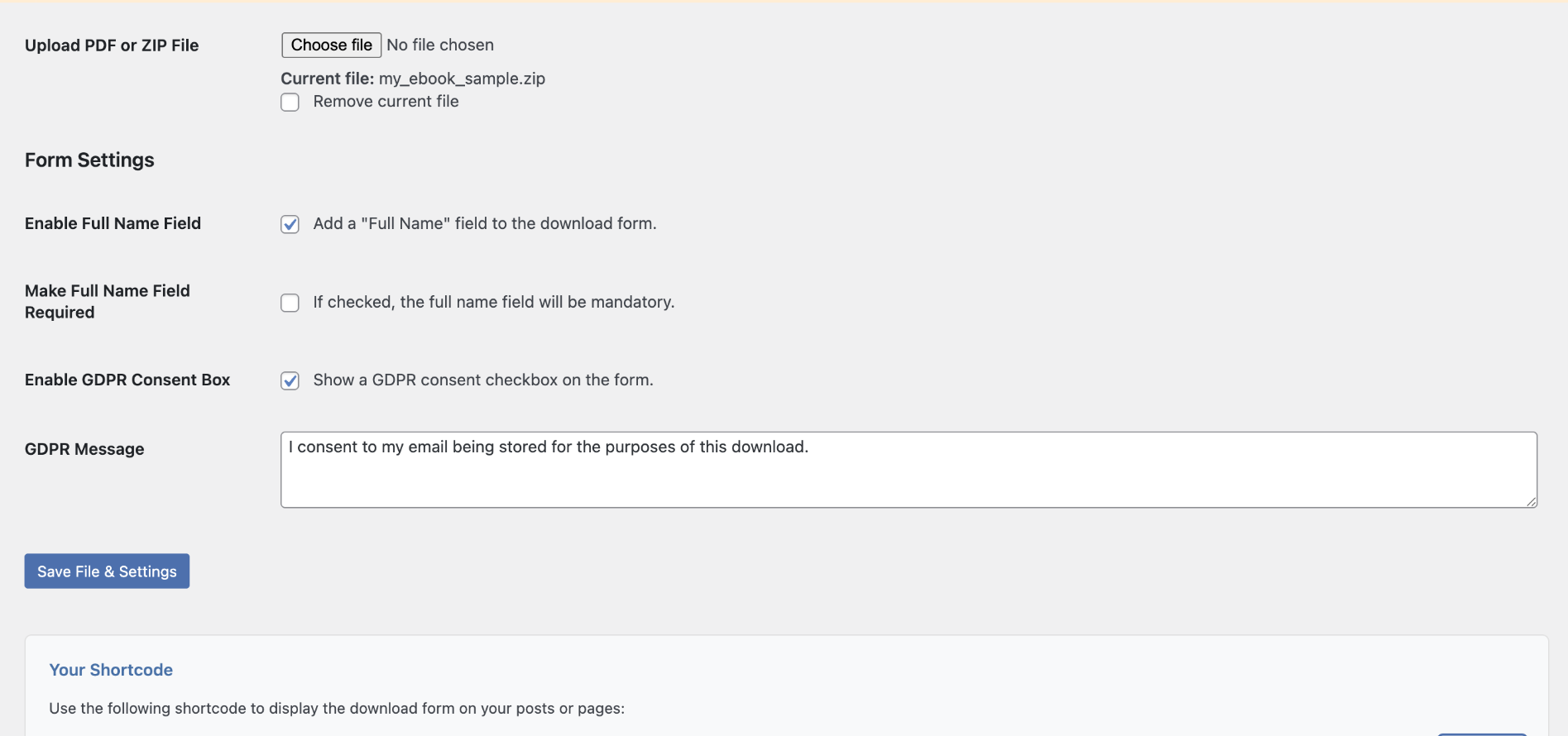
- Upload your file: Go to Settings > Email Gated Downloads and upload your PDF or ZIP.
- Configure your form: Enable optional name field, add your GDPR consent checkbox text, and customize messages.
- Place the form: Add shortcode
[spdfed_download_form]to any page/post (use a Shortcode block in the block editor).
- Email gated download form – Require an email address (optional name) before download.
- Secure file storage – Files stored in a protected directory; links use one time, expiring tokens.
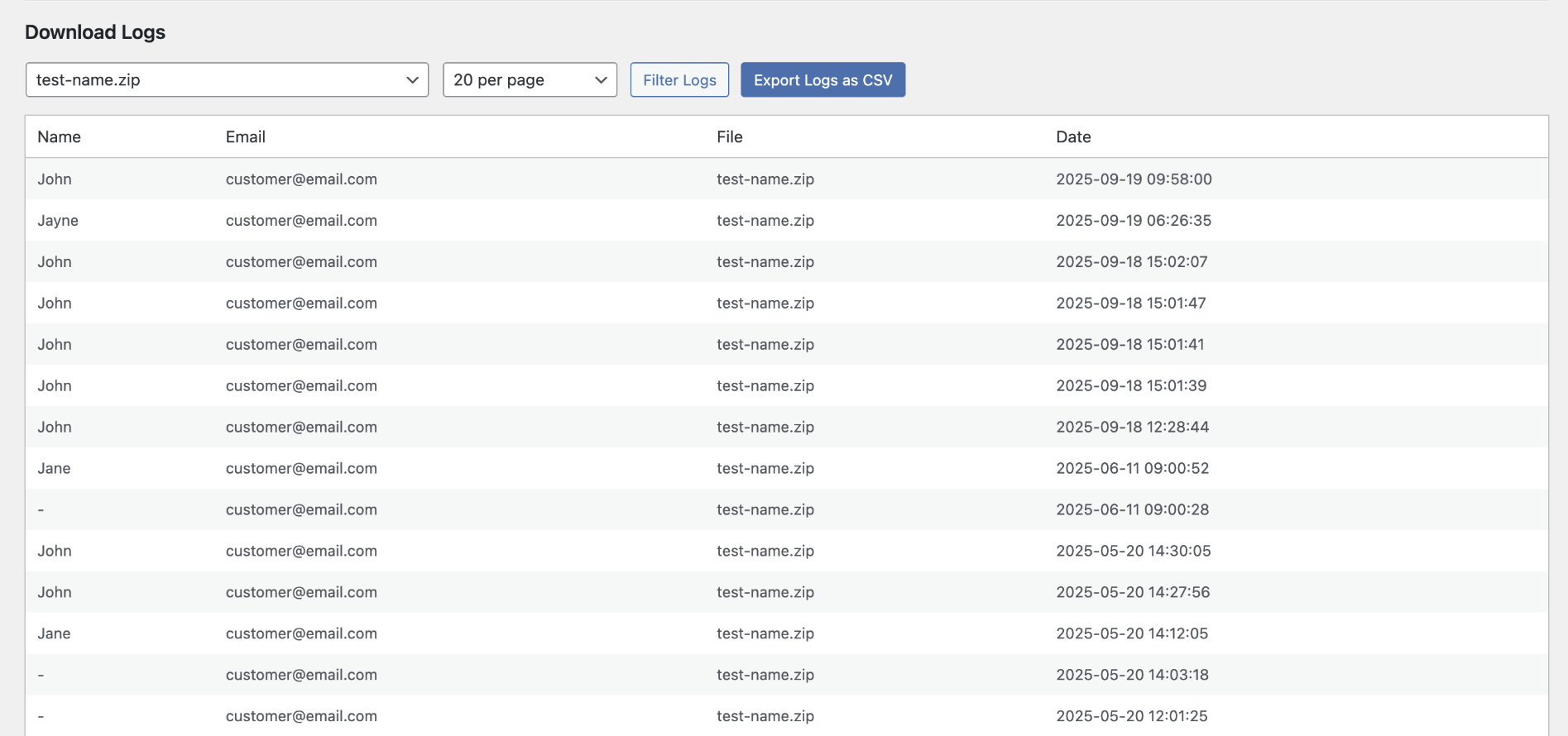
- Download logging & CSV export – Track downloads with email, name, file name, IP address and timestamp.
- GDPR consent checkbox – Built-in consent checkbox with customizable text.
- Rate limiting – Reduce repeated downloads and basic bot abuse.
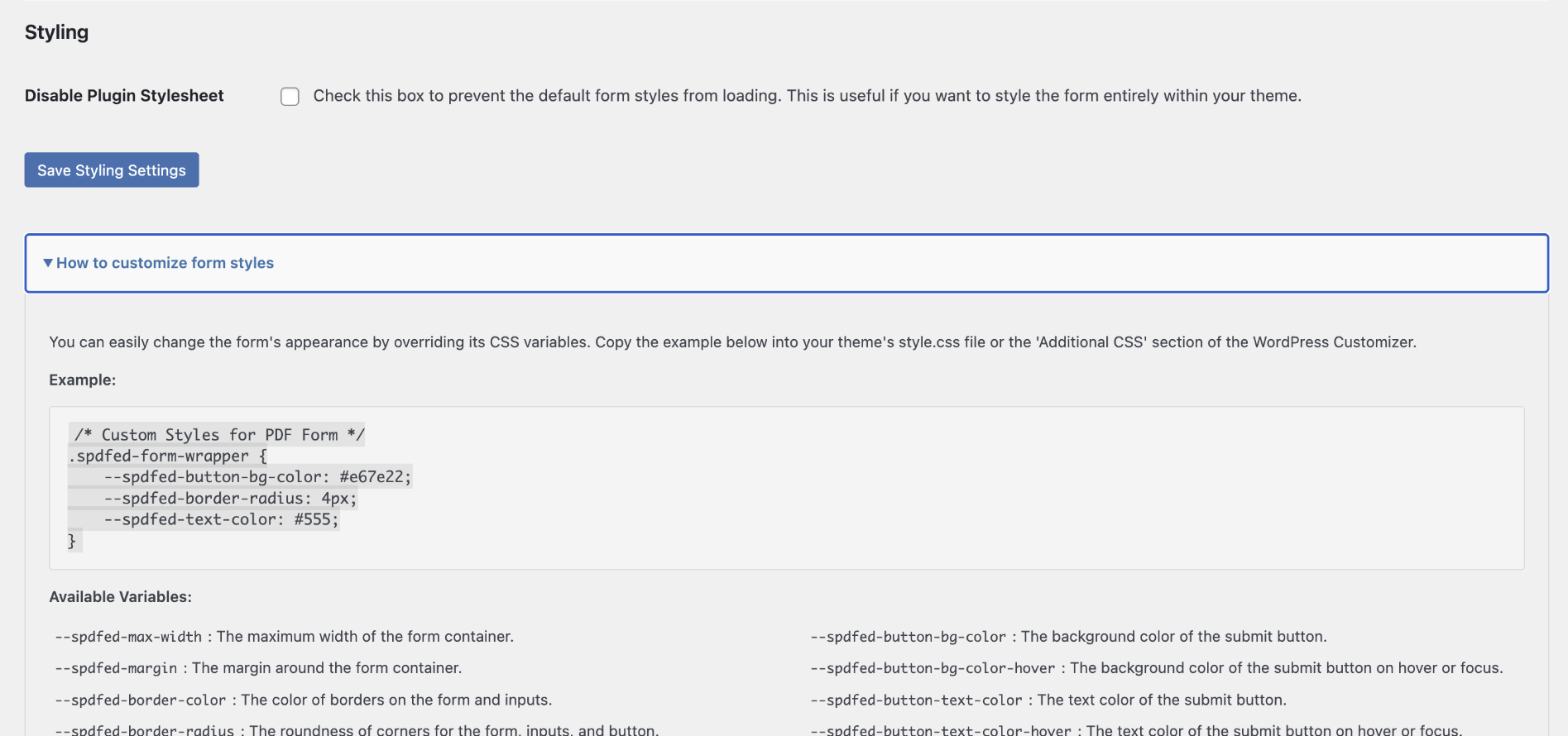
- Customizable styling – Use CSS variables, or disable the plugin stylesheet and add your own.
- Fast & lightweight – Minimal code and clean database usage.
- Webhooks – After each successful download, POST the lead as JSON to Zapier, Make, n8n or any webhook URL, then map it into Mailchimp, Kit, HubSpot, Google Sheets or your CRM. Includes a test button. Failures never block the file download. Not a native Mailchimp/Kit API.
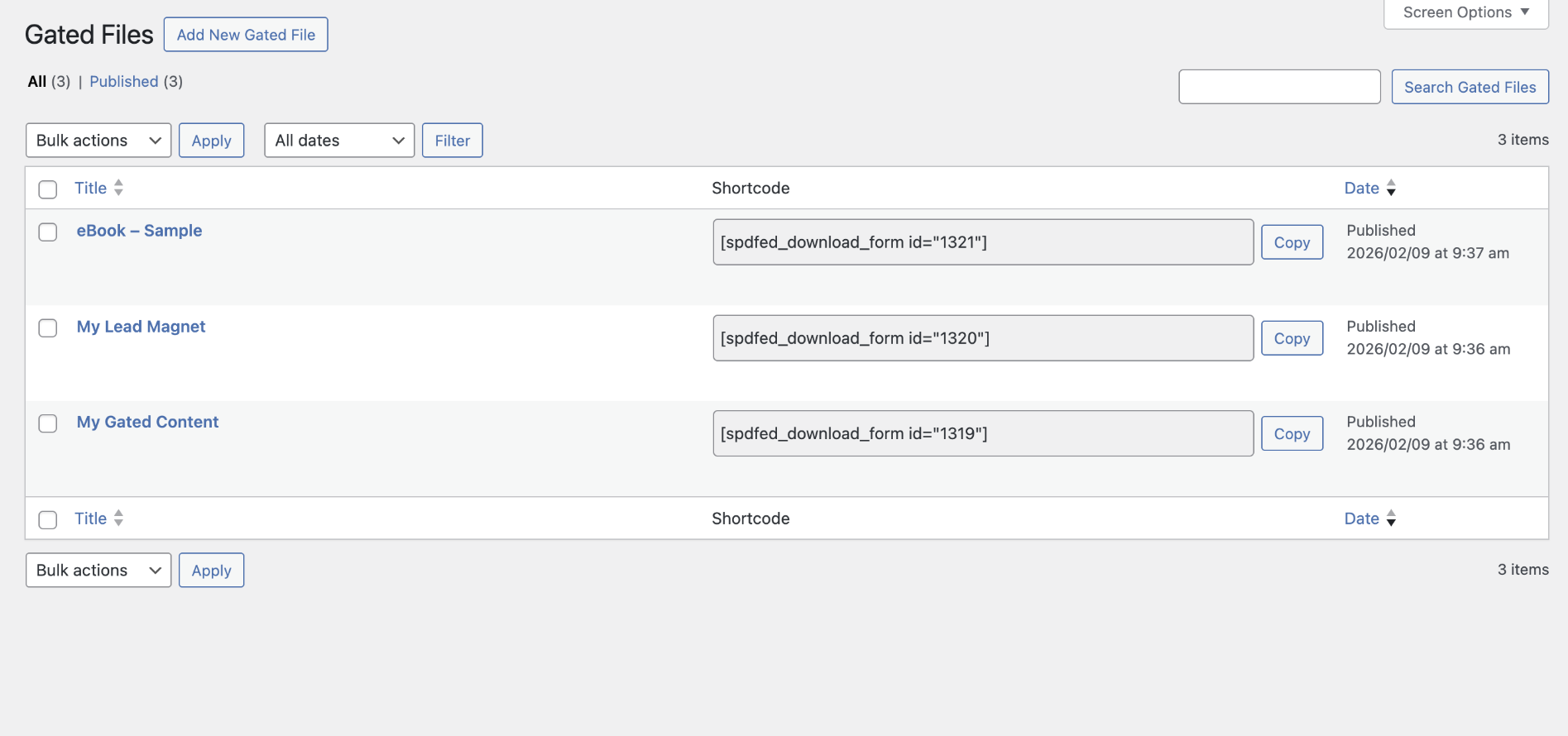
- Unlimited gated files – Create multiple download offers with a “Gated Files” Custom Post Type.
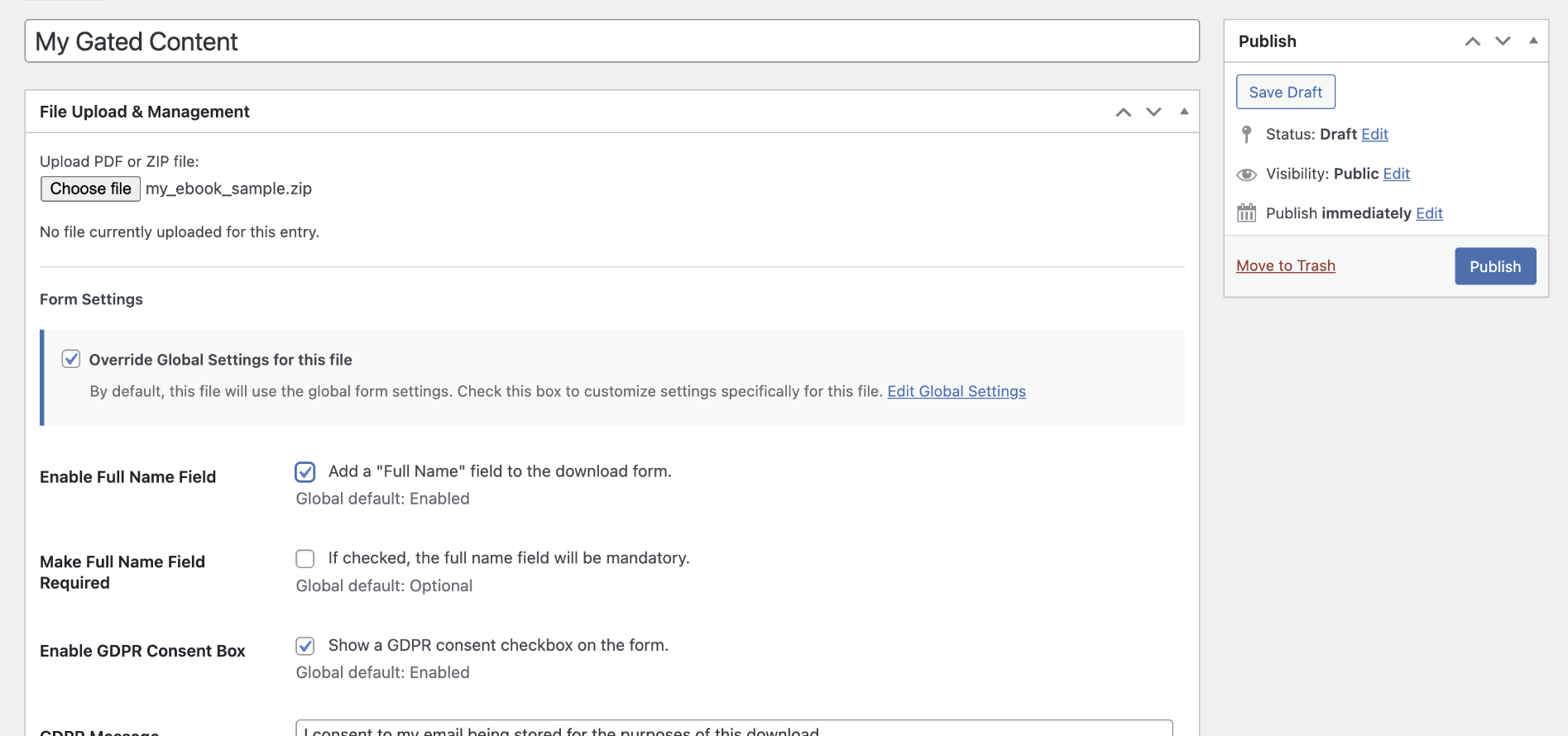
- Per file customization – Override global settings (name requirement, consent text, confirmation message) per file.
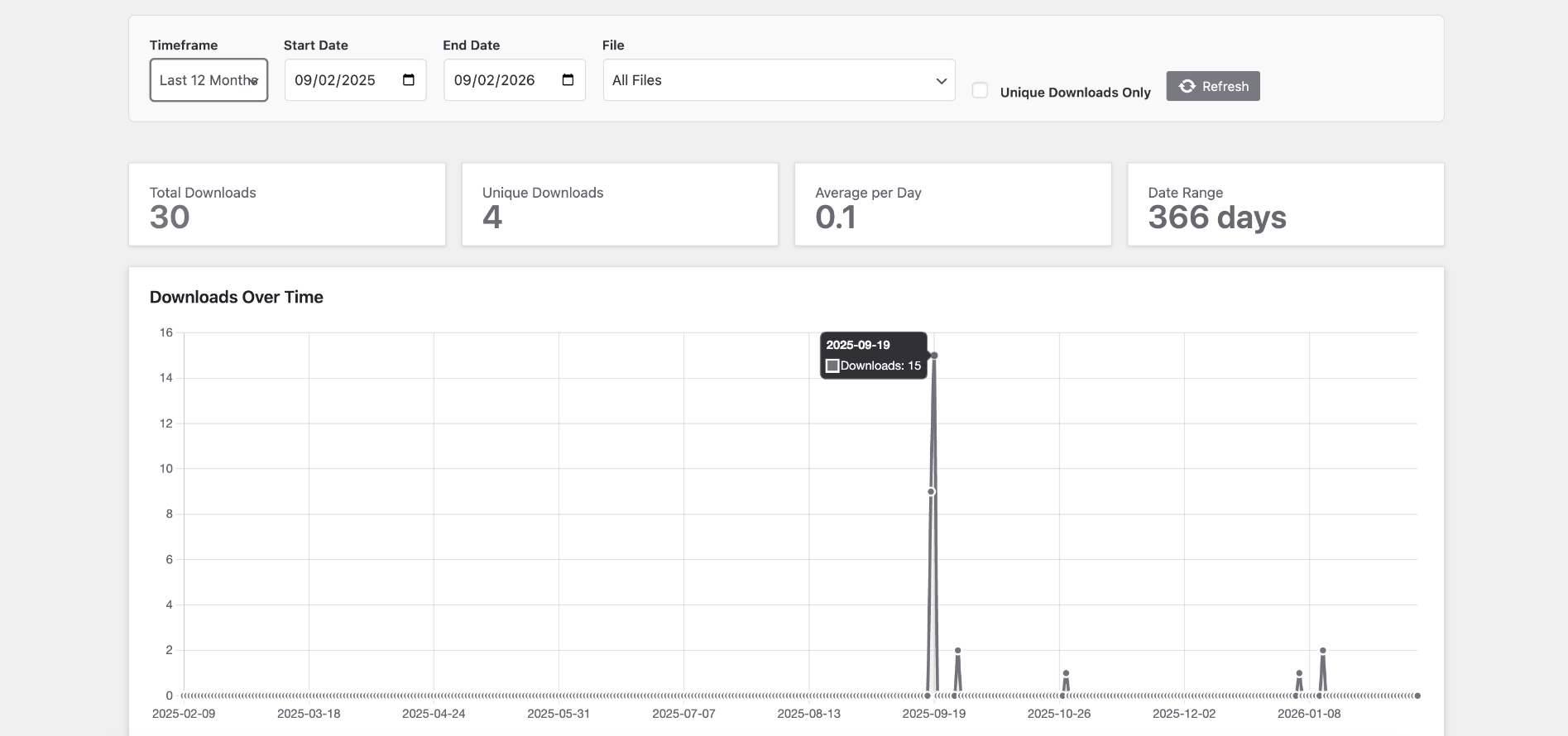
- Analytics dashboard – View total downloads, top files and trends with charts.
- Conversion tracking – Send an
email_gated_download_requestevent to Google Analytics 4 (gtag.js) or Google Tag Manager when the form is submitted. Does not install Google tags or send email addresses. - Individual shortcodes – Use
[spdfed_download_form id="123"]to embed a specific gated download anywhere.
- Lead magnets (ebooks, checklists, templates, worksheets)
- Content upgrades for blog posts and newsletters
- Resource libraries (downloads behind email capture)
- Digital product samples (share a preview while protecting the main asset)
- Course companion files (PDF handouts, ZIP resources)
安装:
- Install and activate Email Gated Downloads from the Plugins menu in WordPress.
- Go to Settings > Email Gated Downloads.
- Upload your PDF or ZIP file.
- Configure your download form (name field, consent checkbox, messages).
- Save changes.
- Add
[spdfed_download_form]to any page or post.
屏幕截图:
常见问题:
How do I require an email address to download a PDF?
Upload your PDF in Settings > Email Gated Downloads, then place [spdfed_download_form] on your page. Visitors must submit their email before they can download.
Can I gate ZIP files too?
Yes. PDF (.pdf) and ZIP (.zip) are supported.
Can I use this as a lead magnet / content upgrade?
Yes. This plugin is designed for lead magnets and content upgrades where you want a “download after email submission” flow.
Is the free version really free?
Yes. The free version lets you gate one file with form settings, logging, and CSV export.
What’s the difference between Free and Premium?
Free: One gated file, email capture form, consent checkbox, download logs, CSV export. Premium: Webhooks to Zapier/Make/n8n (and from there to Mailchimp, Kit, HubSpot or your CRM), unlimited gated files, per file settings, analytics dashboard, conversion tracking, and individual shortcodes.
Are the download links secure?
Yes. Download links are unique tokens that expire after use or after a set time, so the real file URL is not exposed.
Is this GDPR compliant?
A customizable consent checkbox is included to help you collect explicit consent. You’re still responsible for your privacy policy and how you store/process submissions.
How can I customize the look of the form?
Two options:
- CSS Variables – Copy the variables from the settings help panel into Appearance > Customize > Additional CSS and adjust.
- Disable Stylesheet – Disable the plugin stylesheet and add your own CSS in your theme.
Can I place the shortcode on multiple pages?
Yes. [spdfed_download_form] can appear on multiple pages/posts and will point to your gated file.
Can I place multiple gated download forms on the same page?
Yes (Premium). Use [spdfed_download_form id="123"] to embed multiple different gated files on one page.
Where can I see who downloaded my file?
Go to Settings > Email Gated Downloads and view Download Logs. You can export logs to CSV, delete a single test entry, or filter by file and delete all logs for that download. Deleting a log does not delete the gated file.
Can I send leads to Mailchimp, Kit or my CRM?
Yes (Premium), via webhook, not a native Mailchimp or Kit connection. In Settings > Email Gated Downloads paste a webhook URL from Zapier (Catch Hook), Make, n8n or another webhook-compatible service, then use Send Test Webhook. After each successful download the plugin POSTs JSON with event, email, optional name, file, post_id, gdpr_consent, downloaded_at, page_url and site_url. Map those fields to Mailchimp, Kit, HubSpot, a Google Sheet, or similar. A failed webhook never blocks the download. gdpr_consent is the download-purpose checkbox, not marketing opt-in, do not auto-subscribe people to a newsletter unless your automation honours that. Zapier Catch Hook requires a paid Zapier plan; Make and n8n are common alternatives.
Can I track downloads in Google Analytics or Google Tag Manager?
Yes (Premium). Enable conversion tracking in Settings > Email Gated Downloads and choose Google tag / GA4 or Google Tag Manager. Google’s scripts must already be installed on your site; this plugin does not add a Measurement ID or GTM container. On form submit it sends the event email_gated_download_request with parameters file and post_id only (never email or name). In GTM, create a Custom Event trigger for email_gated_download_request. The event means the visitor submitted the form, not that the server has confirmed the download.
更新日志:
- Download Logs: delete a single entry, or delete all entries for a selected file (Thank you to Alex S @v1mirage for the suggestion).
- Admin: show Account and Upgrade as tabs on Settings instead of extra Settings submenus.
- Admin: dismissible notices and hide other plugins notices for a cleaner dashboard.
- Security release, correct previous update.
- Premium: webhook integration for Zapier, Make, n8n and other webhook-compatible services, including a test button. Map the JSON payload into Mailchimp, Kit, HubSpot or your CRM, this is not a native API connection.
- Premium: conversion tracking event
email_gated_download_requestfor Google Analytics 4 (gtag.js) and Google Tag Manager. Does not install Google tags or send personal data. - Fix nested comment in File Management that could show an undefined-variable warning.
- Clearer sign-posting within settings and analytics pages.
- Styling clean up.
- Fix redundant premium checks.
- Fix issue with invalid line ending in premium version.
- Fix issue with aggressive caching on some hosting providers preventing new entries being recorded.
- Feature: Optional thank you message added, triggered after successful form submission.
- Fix issue with some hosts returning the download target as a raw file rather than a downloadable.
- Fix minor dashboard styling issue.
- Initial release: email gated downloads for PDF/ZIP with consent checkbox, secure links, logging, and CSV export.