Corps AI Chatbot Lite
| 开发者 | cr1m0 |
|---|---|
| 更新时间 | 2026年4月18日 23:17 |
| PHP版本: | 7.4 及以上 |
| WordPress版本: | 6.9 |
| 版权: | GPLv2 or later |
| 版权网址: | 版权信息 |
详情介绍:
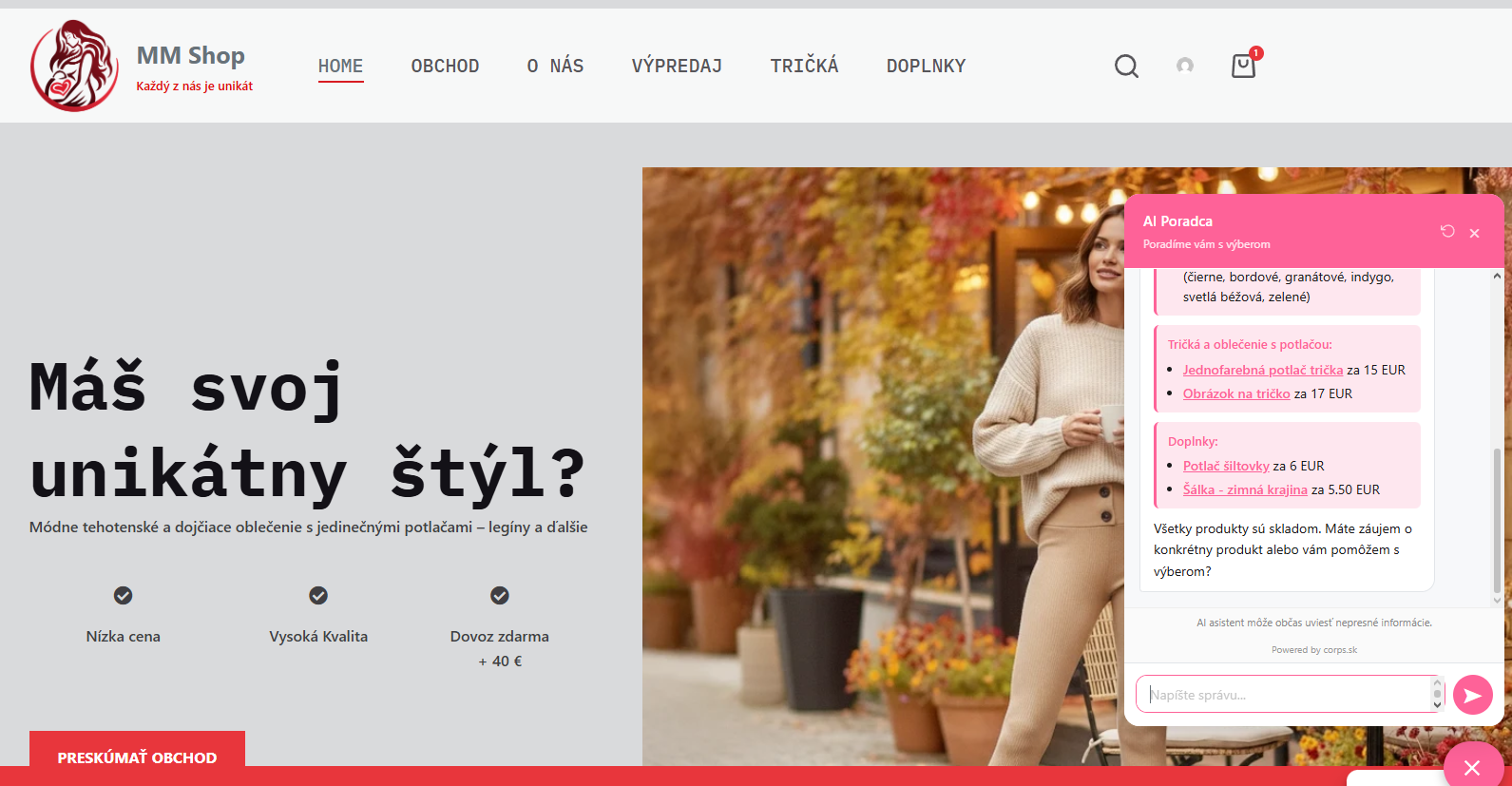
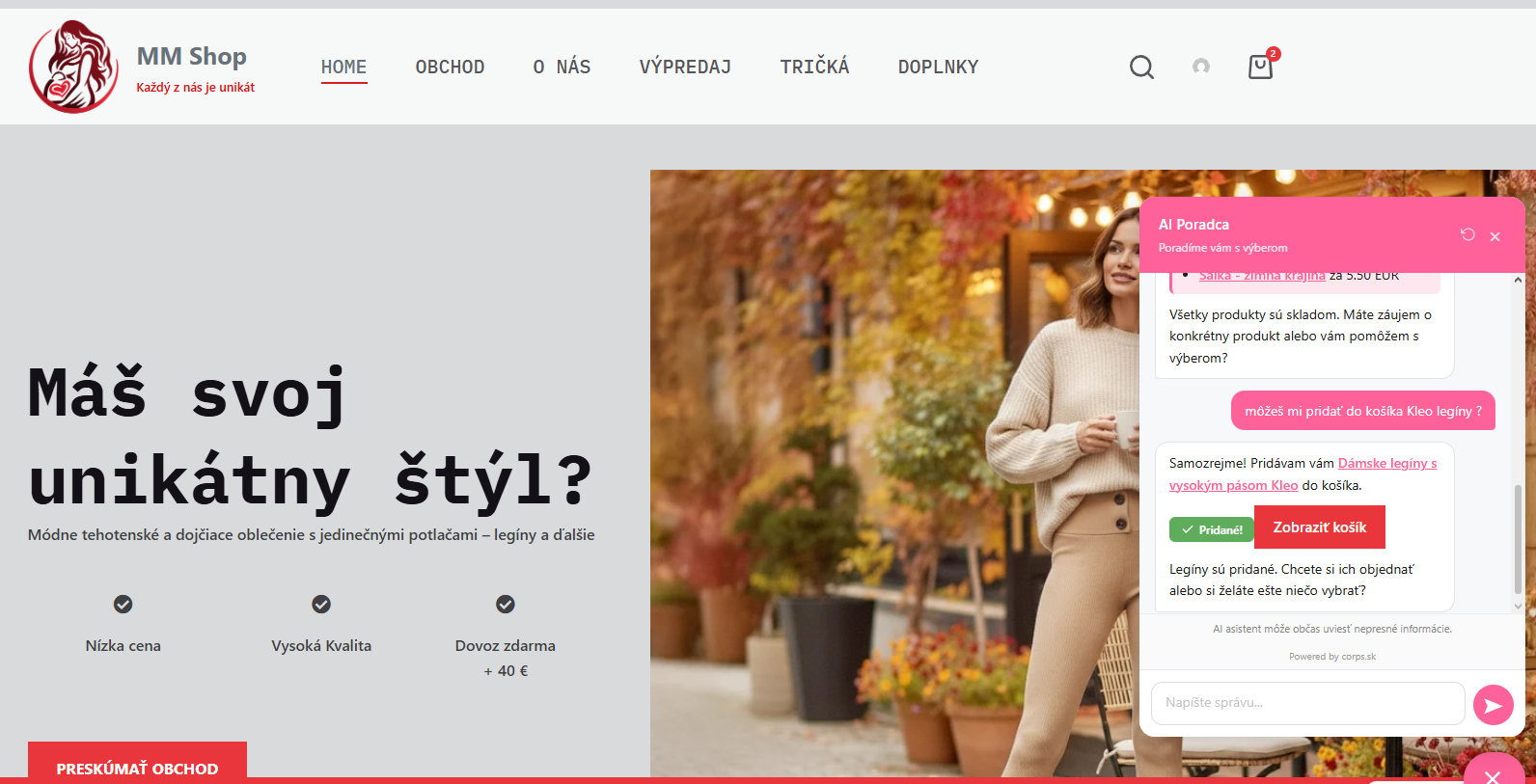
AI Chatbot for WooCommerce Lite adds an intelligent chat assistant to your WooCommerce store. It knows your product catalog, answers customer questions, recommends products with real prices, and lets customers add items to cart directly from the conversation.
How it works:
- Get your Anthropic API key at console.anthropic.com
- Enter the key in plugin settings
- The chatbot is immediately active on your store
- AI-powered product recommendations based on customer questions
- Add to cart directly from chat
- Full product catalog awareness (names, prices, stock, variations)
- Customizable widget (colors, texts, welcome message)
- Custom system prompt support
- Product cache for fast responses
- Works with any WooCommerce theme
- Free — 5,000 tokens/month, no Anthropic account needed, basic widget customization
- Starter / Pro / Business — higher token limits, add-to-cart, custom prompts, conversation logs, email reports, token usage dashboard
安装:
- Upload the plugin files to
/wp-content/plugins/corps-ai-chatbot-lite/ - Activate the plugin through the 'Plugins' menu in WordPress
- Go to Settings → AI Chatbot Lite
- Enter your Anthropic API key
- Customize the chatbot and save
屏幕截图:
常见问题:
Do I need an Anthropic account?
Yes — this Lite version is BYOK (Bring Your Own Key). You need an API key from console.anthropic.com and pay Anthropic directly for token usage (typically very low for a WooCommerce chatbot). If you prefer not to manage your own key, the managed service at license.corps.sk offers a Free plan (5,000 tokens/month) and paid tiers — no Anthropic account required.
Which Anthropic model does the plugin use?
Claude Haiku 4.5 — a fast and cost-efficient model optimized for customer chat. The model is fixed in this Lite version.
Is WooCommerce required?
Yes. This plugin requires WooCommerce to be installed and active.
How do I monitor my API usage and costs?
Go to console.anthropic.com → Usage to see your token consumption and costs.
What data is sent to Anthropic?
Only the chat message content and product catalog information. No personal customer data (names, emails, addresses) is sent.
更新日志:
1.1.1
- Docs: Corrected FAQ — Lite version uses Claude Haiku 4.5 only (no model switching UI)
- Docs: Clarified BYOK requirement and noted the managed alternative at license.corps.sk
- Fully translatable — all strings wrapped in WordPress i18n functions
- English defaults for all widget texts
- Slovak (sk_SK) translation included
- System prompt translated to English (chatbot responds in customer's language automatically)
- Added languages/ directory with .pot template for community translations
- Fix: Reverted permission_callback to __return_true (correct WP pattern for public endpoint)
- Fix: Removed plugins_api filter (WP.org handles updates)
- Fix: Escape CSS color variables via sanitize_hex_color()
- Fix: Nonce verification for chat REST endpoint (X-WP-Nonce header)
- Fix: sanitize_callback for boolean settings uses rest_sanitize_boolean
- Fix: Text Domain zosúladený so slug pluginu
- Fix: skrátenie short description na 150 znakov
- Fix: Stable tag zosúladený s verziou pluginu
- Model uzamknutý na Claude Haiku (odstránený výber modelu z admin UI)
- Max počet produktov v kontexte uzamknutý na 8 (odstránený z admin UI)
- Max tokenov v odpovedi znížený na 512
- Pridaný "Zobraziť podrobnosti" popup v zozname pluginov
- Fix: fatal error pri odoslaní správy (referencie na licenčný systém)
- Fix: oprava logovania v AI provideri a product cache
- Prvé vydanie