CouponFlow for Gumroad with Contact Form 7
| 开发者 | luciandev13 |
|---|---|
| 更新时间 | 2026年1月9日 01:44 |
| PHP版本: | 8.0 及以上 |
| WordPress版本: | 6.9 |
| 版权: | GPLv2 or later |
| 版权网址: | 版权信息 |
详情介绍:
CouponFlow for Gumroad with Contact Form 7 allows to automatically generate and send personalized Gumroad coupon codes from Contact Form 7 submissions.
安装:
Automatic Install
- Log into your WordPress dashboard and go to Plugins → Add New
- Search for "CouponFlow"
- Click "Install Now" under the "CouponFlow for Gumroad with Contact Form 7" plugin
- Click "Activate Now"
- Download the plugin from the download button on this page
- Unzip the file, and upload the resulting
couponflow-for-gumroad-cf7folder to your/wp-content/pluginsdirectory - Log into your WordPress dashboard and go to Plugins
- Click "Activate" under the "CouponFlow for Gumroad with Contact Form 7" plugin
屏幕截图:
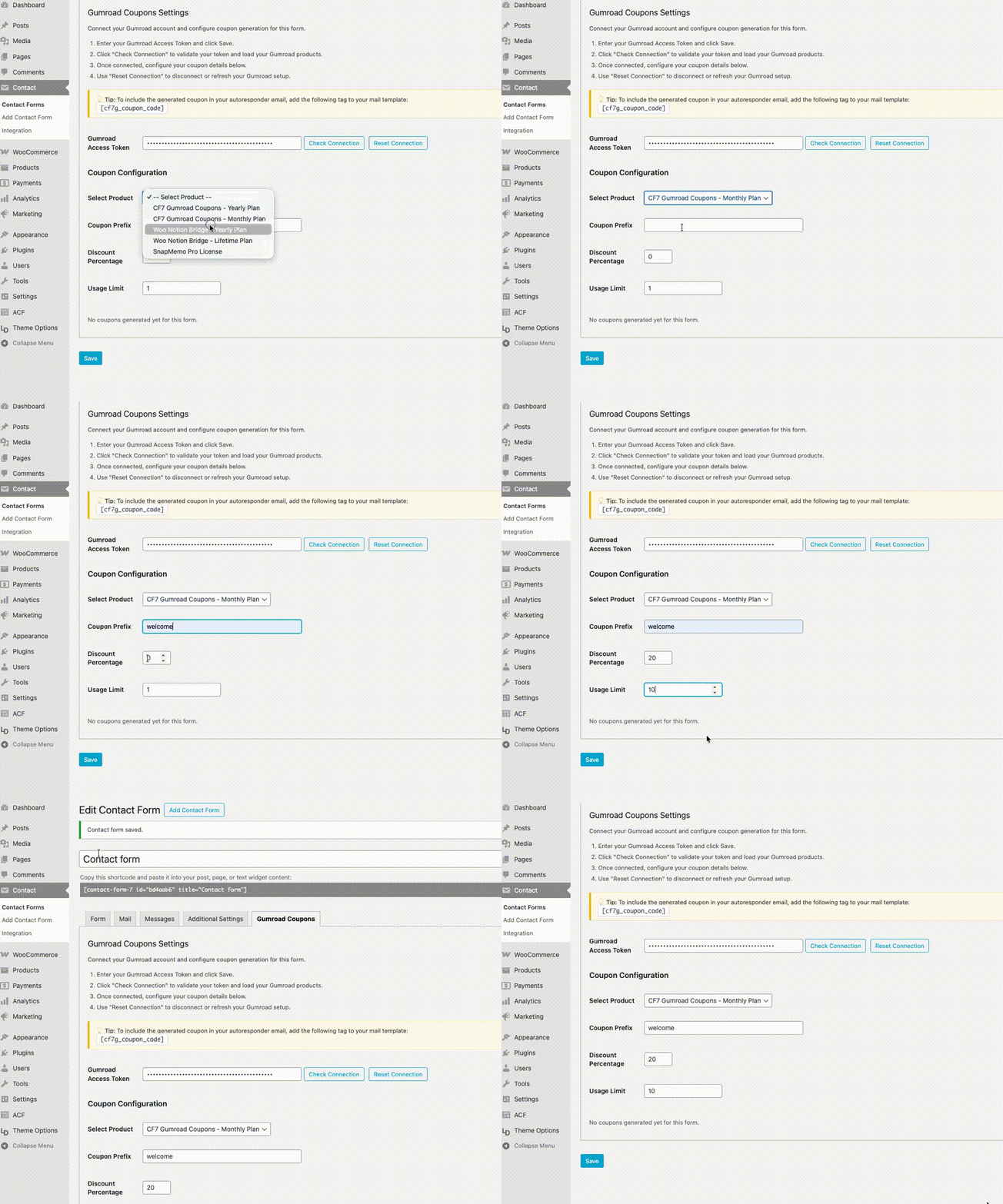
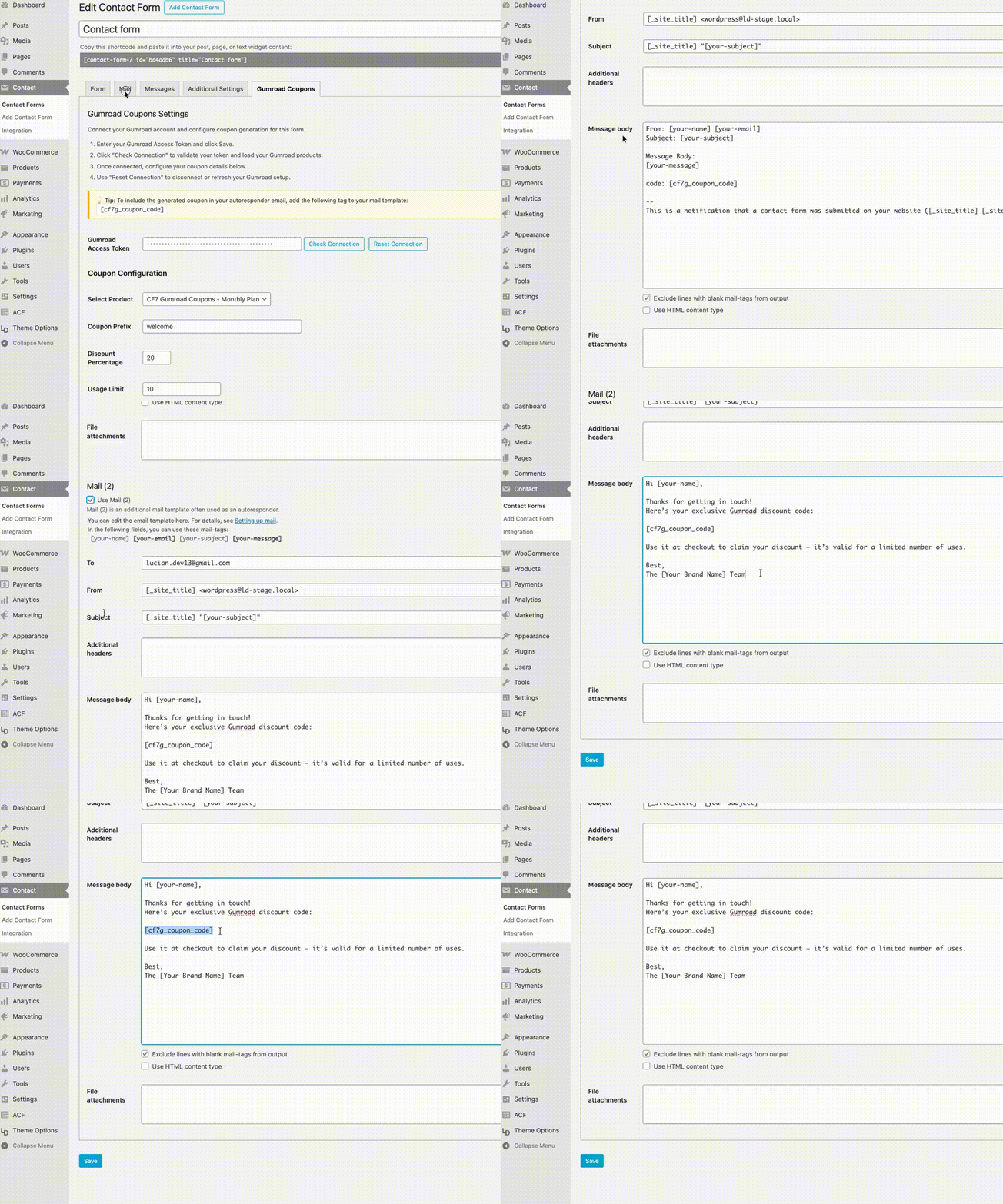
常见问题:
Will it affect my Contact Form 7 forms?
No. The plugin works independently - it only adds an extra "Gumroad Coupons" tab to each form. Your existing forms and mail templates remain untouched.
Is my Gumroad token secure?
Yes. Your access token is stored only in WordPress meta, sanitized, and never exposed on the front end or in emails. You can also see here how you generate one (https://gumroad.com/help/article/280-create-application-api).
Does it work with multiple forms?
Yes. You can connect multiple Contact Form 7 forms to different Gumroad products. Each form has its own connection, coupon settings and logs.
更新日志:
1.0.0
Initial release — integrates Gumroad with Contact Form 7 for automatic coupon generation.