
cPOD Kit
| 开发者 | ceexice |
|---|---|
| 更新时间 | 2026年11月13日 02:59 |
| PHP版本: | 7.4 及以上 |
| WordPress版本: | 7.1 |
| 版权: | GPLv2 or later |
| 版权网址: | 版权信息 |
详情介绍:
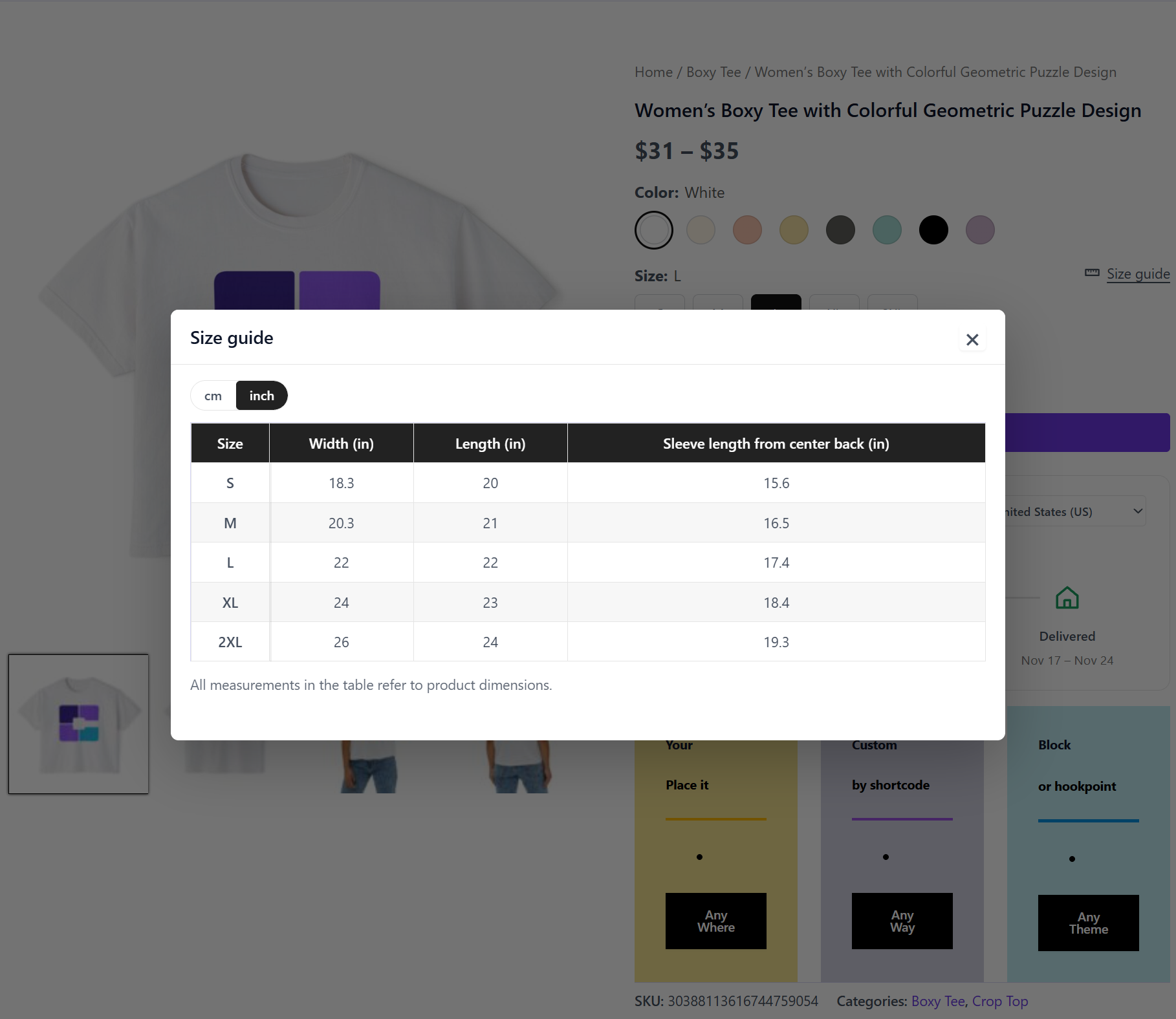
- Size Chart – Size guides as a popup, a product tab or a shortcode. Assign charts by product, category or tag. Switch between cm and inch, flip rows and columns with one click, and keep the first column and header row fixed on long tables.
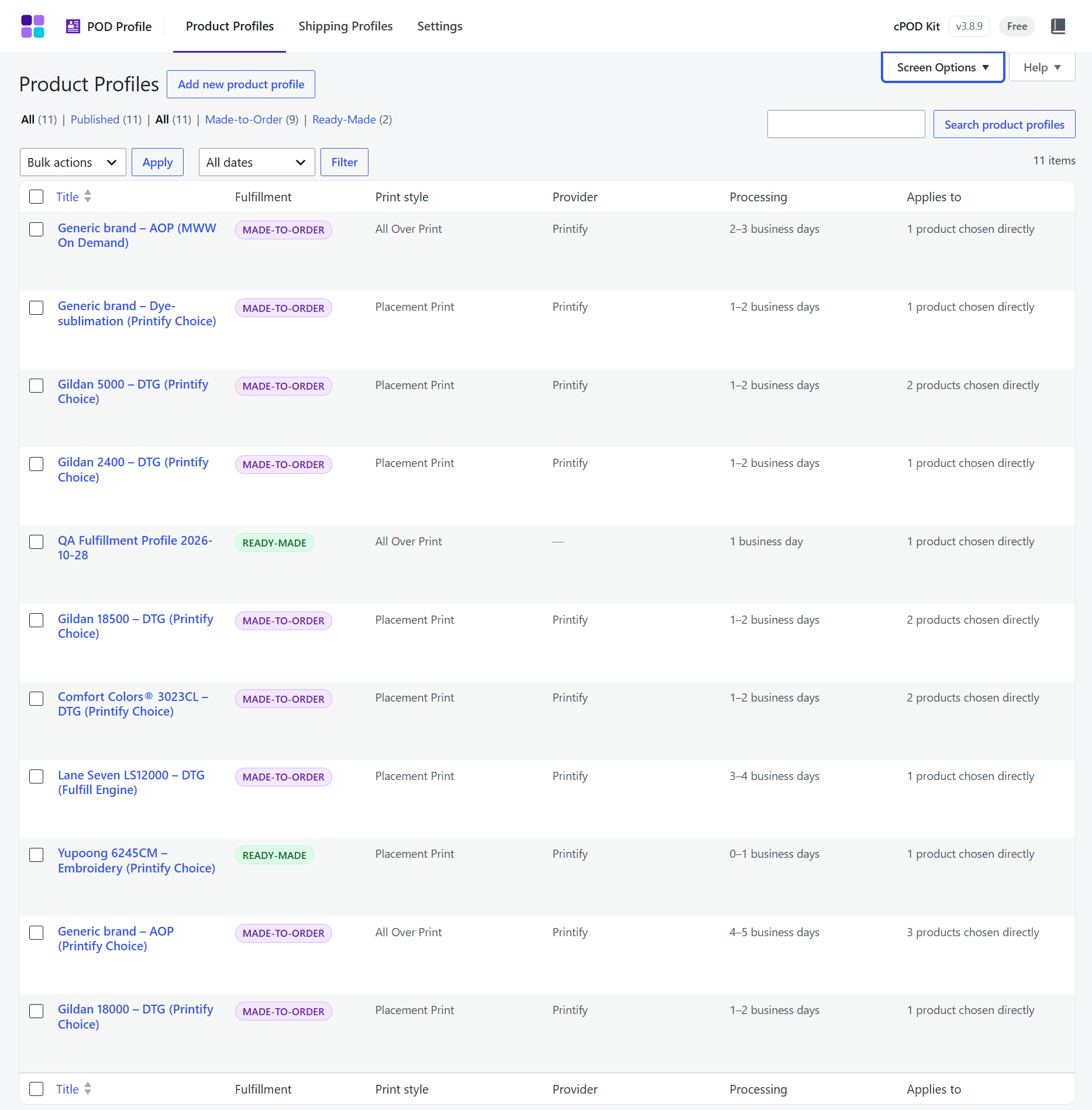
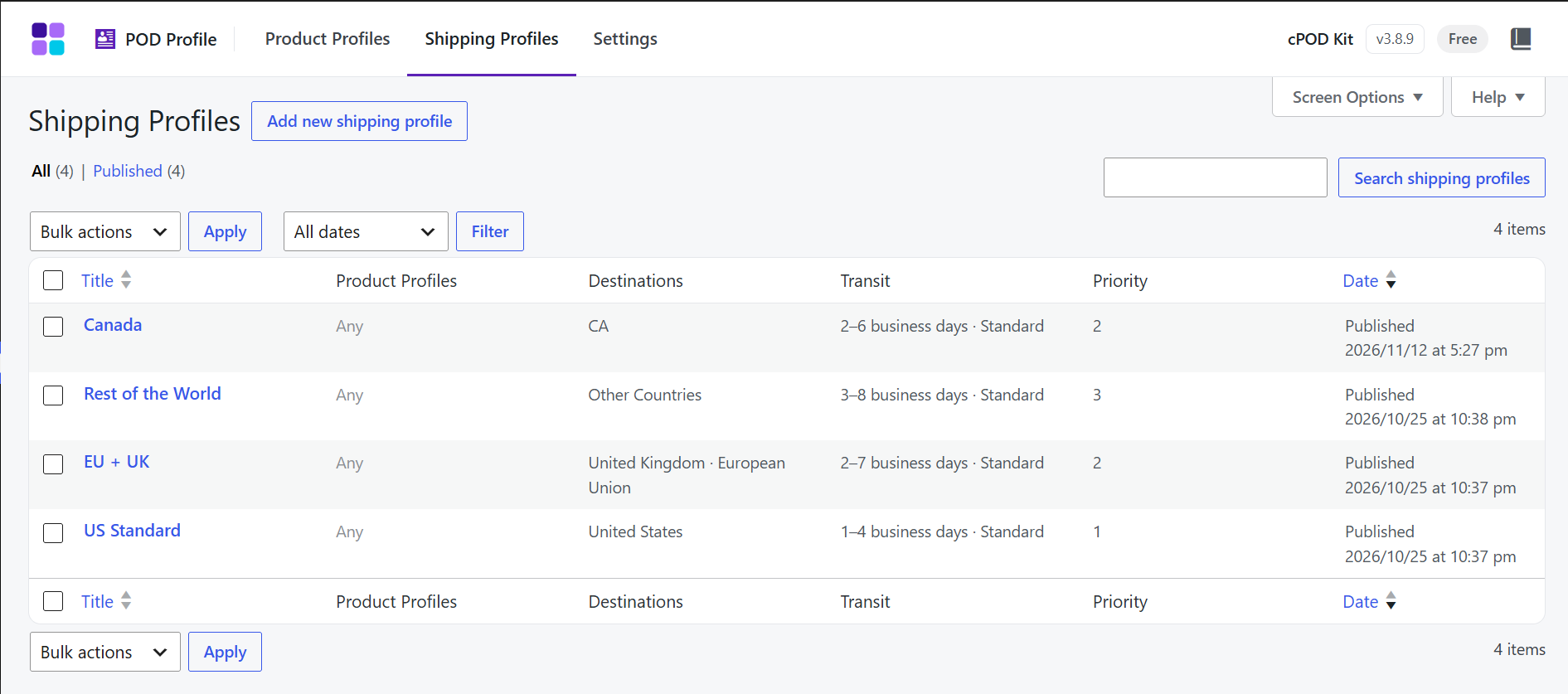
- POD Profile – Product Profiles (blank, print method, material, processing time, size chart, print style) and Shipping Profiles (transit time by country or region), shown in a Product Details tab. Auto categories & tags classifies new products by keywords, and the Print style (All Over Print, Placement Print…) of each profile lets shoppers filter the shop by it.
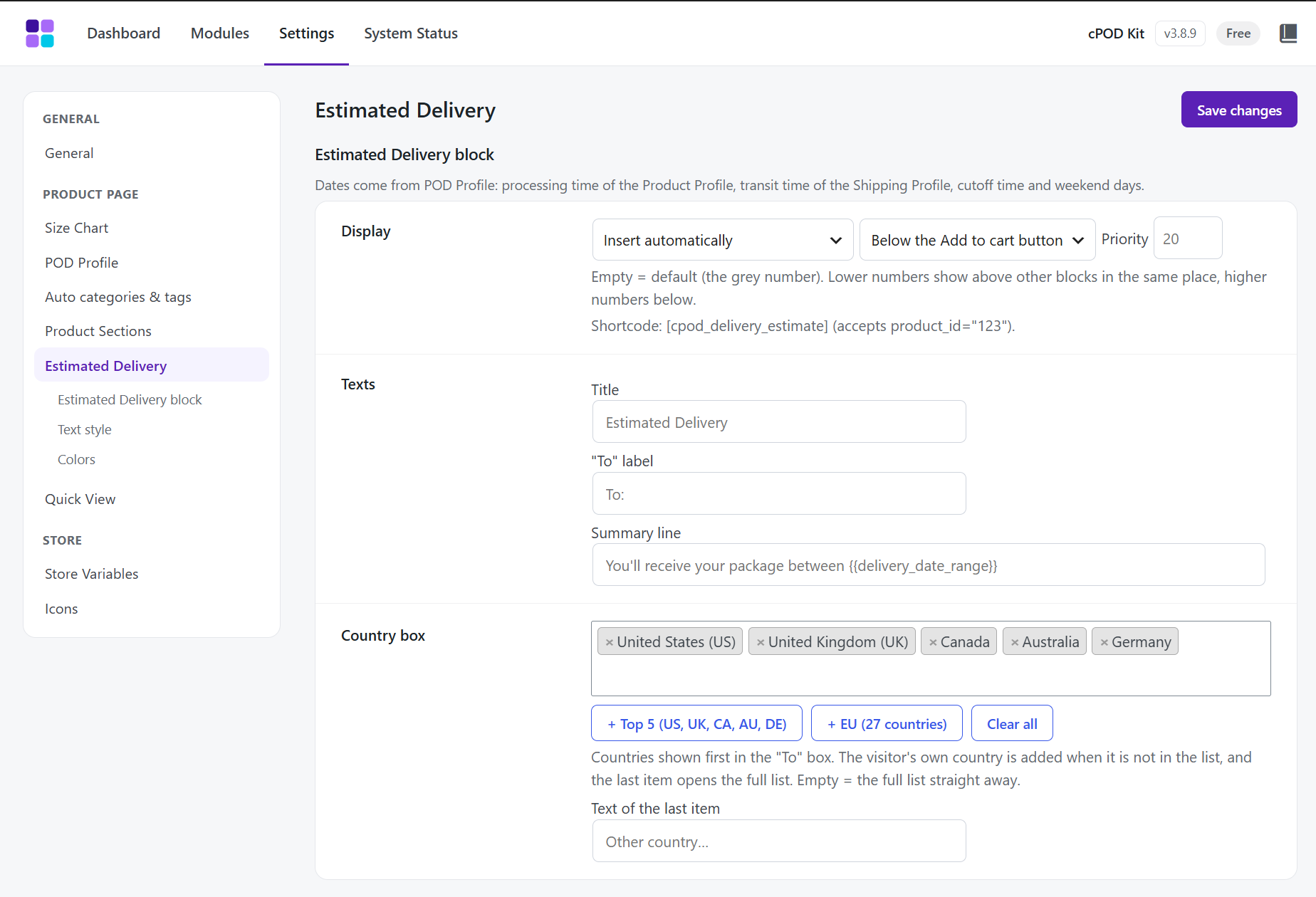
- Estimated Delivery – An "Estimated Delivery" box on the product page with a "Delivery to" country picker and an Ordered → Shipped → Delivered timeline, based on the product and shipping profiles.
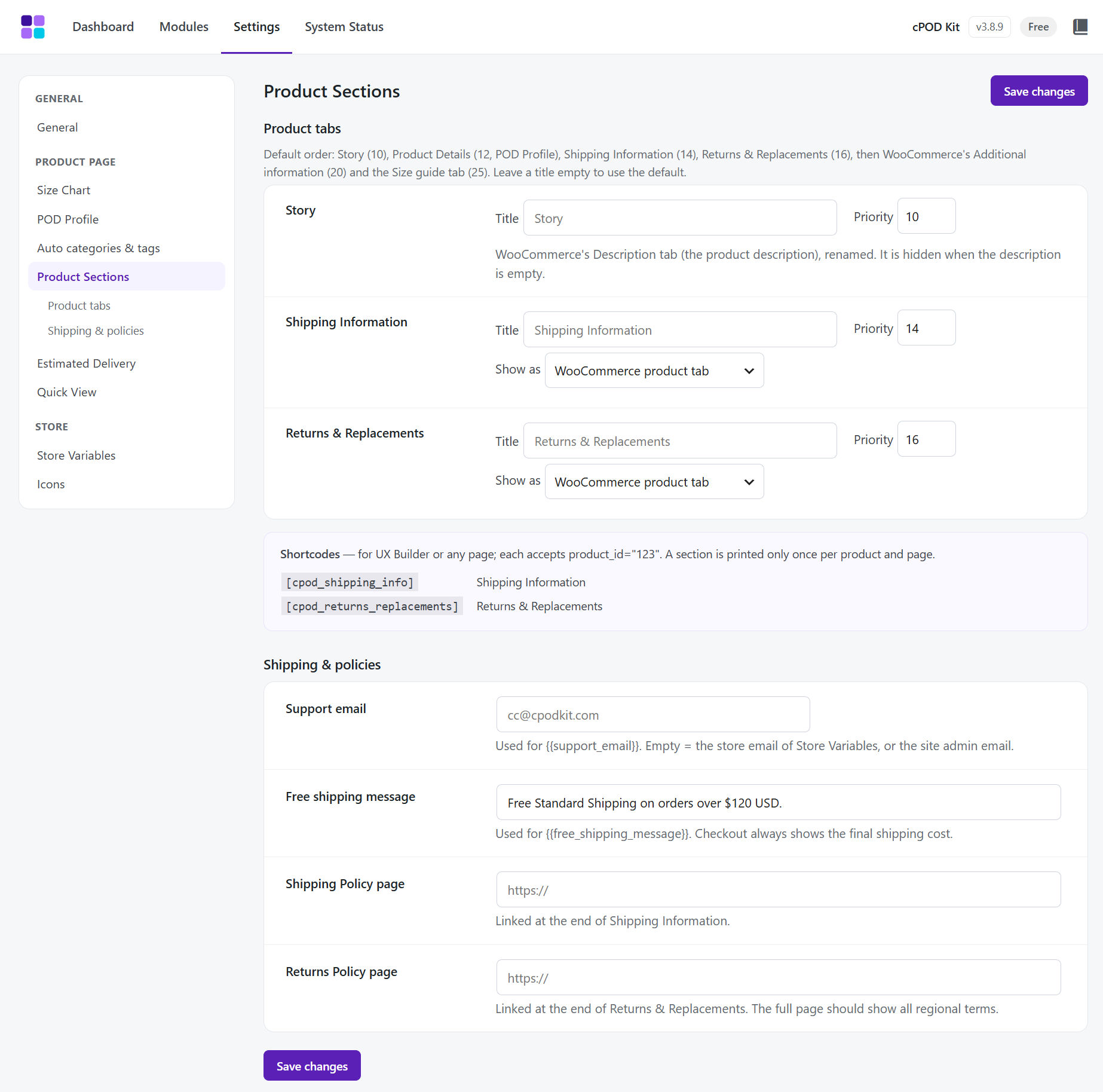
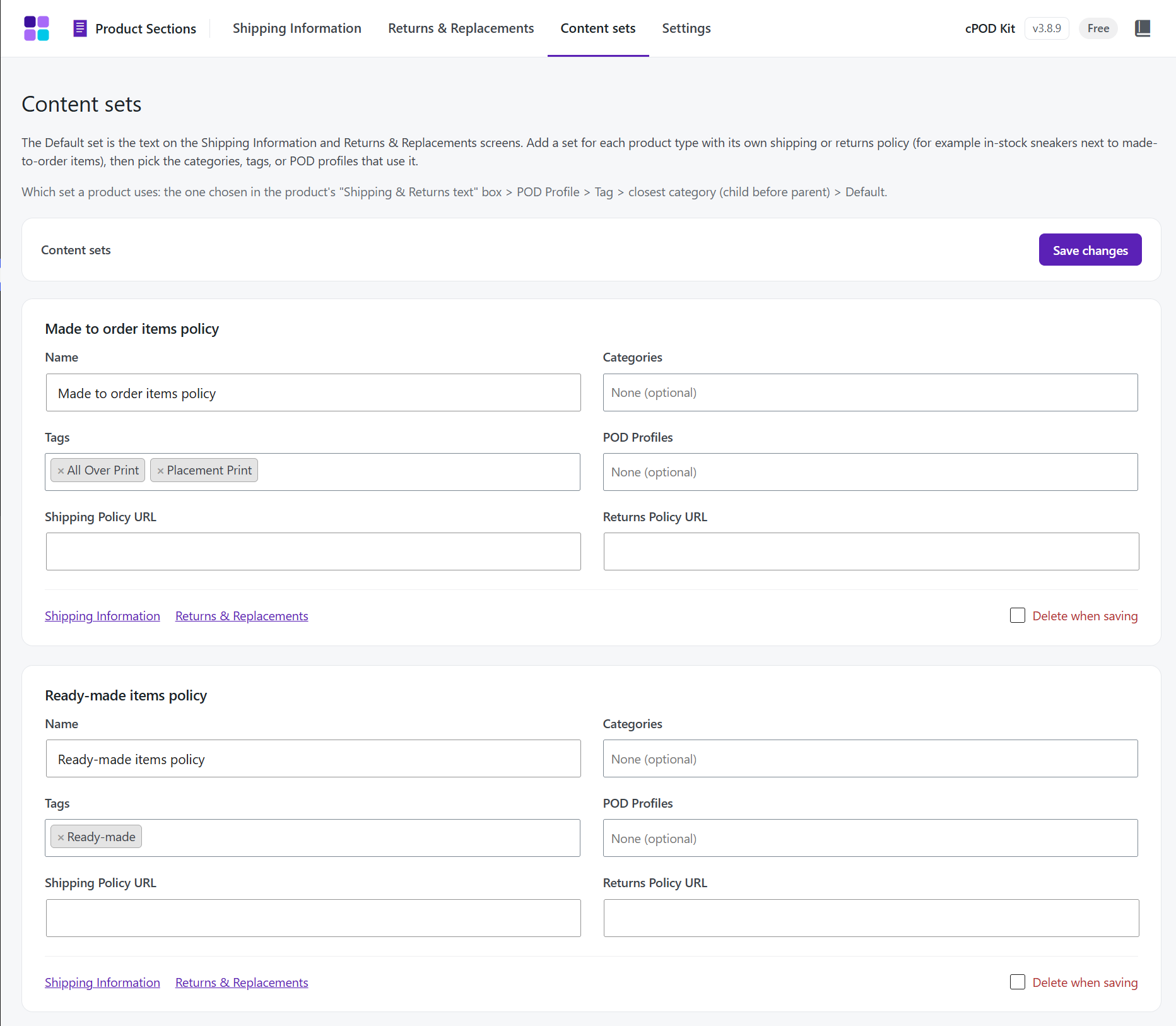
- Product Sections – Shipping Information and Returns & Replacements tabs with US / UK / EU notes, content sets per category or product, and an option to rename the Description tab.
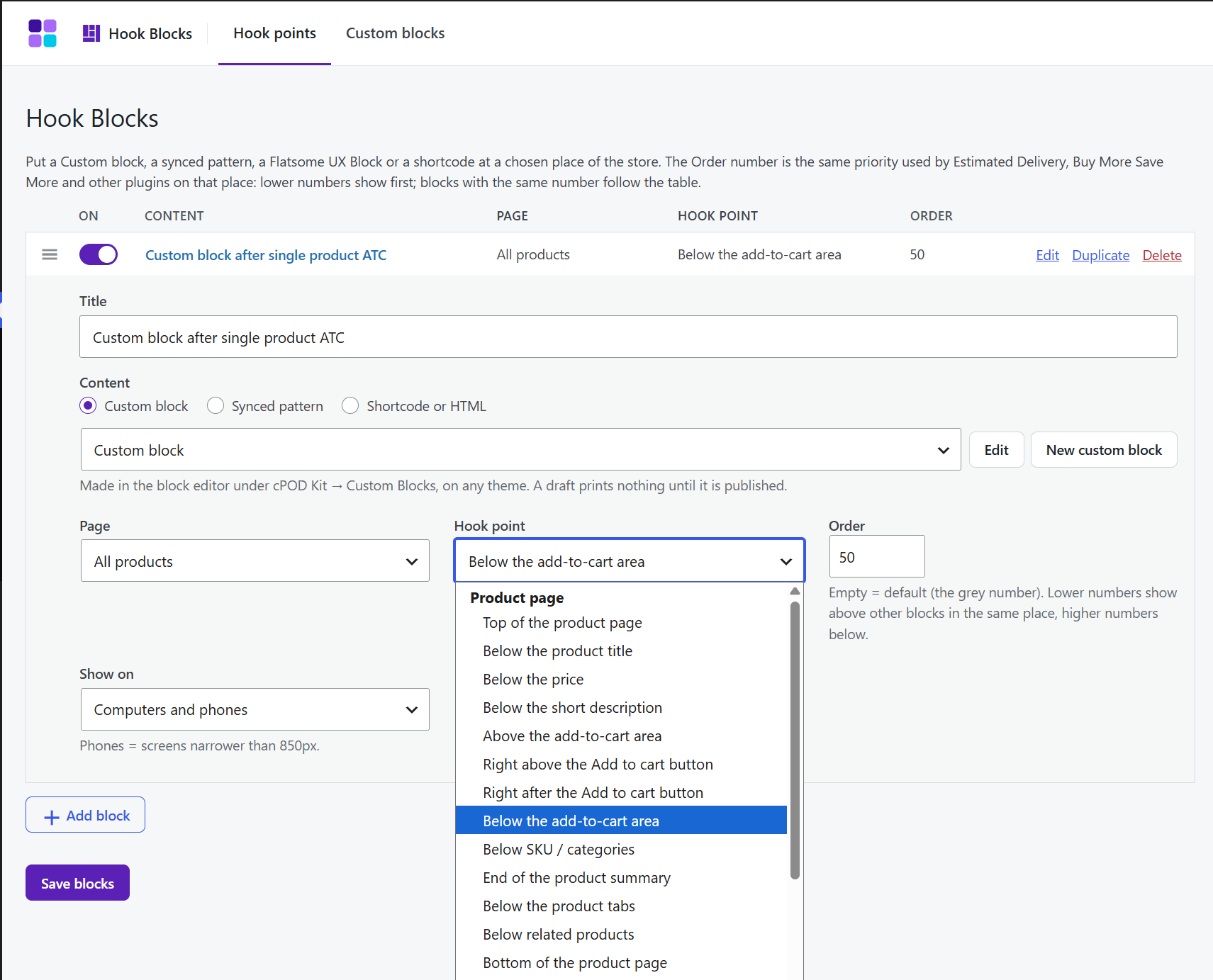
- Hook Blocks – Make Custom blocks in the block editor (on any theme, like Astra's Custom Layouts or Flatsome's UX Blocks) and place them, a synced pattern, a Flatsome UX Block or a shortcode at product, shop, cart, checkout, thank-you or site-wide positions, or on any custom hook. Filter by page, category, tag and device (desktop, mobile or both). Any Custom block also works with [cpod_block id="…"].
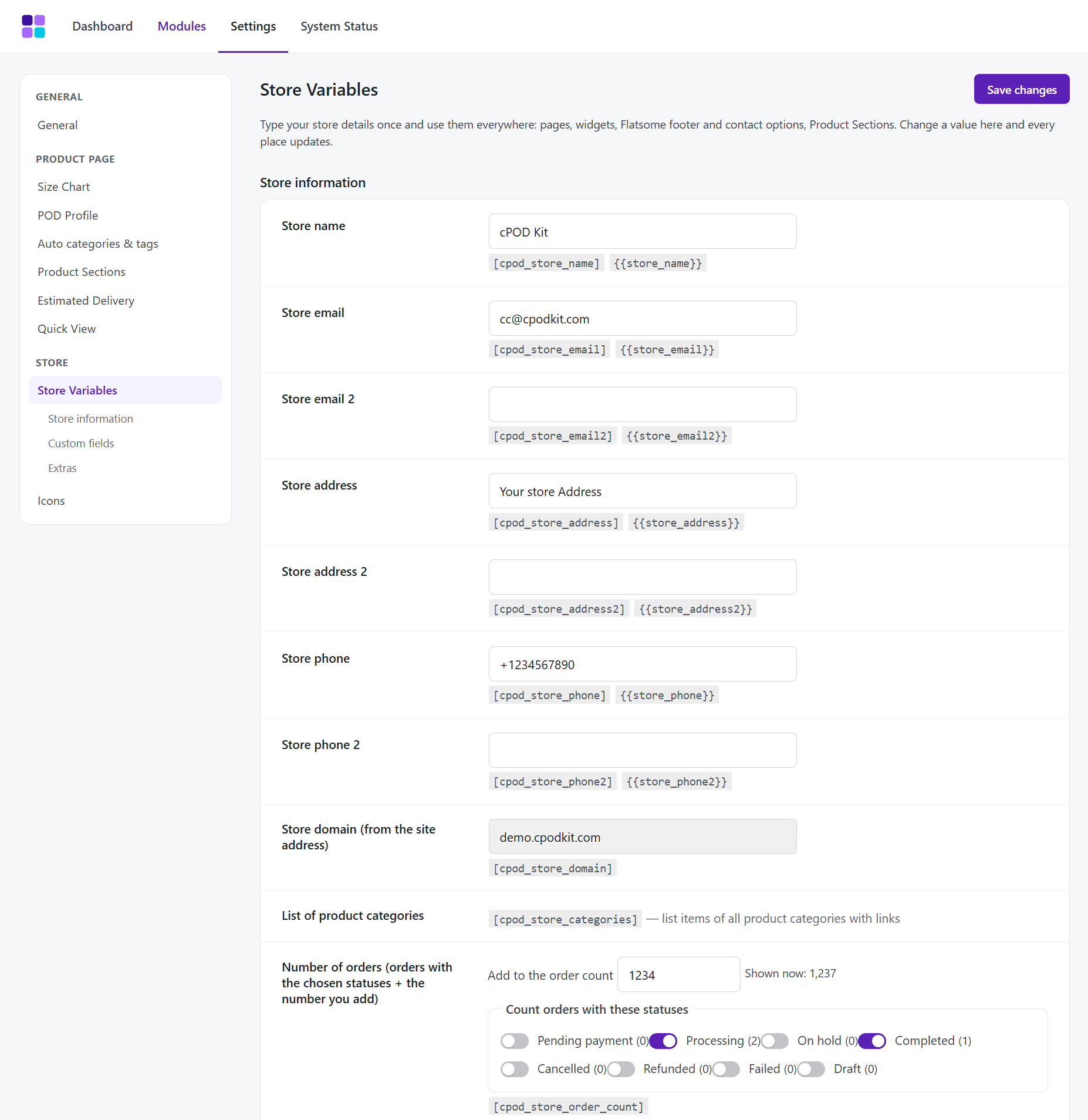
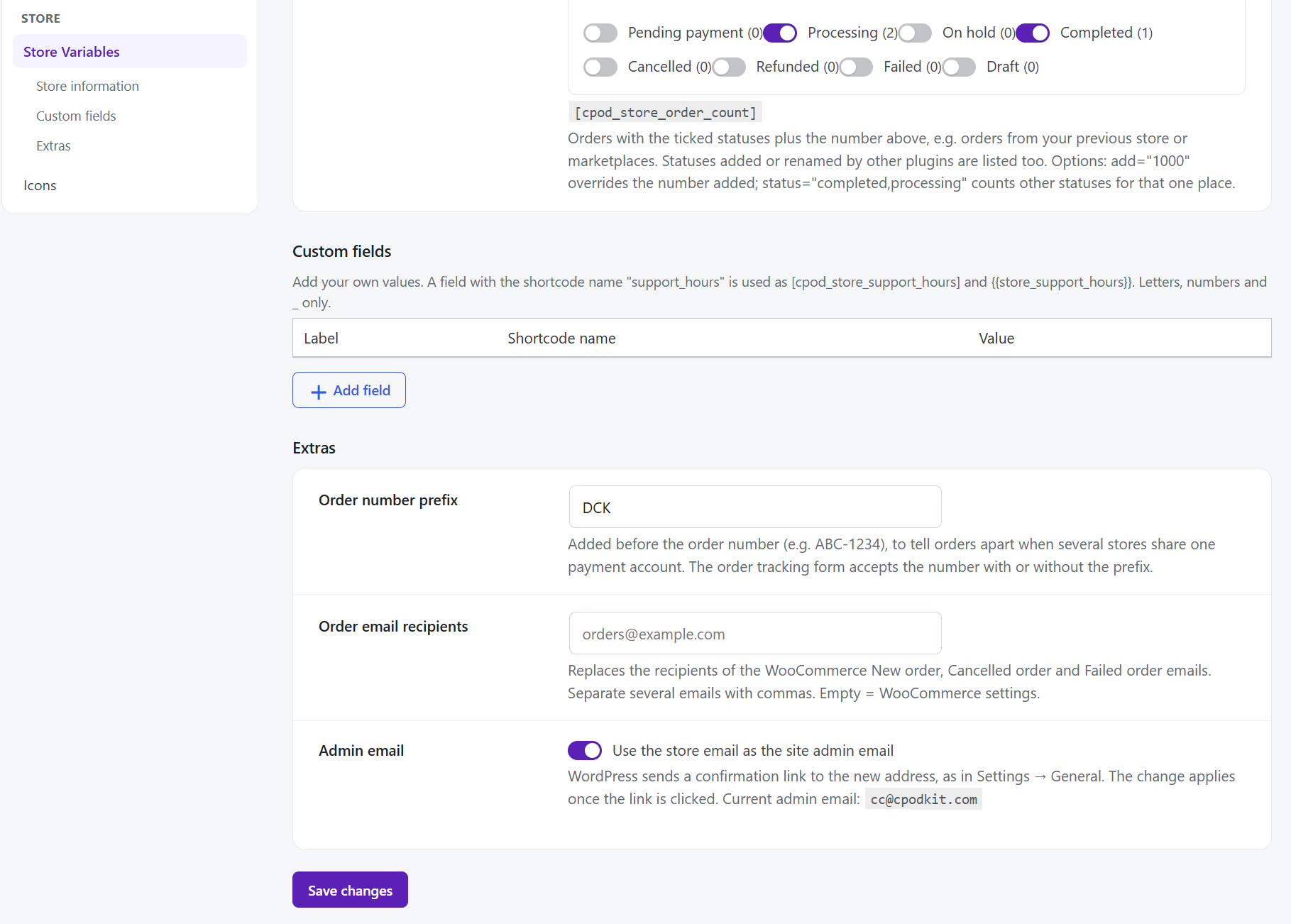
- Store Variables – Store name, emails, addresses, phones and custom fields, used anywhere through
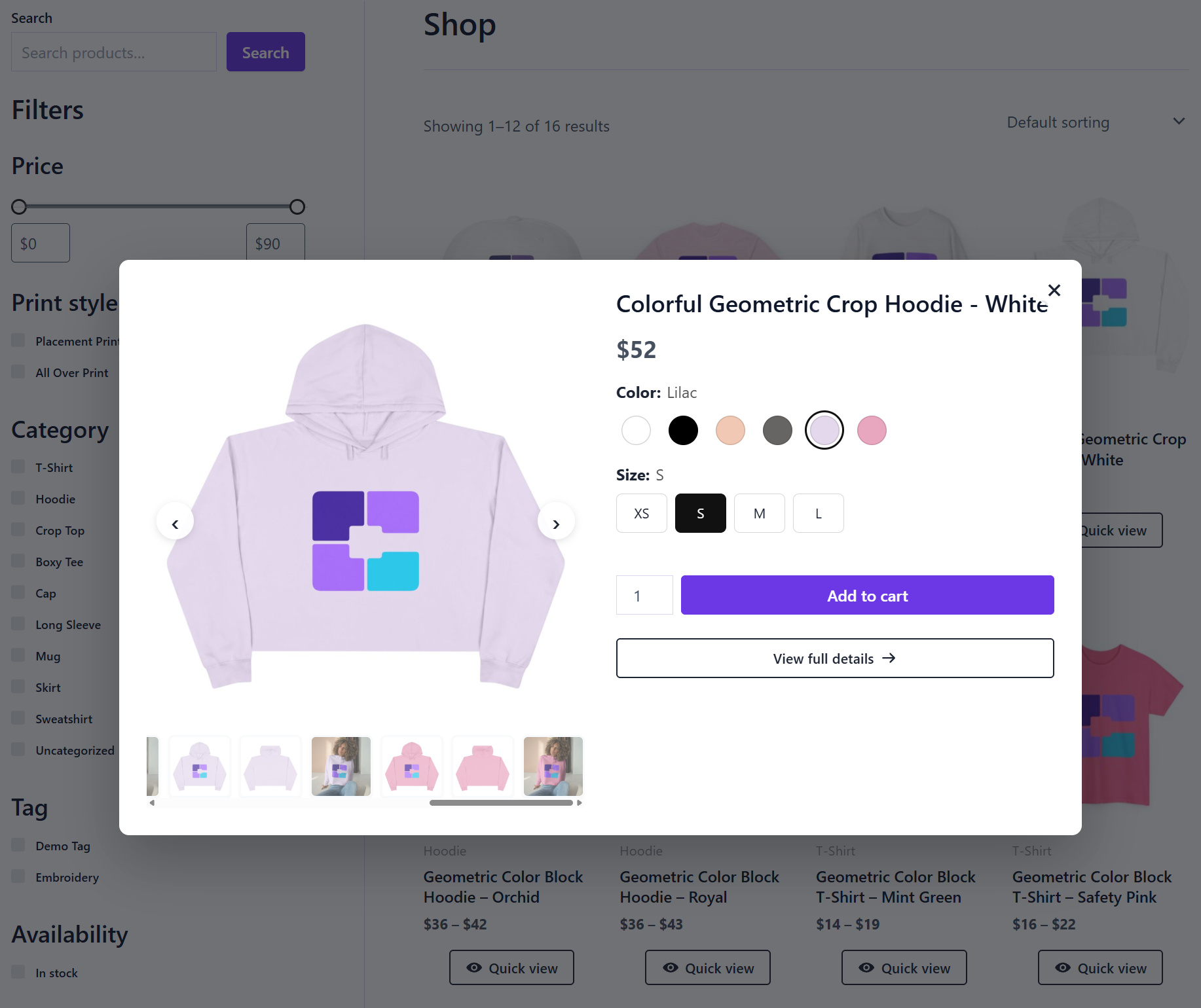
[cpod_store_*]shortcodes and{{store_*}}placeholders. Includes an order counter, for example "Over [cpod_store_order_count] orders shipped". - Quick View – A customizable Quick View button on product lists. The popup has images, price, variations, product add-on fields and Add to cart, and loads only when it is opened.
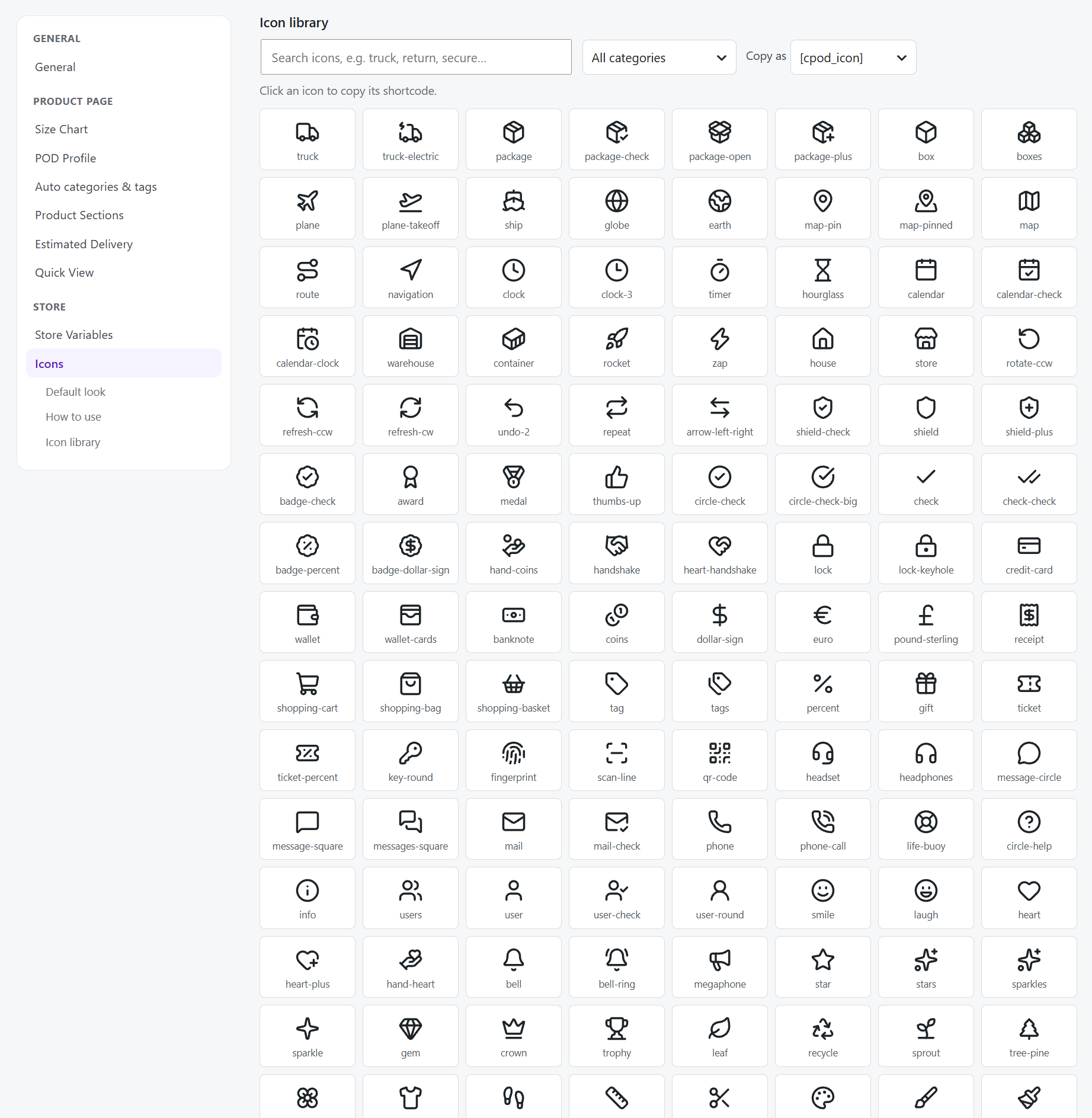
- Icons – 167 built-in Lucide icons printed as inline SVG, with
[cpod_icon]and[cpod_icon_box]shortcodes and UX Builder elements.
- Collections – Hand-picked product lists with their own page link, shortcode and UX Builder element, and rule groups that add products automatically.
- Upsell & Cross-sell – Rule-based recommendations, Buy More Save More quantity discounts and Frequently bought together bundles.
- Best Selling Ranking – Best-seller lists counted from real orders, each with its own page and shortcode.
- Checkout Extras – A countdown timer and trust badges on the checkout page.
- Fulfillment Integrations – Connect your Printify shop with your own API token: import mockups, catalog data and base costs, refresh base costs daily, and link Printify products to their Product Profile automatically.
- Any WooCommerce theme. With Flatsome you also get UX Builder elements and UX Blocks in Hook Blocks.
- WooCommerce Custom Product Addons (WCPA) and Advanced Product Fields, including its image layers add-on, inside Quick View.
安装:
- Install and activate WooCommerce.
- In WordPress, go to Plugins → Add New, search for "cPOD Kit", then click Install and Activate. Or upload the
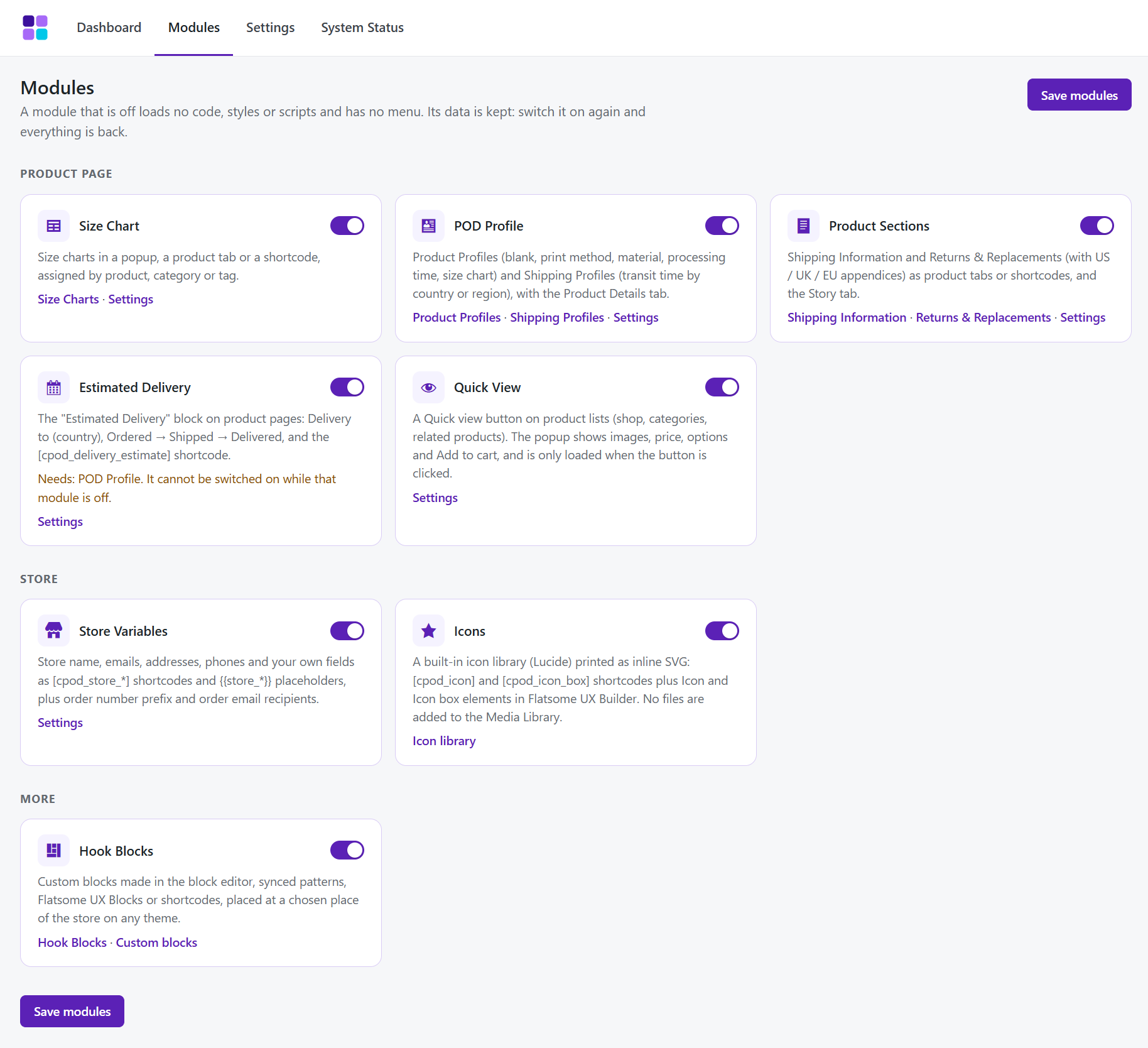
cpod-kitfolder to/wp-content/plugins/and activate it on the Plugins screen. - Go to cPOD Kit → Modules and switch on the modules you need. Quick View is off by default.
- Set each module up under cPOD Kit → Settings.
屏幕截图:
常见问题:
Do I have to use every module?
No. Switch modules on or off in cPOD Kit → Modules. A module that is off loads nothing on your site.
Does it need the Flatsome theme?
No. It works with any WooCommerce theme. With Flatsome you also get UX Builder elements and can place UX Blocks with Hook Blocks.
Which shortcodes are available?
Size Chart: [cpod_size_chart_button], [cpod_size_chart id="123"]
POD Profile: [cpod_product_details]
Estimated Delivery: [cpod_delivery_estimate]
Product Sections: [cpod_shipping_info], [cpod_returns_replacements]
Store Variables: [cpod_store_name], [cpod_store_email], [cpod_store_phone], [cpod_store_address], [cpod_store_order_count] and more
Hook Blocks: [cpod_block id="123"]
Quick View: [cpod_quick_view]
Icons: [cpod_icon], [cpod_icon_box]
Product shortcodes accept product_id="123".
I already use another Quick View plugin.
Turn the other one off, or you will see two buttons. To hide the cPOD Kit button on one product list, add the class cpod-no-qv to that element.
What is in cPOD Kit Pro?
Collections, Upsell & Cross-sell, Best Selling Ranking, Checkout Extras and Fulfillment Integrations (Printify). See cpodkit.com.
What happens to my data when I delete the plugin?
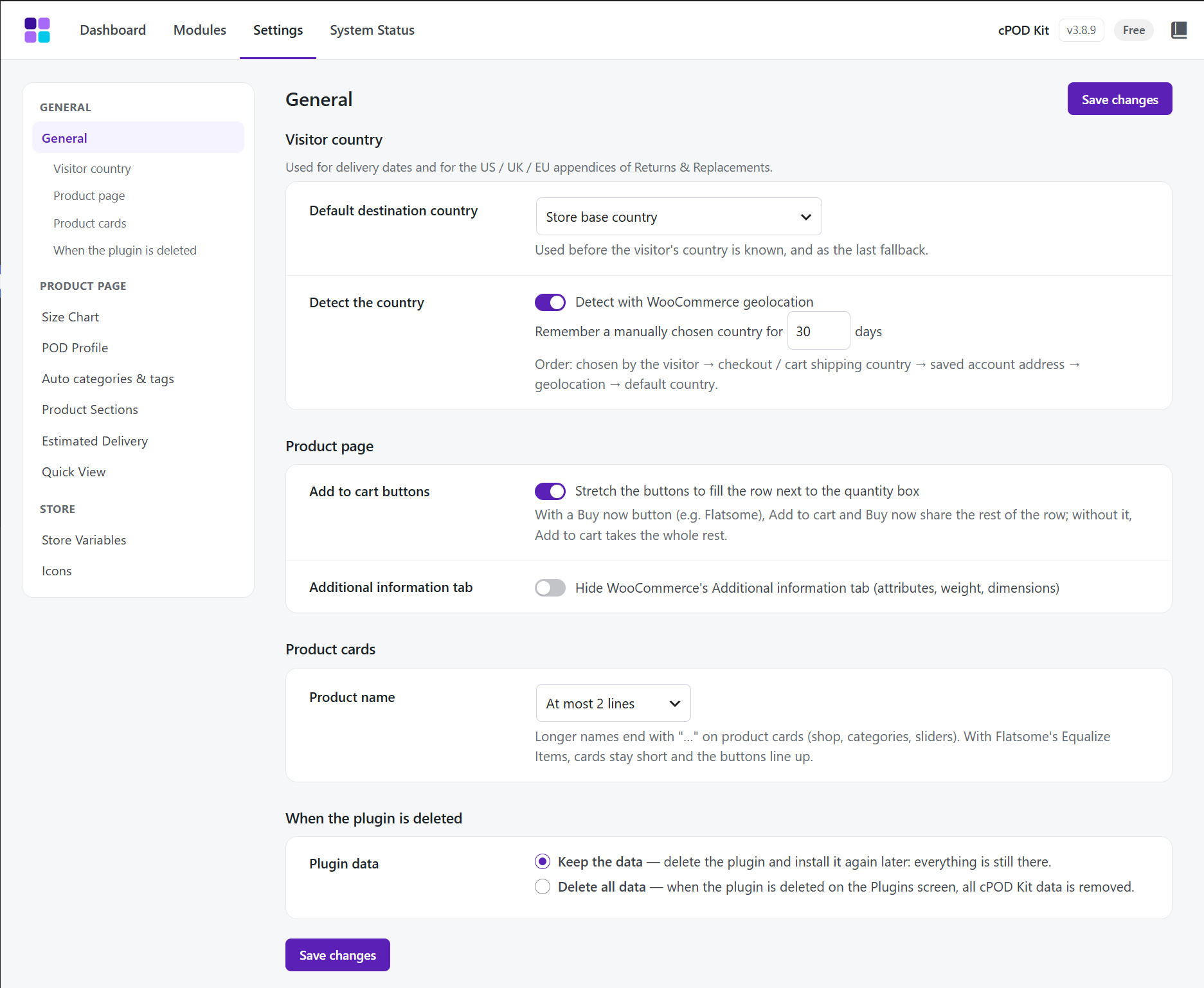
By default all data is kept, so you can reinstall without losing anything. To remove everything, set cPOD Kit → Settings → General → "When the plugin is deleted" to "Delete all data" before you delete the plugin. Deactivating the plugin or a module never deletes data. If you have used both Free and Pro: Free does not include cleanup declarations for Pro-only metadata and data. To remove all cPOD Kit data, delete Free first, select Delete all data in Pro and save, then delete Pro last. If you already deleted Pro first, reinstall Pro and follow this order.
Can developers extend it?
Yes. Use the cpod_loaded action, the cpod_placeholders and cpod_placeholder_values filters to add {{…}} placeholders, and cpod_module_active( 'pod-profile' ) to check a module. Each module lives in modules/<id>/.
更新日志:
- Change: Developers can hold a module back with the cpod_module_can_boot filter and add rows to System Status with the cpod_status_rows filter. No change for users.
- New: cPOD Kit > System Status. One screen with what matters for cPOD Kit: cPOD Kit version and modules, WordPress, PHP and database, the memory WordPress really gets, WooCommerce (and whether it is newer than the version tested), cart and checkout pages (block or shortcode), order storage (HPOS or posts, compatibility mode, plugins that have not declared HPOS support), theme, active and must-use plugins, and cPOD Kit background jobs. "Copy report" copies it as text for support. It is read only when the screen is opened, is not stored and is never sent anywhere.
- New: System Status lists active plugins that may do the same job as a running cPOD Kit module (size charts, delivery dates, variation swatches, product tabs, quick view), with what can happen and how to keep one of the two. Cache and optimizer plugins are shown as notes. Nothing is switched off. Developers can change the list with the cpod_status_conflicts filter.
- New: The cPOD Kit Dashboard shows "N possible plugin conflicts" with a link when there are any, and WooCommerce > Status > System status has a cPOD Kit table (modules, order storage, possible conflicts).
- Change: The order tracking form also finds an order when the customer types the order number prefix in another letter case or with a separator ("DCK-591", "dck 591", "#DCK591").
- Change: Checked HPOS support again: orders are only read and written through the WooCommerce order functions; a test keeps it that way. No behaviour change.
- Fix: Internal order line values saved by cPOD Kit no longer show as raw "cpod" lines on the WooCommerce edit order screen. Display only: nothing is changed or deleted.
- Maintenance release, no change in the free plugin.
- Removed: The notice and tool that moved data saved by cPOD Kit 2.x (prefix ck_) to the 3.x format. No store still uses 2.x.
- Change: The plugin no longer accepts new Custom CSS, even from a hand-made request; CSS saved before is kept.
- Change: Hook Blocks no longer save or print scripts and styles (for any user); they are removed with their code, and a notice says so when a row is saved. Use a shortcode or a Custom block instead.
- Fix: Custom blocks, patterns and [cpod_icon_box] no longer show the code of scripts and styles as text; scripts and styles are removed with their code.
- Removed: Custom CSS box in Settings > General. Add your CSS in Appearance > Customize > Additional CSS (or the Site Editor's Styles) instead. CSS saved before is kept.
- Removed: The "Plugin language" setting and the Vietnamese translation shipped with the plugin. The plugin follows the WordPress language; translations come from translate.wordpress.org.
- Change: [cpod_block] (Custom blocks, patterns, Hook Blocks) and the text of [cpod_icon_box] are filtered like post content: embeds, simple forms and SVG icons are kept, scripts are not. The output of every other cPOD shortcode is filtered the same way at the end (no visible change).
- Change: Late block styles of Hook Blocks are added through the WordPress style loader. Admin screens load their scripts and styles from files.
- Change: The "WooCommerce is required" and "cPOD Kit Pro is active" notices show only on the Plugins screen; the "module paused" notice only there and on cPOD Kit screens.
- Fix: Assigning a size chart to profiles checks the editor's nonce and permission again before saving.
- Change: Author URI in the plugin header points to the author's WordPress.org profile (WordPress.org requires it to differ from the Plugin URI).
- Change: The plugin is named "cPOD Kit" in the Plugins list (WordPress.org slug cpod-kit, matching its text domain).
- Change: The readme lists released versions only, and describes Auto categories & tags and Print style.
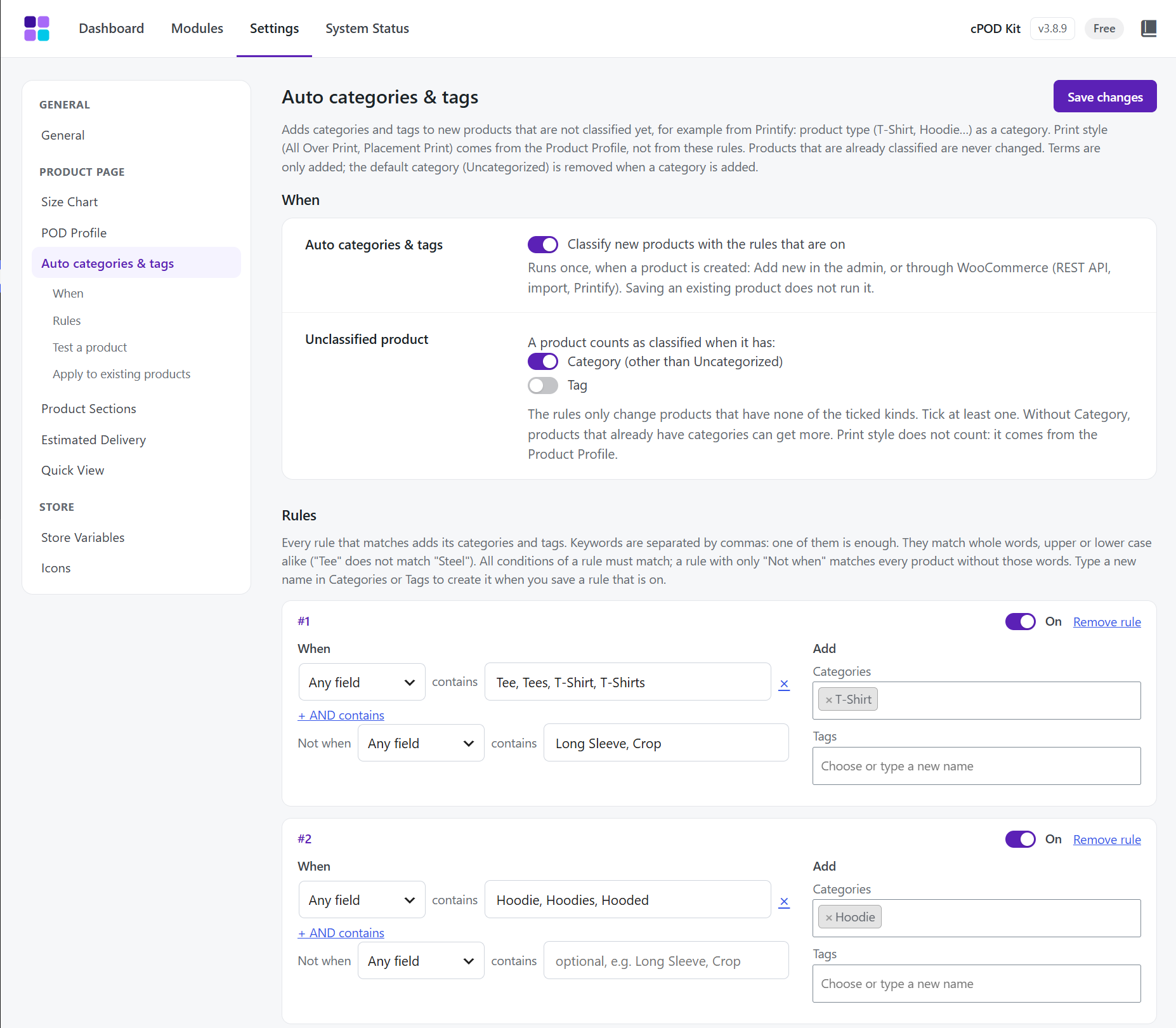
- New: Settings > Auto categories & tags. Keyword rules add categories and tags to products that are not classified yet ("A product counts as classified when it has": Category, by default, and/or Tag). A rule looks at the product name, the description (the original Printify description when there is one) or the Product Profile; keywords match whole words, any case; all conditions of a rule must match, one keyword of a condition is enough, and "Not when" leaves out products with other words. Every matching rule applies. Terms are only added; Uncategorized is removed when a category is added. Runs once when a product is created (Add new, REST API, import). Sample rules (T-Shirt, Hoodie, Sweatshirt, Long Sleeve) come switched off; "Test a product" shows what the rules would add.
- New: Auto categories & tags > Apply to existing products: Preview, then Apply (in the background, 50 products at a time, on large stores); it can also run again on products classified only by the rules. Results count products that got new terms and list unclassified products no rule matched. Products list bulk action "Classify with cPOD rules".
- New: Print style, a product taxonomy of its own (Products > Print styles, /print-style/…, a column in the products list) for All Over Print, Placement Print and the like. Shoppers can filter by it in the WooCommerce Product Filters block (Taxonomy Filter set to Print styles) without the store's other tags in the list; Printify does not change it when a product is published again.
- New: Product Profile > Print style. Products whose profile is chosen directly on them get the profile's print style when the profile is chosen (product screen, Quick Edit, Bulk Edit, Printify linking), when the profile is saved, and with "Sync print style to N products" (in the background above 100 products). A profile with no print style leaves its products as they are. The Product Profiles list has a Print style column.
- New: (Pro) Products that Printify creates are classified after they are linked, and rules can look at the Printify blueprint name; Mapping & Logs lists what was added. Profiles made from the Printify catalog get the print style Placement Print, or All Over Print when the blank or its print method says AOP, All over print or All-over print; embroidered blanks get none.
- Change: Delete all data also removes the Auto categories & tags rules, their records and the print styles with their links to products. Categories and tags are not touched.
- Fix: WordPress.org Plugin Check: the fulfillment filter on the Products list has translator comments; Product Profile in Bulk Edit and Quick Edit checks the WooCommerce nonce and the edit permission before saving; product and profile counts no longer run direct database queries.
- New: (Pro) Fulfillment Integrations module: Printify moves out of POD Profile into its own module, off by default. Switch it on in cPOD Kit > Modules and enter the Printify API token and shop again.
- Change: Quick View, Estimated Delivery, Size guide, the Color / Size picker, the Add to cart row and the admin screens no longer use !important in their styles; they look the same on Flatsome, Astra and Storefront, and theme or custom CSS can now change them.
- Change: Quick View no longer shows the "Size guide" link of the Size option; the product page keeps it.
- Change: Delete all data also removes the Fulfillment Integrations settings.
- Fix: Size guide on variable products: an attribute row the Color / Size picker replaces stays hidden when the variations table is stacked.
- Fix: no more "_load_textdomain_just_in_time" notice (WordPress 6.7+) on the first load after installing.
- New: Added Fulfillment Type to POD Profiles (Made-to-Order or Ready-Made), with fulfillment columns, badges and count filters in product and profile lists. Products without a valid profile are Unassigned.
- Fix: Product Profile selectors in Bulk Edit, Quick Edit and the product editor always support typing to search.
- Fix: Quick Edit displays and preserves the product's assigned Profile when saved.
- Fix: Product Sections resolves content sets assigned through POD Profiles even when profile classes have not loaded yet.
- Fix: Delete all data removes the module-declared Product Profile user layout preferences for all users.
- Fix: (Pro) Delete all data also removes the module-declared Best Selling Ranking and Collection user layout preferences.
- Change: Document the uninstall order for sites that used both editions: remove Free first, save Delete all data in Pro, then remove Pro last.
- Fix: Deleting the plugin with "Delete all data" also removes the Printify caches and the meta of imported Printify images.
- (Pro) Fix: Cleaning Printify descriptions removes only the "Product features" and "Care instructions" lists. Text that merely holds those words is kept; before, everything after them could be deleted. The description Printify sent is kept on the product.
- (Pro) Fix: Changing the Product Profile of a product no longer switches off the colors of the new profile.
- (Pro) Fix: "Clear token" also clears the chosen Printify shop.
- (Pro) Fix: Writing the profile price to variations removes a sale price that is not lower than the new price.
- (Pro) Fix: Blank images and the Printify catalog choice of a profile are kept when a color name holds % or <.
- Change: Plugin language defaults to Auto (follows WordPress and uses translate.wordpress.org language packs). Sites that chose English or Vietnamese keep their choice.
- Change: "Use the store email as the site admin email" now asks WordPress to send its usual confirmation link; the admin email changes once the link is clicked.
- Change: Small scripts and styles of the admin screens are loaded through the WordPress script and style loader.
- Change: readme lists the optional Printify bookmarklet under External services.
- Removed: Product grid code used only by cPOD Kit Pro, and two empty files.
- Fix: "Select options" button text uses the plugin's own text domain.
- New: Content Sets in Product Sections can be assigned by Product Tags and POD Profiles in addition to Categories.
- New: Policy resolution hierarchy: Product override > POD Profile > Tags > Categories (child before parent) > Default.
- New: Country box quick action buttons in admin (+ Top 5, + EU 27, Clear all) and default top countries.
- New: Display mode indicator badge on the Product Sections toolbar.
- New: Filter cpod_pp_variation_picker_keep_single_head to control single-choice attribute header visibility.
- Change: Estimated Delivery default label changed from "Delivery to:" to "To:".
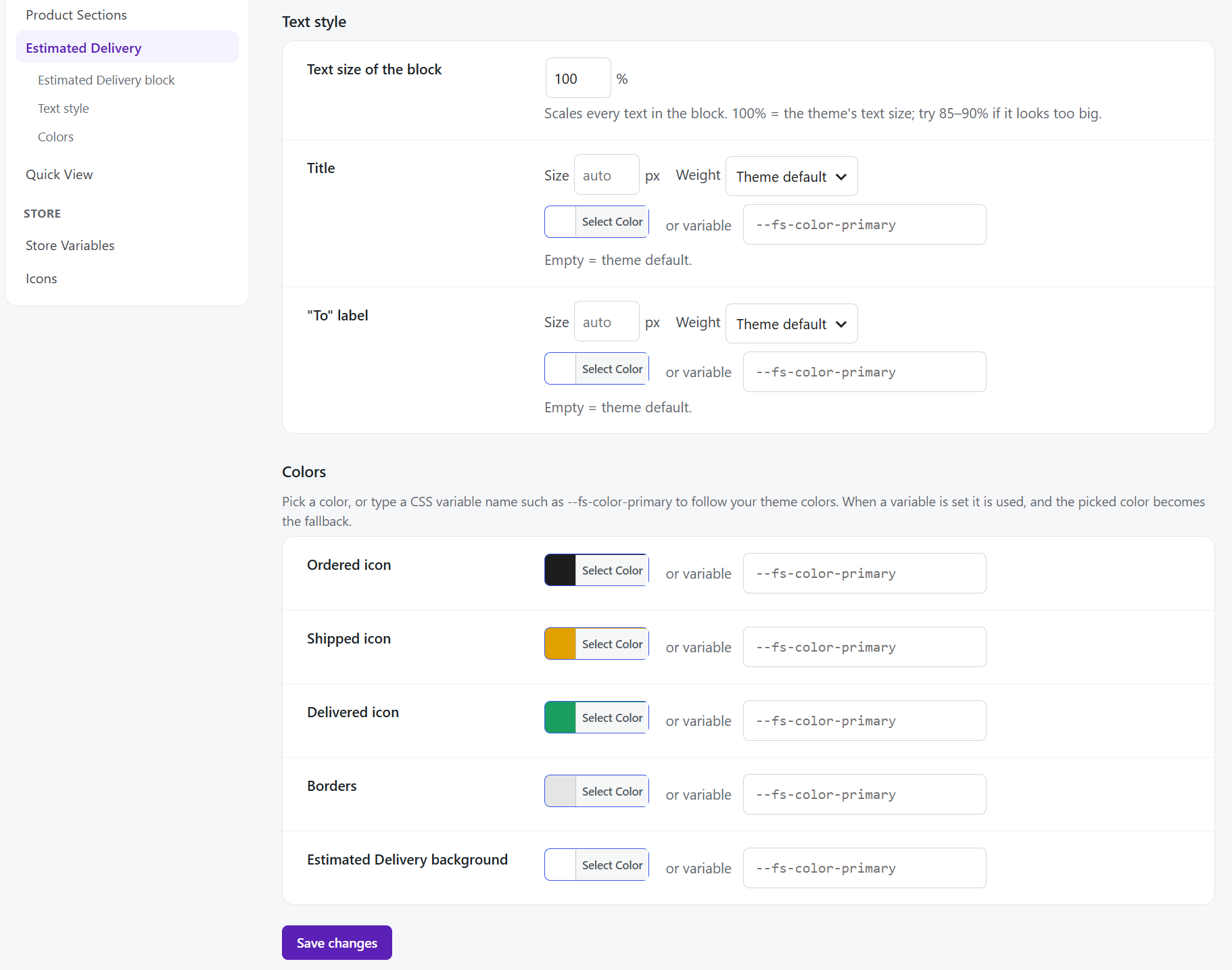
- Change: Estimated Delivery typography refreshed with balanced 500 weight title/labels and 600 weight summary dates.
- Fix: Variable products with a single size (caps, hats, bags) keep option header and Size guide link accessible while hiding redundant buttons.
- Fix: Estimated Delivery title never breaks across multiple lines (white-space: nowrap).
- Fix: Country select width fixed to 165px with text-overflow ellipsis, perfectly displaying "United Kingdom (UK)" without truncation.
- Fix: Unified disclosure arrows and smooth 200ms height transitions across all Product Sections collapsible components.
- Clean: Removed !important from CSS rules in favor of high-specificity selectors and CSS variables.
- (Pro) New: Printify sync indexes all variant SKUs for instant product matching upon publish.
- (Pro) New: Automatic cleaning of raw HTML size tables and bullet specs from Printify descriptions.
- (Pro) New: Instant price and stock sync to WooCommerce variations upon saving a Profile.
- Major release: Initial unified release of cPOD Kit with modular architecture.