
Creatools Maintenance Check
| 开发者 | creatools |
|---|---|
| 更新时间 | 2026年10月14日 10:26 |
| PHP版本: | 7.4 及以上 |
| WordPress版本: | 7.1 |
| 版权: | GPLv2 or later |
| 版权网址: | 版权信息 |
详情介绍:
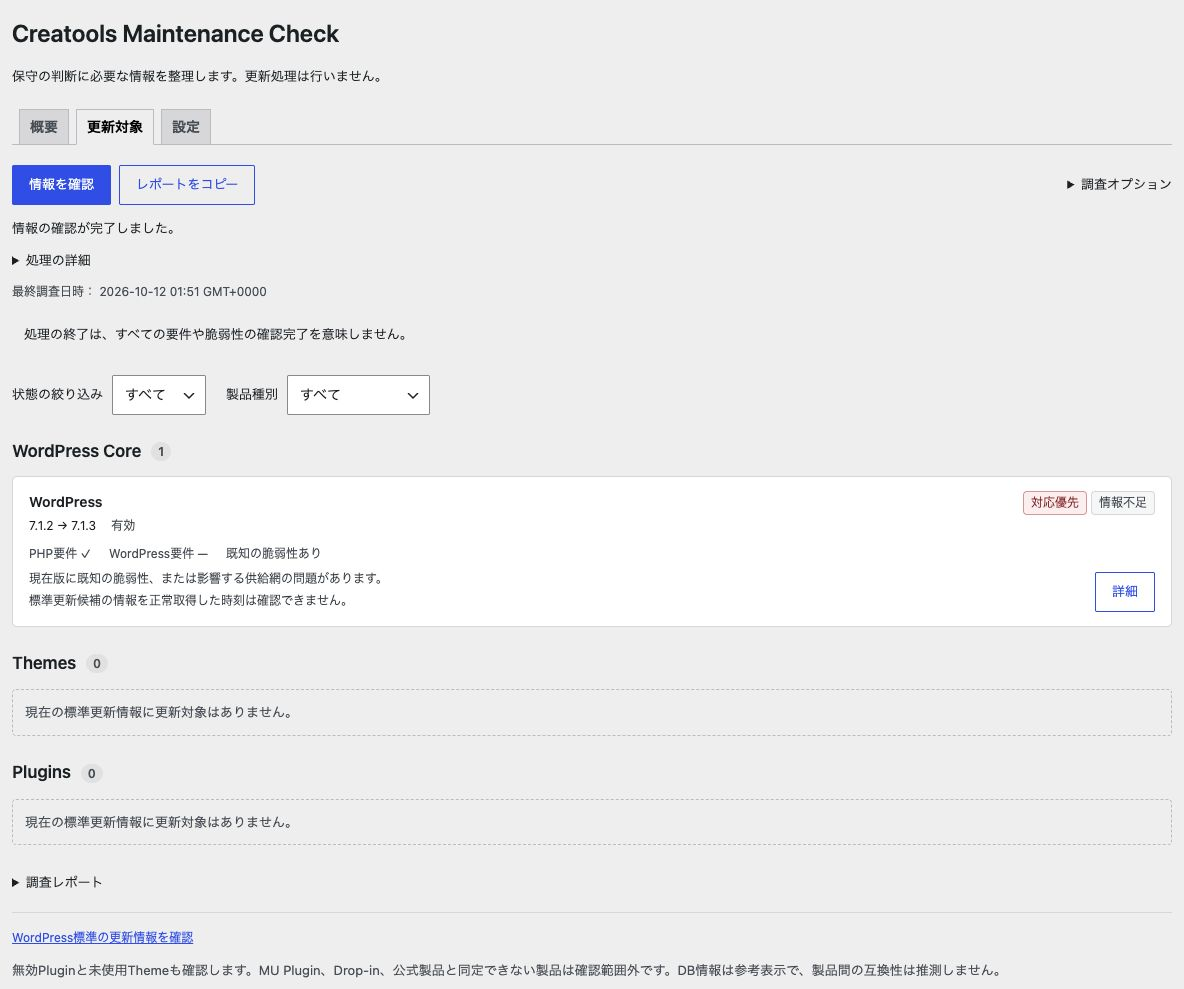
- Review installed versions and native update candidates separately.
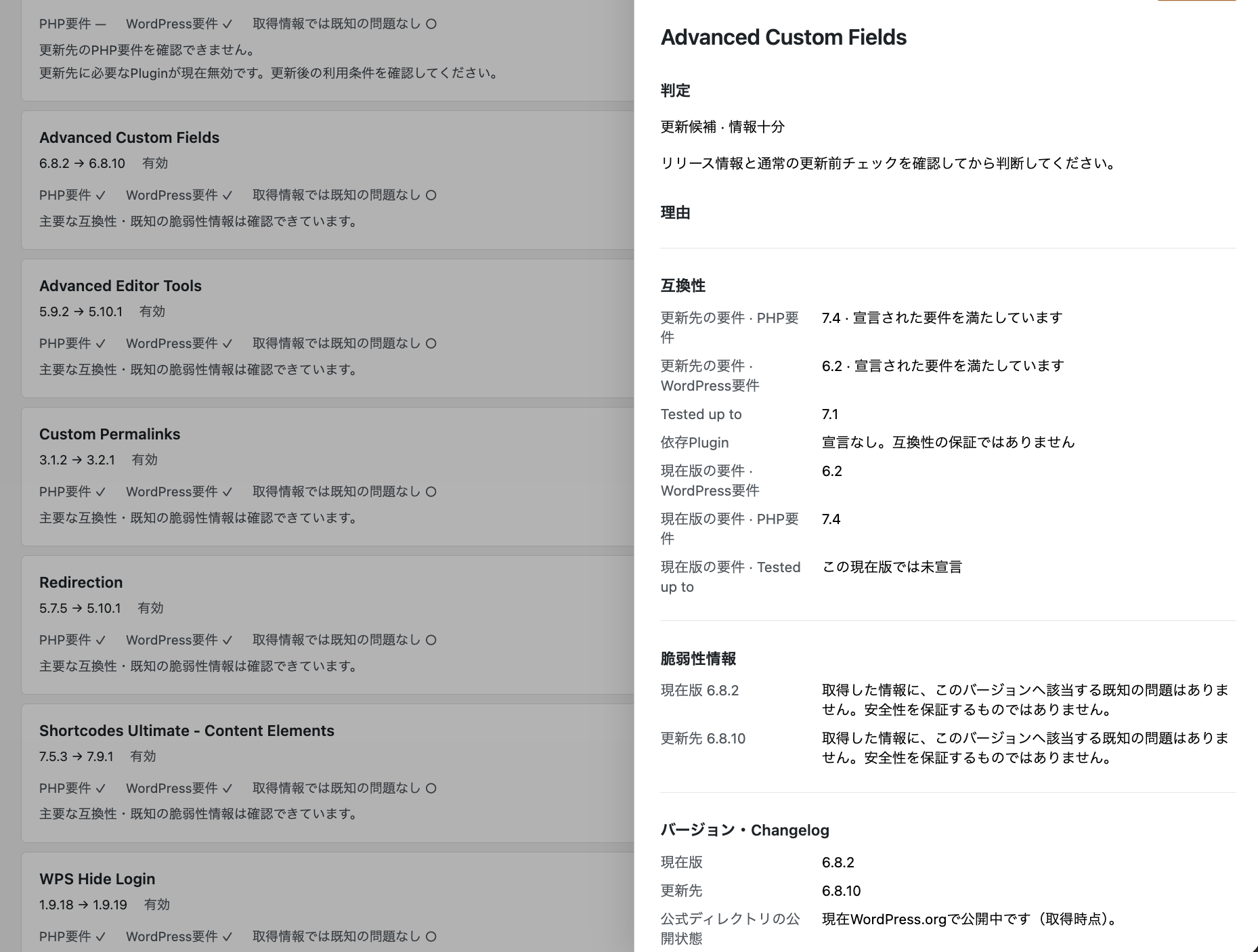
- Check declared WordPress and PHP requirements, Tested up to and available dependency information.
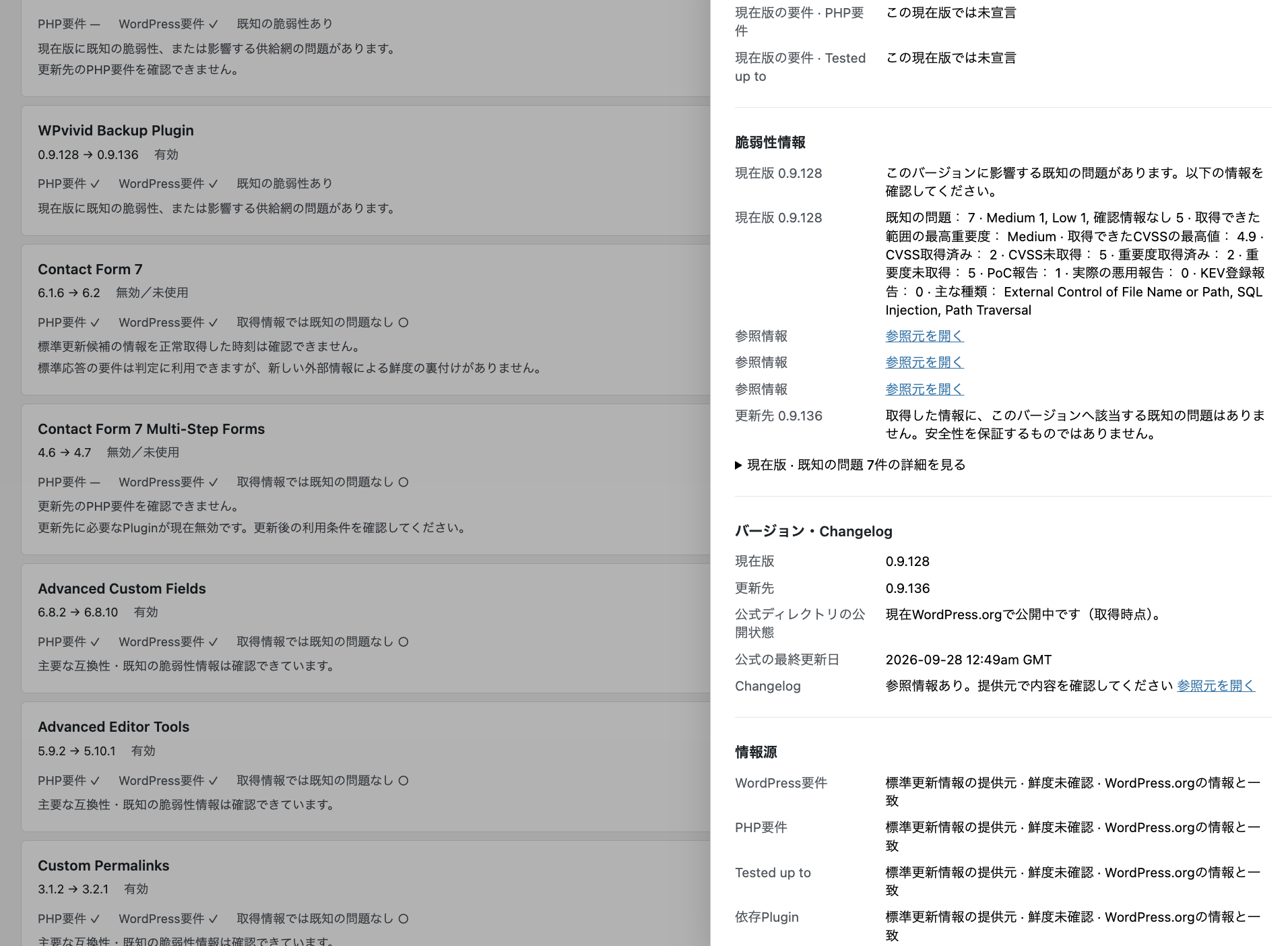
- Optionally retrieve WordPress.org directory metadata and WPVulnerability known vulnerability records.
- Read priority, hold, review and update-candidate reasons separately from information completeness.
- Review human-readable vulnerability summaries and copy a maintenance report.
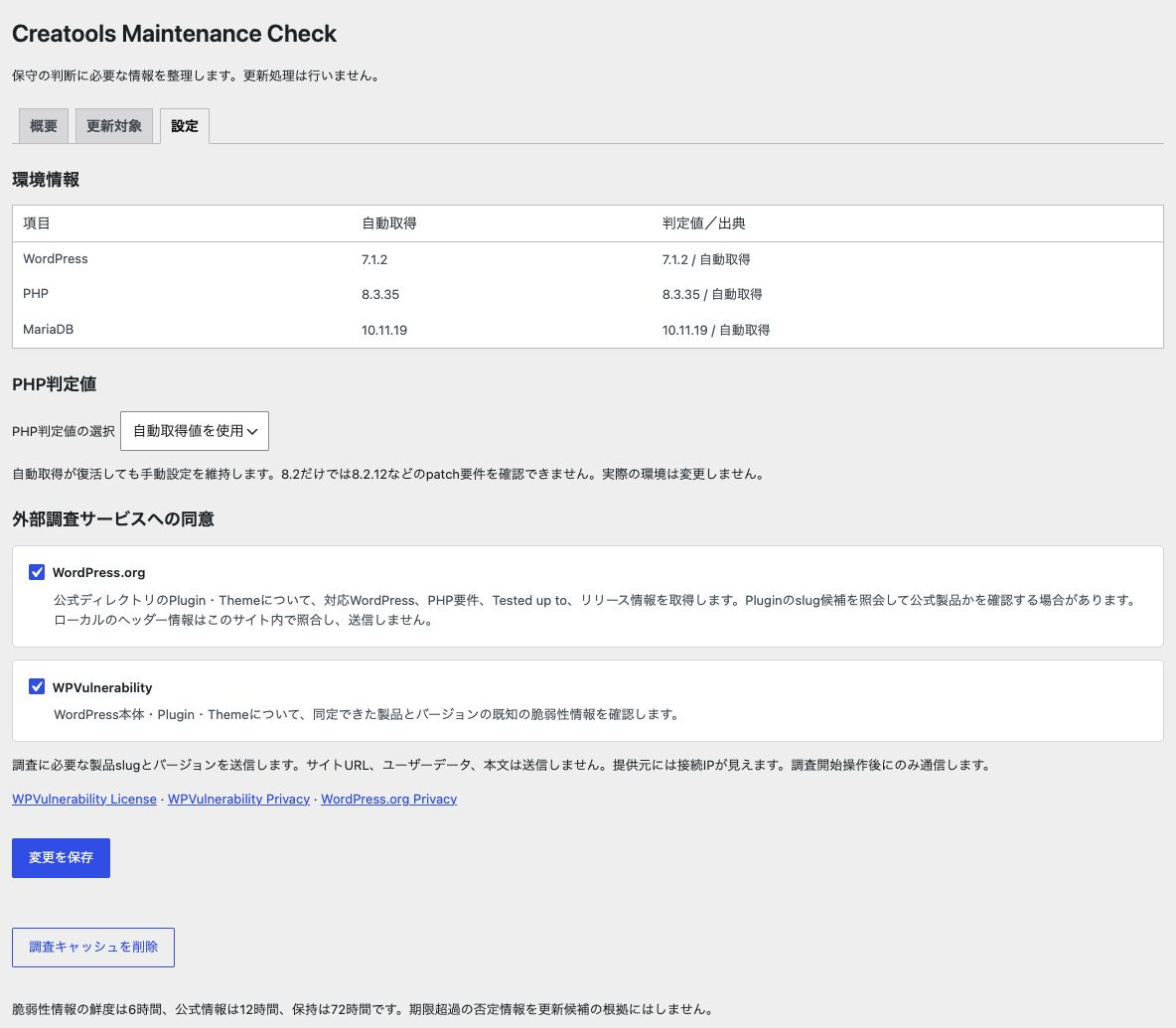
- Use automatic environment information or a manual PHP assessment value.
- Use the administration screens in English or Japanese.
安装:
- Install the ZIP through Plugins > Add New > Upload Plugin, then activate it.
- Open Tools > Maintenance Check and select Settings.
- Review the effective PHP value. Enable each external service only after reading its disclosure.
- Use the native WordPress Updates screen if you need to refresh WordPress's update information. This plugin does not initiate those update checks.
- Select Check information. Normal checks reuse valid research caches; the research option to refetch external information requests fresh data subject to rate limits.
- Review reasons, source dates and missing information before deciding what to update. Copy the report if needed.
屏幕截图:
常见问题:
Does this plugin update WordPress, plugins, or themes?
No. It only researches and organizes information for maintenance decisions. WordPress's standard update mechanism remains responsible for updates and automatic-update preferences.
Does it guarantee that an update is safe?
No. Available compatibility and vulnerability information cannot establish complete compatibility or safety. An update candidate still needs your normal testing and maintenance preparation.
Why are WordPress.org and WPVulnerability disabled until I enable them?
Both external research services are opt-in. You choose each service in Settings after reviewing its purpose and transmitted data. Opening the page or activating this plugin does not start its external research requests.
What data is sent externally?
WordPress.org receives a plugin or theme slug and API action, locale and field-selection parameters. Eligible local plugin slug candidates may be queried to verify directory identity; local header names and publisher information are compared locally, not transmitted. WPVulnerability receives a core version or a verified plugin or theme slug. Plugin and theme installed/target versions are matched locally. Both services receive a fixed plugin User-Agent containing this plugin's version and can see the connection IP. See External services below. No site content, site URL, user data, email addresses, passwords, authentication credentials or database content is sent by this plugin's research requests. WordPress itself and other plugins can make their own requests independently.
What happens with premium or private plugins?
Available native target requirements can be used with their provenance retained. Directory metadata and vulnerability coverage may be unavailable if identity cannot be verified. An external update source does not by itself rule out a directory identity. Check missing information with the product provider.
Does this plugin use AI?
No. The current version does not use an AI service.
Does manual PHP selection change my server?
No. It only changes the value used for assessment. Manual mode remains selected until you explicitly switch back to automatic mode.
What happens if an external service fails?
The affected information remains incomplete, and other research items can continue. Successful cached data is not overwritten by a request failure. Old negative results cannot establish an update candidate; retained positive findings keep their original retrieval dates.
Does information checking always fetch everything again?
No. Normal research uses valid caches. Security data has a 6-hour freshness window and directory data a 12-hour window; successful results can be retained for up to 72 hours. Refetching respects consent and service rate limits. Closing the browser stops research; there is no scheduled background monitoring.
What is stored, and how do I remove it?
Settings, temporary source facts, research snapshots, progress and short-lived coordination data are stored in WordPress. Clear research cache removes tracked research caches; deactivation also clears them while retaining settings. Uninstall removes this plugin's settings, tracked caches, progress and coordination data. WordPress's own update information is not removed.
更新日志:
- Initial public release.
- Added maintenance research for WordPress core, themes, and plugins.
- Added WordPress and PHP compatibility checks.
- Added opt-in WordPress.org directory information.
- Added opt-in WPVulnerability known-vulnerability checks.
- Added human-readable maintenance reports and vulnerability summaries.