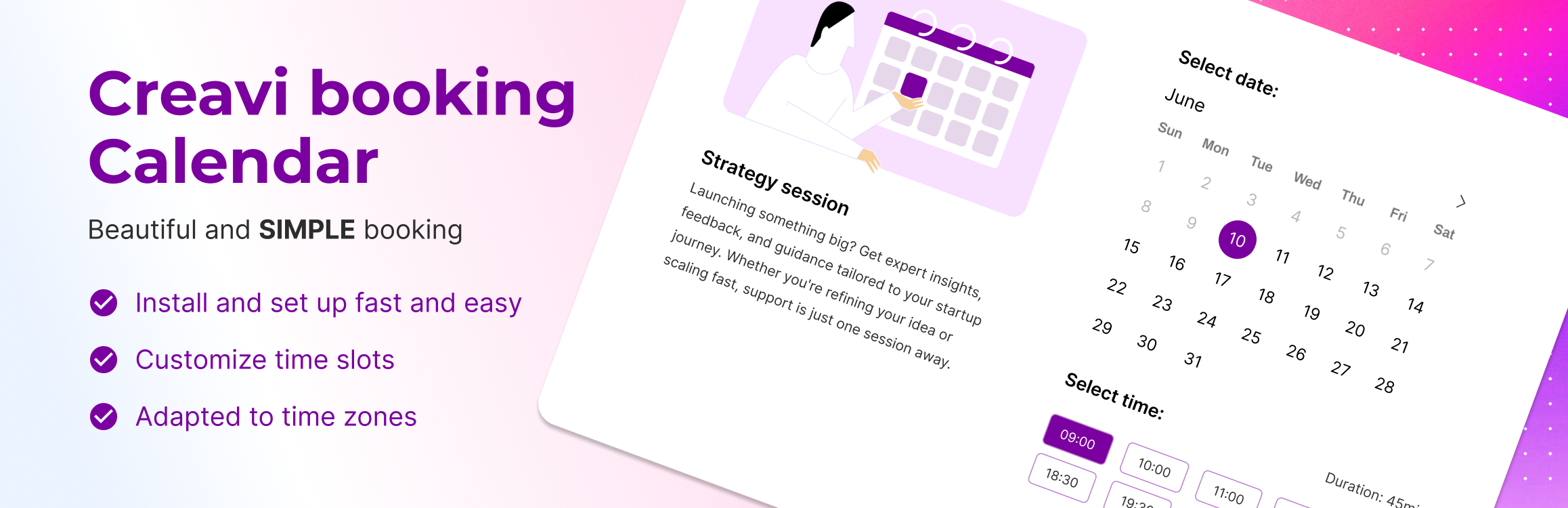
Creavi Appointment Booking Calendar
| 开发者 | creavi |
|---|---|
| 更新时间 | 2026年10月14日 01:07 |
| PHP版本: | 7.4 及以上 |
| WordPress版本: | 7.1 |
| 版权: | GPLv2 or later |
| 版权网址: | 版权信息 |
标签
下载
详情介绍:
- Add booking button anywhere via shortcode:
[creavibc_booking_button id="123"](opens booking popup) - Embed full booking interface directly on page via shortcode:
[creavibc_booking_inline id="123"] - Service Catalogs for online appointment booking:
- Build a simple service list or organize services into categories
- Show optional images and custom labels on responsive service cards
- Let customers select a service and compare one or more providers' available times
- Use each service's appointment duration when showing bookable time slots
- Share a staff calendar across services so one booking blocks overlapping times
- Add the catalog to any page with its shortcode
- Support multiple booking widgets on the same page (different services)
- Smooth booking experience:
- Popup or inline layout
- Step-by-step flow: Date → Time → Details
- Clean, customizable calendar design with a live admin preview
- A five-column desktop time-slot grid with compact inline AM/PM labels
- Fixed slot and action-button dimensions that stay consistent across themes and page builders
- Website-font inheritance with protected calendar and form typography metrics
- Optional start-time-only summaries and confirmation emails
- Per-service 12-hour (3:00 PM) or 24-hour (15:00) time display
- Fully responsive and mobile-friendly
- Flexible availability settings:
- Admin-defined available days via date picker
- Rolling availability window measured in days or months (e.g. today plus the next 3 days)
- Exclude specific dates (days off, holidays)
- Minimum booking notice before an appointment can start
- Optional 5–60 minute buffer between appointments and connected calendar events
- Live admin availability grid that updates when the appointment duration or buffer changes
- Flexible weekday-based time slots:
- Visual grid selector (e.g. Mon 9:00, Tue 10:30)
- Different time slots per weekday
- Optional slot duration: 10 / 15 / 20 / 30 / 60 / 90 minutes
- Dynamic time slots based on selected date
- Smart timezone handling:
- Admin timezone detection
- Timezone modes:
- Localized (auto-adjust to user timezone)
- Locked (fixed business timezone)
- Clear timezone indication on frontend
- Customizable booking form fields:
- Editable Name, Email, and Phone default fields
- Include or hide each default field and choose whether it is required
- Add custom Text, Textarea, Telephone, Number, and Date fields
- Correct required-field validation for dates and all other supported field types
- Light, readable required-field hints that use the service accent color
- Edit consent text and privacy-policy links
- Add as many custom fields as needed
- Automated email notifications & reminders:
- Sent to both admin and customer
- Safe visual HTML editor with media support and plain-text fallback
- Dynamic tags:
{name},{email},{phone},{date},{time},{service} - Optional reminder emails before the appointment (reduce no-shows)
- Google Calendar integration:
- Automatically push bookings to Google Calendar
- Block already booked time slots from Google Calendar
- Google Calendar link generation for attendees
- Custom Google event title and description templates
- Outlook Calendar integration:
- Automatically push bookings to Outlook Calendar
- Per-service Outlook connection and sync
- Block busy Outlook time slots on the frontend
- Custom Outlook event title and description templates
- Calendar & scheduling:
- Downloadable
.ics(iCalendar) file - Per-service calendar language and localized date summaries
- 67 explicit language and regional calendar choices, plus the website default
- Automatic cleanup of completed booking records after a preset or custom retention period
- Choose whether eligible records move to Trash or are deleted permanently
- Booking management and exports:
- Select bookings in All Bookings and export them to CSV or Excel
- Exported columns include customer, service, date, time, meeting, and custom-field data
- CSV files are ready to open or import into Google Sheets
- Booking REST API for approved tools and AI assistants:
- Create a restricted connection from one settings page without logging out or manually creating a WordPress user
- Choose permissions and expiration separately for every connection
- List today's bookings or an inclusive date range, with pagination and optional service filtering
- Rotate or revoke credentials and inspect when each connection was last used
- Download a ready-to-import Postman collection
- Optional MCP connections for compatible AI assistants:
- Give site owners restricted access to booking tools
- Share selected services with customers through a public booking link, with a review step before confirmation
- Meeting & location options:
- In-person meetings
- Online meetings (video or custom link)
- Phone call option
- Built-in video conferencing:
- Free automatic meeting link generation
- Personalization options:
- Custom brand color
- Personalized thank-you message
- Clear booking management with no plugin-imposed service or booking limits
- Beautiful, aligned admin UI designed for fast setup
- Works with Gutenberg, Elementor, and other page builders
- Gutenberg Booking Profile labels follow the connected service, so each booking step and button can be translated per service
- Multilingual & Translation Ready
安装:
- Upload the plugin to
/wp-content/plugins/or install it via the WordPress admin dashboard. - Activate it through the "Plugins" menu.
- Create a new Service post and configure your booking options.
- Place the generated shortcode anywhere on your site.
屏幕截图:


常见问题:
Does it work with Cloudflare?
= Can I display multiple booking buttons on one page? =\
Yes! Each service has its own shortcode and popup — ideal for showcasing different services.
= Does it support timezone differences? =\
Yes. Choose to display time slots in the visitor’s local timezone or lock them to the admin’s.
Yes. The booking form loads public availability through a same-origin, non-cacheable WordPress REST endpoint and keeps the standard WordPress AJAX request as a fallback. If a Cloudflare zone challenges both paths, exclude only /wp-json/creavi-booking-frontend/v1/availability from the rule that triggered the challenge; the booking submission remains server-validated.
= Can I customize the emails sent after booking? =\
Absolutely. You can fully customize both admin and user email templates using tags like {name}, {service}, {date}, and more.
Is Google Calendar synchronization included for free?
Yes. You can automatically add bookings to Google Calendar and block time slots that are already busy in the connected calendar.
Does Creavi support Outlook Calendar?
Yes. Each service can connect to Outlook Calendar, automatically create booking events, and block busy Outlook time slots.
Are Google Calendar and Outlook Calendar connections free?
Yes. Google Calendar and Outlook Calendar connections are included in the free plugin, with no separate Creavi calendar-sync subscription.
Are the number of services or bookings limited?
No. Creavi does not impose service or booking limits. The practical capacity depends on your WordPress site and hosting resources.
How do I connect an external tool or AI assistant?
Open Creavi Booking → API & MCP, enter a connection name, choose its permissions and expiry, and select Create connection. Copy the generated username and Application Password into the tool. Creavi creates the restricted technical account automatically; you do not need to log out or create another WordPress user manually. The MCP tab has separate setup instructions for site owners and customers.
Are appointment reminder emails included for free?
Yes. Customer and admin reminders are included. You can choose how far in advance they are sent and set a specific delivery time for day-before reminders.
Can customer and admin reminders use different schedules?
Yes. Customer and admin reminders can be enabled independently and can use different reminder timings and email templates.
What happens if WordPress Cron runs late?
Creavi checks for overdue reminders and sends them on the next available cron run before the appointment. For delivery close to an exact time on a quiet website, configure your server to call wp-cron.php regularly.
Can reminders include the video meeting link?
Yes. Reminder templates support video link tags. Customers receive their personalized customer link, while admin reminders use the host-specific link.
What meeting types can I offer?
You can offer in-person appointments, phone calls, custom online meeting links, or secure video meetings generated by Creavi.
Can Google or Outlook events block unavailable booking times?
Yes. When calendar availability synchronization is enabled, busy events from the connected Google or Outlook calendar are removed from the available frontend time slots.
How does the buffer between appointments work?
Set an optional 5 to 60 minute buffer for each service. Creavi adds the buffer after every appointment when calculating available time slots and conflicts with local, Google Calendar, and Outlook Calendar events. The admin availability grid updates immediately when the duration or buffer changes.
Can Creavi automatically clean up old booking records?
Yes. In All Bookings, enable automatic cleanup and choose a preset retention period or a custom number of days. Eligible completed bookings can be moved to Trash or deleted permanently. Cleanup affects local WordPress booking records only; it does not delete Google or Outlook Calendar events.
Can I export bookings?
Yes. Select bookings in All Bookings and export them to CSV or Excel. The export includes standard booking data and custom fields, and CSV files can be imported directly into Google Sheets.
Can each service use a different calendar language?
Yes. Each service can follow the website language or use one of 67 explicit language and regional choices. Month names, weekdays, selected-date summaries, and confirmation dates follow the selected calendar language.
Does it work with Elementor and Gutenberg?
Yes. Use the shortcodes with Elementor or other page builders, or use the included Gutenberg booking blocks and layouts.
更新日志:
- Added Service Catalogs with simple lists or category-based booking flows for salons, clinics, fitness studios, yoga instructors, and other service businesses. Customers choose a service and see available times based on its duration.
- Added shared staff calendars that synchronize availability across services and prevent overlapping bookings, plus a provider selection step with combined availability.
- Added responsive catalog cards, image and text-only layouts, appearance and wording controls, live previews, and editable demo catalogs with featured images.
- Added optional MCP connections for site owners and customers, with restricted access, selected public services, and booking review before confirmation.
- Added a dismissible admin news card with optional, consent-based updates from Creavi.
- Improved the admin setup, service previews, and availability loading. Existing standalone service shortcodes and saved settings remain supported.
- Kept locally available slots bookable when Google or Outlook availability cannot be verified, while preserving local booking conflict checks.
- Paused event creation for an unhealthy calendar connection without exposing the connection problem to customers.
- Added private per-service admin diagnostics for calendar availability and event-creation failures; reconnecting clears the warning.
- Aligned Google busy-time checks with the Primary calendar used by the service editor and calendar event creation, ignoring stale legacy calendar selections.
- Fixed empty and error messages in the time-slot grid so they span the full row in popup, inline, and Booking Profile block layouts.
- Kept time-slot rows packed at their configured gap when the stable booking layout reserves more vertical space than the selected date needs.
- Added an opt-in REST API for approved integrations to read services and availability, create bookings, retrieve individual bookings, and list today's bookings or an inclusive date range.
- Added a one-page API connection manager that creates restricted technical accounts and Application Passwords, with per-connection permissions, expiration, rotation, revocation, last-used details, and a ready-to-import Postman collection.
- Added granular API permissions, including a separate sensitive permission for website bookings and bookings created by other connections, plus compact paginated booking-list responses with optional service filtering.
- Shared booking validation and creation between the website form and REST API, including required fields, consent, timezones, buffers, local conflicts, and connected-calendar conflicts.
- Added idempotency keys, seven-day retry-record retention, per-account request limits, database-owned save locks, and separate booking and delivery results to prevent duplicate automated bookings.
- Made Google and Outlook availability checks fail safely when a required provider cannot be verified, and recheck external availability immediately before a booking is saved.
- Added per-service rolling availability windows measured in days or months, including short windows such as four calendar days.
- Added a per-service 12-hour or 24-hour time display across the booking flow, emails, reminders, and calendar descriptions, with a redesigned admin selector.
- Added a 90-minute appointment duration option across the booking flow and calendar integrations.
- Improved Cloudflare and WAF compatibility with a same-origin public availability endpoint, an AJAX fallback, and strict response validation so an HTML challenge cannot be mistaken for an empty calendar.
- Added Date custom fields with native date pickers and corrected browser and server validation for required date and other field types.
- Added light, accessible required-field hints that use the service accent color and work consistently across supported field types.
- Refined the frontend with an aligned calendar, compact 39px date circles, automatic removal of a fully out-of-month sixth week, a balanced popup with a fixed footer and accent-colored overflow scrollbar, a centered slot loader, five time slots per desktop row, fixed 34px slot height, compact inline AM/PM labels, and protected slot and button dimensions that resist theme and page-builder overrides.
- Pre-measured and locked popup and inline booking heights across slot loading, booking steps, and confirmation content, with the busiest configured slot grid reserved before availability loads to prevent layout jumps.
- Added a theme-safe typography bridge that inherits the website font family while protecting calendar, slot, form-control, summary, and action-button metrics from theme and page-builder overrides.
- Updated the Booking Profile block to preserve the intended text/calendar column order and inherit translatable step, field, and button labels from its connected service.
- Restyled the Booking API screen to match the bookings interface, aligned its status and management links, and made destructive revoke actions clearer.
- Fixed Booking API admin-menu registration so the settings page opens correctly and Services remains the first booking submenu.
- Added permanent custom-field IDs, consent policy versions, an API guide, and an OpenAPI specification.
- Redesigned the service editor into a clean, full-width, fixed-order setup with consistent panels, a loading state, and no draggable WordPress metabox controls.
- Added a larger desktop calendar preview with subtle edit shortcuts that jump directly to the related title, description, availability, time-slot, and form settings.
- Reworked inline and popup display settings with clear calendar illustrations, a dedicated popup-button preview, and consistent button styling controls.
- Added a compact movable save panel for publishing, updating, shortcode copying, and privacy-friendly usage-metrics preferences.
- Renamed and improved the Service Image workflow, including immediate live-preview updates and clearer unsaved-change feedback.
- Added 10-minute and 15-minute appointment durations across booking availability, Google Calendar, Outlook Calendar, emails, and video meetings.
- Added Phone Number as a configurable default field and added Telephone and Number custom-field types.
- Made Name, Email, Phone, consent, and custom-field labels and requirements consistent and editable, with
{phone}support in email and calendar templates. - Added an option to display only the booked start time in the footer summary and confirmation emails.
- Added selected-booking exports to CSV and Excel, including core booking data and custom form fields, with Google Sheets-ready CSV output.
- Added per-service calendar localization with the website default plus 67 explicit language and regional choices, localized summaries and confirmation dates, and right-to-left calendar support.
- Hardened booking creation so unpublished services, invalid dates and times, excluded or out-of-window dates, insufficient notice, local conflicts, and connected-calendar conflicts are rechecked before saving.
- Corrected Outlook sync status reporting so a skipped sync is not recorded as successful.
- Improved service-title onboarding, placeholders, tooltips, labels, spacing, alignment, accessibility, and visual consistency throughout the editor.
- Added HTML-capable visual and code editors for customer/admin confirmation and reminder email bodies, including Add Media support for logos.
- Added a conservative email HTML sanitizer that supports presentation tables, inline styles, links, and images while removing scripts, forms, embedded media, and other unsafe markup.
- Added automatic conversion of existing plain-text templates into safe HTML plus a plain-text alternative for clients that cannot display HTML.
- Improved paragraph rendering with explicit block layout, line height, spacing, and Outlook margin fallbacks so editor rows remain separate in delivered emails.
- Added simple, neutral default layouts for customer confirmations, admin notifications, and customer/admin reminders.
- Added a "Use default template" button when a service already has a custom body, without replacing saved content automatically.
- Improved automatically appended video meeting links so HTML emails receive a separate, clickable link row.
- Refined the default emails into clean, left-aligned confirmation letters with stacked details and no visible table design.
- Made "Use default template" persist explicitly during service saving so visual-editor synchronization cannot discard the reset.
- Removed duplicate video-meeting links from the end of default and location-aware emails while retaining a fallback for custom bodies that omit all meeting details.
- Rebuilt default email sections with invisible presentation rows so Gmail and Outlook cannot collapse headings, details, actions, and footer copy onto one line.
- Kept services that use a default email body linked to the current default instead of storing a frozen copy.
- Automatically upgraded untouched older admin booking notifications to the collapse-proof default while preserving customized admin bodies.
- Made edited paragraphs collapse-proof by wrapping each one in an independent presentation row with structural spacing, while preserving color and highlight formatting.
- Removed browser console noise and restricted sanitized Google Calendar diagnostics to development environments with WP_DEBUG enabled.
- Added optional automatic cleanup of completed booking records with preset or custom retention periods.
- Added Trash and permanent-delete cleanup methods, a manual cleanup action, daily batched cleanup, and a clear eligible-booking count.
- Added an optional per-service 5–60 minute buffer between appointments, including local, Google Calendar, and Outlook availability checks.
- Fixed popup scroll locking so closing a booking popup no longer jumps the page position.
- Improved time slot loading feedback with a minimal service-color loading line for popup and inline booking layouts.
- Improved time slot loading speed by removing a frontend delay, aborting stale slot requests, fetching only the selected day from Google Calendar busy checks, and briefly caching remote busy-calendar responses.
- Improved Google and Outlook busy-slot checks so slow remote calendar responses cannot block frontend availability loading for as long.
- Fixed a double-click issue where rapidly clicking Next could accidentally trigger the final booking action.
- Removed the "Book another appointment" button from the thank-you screen in popup and inline booking layouts.
- Fixed repeat bookings without a page refresh by resetting stale success-button state and reloading the selected date's available slots when the popup is opened again.
- Added an optional GDPR/cookies consent checkbox for booking forms, including customizable label text, privacy policy URL, and required/optional behavior.
- Added frontend and backend validation for required consent so bookings cannot bypass the checkbox when it is marked required.
- Improved consent handling so optional consent can still record whether the customer accepted or did not accept the policy.
- Improved secure video reminder links so customer reminders use the customer link and admin reminders use the host-specific link.
- Improved recovery for older secure video bookings by rebuilding and storing the admin meeting link from saved participant tokens when needed.
- Added a black theme option that applies the full inline calendar or booking popup.
- Added a specific send-time setting for day-before customer and admin reminders.
- Improved reminder reliability so delayed WP-Cron runs can recover and send overdue reminders before the appointment.
- Added conditional reminder settings that only show the day-before send time when "1 day before" is selected.
- Fixed personalized secure video links so customers receive the customer link and hosts receive the host link in reminders.
- Fixed automatic Google and Outlook Calendar events to use the host-specific secure video link.
- Improved secure video link consistency across emails, calendar links, and calendar attachments.
- Security: Fixed stored XSS in custom booking field labels.
- Hardened custom booking field validation to safely handle malformed input and previously stored field data.
- Improved the Edit Service admin UI with clearer metabox spacing, aligned labels, more readable descriptions, consistent focus states, and refined select dropdown arrows.
- Added Booking Profile Gutenberg block — display a service provider profile with a live booking calendar directly in the block editor.
- Added admin reminder notifications — admins now receive reminder emails before upcoming appointments, matching the existing customer reminder system.
- Added host name field for secure video meetings.
- Improved admin UI with a cleaner, more consistent look and feel across the Edit Service page.
- Added Service Hero Gutenberg block — a ready-to-use booking hero section you can drag and drop straight into any page. New layouts coming soon.
- Added Outlook Calendar availability sync – the plugin now fetches existing events from connected Outlook Calendars and automatically blocks those time slots in the service booking calendar on the frontend.
- Added Outlook Calendar integration for automatic booking event sync.
- Added per-service Outlook connect, reconnect, and disconnect options.
- Added optional automatic push toggle for Outlook events.
- Added customizable Outlook event title and description templates.
- Tested up to WordPress 7.0.
- Added Gutenberg block to easily insert booking widgets directly in the editor.
- Added secure video integration for online appointments.
- Added flexible meeting types: Secure video, Phone call, and Custom link.
- Improved booking notifications and calendar event details with meeting information.
- Added a dedicated “Location & Meeting” section with extended meeting options.
- Improved frontend booking UI to better display meeting location details.
- Improved admin UI with a smoother and clearer service setup tour.
- Added
{name_url}template tag for Booking emails, Reminder emails. - Added Service setup onboarding navigation bar for a clearer configuration flow.
- Improved Service editor layout with structured top navigation
- Added per-service Google Calendar connections – each service can now connect to its own Google account.
- Improved Google Calendar connection logic with service-level override and site-level fallback.
- Added support for
{custom}tag in Google Calendar events and invitations. - Improved tag visibility in admin UI (clarified
{custom}usage).
- Extended Google Calendar event details
- Improved Google Calendar & .ics event data consistency
- Improved Admin metabox reorganization for clearer service setup
- Improved Modernized admin styling and layout
- Added multilingual support for frontend and admin.
- Included French (fr_FR) and Danish (da_DK) translations.
- Added Minimum Time Before Booking option - per service lead-time setting.
- Added a default service placeholder image when no service image is uploaded.
- Improved calendar styling for a cleaner and more consistent booking experience.
- Booking calendar now respects the WordPress “Week Starts On” setting.
- Added automated reminder emails for bookings (per service).
- New service option to enable/disable reminder emails.
- New reminder timing settings (minutes, hours, or 1 day before the appointment).
- Added customizable reminder email subject and message templates.
- Fixed an issue allowing bookings in the past on the current day.
- Fixed service thank-you text option.
- Added Google Calendar availability sync – the plugin now fetches existing events from connected Google Calendars and automatically blocks those time slots in the service booking calendar on the frontend.
- This prevents double bookings by ensuring already occupied Google Calendar times cannot be selected by users.
- Added dynamic availability mode with rolling booking windows and support for excluded dates.
- Improved Available Booking Days UI with a tab-based switch between dynamic and static modes, fully backward compatible.
- Added Google Calendar integration - connect your services with Google Calendar to automatically create events for new bookings and keep your schedule in sync.
- Fixed admin timezone selector to correctly keep the saved value selected on post edit.
- Improved timezone dropdown population to show the full list while preserving the stored timezone.
- Removed "Close" button for the inline layout (embedded on-page booking).
- Prepared Google Calendar integration (service-level connect/disconnect UI and backend scaffolding).
- Added auto-selection of the first available date and time slot on open (with visual highlight)
- Added smooth animations when rendering or clearing time slots
- Improved booking slots container with height transition to prevent layout jumps
- Added option and shortcode for inline booking form display directly on the page
- Improved mobile layout handling using
max-height: 90vhwith fallback height - Aligned summary
- Aligned time zone summary with extended format in footer
- Fixed popup height on large screens
- Added time zone info next to selected time in booking summary footer
- Enhanced time slot selection UX with dynamic tooltip on weekday/time headers
- Standardized time slot button sizes for better visual alignment
- Improved layout consistency across different screen sizes
- Enhanced mobile responsiveness of time slot grid
- Optimized and aligned Flatpickr calendar header for better compatibility with different themes
- Removed unwanted arrowTop styling from Flatpickr popup
- Minor CSS cleanup for calendar appearance
- Improved mobile layout and spacing behavior
- Aligned and styled time zone notice with animated globe icon and tooltip
- Added quick-fill range selector for Available Booking Days (1–12 months ahead)
- Improved field descriptions for better admin UX when selecting booking dates
- Added vertical and horizontal padding options for the booking button
- Improved styling compatibility with default WordPress themes
- Minor UI enhancements for smoother content transitions
- Minor CSS improvements for better compatibility with Elementor
- Initial public release with full booking flow: calendar, time slots, form fields, notifications, and timezone support