
CroPilot.ai Tracking
| 开发者 | stianbro |
|---|---|
| 更新时间 | 2026年3月7日 18:52 |
| PHP版本: | 7.4 及以上 |
| WordPress版本: | 6.9 |
| 版权: | GPLv2 or later |
| 版权网址: | 版权信息 |
详情介绍:
- Automatic WooCommerce Integration: Track orders and revenue without any coding
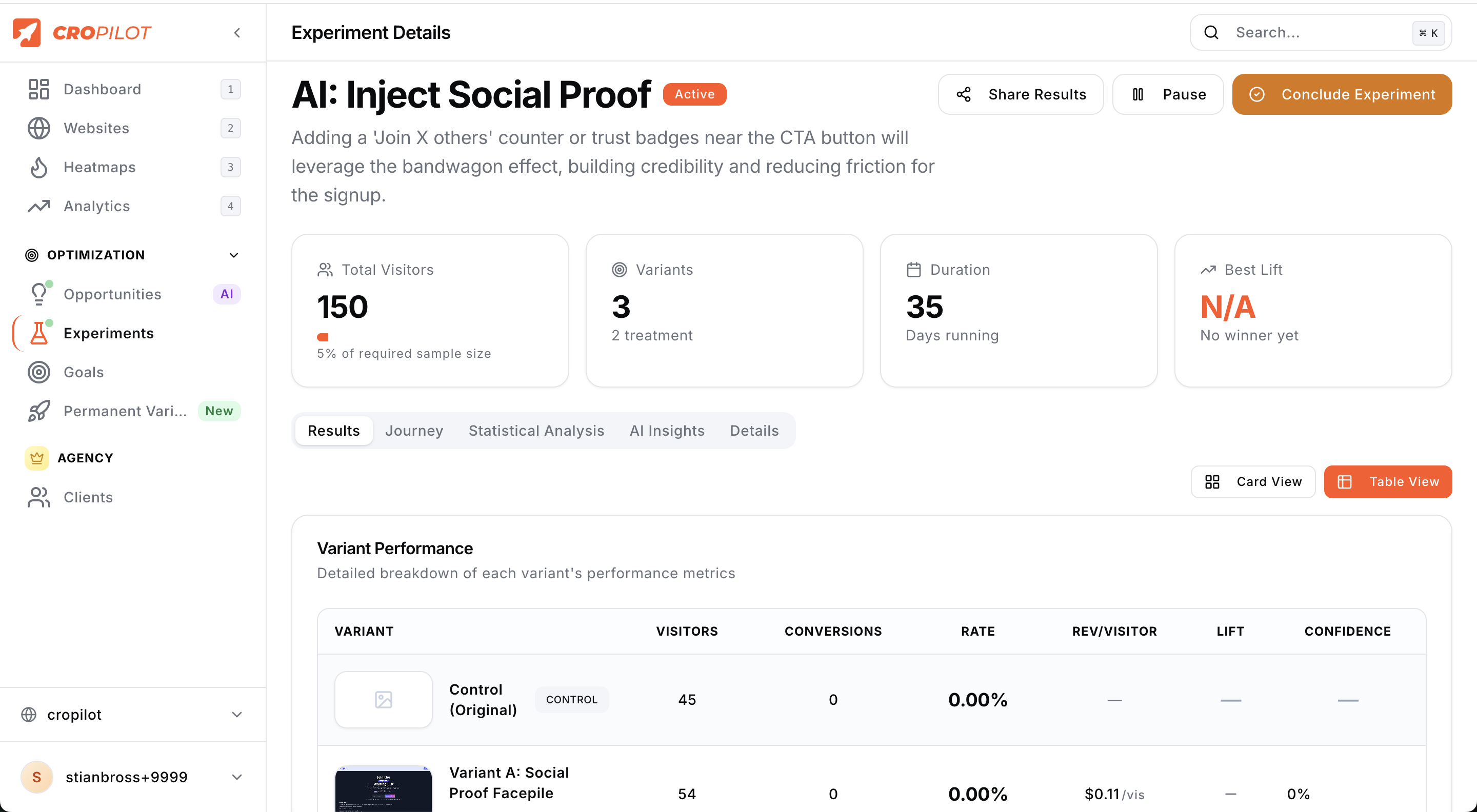
- Session-Based Attribution: Match purchases to A/B test variants automatically
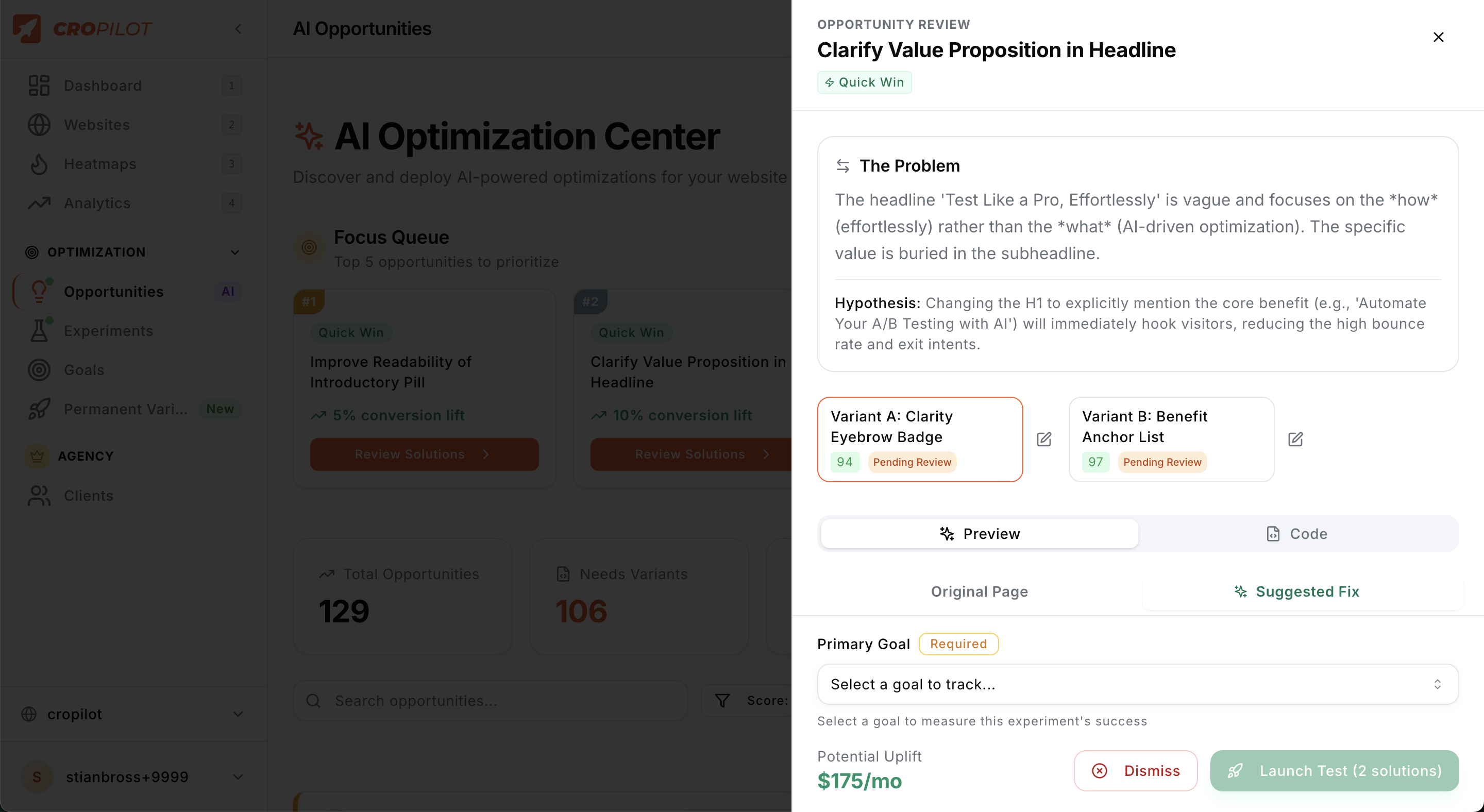
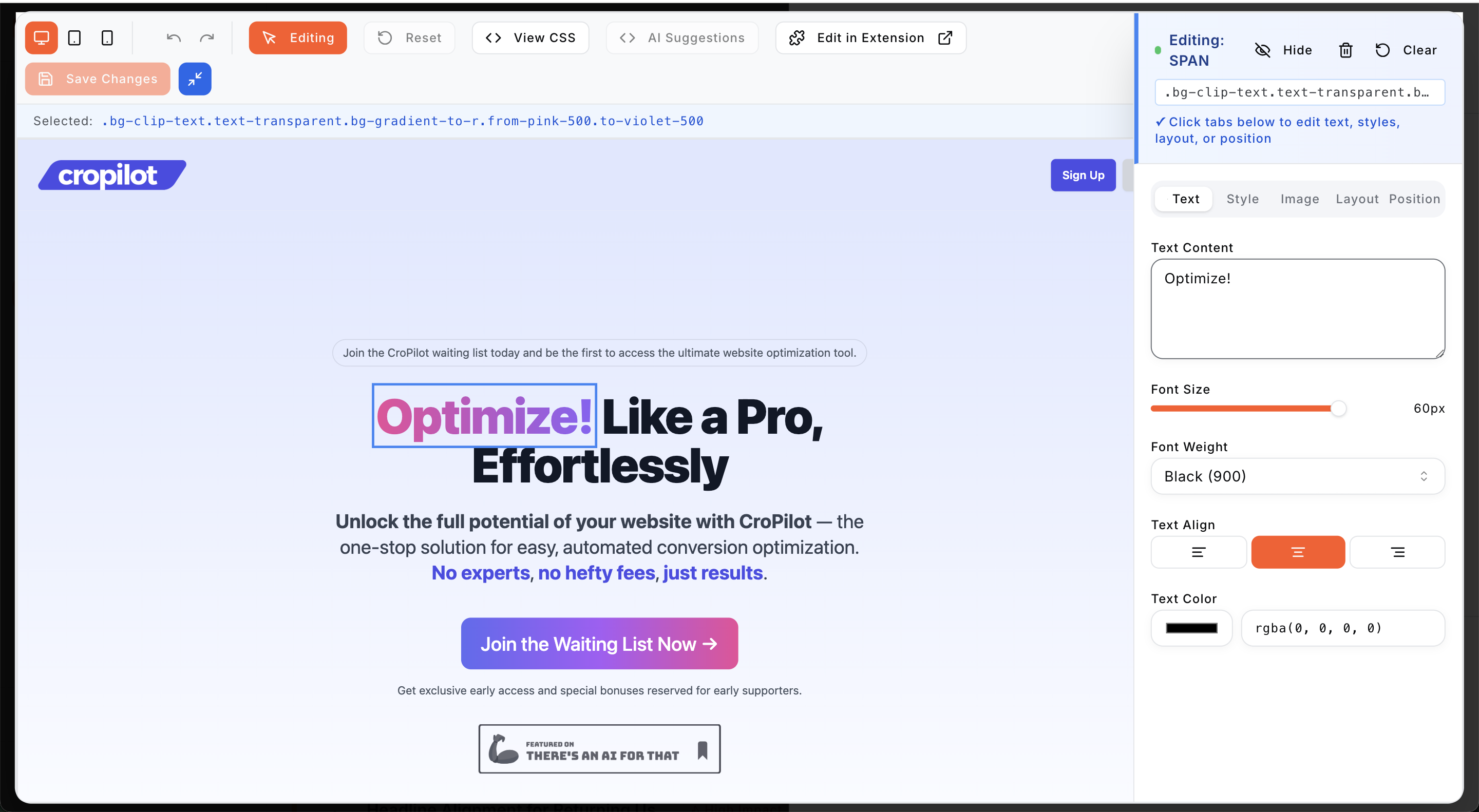
- AI-Generated A/B Test Suggestions: Let our AI analyze your site and suggest high-impact tests
- Smart Heatmaps: Visualize user behavior with AI-enhanced heatmaps that highlight key areas for improvement
- Conversion Funnel Analysis: Identify and fix drop-off points in your user journey
- Revenue Optimization: Optimize your site for increased sales, not just traffic
- Personalized Optimization Strategies: Get tailored recommendations based on your specific website and audience
- Easy Integration: No coding required - just install the plugin and enter your CroPilot.ai Client ID 🛒 WooCommerce Revenue Tracking:
- Automatic order tracking on purchase completion
- Revenue attribution to A/B test variants
- Track order ID, total value, and currency
- Prevent duplicate tracking with built-in safeguards
- Debug logging for troubleshooting 💡 Why Choose CroPilot.ai?
- Save Time: Our AI does the heavy lifting, so you can focus on running your business
- Increase Revenue: Make data-driven decisions that directly impact your bottom line
- Stay Ahead: Leverage cutting-edge AI technology to outperform your competitors
- User-Friendly: Designed for both beginners and experts - no prior CRO knowledge needed
- Zero-Code Setup: Perfect for non-technical store owners and marketing professionals Install CroPilot.ai now to start optimizing your WooCommerce store for maximum revenue!
安装:
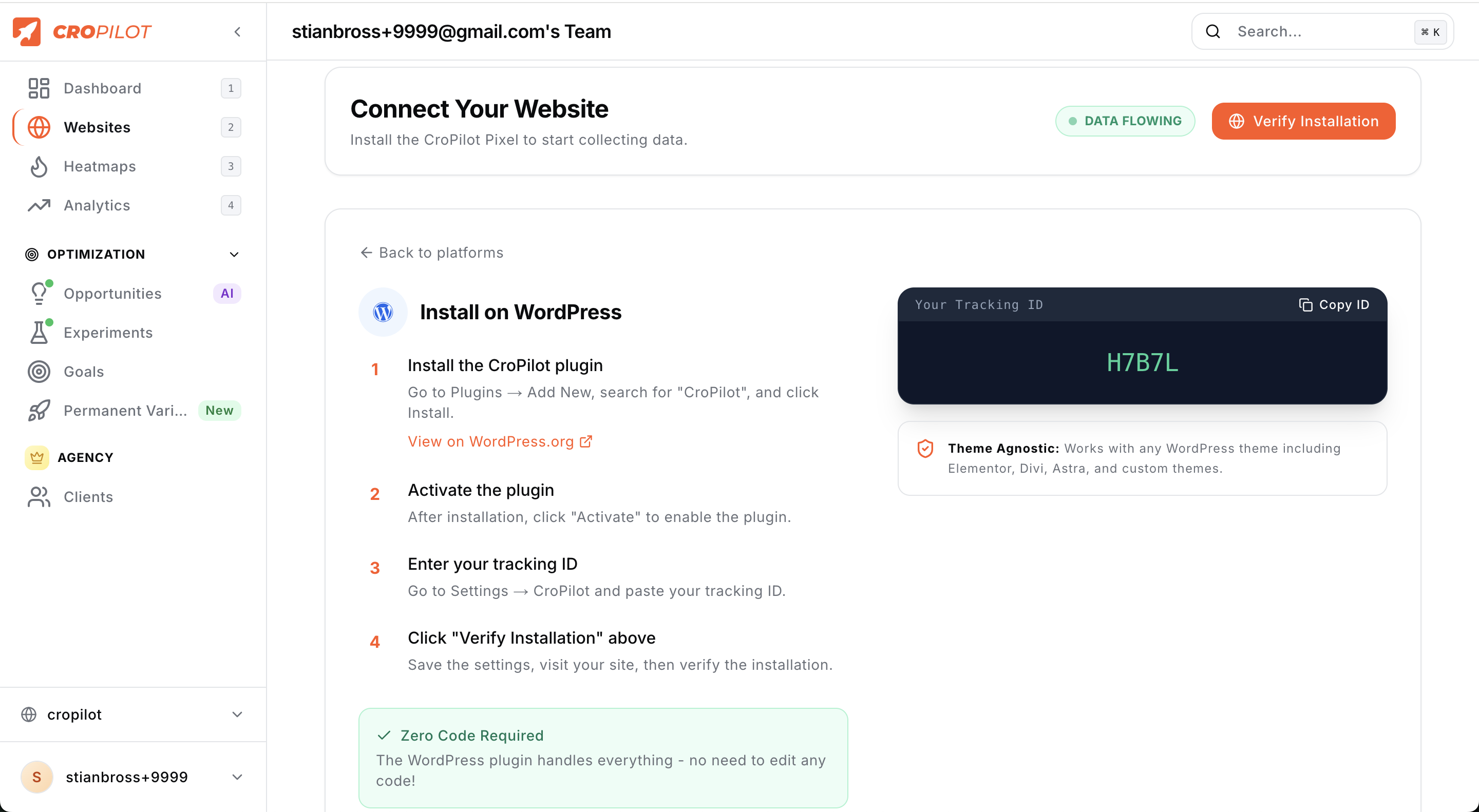
- Install the plugin through the WordPress plugins screen directly, or upload the plugin files to the
/wp-content/plugins/cropilot-ai-trackingdirectory. - Activate the plugin through the 'Plugins' screen in WordPress.
- Sign up for a CroPilot.ai account at https://cropilot.ai and get your unique Client ID.
- Navigate to CroPilot settings in your WordPress admin and enter your Client ID.
- (Optional) If you have WooCommerce installed, enable WooCommerce tracking to automatically track orders and revenue.
- That's it! CroPilot.ai will now track visitor behavior and WooCommerce orders automatically.
屏幕截图:
常见问题:
Do I need a CroPilot.ai account to use this plugin?
Yes, you need to sign up for a CroPilot.ai account to get your unique Client ID. We offer a free trial to get you started, and we also offer a free plan!
Does this plugin work with WooCommerce?
Yes! Version 2.0.0 includes full WooCommerce integration. The plugin automatically detects WooCommerce and tracks orders, revenue, and currency information. No coding required!
Will this plugin slow down my site?
No! The tracking script is lightweight and optimized for fast loading. WooCommerce order tracking happens server-side after checkout is complete, so it has zero impact on your store's performance.
Can I disable WooCommerce tracking?
Yes, you can enable or disable WooCommerce tracking at any time from the plugin settings page.
How does revenue attribution work?
CroPilot.ai uses session-based tracking with cookies to match orders to the A/B test variants that visitors saw. This allows you to measure which variants drive more revenue, not just more clicks.
Is CroPilot.ai compatible with my theme and other plugins?
Yes! CroPilot.ai is designed to work seamlessly with all WordPress themes and plugins. If you do encounter any issues, our support team is always ready to help.
How does CroPilot.ai compare to other analytics tools?
While traditional analytics tools provide data, CroPilot.ai goes a step further by using AI to interpret that data and provide actionable recommendations. Plus, our WooCommerce integration automatically tracks revenue attribution to A/B tests - something most tools require custom coding to achieve.
Is my data safe with CroPilot.ai?
Absolutely. We take data privacy and security very seriously. All data is encrypted, and we comply with GDPR and other privacy regulations. We never sell your data or use it for any purpose other than improving your site's performance.
How do I troubleshoot tracking issues?
Enable Debug Mode in the plugin settings to log tracking events to your WordPress debug log (wp-content/debug.log). Make sure WP_DEBUG_LOG is enabled in your wp-config.php file.
更新日志:
- Fix: Resolved PHP notice about translation loading being triggered too early on WordPress 6.7+
- Compatibility: Added proper load_plugin_textdomain() call on init hook
- Compatibility: Deferred translation strings in conflict detector to avoid early textdomain loading
- Fix: Preview and control modes now bypass consent blocking so variant previews work without accepting cookies first
- Fix: CookieYes inline handler also loads script immediately in preview/control mode (handles cached pages)
- Fix: CookieYes consent integration now properly enables tracking after user accepts cookies
- Fix: Server-side consent cookie check prevents reliance on CookieYes script re-enablement
- Fix: Inline consent handler enables tracking on same page when CookieYes doesn't reload
- Improved: Stricter CookieYes consent check requires explicit analytics:yes before tracking
- Performance: Added preconnect and DNS prefetch hints for faster script loading
- Performance: Browser starts connecting to api.cropilot.ai while parsing HTML, saving ~100-200ms
- Fix: Resolved page flash-to-white issue on sites with WP Rocket or other caching plugins
- Fix: Anti-flicker now skips hiding when script is deferred (prevents hiding already-visible pages)
- Fix: Added WP Rocket Delay JS exclusion and nowprocket bypass attribute
- Improved: Anti-flicker timeout reduced from 3 seconds to 1.5 seconds
- New: GDPR consent management - auto-detects Complianz, CookieYes, and Moove GDPR plugins
- New: Built-in consent banner for sites without a consent plugin
- New: Two-layer consent approach (PHP script blocking + JS cookie checking)
- New: Automatic cache plugin exclusion configuration (WP Rocket, Autoptimize, LiteSpeed, SiteGround, W3 Total Cache)
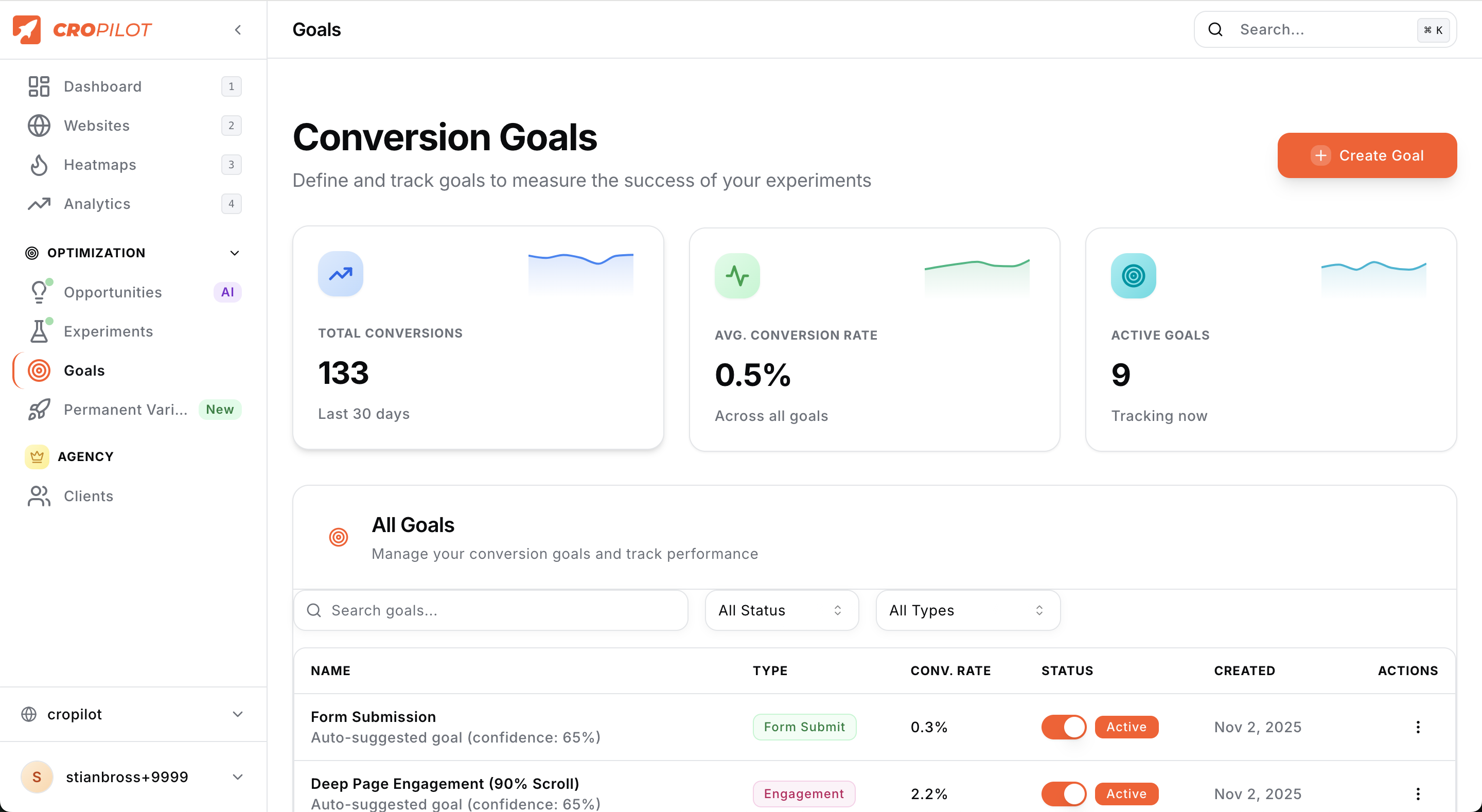
- New: Engagement goal types - "Pages Per Session" and "Time On Site" for content sites
- Improved: JWT token cleanup on plugin uninstall
- Improved: Better error messaging for account creation
- Fix: AI scan progress bar now tracks correctly by passing task_id to status endpoint
- Improved: Status polling uses direct task lookup instead of unreliable JSONField query
- Fix: Goal tracking now works correctly with embedded goals in unified script
- Changed: Updated to use unified backend script with embedded goals and anti-flicker
- Improved: Simpler script tag installation (single script instead of loader)
- New: Automatic WooCommerce store detection - your store is now automatically recognized in CroPilot dashboard
- Added: WooCommerce integration registration with CroPilot backend
- Improved: Store integrations section now shows WooCommerce connection status
- New: Refund tracking - automatically adjusts revenue when orders are refunded
- New: Order cancellation tracking - zeros out revenue for cancelled orders
- New: API retry logic - failed conversions are queued and retried up to 3 times
- Added: 5-minute cron job for automatic retry of failed API calls
- Added: Duplicate prevention for refunds and cancellations
- Improved: Uninstall cleanup now removes all Safe Mode options and cron jobs
- Fixed: Better error handling for network failures
- New: Health Dashboard - dedicated admin page for monitoring tracking health
- New: Consent/cookie blocking detection with recommendations
- New: Webhook health monitoring with match rate and pending order counts
- New: Attribution rate tracking for A/B test performance
- New: Reconciliation lag monitoring
- New: Source-mix anomaly detection (traffic pattern changes, bot detection)
- New: Store fingerprint status display
- Added: Auto-refresh health data every 5 minutes
- Added: Manual refresh button for on-demand updates
- Improved: Phase 3 hardening features for production reliability
- Fixed: Invalid Client IDs now show proper error message instead of "Free plan"
- Added: Domain validation - detects if WordPress domain doesn't match CroPilot settings
- Added: Clear error states in admin UI with actionable messages
- Improved: Error handling for API connection issues
- New: Modern card-based admin UI design (Stripe/Shopify style)
- New: Account status card showing subscription plan and session usage
- New: Visual progress bar for monthly session tracking
- New: Upgrade prompts for free plan users
- New: Real-time subscription data fetched from CroPilot API
- Improved: Cleaner, more intuitive settings interface
- Improved: Better visual hierarchy and responsive design
- Added: Quick start guide with numbered steps
- Added: Direct links to dashboard, documentation, and support
- Fixed: Corrected tracking script URL for proper CroPilot integration
- Fixed: WooCommerce order tracking now uses correct revenue API endpoint
- Added: WooCommerce HPOS (High-Performance Order Storage) compatibility
- Added: Connection test feature in admin settings
- Added: Session ID saved to order meta for reliable attribution
- Added: Clean uninstall functionality
- Improved: Better error handling for API requests
- Updated: WordPress compatibility to 6.7
- Updated: WooCommerce compatibility to 9.4
- Updated: Minimum PHP version to 7.4
- Major release: WooCommerce integration!
- Added automatic order and revenue tracking for WooCommerce stores
- Added session-based attribution for matching orders to A/B test variants
- Added WooCommerce detection and status notifications
- Added configurable WooCommerce tracking enable/disable toggle
- Added debug logging mode for troubleshooting
- Enhanced admin settings with WooCommerce and advanced sections
- Added duplicate order tracking prevention
- Added support for multiple currencies
- Improved security with proper data sanitization
- Updated plugin compatibility to WordPress 6.4 and WooCommerce 8.5
- Preparation for full launch of CroPilot.ai
- Added compatibility checks for upcoming features
- Initial release of tracking functionality