
Custom Permalinks
| 开发者 |
sasiddiqui
michaeltyson |
|---|---|
| 更新时间 | 2026年10月13日 21:16 |
| PHP版本: | 7.4 及以上 |
| WordPress版本: | 7.1 |
| 版权: | GPLv3 |
| 版权网址: | 版权信息 |
标签
下载
详情介绍:
安装:
- Go to Plugins > Add New in your WordPress dashboard.
- Search for "Custom Permalinks".
- Click "Install Now" and then "Activate" the plugin from your Plugins page.
- Download the
custom-permalinksfolder. - Upload the
custom-permalinksfolder to your/wp-content/plugins/directory. - Activate Custom Permalinks through the "Plugins" menu in your WordPress dashboard.
屏幕截图:
常见问题:
What happens to the original URL when I set a custom permalink?
Custom Permalinks automatically redirects the original (default) URL to your new custom permalink, so existing links, bookmarks, and search engine rankings keep working.
Will this affect my site's SEO?
It shouldn't hurt it — since the original URL redirects to the new one, search engines and existing backlinks continue to resolve correctly. Using clean, descriptive custom permalinks can also make your URLs more readable, which is generally good for SEO.
Can I set custom permalinks for categories and tags, not just posts and pages?
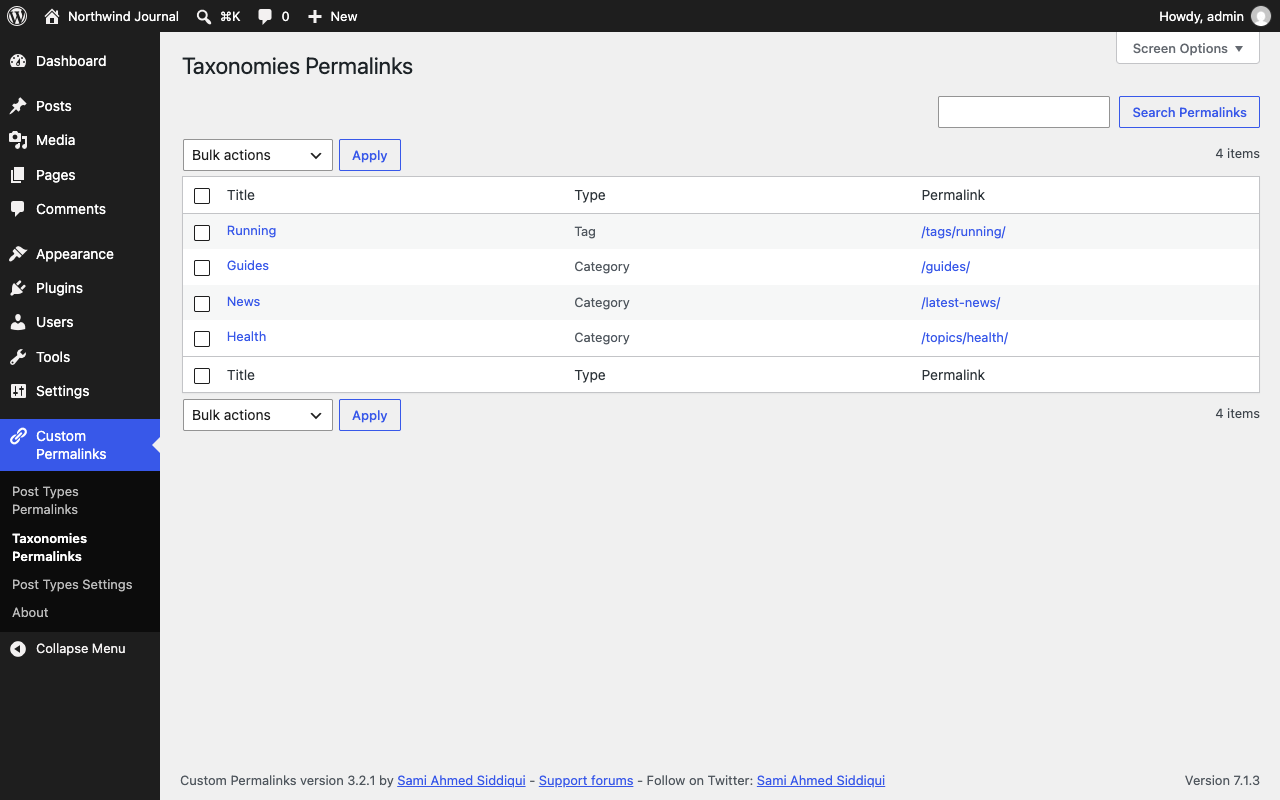
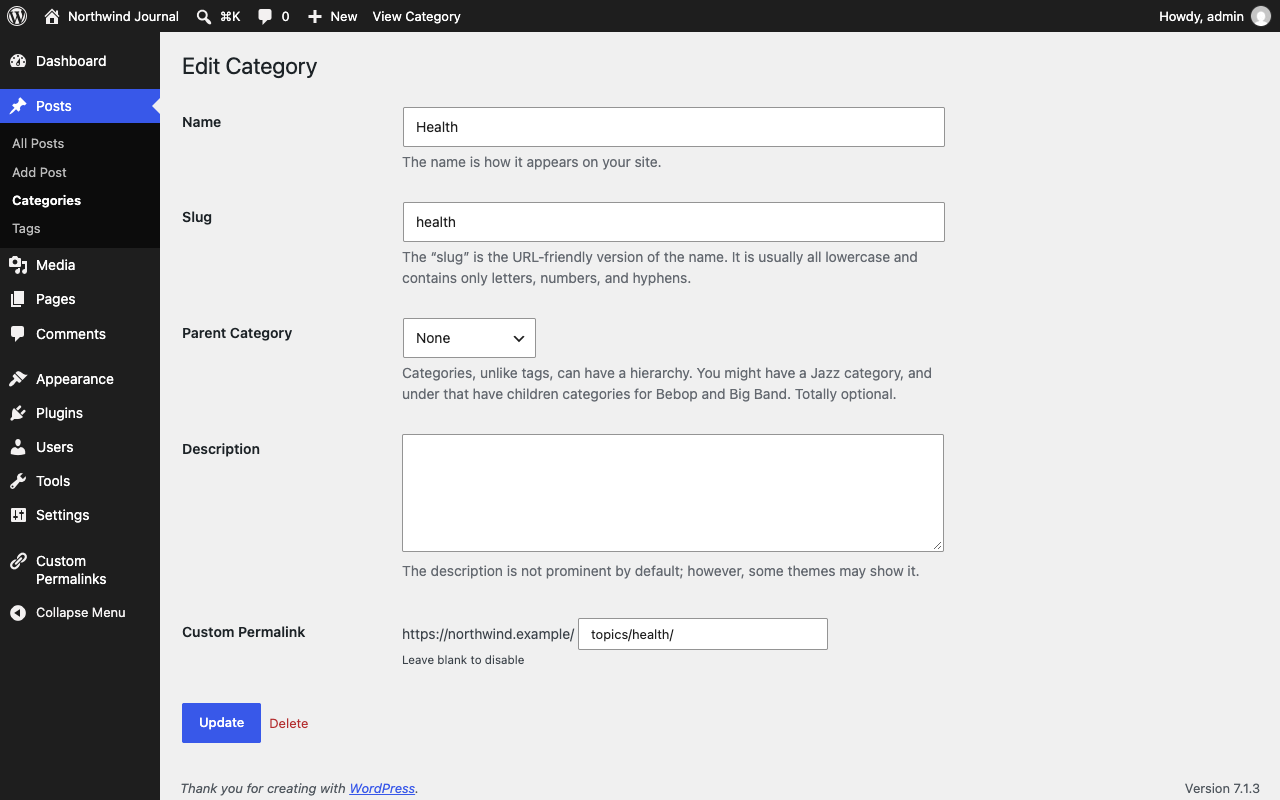
Yes. Custom Permalinks supports posts, pages, any public custom post type, and categories/tags (and other custom taxonomy terms).
Does it work with custom post types, like WooCommerce products?
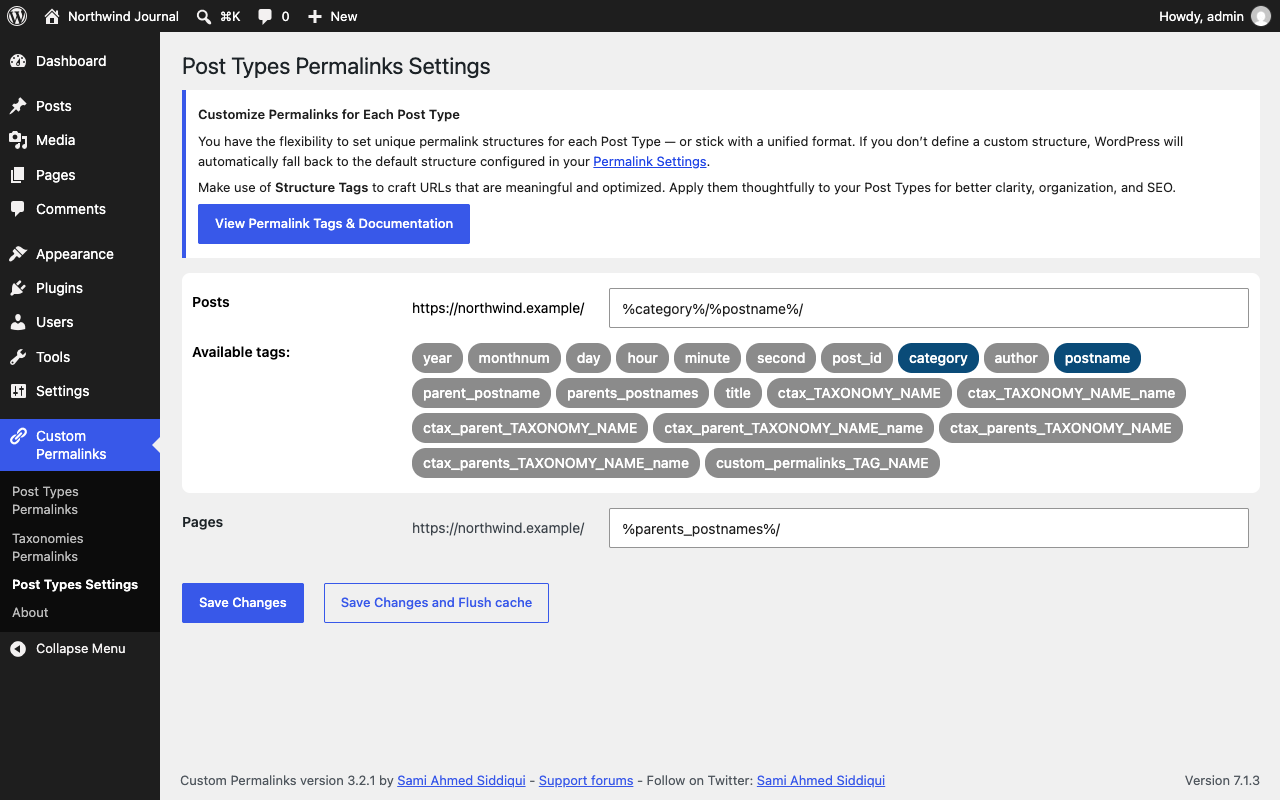
Yes. You can set an individual custom permalink on any public custom post type, or define an automatic permalink structure for the entire post type from Custom Permalinks > Post Types Settings.
Is Custom Permalinks compatible with WPML or Polylang?
Yes, the plugin is compatible with both WPML and Polylang, including translated posts that each have their own custom permalink.
Can I use non-English characters in my permalinks?
Yes. Permalinks in non-Latin scripts, such as Arabic, Thai, Cyrillic, or Chinese, work as you type them. Browsers request these URLs percent-encoded, and Custom Permalinks matches them either way.
Where do the plugin's translations come from?
From translate.wordpress.org. WordPress downloads them automatically for your site's language. If the plugin shows in English on a translated site, update the translations from Dashboard > Updates. You can also help translate it there.
Can I let a non-administrator manage permalinks?
Yes. The plugin adds a dedicated Custom Permalinks Manager role (and matching capabilities) so you can let specific non-admin users view or edit permalinks without giving them full administrator access.
Can I use accented letters, uppercase letters, or extra hyphens in my permalinks?
By default, Custom Permalinks sanitizes permalinks the same way WordPress core does (lowercase, no accents, no repeated hyphens). Developers can lift these restrictions with the custom_permalinks_allow_accents, custom_permalinks_allow_caps, and custom_permalinks_redundant_hyphens filters. See the Advanced Customization and Filters section on GitHub.
A page builder's front-end preview (Cornerstone, etc.) breaks or loses its editing mode on pages with a custom permalink
Some page builders load their live/front-end preview in an iframe using a POST request carrying special values the builder needs (for example Cornerstone's cs_preview_time). If that page also has a custom permalink, Custom Permalinks may redirect the request, and since redirects are followed as GET, the builder's POST data is lost and the preview breaks.
You can tell Custom Permalinks to skip its redirect for that request with the custom_permalinks_avoid_redirect filter, added to your theme or a site-specific plugin:
add_filter( 'custom_permalinks_avoid_redirect', function( $permalink ) { if ( isset( $_POST['cs_preview_time'] ) ) { // Adjust to match the field your builder sends. return true; } return false; } );
See the Advanced Customization and Filters section on GitHub for this and other available filters.
What happens to my custom permalinks if I deactivate or uninstall the plugin?
Deactivating the plugin keeps all your saved custom permalinks in the database — reactivating it restores them immediately. Uninstalling (deleting) the plugin permanently removes all saved custom permalinks and plugin settings, and your URLs will revert to WordPress' default permalink structure.
My custom permalink isn't saving, or the page isn't redirecting — what should I check?
- Make sure Settings > Permalinks isn't set to "Plain".
- Confirm no other SEO/redirection plugin (Yoast, RankMath, Redirection, etc.) has a conflicting rule for the same URL.
- Check that the permalink isn't already used by another post — Custom Permalinks won't apply a duplicate URL.
- Still stuck? See "Need Help or Found a Bug?" above, or reach out via GitHub or Premium support.
更新日志:
- Bug:
- Fixed an infinite redirect loop on percent-encoded custom permalinks without a trailing slash (e.g. Japanese), a regression in 3.3.0.
- Bug:
- Fixed custom permalinks in non-Latin scripts returning a 404 (e.g. Persian) when a shorter custom permalink matched the start of the URL (e.g. a
product/page forproduct/سلام/), a regression in 3.3.0. - Fixed custom permalinks in non-Latin scripts not loading with an endpoint appended (e.g.
/سلام/feed/).
- Bug:
- Fixed the editor's View Post and preview links not updating, or the wrong links being updated, after saving a custom permalink when the post's previous URL contained characters such as
?,+or((e.g.?p=123for drafts). - Hardened the editor script to only update links with an http(s) URL on the site's own domain.
- Accessibility:
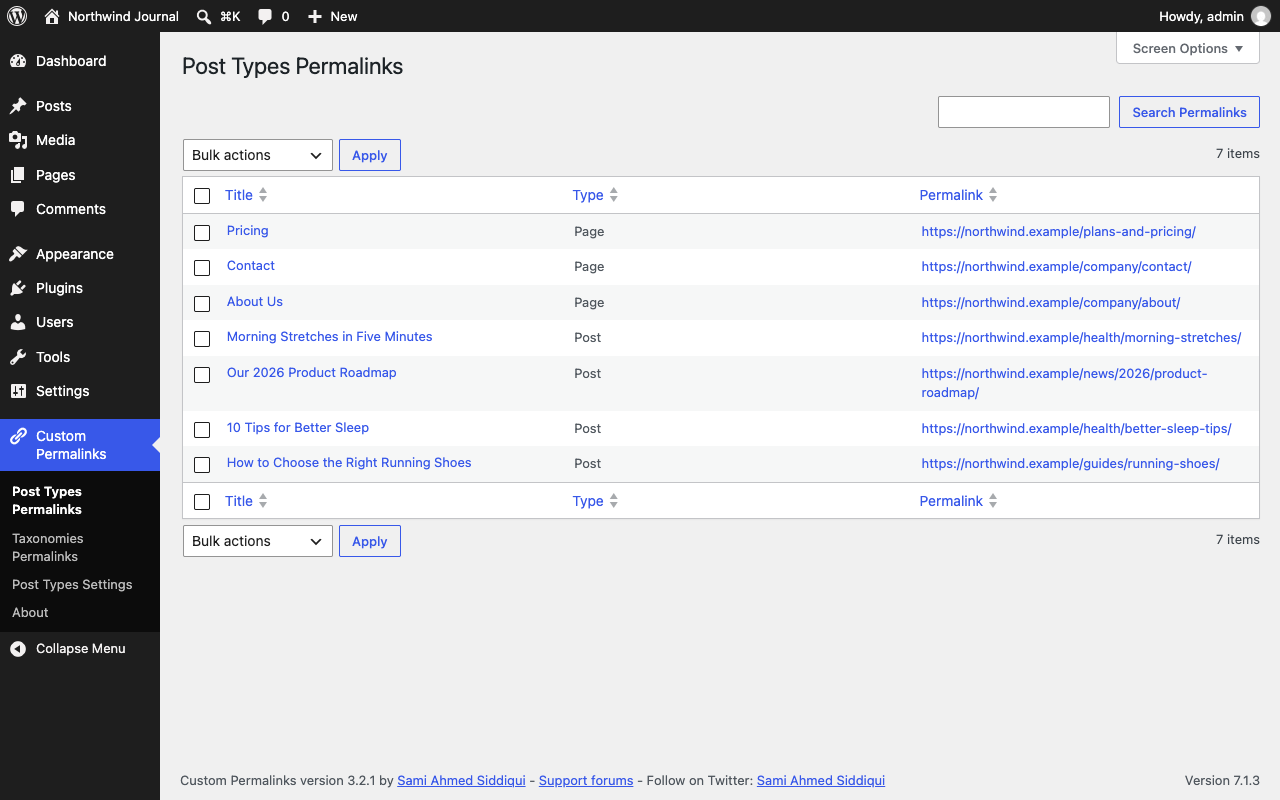
- Added labels for screen readers to the checkboxes in Post Types Permalinks and Taxonomies Permalinks, the structure fields in Post Types Settings, and the Custom Permalink field on category, tag, and term screens.
- Raised the text contrast of the structure tags in Post Types Settings and of the plugin descriptions on the About screen, and underlined links in its text.
- Changes to be aware of:
- Requires WordPress 5.9 and PHP 7.4 or later, the oldest versions the plugin is now tested on. Sites on older versions keep 3.2.1.
- Translations now come from translate.wordpress.org instead of files bundled with the plugin. It covers every bundled language and adds Serbian. Sites that installed the plugin outside wordpress.org, or turned off automatic translation updates, show English until the language pack is installed from Dashboard → Updates.
- WPML translations now always resolve to their own custom permalink. Previously they returned another language's custom permalink depending on the active (admin) language, which listed wrong URLs in Post Types Permalinks and in SEO plugins' indexables and XML sitemaps (e.g. Yoast SEO).
%ctax_parents_TAXONOMY_NAME_name%now uses the parent terms' names, as documented, instead of their slugs. Permalinks generated from now on change where a parent term's name differs from its slug; saved permalinks are not changed.- Redirects and URLs:
- Fixed custom permalinks in non-Latin scripts (e.g. Thai, Arabic, Cyrillic) returning a 404 or redirecting in an infinite loop, as the browser requests them percent-encoded while they are saved unencoded (or vice versa, depending on the site language).
- Fixed the trailing-slash redirect and the redirect to the custom permalink dropping the page number (e.g.
/news/page/2redirected to/news/instead of/news/page/2/). - Added the
custom_permalinks_disable_remove_page_numberfilter to keep the/page/{number}segment in the requested URL, for custom archive pages whose pagination doesn't advance. - Fixed the query string being corrupted (e.g.
foo=barbecamehttp://foo=bar) after a custom permalink was resolved. - Fixed comment links on paginated comments (e.g.
/my-post/comment-page-2/) not following the custom permalink's trailing slash, so a custom permalink without a trailing slash no longer gets comment URLs with one, and vice versa. - WPML and Polylang:
- Fixed the WPML language switcher linking back to the current language instead of the translation when languages are in directories (e.g.
/en/,/de/) and the translation uses the same custom permalink. - Fixed WPML language directories that differ from the language code (e.g.
/de-de/forde, as in WPML 5.0) not being repaired when duplicated, and the default language getting its directory added to a permalink when "hide the default language directory" is on. - Fixed English custom permalinks not being lowercased and cleaned of special characters with WPML 5.0's region-based language codes (e.g.
en-us). - Fixed Polylang translations sharing the same custom permalink (e.g.
/en/technologyand/zh/technology) redirecting to the other language when the translation's stored language was missing or out of date. - Admin screens:
- Fixed Post Types and Taxonomies Permalinks pagination showing the first page's results on every page, ignoring sorting and search, when a persistent object cache (e.g. Redis or Memcached) is enabled. The lists now also refresh right after a permalink is added, changed or deleted.
- Fixed bulk delete and search in Post Types and Taxonomies Permalinks failing with a "headers already sent" warning instead of redirecting.
- Fixed short titles and permalinks being padded with leading spaces in the Post Types and Taxonomies Permalinks lists.
- Fixed every post of a type showing and saving the same custom permalink when a theme or plugin runs a custom loop in the admin without resetting the global post.
- Fixed the original permalink showing as the custom permalink in the edit screen's permalink box and in the block editor, and being compared against when saving a post or term.
- Fixed a fatal error on WordPress 5.9 and 6.0 when saving the Post Types Permalinks settings with the cache flush option, as
wp_cache_flush_group()needs WordPress 6.1. Object caches that can't flush a single group now get a full cache flush. - Fixed the "Custom Permalinks Manager" role name not being translatable.
- Fixed Post Types Settings showing the WordPress address instead of the site address before each structure, which is wrong when WordPress is installed in a subdirectory.
- Compatibility:
- Fixed WooCommerce notices about accessing order data directly on order screens, as the permalink form read post fields from the
WC_Orderobject. - Fixed posts updated by WP All Import being handled as new posts, which turned permalink regeneration back on and could replace their custom permalink with the post type's structure.
- Fixed the
seems_utf8()deprecation notice on WordPress 6.9 and later.
- For the changelog of earlier versions, please refer to the separate changelog.txt file.