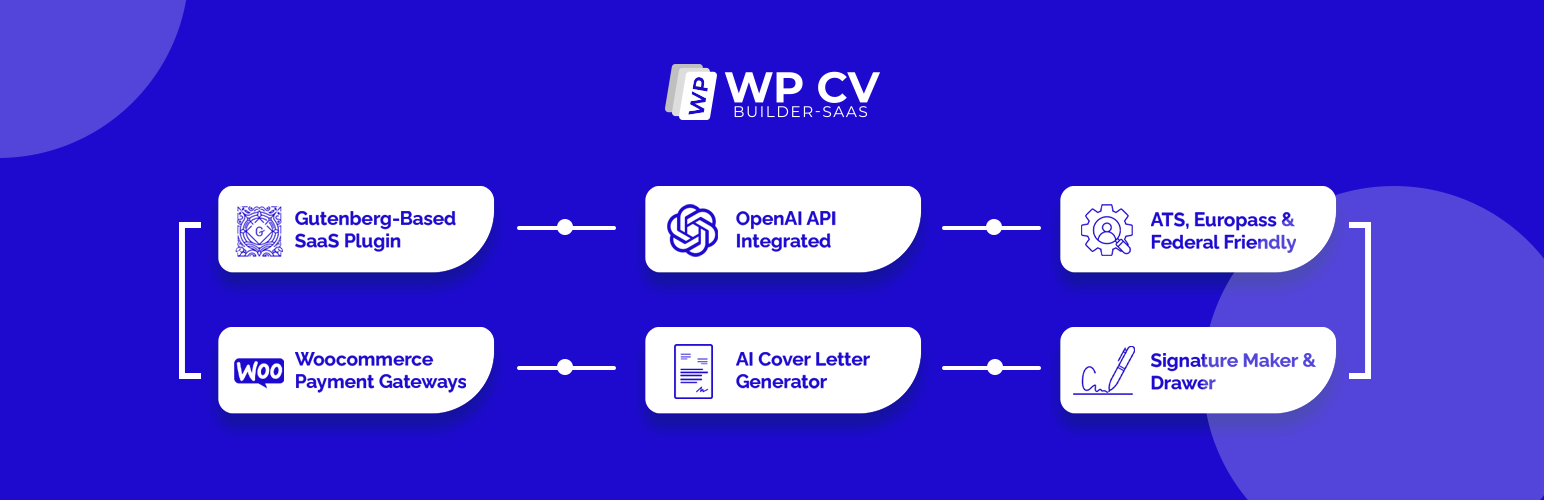
WP CV Builder
| 开发者 | bestwpdeveloper |
|---|---|
| 更新时间 | 2026年9月9日 01:42 |
| 捐献地址: | 去捐款 |
| PHP版本: | 7.4 及以上 |
| WordPress版本: | 7.1 |
| 版权: | GPLv2 or later |
| 版权网址: | 版权信息 |
详情介绍:
- Branded Email Designer with logo upload, visual branding, editable content, previews, and test delivery for CV platform emails.
- Paid Manual CV Review requests with WooCommerce checkout, administrator editing, review status, client-ready delivery, and customer notifications.
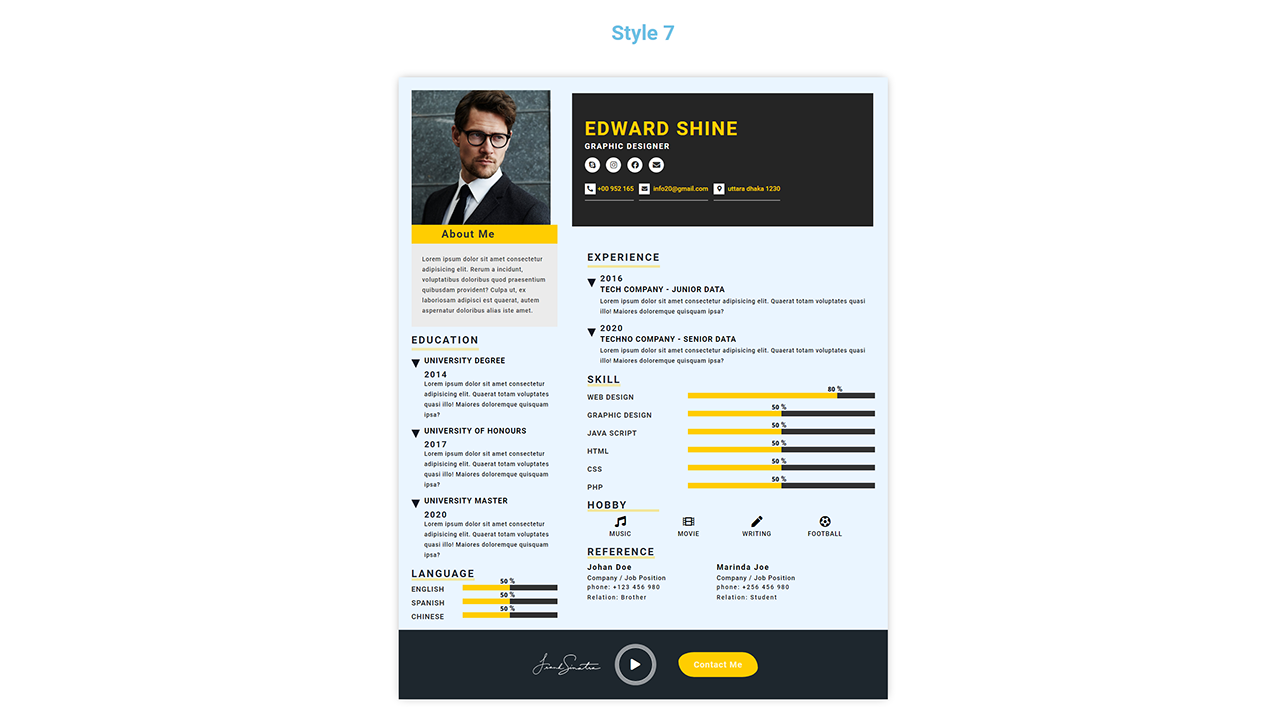
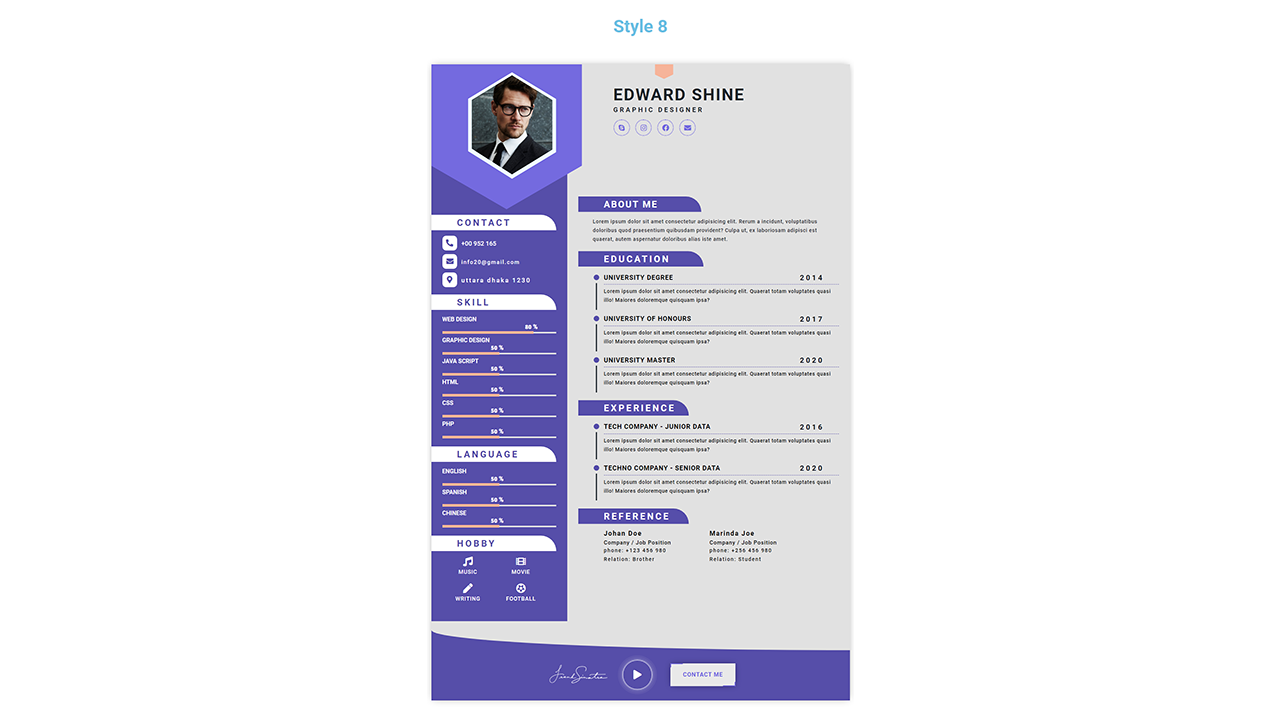
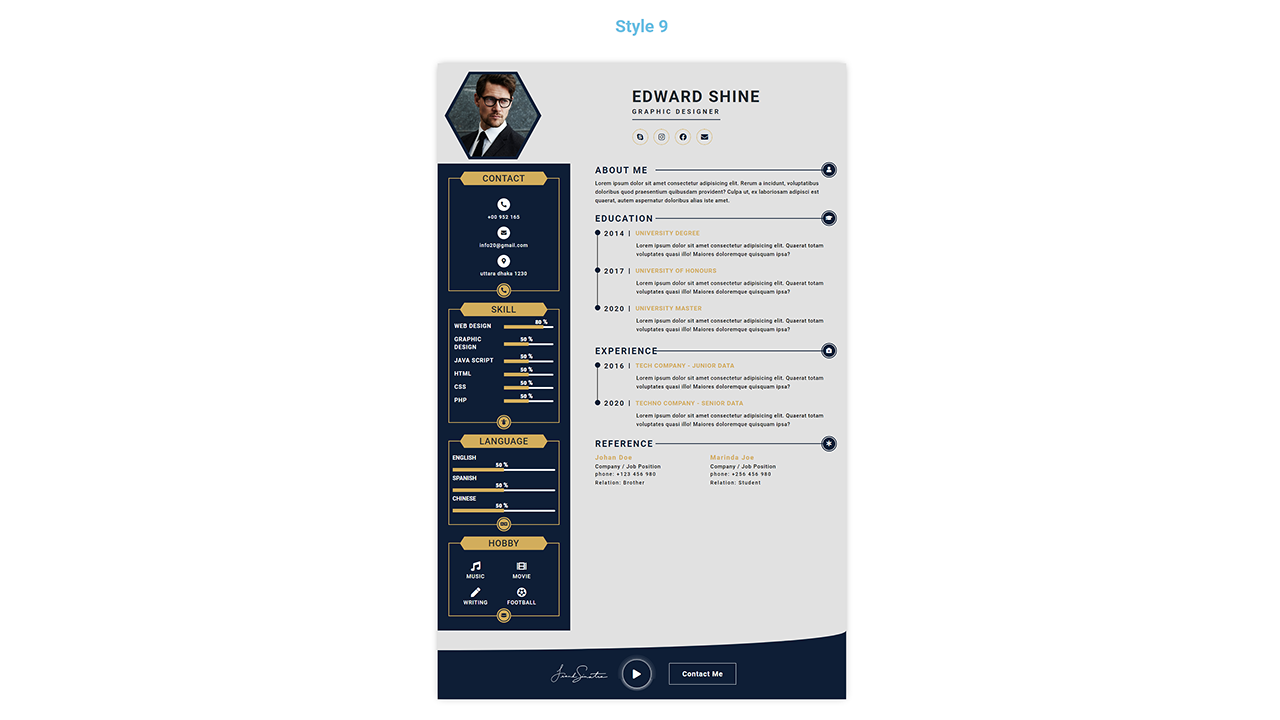
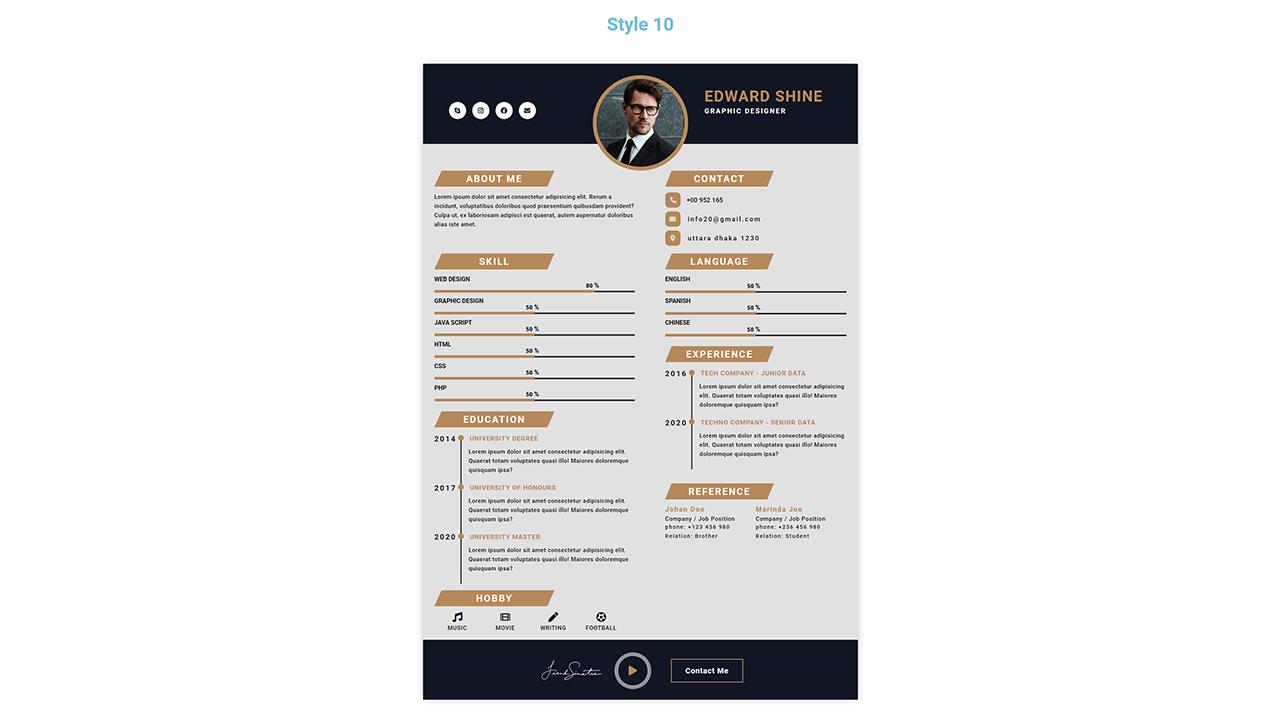
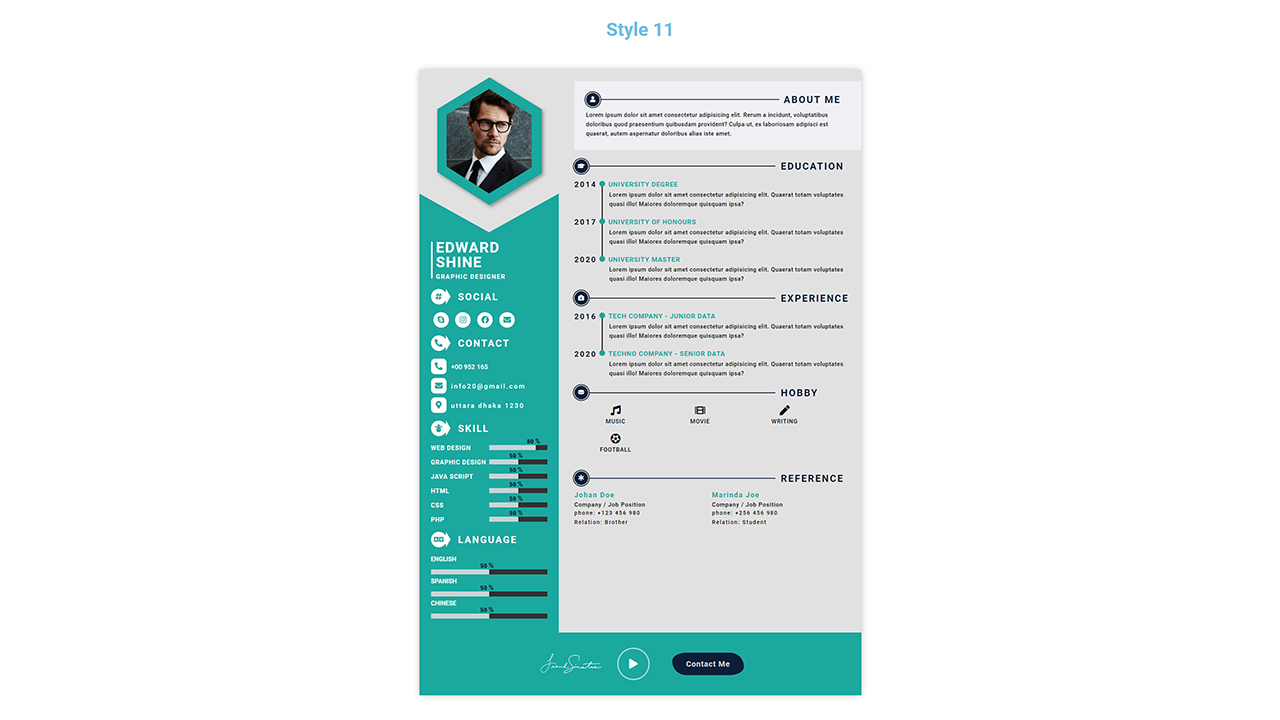
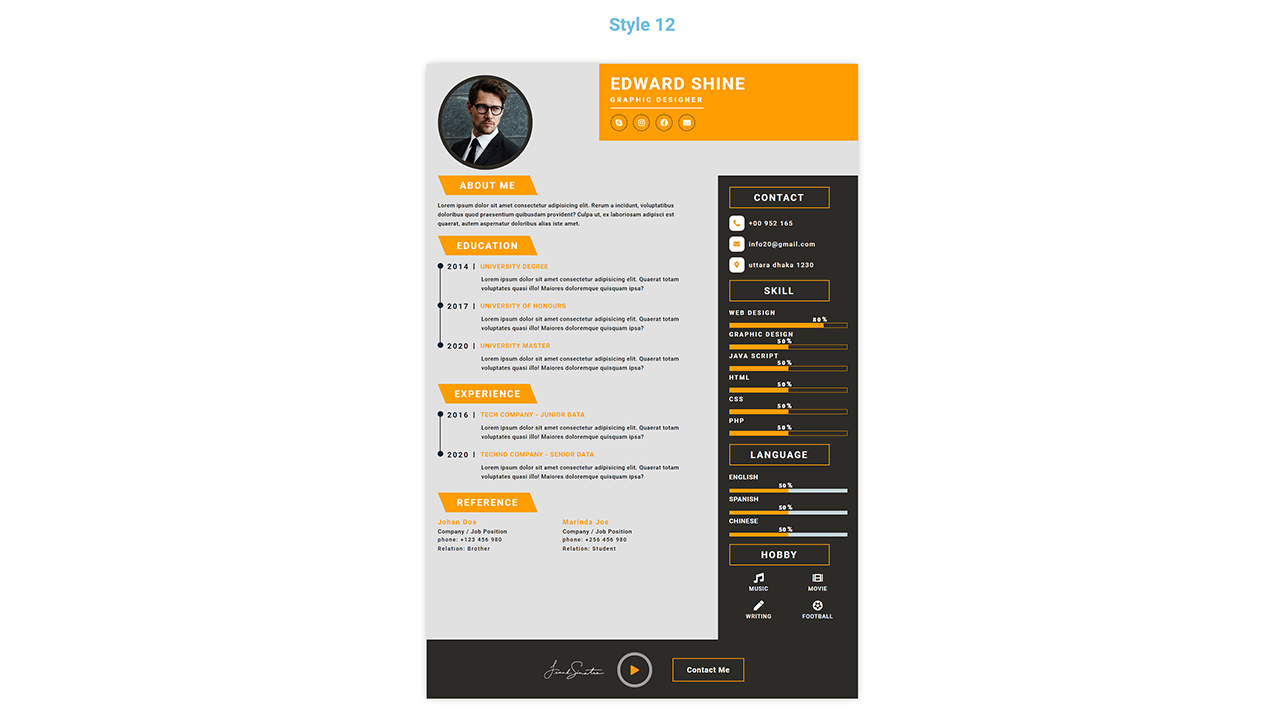
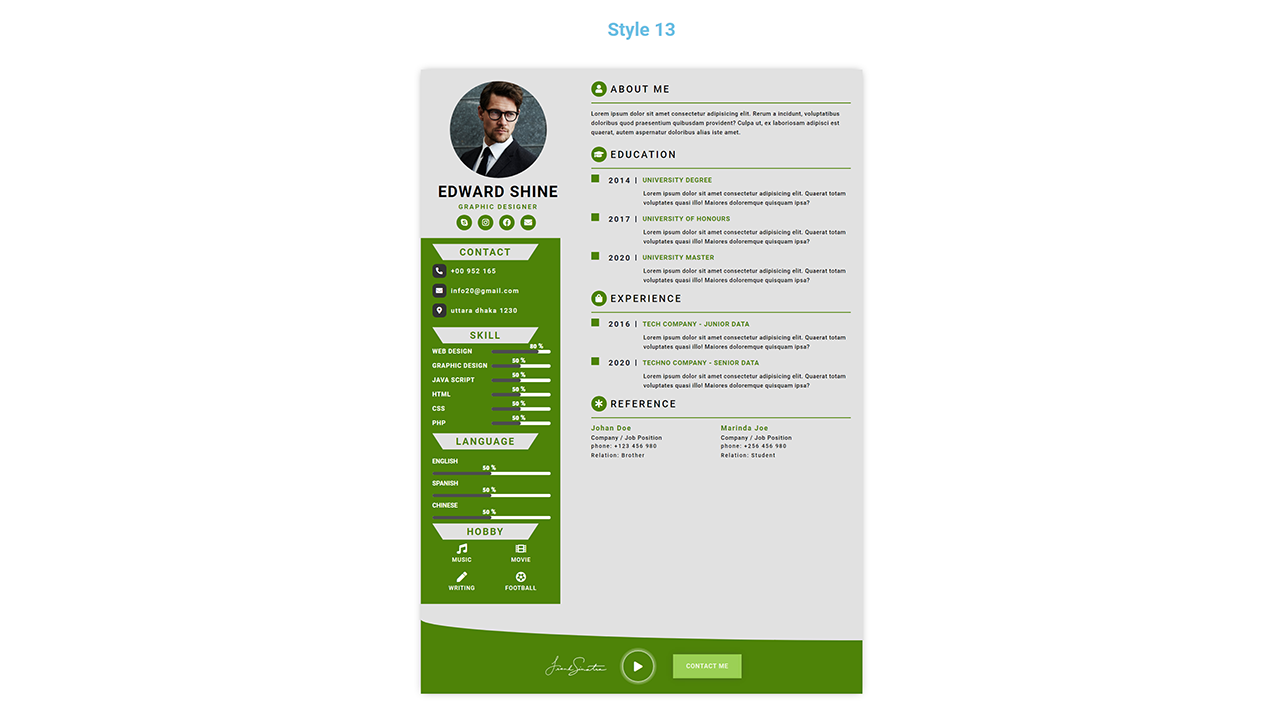
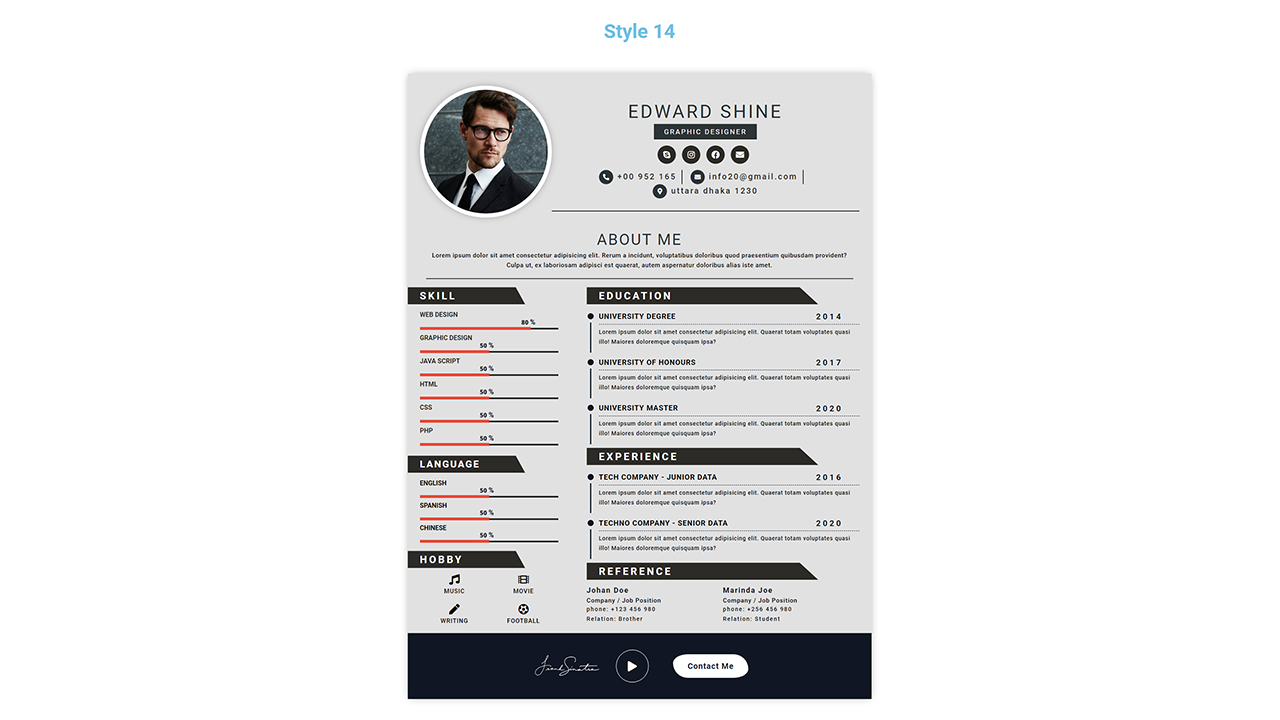
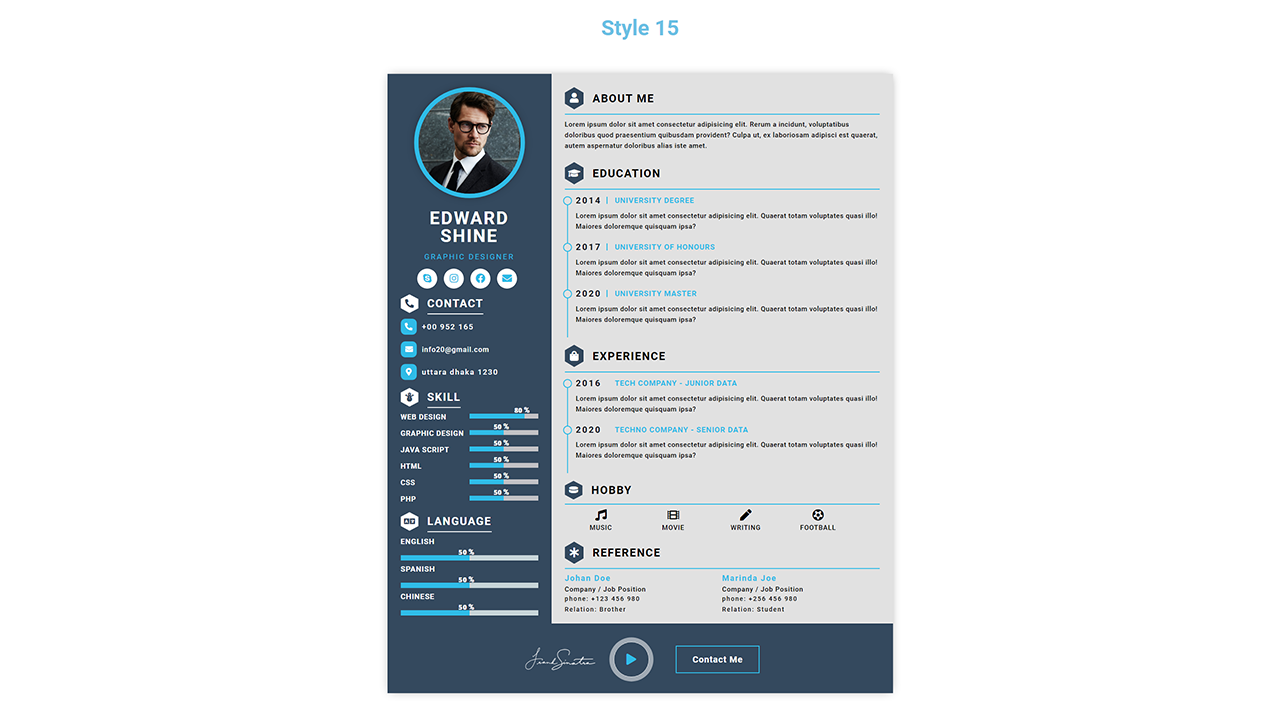
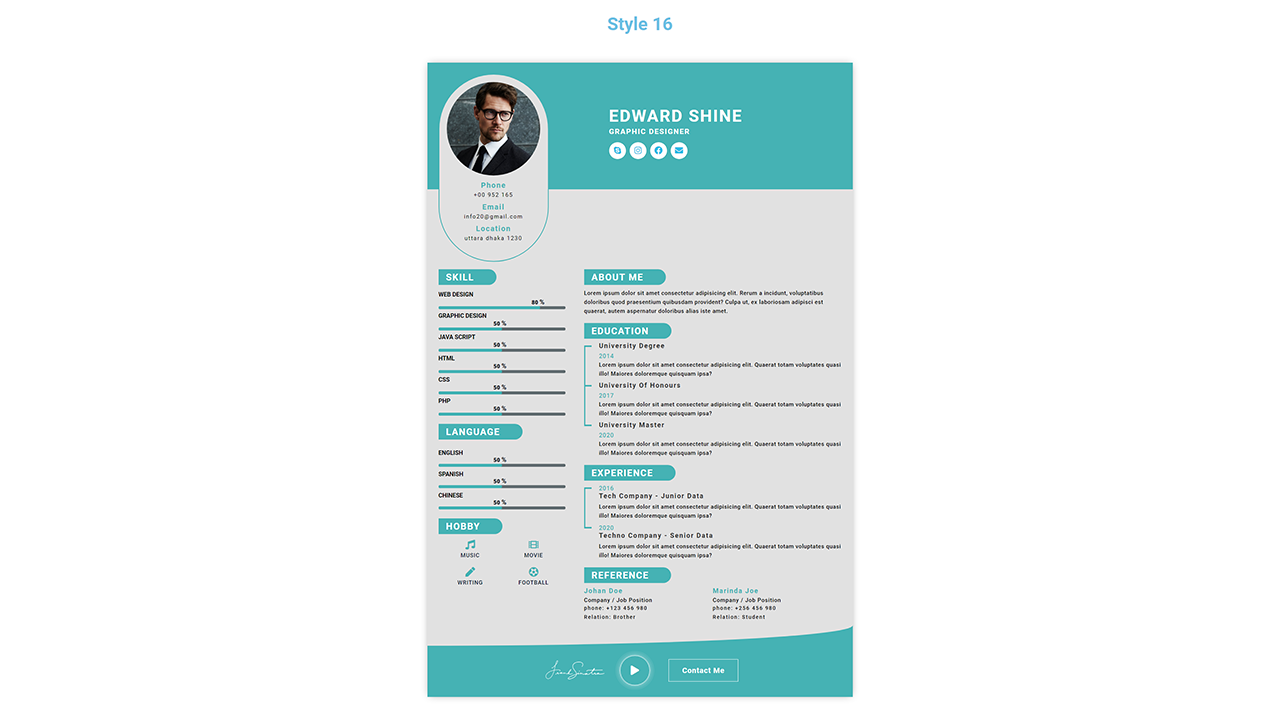
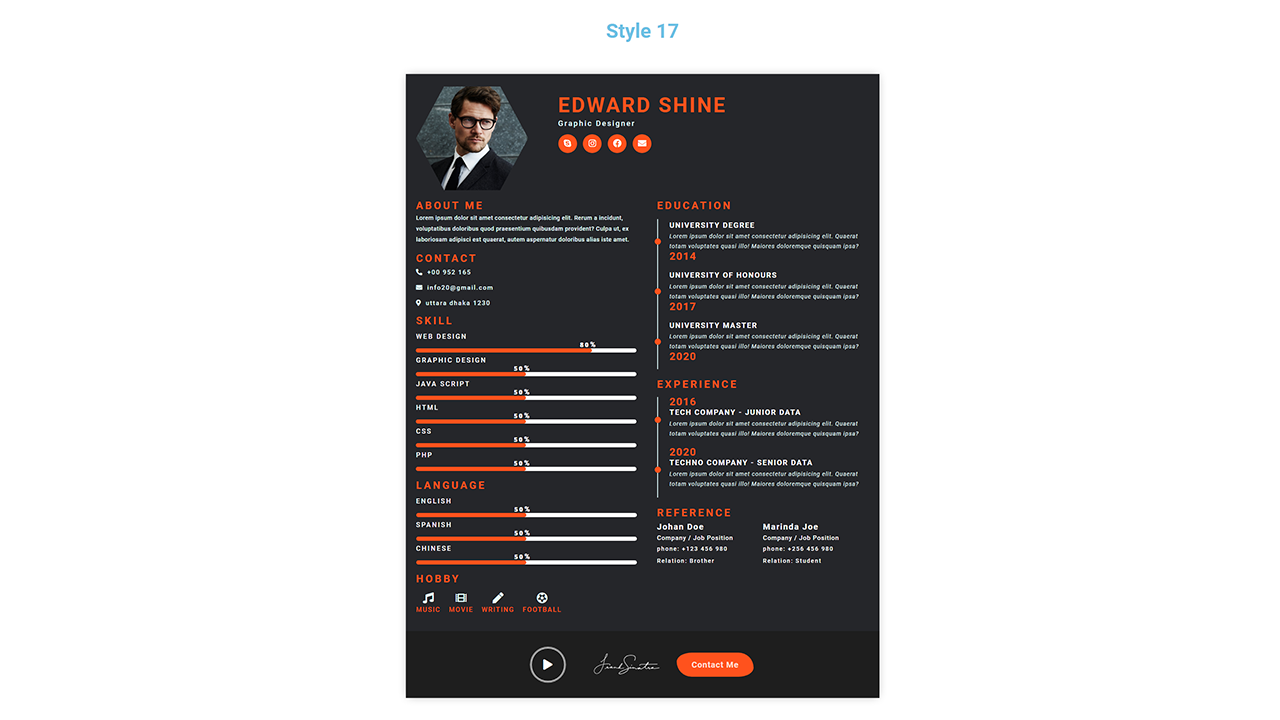
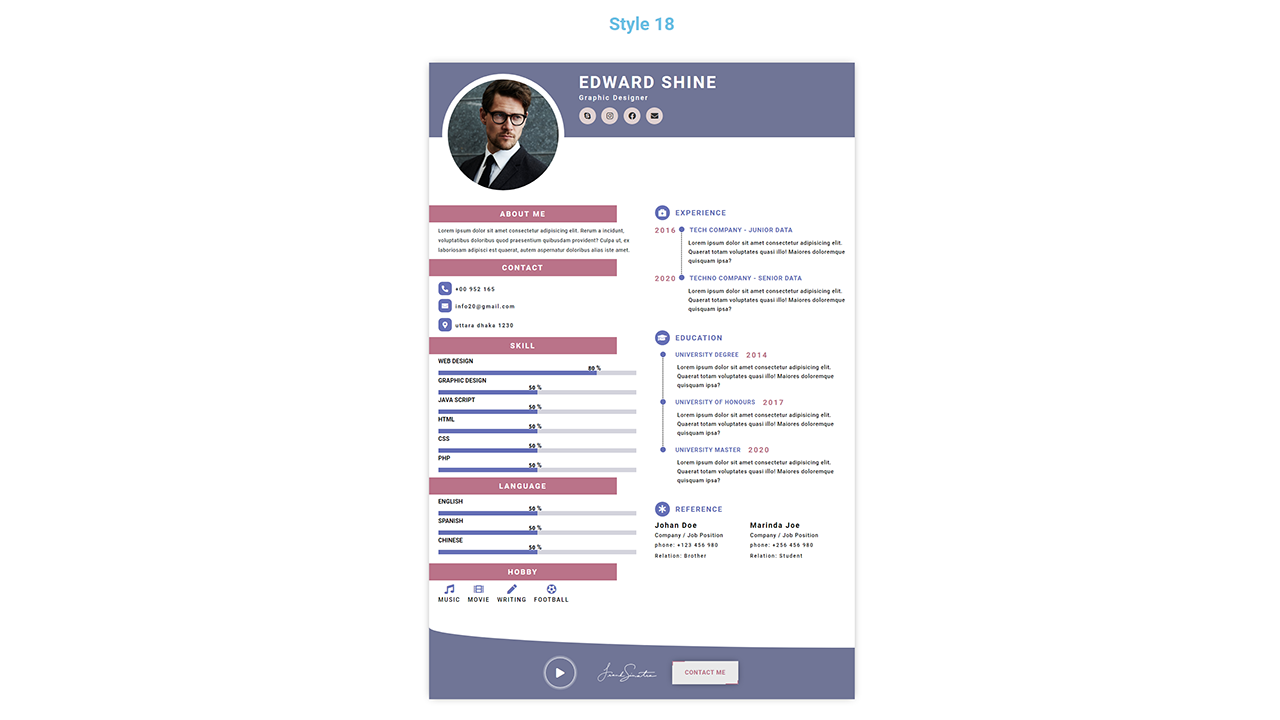
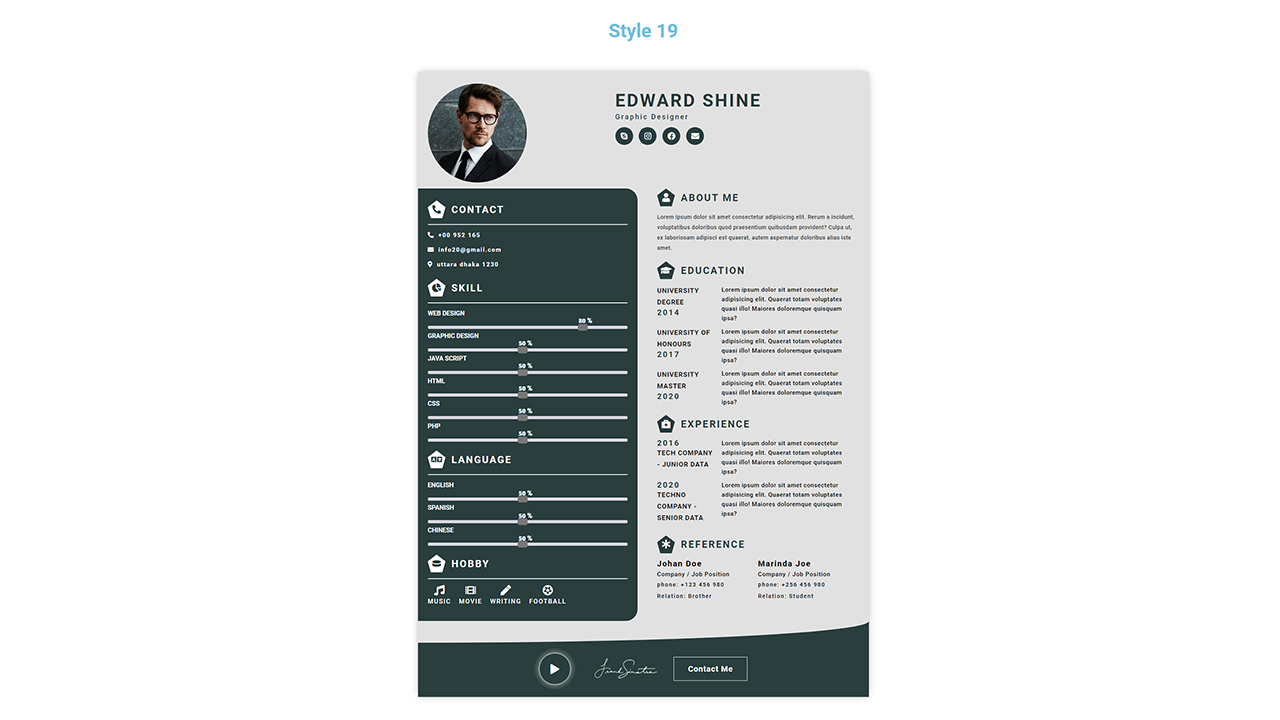
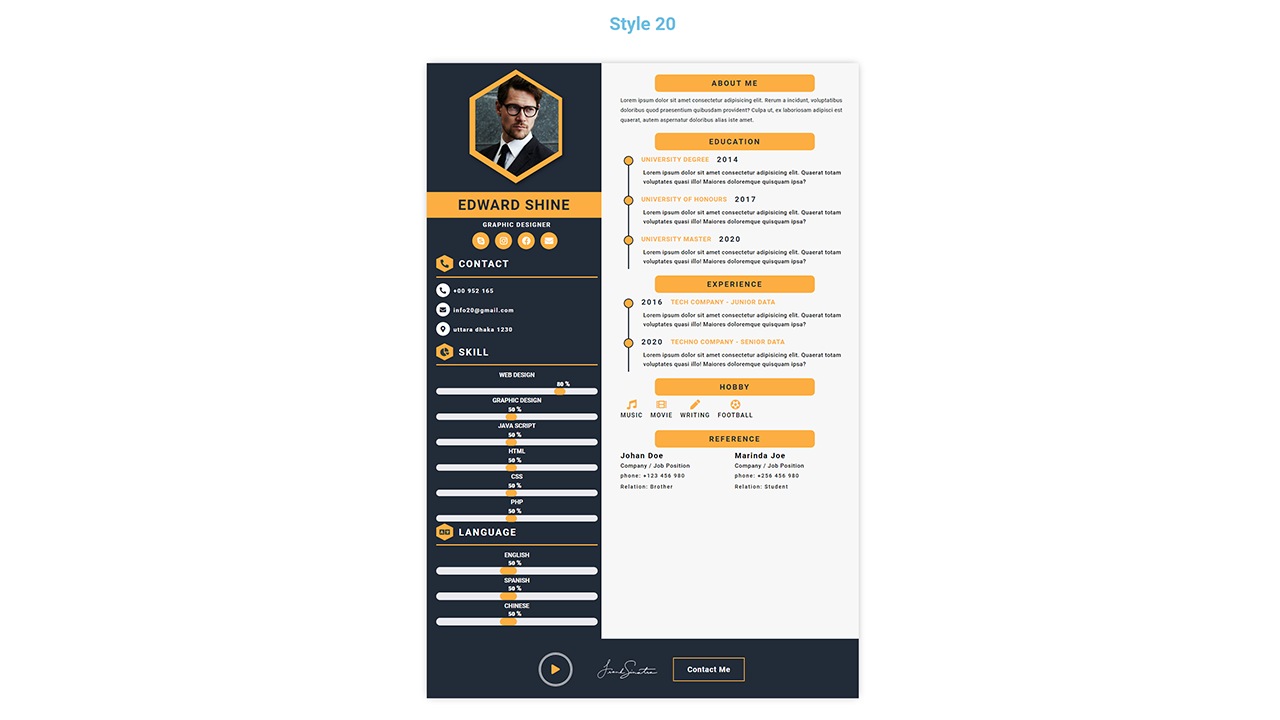
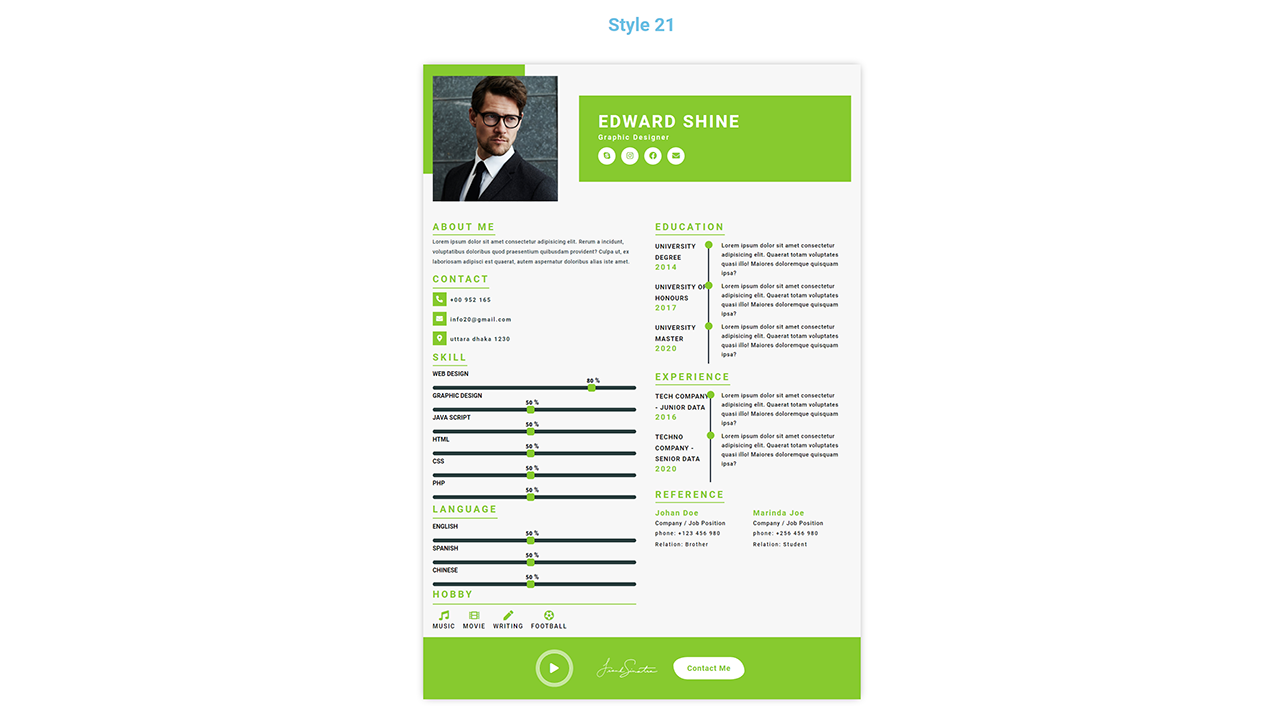
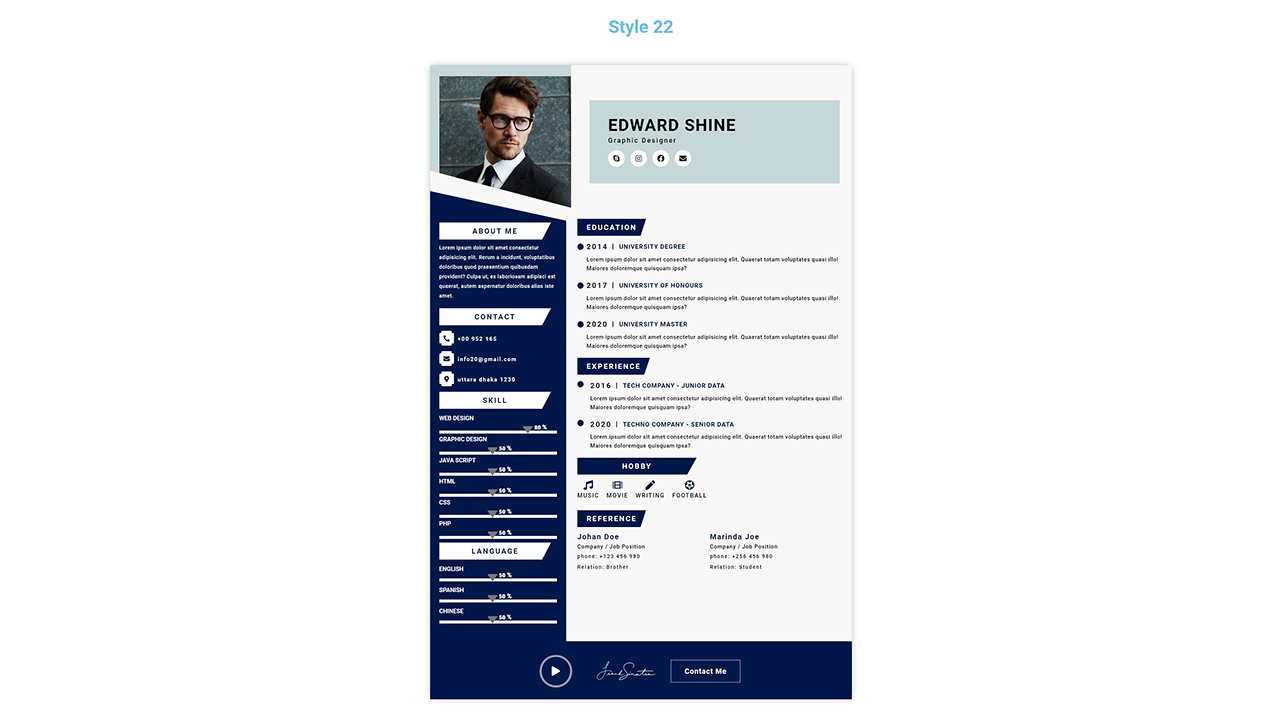
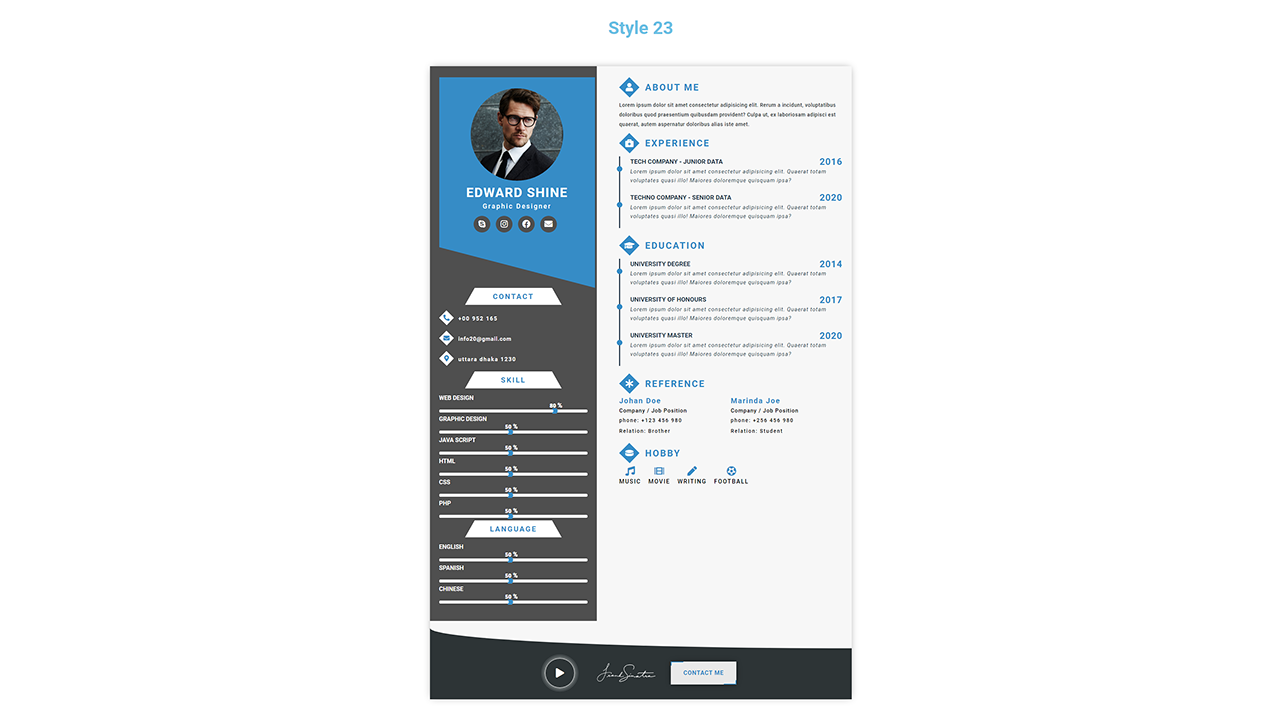
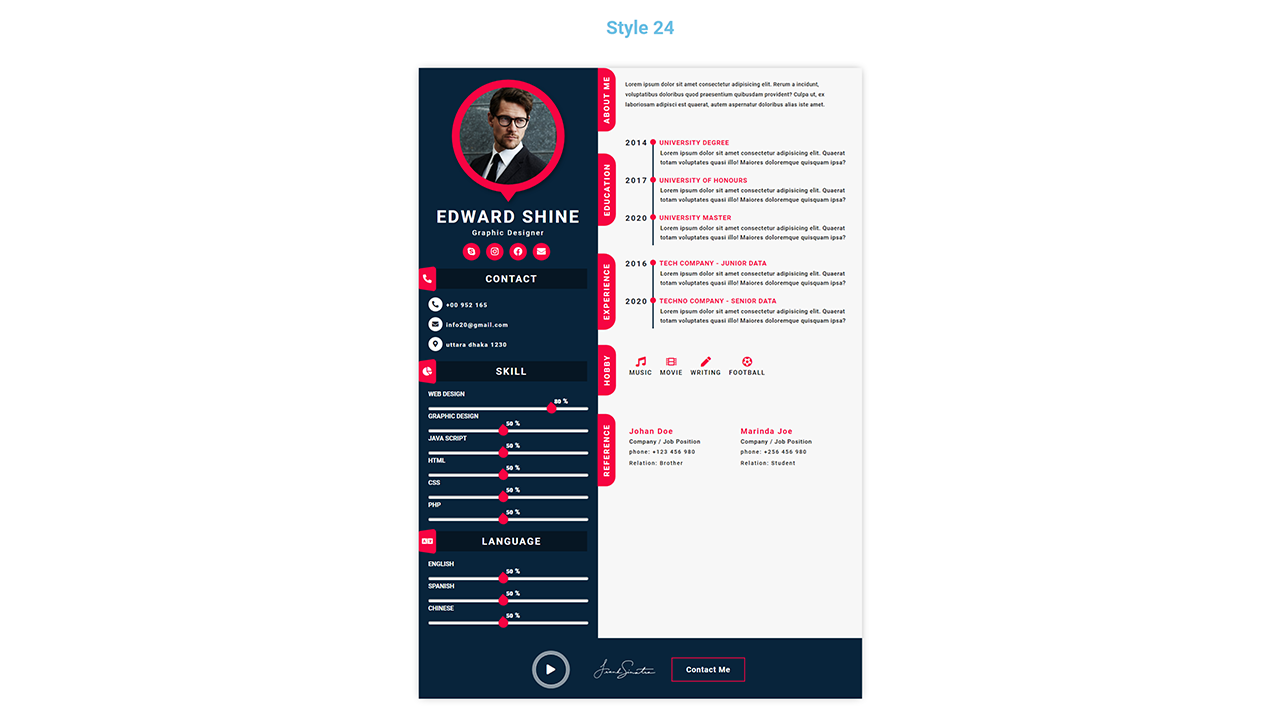
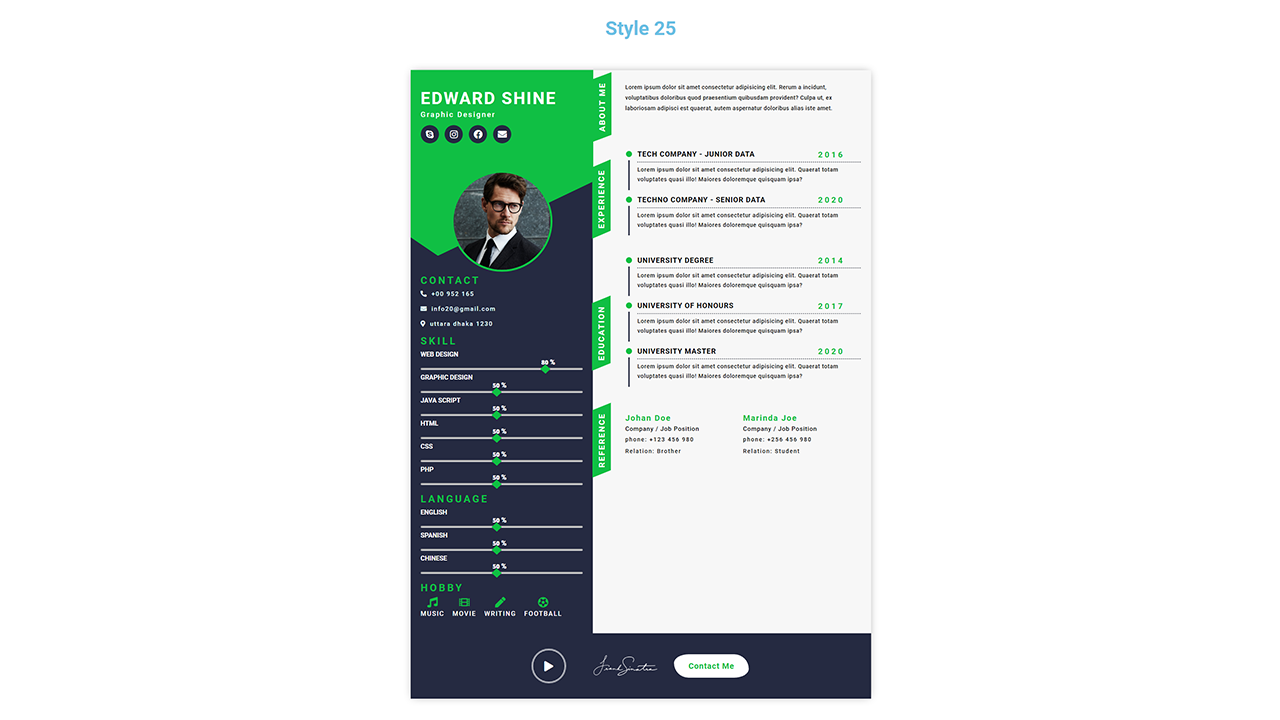
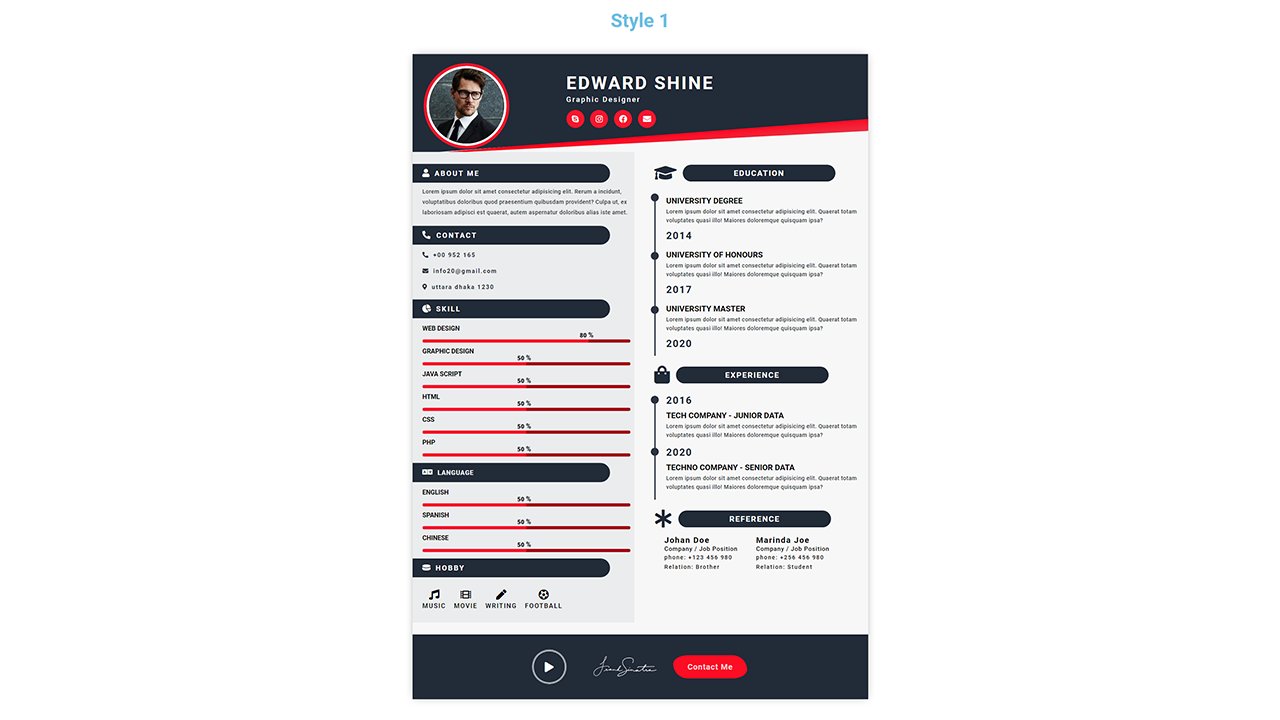
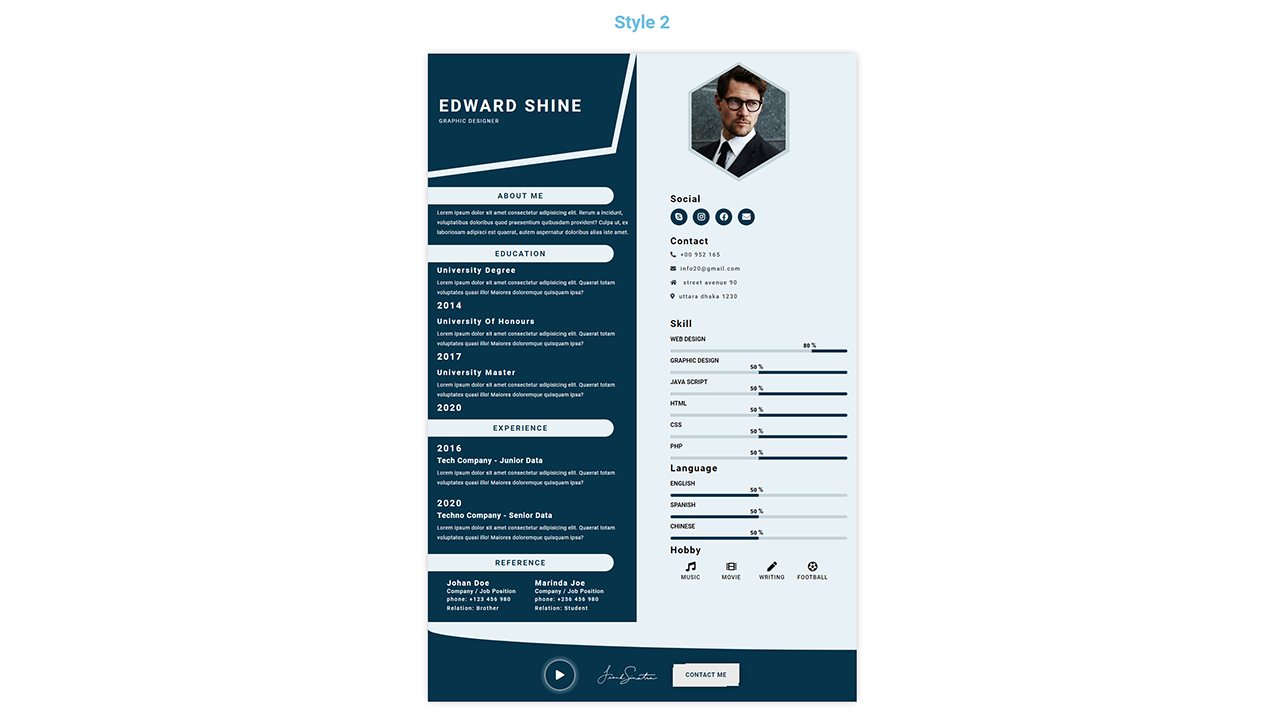
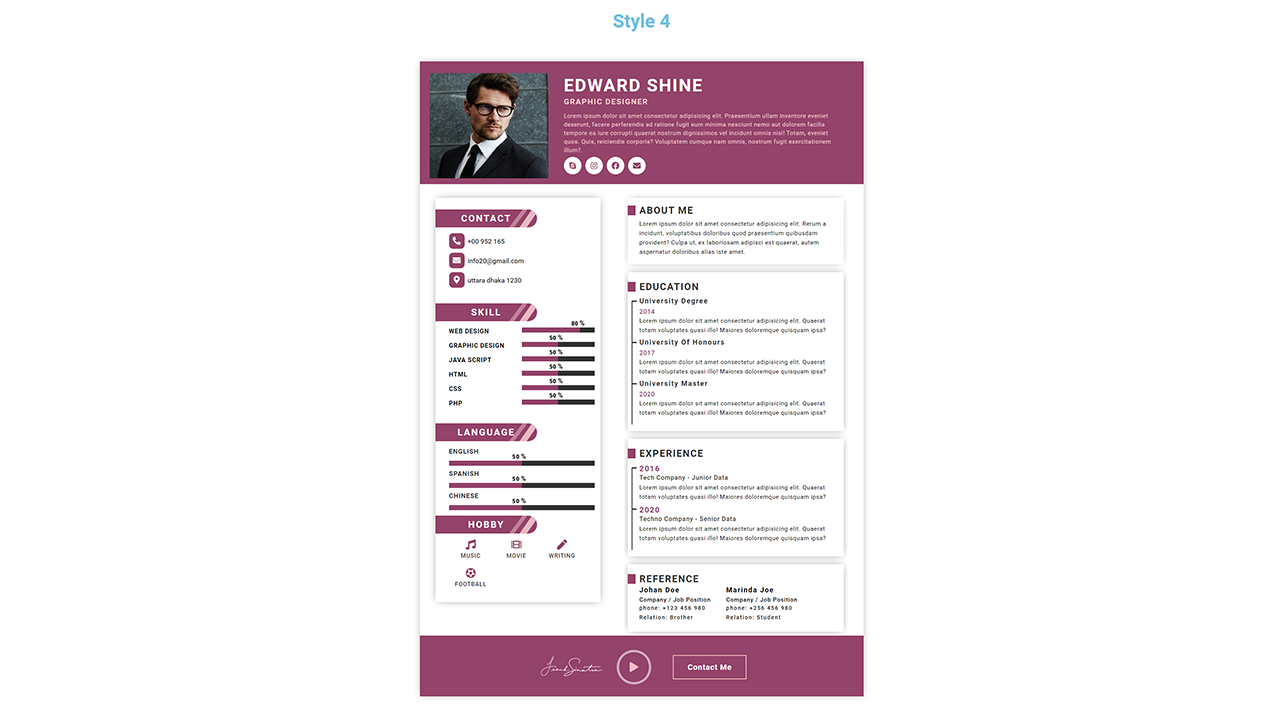
- 25 responsive CV templates with matching editor, preview, and PDF layouts.
- Front-end CV editor so registered users can create resumes without entering the WordPress dashboard.
- Gutenberg CV Builder block with editable profile, experience, education, skills, languages, references, hobbies, social links, signature, and custom sections.
- Multiple CVs per account with saved versions, restore actions, and download history.
- PDF resume export with A4 sizing, multi-page protection, transparent signatures, and stable typography.
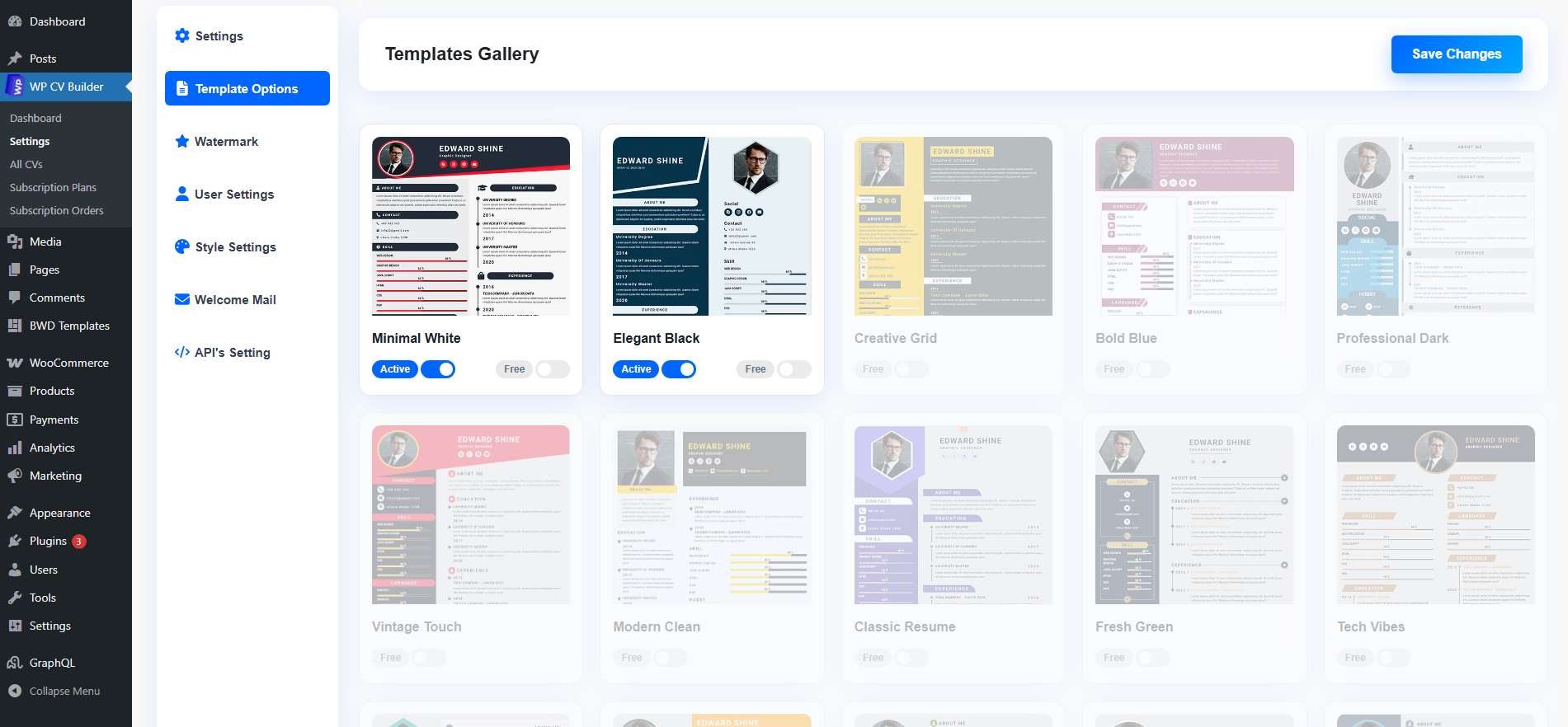
- Template gallery shortcode with Free/Pro labels and selected-template registration handoff.
- Multilingual and RTL support for Arabic and other right-to-left or translated resume content.
- Mobile-responsive editor and dashboard for creating and managing CVs on phones, tablets, and desktops.
- Secure CV share links with protected tokens and social-sharing actions.
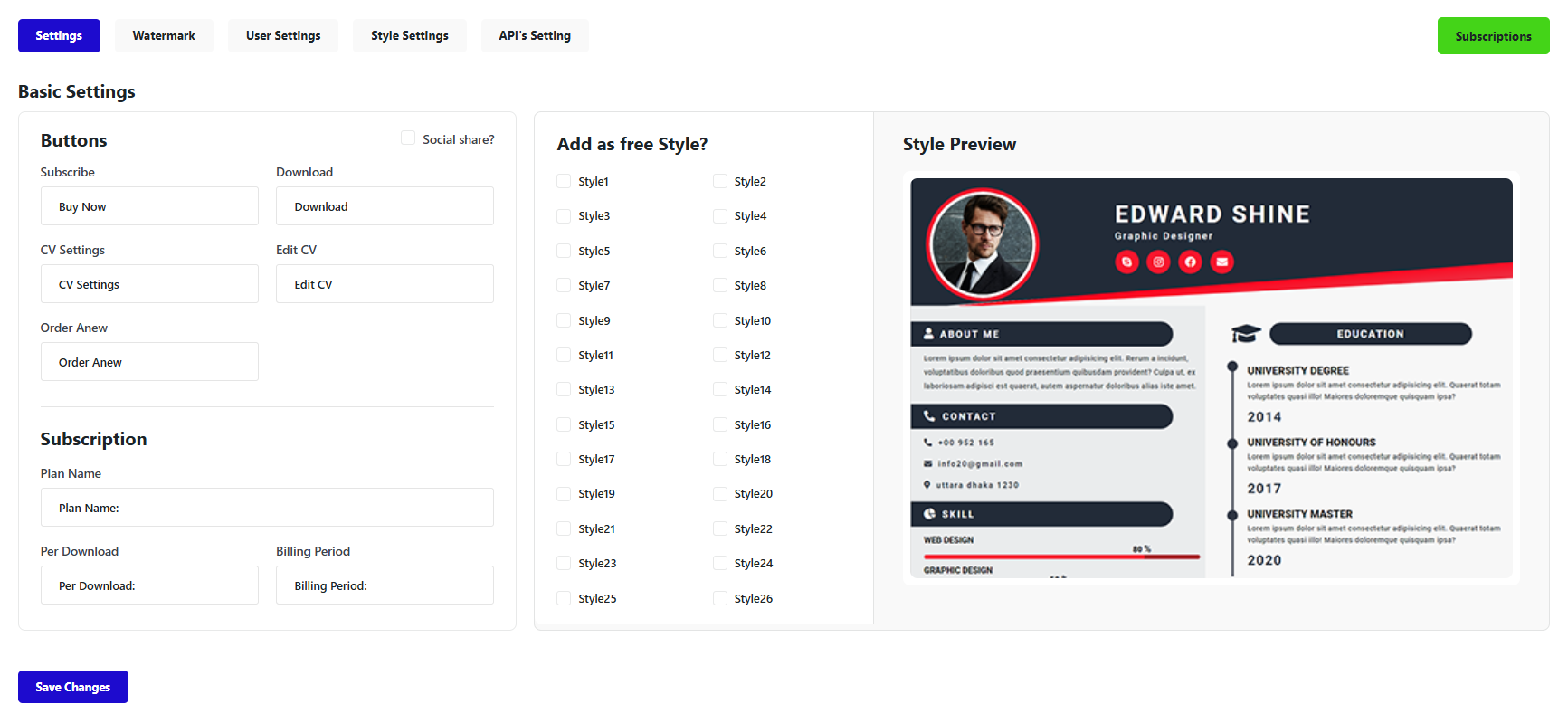
- Customize the email logo, brand name, backgrounds, colors, button styling, card radius, and footer from one screen.
- Edit the subject, heading, message, button label, and footer content for each supported transactional email.
- Preview every template and send a test email to the administrator before using it with customers.
- Brand registration, CV-created, CV-ready, employer, job-application, CV-review, password-update, subscription, renewal, and expiry emails.
- Set a per-review service price from the administrator settings.
- Require payment through an enabled WooCommerce gateway before a paid review request becomes active.
- Let customers select the exact CV they want reviewed and prevent duplicate active requests for that CV.
- Let administrators open and edit the requested CV, track its review status, and mark it ready for the client.
- Send the customer a branded reviewed-CV-ready email and provide access from the customer dashboard.
- Allow a new paid review cycle for the same CV after the previous review has been completed.
- Publish a searchable WordPress job board with a Gutenberg block or shortcode.
- Let candidates view job details and apply with a saved CV using no-reload AJAX actions.
- Show a persistent Applied state and prevent duplicate job applications.
- Allow employer registration, front-end job posting, job editing, recoverable deletion, and applicant CV previews.
- Configure free or paid employer access and optional administrator approval for submitted jobs.
- Generate job-description drafts with an administrator-configured OpenRouter model.
- Create Pay Per CV, monthly, yearly, and other CV subscription plans.
- Open enabled WooCommerce payment gateways inside focused, responsive checkout dialogs.
- Sell professional CV review services and return the completed CV to the customer dashboard.
- Enable or disable automatic completion for WP CV Builder orders, including Cash on Delivery test orders.
- Send renewal and expiry reminders and show the customer's current subscription state.
- Design branded registration, CV-ready, employer, application, review, password, and expiry emails.
- Selected-template handoff now survives registration, normal sign-in, instant signup, and configured social login redirects before opening the CV editor.
- Improved registration-page sign-in visibility with a high-contrast, theme-resistant link style that follows the live registration-card structure.
- Added polished, responsive registration and login experiences based on the WP CV Builder website design.
- Added selected-template preview, Free/Pro status, registration progress, and preserved template handoff before the CV editor opens.
- Improved accessible password controls, login states, social sign-in presentation, RTL layouts, and server-side registration validation.
- Restored accurate Style 1-25 template mapping across selection, editing, preview, and download.
- Improved template typography, social icons, skill bars, language percentages, QR sizing, signatures, and long translated headings.
- Added a protected front-end editor, unified customer workspace, employer portal, job board, applications, CV reviews, and version history.
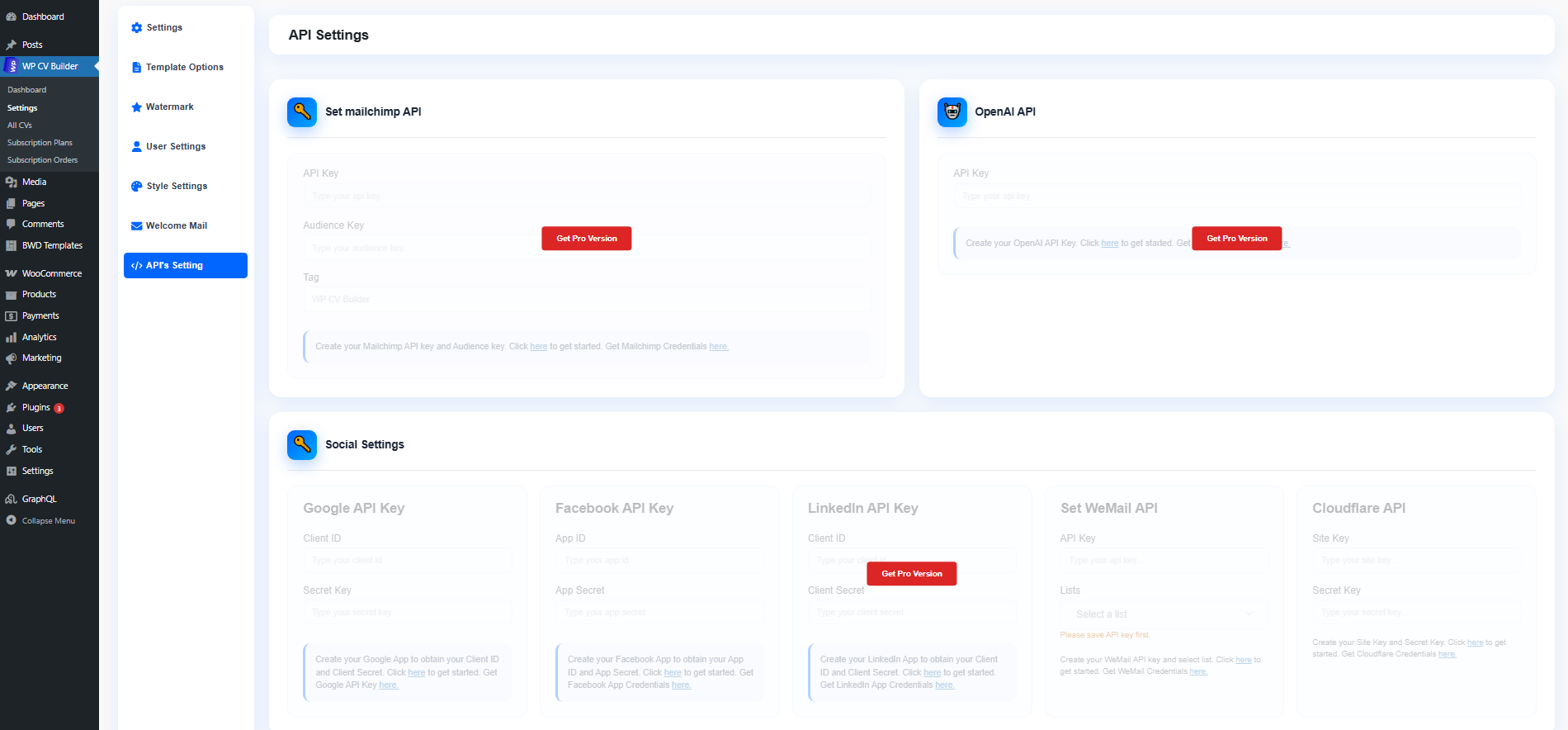
- Added OpenRouter API settings with selectable text models for supported AI writing tools.
- Added secure share tokens, safer permissions, owner checks, nonce protection, and escaped rich-text output.
- Improved embedded WooCommerce checkout, paid-access validation, download tracking, and optional order auto-completion.
- Confirmed compatibility with WordPress 7.1 and WooCommerce 11.0.
- 8 additional ATS-friendly resume templates.
- Live ATS and Europass readiness scoring while the CV is edited.
- Existing CV import for supported PDF, DOCX, text, JSON, and LinkedIn export files.
- AI-assisted About Me, cover letter, and resume-content workflows through OpenRouter.
- Additional export, template-control, monetization, and white-label options.
- OpenRouter: When an administrator saves an OpenRouter API key and a user requests AI writing, the selected model ID and relevant prompt content are sent to OpenRouter. See the OpenRouter Terms of Service and Privacy Policy.
- Google Fonts: A selected Google font may be loaded from Google Fonts in the visitor's browser. See the Google Terms of Service and Privacy Policy.
- YouTube privacy-enhanced embeds: If the administrator adds a YouTube tutorial URL, the video is embedded from
youtube-nocookie.com. See the YouTube Terms of Service and Google Privacy Policy.
安装:
- Go to Plugins > Add New in your WordPress admin
- Search for "WP CV Builder"
- Click Install Now and then Activate
- Make sure WooCommerce is installed and activated
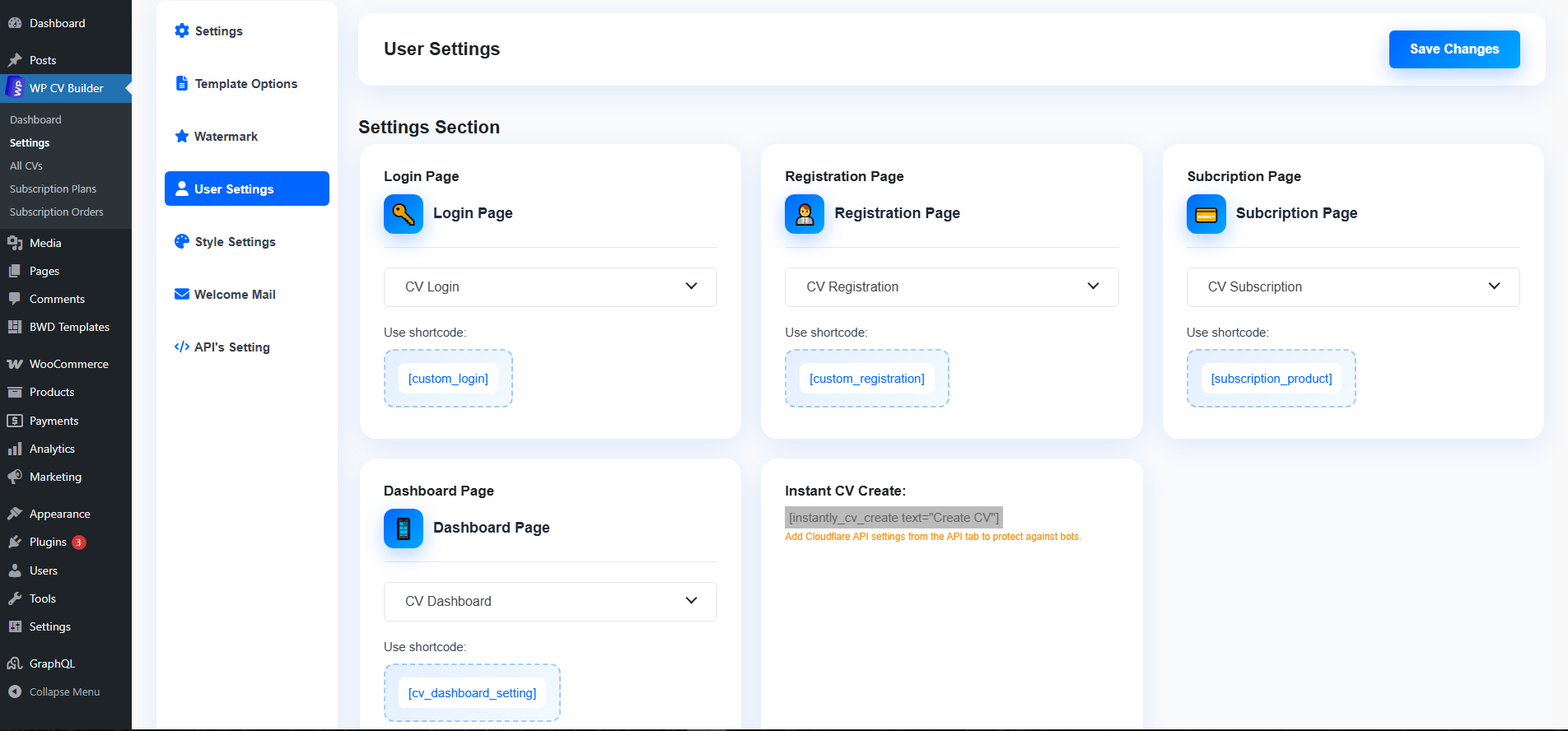
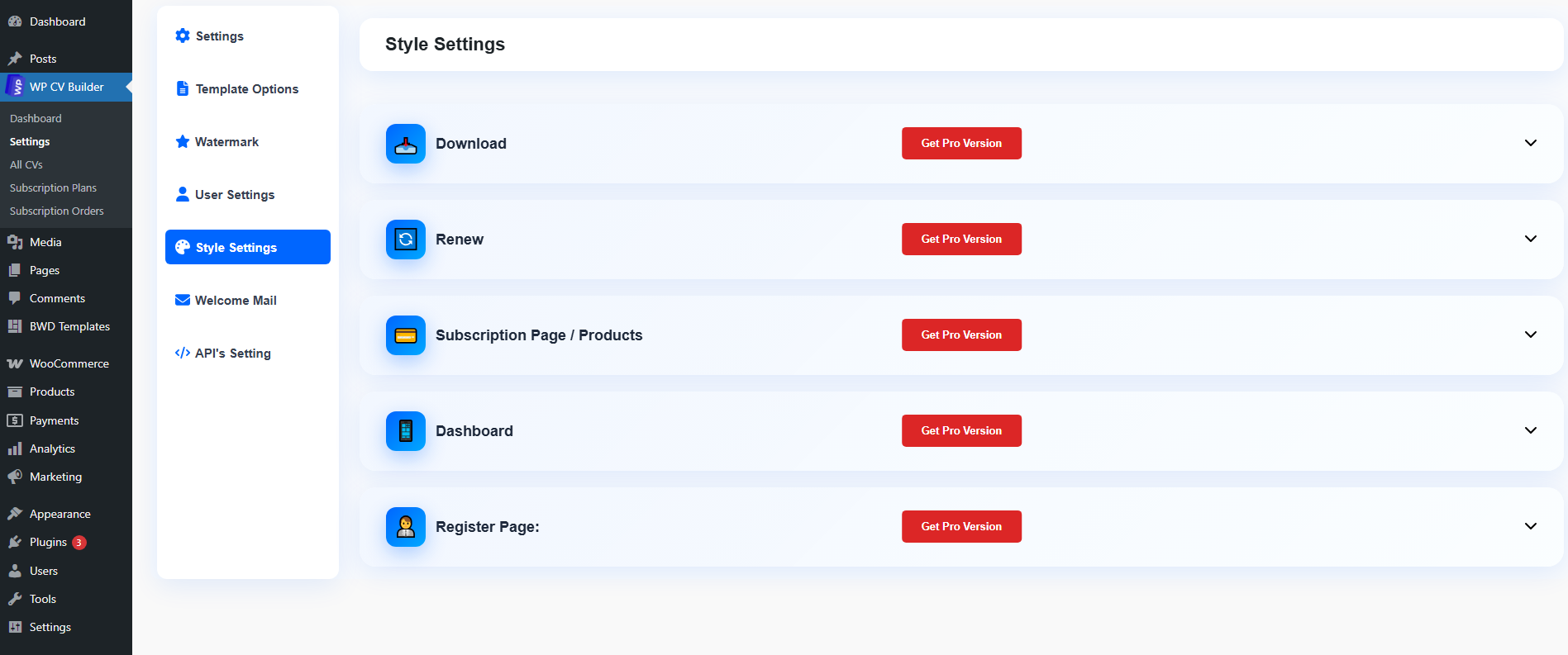
- Navigate to WP CV Builder > Settings to configure templates, pages, payments, and email options
- Download the plugin zip file
- Upload the
cv-builderfolder to/wp-content/plugins/ - Activate WP CV Builder and WooCommerce through the Plugins menu
- Open WP CV Builder > Settings and assign the required pages
- Add the CV Builder block or a supplied shortcode to the relevant front-end page
屏幕截图:







常见问题:
What is WP CV Builder SaaS, and how does it work?
WP CV Builder turns WordPress into a front-end CV and resume platform. Users register, create and manage CVs, choose templates, export resumes, apply for jobs, and access paid features according to the plans configured by the administrator.
Do I need coding or design skills?
No. Administrators configure the plugin from WordPress settings, while CV users and employers work from responsive front-end dashboards.
Can I use this on multiple websites?
The free plugin follows the GPL license. Pro activation and support limits depend on the license purchased from the WP CV Builder website.
What payment options are supported?
WP CV Builder uses enabled WooCommerce payment gateways. This can include PayPal, Stripe, Cash on Delivery, and other compatible gateways installed by the site administrator.
What's included with my purchase?
The free plugin includes the core CV builder, 25 templates, front-end workspace, job-board tools, and WooCommerce-ready workflows. Pro plans add ATS templates, scoring, import, AI assistance, and advanced business features. Check the pricing page for the current license details.
Is WooCommerce required?
Yes. WP CV Builder uses WooCommerce products, orders, and payment gateways for subscriptions, employer access, and paid CV review services.
Does the plugin support RTL languages?
Yes. The editor and templates include RTL-aware layouts for Arabic and other right-to-left languages. Translation files for multiple languages are also included.
更新日志:
- Preserved the selected homepage or gallery template through registration, normal sign-in, instant signup, and configured social sign-in redirects.
- Added a secure, short-lived template handoff cookie and cleared it after the selected CV is created.
- Redesigned Employer Registration and Employer Account screens to match the polished front-end website experience.
- Preserved native AJAX registration, account updates, free or paid employer access, translations, RTL support, and responsive layouts.
- Matched the registration sign-in contrast rule to the real front-end card markup.
- Kept the Sign in action readable against aggressive theme link styles, including visited-link overrides.
- Fixed the registration-page Sign in link contrast when themes apply stronger global link colors.
- Added a clearly visible blue pill treatment with accessible hover and keyboard-focus states.
- Added responsive, website-matched registration and login page designs that work independently of the active WordPress theme.
- Added a real selected-template preview and preserved the
bwdcv_templatevalue through registration into CV creation. - Improved account-form accessibility, mobile and RTL layouts, login states, social sign-in buttons, validation messages, and CAPTCHA verification.
- Updated the administrator Auto-complete option so Cash on Delivery CV subscription, review and employer orders also complete automatically when enabled.
- Kept automatic completion limited to WP CV Builder orders; online gateways must still report a confirmed payment.
- Fixed completed time-based subscription orders with unlimited downloads being treated as inactive.
- Retained the admin Auto-complete option for verified online CV payments while keeping Cash on Delivery orders available for manual testing.
- Prevented unpaid Cash on Delivery orders in Processing status from unlocking paid CV features.
- Added safe spacing between adjacent vertical section labels in Styles 24 and 25.
- Restored the original Style 24 and Style 25 vertical section-heading offsets in editor, preview, and PDF output.
- Prevented translated vertical headings from wrapping without overriding the native template transforms.
- Fixed Style 5 preview and export targeting so its CV canvas is detected consistently.
- Draws text signatures live with a safe default font and always renders the entered name before saving.
- Restored read-only site-entity permission discovery required by the WordPress 7.1 frontend editor canvas.
- Preserved Core Data response semantics in the private frontend site-settings fallback.
- Waits for slow editor mounts before showing the visible initialization failure state.
- Added an isolated site-settings fallback for non-administrator CV users without exposing site settings.
- Added a visible initialization failure state instead of leaving the editor on an endless loading screen.
- Keeps the selected Style 1-25 indicator aligned with the public template number after renderer mapping.
- Compacts long Style 11 competency labels to match the intended sidebar design.
- Decodes and safely renders legacy rich-text descriptions so HTML tags do not appear in previews or downloads.
- Preserves each native template's canonical section order when switching designs, preventing imported content from colliding across columns.
- Adds long-heading typography and rotated-label corrections for Styles 3–5, 13, 15, and 20–25.
- Synchronized the editor compatibility click handler with the corrected public-to-renderer template mapping.
- Added a stable public template number for Pro access controls while preserving existing stored renderer keys.
- Corrected the public Style 11-25 selector order so every thumbnail, editor canvas, preview, and export uses the matching native BWD design.
- Prevented long or translated section headings from crossing template columns and reduced oversized typography in constrained layouts.
- Restored the Style 3 social profile wrapper and capped optional QR codes so they do not cover CV content.
- Kept the live ATS score in the frontend editor header instead of over the resume canvas.
- Restores editable Skill and Language percentage fields when imported template data omitted them.
- Normalizes invalid percentage values and animates progress bars without showing NaN.
- Loads the complete native Style 1-25 parity layer inside the front-end CV editor canvas as well as admin and public previews.
- Enforces stylesheet dependency order so generated block CSS cannot override the restored native designs.
- Restored the complete native Style 1-25 design layer to match the BWD Elementor CV Builder layouts in editor, preview, and export views.
- Removed temporary Style 3 and Style 5 overrides that changed the original image and social-icon presentation.
- Ensured Style 3/5 compatibility CSS loads inside the iframed CV editor canvas as well as previews and exports.
- Fixed native template selection so editor, preview, and download keep the selected style.
- Corrected Style 11-25 preview thumbnails and Style 3/5 media presentation.
- Added focused, loading-aware embedded WooCommerce checkout dialogs without WordPress admin chrome.
- Improved Pro template section handoff compatibility.
- New: Employers can generate a complete job-description draft from the frontend workspace using the administrator-selected OpenRouter model.
- Improved: AI job writing uses the saved server-side API key, matches the employer's language, updates without a page reload, and includes rate limiting and clear status feedback.
- New: Administrator-controlled automatic publication for Employer Workspace job submissions.
- New: Branded applicant-confirmation and employer-notification emails with editable Email Designer templates.
- Improved: Wider Employer Workspace layout and clearer verified online payment auto-completion settings; Cash on Delivery remains Processing until manually completed.
- Fixed: Generic blog-published notifications are suppressed for internal job applications.
- New: Copy a generated or manually edited cover letter to the clipboard with clear success feedback.
- Fix: Front-end employer job submissions and edits remain pending approval for all accounts, including administrators. Publishing from the admin Jobs screen remains an explicit action.
- New: Protected frontend CV editor using the existing editor controls, without WordPress dashboard navigation.
- New: Frontend employer workspace with own-job editing, recoverable trash, and submitted CV previews.
- New: Configurable free or paid employer registration with verified WooCommerce payment access.
- Improved: Separate customer dashboard tabs, consistent styling, and accessible navigation.
- Fixed: Review payment reuse, unpaid-order completion, expired-job applications, and CV version restoration.
- Prevented unrelated Jetpack editor extensions and their dependent scripts from loading in CV, template and job editors while preserving other WordPress screens.
- Clarified the test-email confirmation to report sending without claiming inbox delivery.
- Fixed paid Cover Letter entitlement by using the shared active-subscription check.
- Opened WooCommerce subscription checkout inside a responsive payment dialog.
- Added CV Workspace shortcuts to the customer dashboard sidebar.
- Added repeatable paid-review cycles after an administrator completes a review.
- Added Email Designer logo selection and aligned WooCommerce email branding.
- Removed legacy WooCommerce/Codens promotional footer copy from CV order emails.
- Added Save Current Changes as New for administrator-built templates.
- Fixed administrator Job publishing permissions and reduced editor UI scan overhead.
- Adds a complete paid CV-review workflow with admin preview/edit actions, In Progress state, and a Mark Ready for Client handoff.
- Sends the customer a customizable branded email when the reviewed CV is ready and shows the live status in the customer dashboard.
- Opens enabled WooCommerce payment methods inside the review popup, with a secure new-tab checkout fallback.
- Adds a centralized Email Designer with shared branding, per-email content, color overrides, previews, and test-email controls.
- Makes registration, CV-ready, employer, paid-review, password-update, and plan-expiry messages use their saved templates.
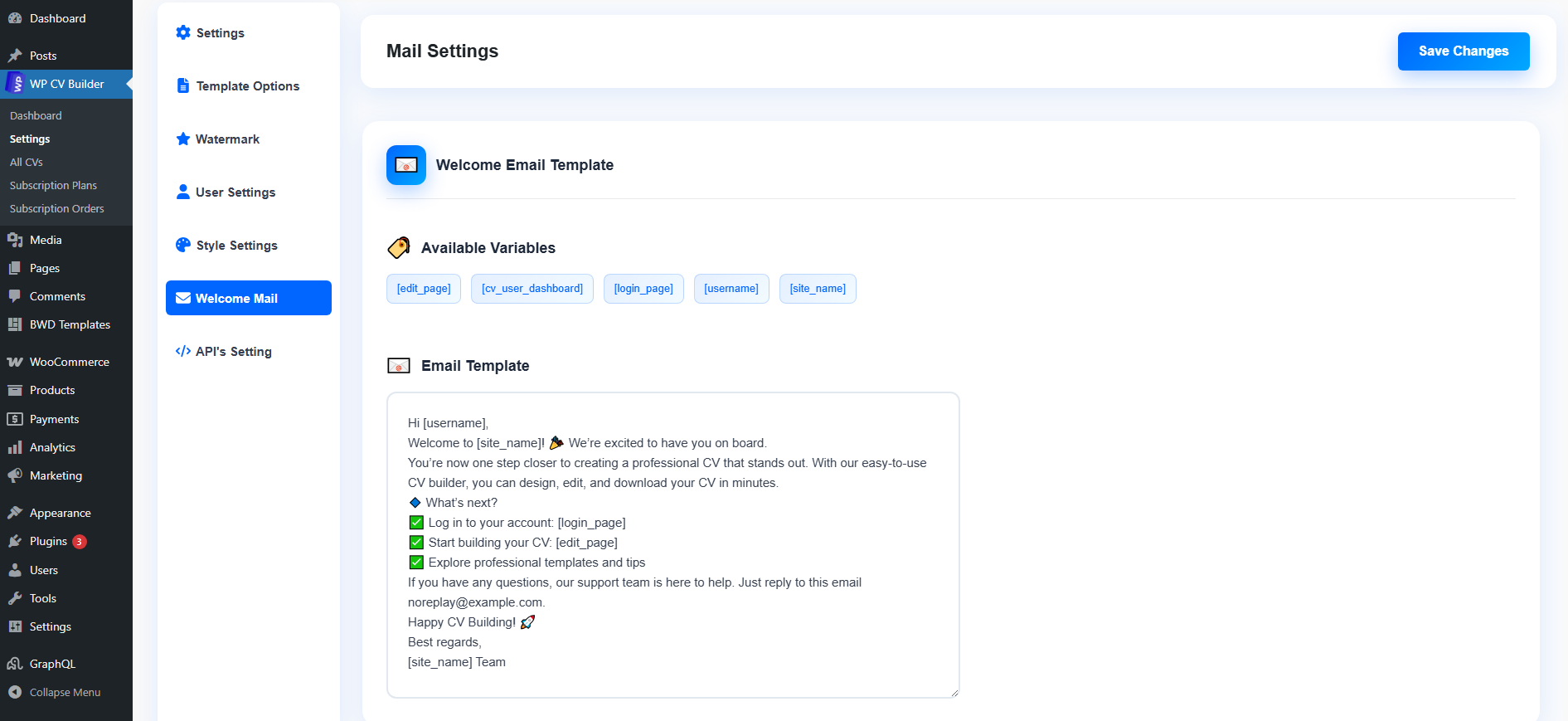
- Preserves existing welcome-email copy during migration and links the legacy Mail Settings tab to the new designer.
- Replaces generic blog-published notices for CVs with a responsive, branded CV-ready email.
- Gives registration, employer, review, profile-security, and expiry notifications one image-independent email layout.
- Prevents legacy expiry events from sending duplicate reminders and preserves line breaks in editable welcome-email copy.
- Shows a clear saved-key status without exposing the OpenRouter secret.
- Adds a cached, automatically refreshed OpenRouter text-model selector to both admin settings screens.
- Keeps OpenRouter configuration editable by administrators without a separate feature-license gate.
- Applies the selected ATS template's own Free/Pro switch during front-end downloads instead of inheriting its native base style's tier.
- Replaces legacy OpenAI configuration with one server-side OpenRouter key and selectable model ID.
- Makes every native and ATS template's Active/Inactive and Free/Pro admin switches authoritative in galleries, editing, creation, and downloads.
- Fixes template-setting saves and the subscription-page title border-width setting.
- Opens the exact CV being edited with its owner token, including an administrator editing a user's second or later CV.
- Makes CV-specific save announcements safe across parent and iframe documents.
- Removes late Jetpack and WordPress.com editor scripts only from CV editing to prevent duplicate-store errors and connection prompts.
- Replaces every editor save announcement with CV-specific wording.
- Restores a usable responsive CV editor and proportionally fitted mobile CV previews.
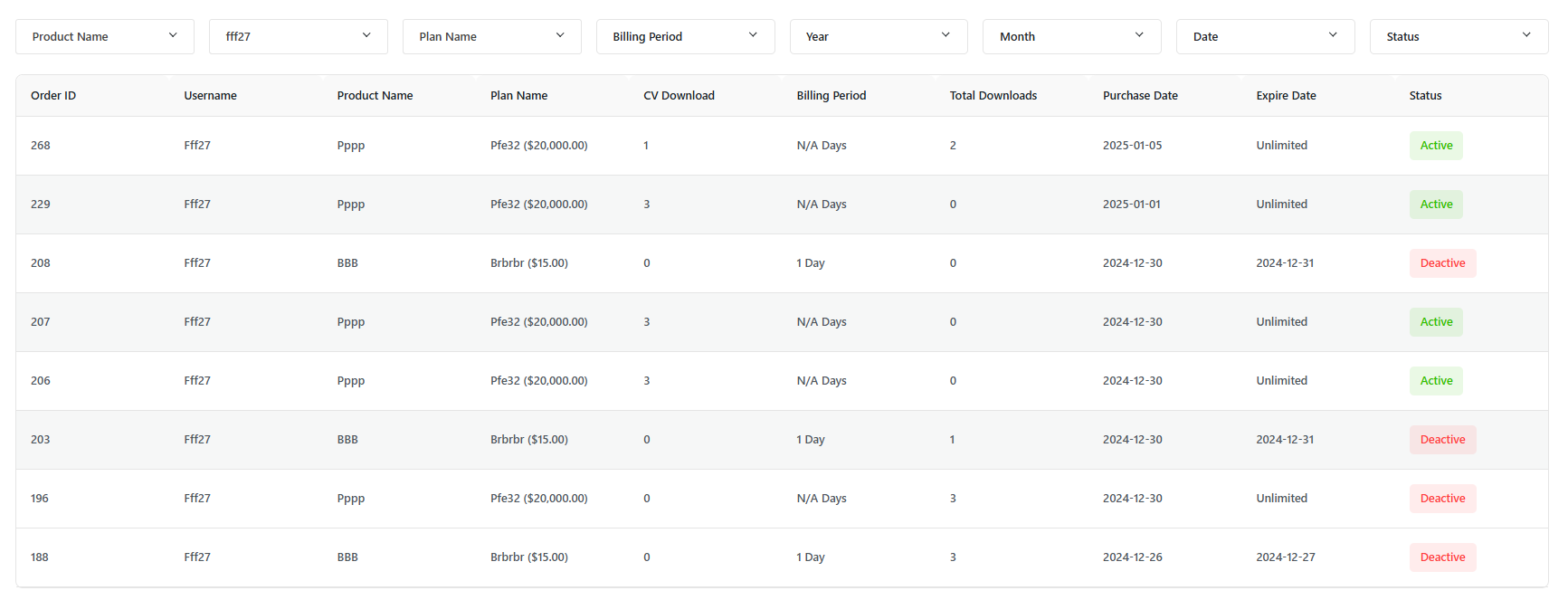
- Records each successful export once and shows real export history in the Download tab.
- Normalizes CV subscription plans as checkout-compatible virtual WooCommerce products.
- Adds structured job details and removes unrelated WordPress.com editor extensions from CV editing.
- Improves saved-signature delivery and customer dashboard responsiveness.
- Kept the selected CV template and its serialized data consistent across the editor, frontend preview, and downloads.
- Ensured site administrators can access all built-in and Pro templates in the unified user-style CV editor.
- Keeps all 28 native presets visible when an administrator uses the customer-style CV workspace.
- Gives administrators the same focused CV editing workspace used by CV customers while retaining administrator capabilities.
- Replaces the generic Post updated notice with CV updated in both visible and accessible editor text.
- Loads one canonical CV editor bundle so current template controls cannot be shadowed by a stale duplicate script.
- Uses the release version as the editor asset cache key.
- Restores all 28 built-in CV templates in the administrator preset picker while retaining Pro templates 29-36.
- Updates the Job Board block to the current WordPress block API version.
- Adds no-reload AJAX job applications with persistent Applied states and duplicate protection.
- Adds a responsive CV Job Board block alongside the existing shortcode.
- Adds server-side OpenRouter configuration for AI About Me writing, including administrator model selection.
- Adds paid CV-review checkout return states, visible renewal status, and per-user download history.
- Improves the responsive job board and review-payment experience.
- Improves employer job posting with labelled, responsive fields and an explicit application deadline.
- Uses the native Job Details sidebar in the block editor without duplicating the legacy meta box.
- Adds REST-backed Job Details controls to the block editor and completes custom administrator and employer job capabilities.
- Saves company, location, and job type from the front-end employer posting form.
- Removes the bundled white signature placeholder from editor, preview, and export output while retaining real saved signatures.
- Restores a direct Edit CV action for administrators and other users who can edit the CV.
- Shows CV-specific update notices in the focused editor without mutating React-owned content.
- Hides unrelated editor promotions without removing React-managed nodes, preventing selection crashes.
- Uses WordPress standard object-capability mapping for legacy CV and Job records.
- Covers custom CV and job meta capabilities used by WordPress list and REST screens.
- Restores admin editing for legacy authorless CVs and jobs in the block editor.
- Ensures administrators retain full CV and job editing permissions after an in-place update.
- Kept the selected template synchronized across the editor, saved preview, dashboard and downloads.
- Added one-click WooCommerce checkout for subscription plans and paid CV reviews.
- Added complete employer job fields, job details, applications and admin CV links.
- Unified CV Workspace modules inside the main user dashboard and improved menu visibility.
- Reused each user's saved signature in CV rendering and downloads.
- Gave administrators the same focused CV editor used by CV customers.
- Added Templates 26, 27, and 28 to the shared gallery and Assistant catalog with Pro subscription gating.
- Fixed Reference Name Color and related repeater color controls causing a Gutenberg block preview error.
- Updated the editor script cache key so the repaired controls load immediately after upgrade.
- Prevented the bundled demo signature from becoming an opaque white rectangle in downloaded PDFs.
- Kept real customer signature images transparent during PDF capture.
- Fixed a critical error that could occur after guest registration before the CV post type was ready.
- Hardened registration redirects and optional email marketing integrations.
- Improved missing-page-option handling in welcome emails.
- Fixed a signature-selector click handler conflict that could interrupt Pro file downloads on CV pages.
- Standardized generated PDFs on A4 page dimensions for consistent CV and resume exports.
- Fixed CV previews becoming double-scaled and unreadably narrow on phones.
- Improved responsive sizing for Free and Pro template previews without changing export dimensions.
- Administrators can create CVs from the front-end registration and account workflow.
- Added multiple CVs per account, bounded version history, and restore actions.
- Added a responsive template gallery with Free/Pro tags and selected-template registration handoff.
- Added employer registration, job posting, a searchable job board, and one-click CV applications.
- Added tutorial video, manual CV review request, renewal preference, and expiry reminder settings.
- Improved mobile account/dashboard presentation and preserved the full WordPress toolbar for administrators.
- Added WordPress 7.1 compatibility metadata.
- Verified compatibility with WordPress 7.1 and WooCommerce 11.0.
- Corrected the minimum WordPress and PHP requirements to match the codebase.
- Fixed version comparisons, WooCommerce detection, and an admin screen edge case.
- Added CSRF protection to registration, profile, settings, social login, and the AI cover-letter action.
- Fixed AI cover-letter email handling and escaped generated output.
- Restricted subscription download updates to the order owner or store managers.
- Replaced bundled WordPress core jQuery with the registered core script.
- Replaced the expired New Year promotion with the Special Deal offer.
- Fixed reported issues.
- Improved compatibility and stability.
- Minor enhancements and optimizations.
- Minor issue resolved
- Improved small fixes and optimizations
- Minor issue resolved
- improvements
- fix: Small bug
- Security fix: Added capability check and nonce verification
- Fixed wp.org review issues
- Fixed WP.org review issues
- Bug fixes and improvements
- Bug fixes and improvements
- Bug fixes and improvements
- Added Greek translation (el)
- 🎨 Updated screenshot descriptions for better clarity
- 📝 Enhanced readme.txt formatting and documentation
- 🚀 MAJOR UPDATE: Migrated from Elementor to Gutenberg blocks for lightning-fast performance
- ⚡ Enhanced block editor integration for better user experience
- 🔧 Improved overall plugin stability and speed
- 🚫 Removed unnecessary admin notices for cleaner dashboard experience
- 🐛 Minor bug fixes and performance improvements
- ⚡ Updated features and enhanced performance optimizations
- 🔧 Improved user interface elements
- 🎉 BIG RELEASE: Added Pro subscription functionality with full monetization features
- 💰 Integrated PayPal payment system for SaaS capabilities
- 📈 Added marketing tools and analytics
- 🐛 Fixed various plugin compatibility issues
- 🔧 Resolved conflicts with popular themes
- 💫 Improved overall user experience and interface
- ⚡ Enhanced loading speeds and performance
- 🎊 INITIAL LAUNCH: Core resume-building functionality released
- 👤 Added customizable profile image and personal information sections
- 💼 Implemented work experience and education modules
- 📄 PDF export functionality included