DaazMarkets — Global Market Prices
| 开发者 | daazlabs |
|---|---|
| 更新时间 | 2026年7月22日 02:49 |
| PHP版本: | 7.4 及以上 |
| WordPress版本: | 7.0 |
| 版权: | GPLv2 or later |
| 版权网址: | 版权信息 |
详情介绍:
- Financial news websites
- Crypto blogs and portfolios
- Investment education sites
- Trading communities
- Business intelligence dashboards
- Prices from CoinGecko API
- Display Bitcoin, Ethereum, Solana and 10,000+ cryptocurrencies
- 24-hour volume and price change percentage
- Cached via WordPress transients Stock Market Data
- US stocks, commodities, and ETFs via EODHD or alternative providers
- Bitcoin miner stocks (MARA, RIOT, CLSK, etc.)
- Gold (GC.US), Silver (SI.US), Oil and more
- Crypto ETFs (IBIT, ETHA, BSOL) Bitcoin Treasuries
- Top companies holding Bitcoin
- MicroStrategy, Tesla, Marathon Digital, and more
- USD valuations
- Company market cap data Easy Integration
- Simple shortcodes - no coding required
- WordPress widgets for sidebars
- Compatible with page builders (Elementor, Gutenberg)
- Responsive mobile-friendly tables Developer Friendly
- Clean, documented code
- WordPress coding standards
- Hooks and filters for customization
- Translation-ready (i18n)
- Portuguese (PT-PT) included
[daaz_gmp_crypto coins="bitcoin,ethereum,solana"]
Display cryptocurrency prices, volume, and 24h change.
[daaz_gmp_commodities symbols="GC.US,SI.US"]
Show commodity prices like Gold and Silver.
[daaz_gmp_etfs symbols="IBIT.US,ETHA.US,BSOL.US"]
Display crypto ETF prices and volumes.
[daaz_gmp_etf_volumes btc_symbols="ALL" eth_symbols="ALL" days="30" display="combined"]
Display ETF historical volume tables by asset group.
[daaz_gmp_miners symbols="MARA,RIOT" display="cards"]
Bitcoin mining company stock prices and holdings.
[daaz_gmp_treasuries limit="10" display="table"]
Top companies with Bitcoin treasury holdings.
[daaz_gmp_btc_treasuries limit="10" source="coingecko"]
Alternative BTC treasuries shortcode.
[daaz_gmp_forex pairs="EUR/USD,GBP/USD" display="cards"]
Foreign exchange rates for currency pairs.
[daaz_gmp_markets symbols="AAPL.US,MSFT.US" display="cards"]
Stock market quotes.
[daaz_gmp_charts coin="bitcoin" days="30" width="100%" height="300"]
Historical price chart using Chart.js.
[daaz_gmp_sparkline coin="bitcoin" days="7" width="100" height="30"]
Render a compact inline sparkline. Attributes:
label— optional label text shown next to the sparkline (defaults to coin name).show_value—1to show the last price next to the label (formatted, e.g.$12,345.67).label_pos— position of the label relative to the sparkline:left|right|top.label_class— additional CSS class(es) applied to the label container.align— alignment helper for inline usage:left|center|right.tooltip—true|falseto enable hover tooltip for the sparkline.
- CoinGecko
- CoinPaprika
- CoinMarketCap
- CoinCap
- Custom API support Stocks & Commodities:
- EOD Historical Data
- Alpha Vantage
- Twelve Data
- Custom provider support Each provider requires your own personal API key. Free keys are available directly from each provider — links are included in the plugin settings pages.
- WordPress 5.8 or higher
- PHP 7.4 or higher
- cURL enabled (for API requests)
- WordPress transients enabled (for caching)
安装:
- Log in to your WordPress admin panel
- Go to Plugins > Add New
- Search for "DaazMarkets"
- Click "Install Now" and then "Activate"
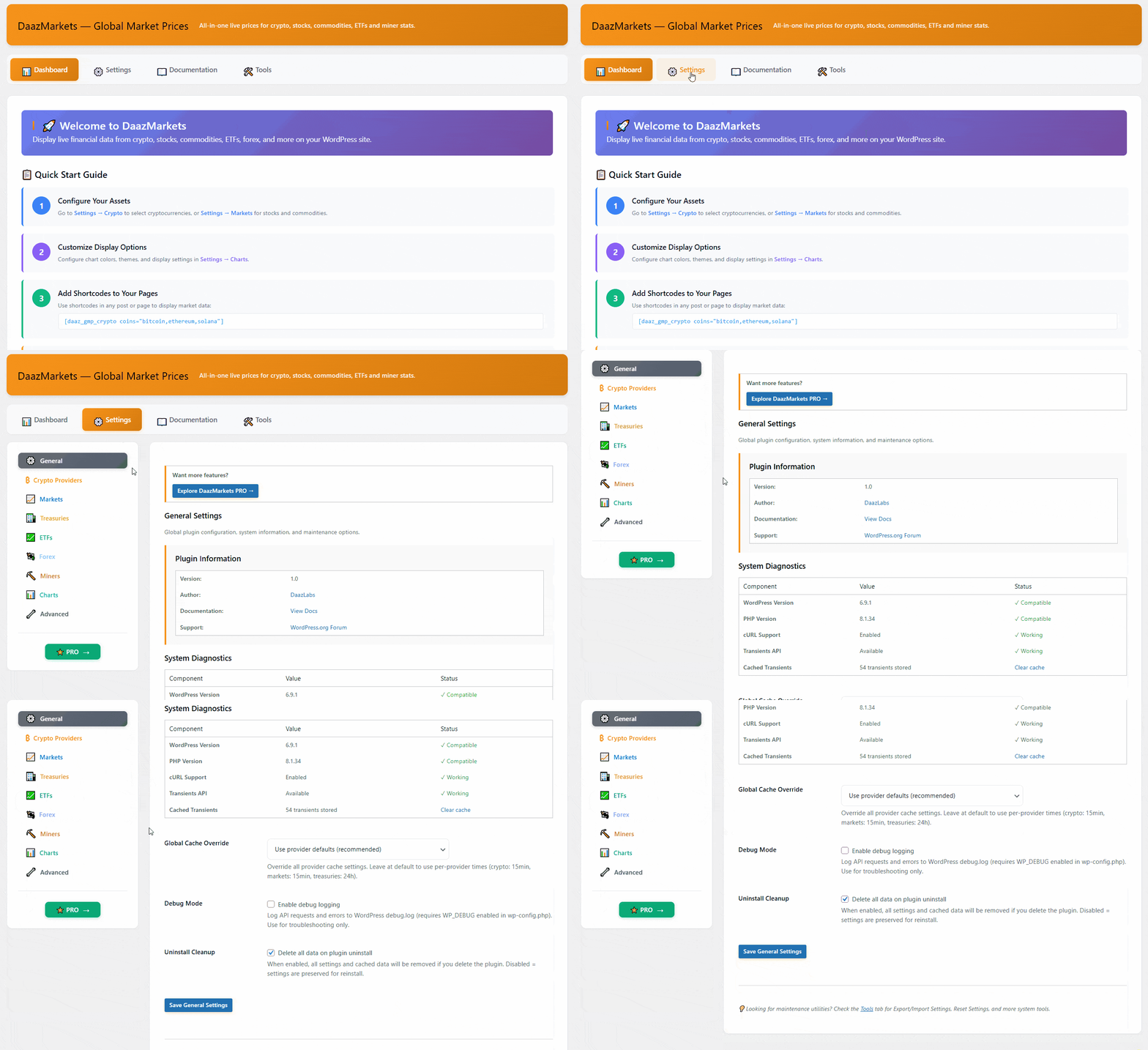
- Navigate to "Global Market Prices" in your admin menu
- Go to Settings and register your API keys (free keys from each provider)
- Download the plugin ZIP file
- Log in to WordPress admin
- Go to Plugins > Add New > Upload Plugin
- Choose the ZIP file and click "Install Now"
- Activate the plugin
- Go to Global Market Prices > Settings to configure
- After activation, go to Global Market Prices > Settings
- Register your CoinGecko API key in the Crypto Providers tab (free at coingecko.com)
- Register your EODHD API key in the Markets tab (free at eodhistoricaldata.com)
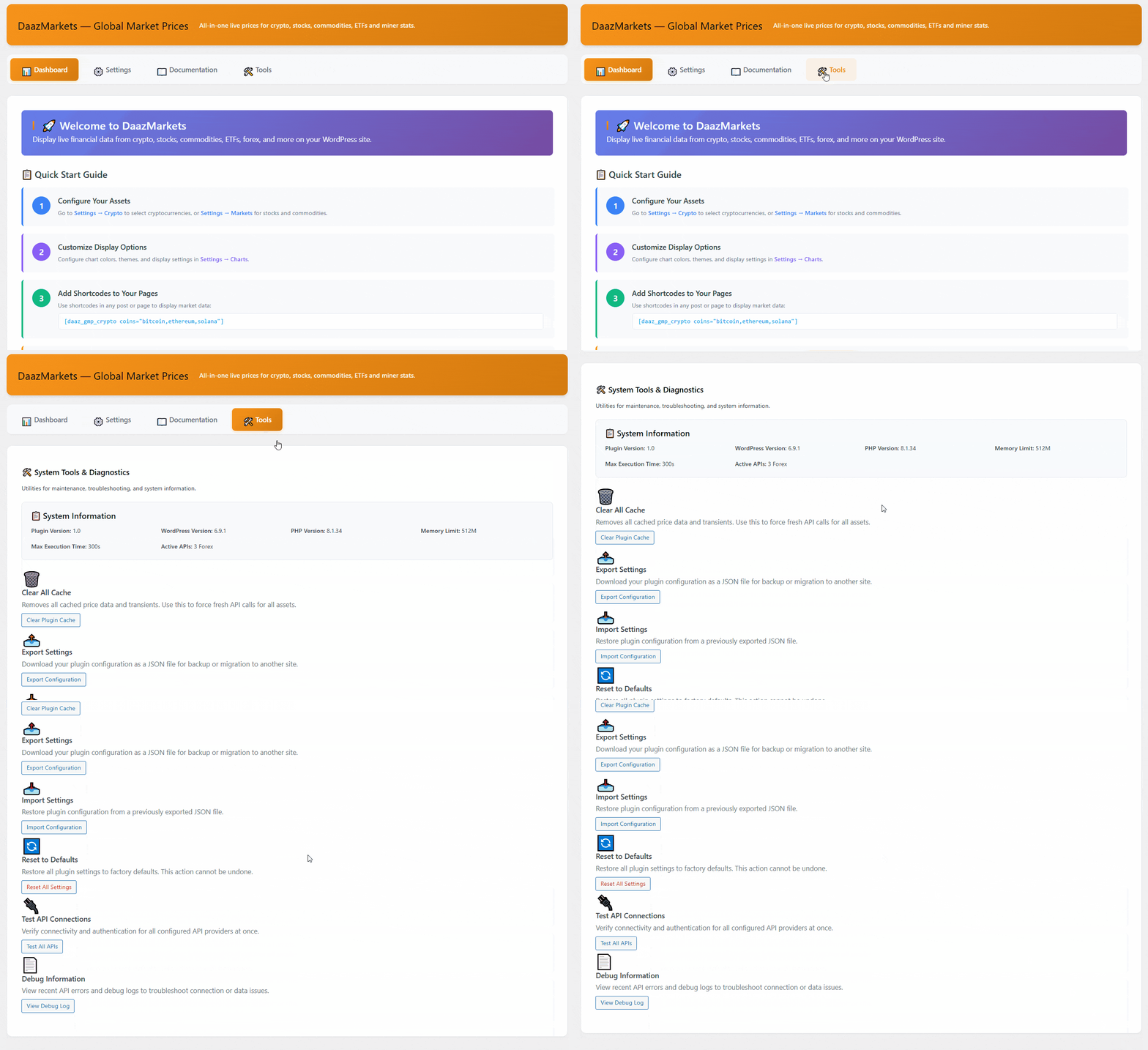
- Test connections using the "Test connection" buttons
- Create a new page or post
- Insert shortcode:
[daaz_gmp_crypto coins="bitcoin,ethereum"] - Publish and view your live prices!
屏幕截图:
常见问题:
Do I need API keys?
Yes. Each provider requires you to register your own personal API key. Free keys are available from each provider — the plugin settings pages include direct links to the registration pages. Without a valid API key, the provider will refuse requests.
How often do prices update?
Prices update according to the cache duration configured in plugin Settings (default: varies by data type, minimum 5 minutes).
Which cryptocurrencies are supported?
Over 10,000 cryptocurrencies via CoinGecko API. Use the coin ID (e.g., "bitcoin", "ethereum", "solana"). Find coin IDs on CoinGecko.
Is it compatible with my theme?
Yes, the plugin works with any properly coded WordPress theme. Tested with Astra, GeneratePress, OceanWP, and Twenty Twenty-Four. Uses standard WordPress table markup with responsive CSS.
Does it work with page builders?
Yes! Shortcodes work in:
- Gutenberg blocks
- Elementor (shortcode widget)
- WPBakery
- Beaver Builder
- Divi (code module)
How do I get support?
Use the WordPress.org Support Forum.
Where can I read the full documentation?
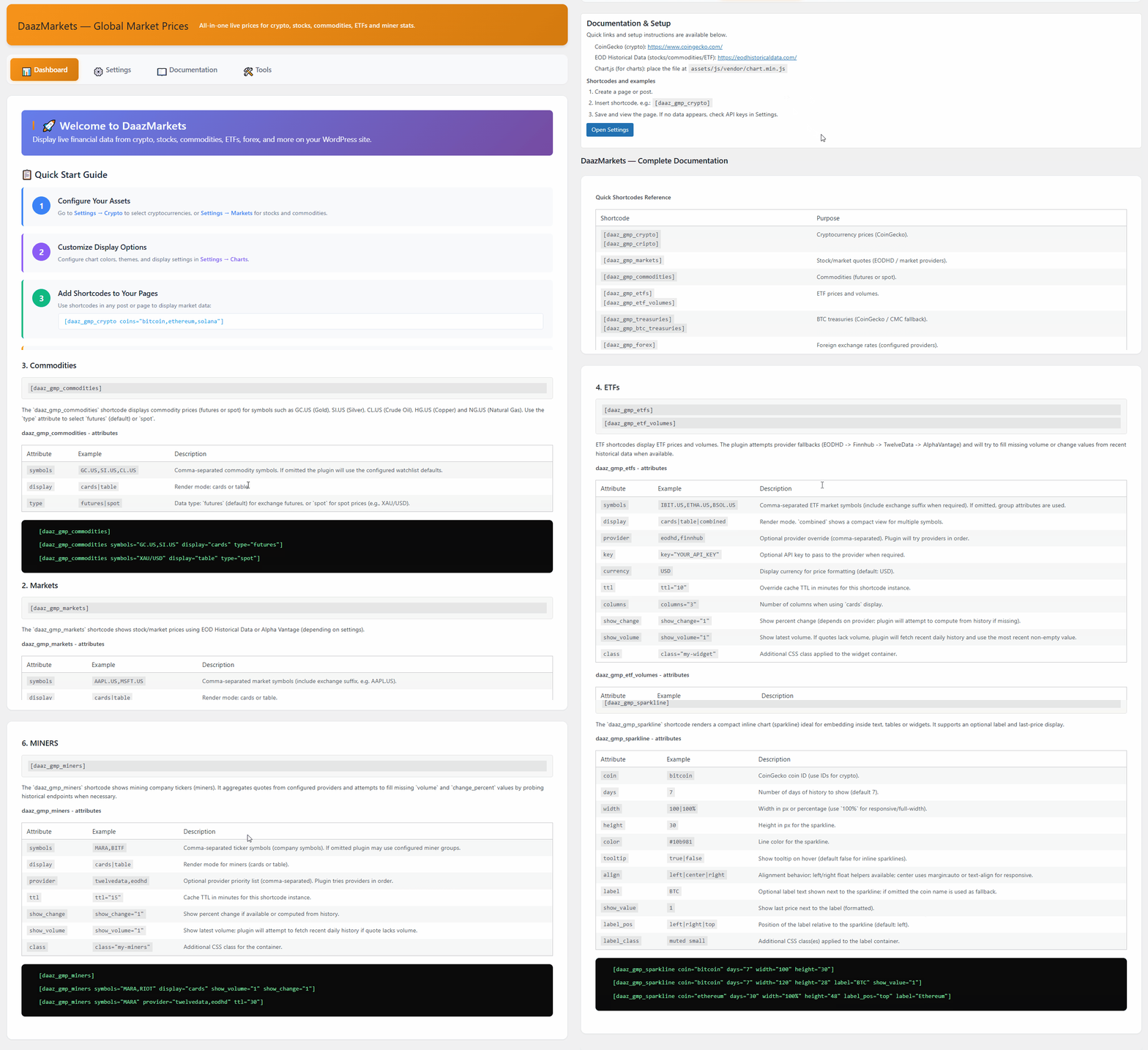
Visit daazlabs.com/docs/global-market-prices/ for complete setup guides, shortcode references and examples.
Does the plugin collect personal data?
No. The plugin only fetches public market data from external APIs and caches it with WordPress transients. No personal data is collected, no cookies are set, and no tracking is performed. GDPR compliant. See the External Services section for a complete list of API providers and their privacy policies.
Can I customize the look?
Yes! The plugin outputs standard HTML tables with CSS classes. Add custom CSS in Appearance > Customize > Additional CSS or in your theme.
Example custom CSS:
.daaz_gmp_table { border: 2px solid #f7931a; }
Are there any usage limits?
Each provider enforces its own rate limits on your personal API key. The plugin uses WordPress transient caching to minimise the number of API calls made. Check each provider's documentation for the limits that apply to their free tier.
Can I translate the plugin?
Yes! The plugin is translation-ready with .pot file included. Portuguese (PT-PT) translation included by default. Use Loco Translate or Poedit to create translations for other languages.
更新日志:
- New: Crypto table
[daaz_gmp_crypto display="table"]now supports aper_pageattribute and a "Load more" button, backed by a shared cached market-data list (elastic up to 1000 assets), so large tables no longer need to load everything up front - Improvement: Frontend CSS/JS is now only enqueued on pages that actually render a DaazMarkets shortcode, instead of on every page site-wide
- Improvement: Dark mode now automatically follows the visitor's OS/browser preference until they manually toggle it, and also recognises third-party
dark-mode/.darkclasses in addition to the existing DAAZPRIME bridge - Improvement: Chart and table backgrounds are now transparent so widgets blend into any theme instead of forcing a fixed background color
- Improvement: CoinGecko requests now send the API key as a header instead of a query parameter, avoiding unnecessary errors for Demo-tier keys
- Fix: Background stale-while-revalidate refresh no longer deletes cached data before the new fetch completes — if the API call fails, visitors keep seeing the last good data instead of nothing
- New: Hourly warm-up cron keeps the most common crypto market cache page pre-loaded
- Fix: Deactivating the plugin now clears all of its scheduled background events, not just one
- Docs: Documentation page updated to describe the new
limit/per_pageattributes and Load-more behavior
- Fix: Rate-limit backoff — when a provider returns HTTP 429, requests to that same endpoint are blocked for 60 seconds (or the Retry-After value) without making further network calls
- Fix: Cache key normalisation — symbol arrays are now sorted before hashing, preventing duplicate cache entries when the same symbols arrive in a different order
- Fix: Custom provider API key now saves correctly to plugin settings
- Fix: Markets shortcode returning no data resolved (provider probe loop removed)
- Fix: API key lookup now searches across all categories as a fallback
- Fix: Documentation page layout — WordPress footer was appearing in the middle of the page
- Initial release
- Cryptocurrency price display (CoinGecko)
- Stock market data (EODHD)
- Commodities and ETFs support
- Bitcoin treasuries tracking
- 5 shortcodes implemented
- WordPress widgets
- Admin settings panel with test connections
- Multiple provider support
- Translation-ready with PT-PT included
- Cache system via transients
- WordPress coding standards compliant