
Dadan – Record Video, Screen & Webcam from Your Site
| 开发者 | dadanwp |
|---|---|
| 更新时间 | 2026年11月5日 13:10 |
| PHP版本: | 7.4 及以上 |
| WordPress版本: | 7.1 |
| 版权: | GPLv2 or later |
| 版权网址: | 版权信息 |
详情介绍:
- Support: "Record your question" instead of a five-line description of a bug.
- Client work: let clients show you the page, the change or the problem.
- Courses and coaching: students ask about the exact step they're stuck on.
- Testimonials: customers say it on camera, in their own words.
- Hiring: candidates send a short video intro with their application.
- Connect Dadan. In your Dadan dashboard, copy your public App ID (it starts with
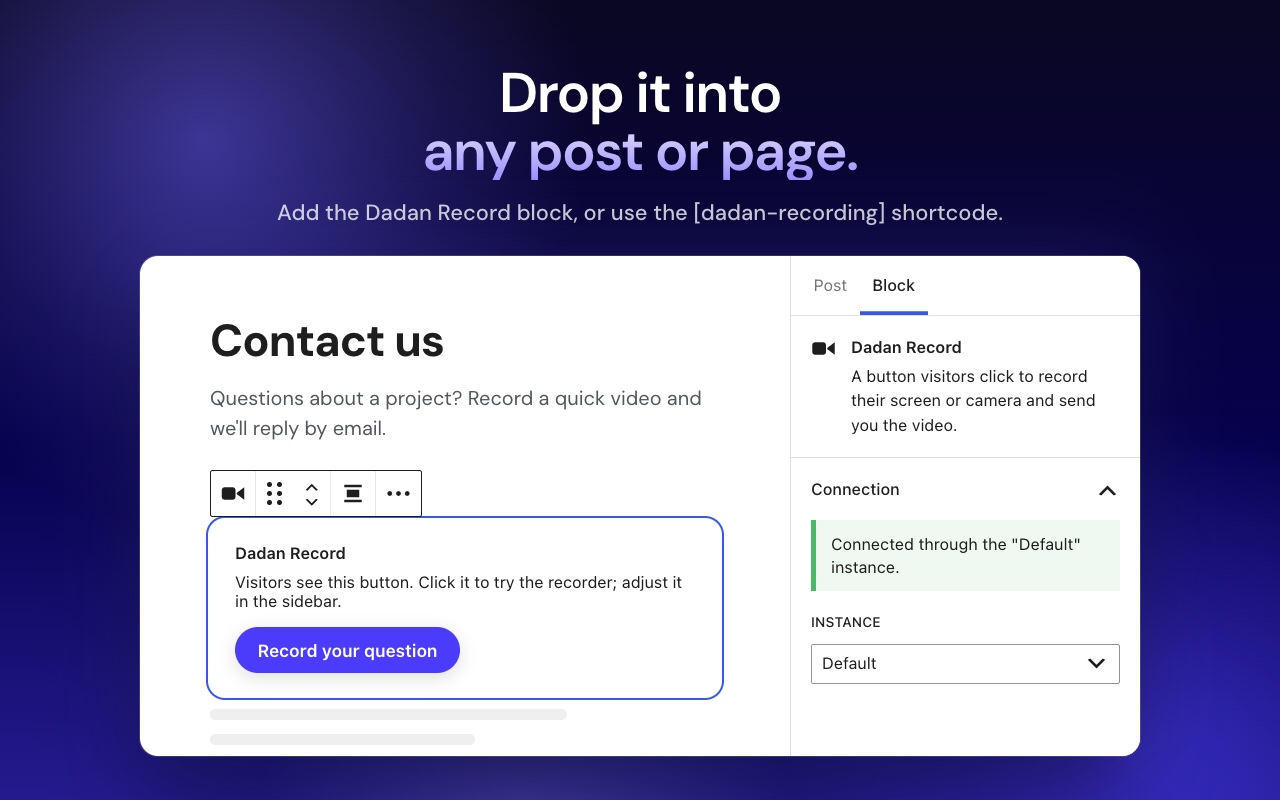
app_) and allow your site's address. Paste the App ID into Dadan → Instances. - Add the button. Use the Dadan Record block, the Elementor widget or the
[dadan-recording]shortcode. Style it in the builder and check it in the live preview. - Get the videos. Visitors click, record and finish. The video uploads to your Dadan workspace, ready to watch and share.
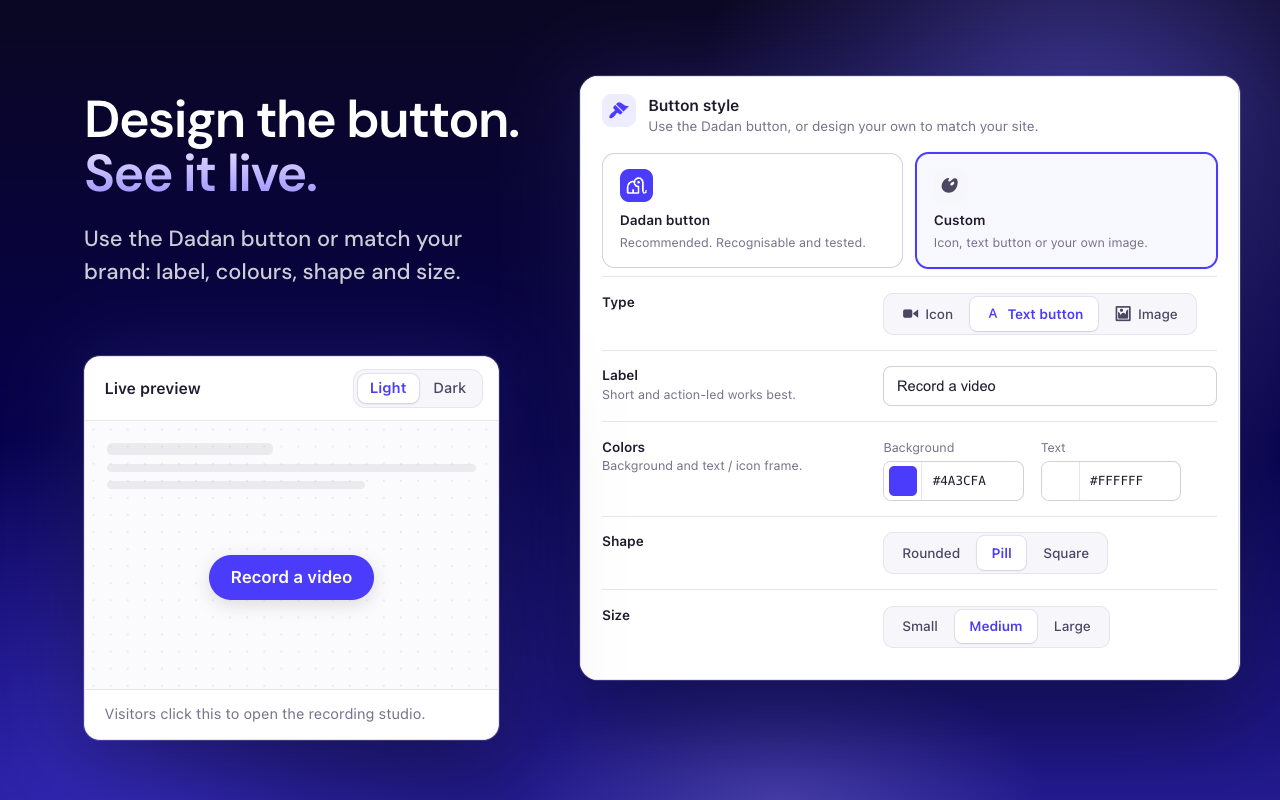
- Record button builder: use the Dadan button or design your own (icon, text button or image) with your label, colours, shape and size, with a live preview in light and dark.
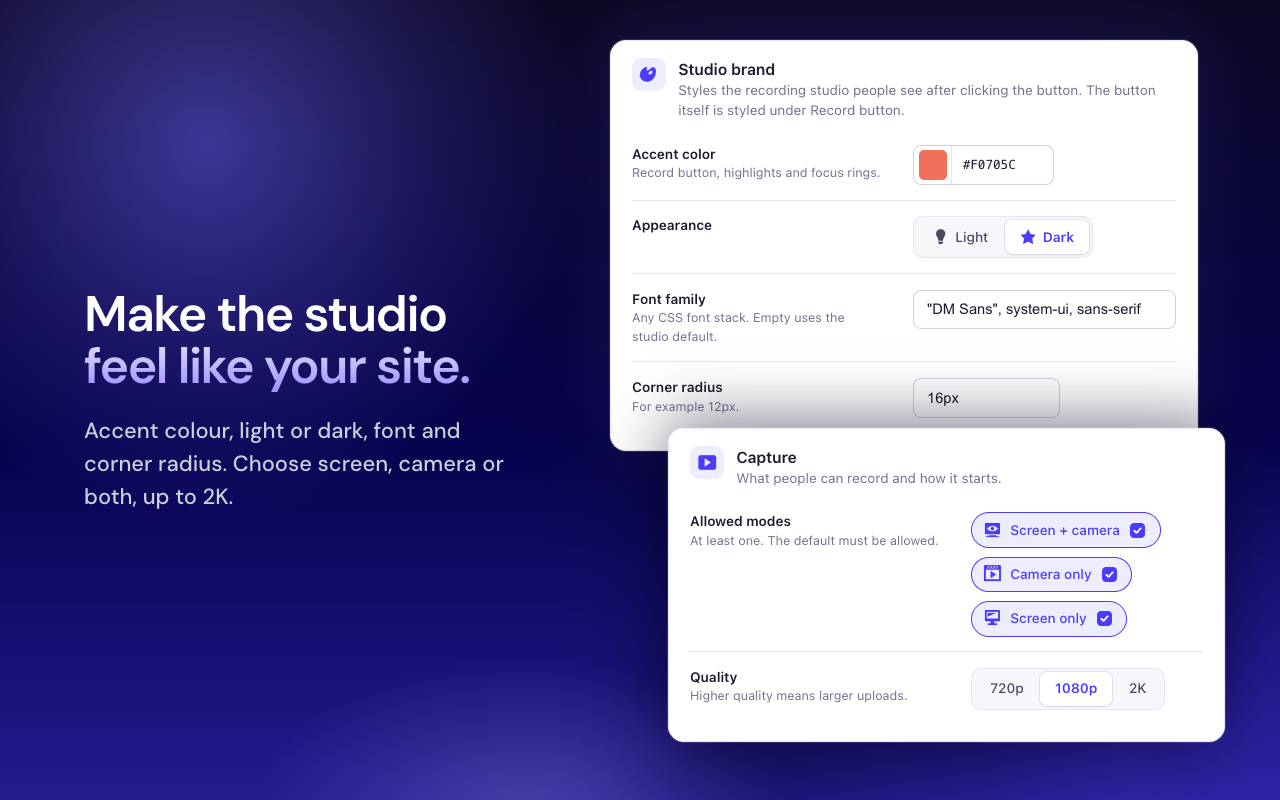
- Studio theme: match the recording studio to your site with an accent colour, light or dark appearance, font family and corner radius.
- Recording options: screen + camera, camera only or screen only; 720p, 1080p or 2K; a countdown; your own label on the finish button.
- Who can record: anyone, logged-in users, or editors and above. Everyone else doesn't see the button.
- Where recordings go: set a default video title, folder or team.
- Instances: keep several setups (App ID, button, theme) and pick one per block, widget or shortcode.
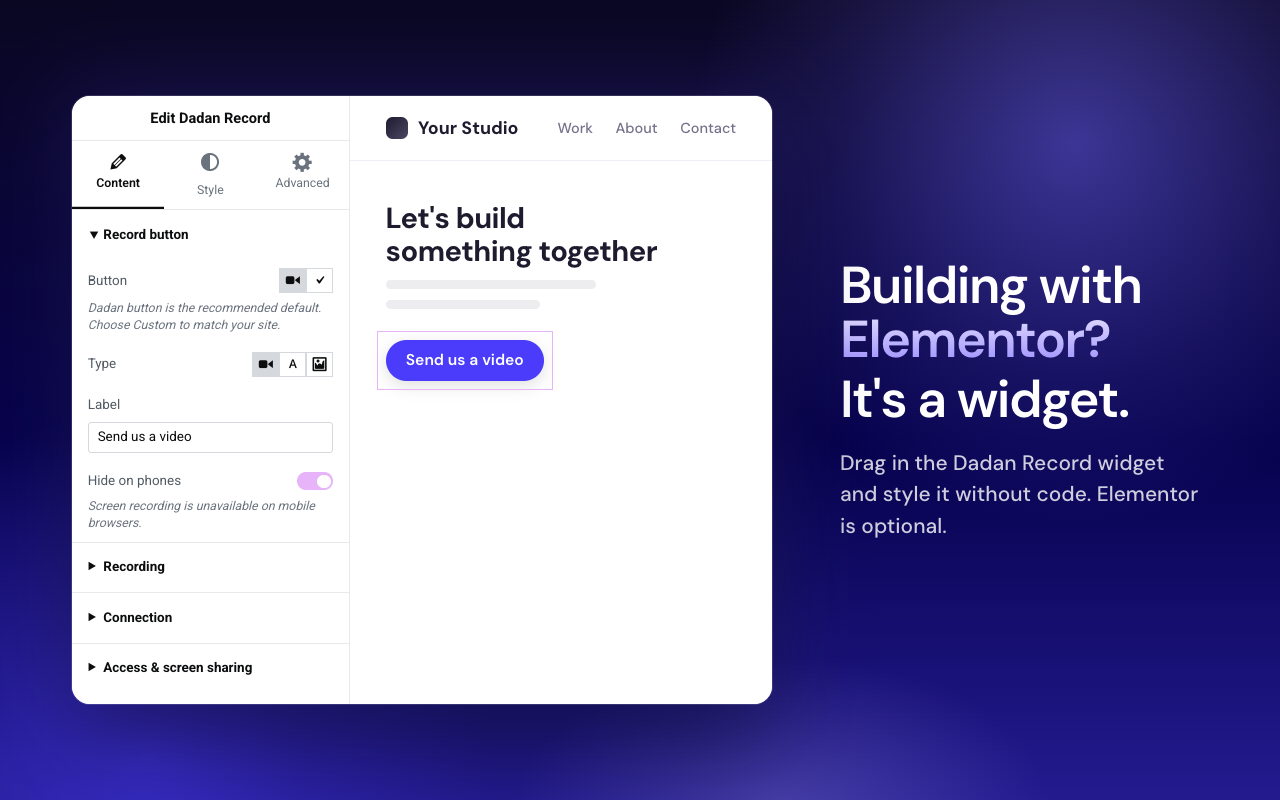
- Hide on phones: screen recording isn't available in mobile browsers, so you can hide the button on small screens.
[dadan] shortcode or the Elementor widget.
Works with your editor
- Gutenberg blocks: Dadan Record and Dadan Video
- Shortcodes:
[dadan-recording]and[dadan] - Elementor widgets, when Elementor 3.20 or later is active (optional)
- Only public App IDs (
app_…) are accepted. - Optional front-end gate: anyone / logged-in / editors (withholds the recorder from blocked visitors).
- Administrators control App ID; non-admins fall back to Instances.
- The Record studio JavaScript is loaded from Dadan’s servers (not bundled in this plugin for WordPress.org).
https://app.dadan.io/video/share/{code}
Direct /video/{hexId} links are not embeddable; use a share URL.
安装:
- Upload
dadan.zipvia Plugins → Add New → Upload Plugin, or copy thedadanfolder to/wp-content/plugins/. - Activate Dadan.
- (Optional) Install Elementor 3.20+ for page-builder widgets.
- Configure a public App ID and Origin allowlist as described above.
https://app.dadan.io/sdk/record-2.1.2.js (see External services). The WordPress glue code ships unminified in src/recorder-app.js.屏幕截图:

常见问题:
Is Dadan free?
The plugin is free. You can sign up for a free Dadan account with no credit card. The record button needs a Dadan Lite plan or higher, and your visitors never pay or sign up to record.
Do my visitors need a Dadan account?
No. Visitors click your record button and record in their browser. The browser asks for camera, microphone or screen access first, and the finished video uploads to your Dadan workspace.
Which Dadan plan do I need?
The record button uses Dadan's Record SDK, which is included on the Lite, Pro and Business plans (Lite starts from $8/month, billed annually). See Dadan pricing for the current plans.
Where are the videos stored?
In your Dadan workspace, not in your WordPress media library. You can set a default title, folder or team for new recordings. WordPress stores only your public App ID and display settings.
Can visitors record on their phones?
Screen recording isn't available in mobile browsers. Use "Hide on phones" to show the button only where it works.
Do I need Elementor?
No. The blocks and shortcodes work without it. When Elementor 3.20 or later is active, you also get matching Dadan widgets.
Do I need the old Dadan Video Embed or Dadan for Elementor plugins?
No. This unified plugin replaces both. Deactivate and delete the old ones first.
Why doesn’t recording start?
Confirm a valid public App ID (app_…), allowlist the exact site Origin in Dadan, use HTTPS, and ensure the browser can reach Dadan’s CDN studio (app.dadan.io/sdk/record-*.js). Check the browser console for origin/permission/SRI errors.
What data is sent to Dadan?
When visitors record or watch embeds, the browser talks to Dadan’s servers for the player, studio script, APIs, and uploads. WordPress stores only your public App ID and display settings — not secret API keys.
Is Dadan a third-party service?
Yes. See dadan.io for product terms and privacy policy.
更新日志:
- Recordings are documented as uploading to upload.dadan.io (readme External services and the suggested privacy policy text).
- Clearer plugin name and directory listing copy. No code changes.
- Redesigned instance settings: status header, Save and copy-shortcode buttons, regrouped tabs, cards with hints, switches, segmented controls and a live button preview. Saving returns to the same tab.
- Dadan admin page: setup checklist for new sites; record button and "add to your site" guide once connected. Fixes the page never loading the recorder.
- Instances list: Ready / Needs App ID status and copy buttons.
- Elementor widget: Content / Style split, icon choices, headings, hints and a connection status notice. Control IDs unchanged.
- Dadan Record block: instance picker for everyone (App ID is an admin override), correct connected state, regrouped panels.
- Clear message when Dadan rejects the App ID or site origin.
- Harden public localize (no unused Default credentials); Elementor no longer double-localizes.
- Embed height ignores WP portrait default; busy-take guard uses SDK
state. - Plugin Check:
wp_json_file_decode, kses on CTA/iframe output, excludepackage.jsonfrom zip. - Perf/a11y: tighter SDK host scan,
aria-busyon open, focus-visible CSS, URL regex caps.
- Pin Record studio to immutable versioned CDN URLs with SRI (CDN-2).
- Ship GPL WordPress glue locally; load only the generic studio API from the CDN as window.DadanRecord (CDN-3).
- Lazy-load the studio script/CSS (and React on public pages) on first Record click (CDN-6); React via WordPress core (W11).
- Exclude proprietary recorder-sdk build from WP.org packaging (CDN-4).
- Script translations for block/editor JS (W2); .distignore-driven zip + .gitattributes (W7).
- Readme metadata: five tags, short description ≤150 chars; Plugin URI points at integrations (W10).
- Requires at least WordPress 6.6 (react-jsx-runtime for the CDN studio — NEW-5).
- Privacy/perf: strip admin URLs from public localize; single enqueue; unique CTA ids; bare share codes; embed max-width.
- JS: refuse mid-recording reopen; no editor navigation on missing App ID; video-block record panel no longer pretends to insert.
- Option B / W1: Record studio loads from Dadan CDN with SRI (proprietary SDK not required in the WP.org zip).
- External services section updated (player, SDK APIs, uploads, IndexedDB).
- Security/compliance follow-ups from audit (access gate, Elementor strip, link[] hardening, uninstall multisite, restore-pending default off).
- Requires at least WordPress 6.3; Elementor widgets require Elementor 3.20+.
- Security: strip privileged Record block attrs after kses; ignore untrusted App ID / access at render (block + Elementor).
- Security: harden embed
linkparsing against array query params (PHP 8). - Fix: system-audio migration runs once in admin only and preserves explicit settings.
- Uninstall removes the system-audio migration option.
- Theme colors: normalize Elementor alpha/rgba so Primary and CTA colors apply on the front end.
- Package slug
dadan/dadan.zip. - Maintainer docs: security checklist + WordPress.org submission guide.
- Unified plugin: Gutenberg + shortcodes + optional Elementor widgets.
- Shared Instances and Record SDK bundle.
- Security: public App ID allowlist, record access gate, privileged attr strip, local iframes, privacy suggestion.