Dark Mode for WP Dashboard
| 开发者 | naiches |
|---|---|
| 更新时间 | 2026年10月6日 02:28 |
| PHP版本: | 7.4 及以上 |
| WordPress版本: | 7.1 |
| 版权: | GPLv2 or later |
| 版权网址: | 版权信息 |
详情介绍:
- Instant toggle in the admin bar — no page reload
- Per-user preference: Dark / Light / Auto (follows system)
- Full block editor and Site Editor support
- 14 popular plugins supported out of the box
- Developer-friendly: filters for default preference, custom CSS, and editor canvas control
- Advanced Custom Fields
- AIOSEO
- Better Search Replace
- Code Snippets
- Jetpack
- Kadence Blocks
- Nested Pages
- SmartCrawl SEO
- Smush
- The SEO Framework
- WooCommerce
- WPCode (Insert Headers and Footers)
- Yoast SEO (including Premium, Local, News, WooCommerce)
- Zamok
dark-mode class to the admin body when active, and provides three filters for customization:
add_filter( 'dark_mode_dashboard_css', 'your_stylesheet_url' )— replace the plugin's admin stylesheet with your own. This swaps the whole file rather than adding to it, so your stylesheet has to cover everything the plugin's does, and it does not affect the post editor's content area. To add a few rules of your own instead, enqueue a second stylesheet — see the FAQadd_filter( 'dark_mode_dashboard_default_preference', function() { return 'disabled'; } )— change the default mode for new usersadd_filter( 'dark_mode_dashboard_editor_canvas', '__return_false' )— disable dark mode for the editor content area
安装:
- Upload the plugin package to the plugins directory.
- Activate the plugin.
- Done! Your WordPress dashboard is now in dark mode :)
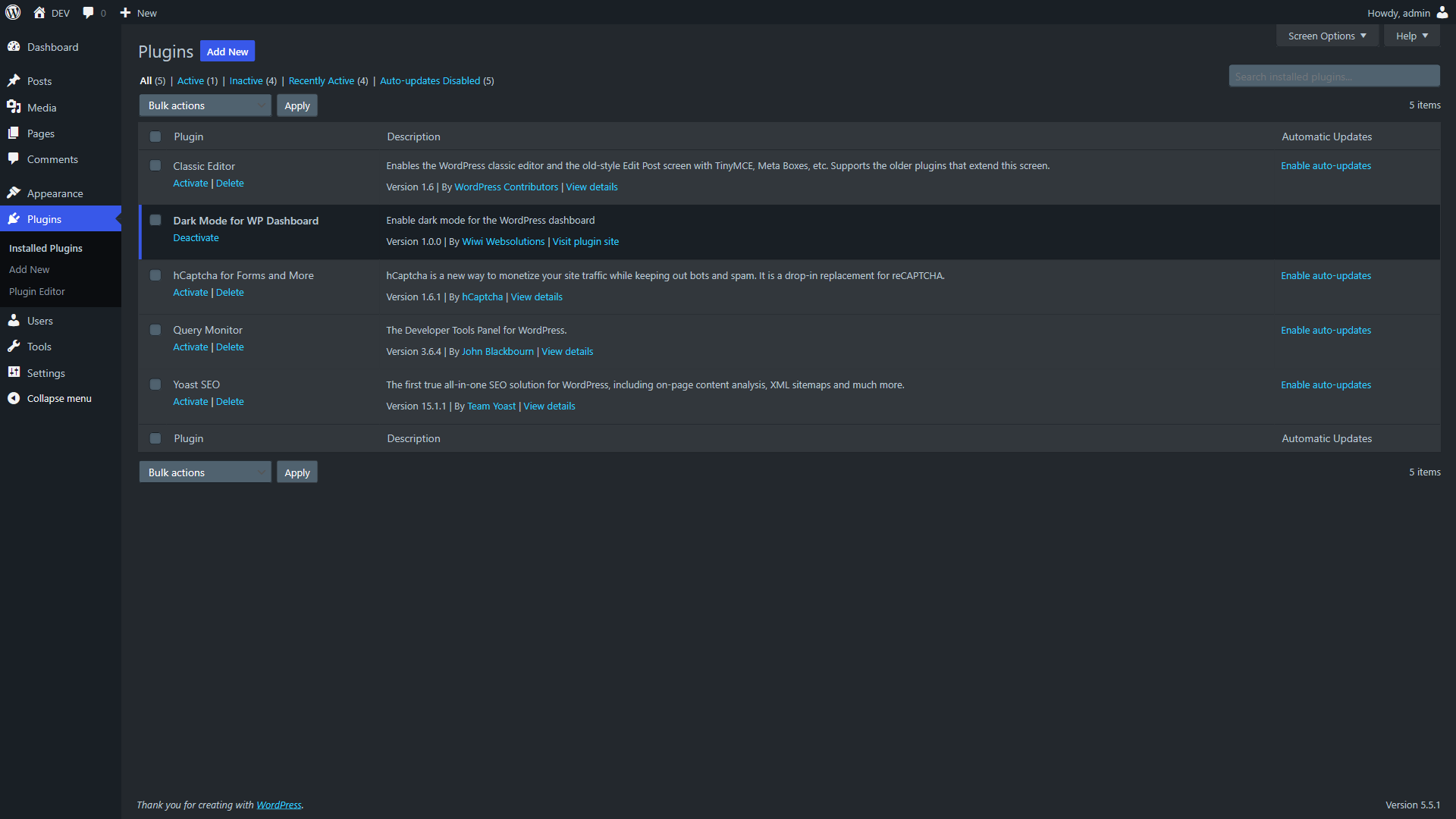
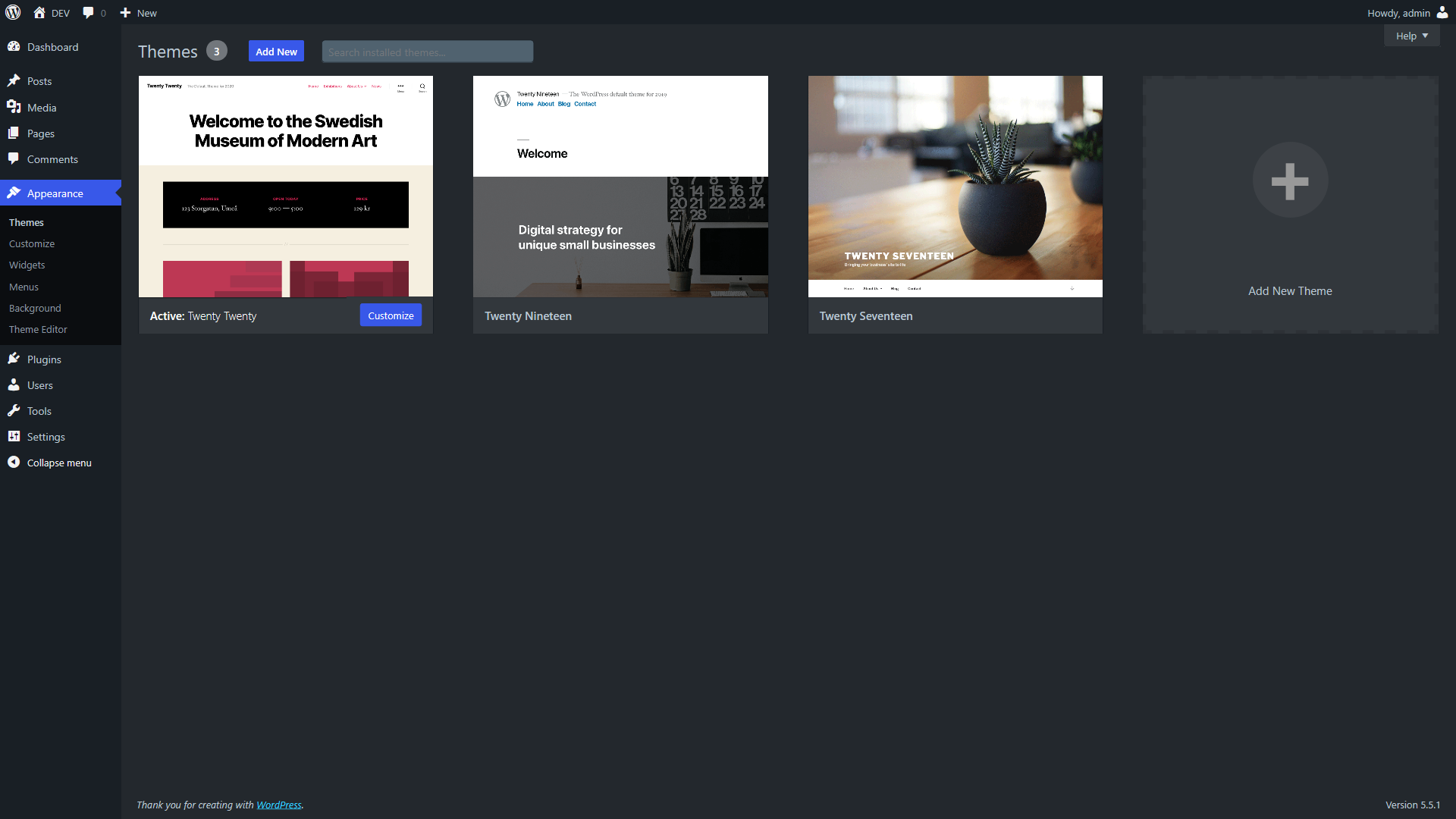
屏幕截图:
常见问题:
How do I add my own CSS to the admin?
Don't edit the files inside the plugin — an update overwrites them. And dark_mode_dashboard_css is not the filter for this: it replaces the plugin's admin stylesheet rather than adding to it, and it does not reach the post editor's content area, which is a separate stylesheet.
To add rules of your own, enqueue your own stylesheet from your theme's functions.php:
add_action( 'admin_enqueue_scripts', function () {
wp_enqueue_style(
'my-admin-tweaks',
get_stylesheet_directory_uri() . '/admin-tweaks.css',
array( 'dark-mode-dashboard' ),
'1.0'
);
} );
Naming dark-mode-dashboard as a dependency makes your file load after the plugin's, so your rules win without needing !important. Note that a dependency also pulls the plugin's stylesheet in for users who have dark mode switched off, who would otherwise download almost nothing. If that matters to you, drop the dependency and hook in at a later priority instead:
add_action( 'admin_enqueue_scripts', function () {
wp_enqueue_style( 'my-admin-tweaks', get_stylesheet_directory_uri() . '/admin-tweaks.css', array(), '1.0' );
}, 20 );
How do I change the font or size in the post editor?
The post content renders inside an iframe, and only styles enqueued on enqueue_block_assets are carried into it:
add_action( 'enqueue_block_assets', function () {
if ( ! is_admin() ) {
return;
}
wp_enqueue_style(
'my-editor-fonts',
get_stylesheet_directory_uri() . '/editor-fonts.css',
array(),
'1.0'
);
} );
One thing catches people out. Inside that iframe the body element is itself the .editor-styles-wrapper element — not its parent. So write the selector as a single compound with no space between the two classes:
body.editor-styles-wrapper p { font: 22px/1.5 Georgia, serif; }
Written as body.dark-mode .editor-styles-wrapper p, with a space, it looks for a wrapper nested inside the body, finds nothing, and silently does nothing. Use body.dark-mode.editor-styles-wrapper p to apply a rule in dark mode only, or leave .dark-mode out to apply it in both modes.
Which class does the plugin add?
dark-mode on the admin body when dark mode is on, and dark-mode-auto when the preference is Auto. Auto deliberately does not also get dark-mode, so that it can follow the operating system.
更新日志:
- Fixed: in the block editor, text typed into input fields was invisible — the web address box when adding a link, the block and pattern search, and the number and size fields in the sidebar. The field looked empty while you typed. The dark fill was painted on a layer that sits on top of the text instead of behind it. Thanks to the reporter on the support forum
- Fixed: on WordPress 7, the Blocks / Patterns / Media tabs in the block inserter, the pattern categories (All, About, Banners…), the "Post" link at the start of the breadcrumb bar and the group headings in the command palette (⌘K) were dark text on a dark background. The highlighted command in the palette is now also readable
- Fixed: in the block editor, blocks you gave a light background — a white Group, a cream paragraph, a light Cover, a coloured table — showed their text in dark mode's light grey, which was close to invisible on them. Each coloured block is now measured and given text that reads on its own background: dark on light, light on dark. Text colours you picked yourself are left exactly as you set them, and the post itself is not changed
- Fixed: editors on the public site of your website — front-end forms, forums, course and member areas — were dark for every visitor, including people who were not logged in. Dark mode now stays inside the dashboard
- Fixed: switching dark mode on or off from the toolbar only changed the main post editor. Other classic editors on the same screen, such as the WooCommerce product short description or ACF text editor fields, kept the old colours until the page was reloaded. All of them now switch together, including ones added to the page afterwards. Text colours set in the editor are no longer overridden when switching to light
- Fixed: saving another user's profile — to change their email address, for example — quietly stored the default appearance as their own choice, so a site-wide default changed later no longer applied to them. A preference is now only stored when it actually differs
- Fixed: deleting the plugin on a multisite network now removes its small housekeeping setting from every site, not only the current one
- Added: WPCode (Insert Headers and Footers) support — a different plugin from Code Snippets. Its editor panels and snippet list were unreadable in dark mode. Thanks to catmaniax
- Fixed (docs):
dark_mode_dashboard_cssreplaces the admin stylesheet rather than adding to it, and never reaches the post editor. Corrected, plus a new FAQ on adding your own CSS. Thanks to Trace Meek
- Added: support for the Code Snippets plugin. Its toolbar, snippet list, type navigation, import cards and drop zone, settings tabs and the dropdowns on the edit screen now follow dark mode instead of staying white. The code editor itself is left as it is: Code Snippets ships its own editor themes and lets you choose one, and overriding them here would only fight that choice
- Fixed: on a right-to-left site, switching the lights on loaded the left-to-right stylesheets and left the dashboard laid out the wrong way round until the page was reloaded. The sheets fetched by the toggle are added to the page directly, which skips the right-to-left substitution WordPress performs on stylesheets it loads itself; the correct build is now chosen before the list ever reaches the browser
- Fixed: when the server refused to save a change — an expired session, a dropped connection, a blocked request — the page was put back into dark mode rather than into whatever was actually still stored. For anyone on "Auto (system)" that meant a dark dashboard on a light machine, because "auto" was being treated as a synonym for "dark". The page now returns to the setting the server really has, auto included, and follows the operating system again from there
- Fixed: on a light dashboard, turning the lights on when the dark stylesheets still had to be fetched, and having the save fail, ended with the page dark anyway — under a message saying the previous setting had been restored. The stylesheets arrived after the failure and switched the page over regardless. A change that has been abandoned no longer gets applied when its stylesheets turn up
- Fixed: on "Auto (system)", switching the lights on or off from the toolbar was undone again the moment the operating system changed theme — at sunset, or when a scheduled theme flipped. The toggle appeared to work, then the choice quietly reverted while the page sat open. An explicit choice now holds until the page is reloaded
- Fixed: "Auto (system)" did not follow the system. It behaved as permanent dark: the dashboard, block editor and classic editor were dark whatever the operating system was set to, and changing the OS theme did nothing. Auto is now a state of its own — dark when your OS is dark, light when it is light, and it follows the OS live, without a reload
- Fixed: the toggle in the block editor only half worked in both directions. Switching to light left the page background, block toolbar, link popover and native form controls dark behind a light editor; switching to dark left the writing area white, because the canvas stylesheet was never loaded for anyone whose preference was light. Both directions now switch the whole editor, chrome and canvas alike
- Fixed: on right-to-left sites the block editor could be broken by the plugin. WordPress automatically looks for a second, right-to-left version of any editor stylesheet a plugin registers, and it does not check that the file exists before fetching it; that request returned the site's own "page not found" page, whose HTML was then injected into the editor as if it were a stylesheet — the same failure reported against 1.3.4. The plugin no longer uses that mechanism at all, and now ships a proper right-to-left build of every stylesheet, so notice stripes, table borders and dropdown arrows sit on the correct side
- Fixed: on block themes, WordPress made the server fetch the editor stylesheet from itself over HTTP on every single editor page load, uncached and without checking the response. On hosts where that loopback request is slow, every editor load waited for it. That request is gone
- Changed: the admin stylesheet was one 292 KB file loaded on every admin page for every user, including people who had turned dark mode off and sites running none of the supported plugins. It is now split: a core stylesheet plus one small file per supported plugin, each loaded only when that plugin is actually active. A site running WooCommerce no longer downloads rules for eleven other plugins, and users who chose "Light (always)" download 600 bytes instead of 292 KB — the rest is fetched only if they switch the lights on
- Fixed: the toggle never checked whether the server accepted the change. An expired session, a dropped connection or a blocked request left the page showing a mode that was never saved, and the next page load silently undid it. It now confirms the save, puts the previous state back when it fails, and says what happened
- Fixed: the toggle had no accessible state. It is now a proper switch: screen readers get its on/off state, a "switch to dark/light mode" label, and an announcement when it changes
- Fixed: a developer using the documented filter to change the default preference got a light dashboard with a dark block editor, a dark classic editor and the wrong option ticked on their profile. All four now agree
- Fixed: on a site with a large number of users, the one-time upgrade from the pre-1.3 preference format loaded every affected user into memory in a single request. It now runs in batches, and no longer discards the old value before confirming the new one was written. It is also tracked per site rather than across a network, so one site finishing cannot mark every other site done and strand their users on the old format, and someone who sets a preference before the migration reaches them keeps the choice they made
- Fixed: thirteen editor selectors targeted markup WordPress has since removed, so parts of the Site Editor and the block inserter were never themed. They now match current WordPress
- Fixed: cards, notices, tables and panels sat on the "floating" depth level reserved for dropdowns and popovers; a rule meant to catch stray white backgrounds recoloured the text of any element with an inline background instead; layout tables such as Settings screens were painted as bordered boxes; and an element class WordPress uses for text was being painted in the page background colour, making it invisible
- Changed: the toggle's styles and script are now loaded as normal files rather than written inline, so a site with a strict Content Security Policy on the dashboard keeps a working toggle
- Added: deleting the plugin now removes the preference it stored against each user. Deactivating it still leaves everything alone
- Fixed: a full pass over 44 admin screens in all four modes found and fixed 25 contrast and coverage faults: the update-count bubbles in the admin menu were unreadable on every screen, theme cards on Appearance → Themes and the "Activate" button stayed white, the block inserter and the publish rail rendered white, the editor's primary buttons fell below the readability threshold, WooCommerce's product short-description editor was a large white panel, and links inside WooCommerce notices repainted the buttons around them. The cause behind most of them was a text colour being used as a solid fill; the token set now has proper fill colours and a rule about which is which
- Fixed: the Customizer downloaded around 164 KB of this plugin's CSS that could never apply there, because that screen never receives the body class the rules key on. It now loads nothing from this plugin
- Fixed: the block editor's writing area could end up unreadable — light text on a white canvas, or the theme's dark text on our dark background. The canvas background was only ever coming from an inline style that WordPress discards when "Use theme styles" is switched off, and the canvas stylesheet as a whole depended on a class that JavaScript adds from outside the iframe, which could arrive late or not at all. The stylesheet now sets the canvas colours itself and defaults to dark rather than to nothing
- Fixed: in WordPress 7 the post sidebar's excerpt was almost invisible — near-black text on the dark panel, at 1.16:1 contrast. WP 7 rebuilt that sidebar on component primitives the plugin had never styled. Reported on the support forum
- Fixed: the "Post" label beside the title in the editor's document bar had the same problem, at 1.07:1
- Fixed: the unapprove action on the comments screen, and the skip-to-content link that keyboard users land on first, were both below the readable threshold
- Added: Cocoon theme support. The Cocoon settings screen has a strip of 36 tabs that Cocoon paints with its own light backgrounds, so in dark mode they rendered as blank white rectangles with unreadable captions — reported in a review. Tabs, the active tab, the panel behind it and the template screen's snippet browser are now themed; the live site preview embedded on the settings screen keeps the site's own colours, as it should
- Fixed: the block editor loaded the post content in light mode; switching to light and back made it dark. The editor renders the content in an iframe and the dark class was applied only once, before the editor finishes mounting its canvas — so the canvas WordPress ends up using never received it, and only a toggle put it back. It is now kept in sync for as long as the editor is mounting, and auto mode is honoured there too
- Fixed: the editor stylesheet was registered on a hook WordPress no longer wants for iframe styles, warning "added to the iframe incorrectly" on every editor load and relying on a compatibility shim; it now uses enqueue_block_assets
- Fixed: activating the plugin made the Gutenberg Custom HTML block preview render the site's 404 page inside the sandboxed preview iframe (with console sandbox violations). Caused by a leftover reference to a deleted editor stylesheet; editor styles are now only registered when the file exists
- Fixed: ACF Link field — the selected-link summary box rendered as a white island (ACF hardcodes a white background); now themed to the dark surface with a legible URL and visible external-link icon
- Fixed: WooCommerce variable-product Variations panel — variation rows, headers, row separators, and inner fields rendered light; now fully dark
- Fixed: WooCommerce product-data tab column showed a white strip below the last tab (the
ul.wc-tabspseudo-element fill); now dark - Fixed: AIOSEO focus keyphrase pills (metabox + editor sidebar) rendered as bright light "islands" — now themed to the dark surface, with legible keyphrase text, icons, inline rename field, and score colours
- Fixed: AIOSEO Score button in the classic Publish box had a white background — now dark, keeping the green/orange/red score colour on the text and border
- Fixed: Zamok module warning notices rendered as light-on-light — now a readable amber-tinted notice on dark
- Fixed: WooCommerce Select2 multi-select chips (e.g. product tags) rendered as light-grey islands — now themed to the dark surface, including the remove (×) button
- Fixed: jQuery UI autocomplete dropdowns (tags, classic editor) now readable in dark mode
- Fixed: Command palette (⌘K) icons and "No results found" text were invisible (dark on dark)
- Fixed: Admin bar kbd shortcut badge no longer shows a light border
- Added:
dark_mode_dashboard_editor_canvasfilter to disable editor canvas dark mode - Fixed: Editor toggle now properly reverts Classic Editor content area to light mode
- Added: SmartCrawl SEO support
- Added: Smush support
- Fixed: Form table left/right padding on settings pages
- Complete CSS rewrite using CSS custom properties (design tokens)
- Full block editor support including editor canvas (iframe)
- Full Site Editor (FSE) support
- Instant toggle — no page reload needed
- Auto mode: follows your OS dark mode preference
- Added
dark_mode_dashboard_default_preferencefilter for developers - Added
dark-modebody class for third-party CSS hooks - Fixed: PHP warning on user profile page (Undefined array key)
- Fixed: Missing JS file causing console errors
- Fixed: Dark mode toggle showing on frontend
- Fixed: Unsanitized user meta save
- Fixed: Block editor content area not fully dark
- Fixed: Template parts / Site Editor pages not themed
- Updated: All plugin-specific styles for current versions
- Added: The SEO Framework support
- Added: WP Nested Pages full page listing support
- Fixed: WooCommerce order notes and order heading styling
- Fixed: Plugin Check escaping and sanitization issues
- Removed: MonsterInsights and WP to Twitter support
- Removed jQuery dependency
- Tested up to WordPress 7.0
- Update: Added nonce to requests
- Update: Added a toggle in the WP Admin toolbar. Also added support for Gutenberg Blocks by Kadence Blocks and fixed minor Gutenberg issues
- Fixed: Minor issue with ACF Group field
- Update: Added support for Google Analytics for WordPress by MonsterInsights & WP to Twitter
- Update: Added support for Yoast SEO Premium, Yoast SEO Local, Yoast SEO News, Yoast SEO Video, Yoast SEO WooCommerce & AIOSEO. Some minor fixes
- Update: Added Better Search Replace support
- Update: Added Advanced Custom Fields support
- Update: Fixed Gutenberg editor
- Update: Added the option to disable the dark mode in the user profile.
- Fixed: Issues with the graphs within the Jetpack plugin
- Fixed: Some issues with the Jetpack plugin
- Added: WooCommerce support
- Added: Nested Pages (plugin) support
- Update: Ownership change
- Added: Jetpack support
- Fixed: Notice: wp_register_style was called incorrectly.
- First public version