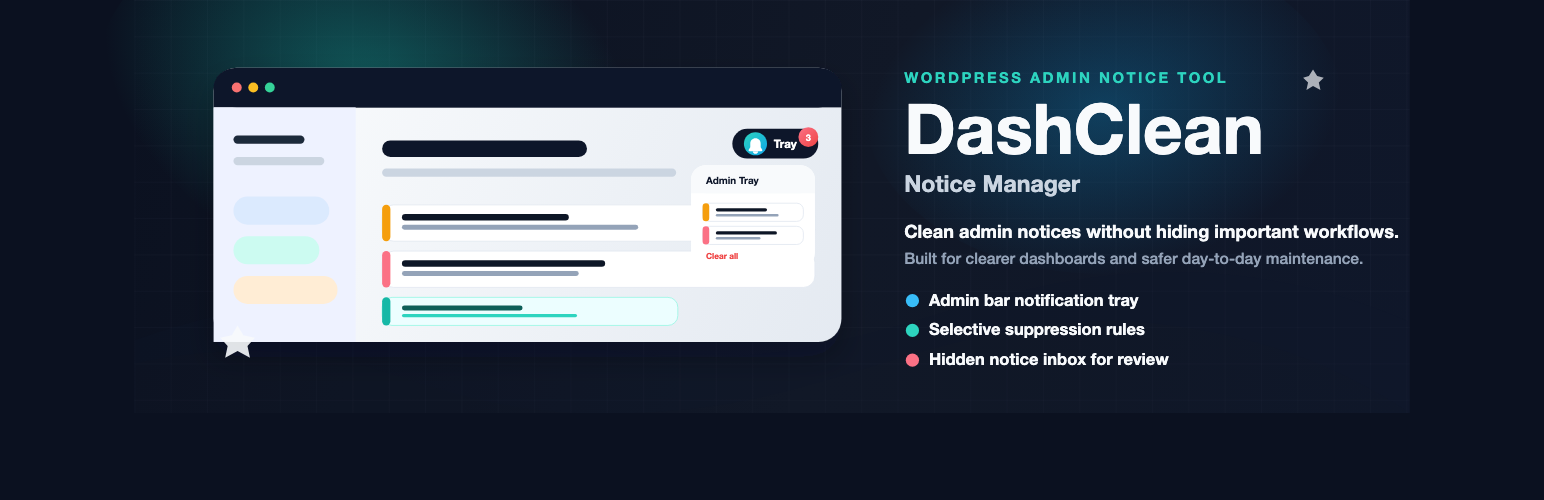
DashClean Admin Notice Manager
| 开发者 |
ravikhadka
wpsubmit |
|---|---|
| 更新时间 | 2026年5月29日 00:13 |
| PHP版本: | 7.4 及以上 |
| WordPress版本: | 6.9 |
| 版权: | GPLv2 or later |
| 版权网址: | 版权信息 |
详情介绍:
- Routine admin notices move into a unified tray in the top admin bar.
- Save, error, plugin, theme, and core update notices stay visible inline by default.
- Selective hiding is off until you choose exactly which notices to suppress.
- Client Site Mode can quiet dashboards for non-administrator users when needed.
- Hidden notices are recorded as compact metadata in an inbox for review.
- Presets help you choose Beginner Mode, Client Site Mode, Clean Admin Mode, or Custom Settings.
- WordPress admin notice tray in the top admin bar with a notice counter.
- Setup presets for beginners, client sites, clean admin screens, and custom workflows.
- Admin notice manager workflow for cleaner dashboard notification handling.
- Captures common admin notices via output buffering.
- Hide selected admin notices and dashboard notifications with selective rules.
- Optional role-based notice cleanup for non-administrators.
- Optional Dashboard Welcome Panel hiding.
- Inline success, error, plugin, theme, and core update notices stay visible by default.
- Selective notice suppression rules using class, plugin slug, text, and URL matching.
- Hidden notice inbox with restore and reset workflow.
- Admin bar item manager to hide selected admin bar nodes.
- Lightweight frontend behavior with vanilla JavaScript.
安装:
- Install DashClean from Plugins > Add New or upload the plugin folder to
/wp-content/plugins/. - Activate the plugin through the Plugins menu in WordPress.
- DashClean works immediately with the recommended beginner setup.
- Optional: go to Settings > DashClean and choose a setup preset.
- Choose Beginner Mode if you are not sure what to change.
- Keep feedback and update notices visible on page.
- Leave selective notice suppression off unless you know the exact notices you want to hide.
屏幕截图:


常见问题:
Does DashClean store captured admin notices in the database?
DashClean handles notice markup in request/runtime flow. It only stores compact hidden-notice metadata for the inbox, not raw notice HTML.
Does DashClean require setup after activation?
No. DashClean works immediately with recommended defaults. Beginners can activate it and leave the settings unchanged.
What setup preset should I choose?
Choose Beginner Mode for most sites, Client Site Mode for freelancer or agency client dashboards, Clean Admin Mode for your own workspace, or Custom Settings when you want full manual control.
Can DashClean disable admin notices or hide dashboard notifications?
Yes. DashClean can hide selected admin notices and dashboard notifications using selective suppression rules. It is designed to avoid hiding important save and update workflows by default.
Should beginners enable selective notice suppression?
Only when needed. Leave it off at first, then add rules for specific notices you recognize and want to hide.
Can I hide the default Welcome panel?
Yes. Enable Hide Welcome Panel on Dashboard in settings.
Does DashClean hide WordPress update notices by default?
No. The plugin keeps update-related notices visible inline by default so maintenance workflows remain clear.
Is DashClean useful for client site dashboard cleanup?
Yes. DashClean can reduce dashboard clutter for non-administrators while keeping the admin experience cleaner and more focused.
Does DashClean connect to external services?
No. DashClean does not require an account, API key, tracking service, or remote assets to manage notices.
Where can I get support?
Use the DashClean support forum on WordPress.org for setup questions, bug reports, and compatibility reports.
更新日志:
- Updated plugin version metadata for the 1.3.3 release.
- Added setup presets: Beginner Mode, Client Site Mode, Clean Admin Mode, and Custom Settings.
- Added beginner setup guidance to the DashClean settings screen.
- Improved settings copy so recommended defaults are clearer for new users.
- Improved readme installation, FAQ, screenshots, privacy, and support guidance for WordPress.org visitors.
- Added a WordPress Playground blueprint for easier directory preview testing.
- Maintenance release for WordPress.org packaging and notice-management hardening.
- Added a
Settingsquick link on the Plugins screen for faster access to DashClean options. - Added a scoped
Donatelink on DashClean's plugin row in the Plugins screen.
- Refocused the plugin on safe, selective notice management rather than blanket suppression.
- Removed update-notice suppression and redirect-blocking behavior that could interfere with normal admin workflows.
- Clarified the settings menu label to DashClean and tightened settings copy.
- Kept update-related notices visible inline by default.
- Improved the readme positioning to better explain the plugin's targeted workflow.
- Extracted hidden inbox persistence into a dedicated storage class for cleaner architecture.
- Added AJAX logging so dynamically suppressed notices are captured in the hidden inbox.
- Improved i18n text handling for fallback and empty-state labels.
- Initial release.
- Admin notice tray with counter and dropdown.
- Settings page with toggle controls.
- Welcome panel hiding, selective rule matching, hidden-notice inbox, and admin bar item manager.