
Date Picker For Contact Form 7
| 开发者 | theme funda |
|---|---|
| 更新时间 | 2026年7月19日 14:22 |
| PHP版本: | 5.0 及以上 |
| WordPress版本: | 7.0 |
| 版权: | GPLv2 or later |
| 版权网址: | 版权信息 |
详情介绍:
Date Picker For Contact Form 7 is a powerful add-on that integrates a flexible calendar widget into your CF7 forms. Say goodbye to manual date entry errors and provide your users with a sleek, mobile-friendly interface for selecting dates.
Whether you are setting up an Arrival/Departure system, a Check-in/Check-out flow, or a simple Appointment Booking form, this plugin gives you full control over how dates are selected.
Why choose this Date Picker?
- User Experience: Faster date selection leads to higher form conversion rates.
- Data Accuracy: Forces a consistent date format, making data management easy.
- Scheduling Control: Perfect for businesses that need to restrict weekends, holidays, or past dates.
- Multiple Date Pickers: Add multiple unique date fields to a single form.
- Custom Date Formats: Choose how the date appears (e.g., dd/mm/yy, mm-dd-yy).
- Min/Max Date Restrictions: Prevent users from picking dates in the past or too far in the future.
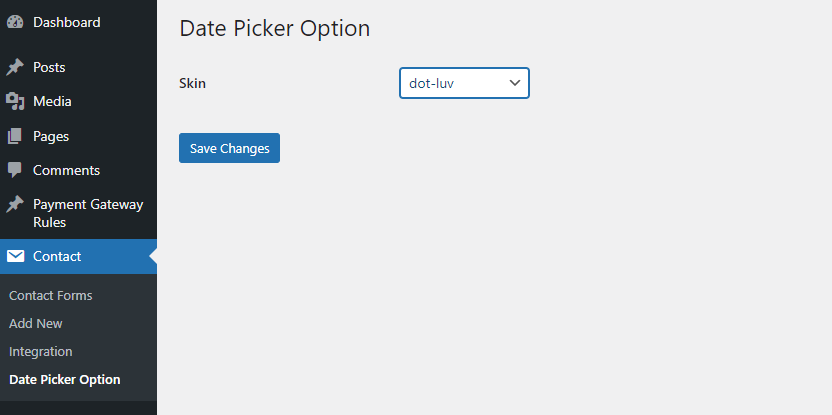
- Custom Skins: Change the design and look of the calendar to match your site.
- Placeholder Support: Add custom placeholder text inside the date field.
- Disable Specific Days: Blackout holidays, weekends, or specific dates where you are unavailable.
- Advanced Logic: Perfect for complex booking requirements. Get Premium | Support | Documentation
安装:
- Upload the
date-picker-for-contact-form-7folder to the/wp-content/plugins/directory. - Activate the plugin through the 'Plugins' menu in WordPress.
- Open your Contact Form 7 editor.
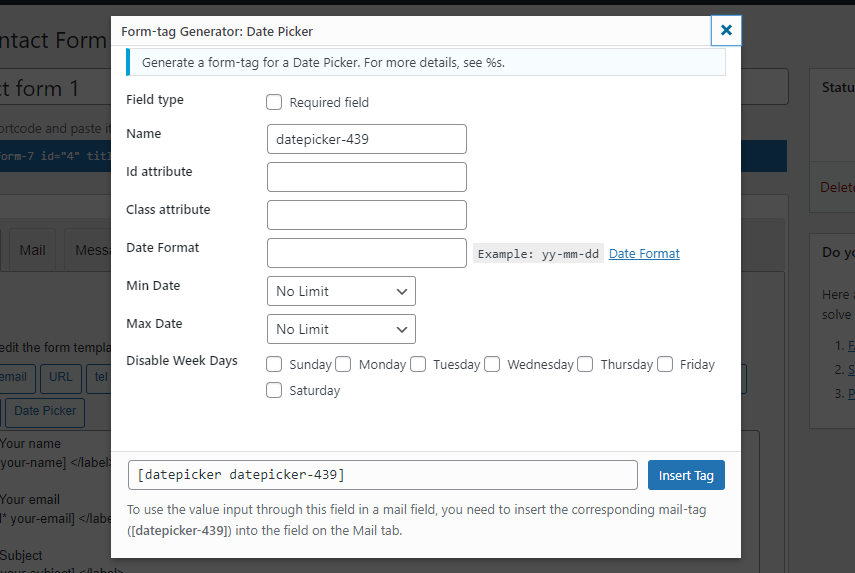
- Look for the "Date Picker" tag generator button.
- Configure your settings (Min/Max date, Skin, etc.) and insert the shortcode.
屏幕截图:
常见问题:
Does this work with the latest version of Contact Form 7?
Yes, we regularly test the plugin against the latest CF7 updates to ensure 100% compatibility.
Can I have two date pickers for "Check-in" and "Check-out"?
Absolutely. You can add multiple fields and set different rules for each.
Is it mobile-friendly?
Yes, the date picker is responsive and works smoothly on touch devices.
更新日志:
1.0
- Initial release.
- Added Min/Max date options.
- Added custom skin support.