
DawsonyWeb Client Video Tutorials
| 开发者 | dawsonyweb |
|---|---|
| 更新时间 | 2026年10月24日 18:44 |
| PHP版本: | 7.4 及以上 |
| WordPress版本: | 7.1 |
| 版权: | GPLv2 or later |
| 版权网址: | 版权信息 |
详情介绍:
- Personal progress - Mark tutorials complete or incomplete and see your progress. Editing tutorial content resets its completion status.
- Keyboard ordering - Use Up and Down controls to reorder tutorials, then save the new order.
- Repeatable tutorial blocks - Add as many tutorials as you need, each with a title, description, and video.
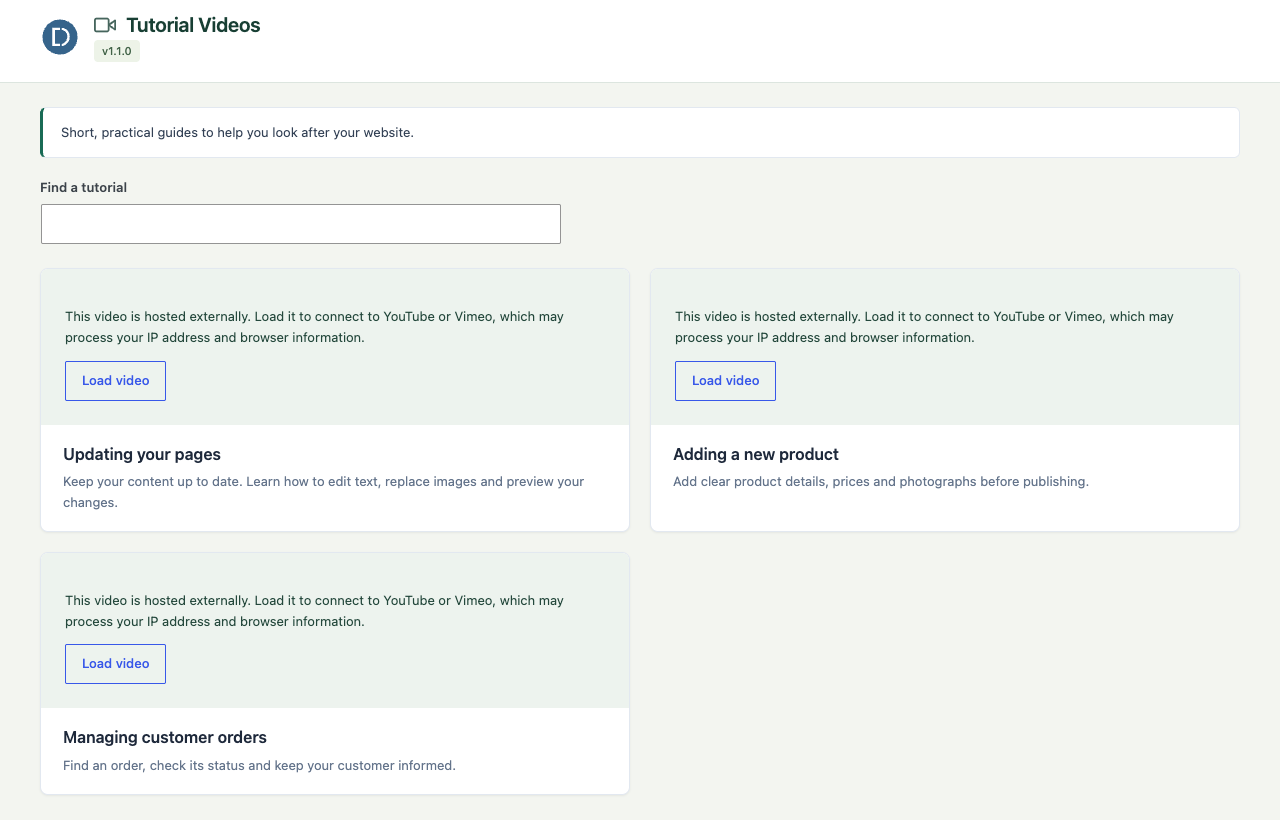
- Searchable library - Find tutorials by title or description without reloading the page.
- Click-to-load players - Viewers choose when to connect to an external video provider.
- Dashboard widget - A compact tutorial list appears on the WordPress dashboard for quick access.
- Dedicated tutorial page - A full admin page with video players and descriptions so clients can watch without leaving wp-admin.
- Role-based visibility - Control which user roles can see the tutorials page and widget.
- Drag-and-drop ordering - Reorder tutorials with a simple drag handle.
- Media library integration - Select videos directly from the WordPress media library.
- YouTube and Vimeo links - Paste a hosted video URL instead of uploading a file.
- Agencies providing training materials to clients after site launch.
- Freelancers who build sites and need to leave behind how-to guides.
- In-house teams onboarding new editors or content managers.
- No front-end output or performance impact - everything runs in wp-admin only.
- No plugin telemetry. Hosted videos connect to their provider only when the viewer chooses to load or open one.
- Input sanitisation and escaped output.
- Nonces for all actions, capability checks for all settings.
- Uninstall removes tutorial settings and the current site's saved completion data. Uploaded videos remain in the Media Library.
安装:
- Go to Plugins > Add New in your WordPress admin.
- Search for "Client Video Tutorials for WordPress Admin".
- Click Install Now, then Activate.
- Download the plugin ZIP file.
- Go to Plugins > Add New > Upload Plugin.
- Upload the ZIP and click Install Now.
- Activate the plugin.
- Extract the ZIP file.
- Upload the
dawsonyweb-client-tutorial-videosfolder to/wp-content/plugins/. - Activate via Plugins in the WordPress admin.
屏幕截图:
常见问题:
Where do I add tutorials?
Go to Tutorial Videos > Manage Tutorials in the WordPress admin sidebar. You need the manage_options capability (typically Administrator) to add or edit tutorials.
Who can see the tutorials?
By default, only Administrators can see the tutorial page and dashboard widget. You can configure which roles have access at Tutorial Videos > Manage Tutorials > Settings. The selected roles apply to the library as a whole, not individual videos.
Does this plugin affect the front end?
No. Everything runs in wp-admin only. No scripts, styles, or markup are added to your public site.
What video formats are supported?
Any video format supported by the WordPress media library and the HTML5 <video> element (MP4, WebM, OGG). MP4 is recommended for uploaded videos. You can also paste YouTube or Vimeo URLs.
What happens when I deactivate or delete the plugin?
Deactivating preserves all settings. Deleting the plugin through WordPress removes its settings and completion user meta for the current site prefix. On multisite, completion data for other site prefixes is not removed by this routine. Uploaded video files remain in the media library.
What PHP version is required?
PHP 7.4 or higher.
Is this plugin multisite compatible?
The plugin works on multisite but settings are per-site. Network-wide settings are not yet supported.
更新日志:
- Updated the plugin display name with distinctive DawsonyWeb branding. No functionality changes.
- Improved plugin directory listing and documentation.
- Updated the public plugin name and listing text. No feature, settings or data changes.
- Keyboard-accessible Up and Down controls reorder tutorials, with position announcements and persistent ordering after saving.
- Private per-user completion tracking includes a library progress summary and an option to mark guides incomplete. Changing tutorial content resets its completion status.
- Redesigned management screens and the tutorial library to match Product & Shipping Label Designer for WooCommerce.
- Keep the selected settings tab after saving. Recover defaults for incomplete legacy settings.
- Validate role selections and video attachments, repair duplicate tutorial IDs and handle malformed tutorial fields safely.
- Added tutorial search and click-to-load external videos. Removed the Tutorial Videos menu for roles that cannot view the tutorial library. Refreshed the DawsonyWeb workspace and documented video-provider privacy.
- Added YouTube and Vimeo URL support for tutorial videos.
- Uploaded media-library videos continue to work as before.
- Compatibility: tested up to WordPress 7.0.
- Fix: Renamed plugin slug and main file to match WordPress.org directory slug.
- Fix: Updated text domain to match plugin slug (dawsonyweb-client-tutorial-videos).
- Fix: Applied uniform dawscltu_ prefix to all globally-registered identifiers.
- Fix: Removed controls for features not included in the tutorial-management package.
- Fix: Updated plugin metadata and text domain for WordPress.org compliance.
- Fix: Kept the tutorial library, dashboard widget and Manage Tutorials settings as the tutorial-management screens.
- Fix: Watched state now persists correctly on page refresh (ID case-sensitivity bug).
- Fix: Admin tab input sanitisation improved (wp_unslash + sanitize_key).
- Fix: Global variable scoping in template (moved inside closure).
- Fix: Added caching to user progress database query.
- Initial release.
- Repeatable tutorial block manager with title, description, and video.
- Dashboard widget for quick tutorial access.
- Dedicated Tutorial Videos admin page with embedded video players.
- Role-based visibility settings.
- Drag-and-drop tutorial reordering.