Debug
| 开发者 | soninow |
|---|---|
| 更新时间 | 2026年9月9日 18:23 |
| 捐献地址: | 去捐款 |
| PHP版本: | 7.4 及以上 |
| WordPress版本: | 7.1 |
| 版权: | GPLv2 or later |
| 版权网址: | 版权信息 |
详情介绍:
Debug is a development and production tool that helps you find and fix bugs on your WordPress site (including multisite). It gives you a clean admin panel to toggle WordPress's built-in debug constants, read the error log, and receive instant email notifications when meaningful errors happen — all without editing
wp-config.php by hand.
What it does for you
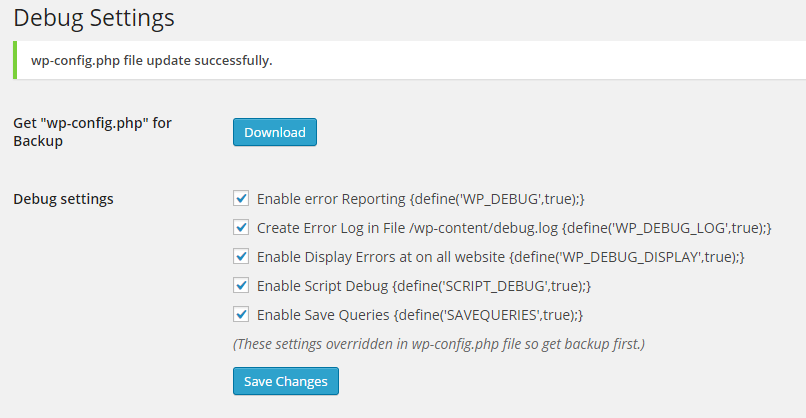
- One-click debug flags — toggle
WP_DEBUG,WP_DEBUG_LOG,WP_DEBUG_DISPLAY,SCRIPT_DEBUGandSAVEQUERIESdirectly from the settings page. - Error log viewer — view, clear and download the tail of your
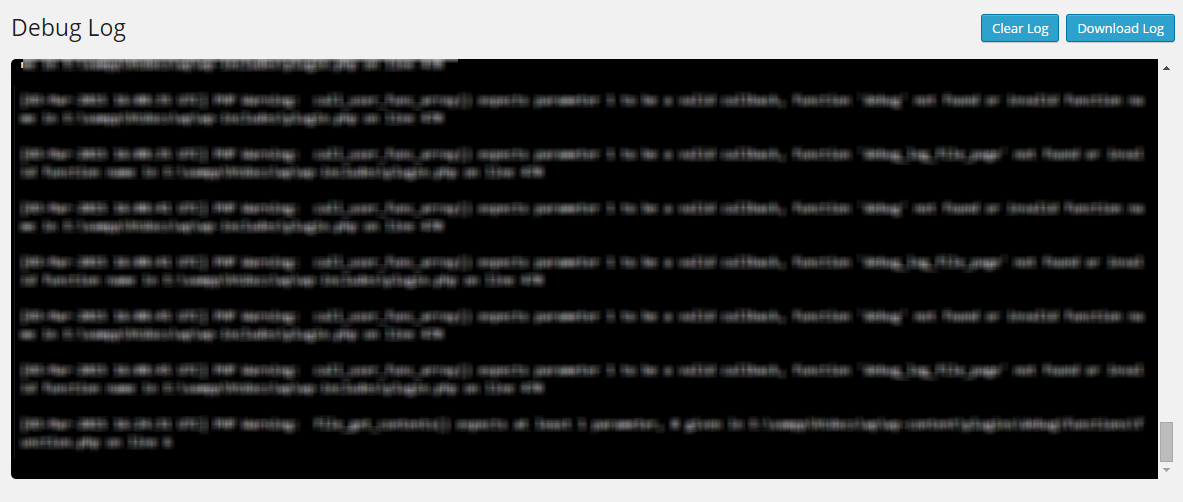
wp-content/debug.log(last 1 MB) right from the admin. - Real-time email alerts — get notified when errors and warnings occur, with a throttled, level-filtered handler that ignores deprecation notices and suppressed (
@) code. - Safe wp-config editing — a timestamped backup is created automatically before every change, with one-click restore if you ever need to roll back.
wp-config.php (a common credential leak in older debug plugins). All file access is strictly path-guarded, all admin actions are protected with nonces and capability checks, and backups let you revert any change instantly.
Frequently Asked Questions
Is my wp-config.php safe?
Yes. The plugin creates a timestamped backup of wp-config.php before every change, and the settings page lets you restore any backup with one click. wp-config.php is never downloadable from the browser.
Can I use this on a production site?
Yes — and that's a core use case. Error notifications only fire for meaningful error levels (errors and warnings), never for deprecation notices. Emails are queued and throttled so a busy site won't flood your inbox, and WP_DEBUG_DISPLAY is kept off by default so errors are not shown to visitors.
Why am I not getting email notifications?
Make sure Email Notification is enabled and a valid address is set, and that wp_mail() works on your host. Only errors and warnings trigger emails (notices and deprecations are filtered out).
The plugin says wp-config.php is not writable. What do I do?
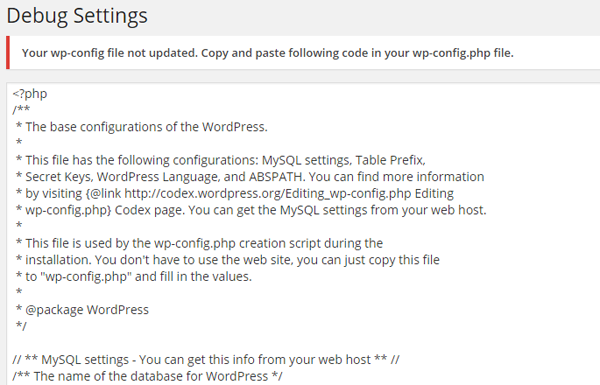
Check your file permissions. Most hosts run with the web user owning wp-config.php (usually 0644). If the plugin still cannot write it, it shows you the exact code to paste into wp-config.php manually — so you're never stuck.
What does "Error Log" show?
It shows the last 1 MB of wp-content/debug.log, so you can inspect recent errors without loading a huge file. You can clear the log or download it as a plain text file.
Does this work on multisite?
Yes. All settings are stored per-site and the wp-config.php edits apply globally, which is the expected behaviour for network-wide debug toggling.
安装:
- Upload the
debugfolder to/wp-content/plugins/, or install via Plugins → Add New in your WordPress admin. - Activate the plugin through the Plugins menu.
- Go to Debug → Settings and configure your preferences.
- Hit Save Changes — a backup of
wp-config.phpis created automatically.
wp-config.php is not writable, the plugin will show you the code to paste manually.屏幕截图:

更新日志:
1.14
- New: full translation support — added
languages/debug.potandload_plugin_textdomain()(fixes Plugin Check missing-translation warning). - New: “Send Test Notification” button on the settings page — verify your email alert setup works before relying on it in production.
- New: error-log viewer auto-refresh toggle (every 5s) for watching logs live.
- Improved: error handler now registers on
plugins_loadedfor earlier, wider coverage (catches theme/plugin load-time errors). - Improved: wp-config backups are now auto-pruned (keeps the latest 10) so the site root never fills up, and a delete action lets you remove backups individually.
- Cleanup: removed the last inline script (post-save auto-reload) — the page no longer force-refreshes and wipes admin notices, and the plugin is now 100% CSP-friendly.
- Fix: wp-config
define()editing now tolerates multiline/annotated defines (no more accidental duplicates). - Cleanup:
README.mdis now excluded from the WordPress.org SVN deploy (Plugin Check flagged it as root clutter). - Compatibility: tested up to WordPress 7.1.
- Security: removed the ability to download
wp-config.php(full credential leak). Debug log download now only serves the log via a cleanadmin-post.phpendpoint. - Security: added strict path allowlisting + traversal guards to all file reads/writes.
- Security: automatic timestamped
wp-config.phpbackup before every save + one-click restore UI. - Security: error handler now only registers when email notifications are on, filters out deprecation/notice noise, respects
error_reporting(), throttles and queues emails, and chains the previous handler. - Fix: broken Settings link
href(missing closing quote) on the plugin list page. - Fix:
esc_html_e()misuse replaced with correct escaping. - Fix: tolerant, case/format-insensitive regex in
debug_add_option— no more duplicatedefine()creation. - Fix: nonce action strings standardized + consistent failure notices.
- Fix: read tail capped to 1 MB.
- Improvements: enqueued CSS instead of inline
<style>(CSP-friendly), modernized baseline (PHP 7.4+, WP 5.0+),uninstall.phpcleanup.
- BugFix: Fix all bug reporting in plugin https://wordpress.org/plugins/plugin-check/.
- BugFix: Fix duplicate define variable creation error.
- BugFix: Cross Site Request Forgery (CSRF) issue.
- Increase security for direct access of files.
- Compatible with new version.
- BugFix: Display error not required for email notification enable.
- Add: Email Notification Settings on plugin setting page.
- BugFix: Resolved any user to download debug.log and wp-config.php file. now only super admin can download files.
- BugFix: resolved error when large debug.log file load on plugin section. now only load 1.4 MB file only from end of file.
- Add: Email Notification Page to Enter Notification email address and email subject.
- Add: Handle any error and send it to your email address on real time system. (no-email delay).
- BugFix: Resolved undefined "scrollHeight" in console log in jQuery. incase of admin debug.log file not exist.
- BugFix: download wp-config.php file for back-up /Downloads/wp-config.php.exe to /Downloads/wp-config.php.
- BugFix: download wp-config.php file for back-up /Downloads/debug.log.exe to /Downloads/debug.log.
- Remove: console.log function from js.
- Add: Add Setting page link on plugin page.
- Add: option for download wp-config.php file for back-up.
- Add: option for download debug.log file.
- Add: Auto scroll down in debug.log file view in admin panel to see latest error log.
- Add: script debug option
- Add: save query debug option
- Add: debug.log file view and clear option from admin panel
- Add: Banner at wordpress Community
- Add: Add change Log Session
- Rewrite wp-config.php file with Debug variables.
- Add: WP_DEBUG, WP_DEBUG_LOG, WP_DEBUG_DISPLAY Functionality.