
Debug Log Router
| 开发者 | emberfox |
|---|---|
| 更新时间 | 2026年10月18日 18:44 |
| 捐献地址: | 去捐款 |
| PHP版本: | 7.4 及以上 |
| WordPress版本: | 7.1 |
| 版权: | GPLv2 or later |
| 版权网址: | 版权信息 |
详情介绍:
debug.log WordPress writes. Debug Log Router splits it by the kind of request instead: an error a visitor hit on the front end, a warning from the admin, and a failure in a background cron task land in different files. You see at once what the error cost, and cron errors, which never show up on any page, stop drowning in the rest.
Seven contexts, seven files
front.log— the public siteadmin.log— the admin areaajax.log— admin-ajax requestsrest.log— the REST API, a custom REST prefix includedcron.log— WP-Croncli.log— WP-CLIxmlrpc.log— XML-RPC
cli.log never appears. Entries are written in the usual PHP log format, so the files still open in any text editor and over FTP.
Reading and downloading
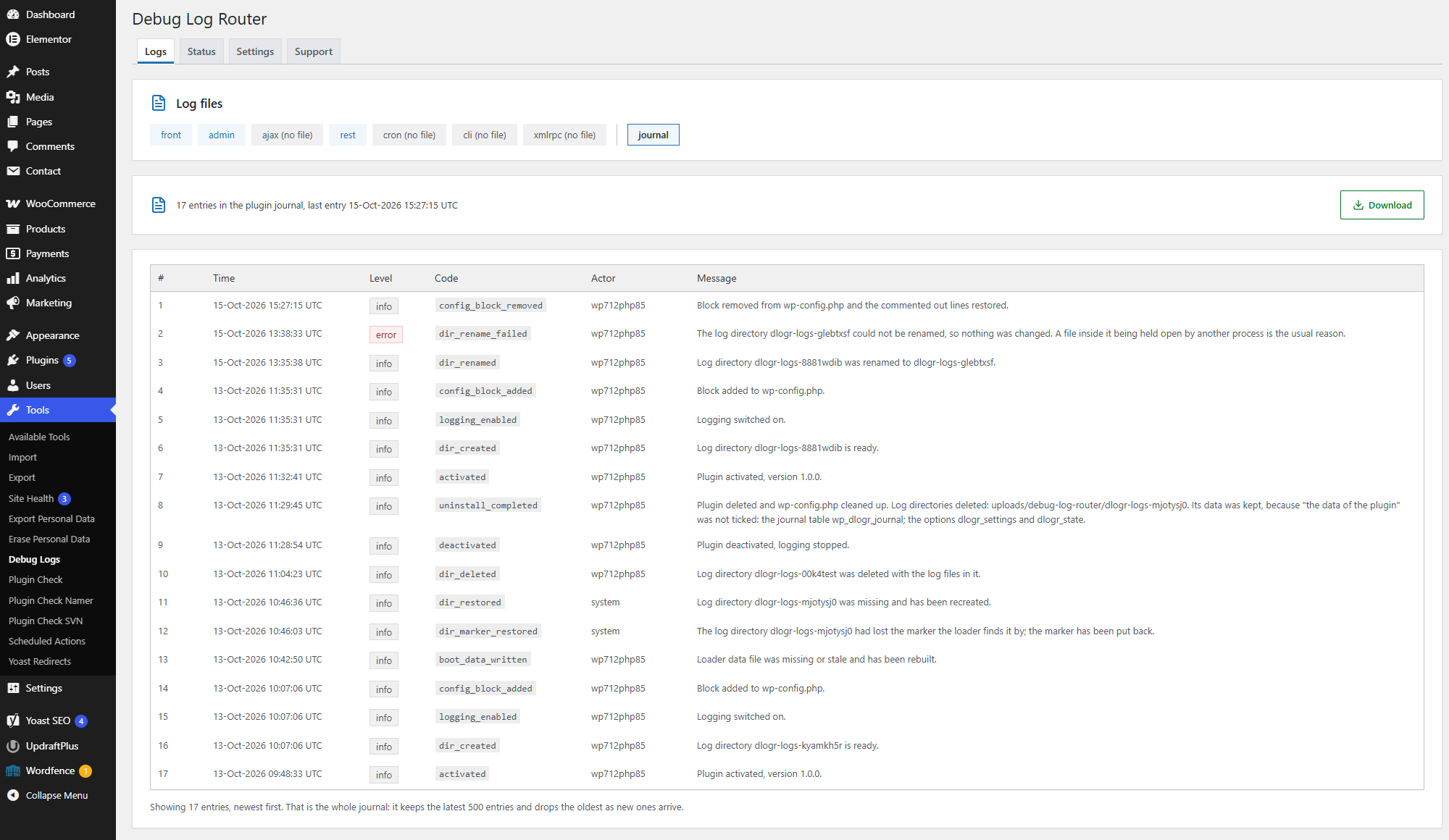
- Tools → Debug Logs, Logs tab: newest entries first, 50 at a time, up to 500 in the browser.
- The plugin's own journal is there too: what it changed in
wp-config.phpand in the log directory, and what it could not do. - Any log and the journal can be downloaded as a file from the Logs tab. The whole log directory downloads as a zip archive from the Settings tab if the server has the PHP
zipextension; without it, the files download one by one. - The old
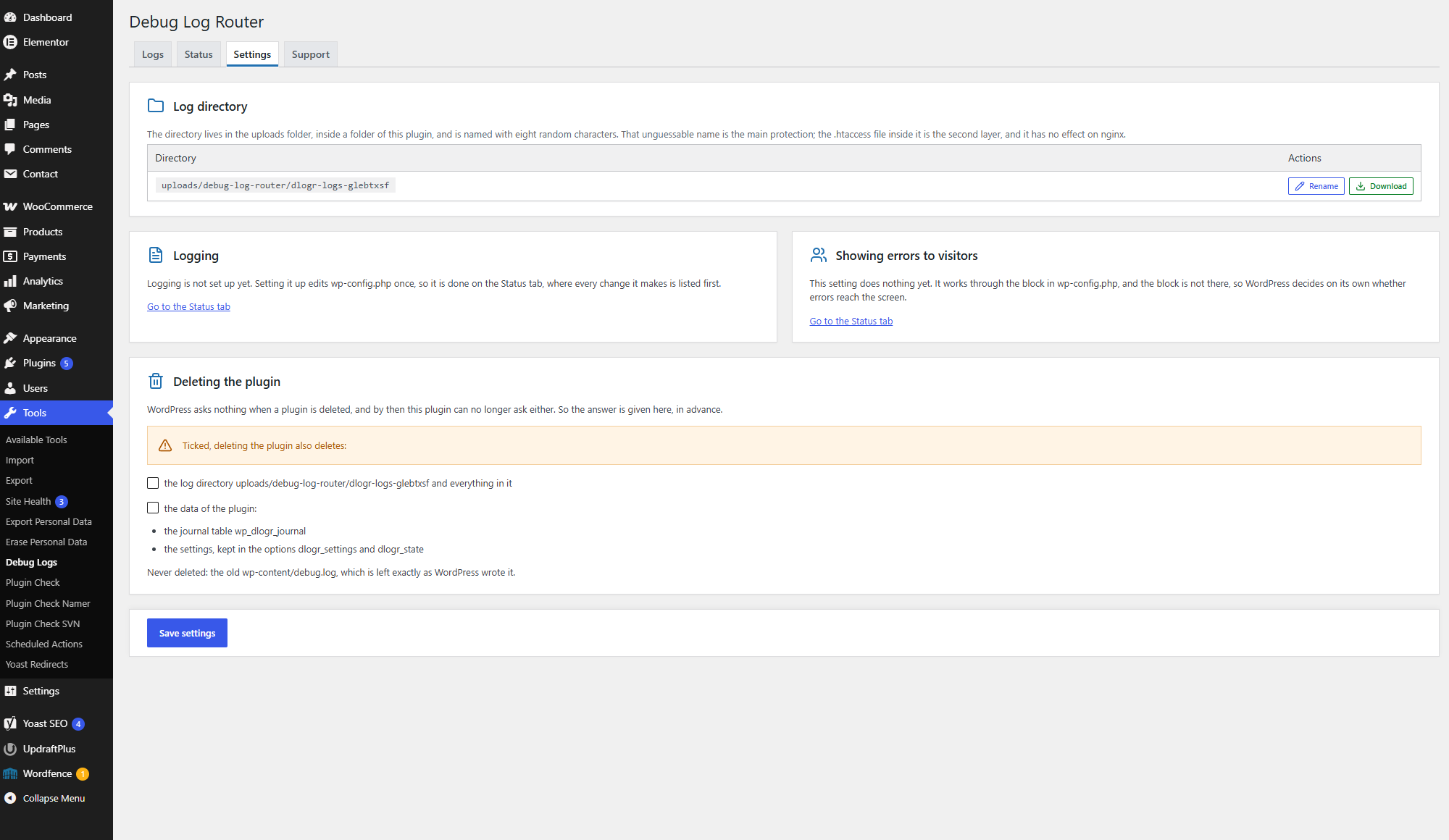
wp-content/debug.logis left alone and opens in the same viewer. - Logging is switched on and off with a single toggle on the Settings tab.
- Errors are hidden from visitors by default. You can show them or leave it to the server.
wp-config.php. The plugin changes it once:
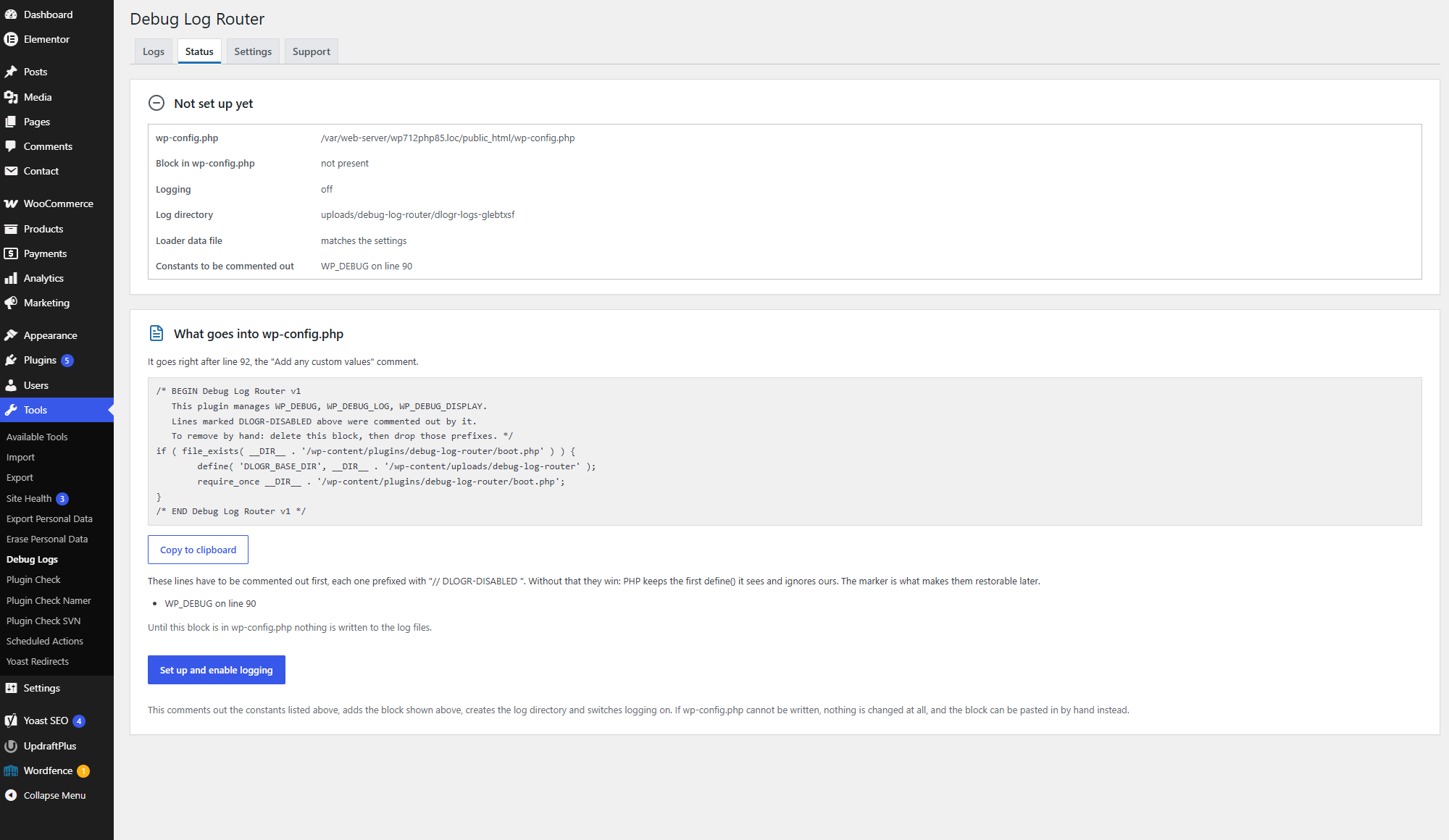
- Activation changes nothing. The edit happens only when you press the button on the Status tab, and before you do, the tab shows exactly what will be added.
- The edited file is checked before it replaces the original: if the result does not parse, or anything else in it is not as expected,
wp-config.phpstays exactly as it was. Its permissions, owner and group are kept. - A short block is added that loads the plugin's loader and names the plugin's folder in uploads. All settings live there and in the database: switching logging and changing other settings never touch
wp-config.phpagain. - Existing
define()lines forWP_DEBUG,WP_DEBUG_LOGandWP_DEBUG_DISPLAYare not deleted but commented out, markedDLOGR-DISABLED. - If the file cannot be written, the plugin shows the ready-made snippet, the line number where it goes and a copy button.
- The block is removed with the "Remove the setting from wp-config.php" button or when the plugin is deleted, and the commented-out lines are restored.
- If the plugin files are deleted over FTP, the block does nothing and the site keeps working.
- The Status tab warns you when the same constants are defined above the block, and when the block is in place but the plugin is not loaded, for example after the site has moved, and offers a button that writes the block again with the current paths.
wp-content/uploads/debug-log-router/dlogr-logs-xxxxxxxx (wherever your uploads folder is), where the last eight characters are random. The name is the main protection: the directory's address cannot be guessed. The second layer is an .htaccess file that blocks direct access on Apache and LiteSpeed. If the name ever leaks, one button gives the directory a new one. No PHP files are written to the uploads folder.
Privacy
The plugin sends no data off your server and contacts no external services. Keep in mind that PHP logs themselves can contain paths on disk, pieces of SQL queries and data of your site's users. That is why only administrators can see them and why the log directory is protected as described above. The plugin's journal records which user performed each action.
Multisite
WordPress networks (multisite) are not supported: the plugin has not been tested on them and makes no claim to work there.
Languages
The plugin's texts follow the language of your WordPress profile; translations arrive as language packs from translate.wordpress.org. On the Settings tab the plugin's page can be switched to English on its own, while the rest of WordPress keeps your language: handy when you look up an error message or send a screenshot to support.
Support
The Support tab explains what the plugin does and where to report bugs, and shows the version and licenses.
Credits
Icons by Lucide (https://lucide.dev), ISC license. Some icons come from the Feather project, MIT license. The license texts are in assets/icons/LICENSE.
安装:
- Install and activate the plugin. Activation changes neither
wp-config.phpnor any files on disk. - Go to Tools → Debug Logs, Status tab.
- Press "Set up and enable logging". The plugin adds its block to
wp-config.phpand creates the log directory. - If
wp-config.phpis not writable, paste the snippet shown by hand, at the place indicated.
屏幕截图:
常见问题:
Which entries never reach the plugin's logs?
Anything that happens in wp-config.php above the plugin's block: the database constants and salts, lines added by your host, and code loaded through auto_prepend_file. Nothing inside wp-config.php can catch what happened before it started running. Errors below the block, the rest of wp-config.php included, do reach the logs, while the standard debug.log never sees them at all.
What happened to the old debug.log?
While the plugin's logging is on, that file is not used: entries go to the plugin's files instead. The old file stays where it is and opens on the Logs tab. Keep in mind that it has no protection of its own and may be readable straight from a browser.
I switched logging off. Did wp-config.php change?
No. The toggle only changes the plugin's own file.
What happens on deactivation?
Logging stops. The block stays in wp-config.php but does nothing until the plugin is activated again.
What is deleted along with the plugin?
When the plugin is deleted, it removes its block from wp-config.php. Everything else goes only if you ticked it beforehand on the Settings tab. There are separate checkboxes for the current log directory, for each directory left over from earlier installs, and for the plugin's data (journal and settings). Nothing is ticked by default: you can delete the plugin and keep the logs, and the next install picks them up. Once no log directory is left, the plugin's folder in uploads goes too.
If the block could not be removed — for example because wp-config.php is not writable — nothing is deleted. In that case, delete the lines from BEGIN Debug Log Router to END Debug Log Router by hand and drop the DLOGR-DISABLED prefixes. It is safer to remove the block with the button on the Status tab before deleting the plugin: there you can see whether it worked.
Why do entries go to the server's log instead of the plugin's files?
This happens when the host has fixed the PHP log path in the server configuration (for example with php_admin_value[error_log]). Neither the plugin nor WordPress itself can change it. The plugin warns about this on the Status tab and, if the server's file is readable, shows it on the Logs tab. Keep in mind that such a file may be shared by several sites on the server.
Does the plugin keep a copy of wp-config.php?
No. Every change is checked before the file is replaced, and a change that does not pass leaves wp-config.php untouched. The plugin's own changes are undone by removing its block, not by restoring an old copy, so lines that other plugins or your host added later stay in place. If you want a copy anyway, take one before you press the button.
My server runs nginx. Are the logs protected?
nginx does not read .htaccess, so there the random directory name is the only protection. To close the directory completely, add a rule to your nginx configuration.
Site Health warns that the log may be public
WordPress shows this warning for any log inside the site's directory, judging by the path alone. The plugin adds an explanation to the text of that check: the directory was created by the plugin, its name is random, and it has an .htaccess file. The plugin does not change the status of the check.
更新日志:
- First release.