Defender Security - Malware Scanner, Login Security & Firewall
| 开发者 | WPMUDEV |
|---|---|
| 更新时间 | 2026年11月9日 18:55 |
| PHP版本: | 8.0.0 及以上 |
| WordPress版本: | 7.1.1 |
| 版权: | GPL v2 - http://www.gnu.org/licenses/old-licenses/gpl-2.0.html |
标签
下载
详情介绍:
- Run on-demand malware scans to find suspicious files and code
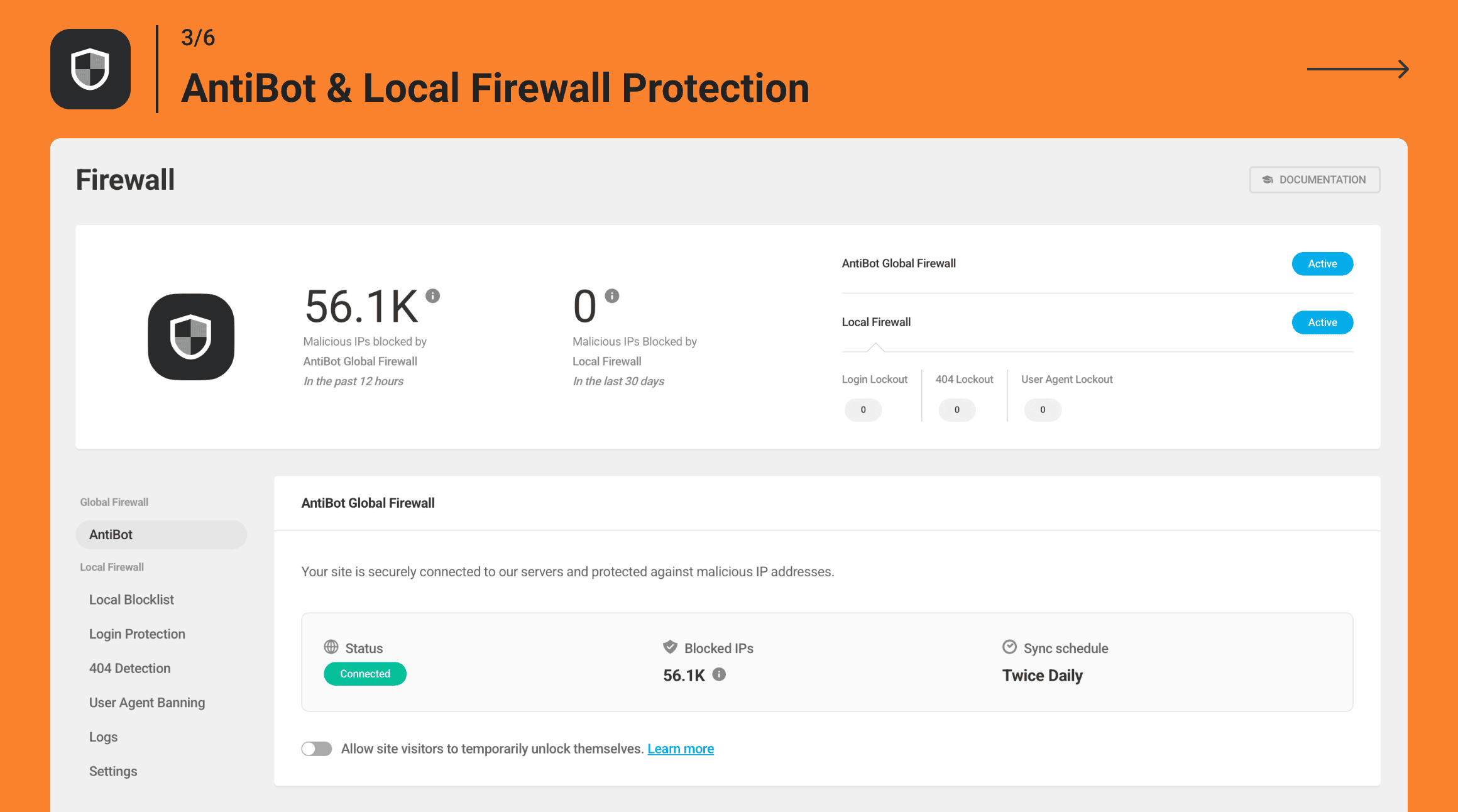
- Block malicious IPs with a global firewall
- Enforce strong passwords, 2FA, and login limits
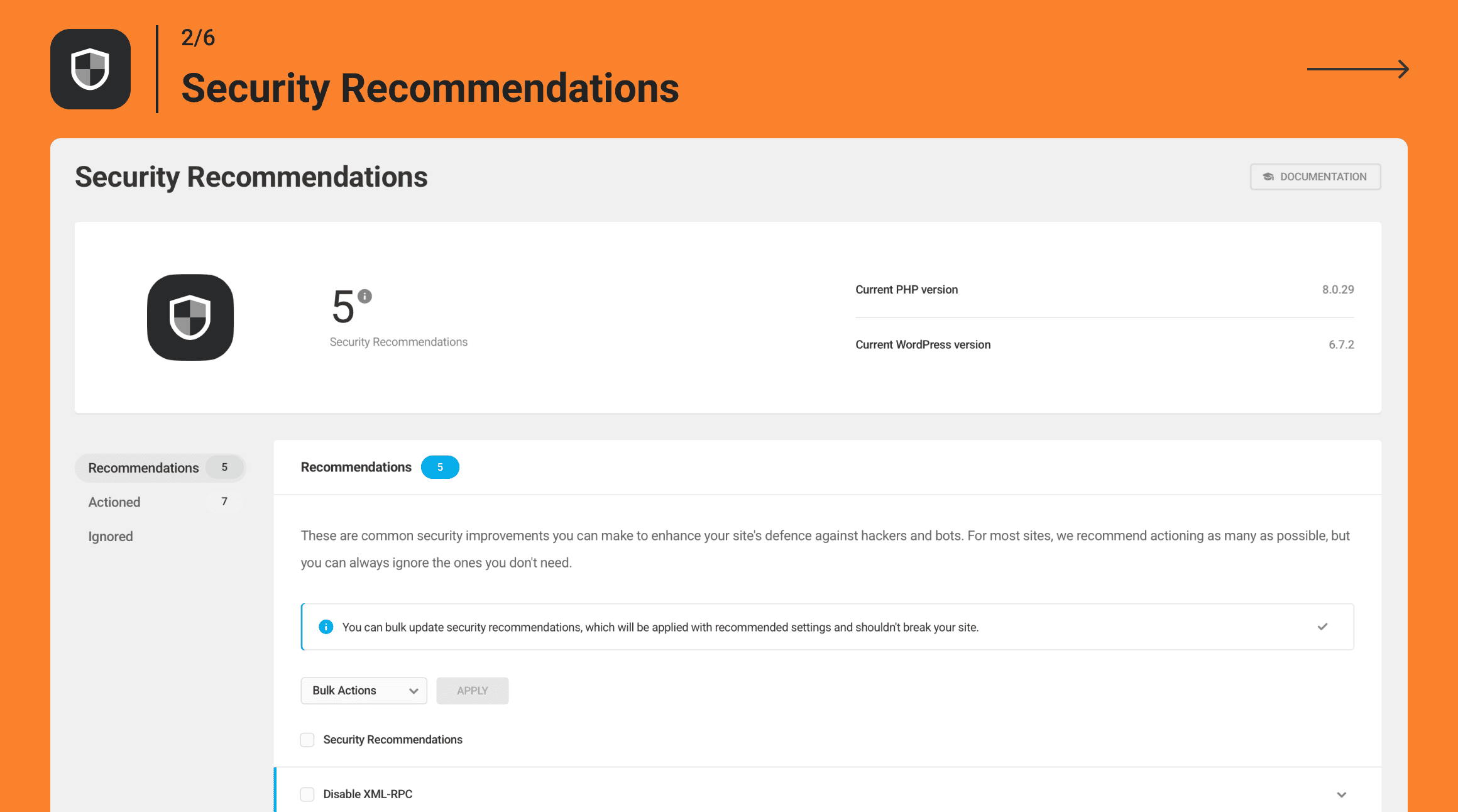
- Apply recommended hardening settings in one click
- Get clear reports that show what needs attention
- Protect against compromised passwords before they are used on your site
- Files that have changed unexpectedly: The scan will compare all core files and extensions against the official WordPress repository and flag any modifications or rogue additions instantly.
- Known vulnerabilities: Defender will check verified exploit registries to catch any security gaps in your active themes, plugins and core version, and help you fix them before they can be targeted.
- Suspicious code: By continually checking your server files, Defender will spot any potential code injections or backdoors, a common way bad actors try to gain access to your site.
- Outdated & removed plugins: Plugins that have been delisted from the repository or have not been updated in over two years become a significant risk to your site's integrity. Defender flags these weak spots before they can cause a problem.
- User-friendly setup: Defender Pro gives you AntiBot on every site you connect, regardless of where they're hosted. Just flip the switch and it'll start working so efficiently you won't even notice it's there.
- Choose your security level: Basic Mode offers balanced, everyday protection, while Strict Mode offers tighter security that blocks even the slightest suspicious activity.
- Manage IPs in The Hub: Manually block specific IPs, apply blocklists and allowlists across all sites, implement Geo IP blocking and configure everything from one central dashboard.
- Advanced IP Lockouts: Manually block specific IPs, import custom blocklists, or set automated timed and permanent lockouts for repeat offenders.
- Geo IP Blocking: Instantly ban traffic from specific countries or geographic locations with a single click.
- User Agent Banning: Instantly block spam and scrapers using built-in bad bot presets. We automatically allowlist major search engines to protect your SEO.
- Malicious Bot Detector: Deploy layered defenses to trap aggressive bots that ignore your robots.txt rules and catch fake crawlers impersonating legitimate search engines.
- Hide Login URL: Change the location of WordPress's default login area, making it harder for automated bots to find and more convenient for your users.
- Session Security: Protect your site from session hijacking, preventing attackers from stealing session tokens to impersonate users and gain unauthorized access to your website.
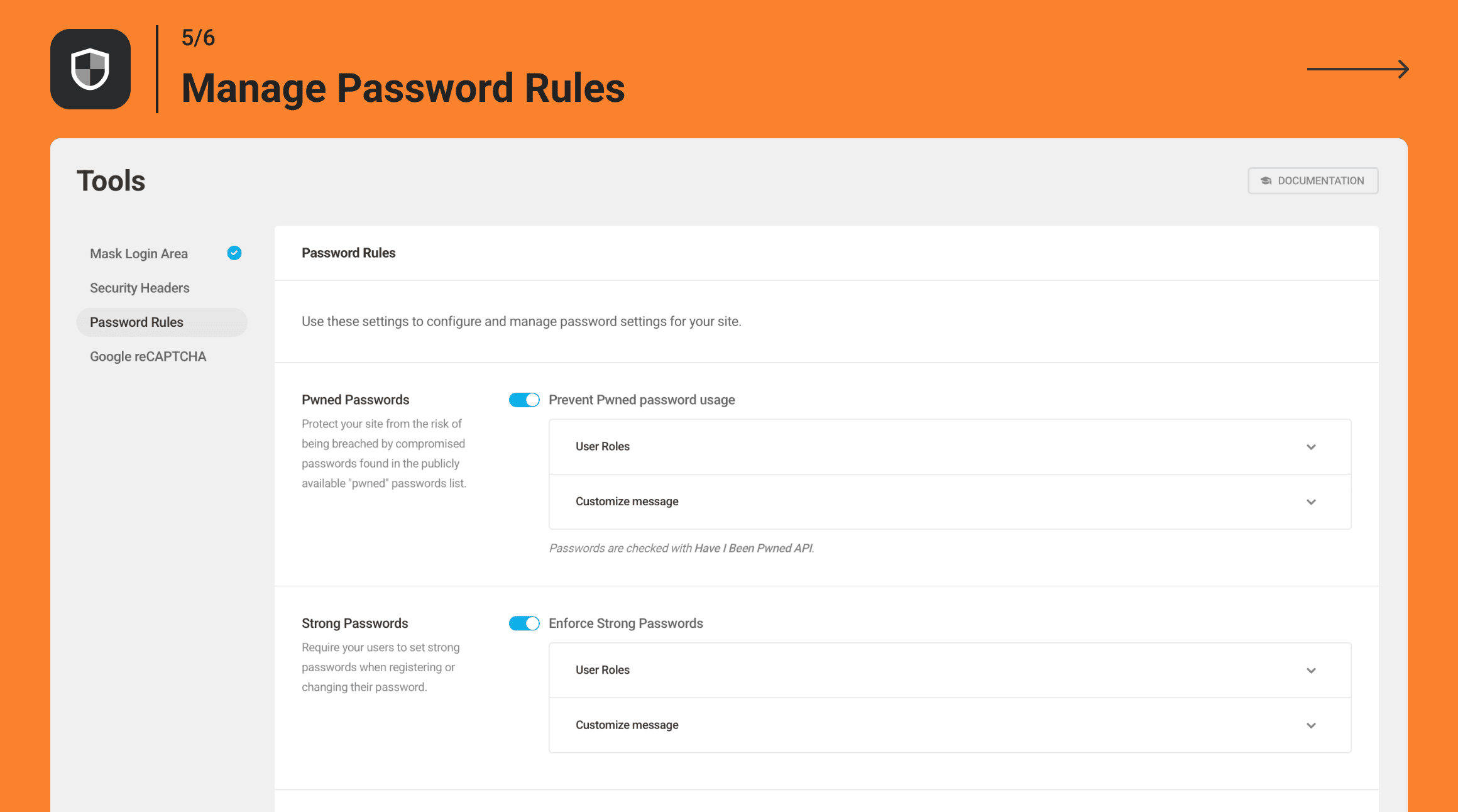
- Smart Password Rules: Enforce strong passwords for new registrations, automatically block compromised credentials using a public "pwned" passwords database, limit login attempts so hackers can't guess passwords, and force a site-wide password reset upon the next login if you suspect a security breach.
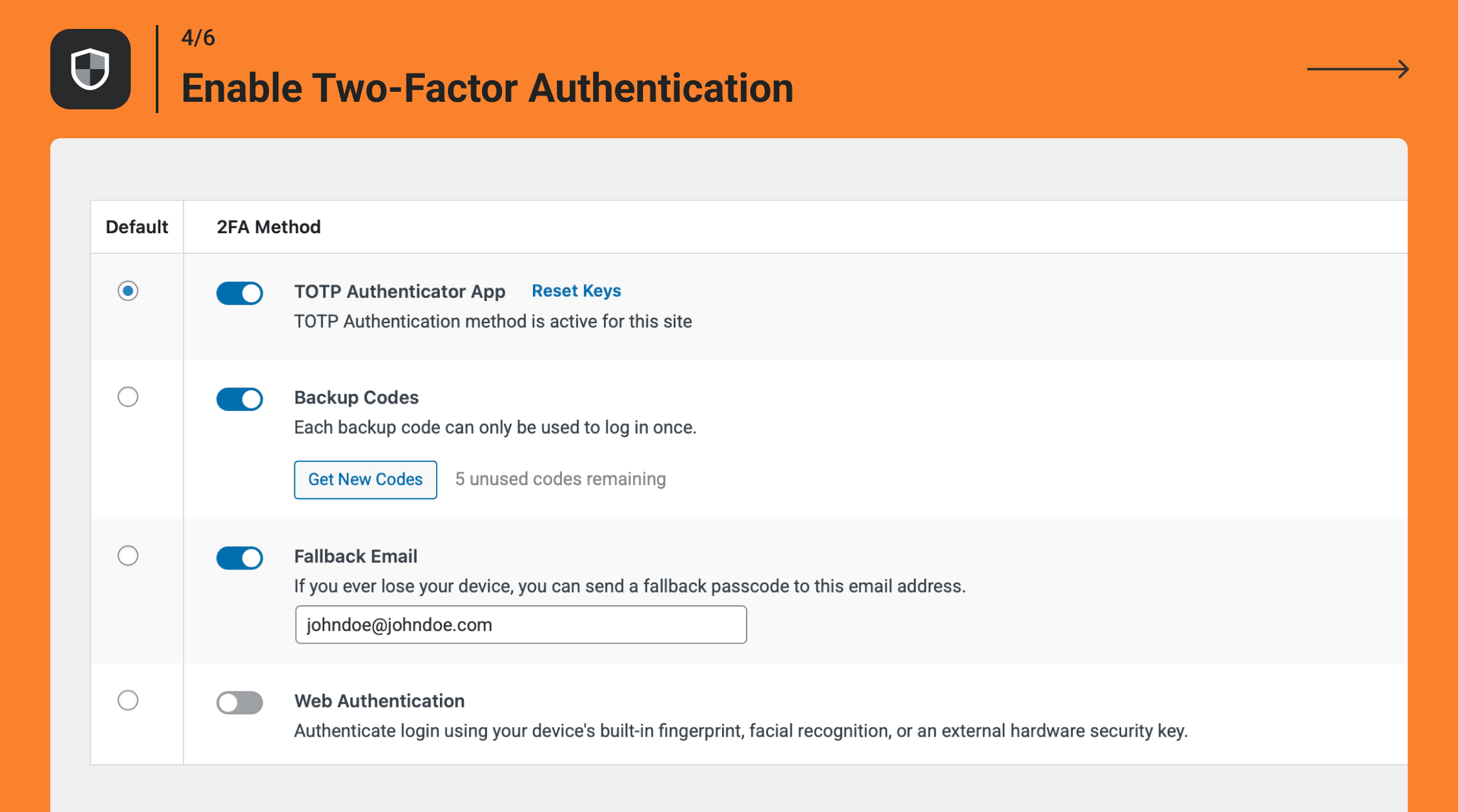
- Two-Factor Authentication (2FA): Add an extra layer of protection and security to your WordPress sites to prevent brute force attacks and login security vulnerabilities. Defender's two-factor authentication (2FA) features include plenty of ways to verify logins, from mobile app verification (Google Authenticator, Authy) to Biometric Authentication (fingerprint/facial recognition) to Hardware Key Authentication (USB security keys.) Plus, built-in backup code generation, lost device emails and WooCommerce 2FA.
- Disabling the file editor to stop internal tampering
- Updating outdated security keys
- Hiding PHP error reporting on the frontend
- Adding advanced security headers (XSS protection, Strict Transport, etc.)
- Disabling trackbacks and pingbacks to prevent spam
- Performing scheduled scans for issues: Set up regular scans that look for malicious code, suspicious code injections, vulnerabilities, abandoned plugins, and missing hardening recommendations.
- Creating automated security reports: Stay informed with health updates and immediate threat summaries delivered directly to your inbox.
- Keeping audit logs: Defender logs key site activity — logins, user changes, plugin and theme updates, content edits, and settings changes — so you can track what happened and when.
- Security trusted by over 1 million WordPress users
- Protection built specifically for WordPress vulnerabilities
- Regular updates and threat intelligence improvements
- Malware scanning, firewall protection, and login security in one plugin
- Support from the award-winning WPMU DEV team
- Detect and limit 404 bots before they drain server resources
- Run malware scans without overloading your CPU
- Keep your site protected without adding performance drag
- Protect WooCommerce, BuddyPress, and sites built with major page builders
- Apply saved security configs across multiple sites in a few clicks
- Enable and configure protection alongside your favorite plugins
安装:
- Upload the
wp-defenderplugin to your/wp-content/plugins/directory. - Activate the plugin through the 'Plugins' menu in WordPress.
- Configure and manage using the
defendermenu item in the WordPress dashboard. - Done!
屏幕截图:
常见问题:
Why should I choose Defender over other security plugins?
Defender is built to add all the best hardening and website security recommendations used by the pros without having to become a security expert. This means you get all the most effective and proven protection methods other services provide with fewer settings, one-click hardening and faster setup.
Is installing Defender the only step I need to take for better WordPress security?
Hackers and bot attacks are not the only security threats to your site. No matter what security plugin or service you use, always be prepared with a secure backup stored in a safe location away from your live site. Security does not protect from hosting outages, server errors and accidentally lost or damaged data. We recommend Snapshot. Defender with scheduled managed backups is the best way to keep your site safe.
Does Defender security protect against harmful bots?
Yes! Defender's Firewall gives you robust site protection and security by allowing you to block bad bot IPs and use geographical IP blocking
Can I use Defender with other security plugins?
You can. Just make sure not to enable the same security features in the third-party plugin that you also have enabled in Defender, as this might cause conflicts, such as malware scanners, firewall, and login security features.
Is Defender’s security compatible with WordPress Multisite?
Yes! All of Defender's security features are fully compatible with a multisite installation. It can be network enabled and managed from the network admin.
Does Defender offer spam protection and security?
Yes, Defender provides multiple layers of spam protection and security. A large percentage of Trackbacks and Pingbacks are spam, and Defender allows you to easily disable both to reduce spam and improve site security. Additionally, Defender includes the AntiBot Global Firewall, which blocks known malicious IPs and bots before they even reach your site, offering proactive protection against common attacks and spam bots.
Will my site be protected from DDoS attacks and similar security threats?
Yes. Defender's IP banning, IP lockout, and 404 detection security features can identify DDoS attacks and block bad IPs.
I've locked myself out of my admin panel, what can I do?
If you’re the administrator and you’ve been locked out due to multiple failed login attempts, Defender offers two options:
Option #1: Use the “Unlock Me” feature:
Click the Unlock Me button on the login page and enter your username or the email address linked to your site. You’ll receive an email with a secure link to unlock your account and regain access — no technical steps needed.
Option #2: Use the manual method (if email doesn’t work):
Add the following code to your theme’s functions.php file, located in the main directory of your active theme.
add_filter( 'ip_lockout_default_whitelist_ip', function ( $ips ) { $ip = 'YOUR IP HERE'; $ips[] = $ip; return $ips; } );
Replace "YOUR IP HERE" with your actual IP address (you can use a tool like whatsmyip to find it.)
Help! I was already hacked. What should I do?
WPMU DEV's expert support can advise you on how to clean up your site if it's been hacked. Create a new thread in our support forum, or Defender Pro gives you access to 24/7 live support.
How can I report security issues or bugs?
We take plugin security incredibly seriously; if you have a bug or vulnerability to report, you can do so through the Patchstack Vulnerability Disclosure Program. It's fast, easy, and you will be notified when the issue is fixed. Report a vulnerability.
I have another question, where's the best place to get help with security?
Please open a new thread in Defender's support forum. Our support team is always happy to help!
更新日志:
- Fix: Client IP address can be spoofed through Smart IP Detection (props: Karthik Ramakrishnan)
- Fix: Two-factor code verification is not rate limited by default (props: Karthik Ramakrishnan)
- Fix: Audit Log recovery query blocks the database
- Fix: Session Protection: Immediate logout after logging in with memory-only transients
- Enhancement: Update malware signatures
- Enhancement: Improve Hub experience
- Enhancement: Sanitize dangerouslySetInnerHTML content using DOMPurify with allowed tags and attributes
- Enhancement: Ensure session locking does not bypass idle-timeout validation
- Enhancement: Improvements to Audit Logging in both API and plugin
- Enhancement: Add an option to synchronize plugin configs with the Hub
- Enhancement: Improve page skeleton loader
- Enhancement: Update Hub Connector submodule
- Enhancement: Banning location improvements
- Enhancement: Activity Log improvements
- Enhancement: Style improvements on Setup Wizard page
- Fix: Warnings on Defender WP CLI
- Fix: Schedule Scan and Reporting feature not working on multisite
- Fix: XML-RPC showing as forbidden
- Fix: Fix an error due to failure in downloading the MaxMind DB
- Fix: Many requests from "Defender Self Ping"
- Fix: Pro is missing from Defender Card title in Settings > Other Settings page
- Fix: Info tooltips don't open from the keyboard
- Fix: Apostrophe appears as wrong HTML characters in strong password custom message
- Fix: Docs button does not navigate to the relevant documentation section
- Fix: Custom app title and Custom authentication emails toggles don't save changes
- Enhancement: Update malware signatures
- Enhancement: Make Scan settings uneditable while scanning is in progress
- Enhancement: Upgrade node packages
- Enhancement: Display country name tooltip on country flag hover in Firewall Logs
- Enhancement: Reduce the plugin archive size by removing legacy code in some files
- Enhancement: Translation improvements
- Enhancement: Display scan details of issue with a suspicious code with automatic scrolling
- Enhancement: Update support and product roadmap links
- Enhancement: DOM improvements when Pwned/Strong passwords are enabled
- Enhancement: Style improvements on Issues page
- Enhancement: Scan progress bar improvements
- Enhancement: Placeholder copy for Files, folders and file types field
- Enhancement: Show count of lockouts in the notice within Malicious Bot detector
- Enhancement: Improve config applying message
- Fix: Unlock Pro features on free plan for sites hosted by WPMU DEV
- Fix: Passing null to parameter #1 on class-malicious-bot.php
- Fix: Audit logs are causing an error when updating menu items
- Fix: Defender blocking entire America if Armenia is blocked in geoblocking
- Fix: Messaging missing for the config file imports
- Fix: Defender > Strong passwords option breaks the WP Application Password
- Fix: Dropdown scroll issue in smaller screens
- Fix: Overlapping modals on Dashboard page
- Fix: Minor code improvements
- Fix: Username does not appear in some Audit Log events
- Fix: Audit module stores un-interpolated {{user_login}} in some logs
- Fix: Minor improvements in vulnerability detection
- Enhancement: Improved Audit Log UI across Dashboard and Audit Log pages
- Enhancement: Added a "Save your API keys to load" preview state for Bot Protection CAPTCHA settings
- Enhancement: Updated the event type label in the detailed Audit Log view from 'Content' to 'Context'
- Fix: Resolved an issue where audit log events from multi-event requests were not synchronizing to the Hub
- Fix: Fixed a UI layout issue when editing Nginx configuration under Hardening > Prevent Information Disclosure
- Fix: Addressed a deprecation notice for Webauthn::verify_response()
- Fix: Fixed a visual bug where the "Learn how we detect your IP" link overlapped the background border at 1280px screen widths
- Fix: Minor code improvements
- Fix: Streamlined schema method by removing bootstrap trait
- Fix: 2FA > Web Authentication method binds credential verification to the target user (props: Tai)
- New: Audit Log for Free Hub and WP.org users
- Enhancement: Compatibility with WordPress 7.1
- Enhancement: Replace PHP-DI third-party package with custom lightweight DI Container
- Enhancement: Display the Audit Log Storage retention setting
- Enhancement: Handle UI state when all scan types are disabled on the Settings page
- Enhancement: Update WPMU DEV domain in Audit service codebase
- Enhancement: Validate secret-key API response before writing to wp-config.php
- Enhancement: Improve toast message when attempting to disable the last enabled Malware Scan type
- Enhancement: Remove dash-notice submodule
- Enhancement: Ensure all scan status messages are displayed during scan progress
- Enhancement: Improving user communication while the site is connecting to the Hub
- Fix: Clicking on 'View Logs' link does not filter Firewall Logs after the redirect
- Fix: Security improvements on Hub-Connector (props: Jakub Herman)
- Fix: Prevent adding duplicate recipient email addresses in Reports and Alerts
- Fix: Changing the default report template should not affect existing recipient(s) preferences
- Fix: Fix responsive layout issues on Dashboard, Two-Factor Auth and Other Settings plugin pages
- Fix: Reverting to Defender 5 causes JavaScript errors on the Notifications page
- Fix: Recipients don't receive email for all types of 'Firewall Alert' when a firewall lockout is enabled and triggered for XSS, Fake Bot, or 'Non-installed plugin lockout'
- Fix: Logs are displayed without timezone on Audit and Firewall log pages
- Fix: Improve Malware Alert and Report flow for 'always_send' and 'error_send' params
- Fix: Email notifications title issue with apostrophes
- Fix: The scheduled time notice does not show after the Free upgrade
- Fix: Defender Welcome Modal is displayed in wrong version
- Fix: 3 strings were not imported for translation due to emoji
- Fix: Unable to access the Custom Rules page
- Fix: Force Authentication is not restricted to roles enabled under User Roles
- Fix: Settings page layout breaks at 1280px with horizontal scrollbar
- Fix: Incorrect 'Enable Bot Protection' modal on disabled reCAPTCHA toggles
- Fix: Pagination remains visible after ignoring all files and only disappears after clicking a page
- Fix: Defender Audit Logs creates incorrect and duplicate entries when updating General Settings
- Fix: Minor code improvements