
MultiPOS - Point of Sale (POS) for WooCommerce, Barcode Scanner & Cash Register
| 开发者 | DevDiggers |
|---|---|
| 更新时间 | 2026年10月24日 05:10 |
| PHP版本: | 7.4 及以上 |
| WordPress版本: | 7.1 |
| 版权: | GNU General Public License v3.0 |
| 版权网址: | 版权信息 |
详情介绍:
yoursite.com/pos. There is no app to download and no separate POS account to sign up for.
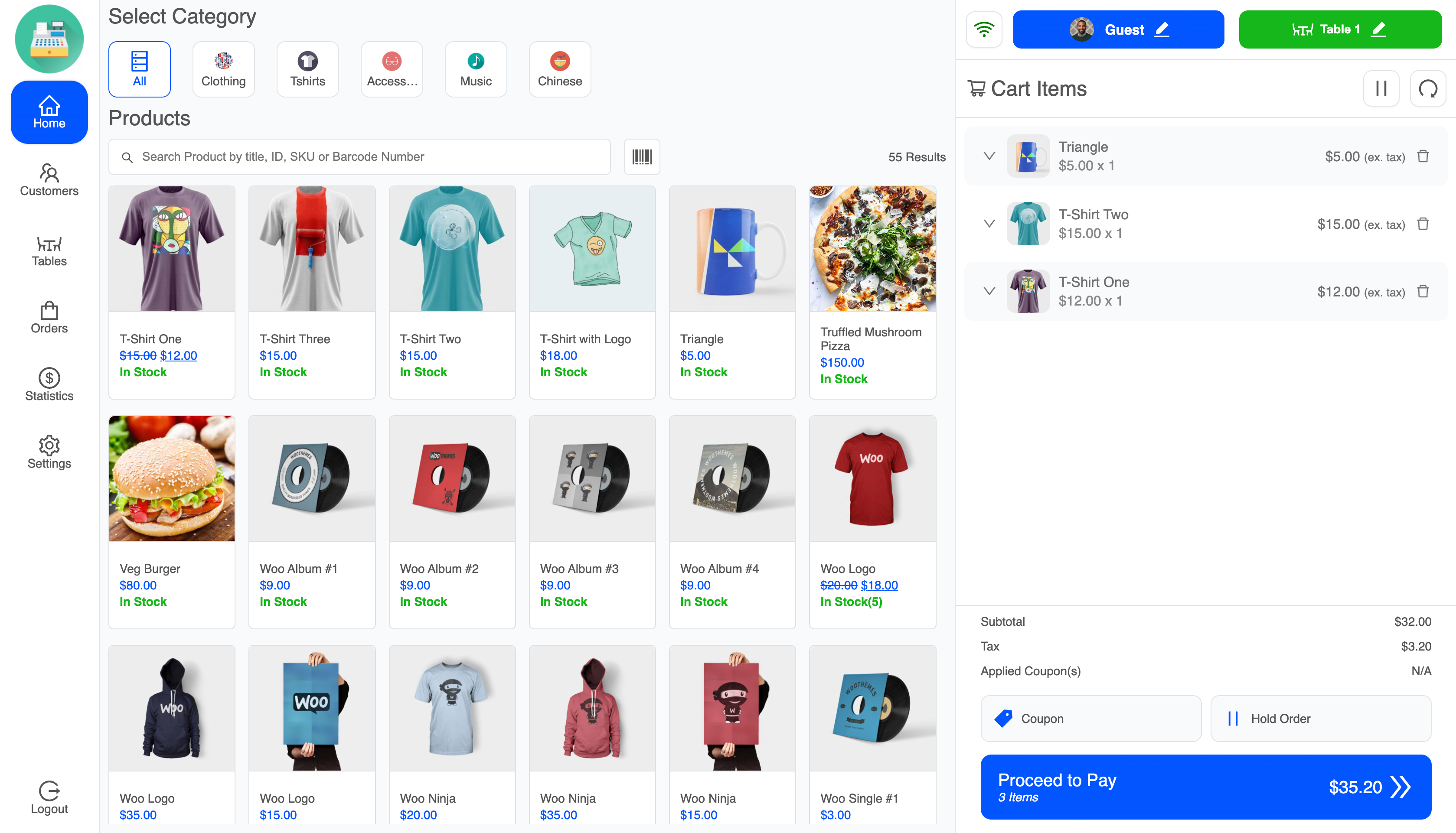
A cashier opens that URL, logs in, and lands on the sales screen. From there they search products, scan a barcode, add a customer, apply a coupon, take payment, and print a receipt. The sale is saved as a real WooCommerce order, so your stock, taxes, coupons, customer records, and order list keep working the way they already do.
The free version covers a first POS setup end to end: one outlet, unlimited cashiers, WooCommerce stock, barcode scanning and label printing, receipt printing, customer management, and a POS dashboard. It suits small retail counters, grocery and convenience shops, pickup desks, market stalls, pop-up shops, and cafes that want in-person sales recorded inside WooCommerce instead of a separate till.
No monthly fee, no external POS account, and no store data leaving your site.
Quick Links
- View Product Page
- Live Demo
- Watch the Video Overview
- Full Documentation
- Free vs Pro Comparison
- Contact Support
- Upgrade to Pro
- A point of sale terminal on your own site, at a URL path you pick
- Setup wizard for the first configuration
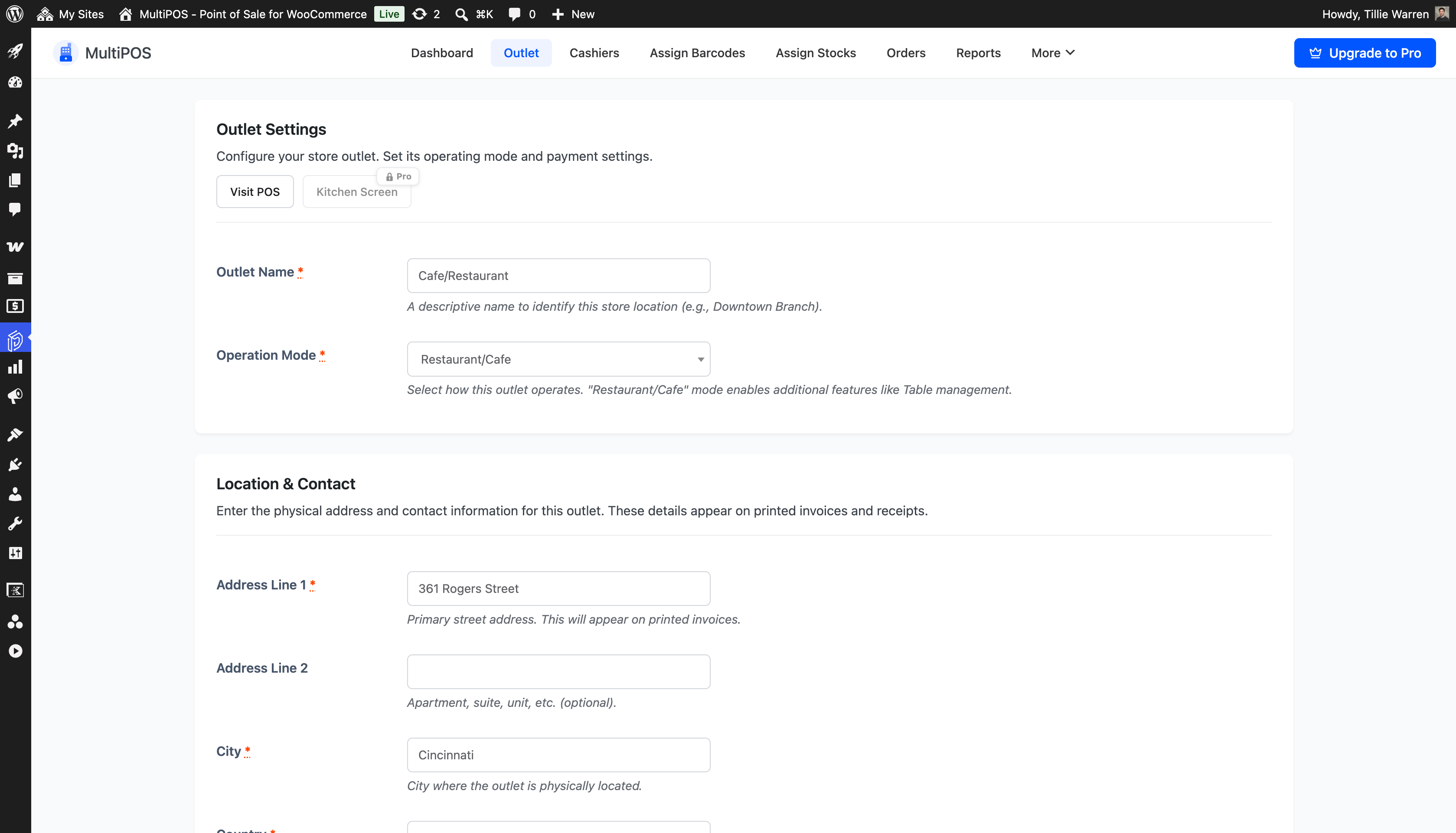
- One active outlet, in grocery/retail or restaurant/cafe mode
- Unlimited cashiers using a dedicated POS Cashier role
- Product search by title, ID, SKU, or barcode
- Barcode scanning to add items to the cart
- WooCommerce stock check before the order is created
- Cash payment with tendered amount and change, plus your own payment method labels
- POS sales saved as normal WooCommerce orders
- POS order marker in the WooCommerce orders list
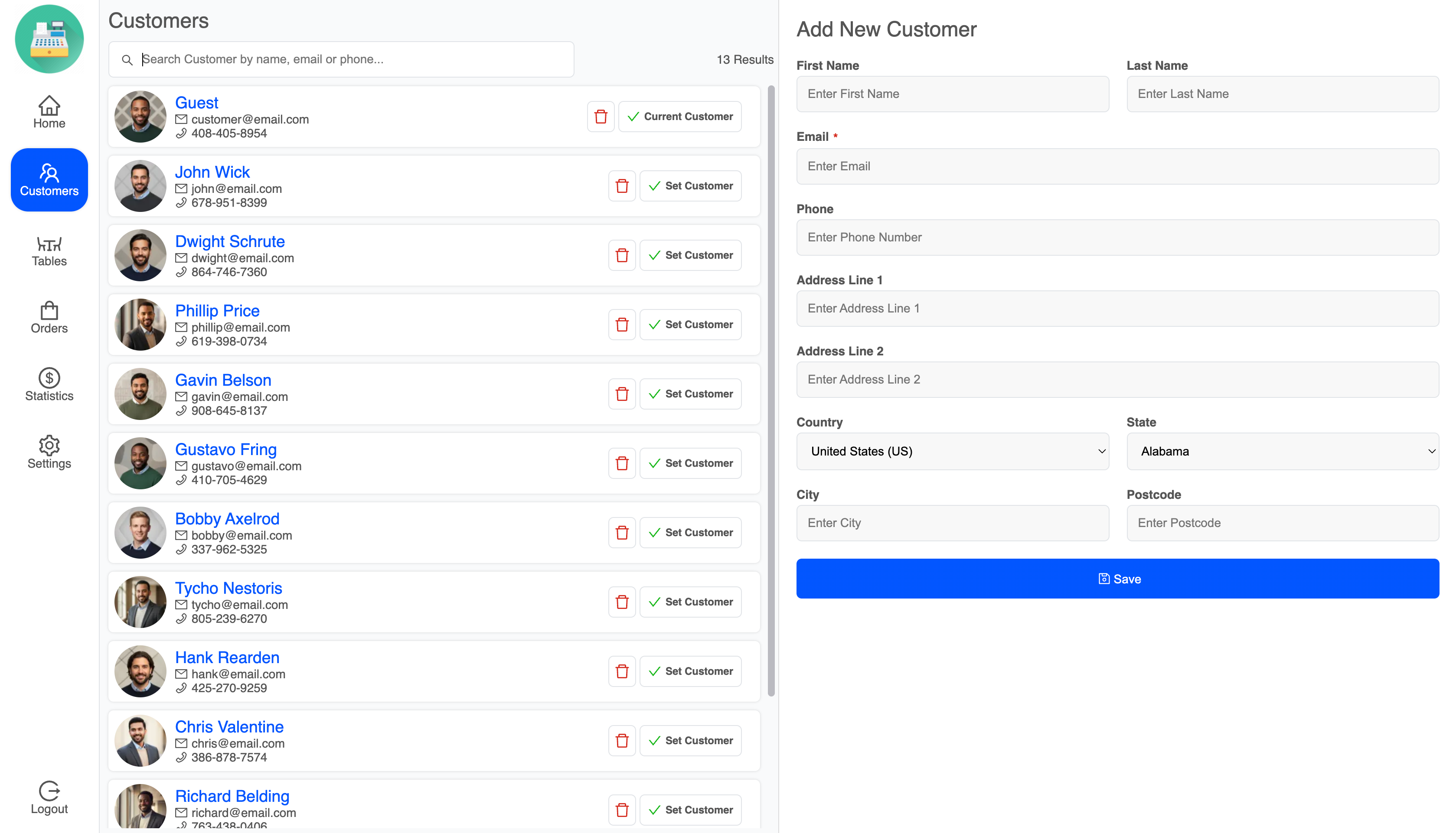
- Customer search, add, edit, and delete from the POS screen
- WooCommerce coupon codes at POS checkout
- Hold a cart and come back to it later
- Receipt printing with configurable roll width, height, and margin
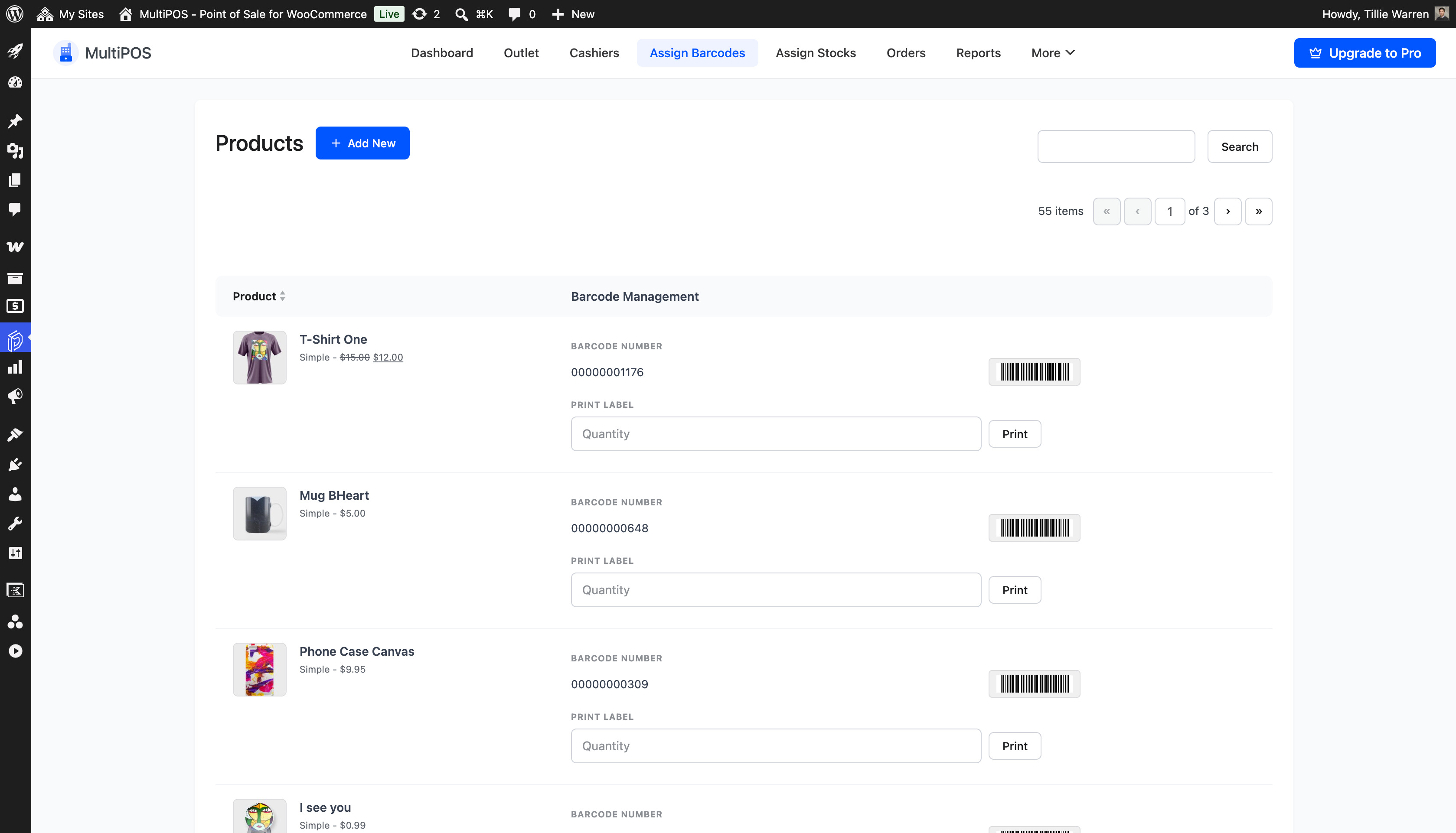
- Barcode label printing for products, with page and label sizing
- POS dashboard with orders, revenue, cashiers, and top payment method
- Transaction log of POS activity
- Login screen text, logo, and colour settings
- POS colours, font family, font size, corner radius, and product card layout
- Translation ready,
.potfile included - Compatible with WooCommerce High-Performance Order Storage (HPOS)
- Run the setup wizard, or open MultiPOS > Configuration
- Enable the Point of Sale module
- Choose the POS URL path, for example
pos - Set up your outlet and enter its address
- Create a cashier from MultiPOS > Cashiers
- Open the POS terminal and take your first in-person sale
安装:
- Go to Plugins > Add New in your WordPress admin.
- Search for MultiPOS.
- Click Install Now, then Activate.
- Download the plugin zip file.
- Go to Plugins > Add New > Upload Plugin.
- Upload the zip file, click Install Now, then Activate.
devdiggers-multipos-for-woocommerce folder to /wp-content/plugins/ over FTP, then activate it from the Plugins menu.
After activation
- Follow the setup wizard, or go to MultiPOS > Configuration > General.
- Enable the Point of Sale module.
- Set your POS terminal URL path.
- Configure your outlet from MultiPOS > Outlet.
- Create a cashier from MultiPOS > Cashiers.
- Open the register using the Visit POS link.
屏幕截图:




常见问题:
Is MultiPOS really free?
Yes. The free version runs a full counter: one outlet, unlimited cashiers, barcode scanning, barcode label printing, receipt printing, customers, coupons, cash payment, and the POS dashboard. There is no trial period and nothing stops working after a while. Pro adds multiple outlets, split payments, restaurant kitchen tools, and detailed reports.
Do POS sales show up as normal WooCommerce orders?
Yes. Each sale creates a real WooCommerce order. MultiPOS attaches the outlet, cashier, payment method, and tendered amount, but the order lives in WooCommerce and behaves like any other order.
What do I need to run it besides WooCommerce?
A computer or tablet with a browser, and your existing WooCommerce products. WordPress 6.0 or newer, WooCommerce 9.5 or newer, and PHP 7.4 or newer.
Do I need a Square, Stripe, or PayPal account?
No. MultiPOS runs on your WordPress site and records sales straight into WooCommerce, so there is no third-party POS account and no per-sale fee from the plugin. The free version does not connect to card readers. If you take card payments on a separate terminal, add a payment method label such as Card so the order records how the customer paid.
Do I need a barcode scanner?
No, but it speeds things up. Any keyboard-wedge USB or Bluetooth scanner works, because the scanner just types the barcode into the POS barcode box. You can also type or paste the value by hand.
Can I print barcode labels for my products?
Yes. The admin barcode screen prints labels and lets you set page size, barcode height, margins, spacing, and orientation. Free uses the product ID or SKU as the barcode value and prints the barcode on its own. Assigning your own barcode value per product, and printing the product name, SKU, and price on the label, are Pro features.
Can I print receipts on a thermal printer?
Yes. Receipts print from the browser after checkout, and you can set the roll width, height, and margin to match your printer. The free version ships one translatable receipt template. Designing your own templates is a Pro feature.
Which payment methods can I take at the counter?
Cash is included, with tendered amount and change. You can also add your own payment method labels in MultiPOS > Configuration > Payments, for example Card or UPI, and choose which ones the outlet offers. Splitting one order across several methods is a Pro feature.
How many cashiers can I add?
As many as you like. The free version creates a POS Cashier role and does not limit how many users you assign to it. Administrators and shop managers can also use the POS. Assigning different cashiers to different outlets needs Pro, because the free version runs one outlet.
Can I run more than one shop or register location?
The free version supports one active outlet. MultiPOS Pro adds unlimited outlets for stores with more than one branch or sales location.
Does it use my WooCommerce stock?
Yes. The POS reads WooCommerce stock and checks availability before creating the order. Keeping separate stock per outlet is a Pro feature.
Which product types work at the POS?
The free version handles simple WooCommerce products. Variable products and more advanced product workflows are handled in Pro.
Does the POS work offline?
No. The free version needs a connection to your site. Offline order handling with later sync is a Pro feature.
Will it work on a tablet?
Yes. The POS screen is a web page, so it runs in the browser on a tablet, laptop, or desktop. Installing it as a Progressive Web App with your own icon and colours is a Pro feature.
Can cashiers add customers during a sale?
Yes. Cashiers can search, add, edit, and delete customers from the POS screen, and the records save as normal WooCommerce customers. You can also set a guest account for walk-in sales.
Can I apply a coupon at the counter?
Yes. WooCommerce coupon codes can be entered and validated during POS checkout.
Is it suitable for a grocery or convenience store?
Yes. Fast product search, barcode scanning, cash payment with change, and receipt printing cover a typical grocery counter. Choose grocery/retail mode on the outlet.
Does it support restaurant tables?
Restaurant/cafe mode adds a tables tab in the POS, and the table is saved with the order. Kitchen display screens and advanced order routing are Pro features.
What happens if a customer walks away mid-sale?
Hold the cart, serve the next person, and open the held cart again when they come back.
How do I change the POS URL?
Go to MultiPOS > Configuration > General and update the POS terminal URL path. If the page does not load afterwards, save your permalinks once from Settings > Permalinks.
Do cashiers need WordPress admin access?
No. Cashiers log in on the POS screen itself and never see the WordPress dashboard.
Is MultiPOS compatible with HPOS?
Yes. The plugin declares compatibility with WooCommerce High-Performance Order Storage.
Where can I get help?
Ask on the WordPress.org support forum, read the documentation at devdiggers.com/multipos-point-of-sale-for-woocommerce/, or contact DevDiggers from devdiggers.com/contact/.
更新日志:
- Redesigned the POS: calmer cards, softer shadows, flat badges, and one shared style for every popup, field, and empty screen.
- New dropdown design across the POS, with search on long lists such as countries and states, and full keyboard support.
- Redesigned the coupon, hold order, and barcode popups with labels, hints, and clear action buttons.
- Redesigned notifications: no duplicates, shown at the top centre.
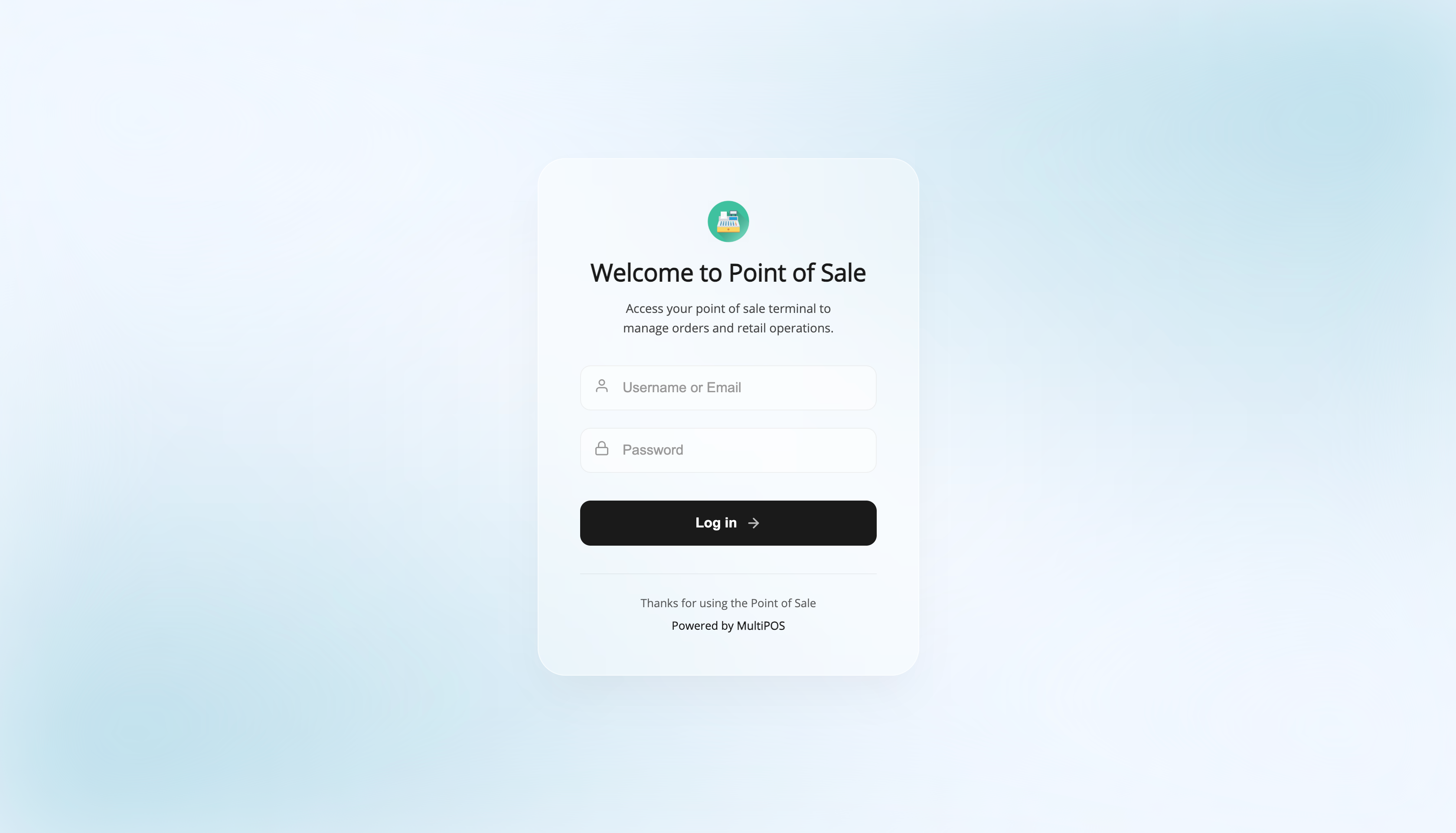
- Redesigned the login screen with cleaner fields and line icons.
- Redesigned the tables screen, the statistics screen, and the empty states on every POS screen.
- Redesigned the default receipt: store header, order details, a tidy item table, and a bold total.
- Added a full size receipt preview with 58 mm, 80 mm, and A4 paper, zoom, and a test print.
- Added receipt details for the customer email and address, the order note, the payment methods, the outlet address on one line, the store name and address, and the print date.
- Added bulk label printing on the Barcodes screen: tick several products and print all their labels at once.
- Added ten ready made colour palettes for the POS with a live preview.
- Redesigned the Outlet screen with a two column layout and an At a Glance card for sales.
- The Orders screen shows the cashier with their photo, item counts, and refunds, and can be filtered by cashier and date.
- The Cashiers screen shows each cashier's photo, last 30 days of sales, and their last sale.
- The Transactions screen shows the cashier with their photo and the outlet underneath.
- Shop managers can now add, edit, and remove cashiers, not only administrators.
- Added an Add and Edit Cashier screen inside MultiPOS, with the cashier's recent sales beside the form.
- Added Cash Register and Permissions tabs, and Registers and Staff & Payments screens, that introduce the cash control, manager approvals, and staff reports of MultiPOS Pro.
- The Rewards tab is now a short introduction to LoyaltyX rewards in MultiPOS Pro, in place of the disabled settings.
- Barcode label details (store name, product name, SKU, price) are shown under Printer settings as a Pro feature.
- The add button on product cards now shows on hover, and the selected order in the Orders list gets a brand colour outline.
- New default POS logo.
- Security: POS requests now always act as the signed in cashier, sales only accept the payment methods you set up with positive amounts, and store staff accounts can no longer be edited or deleted from the POS.
- The cashier list can no longer delete your own account or an administrator.
- Barcode scanning now also finds products by their SKU.
- Fixed the product sync stopping early when a page of products had nothing to send.
- Added a WhatsApp tab under Configuration that introduces WhatsApp receipts for POS sales, available in MultiPOS Pro with the Purchase via WhatsApp plugin.
- The tab shows an example receipt in a phone preview, so you can see what customers get before upgrading.
- Upgraded to DevDiggers Framework 1.1.0: admin screens now open instantly without a full page reload, with skeleton placeholders while a screen loads.
- Improved list screens: the title action buttons, search box, bulk actions and pagination now follow one consistent layout.
- Fixed minor PHP warnings and JavaScript errors seen after in-place navigation.
- Bug fixes and stability improvements.
- Barcode images now load through the WordPress REST API instead of a direct PHP request, so they render on hosts that block direct PHP access inside wp-content (Cloudways and similar).
- Fixed printed barcode labels coming out blank on those hosts.
- Tested compatibility with WordPress 7.1 and WooCommerce 11.0.1.
- Fixed a fatal error that could stop the site when another DevDiggers plugin was active at the same time.
- Tested compatibility with WordPress 7.1 and WooCommerce 11.0.1.
- Tested compatibility with WordPress 7.0.3 and WooCommerce 11.0.0.
- Fixed security issues.
- Updated the plugin documentation link to the DevDiggers docs site.
- Refreshed the plugin description and translation template files.
- Initial free version release.
- Added POS terminal for WooCommerce orders.
- Added setup wizard, outlet management, cashier role, barcode labels, receipt printing, POS dashboard, and transaction log.
- Added WooCommerce HPOS compatibility.