
Returns Portal & RMA for WooCommerce – EU Withdrawal Button, Refund & Cancel Order Requests
| 开发者 | devdiggers |
|---|---|
| 更新时间 | 2026年11月10日 19:31 |
| PHP版本: | 7.4 及以上 |
| WordPress版本: | 7.1 |
| 版权: | GPLv3 or later |
| 版权网址: | 版权信息 |
详情介绍:
- Free Demo: use the Live Preview button on this page
- Pro Demo
- Documentation
- Support
- Free vs Pro Comparison
- Upgrade to Pro
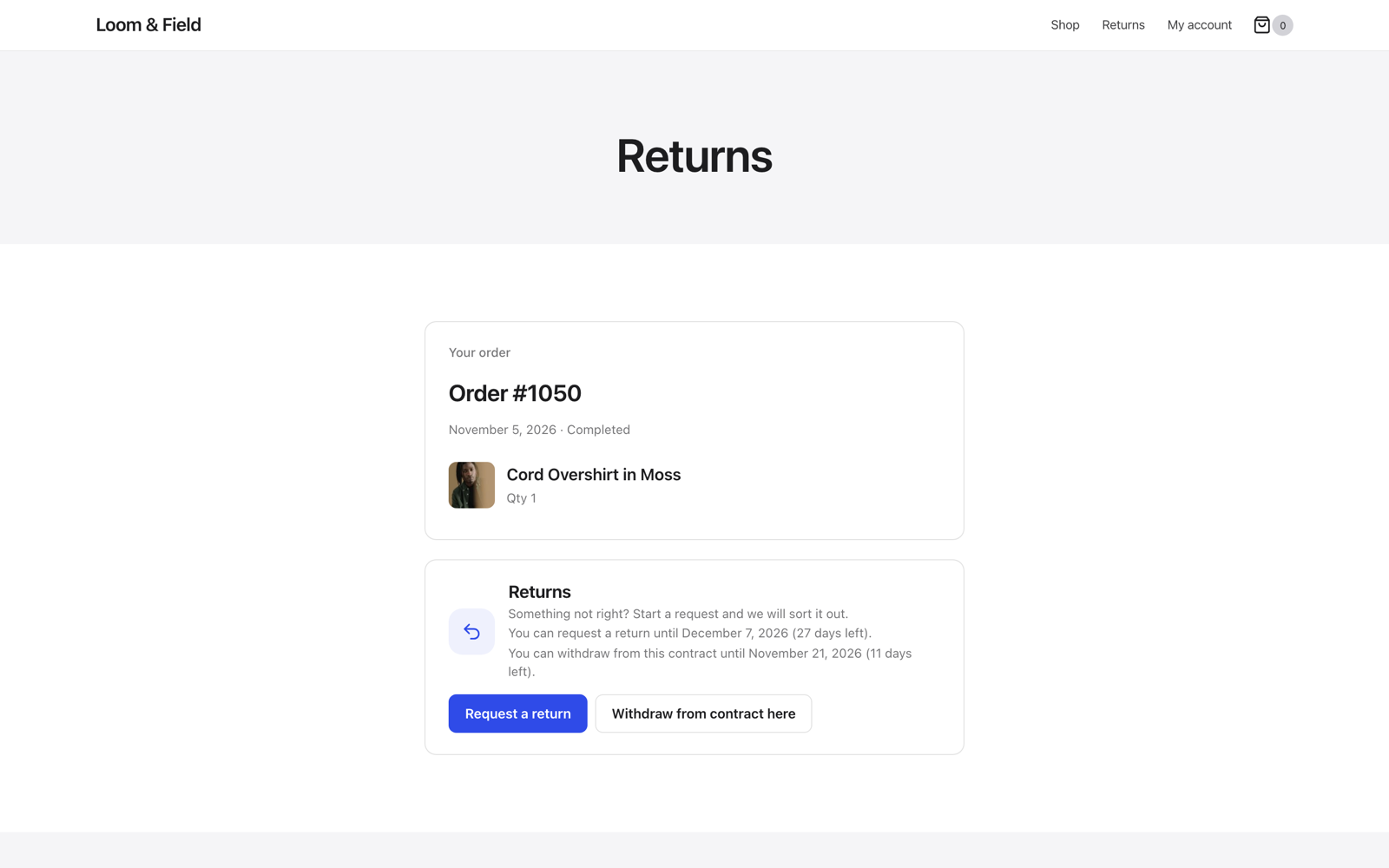
- The customer opens the order in My Account, or finds it on the guest returns portal with the order number and billing email. The order shows how many days are left to return it.
- They choose the items, the quantity, a reason and the condition, write a note and add photos or videos.
- You get an email. On the request screen you see the items, photos and the conversation, and approve or reject.
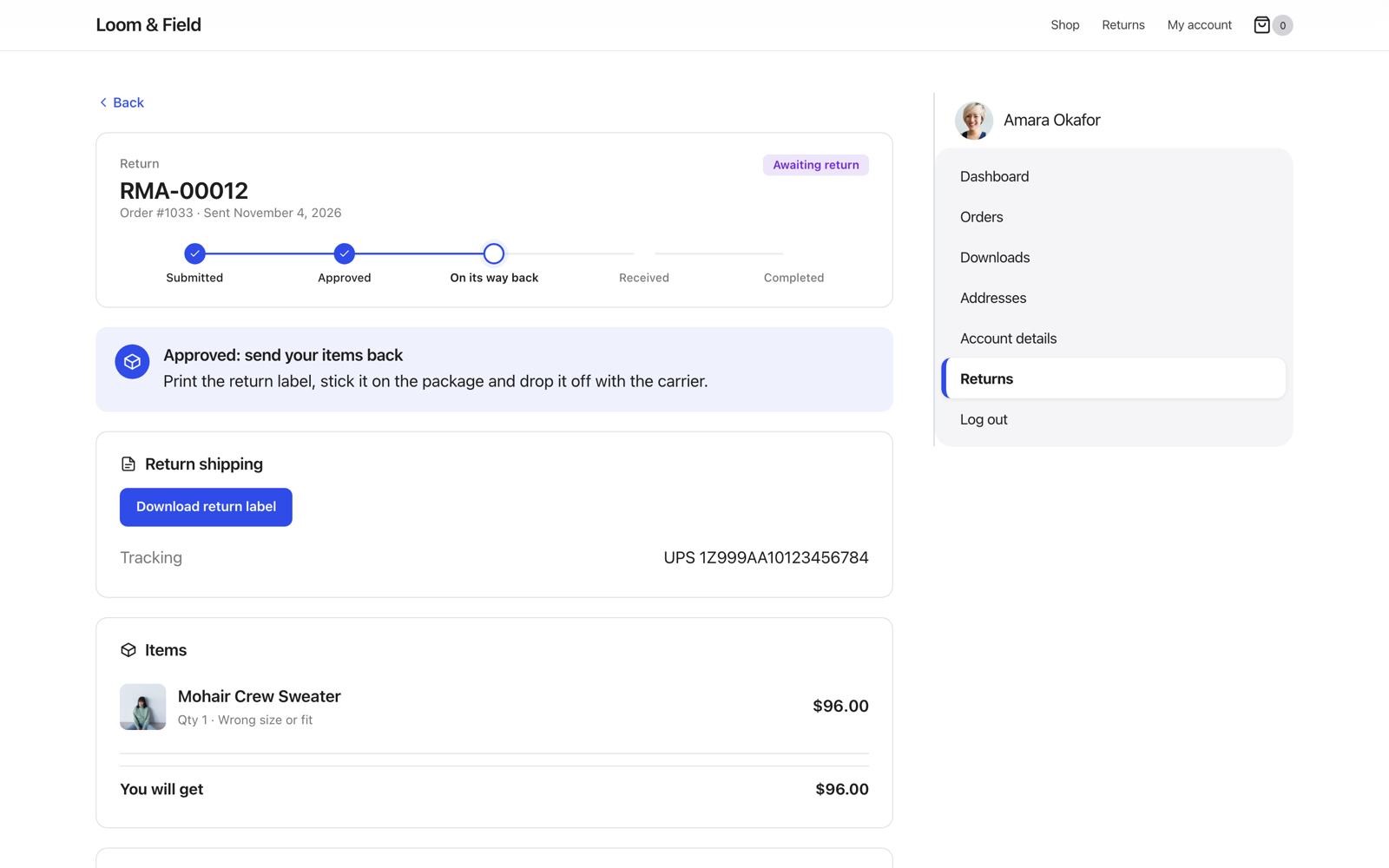
- Upload a return label (any carrier) or let the customer use their own. They add the tracking number.
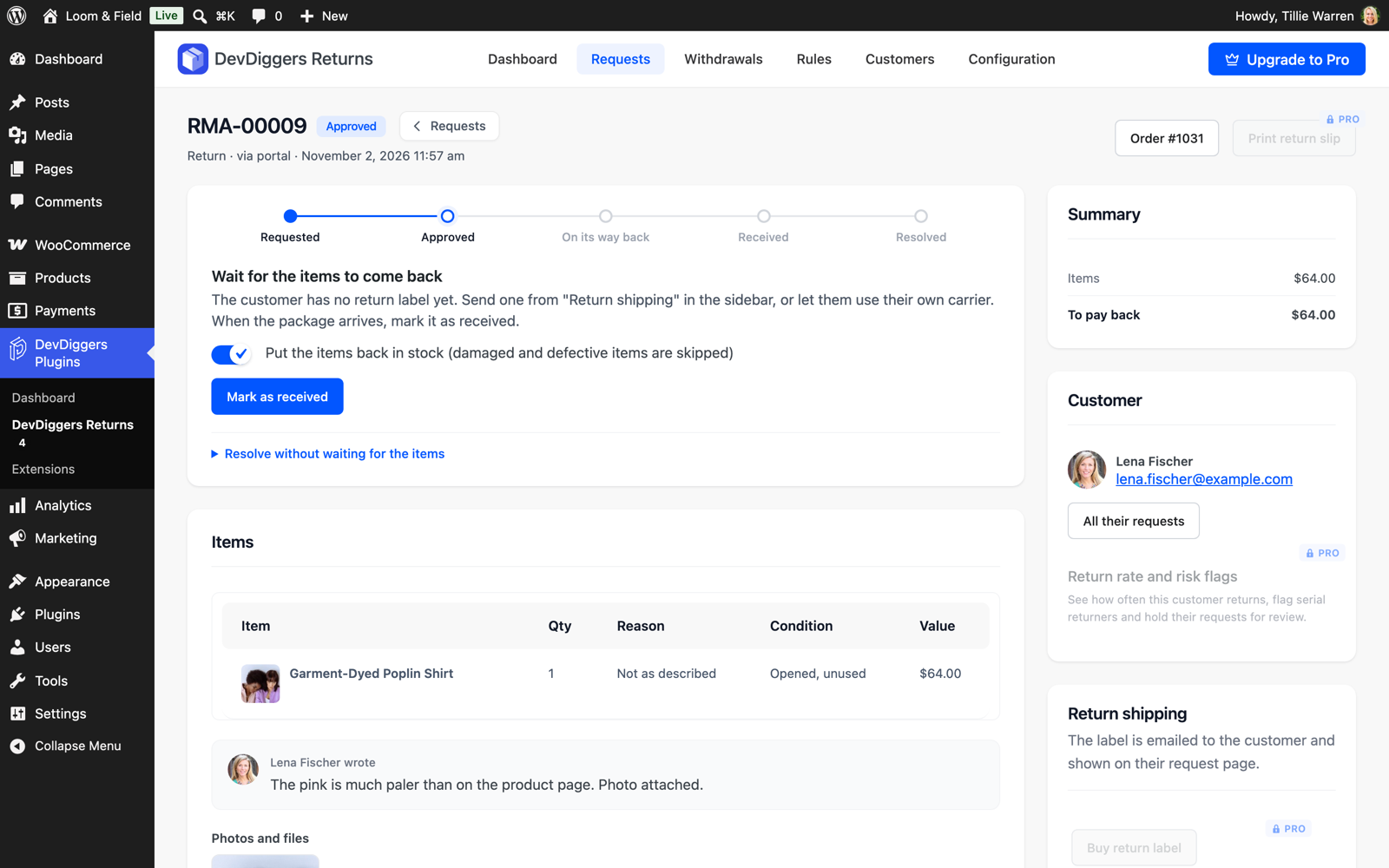
- When the parcel arrives, mark it received. Items go back in stock, except damaged or defective ones.
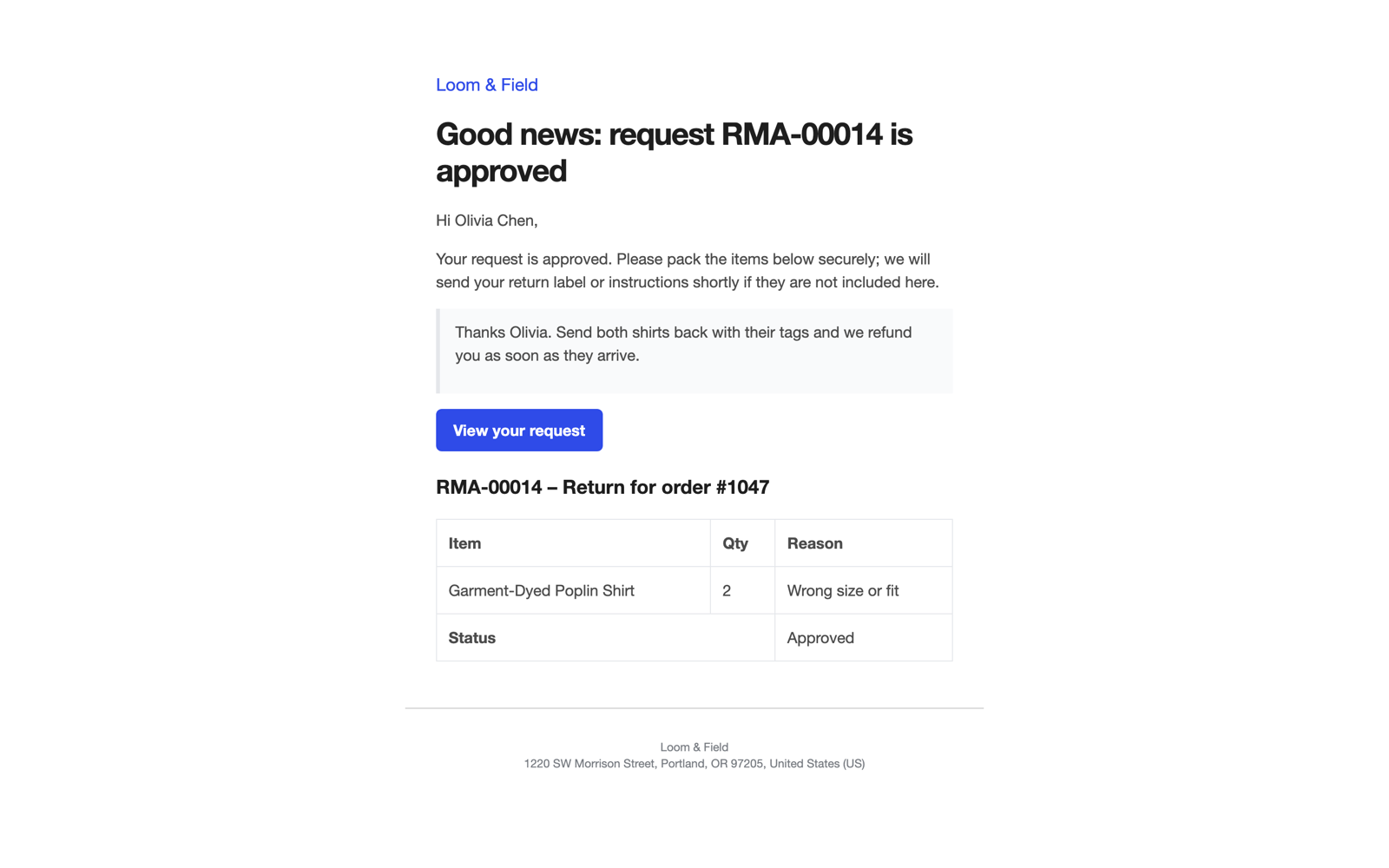
- Refund to the original payment method in one click. The customer is emailed at every step.
安装:
- Install and activate WooCommerce.
- Go to Plugins > Add New Plugin, search for "returns portal withdrawal button", then install and activate this plugin. Or upload the
devdiggers-returns-for-woocommercefolder to/wp-content/plugins/and activate it. - The setup wizard opens and asks a few questions.
- The "Returns" and "Withdraw from contract" pages are created for you. Add them to your menus or footer.
- Check DevDiggers Plugins > DevDiggers Returns > Configuration, especially the Return Policy and EU Withdrawal tabs.
屏幕截图:
常见问题:
Do I need the EU withdrawal button?
If you sell to consumers in the EU or EEA, yes. Since 19 June 2026 online shops must offer a withdrawal function next to the usual ways of withdrawing. It is on by default for orders from EU and EEA countries, and you can switch it off or choose the countries.
Is the withdrawal function free forever?
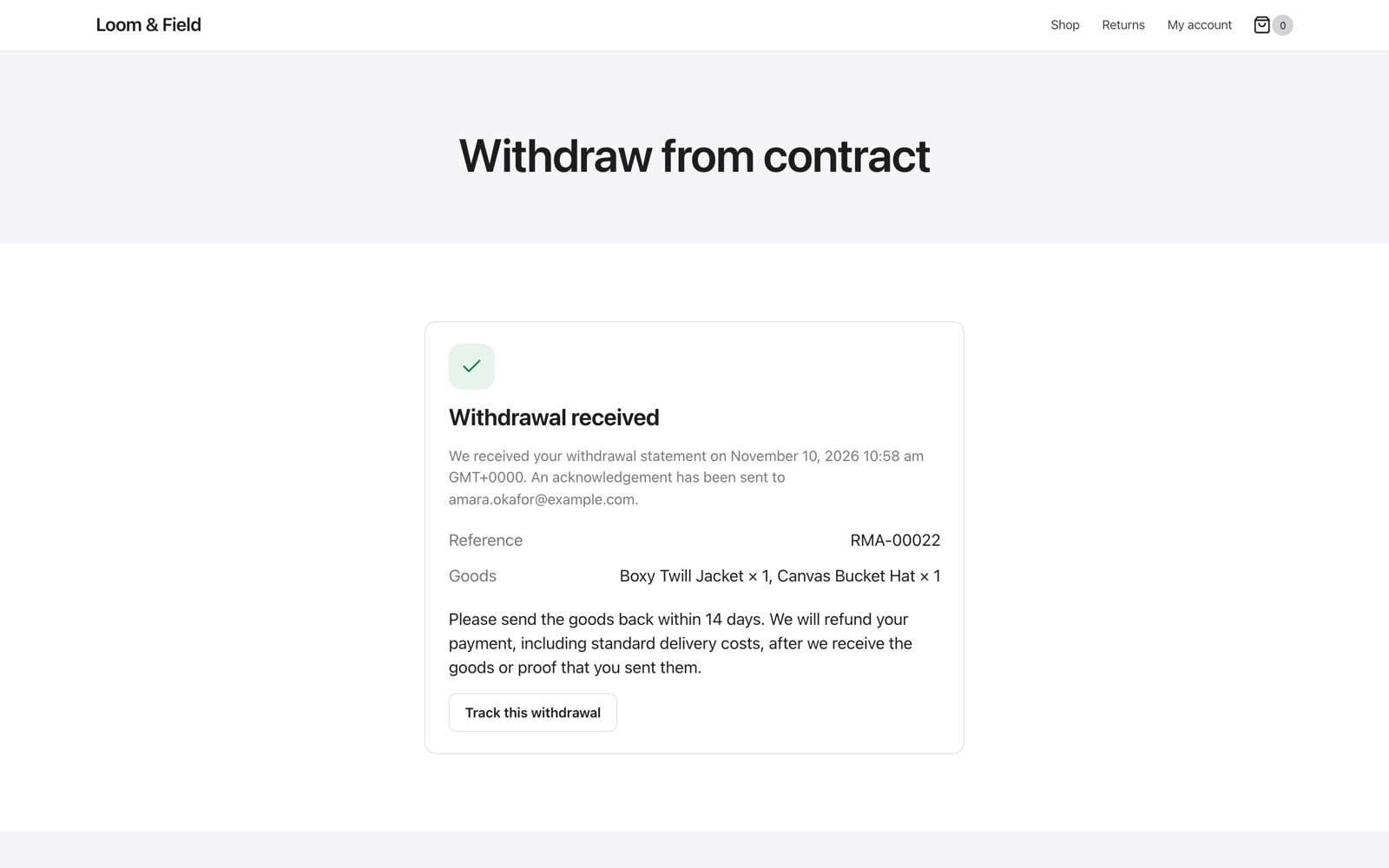
Yes. The whole EU withdrawal flow, the acknowledgement email, the model withdrawal form, the withdrawal log and its CSV export are part of the free plugin.
What is the difference between a return and a withdrawal?
A return follows your own return policy: your window, your reasons, your final-sale items. A withdrawal is the customer's legal right in the EU to cancel a distance contract within 14 days without a reason. The plugin keeps them apart, so a final-sale item cannot be returned but can still be withdrawn from unless it is exempt under Art. 16.
Can guests return items without an account?
Yes. The guest returns portal finds the order by order number and billing email, and guests get a private link to follow their request.
Can customers return only some of the items?
Yes. They pick the items and the quantity of each one.
Can customers cancel an order from My Account?
They can send a cancel order request for orders that have not shipped. You choose the order statuses that allow it under Configuration > General. When you approve the request, the order is cancelled and refunded through WooCommerce.
How do I stop returns on sale items or certain products?
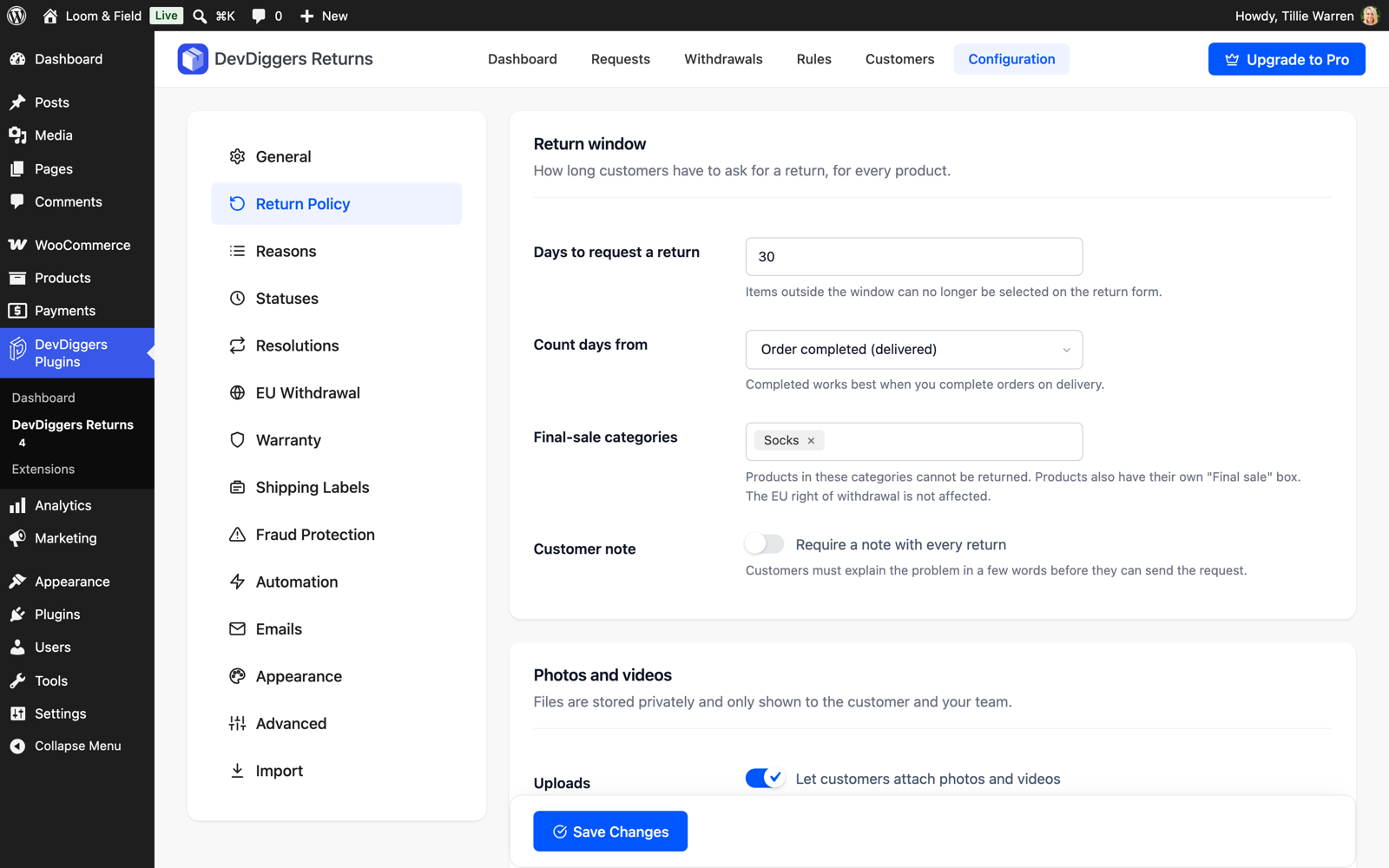
Tick "Final sale" on the product's General tab, or choose final-sale categories under Configuration > Return Policy. Those items are shown as not returnable on the return form and the product page. Pro adds final-sale rules by item price, order total or customer.
Does it refund through my payment gateway?
Refunds are WooCommerce refunds, so they go through your gateway when it supports refunds (Stripe, PayPal and most others). You can also record a refund and pay it back yourself.
Can I charge a restocking fee or offer store credit instead of a refund?
Those are Pro features, along with exchanges, warranty claims, return rules and prepaid labels.
How is it different from other WooCommerce returns plugins?
The guest returns portal, partial returns with quantities and photo uploads are free here, while several other returns plugins keep them for their paid version. It is also a full EU withdrawal button, so you do not need a second plugin for that.
Can I move my requests over from another returns plugin?
Yes. Go to Configuration > Import. It lists the supported plugins it finds on your site, even deactivated ones, and imports their requests with items, status, dates and messages. Running it again only brings over new requests.
Where are customer photos stored?
In a private folder inside uploads with random file names, never in the media library. They are only served after checking that the visitor is the customer (or has the private request link) or a shop manager. On Apache the folder is also blocked with .htaccess. On nginx add location ~ /ddwcwr-private- { deny all; }, or move the folder with the ddwcwr_private_upload_dir filter.
Can I translate the return reasons and statuses?
Yes. All plugin text is translation ready, and the bundled wpml-config.xml lets WPML and Polylang translate your own reasons, status names, policy line and My Account menu label.
I sell downloads. Do customers keep the right of withdrawal?
Only until they agree to immediate supply. Turn on "Digital content" in the EU Withdrawal tab and checkout asks for that consent whenever the cart has downloadable products. The time of consent is saved on the order, shown on the order screen and confirmed in the order emails, and those downloads can no longer be withdrawn. In block checkout this uses WooCommerce's conditional checkout fields, so keep WooCommerce up to date.
Does it work with HPOS and the block checkout?
Yes, with both, and with classic checkout and the legacy order storage.
I used the Pro version before. Will my data carry over?
Yes. The free plugin uses the same tables and settings. Requests, messages, photos and withdrawals stay as they are, and Pro features come back when you activate Pro again.
Where do I get support?
Free version questions go to the support forum here on WordPress.org. The developers who build the plugin answer there. Pro license holders get direct support from DevDiggers through a ticket.
更新日志:
- Initial free release.
- Returns and cancellations from My Account and from a guest returns portal (page, shortcode and block), with partial returns and a quantity per item.
- Return reasons you manage, condition per item, customer note, and photo and video uploads stored in a private folder.
- Return window from delivery or purchase, final-sale products and categories, and "days left to return" on every eligible order.
- Request page for the customer with progress, messages with attachments, the return label download and a tracking number field.
- Request screen for the shop team: next step card, approve or reject, upload a label, mark received with restock, refund through WooCommerce, internal notes and history.
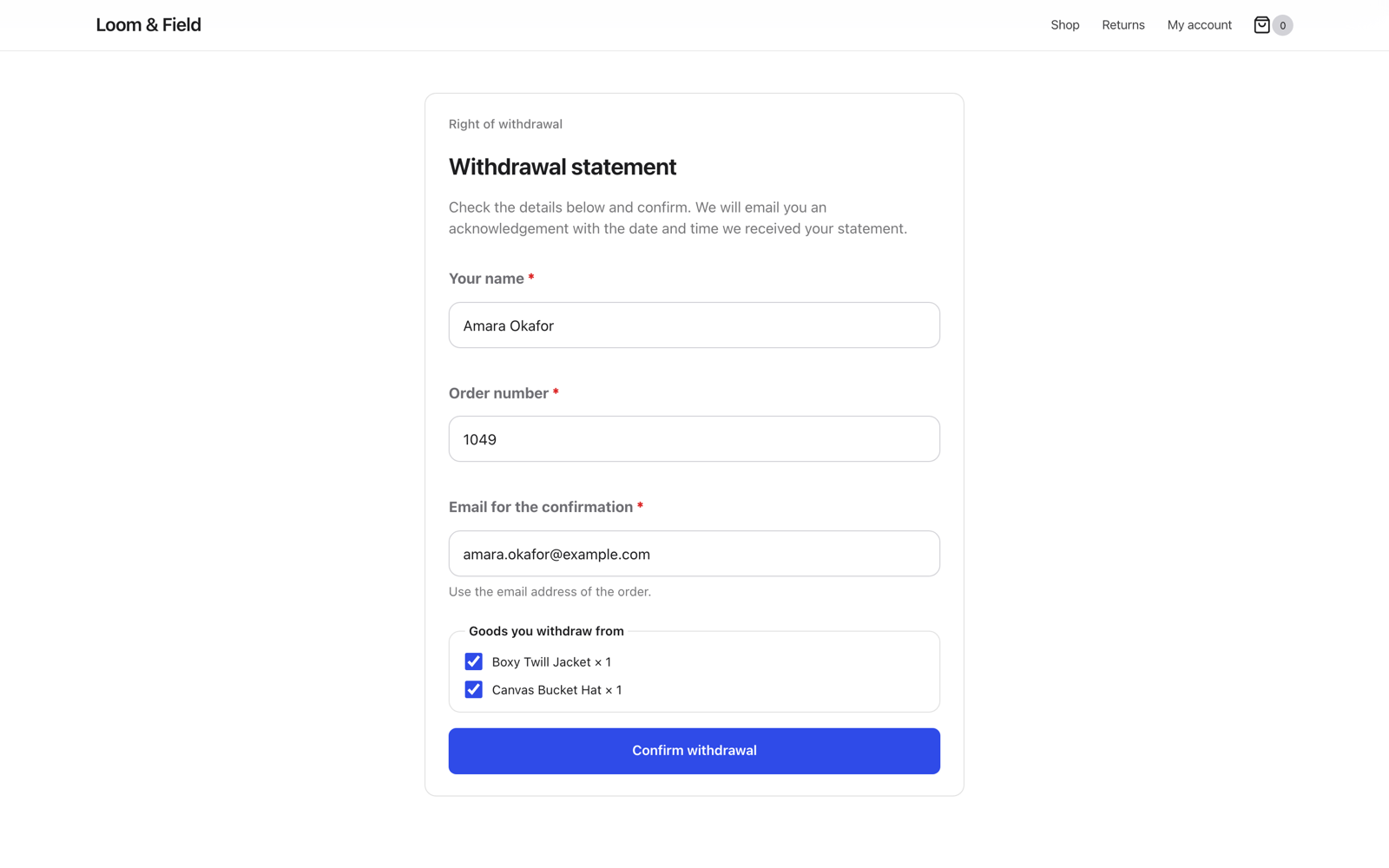
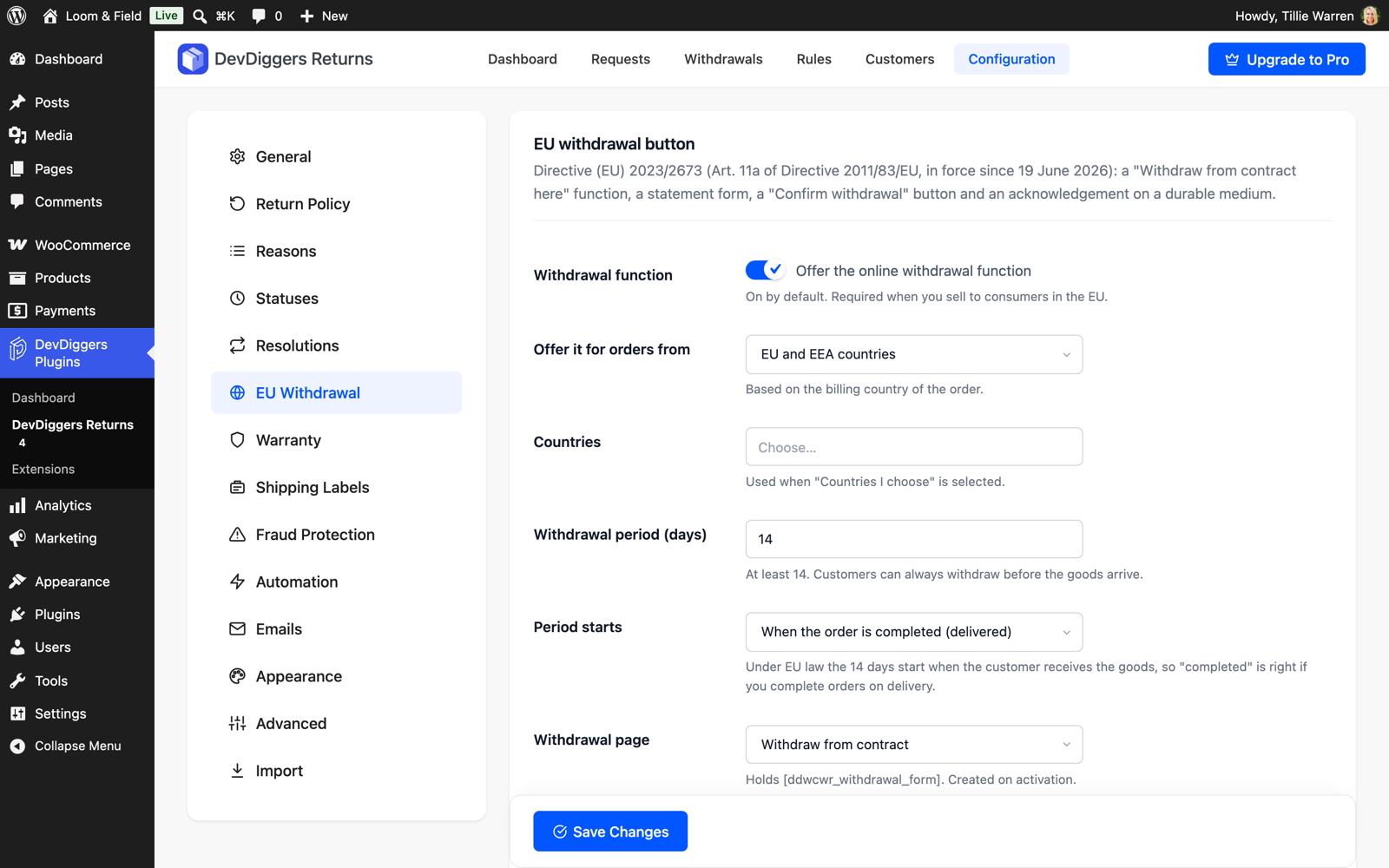
- EU withdrawal function: "Withdraw from contract here" link, two-step statement with "Confirm withdrawal", acknowledgement email, model withdrawal form, Art. 16 exemptions and a withdrawal log with CSV export.
- Checkout consent for digital content (Art. 16(m)) in classic and block checkout, with the consent confirmed in the order emails.
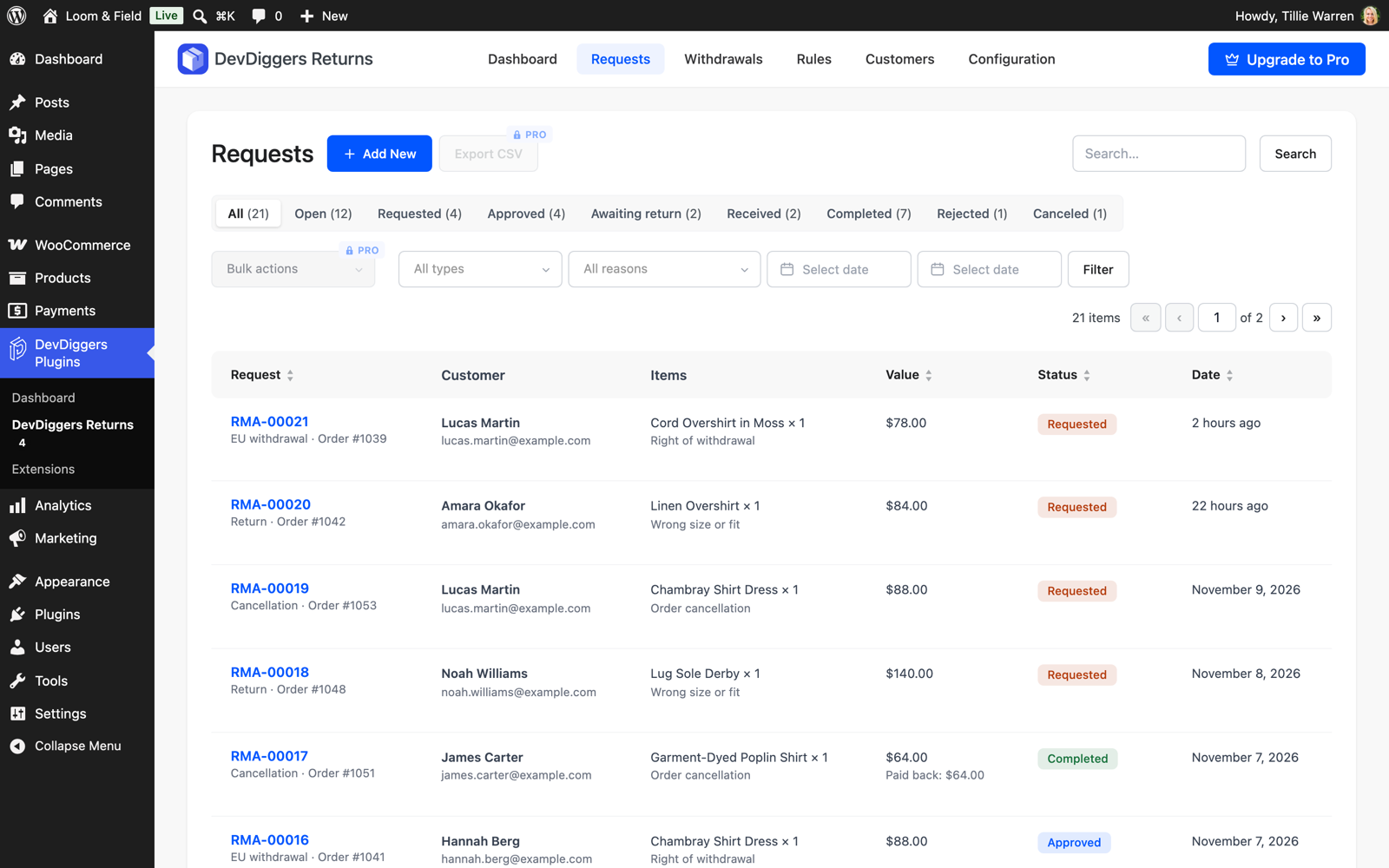
- Dashboard, Requests list with filters and search, editable built-in and custom statuses, Returns box on the order screen and a setup wizard.
- Import of requests from ten other returns, cancellation and withdrawal plugins.
- WooCommerce emails, GDPR export and erase, HPOS, classic and block checkout, translation ready with WPML and Polylang support for your own texts.