
DevDome Bot Protection: Bot Blocker and AI Crawler Control
| 开发者 | devdome |
|---|---|
| 更新时间 | 2026年10月16日 20:38 |
| PHP版本: | 7.4 及以上 |
| WordPress版本: | 7.1 |
| 版权: | GPLv2 or later |
| 版权网址: | 版权信息 |
详情介绍:
DevDome Bot Protection is a bot blocker that detects scanners, exploit probes and unwanted automated traffic. Review bot traffic and block bad bots with configurable detection rules, request rate limits and custom rules, without CAPTCHAs.
Use Known Bots for crawler control, with separate choices for supported AI training, search and user-request agents. Block AI crawlers through WordPress's virtual robots.txt and HTTP blocking in Block Bad Bots mode. Google-Extended and Applebot-Extended use robots.txt controls only.
Start in Record Bots to review detected requests before enabling HTTP blocking. Local protection needs no account. Detection uses local rules, with reference lists downloaded when Outside Lookups is enabled. Known Bots robots.txt directives, the enabled honeypot and browser session collection operate independently of the protection mode.
Three modes
- Turned Off: disables the main protection engine.
- Record Bots: records detected bots without enforcing HTTP block actions.
- Block Bad Bots: blocks requests that match your blocking rules.
- Overview: choose your mode, review traffic totals and check sample crawler access. Mode changes save on click.
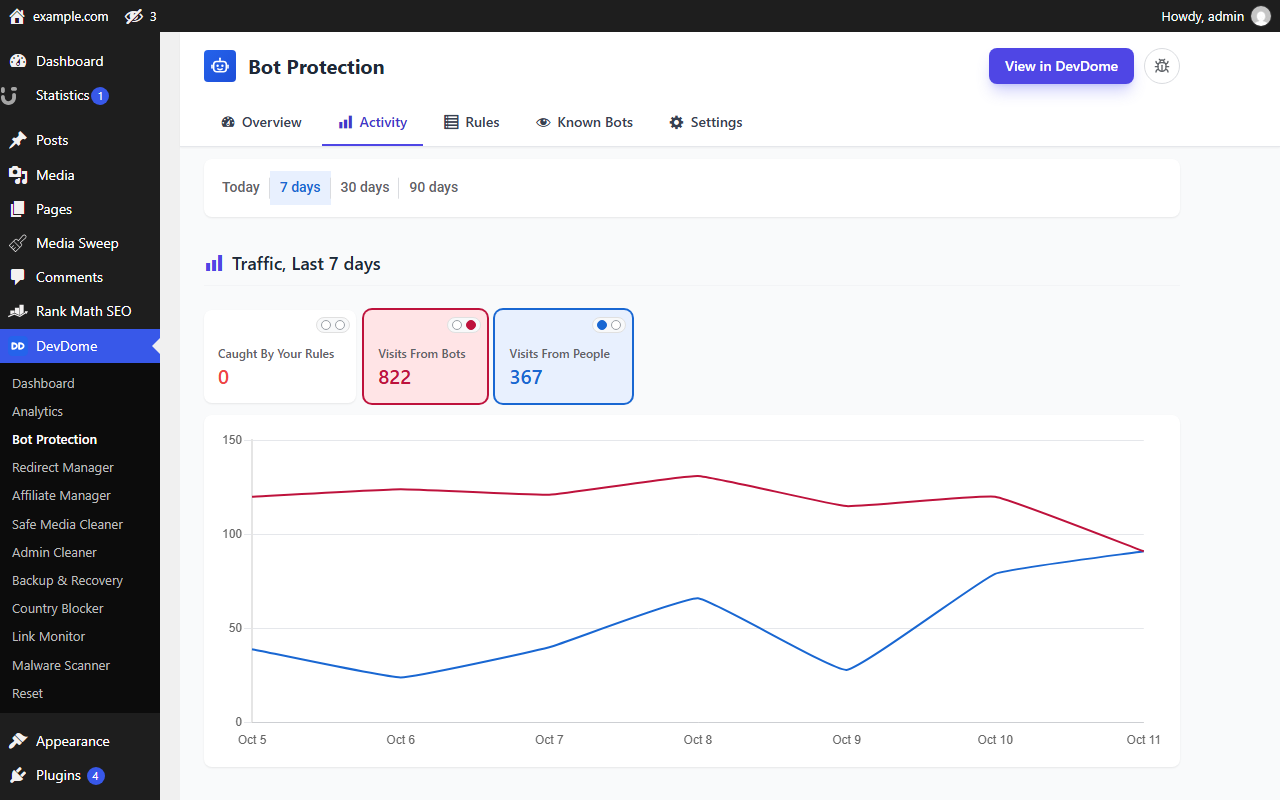
- Activity: review caught requests, bot and people totals, recent events, countries and technical details. Add an Allow This Visitor exception when IP anonymization is off.
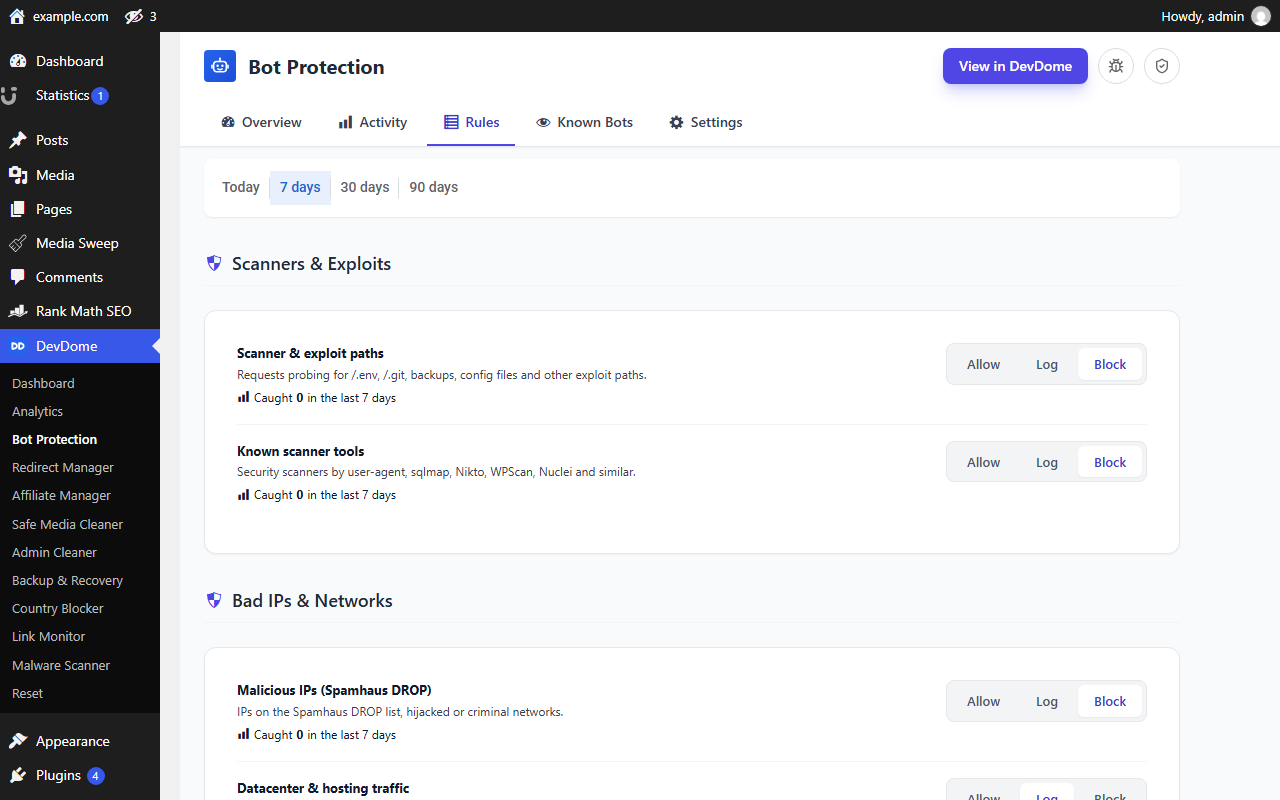
- Rules: set actions for built-in detection, rate limits, repeat offenders, automated browsers, the honeypot and Bot Radar. Add custom rules for user agents, paths, IP addresses, ranges, countries or network numbers. Action changes save on click.
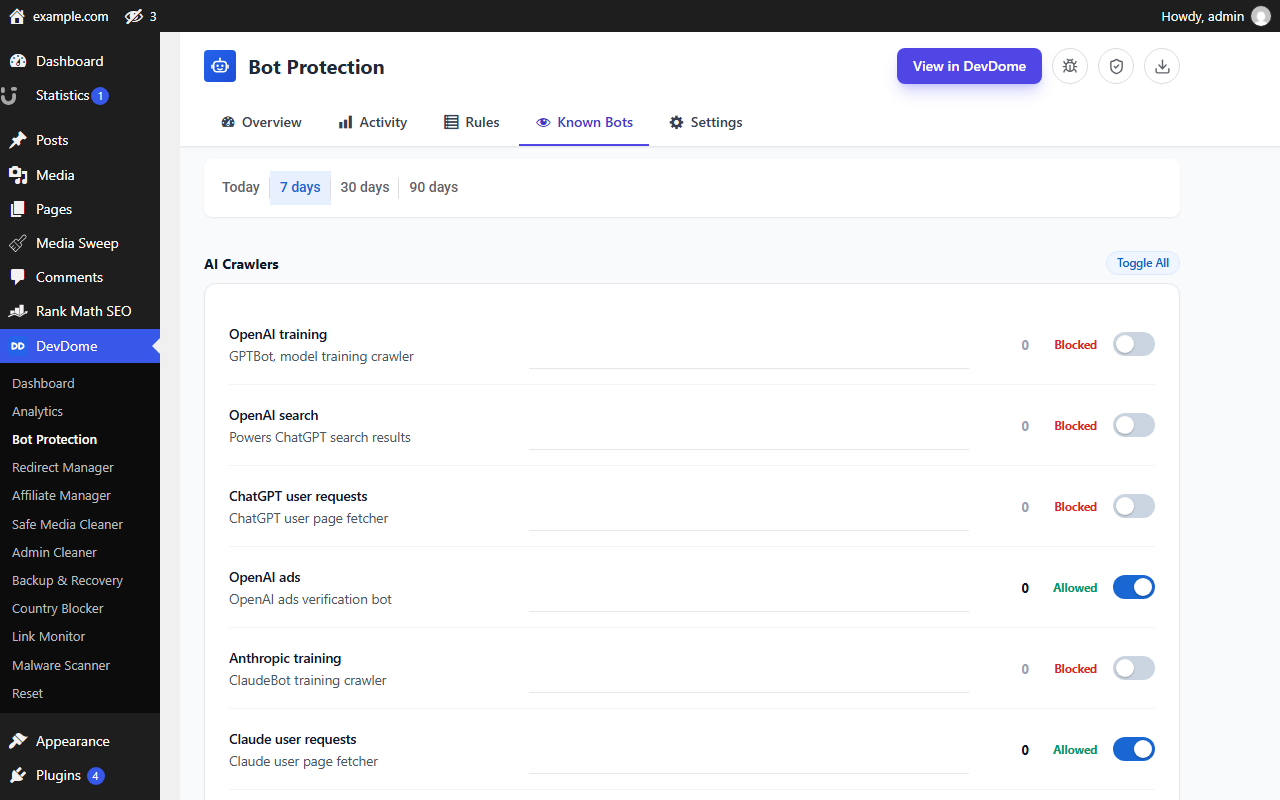
- Known Bots: control AI crawlers, search engines, SEO crawlers, social previews and uptime monitors. Each switch saves immediately. OpenAI and Anthropic training, search and user-request agents have separate controls.
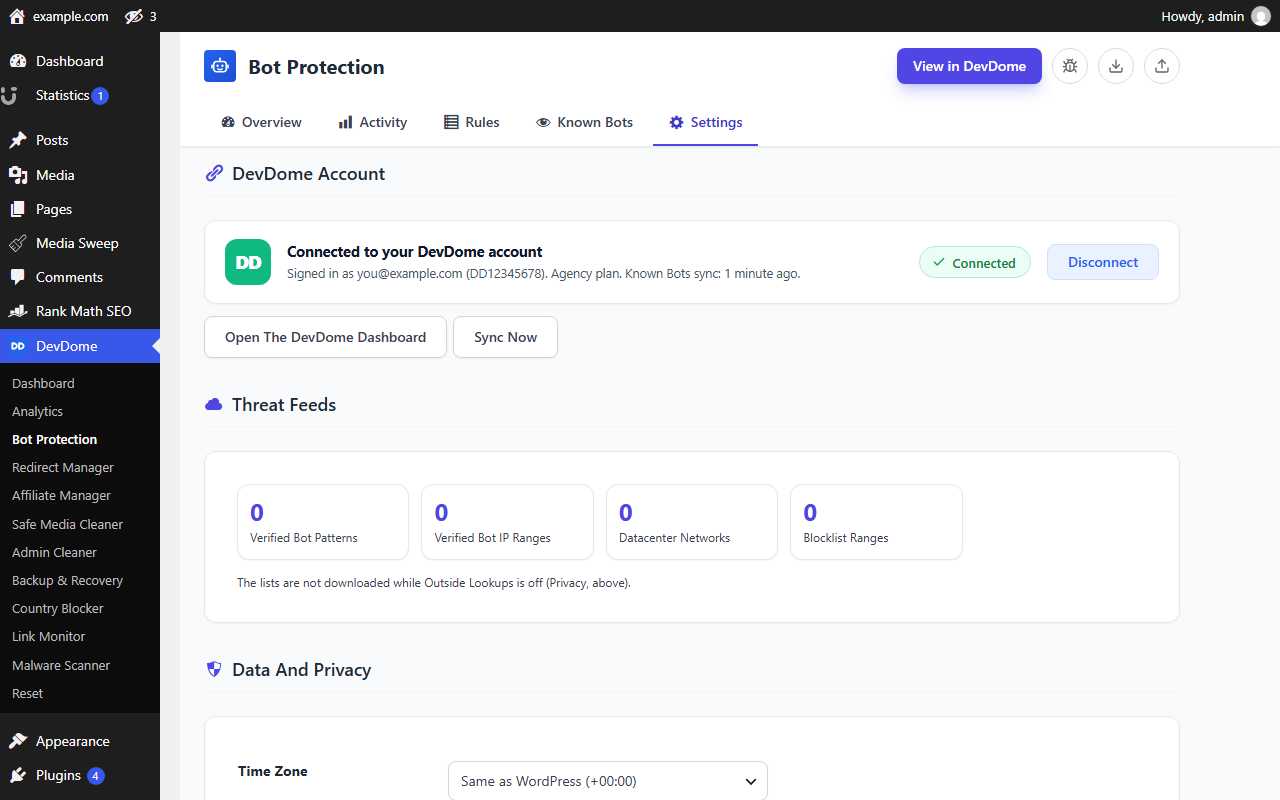
- Settings: manage privacy, time zone, feeds, account connection, import/export, Clear Statistics and Cloudflare rules.
安装:
- Install and activate DevDome Bot Protection.
- Open DevDome, then Bot Protection.
- Review Activity while the plugin is in Record Bots.
- Adjust Rules and Known Bots.
- Select Block Bad Bots on Overview when ready.
屏幕截图:
常见问题:
Does this require an account?
No. Local detection, rules, Known Bots controls and reference feeds work without an account. Connecting adds dashboard access and synchronization.
Does it protect cached pages?
PHP protection runs when requests reach WordPress. Pages served entirely from a CDN or server cache can bypass it. Settings generates two copy-paste Cloudflare rules locally: scanner and exploit paths, and optional XML-RPC blocking. Both exempt Cloudflare-verified crawlers. You deploy them yourself; the plugin makes no Cloudflare API call.
Can I control AI training separately from search?
Yes. Known Bots separates supported training, search and user-request agents. Review each bot's description before changing its action.
Will crawler access checks guarantee search rankings?
No. Crawler Access evaluates sample requests. It checks access, not rankings.
更新日志:
1.0.5
- A dismissible note at the top of the settings page mentions the free DevDome Analytics plugin, with a button that opens the plugin installer (or the Analytics screen when it is already active). Dismiss hides it for good.
- Shared DevDome library 1.7.13: uninstalling the last DevDome plugin also removes the note's dismissal, the update-repair records and the per-user "Report a bug" flag; the visitor-beacon flood guard keeps one short-lived record per address and clears its expired ones itself, and behind Cloudflare it counts per visitor instead of per Cloudflare address.
- Shared DevDome library 1.7.12: a Cloudflare visitor address header is trusted only when the connection itself comes from a Cloudflare address, so a forged header from anywhere else is ignored.
- Shared DevDome library 1.7.11: on a subdirectory multisite, a site mapped to its own domain is its own site and no longer shares the network's connection.
- The plugin now creates its tables and default settings on the next admin page load whenever they are missing, for example when the plugin files were copied into place or updated outside the plugin screen. Before, such a site showed the plugin as active while every request hit a failing database query and nothing was protected.
- The rate-limit and request-velocity counters keep one short-lived record per visitor address and clear their expired ones themselves. They used to write a new record per address every window, which sat in the database until the daily cleanup.
- Deleting the plugin also removes the cached update-check answer it kept in the database.
- The personal data exporter and eraser match exact addresses only. A row shortened by Anonymize IPs covers several visitors and is no longer included in one person's export.
- Database error texts shown on screen or sent with an error report also redact secrets and server paths.
- The Outside Lookups hint states that the good-bot check still uses this server's own DNS resolver.
- The plugin header now states Requires at least 6.2 and Requires PHP 7.4, so WordPress refuses to activate it on older versions (WordPress.org review).
- The reverse-DNS check for good bots answers "unverified" instead of failing on hosts where the DNS functions are disabled.
- The DevDome dashboard can no longer change anything on the site. Settings go one way, from the site to the dashboard; the remote sync endpoint and every remotely applied setting (mode, on or off, pause, rules, Known Bots, blocked countries, time zone) were removed.
- Shared DevDome library 1.7.10.
- Outside Lookups: one switch, off by default, for the bot list downloads and the country and network lookups. Nothing is contacted on activation.
- The early-block must-use file and the Safe Mode flag file are no longer written; Safe Mode is a setting.
- The Safety Link (a no-login pause URL) was removed.
- Events, sessions and reputation records are kept 90 days on every site.
- Chart.js 4.5.1.
- DevDome dashboard: paused, off or watching only are no longer listed as issues.
- Shared DevDome library 1.7.9: the DevDome dashboard lists only real problems (a feature that is off, paused or not connected is no longer an issue) and no longer says Not monitored.
- First public release.