
Developersd Internal Notes Hub
| 开发者 |
developersd
sudipdebnath |
|---|---|
| 更新时间 | 2026年7月9日 08:52 |
| PHP版本: | 7.4 及以上 |
| WordPress版本: | 7.0 |
| 版权: | GPLv2 or later |
| 版权网址: | 版权信息 |
详情介绍:
- Attach Notes to Anything: Seamlessly add notes to Posts, Pages, Custom Post Types, and User Profiles.
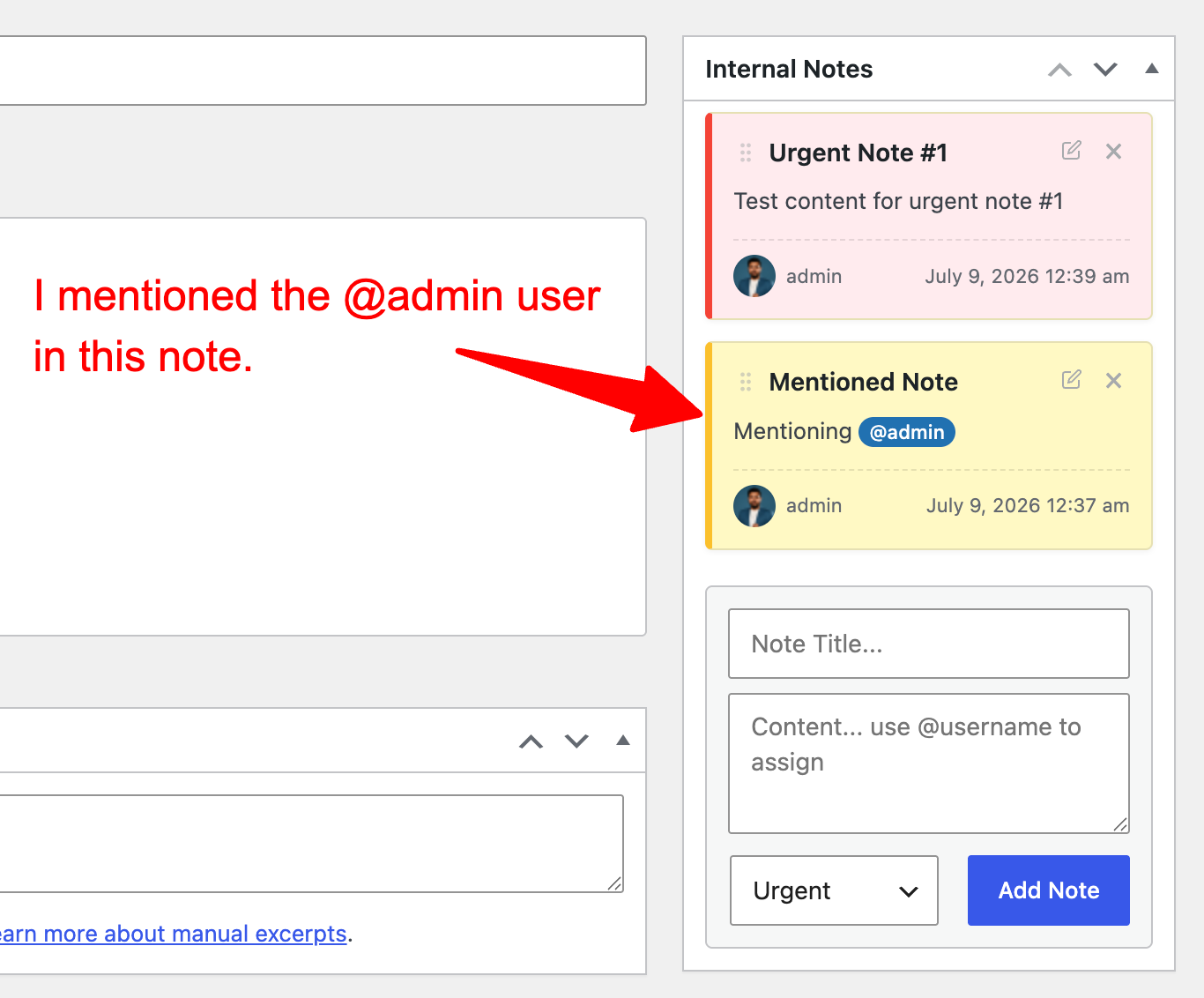
- Smart Mentions (@username): Tag team members in a note. The system will automatically notify them via email.
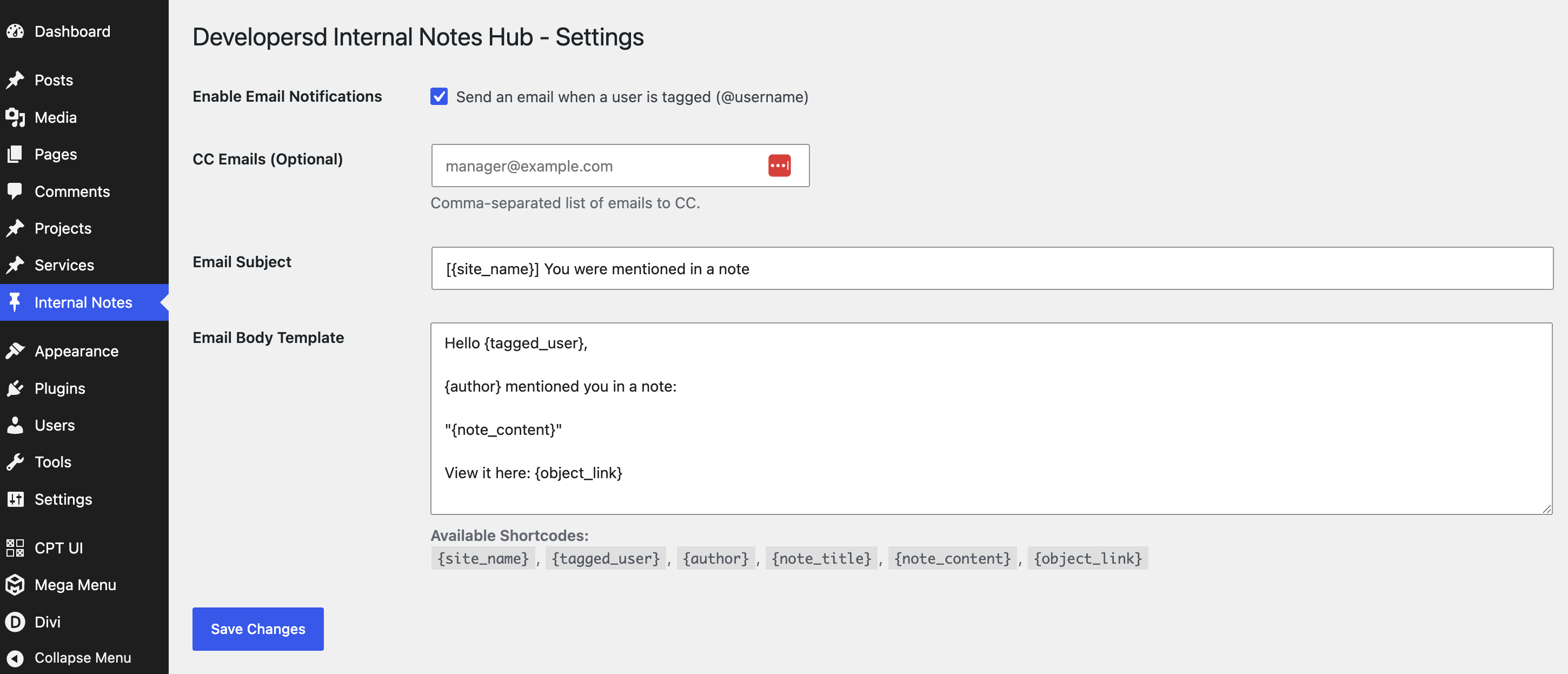
- Fully Customizable Email Notifications: Control the exact subject and body of mention emails using shortcodes (
{site_name},{tagged_user},{note_content},{object_link}). - Drag & Drop Reordering: Visually prioritize your notes by dragging and dropping them into your preferred order.
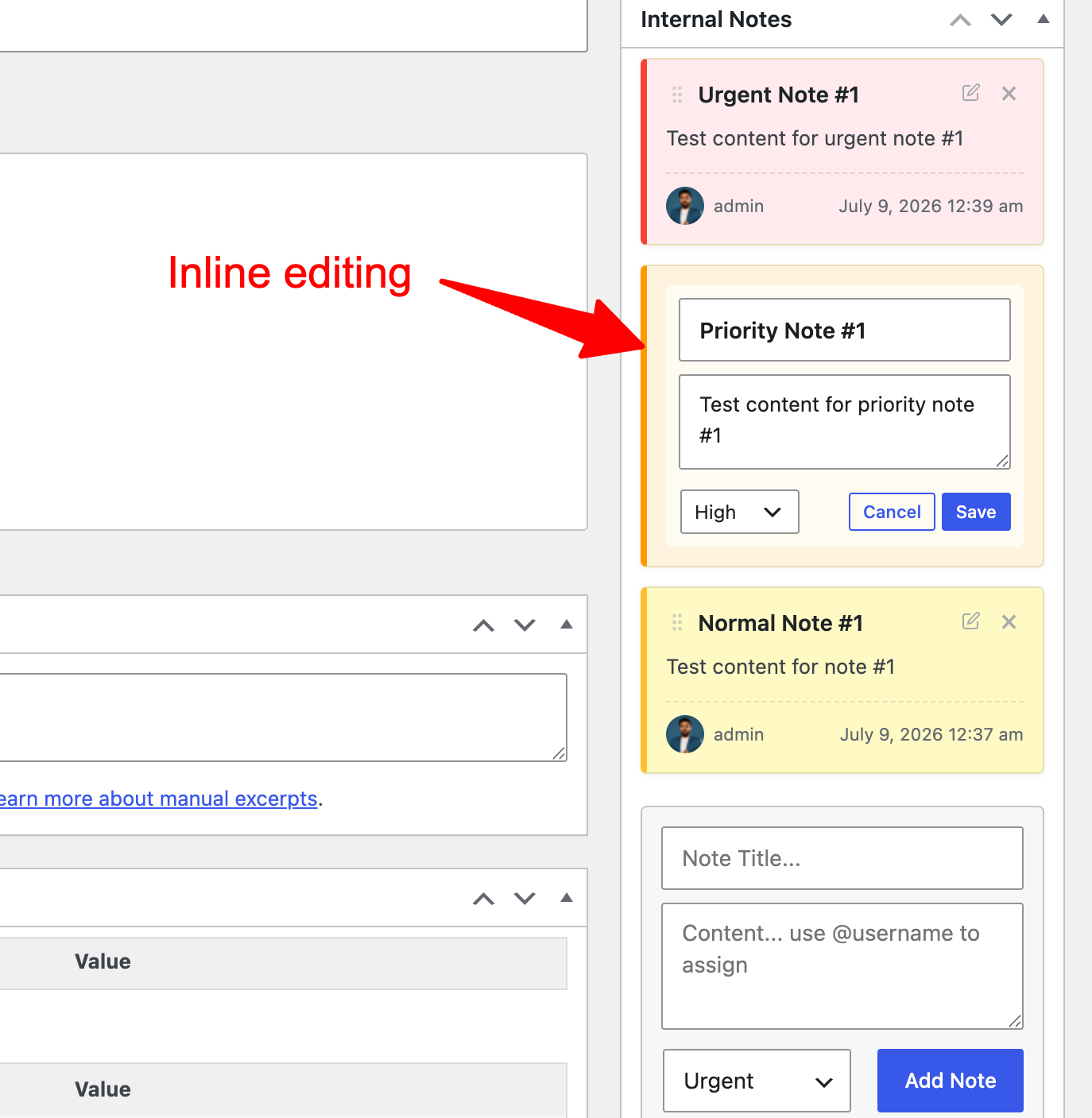
- Inline Editing: Edit your notes instantly without refreshing the page.
- Color-Coded Priorities: Mark notes as Low (Green), Normal (Yellow), High (Orange), or Urgent (Red).
- Lightning Fast (AJAX): Creating, updating, deleting, and reordering notes happens instantly without page reloads.
- Custom Database Architecture: Uses dedicated custom database tables (
wp_sdadmin_notes) to ensure yourwp_postmetatable doesn't get bloated. - Granular Permissions: Integrates with native WordPress capabilities so you can control exactly which roles can view, create, edit, or manage notes.
- Uses strict nonce verification for all AJAX requests.
- Prepared SQL statements for all database queries to prevent SQL injection.
- Sanitization and escaping on all user inputs and outputs.
- Zero impact on frontend page load times.
安装:
- Upload the
developersd-internal-notes-hubfolder to the/wp-content/plugins/directory, or install the ZIP file via the WordPress Plugins menu. - Activate the plugin through the 'Plugins' menu in WordPress.
- Upon activation, the plugin will automatically create its custom database tables and assign note-management capabilities to the Administrator role.
- Navigate to any Post, Page, Custom Post Type, or User Profile edit screen to see the new Internal Notes Hub meta box.
- Navigate to Internal Notes Hub → Settings in the dashboard menu to configure your email notification templates.
屏幕截图:
常见问题:
Will these notes show up on my live website?
No. Developersd Internal Notes Hub is strictly a backend tool. The notes will never appear on the frontend of your website or in the public REST API.
Can I use it with WooCommerce?
Yes! The notes meta box will automatically appear on WooCommerce Product edit screens.
How do email notifications work?
When creating or editing a note, type @ followed by a user's login or slug (e.g., @admin or @johndoe). If the user exists, they will be assigned to the note and receive an email with a direct link to the post/page. You can toggle these emails on/off in the settings.
Can I reorder the notes?
Yes. Hover over the header of any note to grab the drag handle (six dots), and drop it wherever you prefer. The order is saved instantly per-post or per-user.
Who can delete notes?
By default, users can only delete notes they created themselves. Administrators (or any role granted the sdadmin_notes_manage capability) can edit and delete any note.
更新日志:
- Initial Release.
- Feature: Custom Database Engine.
- Feature: AJAX CRUD (Create, Read, Update, Delete).
- Feature: Drag and Drop reordering.
- Feature: @username mentions and dynamic assignments.
- Feature: Customizable Email Notifications system.
- Feature: Color-coded priority system.