DevLab Maintenance Mode
| 开发者 | lucky2077 |
|---|---|
| 更新时间 | 2026年1月27日 16:09 |
| PHP版本: | 7.2 及以上 |
| WordPress版本: | 6.7 |
| 版权: | GPLv2 or later |
| 版权网址: | 版权信息 |
详情介绍:
- One-Click Activation - Enable or disable maintenance mode instantly
- 10 Beautiful Templates - From minimal to animated, corporate to playful
- Live Countdown Timer - Show visitors when you'll be back (Countdown template)
- Custom Messages - Write your own text with full HTML support
- Role-Based Bypass - Let editors, authors, or any role access the site
- IP Whitelist - Always allow specific IP addresses through
- Secret Access Links - Share
yoursite.com?mmbd_bypass=secretfor temporary access - Cookie-Based Sessions - Bypass visitors stay logged in for your configured duration
- Theme Override Support - Copy templates to your theme for complete customization
- Multisite Ready - Works perfectly on WordPress multisite networks
- Clean Uninstall - Removes all data when deleted, leaves no trace
- Classic - Clean centered card with elegant purple gradient background
- Minimal Dark - Ultra-modern dark theme with subtle cyan accents
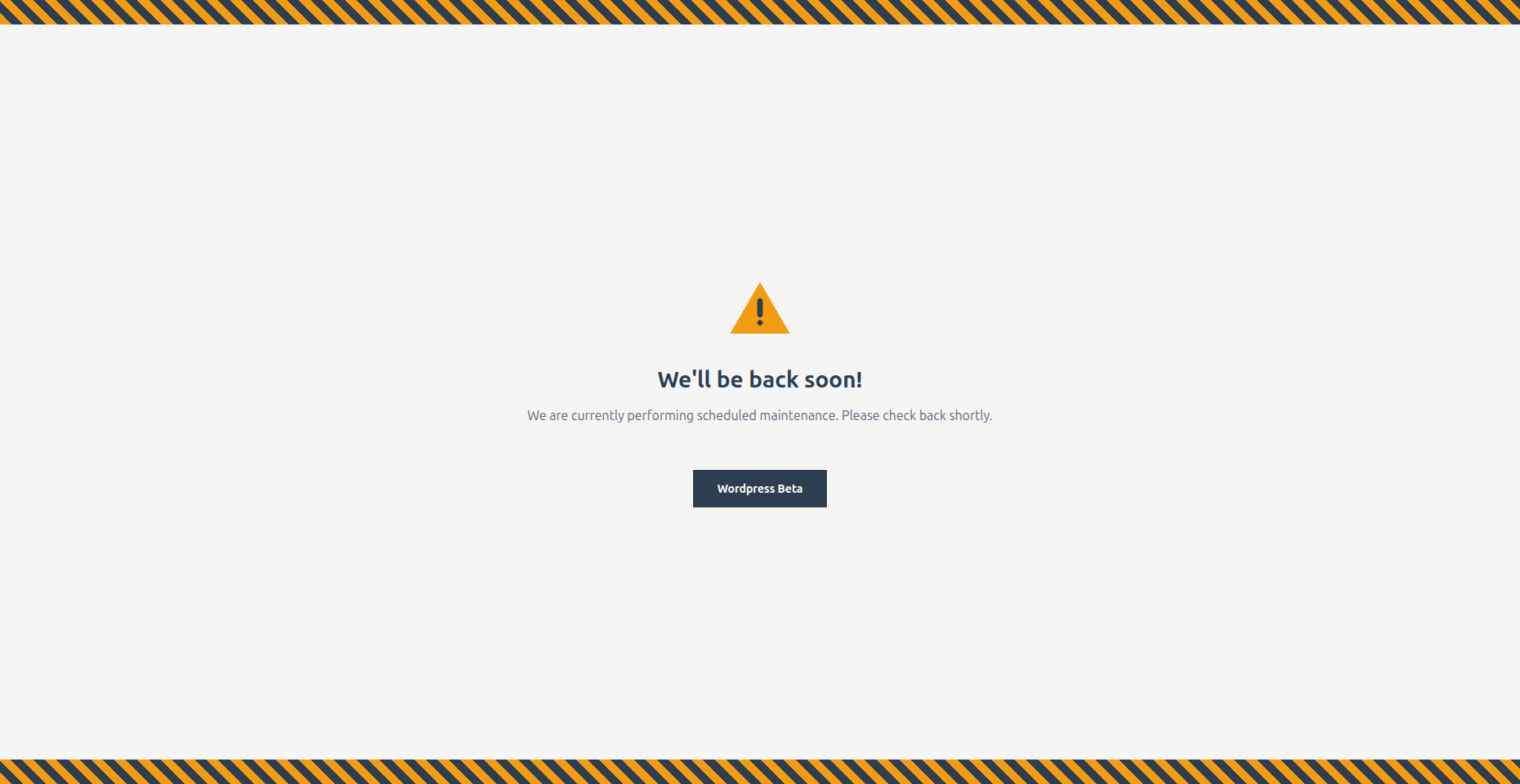
- Construction - Bold warning style with animated diagonal stripes
- Gradient Wave - Smooth animated wave effect for a dynamic feel
- Corporate - Professional business design with refined gold accents
- Playful - Fun and friendly with floating colorful shapes
- Neon - Cyberpunk-inspired with vibrant glow effects
- Nature - Calm organic design with gentle leaf elements
- Tech - Matrix-style digital aesthetic for tech brands
- Countdown - Includes live countdown timer to your launch date
- Override any template by copying it to
your-theme/devlab-maintenance-mode/ - Minimal footprint - single database query, lightweight hooks
- Clean, documented code following WordPress coding standards
- Filters and actions for extending functionality
- Site launches and "Coming Soon" pages
- Scheduled maintenance windows
- Major redesigns and migrations
- WooCommerce store updates
- Development and staging sites
- Client preview access during development
安装:
- Upload the
devlab-maintenance-modefolder to the/wp-content/plugins/directory - Activate the plugin through the 'Plugins' menu in WordPress
- Go to Settings > Maintenance Mode to configure
- Check the "Enable maintenance mode" checkbox and save
屏幕截图:

常见问题:
Will I be locked out of my site?
No. Administrators are automatically allowed to bypass maintenance mode. The plugin is also disabled by default when you first activate it, so there's no risk of accidental lockout. You can also configure additional roles, IP addresses, or a secret phrase for bypass access.
Does this affect SEO?
The plugin returns a proper 503 (Service Unavailable) status code with a Retry-After header, which tells search engines that the downtime is temporary and they should check back later. This is the SEO-recommended way to handle maintenance mode and won't hurt your rankings.
Can I customize the maintenance page?
Yes! You have several options:
- Choose a Template - Select from 10 built-in templates in Settings > Maintenance Mode
- Edit the Message - Write your own message with full HTML support
- Theme Override - Copy any template file to
your-theme/devlab-maintenance-mode/for complete control over the design
How do I let my client see the site during maintenance?
You have three options:
- Secret Link - Set a secret phrase and share
yoursite.com?mmbd_bypass=your-phrase - IP Whitelist - Add their IP address to the whitelist
- User Role - Create an account for them with a role that has bypass access
How does the countdown timer work?
Select the "Countdown" template and set your target date/time in the settings. The template displays a live countdown showing days, hours, minutes, and seconds until your launch. When the countdown reaches zero, it displays "We're Live!"
Can I use this as a Coming Soon page?
Absolutely! Many users install DevLab Maintenance Mode before launching a new site. Choose a template that fits your brand, customize the message to build anticipation, and use the countdown timer to show when you'll launch.
Does it work with caching plugins?
Yes, but you may need to exclude the maintenance page from caching or clear your cache after enabling/disabling maintenance mode. Most caching plugins handle 503 responses correctly.
Does it work with WooCommerce?
Yes. The plugin works with WooCommerce and any other WordPress plugin. When maintenance mode is active, all pages including shop, cart, and checkout show the maintenance page to non-bypassed visitors.
How do I completely remove the plugin?
Simply deactivate and delete the plugin from your WordPress admin. The plugin includes a clean uninstall routine that removes all settings and data from your database automatically.
更新日志:
- Removed email subscription feature
- Fixed version consistency
- Code cleanup
- Added configurable countdown date picker
- Added Google Analytics integration
- Added social media links (Facebook, Twitter/X, Instagram, LinkedIn)
- Fixed template selection visual feedback
- Fixed countdown timer to use configured date
- Initial release
- 10 professionally designed templates
- Role-based bypass system
- IP whitelist functionality
- Secret phrase access links
- Custom message with HTML support
- SEO-friendly 503 status handling
- Theme template override support
- Multisite compatibility
- Clean uninstall