
Devs CRM
| 开发者 | devsbrain |
|---|---|
| 更新时间 | 2026年8月15日 02:14 |
| PHP版本: | 7.4 及以上 |
| WordPress版本: | 6.8 |
| 版权: | GPLv2 or later |
| 版权网址: | 版权信息 |
详情介绍:
Your data stays yours. No external connections, no data harvesting, no monthly fees. Everything runs on your WordPress server.Why Choose Devs CRM?
- 100% Privacy-First — Your customer data never leaves your WordPress site
- Truly Free — No "lite" version, no hidden paywalls, every feature included
- Lightweight — Built for performance, not bloat
- WordPress-Native — Feels like part of WordPress, not a bolted-on app
- Integrates With Your Stack — Works with WooCommerce, Gravity Forms, and Contact Form 7
- Freelancers who need to track client projects and follow-ups
- Small businesses managing customer relationships on a budget
- Agencies handling multiple leads and proposals
- E-commerce stores wanting better customer insights from WooCommerce
- Anyone who values privacy and data ownership
- Add, edit, and organize unlimited contacts
- Tag contacts for easy filtering and segmentation
- Import and export contacts via CSV
- Quick search to find anyone instantly
- Bulk actions for efficient contact management
- Drag-and-drop Kanban board for your leads
- Track every deal from first contact to close
- Customize stages to match your sales process
- Default stages: New → Contacted → Qualified → Proposal → Won/Lost
- Add activity notes and timeline to any contact
- Create beautiful email campaigns in minutes
- Send bulk emails to targeted contact groups
- Filter recipients by tags for precise targeting
- Schedule campaigns for optimal timing
- Reusable email templates save you time
- Automated follow-up sequences for nurturing leads
- WooCommerce — Automatically capture customers as contacts when orders complete. See purchase history alongside contact details.
- Gravity Forms — Every form submission instantly becomes a contact. Perfect for lead capture forms and inquiries.
- Contact Form 7 — Same seamless integration for CF7 users. No configuration needed — just activate and go.
- Embed lead capture forms anywhere using the
[dcrm_lead_form]shortcode - Customize the form appearance with your theme
- Leads automatically enter your pipeline
- Follows WordPress coding standards
- Compatible with popular page builders
- Translation-ready (i18n support)
- Works with multisite installations
- Regular updates and active development
安装:
- Log in to your WordPress admin dashboard.
- Go to Plugins > Add New.
- Click Upload Plugin and select the plugin zip file.
- Click Install Now, then Activate.
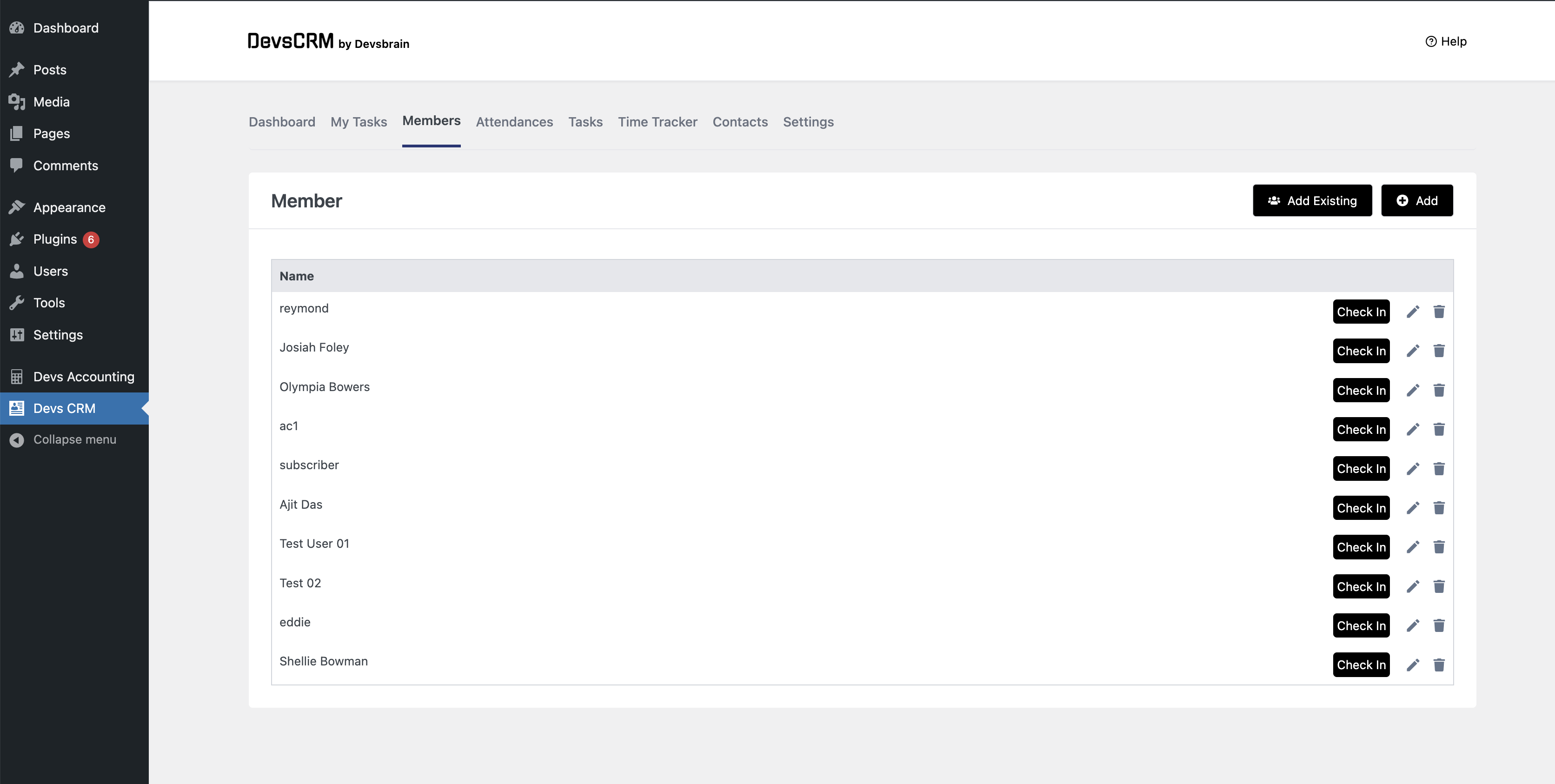
- Navigate to Devs CRM in the admin menu to get started.
- Add your first contact from the Contacts menu
- Customize your pipeline stages under Settings
- Enable WooCommerce integration to auto-capture customers
- Use
[dcrm_lead_form]shortcode to add a lead form to any page
屏幕截图:




其他记录:
[dcrm_lead_form]
Use this shortcode to embed a lead capture form on any page or post. Works with all standard themes and page builders.
System Requirements
- WordPress 5.8 or higher
- PHP 7.4 or higher
- MySQL 5.7+ or MariaDB 10.3+
常见问题:
Is Devs CRM really free?
Yes. All features are included in the free plugin. There is no pro version or upsell. We believe in open-source software that actually works.
Does Devs CRM send emails?
Yes. You can create email campaigns and send them to contacts filtered by tags. You can also schedule campaigns for later and set up automated follow-up email sequences.
Can I import existing contacts?
Yes. Devs CRM supports CSV import. Go to Contacts and click the Import button. You can map columns to contact fields during import.
Does it work with WooCommerce?
Yes. When enabled, Devs CRM automatically captures customers as contacts when their order is marked completed. You'll see order history alongside contact details.
Can I customize the pipeline stages?
Yes. Go to Settings > Pipeline Stages to add, edit, reorder, or delete stages. You can also assign colors to each stage for visual organization.
Does it collect user data or phone home?
No. Devs CRM does not connect to any external services. All data is stored locally in your WordPress database. Your customers' information never leaves your server.
Can I use it with multiple users?
Yes. Devs CRM respects WordPress user roles. Administrators and editors can manage all contacts. Other roles follow WordPress capabilities.
Does it work with page builders?
Yes. The lead capture form shortcode works with any page builder that supports shortcodes — Elementor, Beaver Builder, Divi, Gutenberg, and more.
更新日志:
- Added HMAC token validation for unsubscribe endpoint — prevents abuse
- Sanitized tags in bulk update operations — prevents stored XSS
- Added file validation for CSV imports — checks type and size
- Added rate limiting for email open tracking — prevents analytics corruption
- Sanitized integration field mappings before storing in database
- Added integer validation for bulk delete operations
- Added $wpdb->esc_like() for search queries — prevents wildcard matching Performance Fixes:
- Added database indexes on email, deleted_at, stage_id, status columns — faster queries
- Fixed N+1 query in email sending — batch-loads lead data instead of per-recipient queries
- Fixed N+1 query in campaign create/update — batch-loads contact IDs
- Added conditional class loading — only loads routes when needed
- Optimized migration checks — only runs migration files when update is needed
- Added version parameters to all CSS files — prevents stale cache Other Improvements:
- Fixed uninstall.php to clean up all plugin options
- Fixed plugin deactivation to clear all cron hooks
- Added missing database tables to uninstall cleanup
- Improved error messages for better user experience
- Visual sales pipeline with drag-and-drop Kanban board
- Activity notes and timeline for tracking contact interactions
- WooCommerce integration for automatic customer capture
- Gravity Forms integration for lead capture
- Contact Form 7 integration for lead capture
- Configurable pipeline stages with custom colors
- Integrations settings page for easy setup Email Campaign Improvements:
- Campaigns now reliably save all changes (subject, body, recipients, scheduling)
- Email scheduling works correctly — campaigns send at your chosen time
- Template selection now persists when editing campaigns
- Contact filtering improvements for targeted campaigns Contact Management:
- Enhanced import/export functionality
- Improved search and filtering
- Better tag management Security & Performance:
- Fixed security vulnerabilities in API endpoints
- Removed unused database tables from previous versions
- Optimized database queries for better performance
- Cleaned up debug logging and unused code Compatibility:
- Tested up to WordPress 6.8
- PHP 7.4 minimum requirement
- Improved compatibility with caching plugins
- Security improvements
- Task management bug fixes
- Redesigned user interface for better usability
- Added email campaign scheduling and sending
- Introduced email automation for follow-up sequences
- Performance improvements and bug fixes
- Added email campaign feature with scheduling
- Introduced CSV import/export for contacts and leads
- Added shortcode support for member forms
- Bulk operation features for contact management
- UI improvements and performance optimizations
- Updated design for better user experience
- Added WordPress admin menu icon
- Contact management bug fixes
- Redesigned contacts and leads tables
- Added contact tagging system
- Dynamic tag creation from settings
- Contact bug fixes
- Added leads management table
- Page display bug fixes
- Fixed member access permissions
- Time tracking bug fixes
- Attendance calendar improvements
- Enhanced dashboard with additional metrics
- Time tracking fixes
- Employee management bug fixes
- Added employee attendance tracking
- Dashboard updates with attendance overview
- Time tracking feature
- Added attendance calendar
- Dashboard improvements
- Task details bug fixes
- Style improvements
- Member management bug fixes
- Initial release