
Digages Website Monitor
| 开发者 |
Digages
timleyi |
|---|---|
| 更新时间 | 2026年7月28日 01:52 |
| PHP版本: | 7.0 及以上 |
| WordPress版本: | 7.0 |
| 版权: | GPLv2 or later |
| 版权网址: | 版权信息 |
详情介绍:
Digages Website Monitor is a lightweight security and activity monitoring plugin designed to help site owners understand what’s happening on their WordPress website and respond quickly to potential threats.
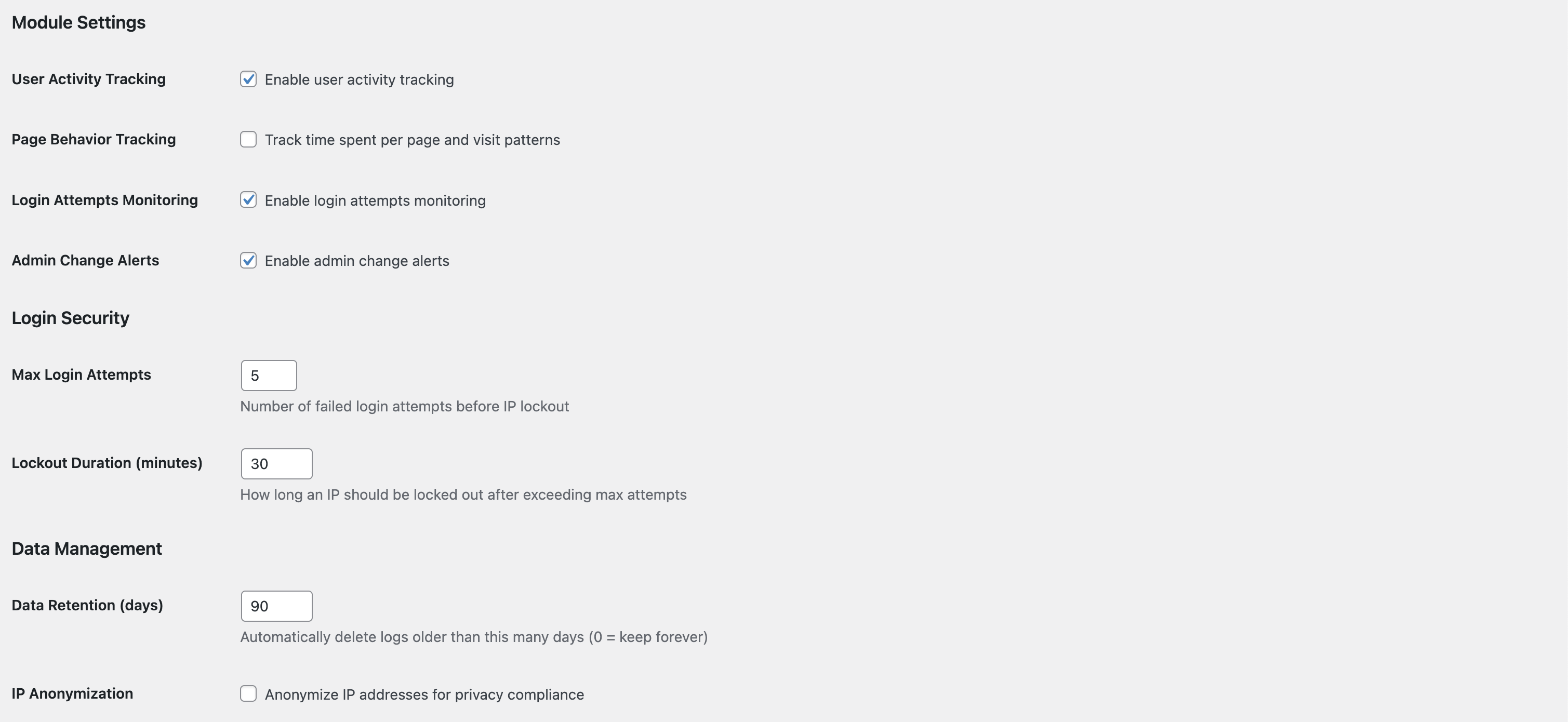
The plugin tracks visitor activity and time spent on the site, monitors login attempts with optional limits to reduce brute-force attacks, and watches for plugin installations and updates that may affect site security.
Admins can receive email notifications whenever plugins are installed or updated, helping detect unauthorised changes early and maintain full control of the website environment.
Digages Website Monitor focuses on essential monitoring features without unnecessary complexity or performance overhead.
Why Digages Website Monitor?
Keeping your WordPress site secure can be challenging. Digages Website Monitor gives you peace of mind by providing clear insights into visitor activity, monitoring login attempts, and alerting you to theme or plugin changes. You’ll know immediately if anything unusual happens, allowing you to act fast and protect your site.
Features:
- Track visitor activity and time on site
- Monitor and limit failed login attempts
- Detect theme and plugin installs and updates
- Send email alerts to admins for installs and updates
- Lightweight and performance-friendly
安装:
Using The WordPress Dashboard:
- Go to WordPress Admin > Plugins > Add New Plugin from the left-hand menu.
- In the search box, type Digages Website Monitor by Digages.
- Click on Install Now when you see the Digages Website Monitor.
- After installation, click Activate
屏幕截图:
更新日志:
1.0.0
- Initial release of Digages Website Monitor.