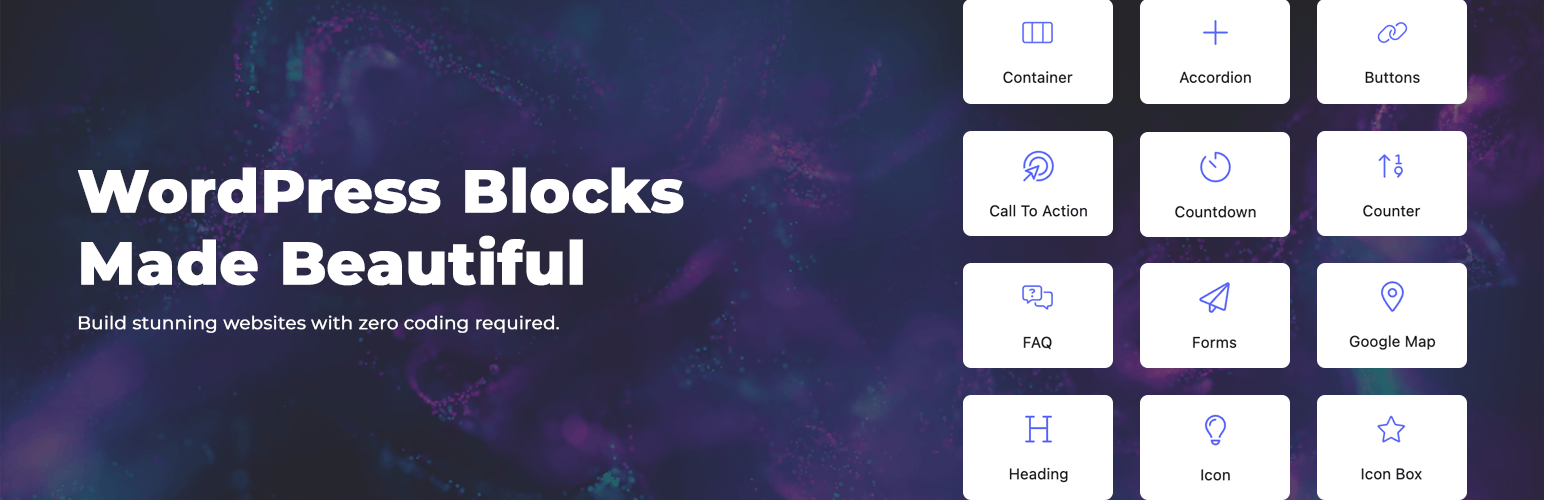
DigiBlocks - Professional Gutenberg Block Collection
| 开发者 | digihold |
|---|---|
| 更新时间 | 2025年12月25日 17:22 |
| PHP版本: | 7.4 及以上 |
| WordPress版本: | 6.9 |
| 版权: | GPLv2 or later |
| 版权网址: | 版权信息 |
详情介绍:
- Container - Create beautiful layouts with flexible containers and columns.
- Accordion - Display a vertically stacked list of accordion items.
- Buttons - Add beautiful interactive buttons with icons.
- Call To Action - Add a beautiful call to action block.
- Countdown - Display a beautiful countdown timer.
- Counter - Display animated numerical counters.
- FAQ - Create beautiful FAQ block with schema markup for SEO.
- Forms - Create custom forms easily with a few clicks.
- Google Map - Add a responsive Google Map with markers.
- Heading - Create a beautiful heading with various styling options.
- Icon - Add a customizable icon with various styling options.
- Icon Box - Display an icon with title and text in a beautiful box layout.
- Icon List - Display a list of items with custom icons.
- Image - Add images with extensive styling options.
- Lottie Animation - Add beautiful Lottie animations to your content.
- Newsletter - Add a newsletter subscription form.
- Row - Create horizontal layouts with flexible alignment and spacing controls.
- Pricing Table - Create beautiful pricing tables with multiple plans and features.
- Separator - Add a separator with various styles, text, and icon options.
- Social Icons - Add social media links with beautiful icons.
- Spacer - Add vertical space between blocks with adjustable height.
- Table - Build responsive comparison and data tables with ease.
- Team - Display your team members in various layouts.
- Testimonials - Display customer testimonials in beautiful layouts.
- Text - Create rich text content with advanced styling options.
- AI Image - Generate beautiful images with AI.
- Posts - Display your WordPress posts in beautiful grid and list layouts.
- Money Back - Add a customizable money back guarantee.
- Logo - Add a customizable logo for your website header or footer.
- Navigation - Add a responsive navigation menu with custom or WordPress menus.
- Login Link - Add a customizable login/account link for your header.
- Page Title - Display the title of the current page or post.
- Breadcrumbs - Show navigation path.
- Featured Image - Display the featured image of the current post.
- Post Meta - Display post metadata like author, date, categories, and tags.
- Post Content - Display the main content of the current post or page.
- Post Navigation - Add previous/next post navigation links to single posts.
- Social Share - Add social sharing buttons for various platforms.
- Table of Contents - Auto-generate a table of contents from page headings.
- Author Box - Display author information, bio, avatar and social icons.
- Related Posts - Display posts related to the current post.
- Post Comments - Display and customize the comments section.
- Search Form - Enhanced search form with AJAX capabilities and post type filtering.
- Taxonomy - Display taxonomy terms like categories, tags or custom taxonomies.
- Search Results - Display search results with customizable layout and pagination.
- Copyright - Display copyright text with dynamic year, site name and site URL.
- Products - Display your DigiCommerce products in a beautiful way.
- Cart Icon - Display cart icon with count and total anywhere.
- Product Price - Display product price with custom styling.
- Product Gallery - Enhanced product gallery with lightbox, and thumbnail navigation.
- Product Meta - Display product meta information like categories, and tags.
- Product Content - Display product description or short description content.
- Product Features - Display product features table.
- Product Add To Cart - Display the add to cart button.
- Product Reviews - Display product reviews stars.
- Product Reviews Form - Display a customizable product reviews form.
- Products - Display your products in a beautiful grid layout.
- Cart Icon - Display cart icon with count and total anywhere.
- Product Price - Display product price with custom styling.
- Product Gallery - Enhanced product gallery with lightbox, and thumbnail navigation.
- Product Meta - Display product meta information like SKU, categories, and tags.
- Product Content - Display product description or short description content.
- Product Add To Cart - Display the add to cart button.
- Product Reviews - Display product reviews stars.
- Product Reviews Form - Display a customizable product reviews form.
- Optimized Code: Lightweight implementation for fast page loading
- Resource Efficiency: CSS and JS are loaded only when blocks are used
- Responsive Design: All blocks are fully responsive and mobile-friendly
- Accessibility Ready: Built with web accessibility standards in mind
- Typography Controls: Font family, size, weight, line height, and more
- Color Settings: Custom colors for text, background, icons, and borders
- Spacing Controls: Precise control over margins, padding, and alignment
- Border & Shadow: Customize borders, border radius, and box shadows
- Animation Effects: Add entrance animations to engage your visitors
- Responsive Controls: Adjust settings for desktop, tablet, and mobile
- Clean, Documented Code: Well-structured codebase for easy customization
- Extensible Framework: Add custom blocks or extend existing ones
- Minimal Dependencies: No jQuery or external libraries required
- Theme Compatibility: Works with virtually any WordPress theme
- Documentation - Comprehensive guides and tutorials
- Support Forum - Get help from our team and community
- GitHub Repository - Access source code and contribute
安装:
- Upload & Activate
- Visit Plugins > Add New
- Search for "DigiBlocks"
- Click "Install Now" and then "Activate"
- Or upload the plugin files manually to
/wp-content/plugins/digiblocks - Start Using the Blocks
- Edit any page or post with the Block Editor
- Look for the "DigiBlocks" category in the block inserter
- Click on any DigiBlocks block to add it to your page
- Customize using the block controls in the sidebar
- WordPress 5.8 or higher
- PHP 7.4 or higher
- Modern browser (Chrome, Firefox, Safari, Edge)
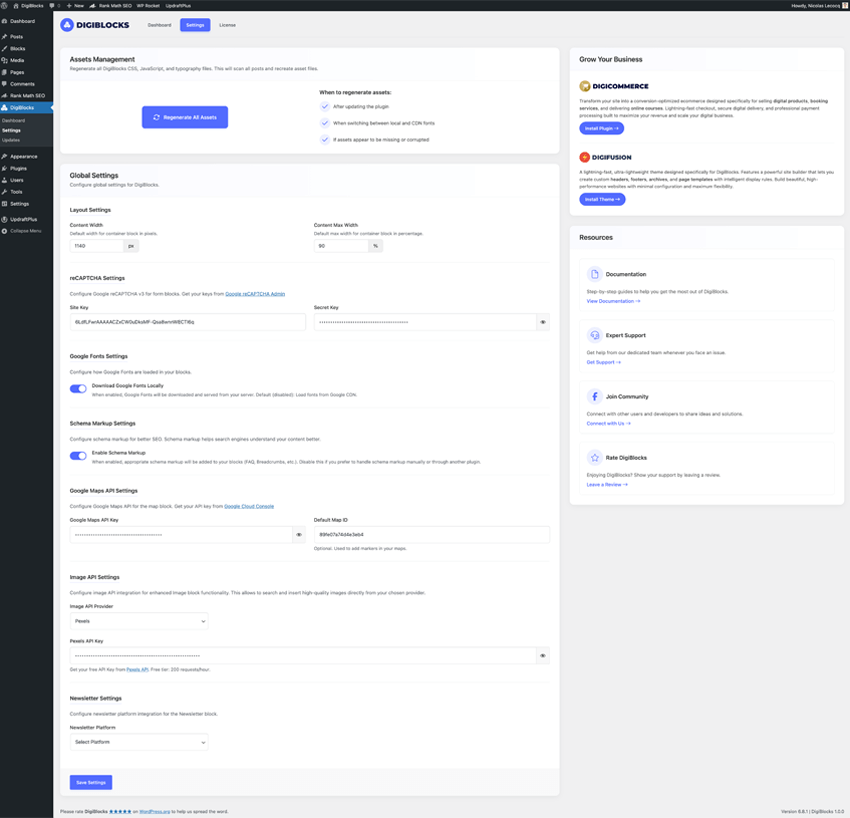
屏幕截图:
常见问题:
Will DigiBlocks work with my theme?
Yes! DigiBlocks is designed to work with any WordPress theme that supports the block editor. The blocks adapt to your theme's styling while maintaining their functionality.
Does DigiBlocks slow down my website?
No. DigiBlocks is built with performance in mind. CSS and JavaScript files are only loaded when blocks are actually used on a page, ensuring minimal impact on page load times.
Can I use DigiBlocks on multiple websites?
Yes, you can use DigiBlocks on as many websites as you want.
Are the blocks responsive for mobile devices?
Absolutely! All DigiBlocks are fully responsive and include controls to customize their appearance on desktop, tablet, and mobile devices.
Can I disable blocks I don't need?
Yes, DigiBlocks includes a block manager in the admin dashboard where you can enable or disable individual blocks to keep your editor clean and focused.
Does DigiBlocks support Google Fonts?
Yes, DigiBlocks supports Google Fonts, giving you access to hundreds of font families for your blocks.
Is DigiBlocks compatible with page builders?
DigiBlocks is specifically designed for the WordPress block editor (Gutenberg). While some blocks may work with page builders that support Gutenberg blocks, we recommend using DigiBlocks with the native WordPress editor for the best experience.
Do I need coding knowledge to use DigiBlocks?
No coding knowledge is required! DigiBlocks is designed to be user-friendly with intuitive controls.
更新日志:
- Added: Max Width field for the Heading block
- Added: Flex Direction field for the Container and Row blocks
- Added: Position panel with settings to allow relative, absolute or fixed positioning with orientation fields
- Added: Transform panel with settings like Rotate, Offset, Scale, which allow you to create unique design
- Added: More Animations
- Added: Margins fields for the Icon Box block to control title and content margin
- Added: Justify content field for the Icon Box block to control align
- Added: Better Font Family selection with search input and fonts preview
- Added: Hover Effect for the Button block
- Tweak: Many improvements for the Heading block
- Tweak: Many improvements for the Text block
- Tweak: Many improvements for the Container block
- Tweak: Many improvements for the Column block
- Tweak: Many improvements for the Row block
- Tweak: Better Units selection design
- Tweak: Better Typography UX
- Tweak: Animations now only load the required JS dynamically instead of all animations
- Tweak: Better panels organization
- Added: Settings and tab needed for new AI Image feature
- Tweak: All defaults values for tablet and mobile removed to avoid issues
- Tweak: Better readable way for the textareas for the Form block
- Fixed: Form Success and Error messages was sent in the email
- Fixed: Small issues
- Tweak: Table block, warning icon added
- Tweak: Icon box block, Better settings for icon width and spacing
- Fixed: If the Text block was used in post content, it wasn't added in excerpt
- Initial release