
Digital Signature for eCommerce Checkout
| 开发者 | |
|---|---|
| 更新时间 | 2026年9月26日 00:06 |
| PHP版本: | 7.0 及以上 |
| WordPress版本: | 7.1 |
| 版权: | GPLv3 or later |
| 版权网址: | 版权信息 |
详情介绍:
安装:
- Upload the plugin folder to the
/wp-content/plugins/directory, or install the plugin directly through the WordPress Plugins screen. - Activate the plugin through the Plugins menu in WordPress.
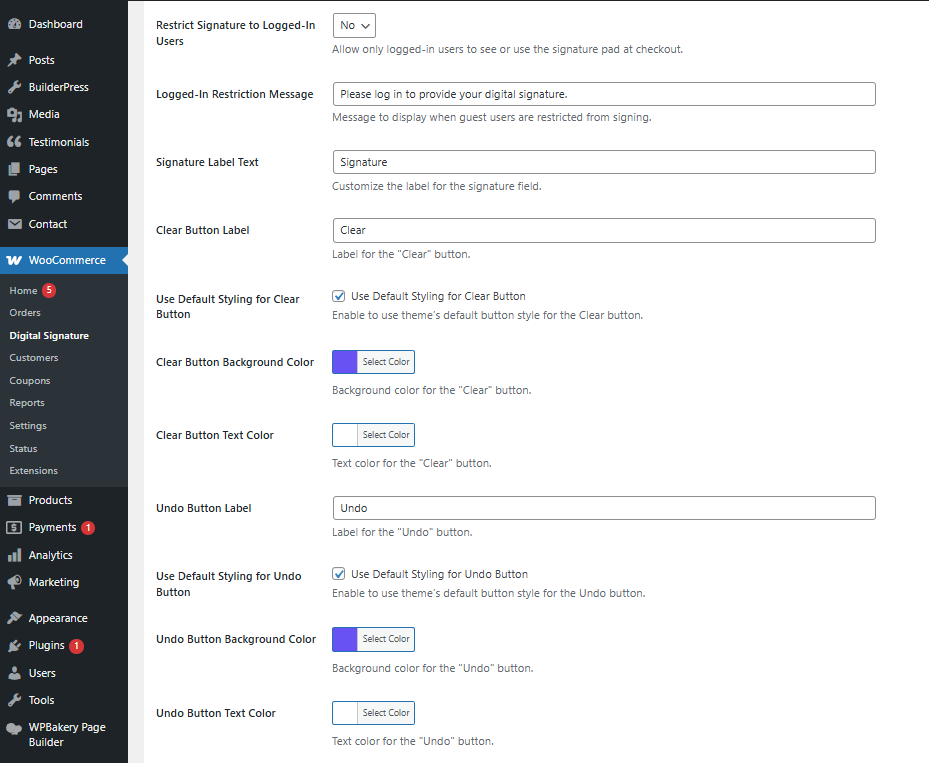
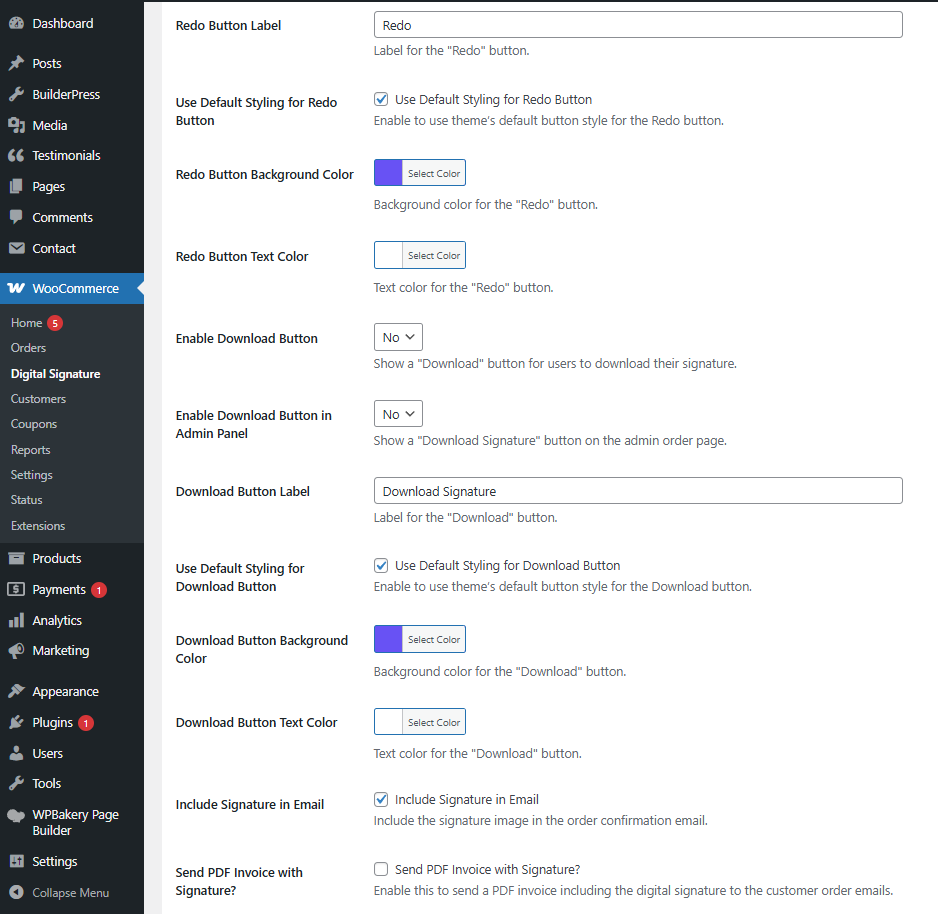
- Go to WooCommerce > Digital Signature to configure the signature field, position, appearance, and validation settings.
屏幕截图:
常见问题:
Is the digital signature legally binding?
The plugin captures a customer's signature as an image and stores it with the order. Whether a digital signature is legally binding depends on applicable laws, regulations, and how the signature is used. The Pro version provides additional audit-trail features such as IP address, browser information, timestamp, and tamper-evidence hash.
Can I require the signature field on WooCommerce checkout?
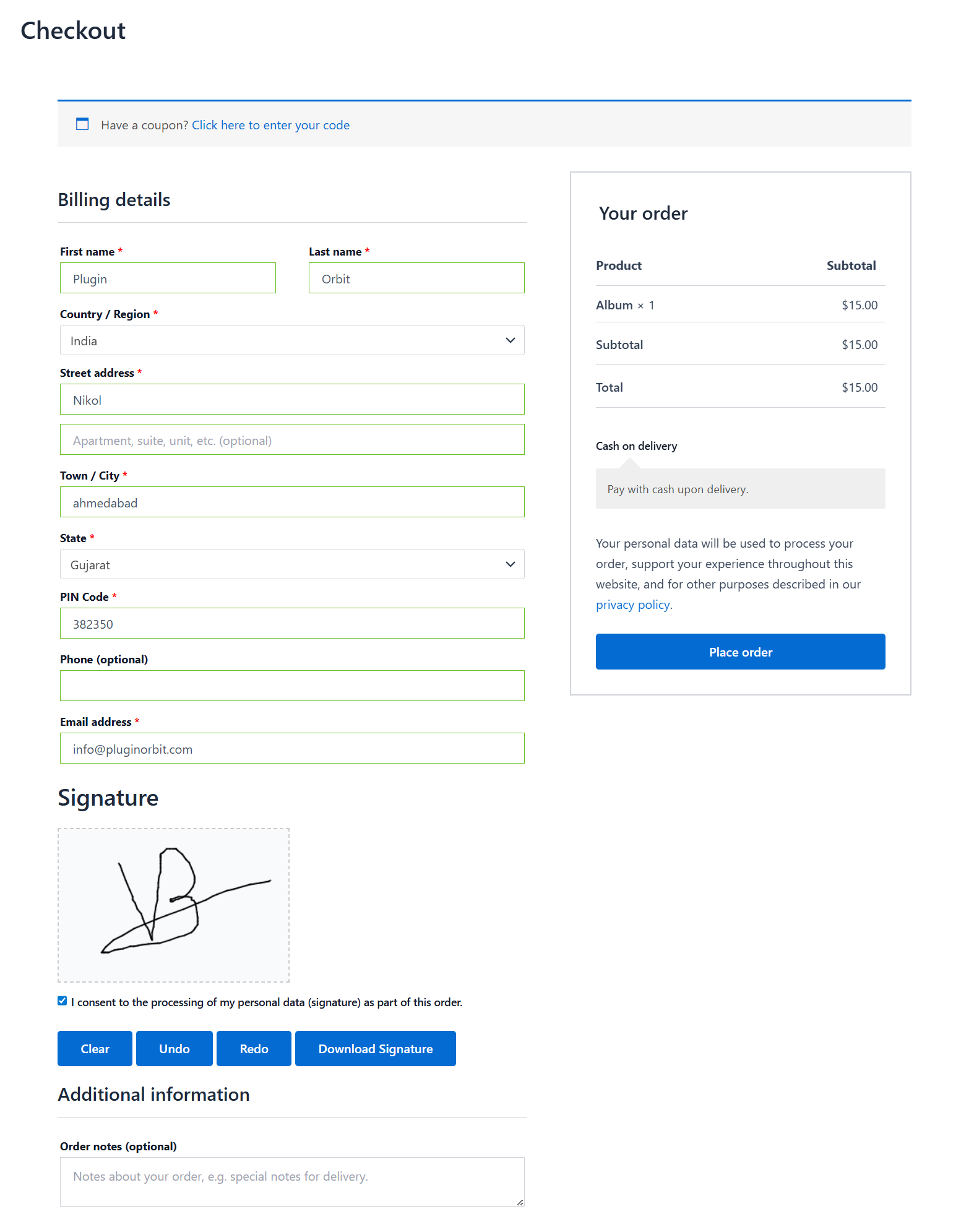
Yes. Enable the Make Signature Required setting to require customers to provide a signature before checkout can be completed.
Does the WooCommerce signature pad work on mobile devices?
Yes. The signature pad is responsive and supports touch input on phones and tablets.
Does it work with the WooCommerce Checkout block?
Yes. The plugin supports both the classic WooCommerce shortcode checkout and the WooCommerce Checkout block.
Can I customize the WooCommerce signature field?
Yes. You can customize the signature field label, pen width, pen color, background color, and canvas size from the plugin settings.
Where can I see the customer's signature after checkout?
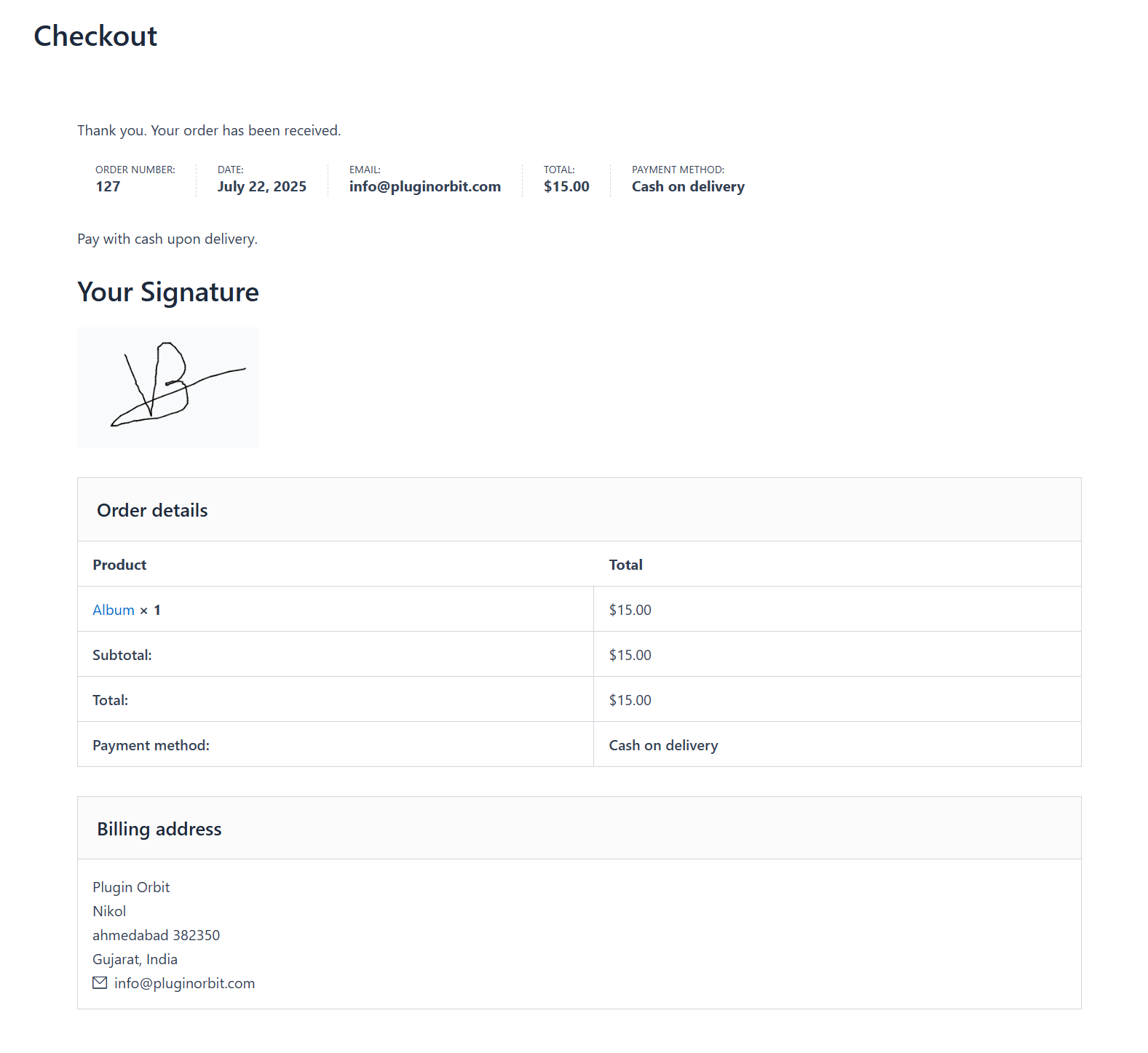
The customer's signature is available on the order's Order Details page in My Account and on the WooCommerce order edit screen in the WordPress admin.
更新日志:
- Settings page now previews two more upcoming Pro features, Checkbox-Controlled Signature Requirement and Customizable PDF Invoice Content, directly in the relevant tabs.
- Improved: Settings page now previews upcoming Pro features (Type-to-sign mode, GDPR consent, audit trail, PDF invoice, and more) directly in each tab.
- Improved: Internal code cleanup and consistency across settings, checkout, and order display code.
- No changes to existing free feature behavior. All current functionality continues to work as before.
- Added tabbed settings interface and improved field rendering.
- Fixed mobile scrolling issue on the signature pad.
- Added settings sections: General Settings, Style / Translate Settings, and PDF Email Invoice Settings.
- Initial release.