Disable Right Click & Content Copy Protection
| 开发者 | mathewt |
|---|---|
| 更新时间 | 2026年9月7日 18:19 |
| PHP版本: | 7.4 及以上 |
| WordPress版本: | 7.1 |
| 版权: | GPLv2 or later |
| 版权网址: | 版权信息 |
详情介绍:
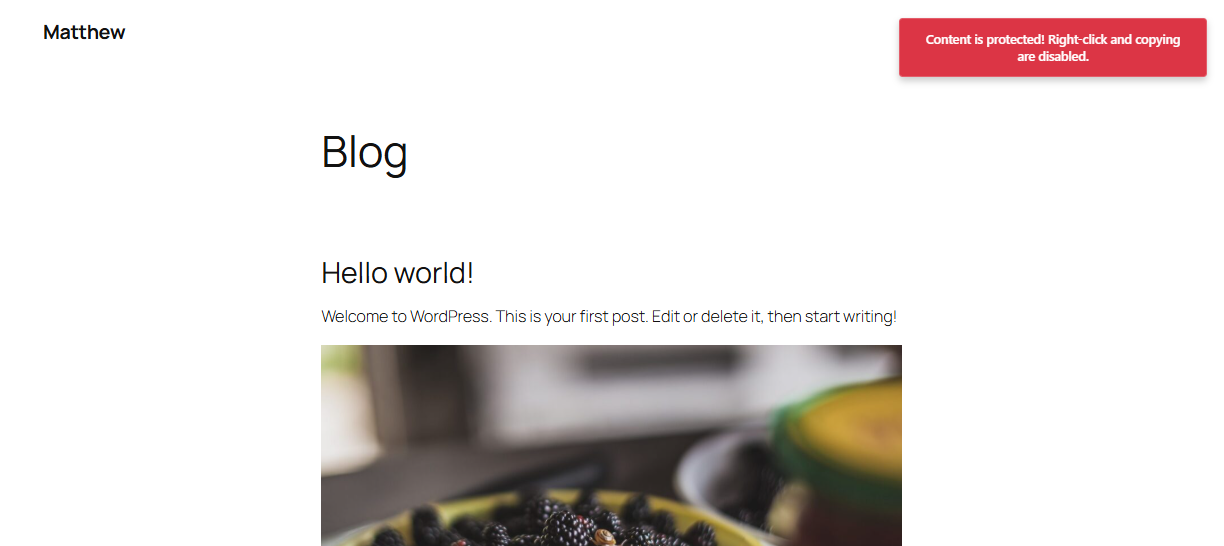
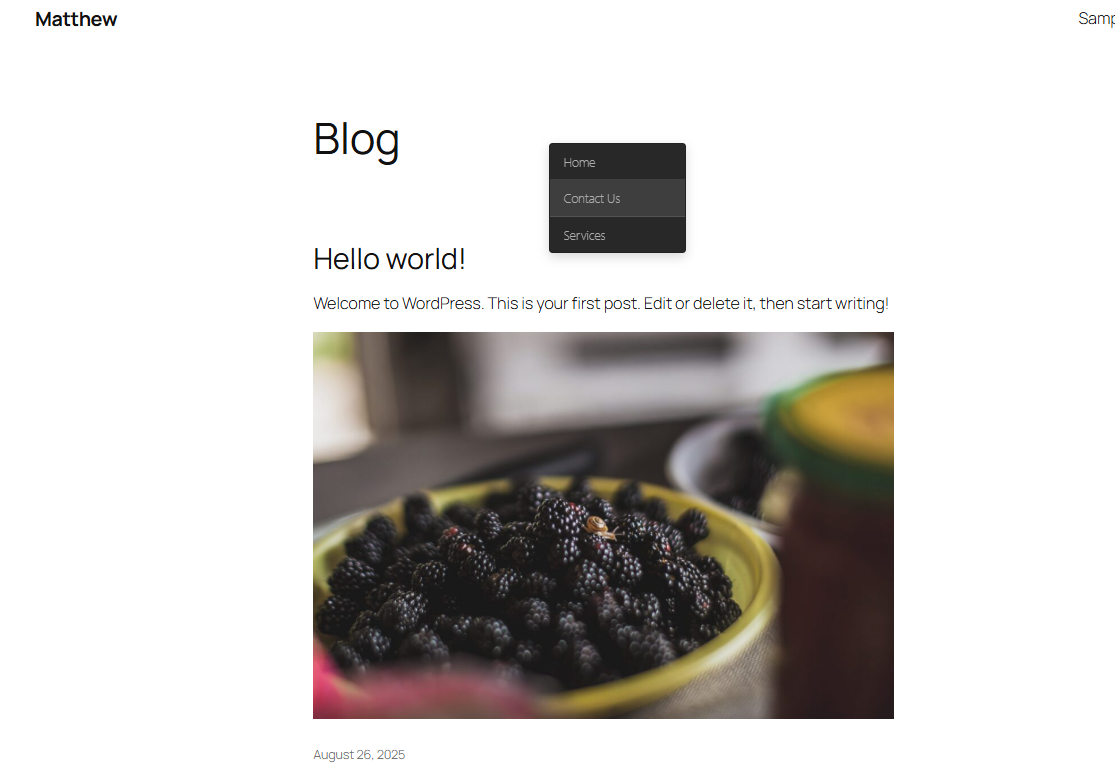
- Right-Click Protection: Completely disable the right-click context menu across your website
- Copy Content Prevention: Block keyboard shortcuts like Ctrl+C, Ctrl+A, Ctrl+V, and more
- Image Drag Protection: Prevent users from dragging and saving images from your website
- Content Type Control: Choose specific post types (posts, pages, custom post types) where protection should be applied
- Master Toggle: Easy enable/disable functionality for the entire plugin
- Developer Tools Protection: Disable F12, Ctrl+Shift+I, and other developer console shortcuts
- Text Selection Blocking: Prevent text highlighting and selection on protected pages
- Print Protection: Block printing via the Ctrl+P/Cmd+P shortcut and the browser's print menu, plus a warning notification when the Print Screen key is pressed (note: OS-level screen capture itself cannot be blocked by any website)
- Mac & Windows Keyboard Support: All keyboard shortcut protections block both Ctrl (Windows/Linux) and Cmd (Mac) key combinations
- Mobile Optimized: Works seamlessly on mobile devices and tablets
- Selective Protection: Apply protection only to specific content types
- Individual Feature Control: Enable or disable specific protection features independently
- Admin Interface: Clean, intuitive settings page with toggle switches
- Real-time Configuration: Changes take effect immediately without caching issues
- Multiple Notification Styles: Choose from Toast, Banner, Modal, or Inline notification styles with custom text and colors
- User Exemptions: Exempt all logged-in users or specific user roles (e.g. administrators, editors) from protection
- IP Whitelist: Bypass protection for trusted IP addresses — ideal for clients, team members, or staging access
- Copy Watermark: Automatically append a customizable attribution text (e.g. source URL) whenever content is copied
- Per-Page/Post Override: Control protection on individual posts and pages directly from the editor sidebar metabox
- Content Creators: Protect articles, tutorials, and written content
- Photographers: Safeguard image portfolios and galleries
- E-learning Platforms: Protect course materials and educational content
- Business Websites: Secure proprietary information and documents
- News Websites: Prevent unauthorized content reproduction
- Portfolio Sites: Protect creative work and designs
- Console Protection: Display warning messages in browser console
- Developer Tools Detection: Detect when developer tools are opened
- Multi-browser Compatibility: Works across all major browsers
- No Performance Impact: Lightweight code that doesn't slow down your site
- Install and activate the plugin
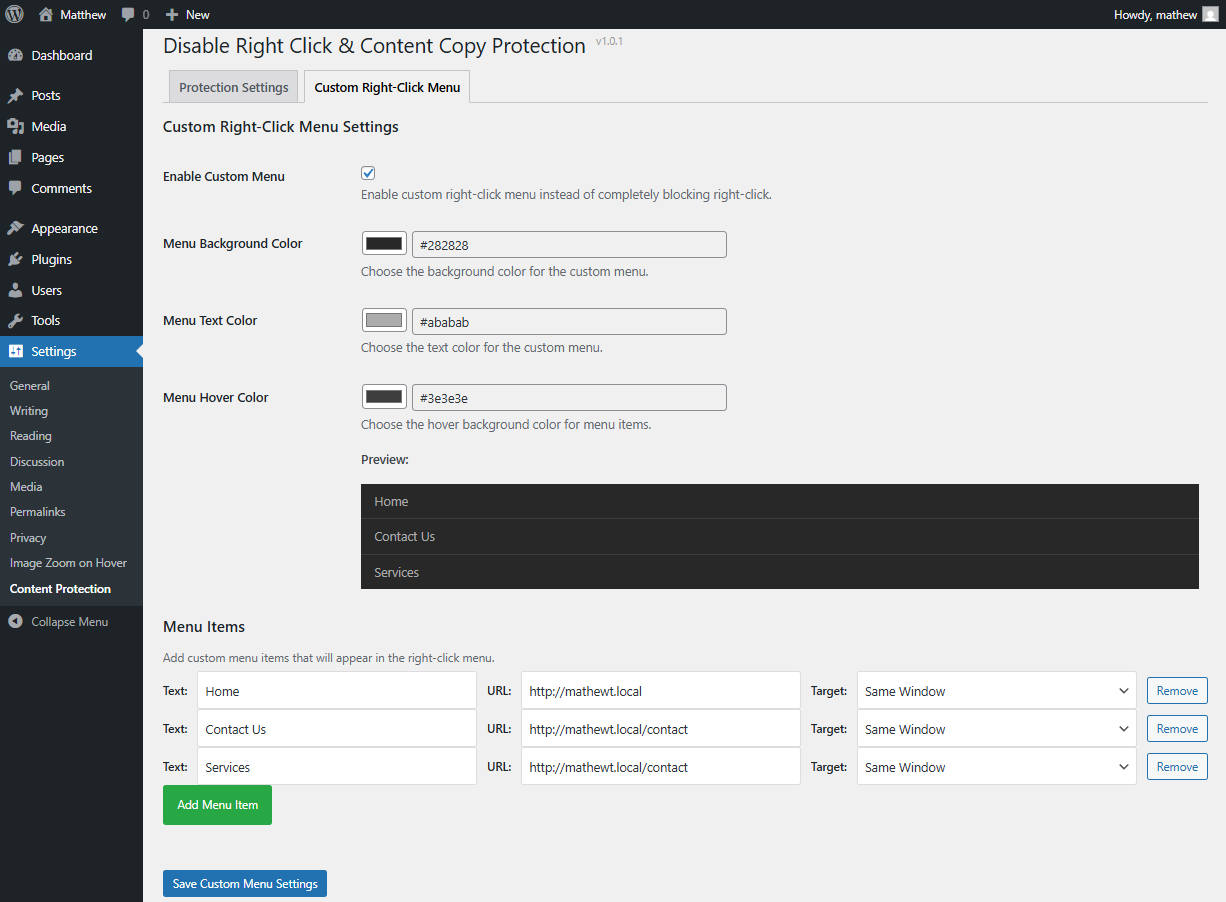
- Go to Settings > Content Protection
- Configure your protection preferences
- Save settings and your content is protected!
- Proper data sanitization and validation
- Secure nonce verification
- Escaped output for security
- Translation ready
- Clean, documented code
安装:
- Log in to your WordPress admin dashboard
- Navigate to Plugins > Add New
- Search for "Disable Right Click & Content Copy Protection"
- Click "Install Now" and then "Activate"
- Download the plugin zip file
- Log in to your WordPress admin dashboard
- Navigate to Plugins > Add New > Upload Plugin
- Choose the downloaded zip file and click "Install Now"
- Activate the plugin after installation
- After activation, go to Settings > Content Protection
- Configure your protection settings:
- Enable/disable the plugin
- Choose protection features
- Select content types to protect
- Click "Save Settings"
- Your content is now protected!
屏幕截图:
常见问题:
Does this plugin affect my website's performance?
No, the plugin is designed to be lightweight and has minimal impact on your website's loading speed. The JavaScript and CSS files are optimized and only loaded when needed.
Will this prevent all content theft?
While this plugin provides strong protection against casual copying, determined users with advanced technical knowledge may still find ways to access content. However, it effectively prevents 95%+ of unauthorized copying attempts.
Can I disable protection on specific pages?
Yes, you can choose which content types (posts, pages, custom post types) should have protection enabled. This gives you granular control over where protection is applied.
Does it work on mobile devices?
Yes, the plugin includes specific optimizations for mobile devices and tablets, preventing touch-based copying and long-press actions.
Will this affect my website's SEO?
No, the plugin does not interfere with search engine crawlers or affect your website's SEO performance. Search engines can still index your content normally.
Can users still use browser back/forward buttons?
Yes, normal navigation functions like back/forward buttons remain fully functional. The plugin only blocks copying and content theft attempts.
Is the plugin translation ready?
Yes, the plugin is fully translation ready and includes support for internationalization.
Does it block legitimate browser functions?
The plugin is designed to block only content theft attempts while preserving legitimate browser functionality. Form inputs, navigation, and other essential features remain unaffected.
Can I exempt certain users or roles from the protection?
Yes. Under the User Exemptions section in the settings you can exempt all logged-in users at once, or choose specific roles (e.g. Administrator, Editor) that should bypass protection. This is useful for letting your team work normally while still protecting content for public visitors.
Can I disable protection for specific IP addresses?
Yes. The IP Whitelist setting lets you enter one or more IP addresses (one per line) that will bypass all protection. This is handy for whitelisting your own IP, a client's office, or a staging environment.
What is the Copy Watermark feature?
When Copy Watermark is enabled, any text a visitor manages to copy will automatically have an attribution notice appended to it — for example, the site name and URL. You can fully customise the watermark text in the settings. This helps trace the source of copied content even when copying cannot be fully prevented.
What notification styles are available?
The plugin supports four notification styles: Toast (a small pop-up in the corner), Banner (a full-width bar at the top or bottom of the page), Modal (a centred overlay dialog), and Inline (a message displayed inline near the protected content). You can also set custom text and background colors for the notification.
Can I override protection on a per-page or per-post basis?
Yes. A Content Protection metabox is available in the sidebar of the post/page editor. It lets you enable or disable protection for that individual piece of content, overriding the global settings.
更新日志:
- Print Protection — New "Disable Print" toggle in Keyboard Shortcuts Protection blocks printing via the Ctrl+P/Cmd+P keyboard shortcut and the browser's own print menu/button, and shows a warning notification when the Print Screen key is pressed (note: OS-level screen capture itself cannot be blocked by any website)
- Mac Keyboard Shortcut Support — All keyboard shortcut protections (view source, save page, inspect element, console, inspect mode, paste, print) now also block the Cmd-key equivalents on macOS, not just Ctrl on Windows/Linux
- Print-related blocking (Ctrl+P/Cmd+P, Print Screen notification, and the print-time content hiding) is now controlled solely by the "Disable Print" toggle, instead of being tied to Copy Content Protection
- Fixed compatibility with the WordPress 7.0 Real-Time Collaboration feature.
- Multiple Notification Styles — Choose from Toast, Banner, Modal, or Inline styles, each with customisable message text and colours
- User Exemptions — Exempt all logged-in users or specific roles (e.g. Administrator, Editor) from content protection
- IP Whitelist — Enter trusted IP addresses that will bypass all protection rules
- Copy Watermark — Append a customisable attribution notice (e.g. site name and URL) to any copied text
- Per-Page/Post Override — Enable or disable protection on individual posts and pages via the editor sidebar metabox
- Tested and confirmed compatible with WordPress 7.0
- Initial release
- Right-click protection
- Copy content prevention
- Image drag blocking
- Content type selection
- Admin interface with toggle controls
- Developer tools protection
- Mobile optimization
- Translation ready