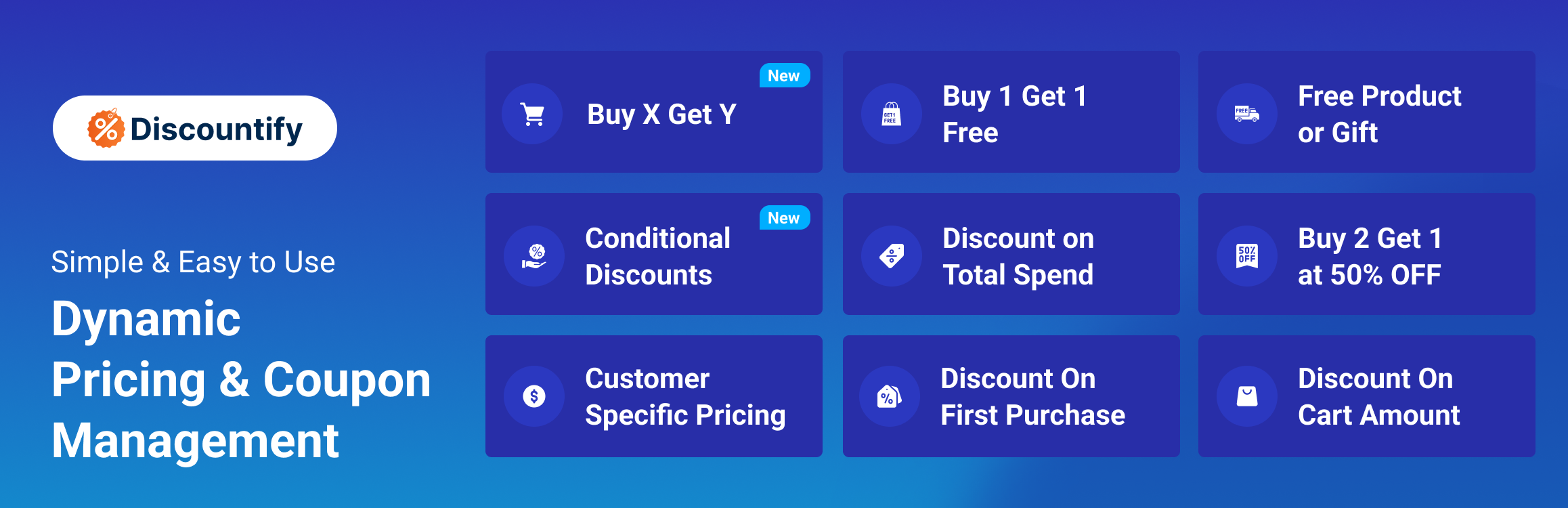
Discountify – Discount Rules, BOGO & Bulk Pricing for WooCommerce
| 开发者 |
markutos987
galib96 |
|---|---|
| 更新时间 | 2026年10月28日 09:38 |
| 捐献地址: | 去捐款 |
| PHP版本: | 7.4 及以上 |
| WordPress版本: | 7.0 |
| 版权: | GPLv2 or later |
| 版权网址: | 版权信息 |
标签
下载
详情介绍:
- Discount rule builder. Create, enable, disable and manage as many discount rules as you need from one screen.
- Sitewide (storewide) discounts. Put every product in the store on sale with one rule.
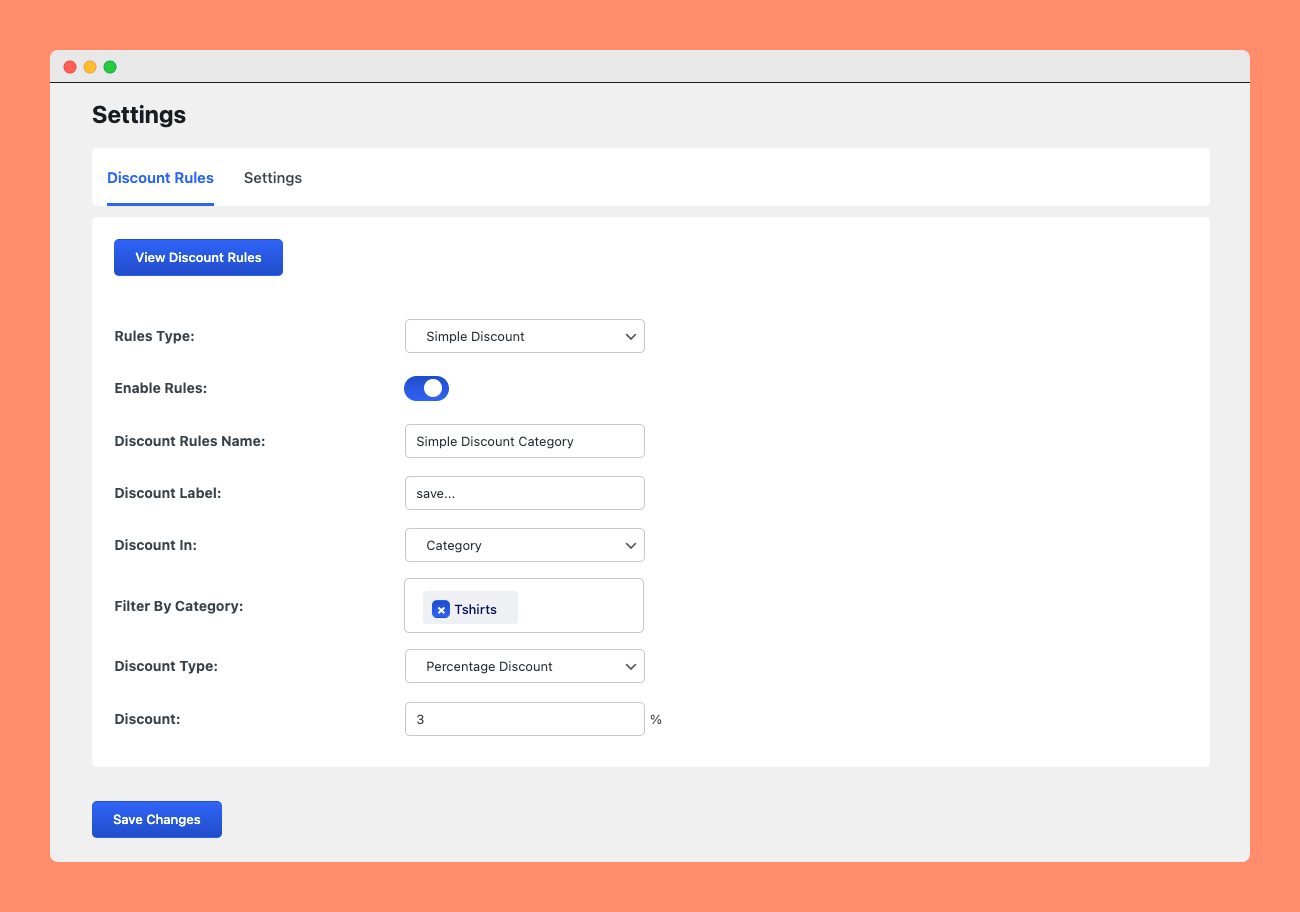
- Category discounts. Discount whole product categories, such as 30% off all shoes.
- Product discounts. Discount specific products you choose.
- Percentage discounts. For example, 20% off everything.
- Fixed amount discounts. For example, $5 off each product.
- Cart discounts. Discount the order automatically when the cart meets conditions you set, such as a minimum total.
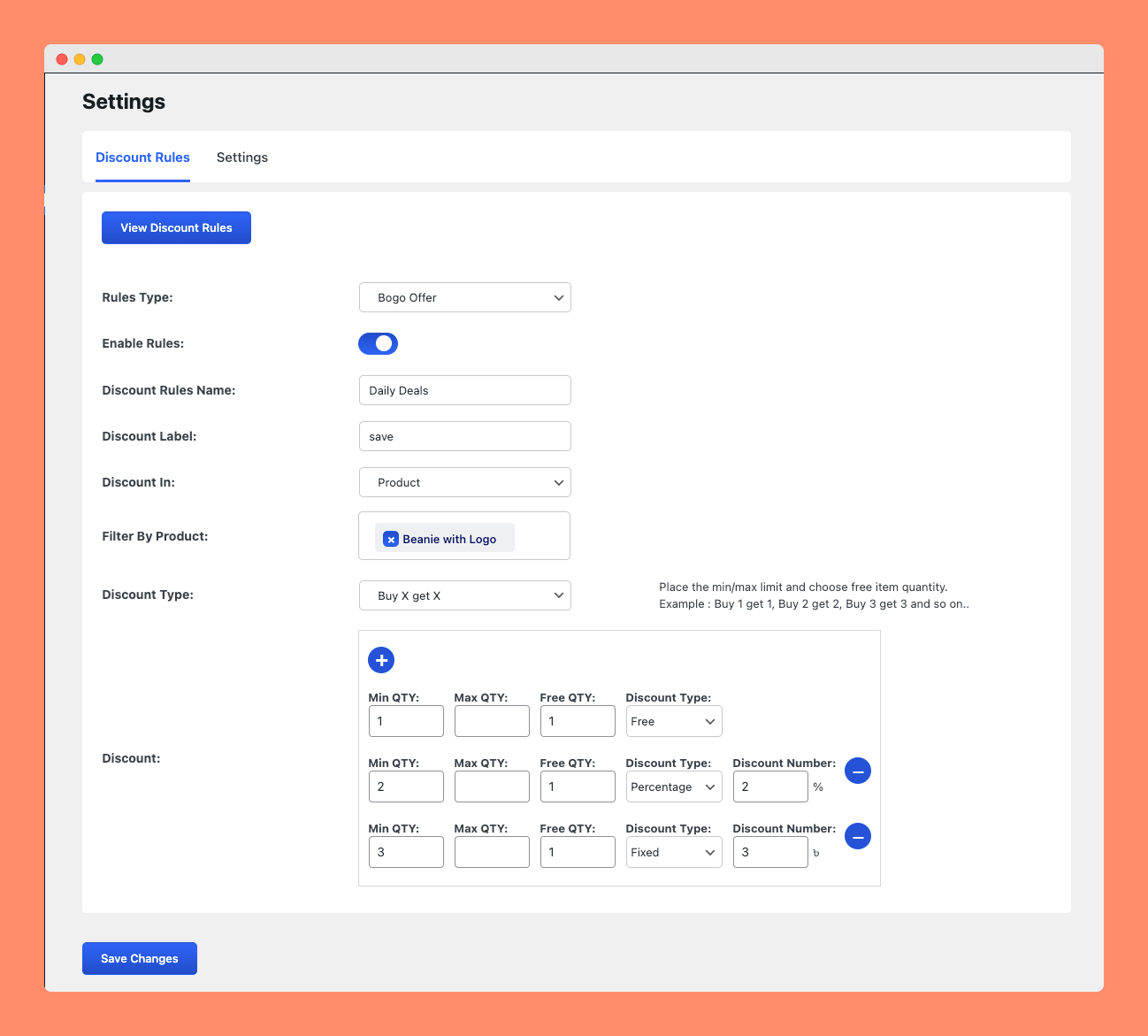
- BOGO – Buy X Get X. Buy one get one free, buy one get one at a percentage off, or buy N get 1 free on the same product.
- Bulk (quantity) pricing. Up to 3 quantity tiers per rule, such as 5+ items = 10% off and 10+ items = 15% off.
- Free shipping discounts. Give free shipping based on cart amount, products or categories.
- Simple and variable products. Discounts apply to every variation and show correctly in the mini cart.
- Scheduled rules. Set a start and end date so a sale runs on its own.
- Custom discount badges. Replace the default "Sale" badge with the amount saved, styled to match your theme.
- Import and export rules. Move your discount setup between stores or keep a backup.
- Block cart and checkout support. Works with the classic and block-based WooCommerce cart and checkout.
- Buy X Get Y – buy one product, get a different product free or discounted
- Category BOGO and BOGO fixed price
- Free product / free gift with purchase
- Unlimited bulk pricing tiers
- Dynamic pricing that changes product prices across the shop, product page and cart
- Conditional discounts based on cart, product and customer rules
- Category combination discounts (for example, buy a shirt and get sunglasses discounted)
- Discounts based on total spend and purchase history
- Customer-specific pricing
- First-order discounts
- Store owners who want to run a sale without creating and sharing coupon codes
- Agencies setting up seasonal promotions for client stores
- Shops that want a free shipping threshold or a cart discount to raise average order value
- MemberHub – Memberships for WordPress and WooCommerce
- Filter Plus – WooCommerce product filter by price, rating, tags, custom fields and more
- Quicker – Faster WooCommerce checkout and post-purchase upsells
- Bens Email Marketing & Automation – Email marketing, newsletters, automation and CRM for WordPress
- MenuBook – Restaurant reservations and set menu management for WordPress
安装:
- In your WordPress dashboard go to Plugins → Add New.
- Search for Discountify, then click Install Now and Activate.
- Make sure WooCommerce is installed and active. Discountify will ask you to install or activate it if it isn't.
- Go to Discountify → Discount Rules and click Add Discount Rules.
- Choose a rule type, such as Sitewide Store Discount, and enter a percentage or fixed amount.
- Optionally set a start and end date, then click Save.
- Open your shop page. Discounted prices and the sale badge are already showing.
- Download the plugin zip and upload the
discountifyfolder to/wp-content/plugins/. - Activate it from the Plugins screen.
屏幕截图:


常见问题:
Do customers need a coupon code?
No. Discount rules apply automatically when their conditions are met, and the discounted price shows on the shop, product, cart and checkout pages.
How do I run a storewide sale in WooCommerce?
Go to Discountify → Discount Rules, click Add Discount Rules, choose "Sitewide Store Discount", enter a percentage or fixed amount, and save. Add a start and end date if you want the sale to switch on and off by itself.
How do I set up Buy One Get One Free (BOGO)?
Go to Discountify → Discount Rules, click Add Discount Rules and choose "BOGO / Buy X Get X". Pick BOGO Free, BOGO Percent Off or Buy N Get 1 Free, select the products, and save. The free item is added to the cart automatically. Buy X Get Y (a different product) is in Pro.
How do I add bulk or quantity discounts?
Choose the "Bulk / Quantity Discount" rule type and add up to 3 tiers, for example 5+ items = 10% off and 10+ items = 15% off. Pro removes the tier limit.
Can I discount a single category or specific products?
Yes, and it's free. Choose the Category Discount or Product Discount rule type, pick the categories or products, and set the amount.
How do I add a cart discount?
Create a Cart Discount rule and set the cart conditions, such as a minimum cart total. When the cart meets them, the discount is applied automatically.
Can I offer free shipping above a certain order value?
Yes. The Free Shipping rule lets you give free shipping based on the cart amount, specific products or categories.
What is free and what is in Pro?
Sitewide, category, product, cart and free shipping discounts (percentage or fixed), BOGO on the same product (Buy X Get X), bulk pricing with up to 3 tiers, scheduling, badges and import/export are free. Buy X Get Y, category BOGO, free gifts, unlimited bulk tiers, total spend, dynamic pricing, conditional rules, purchase history and customer-specific pricing are in Discountify Pro.
Does it work with the WooCommerce block cart and checkout?
Yes. Discountify supports both the classic shortcode-based and the block-based cart and checkout.
Does it work with variable products?
Yes. Discounts apply to all variations, and the discounted price is shown in the cart and mini cart.
Will it work with my theme?
Discountify uses standard WooCommerce price hooks, so it works with well-coded WooCommerce themes. If something looks wrong with your theme, open a thread in the support forum and we'll fix it.
Does it need any third-party service?
No. Everything runs inside your WordPress site.
I found a bug or need a feature. Where do I go?
Please post in the support forum. We read every thread and use them to decide what to build next.
更新日志:
- Fix: BOGO Free rules not applying in the cart
- Fix: Bulk pricing discount not applied in the cart without Pro
- Fix: Active toggle on the edit rule screen overflowing its border
- New: Importing rules is now a Pro feature
- Tweak: Simpler Add, Export and Import buttons on the Discount Rules page
- Tweak: Added MenuBook to the More Plugins section
- Fix: Discount rule form fields not showing
- New: BOGO on the same product (BOGO Free, BOGO Percent Off, Buy N Get 1 Free) is now free
- New: Bulk pricing with up to 3 tiers is now free
- New: Setup redirect and welcome guide on first activation
- Tweak: Improved UX of the discount rules form
- Tweak: Removed sidebar from the new rule wizard panel
- Tweak: Improved UX of discount rules
- Fix: Rule duration date picker issue
- Added: Status update in rules table
- Tweak: Improved Overview UX
- Tweak: Improved BOGO discount UX
- Added: Import and export discount rules
- Tweak: BOGO discount rule improvements
- Added: Badge style improvements and options
- Fix: PHPCS issues
- Tweak: Tested with the latest WordPress version
- Fix: Cart adjustment value on the frontend
- Fix: Repeater field in discount rules
- Added: Discount badge customization
- Added: Free shipping discount
- Added: Discount label style update
- Added: Variable product discount label in mini cart
- Added: Variable product discount
- Tweak: Improved admin Overview
- Fix: Storewide discount custom message on single product and shop pages
- Fix: Storewide discount rules
- Added: Validity dates for each discount rule
- Fix: Saving a rule now redirects back to the same page
- Fix: Plugin url update
- Fix: Plugin url update
- Fix: Discount Product Select option update
- Fix: Rules enable/disable rules fix
- Fix: Rules saving issue fix
- Fix: Bogo buy x get y admin settings fix
- Fix: variable product discount price update
- Fix: Bogo buy x get y issue
- Fix: Simple discount coupon fix
- Added: Customer specific discount
- Fix: Bulk pricing fix
- Fix: Discount rules report UX update
- Fix: Add message for shop and single page
- Fix: Total spend issue
- Tweak: Shipping discount UX improve
- Fix: Version mismatch
- Fix: Version mismatch
- Fix: Version mismatch
- Fix: Version mismatch
- Fix: Purchase history count
- Fix: Purchase history count
- Fix: Purchase history count
- Fix: Purchase history count
- Fix: Purchase history count
- Fix: WooCommerce compatibility issue
- Fix: Coupon issue fix
- Fix: Shipping discount based on Cart amount
- Tweak: PHP script optimization
- Added: Shipping discount based on Cart amount/ quantity
- Tweak: Admin Settings UX improve
- Added: Filter discount report by rules
- Tweak: Improve admin UX
- Tweak: Improve admin UX
- Tweak: Improve admin UX
- Fix: BOGO buy x get x message update
- Fix: BOGO buy x get x code optimization
- Added: Cart quantity discount
- Fix: Coupon discount update
- Fix: Admin settings saving
- Fix: Admin settings UX issue fix
- Fix: Total spend percentage
- Fix: Fix settings issue
- Added: Discount On Cart total
- Fix: Settings saving update
- Tweak: Admin UX update
- Fixing: JS optimization
- Fixing: Bogo message added in Purchase history
- Fixing: Bogo message UX update
- Fixing: Buy X get Y admin settings fix
- Fixing: Bulk Pricing fixing
- Tweak: Overview page ux improve
- Fix: Total spend issue
- Fix: Simple discount message
- Added: Bulk pricing table update
- Added: Add message for Bulk and Total Spend
- Fix: Simple discount issue
- Fix: Bulk pricing and Total spend block not showing
- Fix: Repeater issue
- Added: Discount on total Spend
- Added: Bulk discount
- Fix: Simple discount issue
- Add: Discount on total spend
- Fix: Category based discount
- Fix: Bogo discount UX improve
- Fix: Free product discount
- Fix: Admin settings UX improve
- Fix: BOGO offer issue
- Fix: Simple, Percentage discount ux improve
- Fix: Simple, Percentage discount ux improve
- Fix: Admin responsive design issue
- Fix: Bogo repeater issue
- Added: Overview page
- JS script optimized
- PHP code optimized
- initial release