SiteCare – Search Engine Visibility
| 开发者 |
Armin Medić fstab |
|---|---|
| 更新时间 | 2026年9月12日 03:22 |
| 捐献地址: | 去捐款 |
| PHP版本: | 5.6 及以上 |
| WordPress版本: | 7.1 |
| 版权: | GPLv2 or later |
| 版权网址: | 版权信息 |
详情介绍:
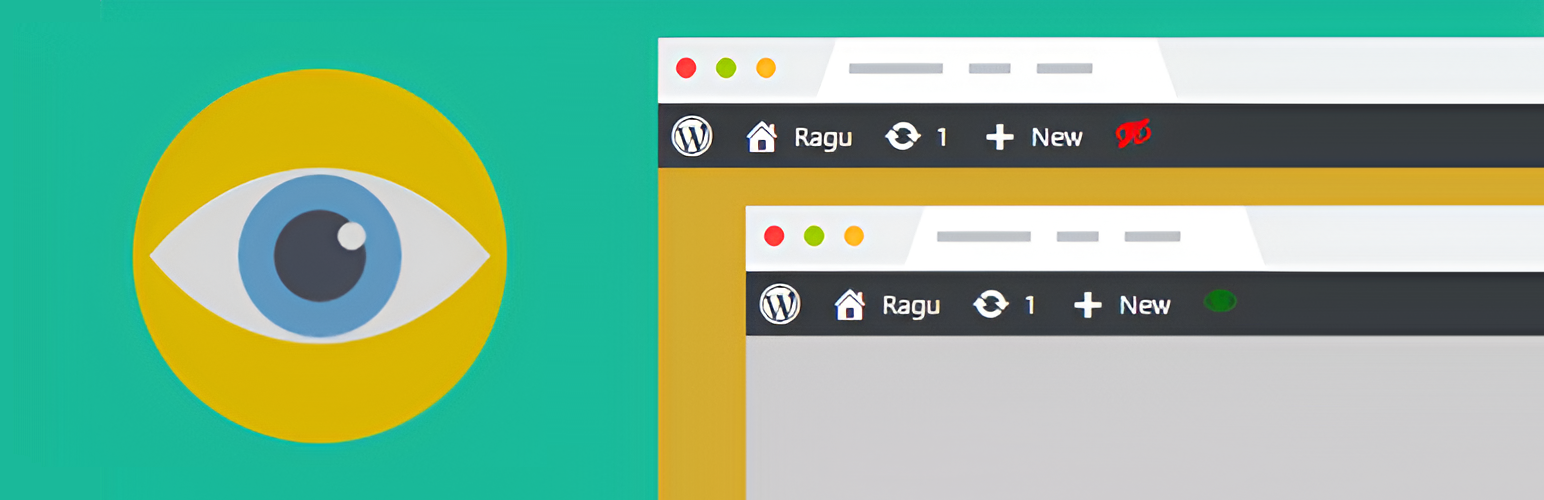
- Green eye - your site is visible to search engines.
- Red eye - your site is hidden from search engines.
安装:
- Go to Plugins → Add New and search for "SiteCare Search Engine Visibility".
- Click Install Now, then Activate.
- Download the plugin .zip file.
- Go to Plugins → Add New → Upload Plugin and choose the .zip.
- Click Install Now, then Activate.
屏幕截图:
常见问题:
What does the plugin do?
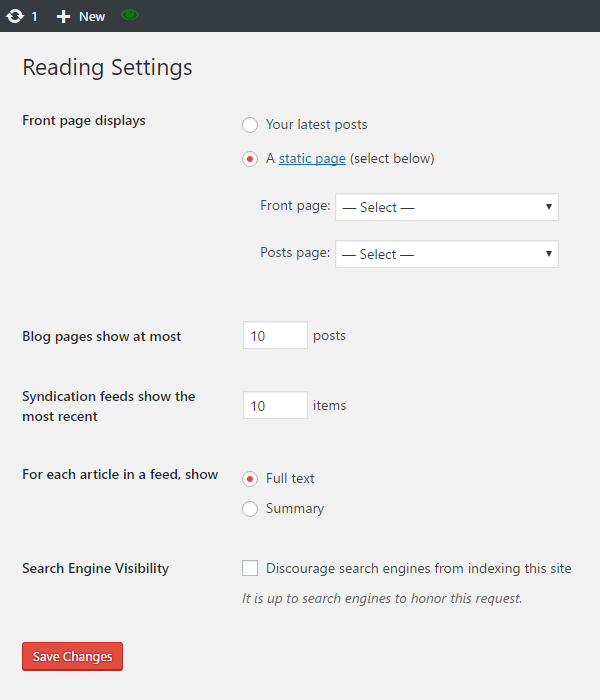
Displays a red or green eye icon in the admin bar to monitor your site's search engine visibility.
How do I use it?
Click the icon to go directly to the Search Engine Visibility settings page.
Does it require any configuration?
No, it works immediately after activation.
How can I tell if my site is visible?
Red eye = site is hidden from search engines; Green eye = site is visible.
What if my site is hidden?
You'll see a clear warning in your dashboard with a one-click "Make my site visible" button that fixes the setting instantly. You can also dismiss the warning; it comes back automatically if the site is ever hidden again.
Will I find out if I am not logged in?
Yes. The moment the setting flips to "hidden", the plugin emails the site administrator - and a twice-daily background check catches even changes made directly in the database (for example by a migration tool). You get one email per incident, never a flood.
Can I support the plugin development?
Yes, via Buy Me a Coffee.
更新日志:
- Added the missing Domain Path header so the bundled translations load correctly.
- Set "Requires at least" to 4.1 to match the WordPress features the plugin uses.
- Czech translation is back on board alongside the five world languages.
- Maintenance release: refreshed directory assets and metadata. No functional changes.
- Unified translations across the SiteCare family: five world languages (German, Spanish, French, Portuguese, Russian).
- Refreshed screenshots.
- Shortened the directory description to fit WordPress.org limits.
- License unified across the SiteCare family to GPLv2 or later; uniform screenshots.
- New: email alert to the site admin the moment the site becomes hidden from search engines - one email per incident.
- New: twice-daily background check that also catches changes made directly in the database (e.g. by migration tools).
- New: uninstall cleanup - the plugin now removes everything it stored when you delete it.
- Readme: proper FAQ formatting.
- Fine-tuned the admin-bar eye so it sits exactly on the toolbar centre.
- The admin-bar eye now uses a native Dashicon, so it is perfectly aligned and evenly spaced with the other toolbar icons.
- Unified the SiteCare box to match the other plugins; the link now points to app.sitecare.cz.
- Fixed: the admin-bar eye icon is now vertically centred, in line with the other toolbar icons.
- Added a subtle link to SiteCare for people who manage several sites and want them all kept visible from one dashboard.
- New: a clear dashboard warning now appears whenever your site is hidden from search engines, so you never miss it.
- New: one-click "Make my site visible" button right in the warning - fix the setting instantly without hunting through Settings.
- The warning is dismissible and automatically returns if the site is ever accidentally hidden again.
- Rebranded to SiteCare – Search Engine Visibility, part of the SiteCare plugin family
- Added a Donate link to the plugin's row on the Plugins screen
- Support is now handled through Buy Me a Coffee
- Fixed the text domain to match the plugin slug so translations load correctly
- Housekeeping: HTTPS links in headers, standardized readme
- Tested up to WordPress 6.8.3
- Minor fixes and optimizations
- Tested up to WordPress 6.8.3
- Minor fixes and optimizations
- Tested up to WordPress 6.8.3
- Minor fixes and optimizations
- Tested up to WordPress 6.8.3
- Minor fixes and optimizations
- Tested up to WordPress 6.6.2
- Tested up to WordPress 6.6.2
- Tested up to WordPress 6.2
- Tested up to WordPress 5.7
- Tested up to WordPress 5.6
- Tested up to WordPress 5.5.3
- Tested up to WordPress 5.0.3
- Tested up to WordPress 4.9.8
- Tested up to WordPress 4.9.2
- Tested up to WordPress 4.9.1
- Tested up to WordPress 4.8.2
- Tested up to WordPress 4.7
- Initial release
- Adds red/green eye icon in the admin bar to monitor search engine visibility
- Direct access to Search Engine Visibility settings
- Works immediately, no setup required
- Lightweight and efficient
- Supports donations via Buy Me a Coffee