
Quick WordPress Version
| 开发者 | pchere |
|---|---|
| 更新时间 | 2026年10月25日 20:38 |
| PHP版本: | 7.4 及以上 |
| WordPress版本: | 7.1 |
| 版权: | GPLv2 or later |
| 版权网址: | 版权信息 |
详情介绍:
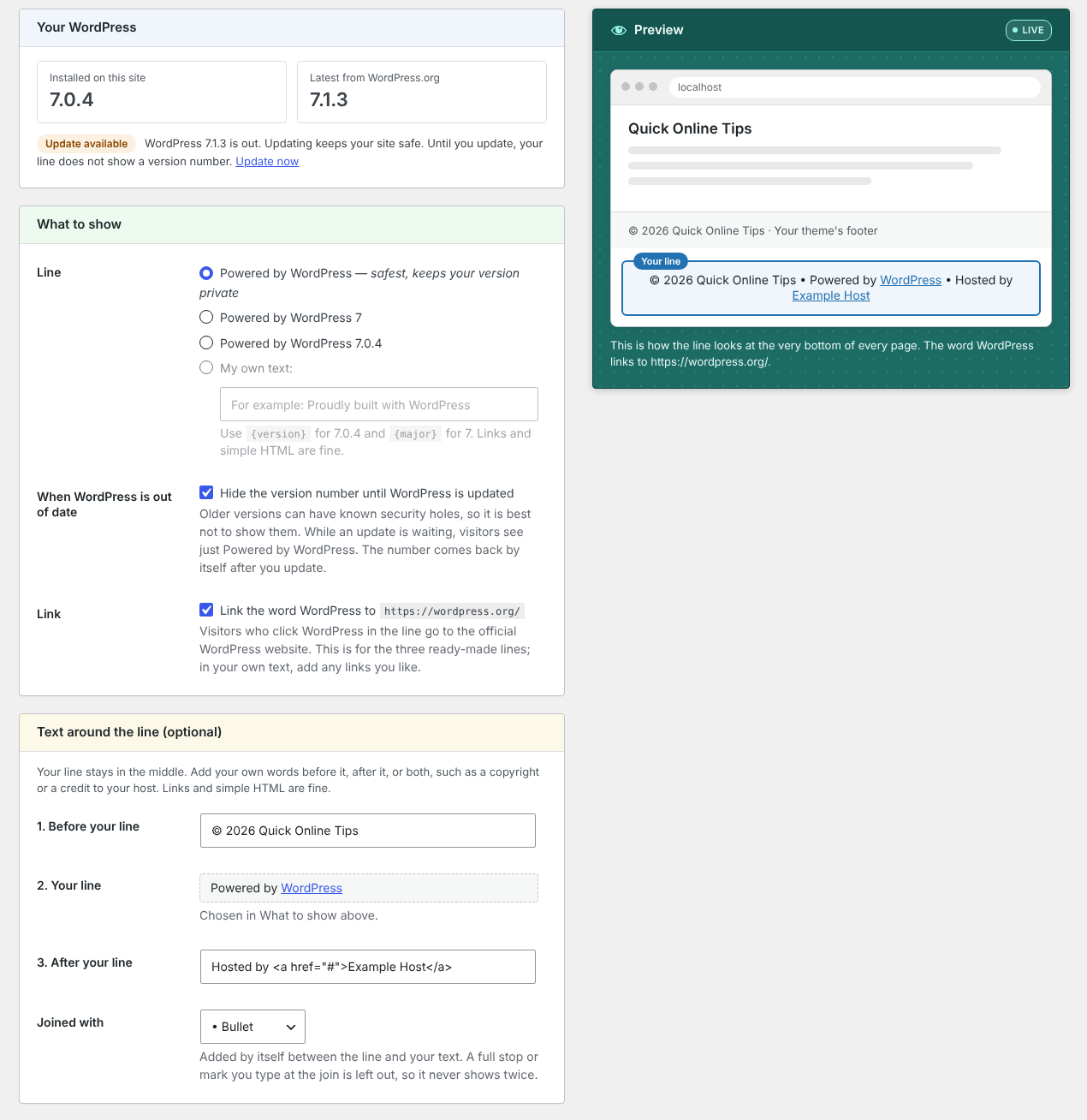
- Powered by WordPress (the default, and the safest)
- Powered by WordPress 7, the main version number only
- Powered by WordPress 7.1.3, the full version
- Your own text, such as "Proudly running WordPress {version}", or anything else you like
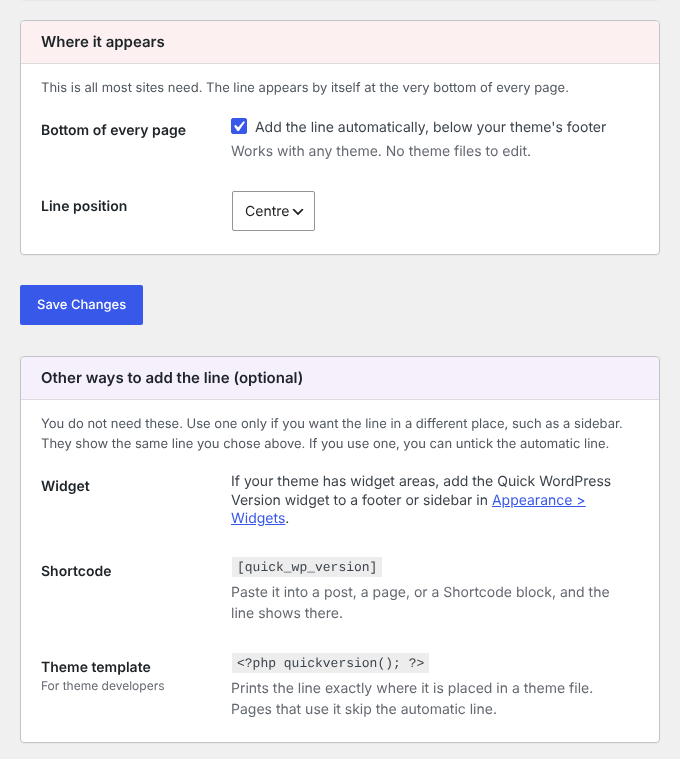
- Automatically at the very bottom of every page, centred, left or right. This is all most sites need.
- Shortcode
[quick_wp_version]in a post, a page, or a Shortcode block in a block theme footer - Widget in any footer or sidebar widget area
- Template tag
<?php quickversion(); ?>for theme builders
quickversion() from the original plugin keep working.
Made by Quick Online Tips, tech help that works since 2004. See the Quick WordPress Version plugin page for more.
安装:
- In your WordPress dashboard, go to Plugins > Add New, search for Quick WordPress Version, then Install and Activate.
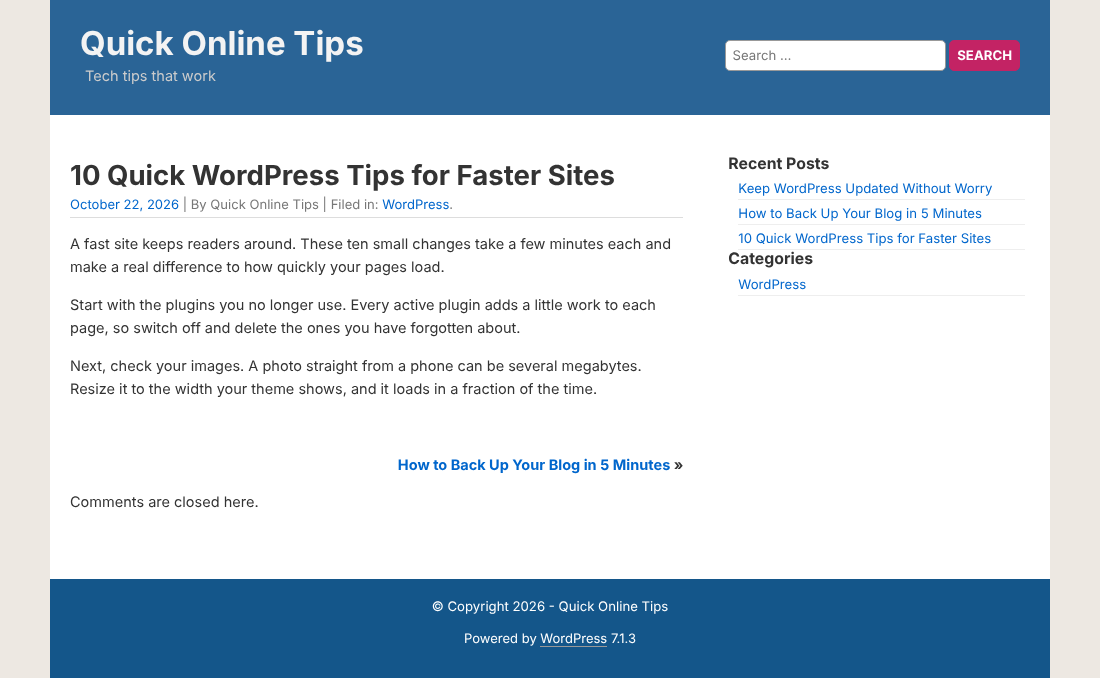
- The Powered by WordPress line now shows at the bottom of your site.
- Go to Settings > Quick WordPress Version to choose what the line says and where it shows.
屏幕截图:
常见问题:
Is it safe to show my WordPress version?
Showing the exact number makes it easy for anyone to see which version you run, and to look for known problems in it. The default line, Powered by WordPress, shows no number. Showing only the main number (WordPress 7) gives away much less. If you show the full version, keep WordPress updated.
What do visitors see if my WordPress is out of date?
If you chose a line with a version number, visitors see just Powered by WordPress while an update is waiting. After you update, the number comes back by itself. You can turn this off in Settings > Quick WordPress Version, under When WordPress is out of date. Lines without a number never change.
Where does the WordPress link go?
To https://wordpress.org/, the official WordPress website. You can turn the link off.
Does this hide the version number from my page source?
No. This plugin only controls the line visitors see. WordPress itself also adds a version number to your page source. Security plugins can remove that if you want.
My theme already calls quickversion(). Will the line show twice?
No. Pages where your theme calls quickversion() skip the automatic line.
Can I style the line?
Yes. The line has the class quick-wp-version, and the WordPress link has the class display-version. Add your CSS in Appearance > Customize > Additional CSS, or in the Site Editor for block themes.
Can developers change the line?
Yes, with the quick_wp_version_line filter.
Where can I send feedback?
Please use the support forum on WordPress.org, or the plugin page above.
更新日志:
- 2026 refresh of the plugin first released in 2007, with far more control over the line.
- New name: Quick WordPress Version (was Display WordPress Version). Same plugin, same address.
- Settings page shows your installed and latest WordPress version, and whether an update is waiting.
- Choose the line: Powered by WordPress, main version only, full version, or your own text.
- Text before and after the line, joined with a bullet (or a line, dash, dot or space) added by itself.
- While a WordPress update is waiting, the version number is hidden from visitors until you update.
- The line can now be added automatically at the bottom of every page, with no theme files to edit.
- New
[quick_wp_version]shortcode and widget. quickversion()still works and follows your choices.- Tested with WordPress 7.1. Needs WordPress 6.0 and PHP 7.4 or later.
- Added class to the text which can be specifically tweaked as required.
- Now code can be added anywhere in theme template.
- PHP code needs to be manually added to template.
- No longer automatic addition to footer.
- Initial release.