DL Gift Wallet
| 开发者 | digitallychee |
|---|---|
| 更新时间 | 2026年8月25日 04:39 |
| PHP版本: | 8.3 及以上 |
| WordPress版本: | 7.1 |
| 版权: | GPLv3 |
| 版权网址: | 版权信息 |
详情介绍:
- Sell subscriptions and want giftable subscription credit
- Want a simple, Stripe/PayPal-friendly way to handle store credit
- Don’t want the admin overhead of coupon codes and manual adjustments
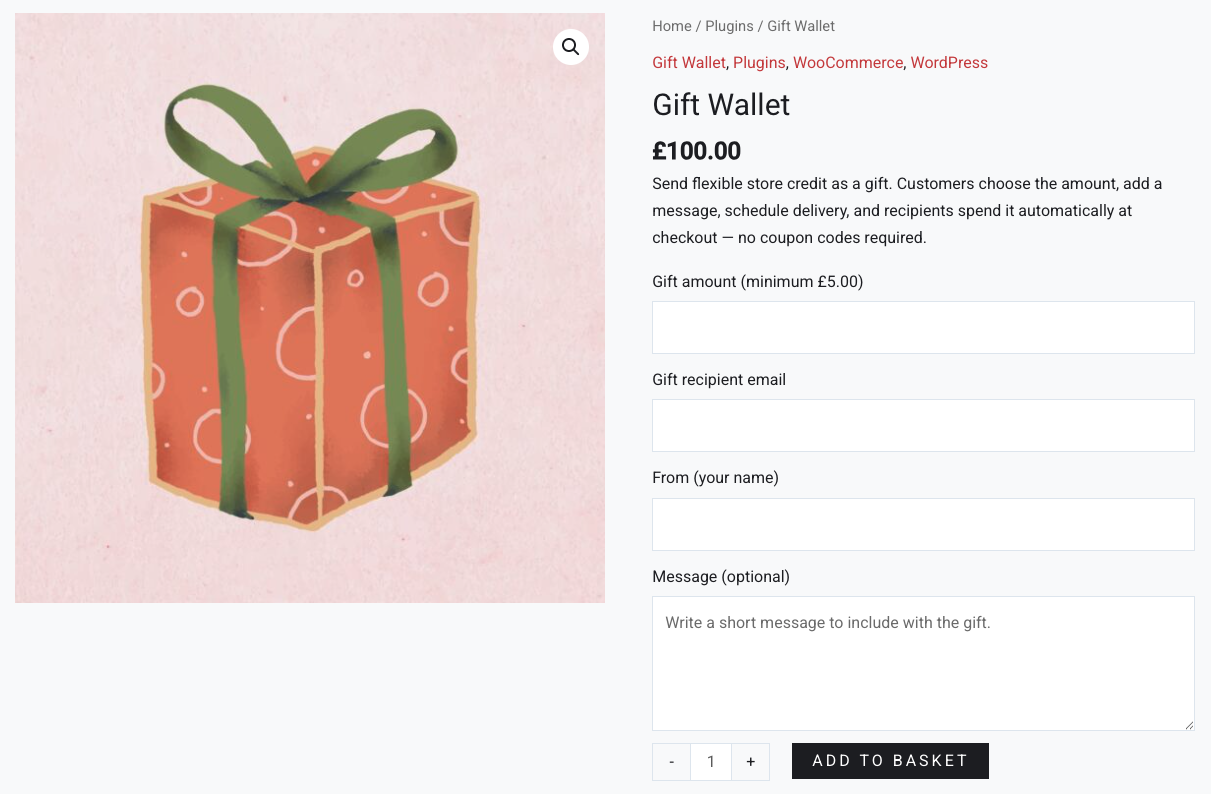
- They enter a recipient email, sender name, and optional message on the product page.
- When the order is completed, the plugin:
- Finds or automatically creates a user account for the recipient
- Adds the gift value as store credit to that account
- Sends a beautiful email telling them they’ve received a gift and how to use it
- The recipient’s store credit is:
- Automatically applied to regular checkout
- Automatically applied to subscription renewal orders (with WooCommerce Subscriptions)
- Used up gradually until the balance reaches zero
- Gift Wallet products
- Mark any simple product as a “Gift Wallet” product.
- Let the customer enter a custom gift amount.
- Per-product minimum amount, plus a global minimum fallback in settings.
- Automatic store credit
- Gift value = order line total → added directly as store credit balance.
- Credit is stored per user account (no coupon codes).
- If the recipient doesn’t have an account yet, one is created for them automatically.
- Works with subscriptions
- Store credit is automatically applied to WooCommerce Subscriptions renewal orders.
- Reduces the renewal total until the wallet balance is used up.
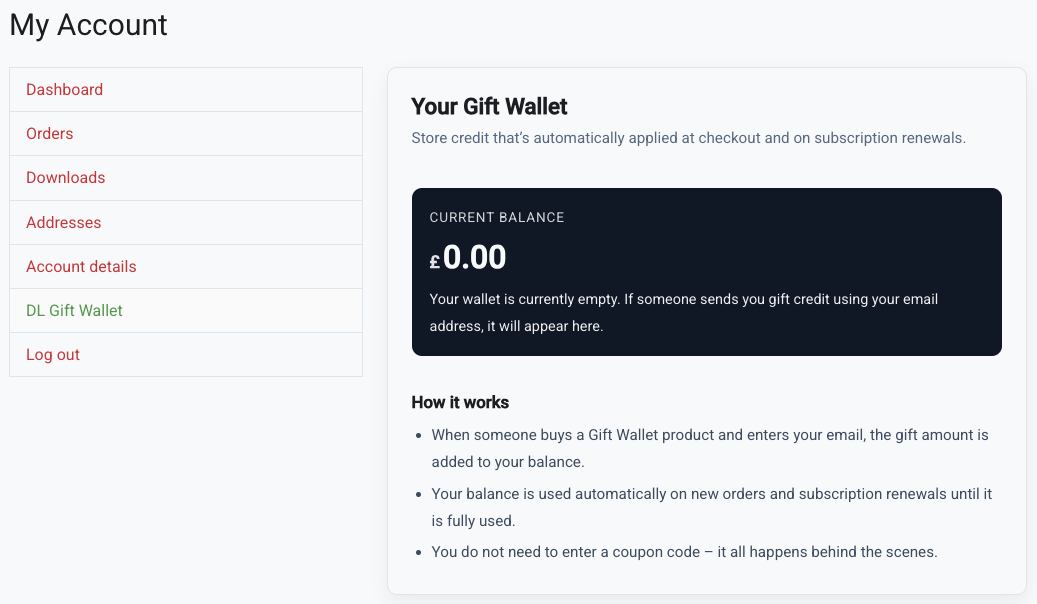
- My Account wallet widget
- Optional widget on the My Account → Dashboard page.
- Shows the customer’s current Gift Wallet balance and a description of how it works.
- Can be toggled on/off in the settings.
- Gift email
- Sends an HTML email to the recipient when the order completes.
- Includes:
- Sender name
- Gift amount
- Personal message
- “Log in to use your store credit” button
- Default template is clean and generic – works for birthdays, Christmas and everything in between.
- Customisable email text
- Customise the subject, heading, intro text, and button label.
- Supports simple placeholders:
{from_name}– the sender’s name (or “a friend” if not provided){amount}– the formatted gift amount, e.g. “£25.00”- Uses WooCommerce's default block email system for easy, intuitive and future-proofed emailing.
- Default gift image
- Uses a bundled fallback gift image by default.
- Optionally override it with a custom image URL from your Media Library.
- Used both in the email and as the fallback product image for Gift Wallet products (when no product image is set).
- Multi-Currency Aware
- Gift Wallet is built to work seamlessly on stores that use a currency-switcher or multi-currency plugin.
- Gift amounts always display in the shopper’s active currency, including:
- Gift amount input on the product page
- Live price preview
- Store credit balance
- Checkout application
- Store credit is stored in user meta as a numeric balance.
- At checkout, Gift Wallet:
- Calculates the cart total
- Applies up to the available wallet balance as a negative fee (“Store credit”)
- Deducts that used amount from the user’s balance when the order is created
- On subscription renewal orders:
- Hooks into the renewal order creation
- Adds a negative fee for the available credit
- Deducts that value from the balance and records a note on the renewal order
- Lightweight – no heavy options pages, just what you need
- Safe – prefixed functions and meta keys to avoid conflicts
- Compatible – declares compatibility with WooCommerce’s custom order tables (HPOS)
- Extensible – hooks and filters you can build on in your own projects
安装:
- Upload the plugin folder to
/wp-content/plugins/or install via Plugins → Add New. - Activate Gift Wallet.
- Make sure WooCommerce is installed and active.
- (Optional) Go to WooCommerce → Gift Wallet to:
- Customise the email text
- Set a global minimum gift amount
- Toggle the wallet widget on the My Account page
- Add a custom default image URL
- Send a test email to yourself
- Go to Products → Add New (or edit an existing product).
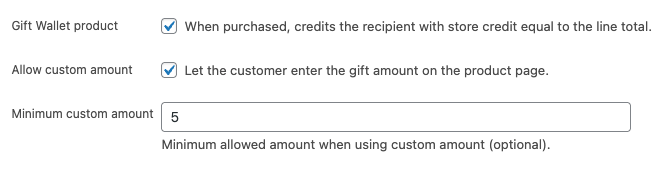
- Under Product data → General, scroll to the Gift Wallet options group:
- Tick “Gift Wallet product”.
- (Optional) Tick “Allow custom amount” to let buyers enter their own amount.
- (Optional) Set a minimum custom amount.
- Set the product as a normal Simple product with a base price (used if custom amount is disabled).
- Publish the product.
- Gift amount (if enabled)
- Recipient email
- From (sender name)
- Message (optional)
屏幕截图:
常见问题:
Does this plugin generate coupon codes?
No. Gift Wallet uses account-based store credit, not coupons. When a gift is purchased, the amount is added to the recipient’s wallet balance on your site. That balance is automatically applied at checkout (and to subscription renewals) until it runs out. There is no coupon code for the recipient to enter.
Does the recipient need an account before the gift is purchased?
No. If the recipient email doesn’t already belong to a user, Gift Wallet will:
- Create a new user account with that email address.
- Add the gift amount as their wallet balance.
- Send them an email with info and a link to the My Account page.
Can the recipient use their credit on subscriptions?
Yes – that’s one of the main reasons Gift Wallet exists.
- The credit can be used on an order where a subscription is first purchased.
- The credit is also applied automatically to subscription renewal orders, as long as the wallet balance is greater than zero.
What happens if the wallet balance isn’t enough to cover the whole order?
Gift Wallet will apply up to the available balance. For example:
- Cart total: £30
- Wallet balance: £20
Can customers “top up” their own wallet balance?
Not yet in the free version. Right now, Gift Wallet focuses on gift purchases – i.e. someone buying credit for someone else. A self top-up flow (where customers buy credit for themselves) is planned for a future release and as a likely Pro feature.
Can I see transaction history for each wallet?
In the free version:
- You (the admin) can see order notes when credit is added or used.
- Customers see their current balance on the My Account dashboard (if enabled), but not a full ledger yet.
Can I manually adjust a customer’s wallet balance?
Not via a dedicated UI in the free version.
However, because the balance is stored as user meta (_giftwallet_store_credit), you can manually edit it using a user meta editor plugin or custom code. A proper admin interface for this is planned for a future Pro version.
Does this work with multi-currency plugins?
Gift Wallet stores and applies credit in the store’s base currency. Many multi-currency plugins will still work fine, but if you run a complex multi-currency setup you should test carefully on a staging site. Full, opinionated multi-currency logic is outside the scope of this free plugin.
Can I disable the wallet box on the My Account page?
Yes. Go to WooCommerce → Settings → Gift Wallet and uncheck “Show wallet on My Account”. The balance will still be applied in the background – customers just won’t see the widget.
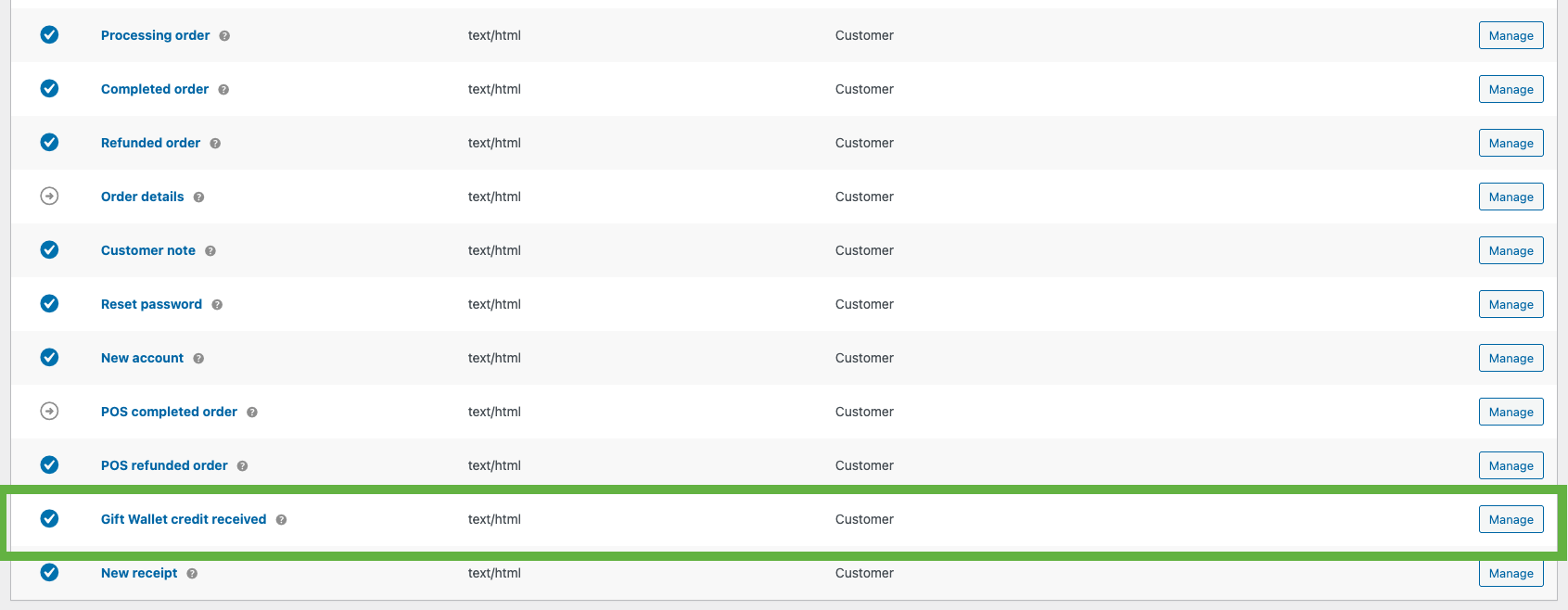
How do I change the email text?
Go to WooCommerce → Settings → Gift Wallet → Gift email. There you can customise:
- Email subject (with
{from_name}and{amount}) - Email heading
- Intro text
- Button label
Does this support HPOS / WooCommerce custom order tables?
Yes. Gift Wallet declares compatibility with High Performance Order Storage (HPOS) and uses WooCommerce’s CRUD APIs, so it’s safe to use with sites running the newer order storage system.
更新日志:
- Fix: The single custom Gift Wallet artwork now correctly overrides the bundled fallback image across product displays and gift emails.
- Fix: Removed the conflicting secondary gift-image setting from the WooCommerce email settings in the free edition.
- Fix: Live product pricing now updates reliably as the customer enters a custom gift amount, including on themes where the product global is not yet available when scripts are enqueued.
- Improvement: Live price formatting now follows the store currency position, decimal places and separators.
- Minor internal clean-ups and code formatting improvements.
- Upgraded for compatibility with WordPress 7.0.
- Fix: Corrected email trigger argument mismatch to prevent potential PHP errors.
- Fix: Resolved email class lookup issue in test email handler.
- Enhancement: Gift emails now use WooCommerce’s native email system.
- Enhancement: Gift email settings moved to WooCommerce → Settings → Emails.
- Enhancement: Added compatibility with WooCommerce’s new block-based email editor.
- Enhancement: Gift emails now appear alongside other WooCommerce transactional emails.
- Improvement: One-time migration automatically transfers existing email settings.
- Improvement: Internal architecture updated for future WooCommerce compatibility.
- Tweak: Removed legacy email template handling.
- Dev: Refactored email delivery to use WC_Email.
- Minor internal code refactoring.
- Clearer path to upgrade to the Pro version, for enhanced benefits.
- Fix: Gift Wallet credit is now applied immediately after successful payment.
- Fix: Prevented gift credit from being applied unless an order has been fully paid.
- Improvement: Increased reliability for orders containing both Gift Wallet products and physical items.
- Improved Gift Wallet order handling so gift-only orders are automatically completed after successful payment.
- Gift credit is now applied immediately without requiring manual order completion.
- Added safeguards to prevent gift credit from being applied more than once per order.
- Improve layout of Gift Wallet fields on product pages for better theme compatibility.
- Ensure frontend styles load only where relevant (Gift Wallet products and account pages).
- Minor frontend polish and internal cleanup.
- Tidy up admin plugin row links and reduce duplication.
- Refine when admin notices are displayed to keep messaging contextual.
- Minor internal maintenance and code cleanup.
- Initial public release.
- Gift Wallet product type with optional custom amount.
- Store credit applied to recipient account on order completion.
- Automatic store credit application at checkout.
- Subscription renewal support (WooCommerce Subscriptions).
- My Account balance widget (toggleable).
- Customisable email subject, heading, intro and button label.
- Default gift image override.
- Test email tool for admins.