
DocsInOrder – Client Document Requests & Checklists
| 开发者 | strandsystems |
|---|---|
| 更新时间 | 2026年11月13日 18:43 |
| PHP版本: | 7.4 及以上 |
| WordPress版本: | 7.1 |
| 版权: | GPLv2 or later |
| 版权网址: | 版权信息 |
详情介绍:
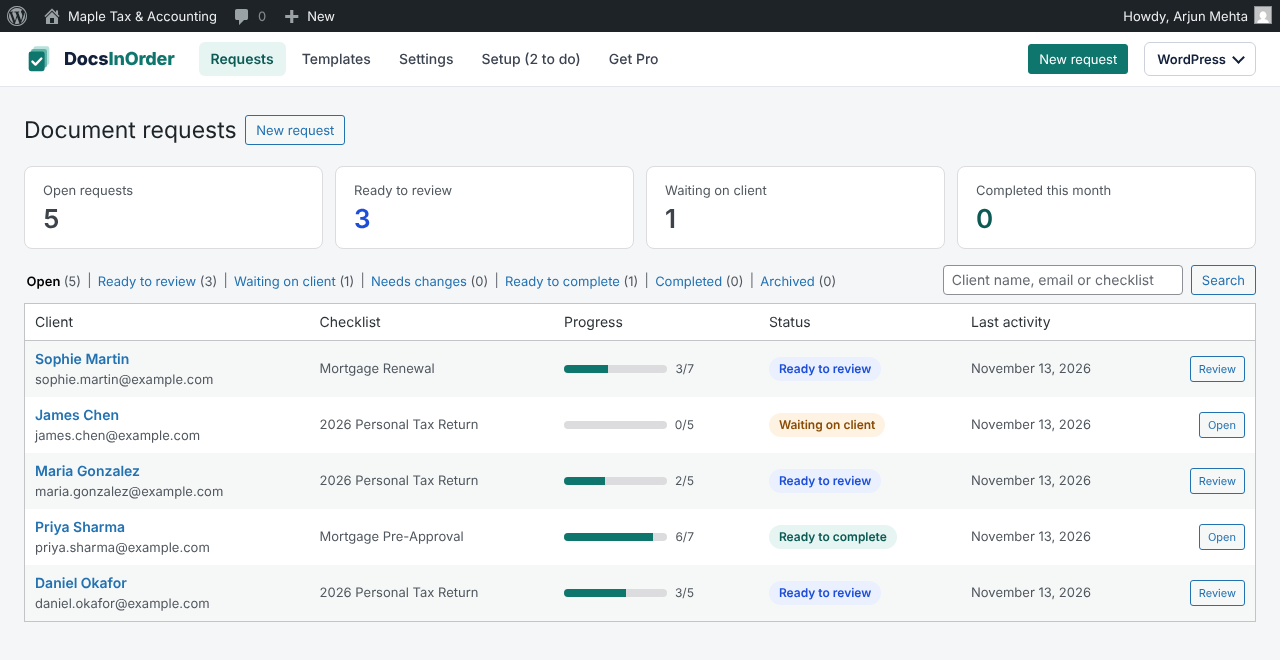
- Build a checklist of the documents you need, or start from a general tax or mortgage template and save your own.
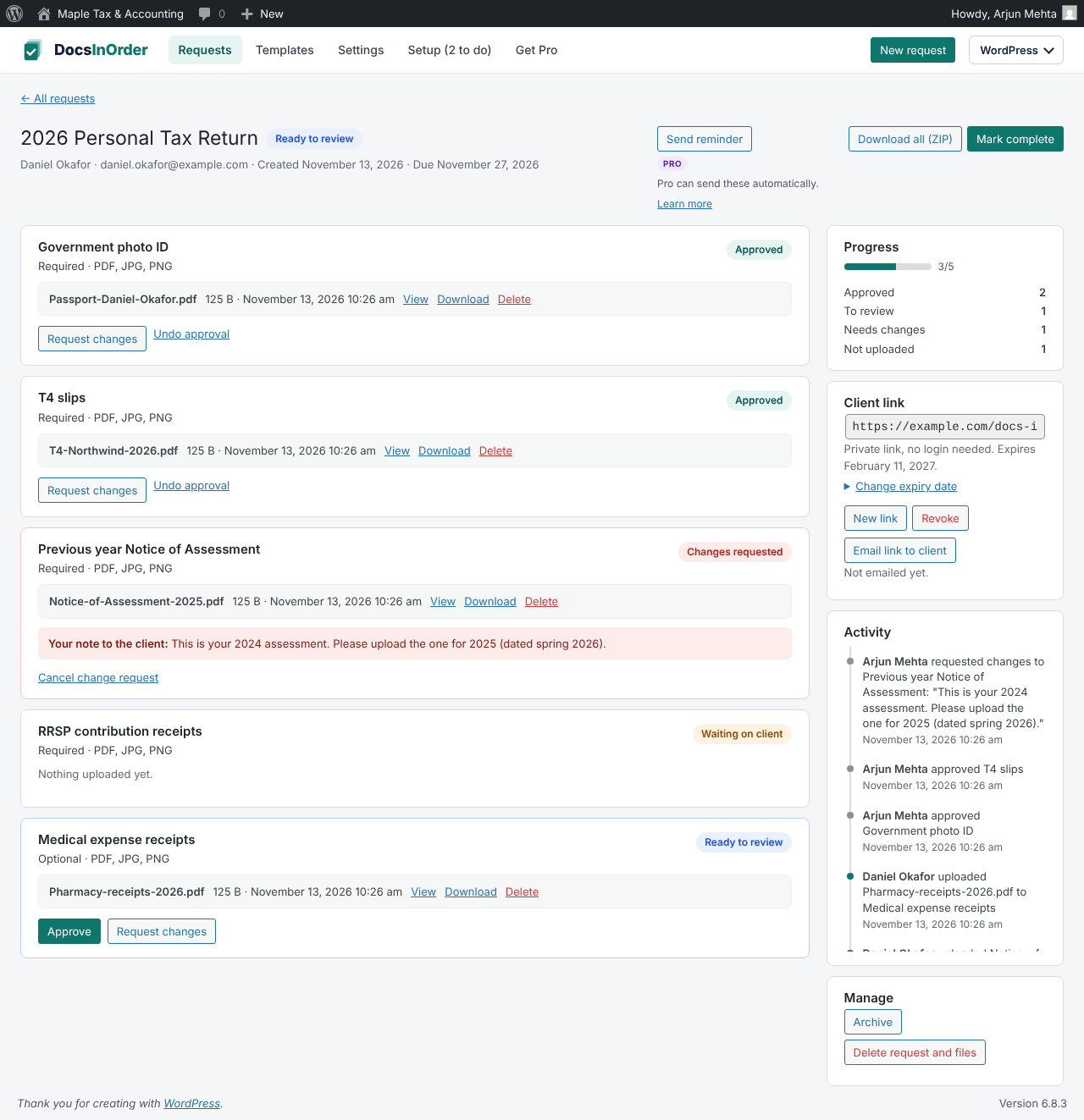
- Send the client a private magic link. No username or password needed.
- Clients see exactly what is missing and upload from their phone or computer.
- Files are stored in a protected folder outside the public media library.
- Review each item, approve it or request changes with a note, and see an activity log of who did what.
- Your firm's name and logo on the client page and in emails.
- Give staff a "DocsInOrder Staff" account that only sees document requests, not the rest of WordPress, or set "Access DocsInOrder" to Yes on any staff member's profile without changing their role. Customer accounts can never access client documents.
安装:
- Upload the
docs-in-orderfolder to/wp-content/plugins/, or install it from the Plugins screen. - Activate the plugin. The setup checklist opens so you can add your firm's name and logo, send a test email and confirm client files are private.
- Click "New request" to create your first document request.
屏幕截图:


常见问题:
Do my clients need to create an account?
No. Each client gets a private link that opens their checklist directly.
Where are uploaded files stored?
In their own folder inside your uploads directory (wp-content/uploads/docs-in-order on most sites), kept out of the media library and protected from direct web access. The setup checklist tests this, and on Nginx servers it shows the rule to give your host.
Does DocsInOrder send my data anywhere?
No. Client details and documents stay on your own website. The privacy check only asks your own site to fetch a temporary test file. DocsInOrder uses the Freemius SDK to deliver the optional DocsInOrder Pro add-on. Nothing is sent to Freemius unless you choose "Yes, keep me updated" on the Setup screen (off by default). If you opt in, Freemius receives your site's URL, WordPress and PHP versions, your admin name and email, and which plugins are active, so we can send update and security notices. Client names, emails and documents are never shared. You can opt out at any time from DocsInOrder → Settings → Account & licence. See the Freemius privacy policy: https://freemius.com/privacy/
What does DocsInOrder Pro add?
Automatic reminders until the client is done, an automatic email when you request changes, an email to your team when a client finishes uploading, simple tracking of your own work (who it's assigned to, your deadline, an internal status and private notes), and branded HTML emails with your brand colour. Learn more at https://getdocsinorder.com/pro. The free plugin is fully usable without it.
Can staff use it without full admin access?
Yes. Give them the "DocsInOrder Staff" role. They can create and review requests and manage templates, and they land straight on DocsInOrder when they log in. Someone who also needs their current role (for example an Editor who updates your website, or a custom role such as "Paralegal") keeps it: open their profile under Users and set "Access DocsInOrder" to Yes. Customer accounts (Subscriber, WooCommerce Customer) can never use DocsInOrder, so a wrong click can't expose client documents.
Does it work with WooCommerce?
Yes. WooCommerce keeps customers out of the WordPress admin area; DocsInOrder staff are let through to DocsInOrder (and sent there after logging in on the My Account page), while customers stay on My Account.
Emails aren't arriving. What can I do?
Many hosts don't deliver email from WordPress reliably. Install an SMTP plugin (for example WP Mail SMTP or FluentSMTP), connect it to your email provider, then use "Send a test email" in DocsInOrder → Setup.
更新日志:
- New client files are stored in your uploads folder (
wp-content/uploads/docs-in-order), still protected from direct web access. - Client emails no longer end with a DocsInOrder footer.
- Extra security check on client uploads.
- Code names now use the
docsino_prefix. If you wrote custom code using DocsInOrder's hooks, update the names.
- First public release.