DocsBot – Trusted AI Support Agents from Your Knowledge Base
| 开发者 | uglyrobot |
|---|---|
| 更新时间 | 2026年8月7日 23:54 |
| PHP版本: | 7.4 及以上 |
| WordPress版本: | 7.0 |
| 版权: | GPLv2 or later |
| 版权网址: | 版权信息 |
详情介绍:
- Answer common questions with the DocsBot agent trained on your content.
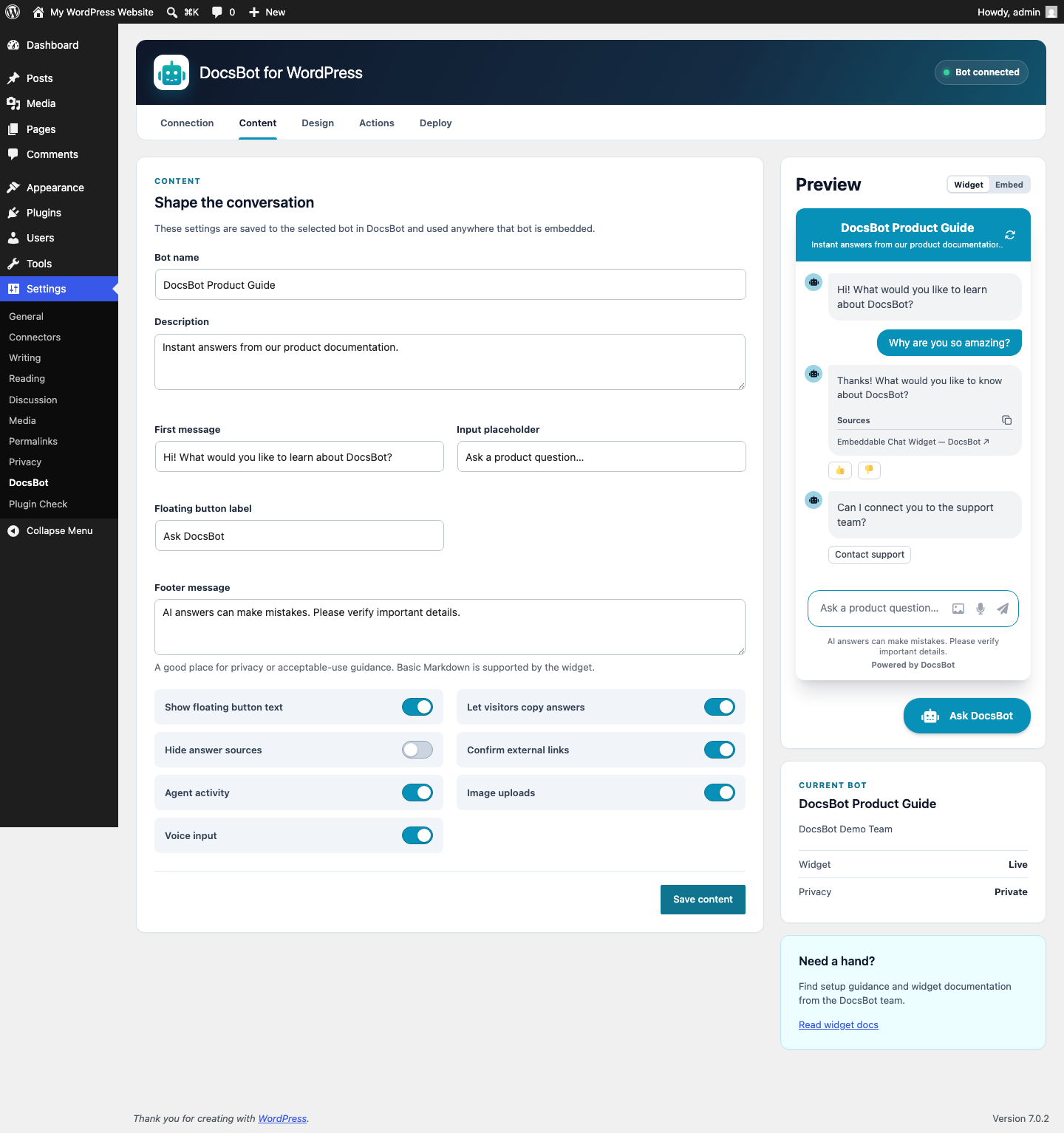
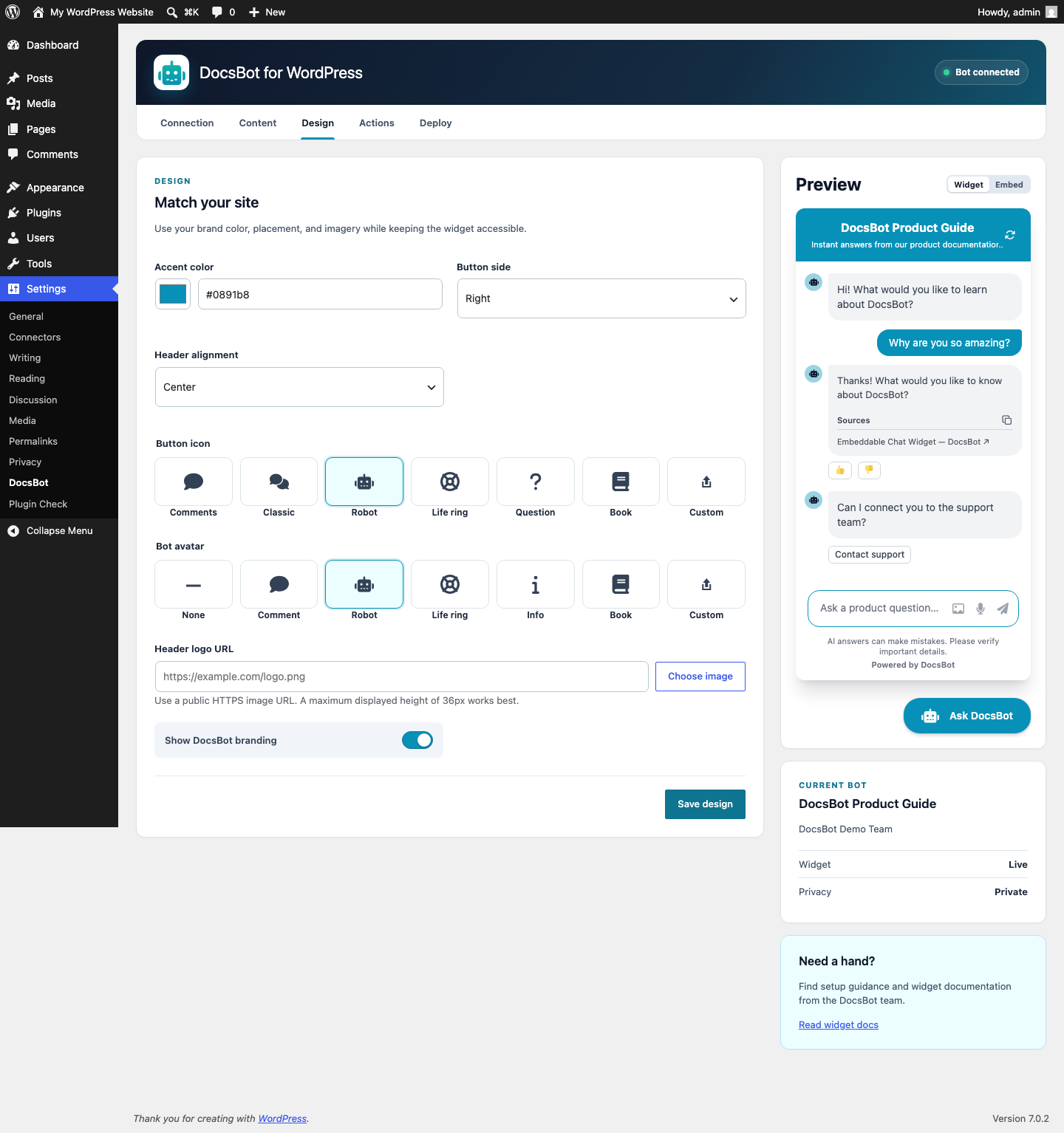
- Match the launcher, chat window, colors, greeting, labels, logo, and avatar to your site.
- Let visitors upload images or ask questions by voice when you enable those options.
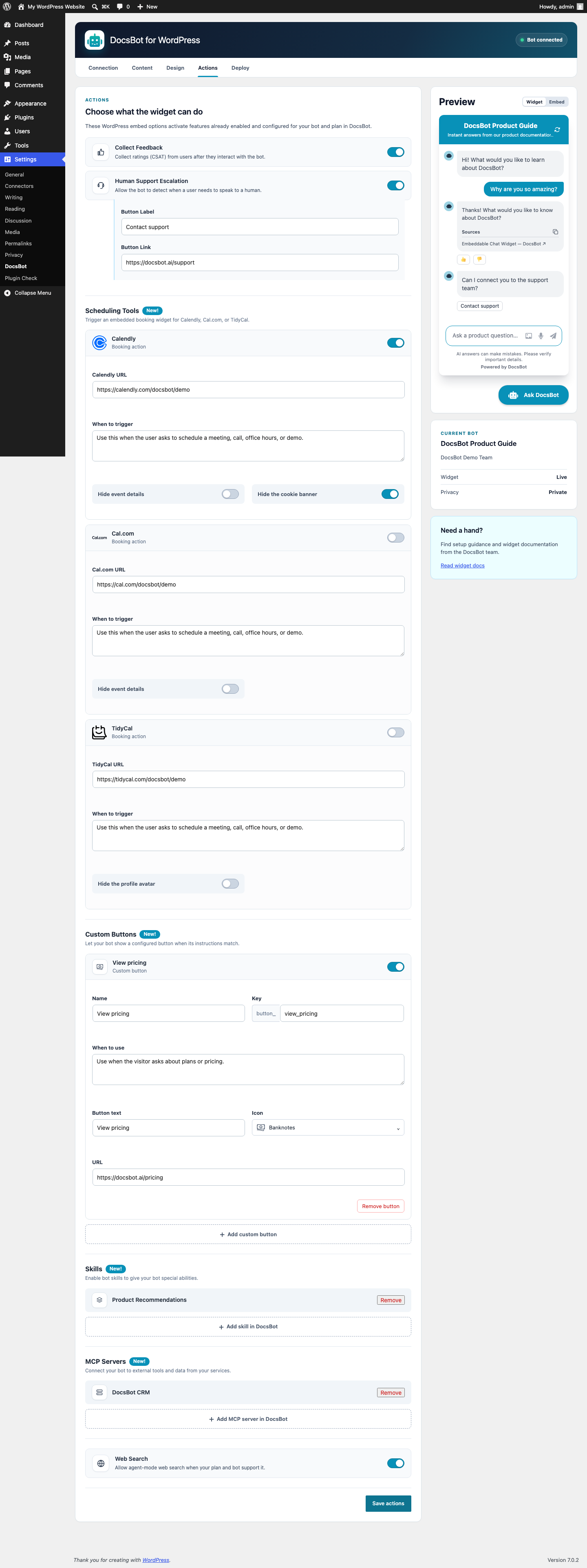
- Add feedback, human handoff, web search, booking, custom buttons, and advanced integrations through DocsBot Skills and MCP servers.
- Preview the real widget as you work, then enable it when it looks right.
- Include or exclude page paths, from an entire documentation section to a single account area.
- Show chat only to logged-in visitors, selected WordPress roles, or eligible members.
- Support private DocsBot bots without exposing signing credentials in the browser.
- Choose whether to share a visitor's display name, email, or raw WordPress user ID with the conversation.
priv_user_id metadata. Guest requests do not include a user ID. DocsBot keeps priv_* metadata out of chat history and AI model context while making it available to authorized integrations.
WordPress keeps the DocsBot API key on the server and uses private-bot signature keys only to create short-lived tokens. The plugin encrypts both credentials before database storage. Site owners may instead supply them through wp-config.php constants.
External service
This plugin connects to DocsBot, a third-party service:
- WordPress calls
https://docsbot.ai/apiwhen an administrator connects an account, reads the authenticated user's current team, lists teams or bots, reads settings, or saves supported bot settings. - DocsBot receives the entered prompt when an administrator requests a custom action button draft. The plugin saves that draft only when the administrator saves Actions.
- Eligible visitors' browsers load
https://widget.docsbot.ai/chat.jsafter an administrator enables the widget. - DocsBot processes visitor chat messages and any identity fields the administrator chooses to share.
安装:
- Upload the plugin directory to
/wp-content/plugins/or install the ZIP from Plugins > Add New Plugin > Upload Plugin. - Activate DocsBot.
- Open Settings > DocsBot > Connection.
- Get your user API key from the DocsBot API Keys page, paste it into WordPress, and connect. DocsBot selects your current accessible team when available.
- Choose a team, save, then choose a bot.
- Configure Content, Design, and Actions.
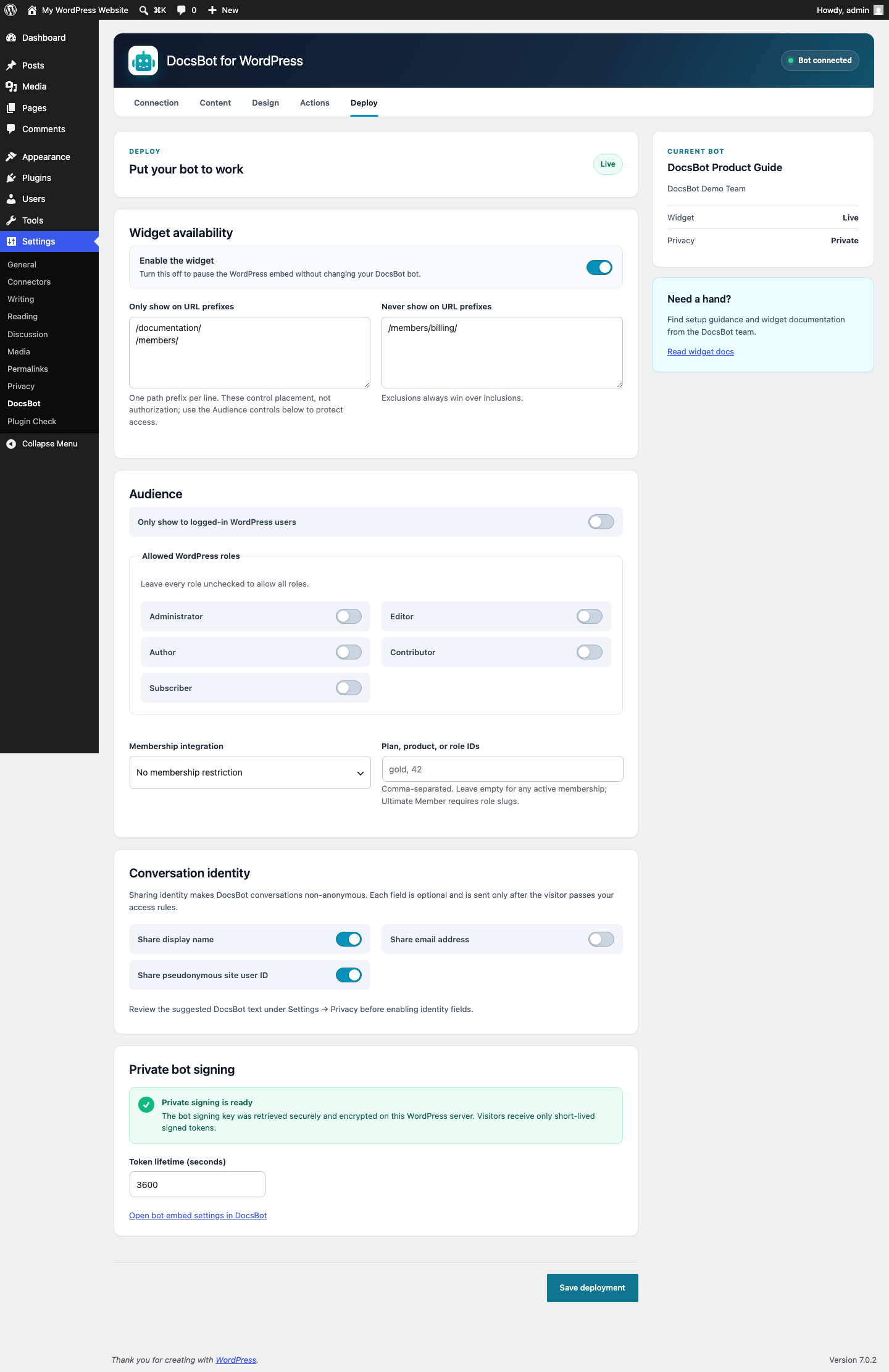
- Open Deploy, choose your audience and pages, then enable the widget.
屏幕截图:
常见问题:
Does the plugin expose my DocsBot API key?
No. WordPress makes admin API requests on the server. The plugin encrypts the key before database storage and never includes it in frontend HTML or JavaScript.
How does the plugin support private bots?
WordPress checks your access rules before creating a short-lived, server-signed access token. The signing key stays on your server, and the token response is private and never cached.
Does the plugin send WordPress user data automatically?
Public identity sharing is enabled by default for new plugin setups. You can independently turn off sharing a visitor's display name, email address, or raw WordPress user ID. For private bots, signed requests automatically include the logged-in visitor's numeric WordPress user ID as private metadata. Guest requests include no user ID.
What happens if my membership plugin is disabled?
The widget stays hidden until the selected membership integration is available again or you change the restriction.
Can I show the widget only in my documentation or account area?
Yes. Add one literal path prefix per line, such as /docs/ or /account/. Excluded paths always take precedence.
Page-path rules decide where the widget appears; they do not protect access by themselves. To protect chat, also require a login, WordPress role, or membership under Audience. WordPress checks those rules before sharing identity data or issuing a private-bot token.
Why can I see a create-bot link even if I cannot create bots?
DocsBot does not expose a public create-permission flag. When a selected team has no bots, the plugin links to the DocsBot bot page. DocsBot then applies your current role and plan.
更新日志:
- Added responsive dashboard fixes for narrow screens, including flexible fields, preview sizing, stacked mobile controls, and mobile lead-field layouts.
- Added a first-run onboarding card with a clear account signup, API-key, and bot-connection path.
- Added UTM tracking to DocsBot links opened from the WordPress admin.
- Clarified which Content settings are saved to the DocsBot bot and which are WordPress-only embed overrides.
- Fixed lead-field option indexing after adding, removing, or reordering options.
- Updated the plugin listing title, description, tags, and WordPress.org banners to emphasize trusted AI support agents from your knowledge base.
- Added Auto, Light, and Dark widget themes with a live dark-mode preview.
- Added an Advanced voice switch and matching live voice-orb preview for agent bots.
- Refined theme controls and launcher preview styling to match the DocsBot dashboard.
- Directed plugin support requests to DocsBot.ai.
- Added WordPress Media Library selection for custom launcher icons, bot avatars, and header logos.
- Added expanded dashboard action categories for Scheduling Tools, Custom Buttons, Skills, and MCP Servers, plus image uploads, voice input, and matching preview controls.
- Moved support settings into Human Support Escalation and content-related options into Content.
- Removed editable domain restrictions and now preserves unrestricted bots while transparently adding the WordPress hostname to existing allowlists.
- Prepared the plugin for community translation through WordPress.org language packs.
- Added import-ready WordPress.org listing translation catalogs for the same locales.
- Added the complete WordPress.org banner and icon asset set.
- Added dashboard-matched Content, Design, Actions, Deploy, and live widget preview screens.
- Added automatic private-bot signing-key retrieval and encrypted server-side storage.
- Added role, membership, page-prefix, and opt-in conversation identity controls.
- Added release validation and installable ZIP packaging with GitHub Actions.
- Standardized the plugin slug, text domain, PHP symbols, options, hooks, REST namespace, and package files on DocsBot.
- Updated product naming to DocsBot.
- Initial public release.