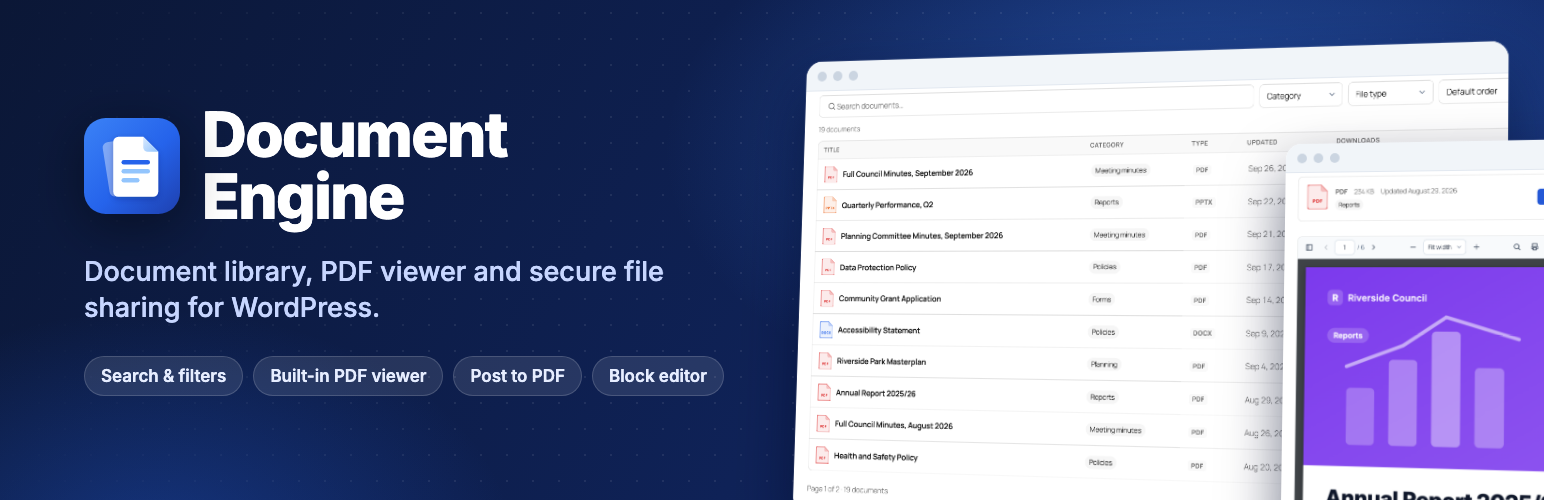
Document Engine – Document Library, PDF Viewer & Post to PDF
| 开发者 |
matrixaddons
MatrixAddons |
|---|---|
| 更新时间 | 2026年10月6日 09:30 |
| PHP版本: | 7.4 及以上 |
| WordPress版本: | 7.1 |
| 版权: | GPLv2 or later |
| 版权网址: | 版权信息 |
详情介绍:
- Document library. Free: table, grid and folder layouts, instant search, multi-select filters with counts, preview popup. Pro adds custom-field columns and filters, search inside files and ZIP downloads.
- PDF viewer. Free: self-hosted viewer with search, thumbnails, outline and links. Pro adds a secure view-only mode with the reader's name on every page, and reading analytics.
- Who can open what. Free: drafts, private and password-protected documents (their files stay in the public uploads folder). Pro adds members-only documents by role, person or category, private file storage and tracked share links.
- Records and compliance. Free: download counts and accessible-format requests. Pro adds an audit log, read-and-confirm with evidence export, versions, and review and expiry dates.
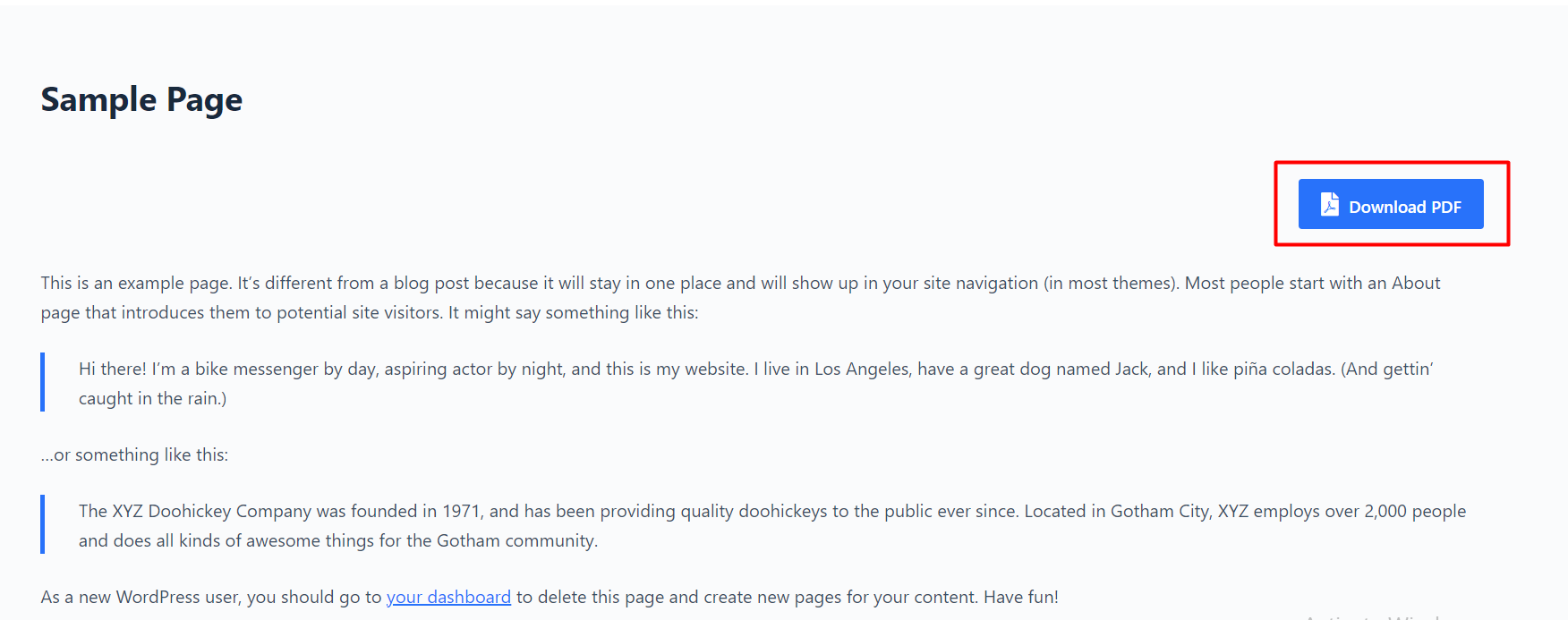
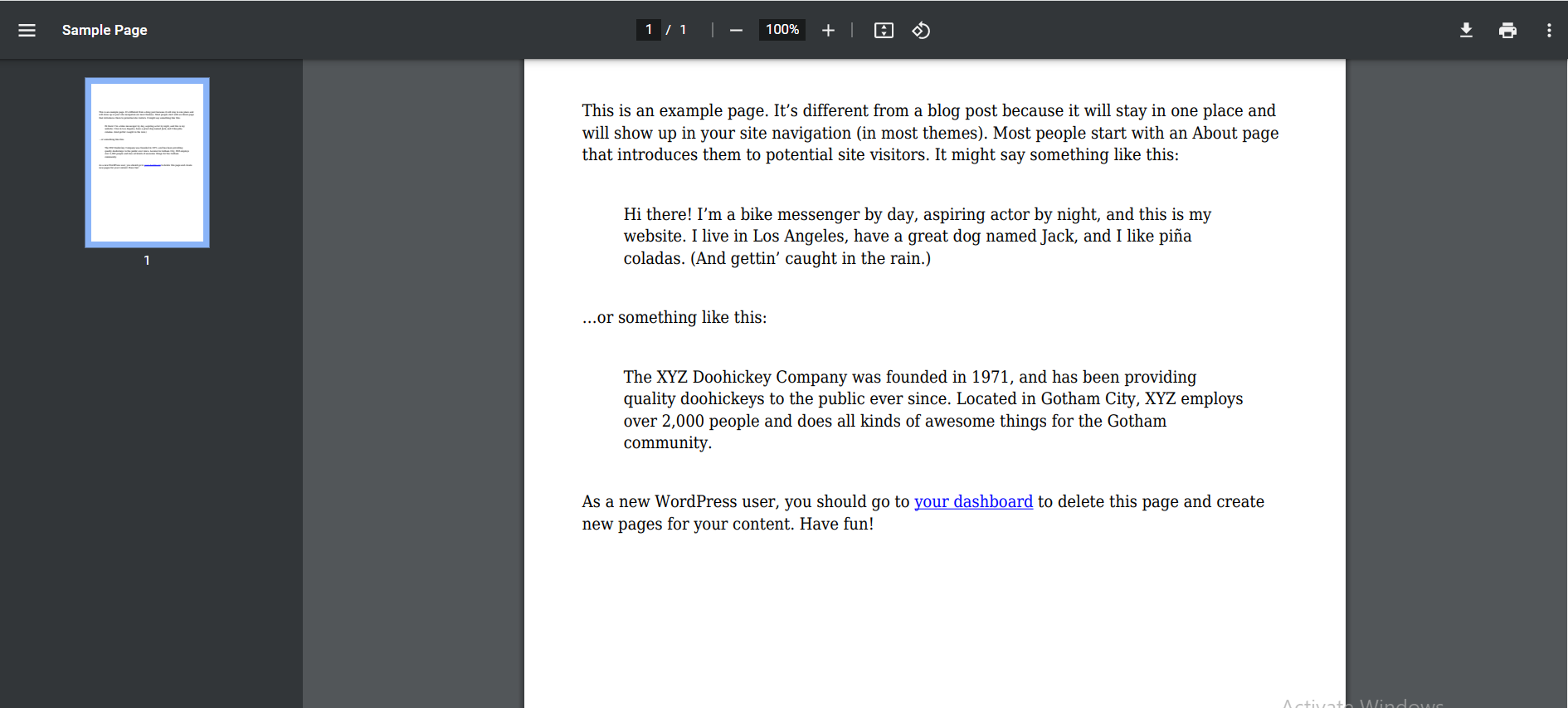
- Post to PDF. Free: a Download PDF button with header, footer, custom CSS and PDF permissions. Pro adds text and image watermarks and Handbook PDFs.
- Moving in and automation. Free: migration from three plugins, blocks, shortcodes and Elementor widgets. Pro adds bulk and CSV import, submissions, webhooks, Slack and Teams, and WP-CLI.
- Support. Free: the community forum. Pro: email support, priority on the Agency plan.
- A real document library, free. Table, grid and folder layouts with instant search, filters with counts, multi-select filters, click-to-sort columns and shareable links, all in the free plugin.
- A private PDF viewer. Built on PDF.js and served from your own site: no Google Docs viewer, no third-party requests, so it works on intranets and staging sites and helps with GDPR.
- A complete PDF viewer, free. Search inside PDFs, page thumbnails and outline, clickable links, links to a page (
#page=4), print, download and full screen. - One link per document, for good. Downloads are counted (bots ignored), and replacing the file keeps the same link, so emails and printed QR codes never break.
- Accessibility first. Keyboard and screen-reader friendly libraries, viewer and admin screens, checked with automated WCAG 2.1 AA tests, plus an optional "Request an accessible version" form.
- Documents with nested categories, tags, a description and their own page. Titles are filled in from the file name.
- Document Library block (and
[document_engine_library]shortcode, and Elementor widget) with table, grid and folder layouts and a live preview in the editor. - Instant search as visitors type, and it still works without JavaScript.
- Filters by category and file type (with document counts), tag, year and author. Visitors sort by clicking a column heading; choose page numbers or a "Load more" button. Turn on "Let visitors pick several" to let people combine categories, tags or file types.
- Shareable filtered views: every search and filter has its own address, so you can link straight to "all 2026 minutes".
- Preview popup: PDFs, images, audio and video open in a popup from the library, without leaving the page.
- Document Search block: put a search box in your header or home page that shows results in your library.
- Document List block: newest, recently updated, most downloaded or related documents, and optional related documents under each document page.
- Document Download block: one document as a card or a button, anywhere.
- Documents in your site search, with file type and size, and downloads in Google Analytics (GA4
file_downloadevents). - Download or open: set it for the whole site, or per document.
- Any file type: PDF, Word, Excel, PowerPoint, images, audio, video, archives, or a link to a file on another site (for example a Google Drive, Dropbox or OneDrive share link).
- Turn existing files into documents: select them in Media → Library and choose Create documents.
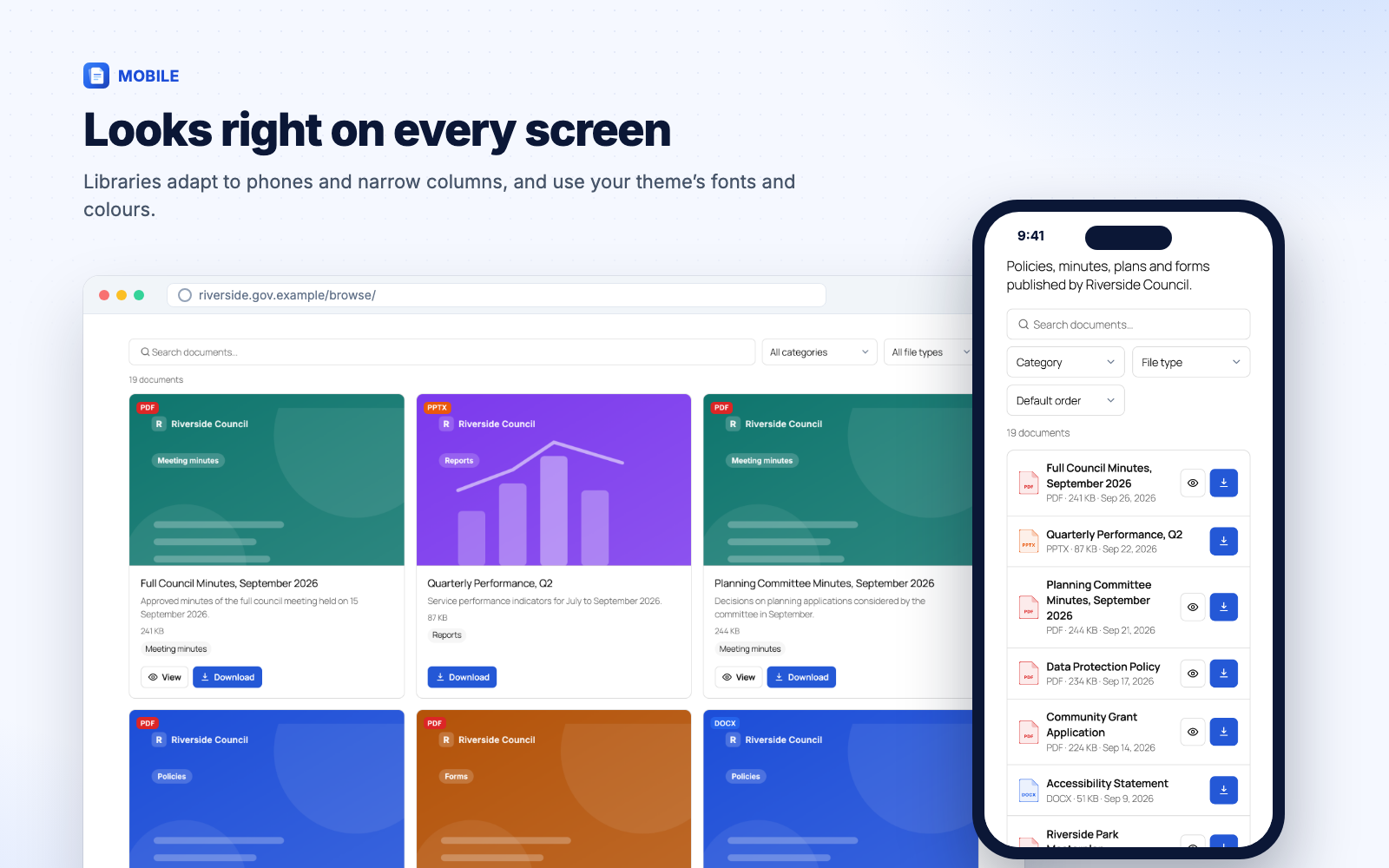
- Mobile friendly: libraries adapt to phones and narrow columns and use your theme's fonts and colours.
- Self-hosted PDF.js viewer with page navigation, zoom, fit to width or page, print, download and full screen; each control can be switched off.
- Search inside the PDF with highlighted matches.
- Page thumbnails and outline (bookmarks) sidebar.
- Clickable links inside PDFs, including links to other pages of the same PDF.
- Link to a page: add
#page=12to a document's address. - Fast: the viewer loads when it scrolls into view and renders pages as you read. Text stays selectable.
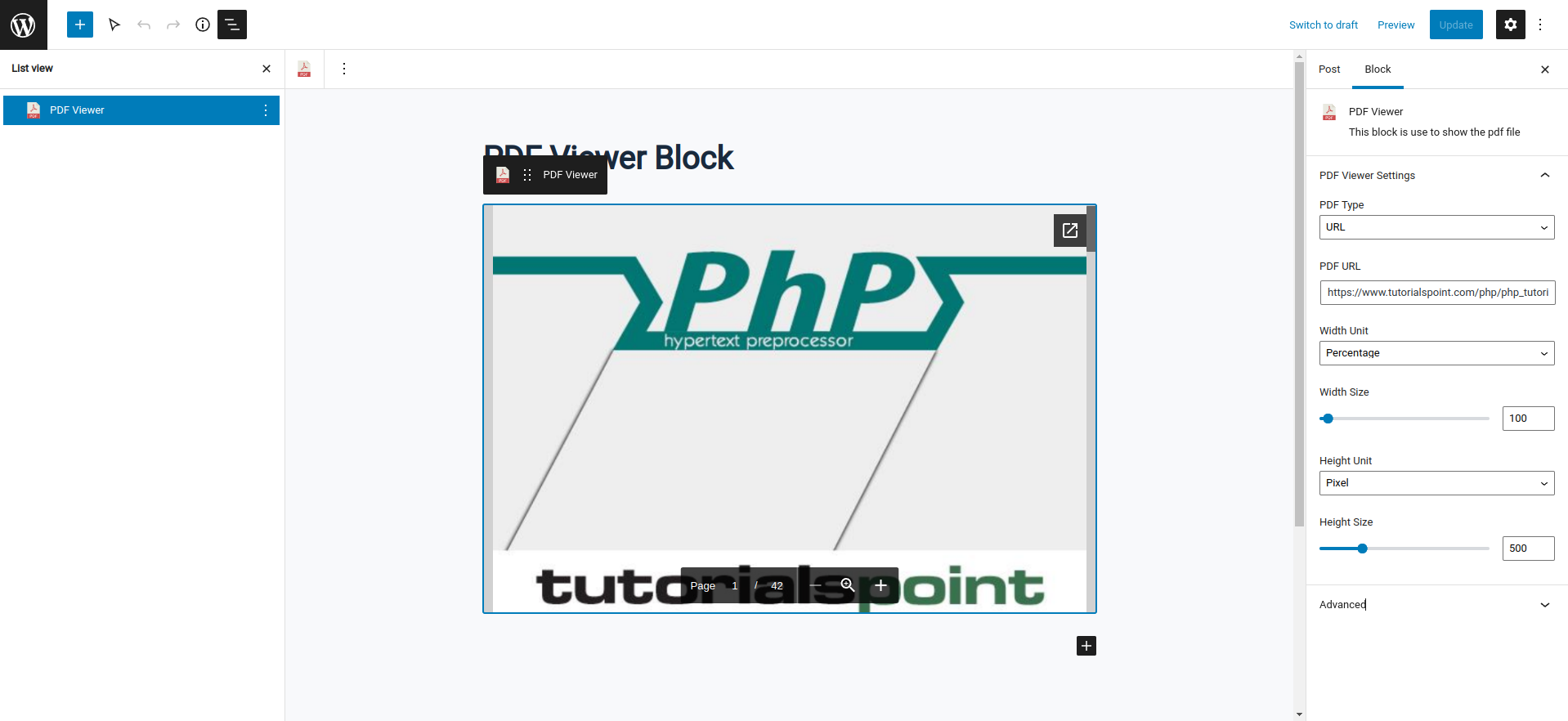
- Show a document, a Media Library PDF or a PDF from another site with the PDF Viewer block or
[document_engine_viewer].
- A "Download PDF" button on the post types you choose, placed before or after the content, or anywhere with the Save as PDF block or
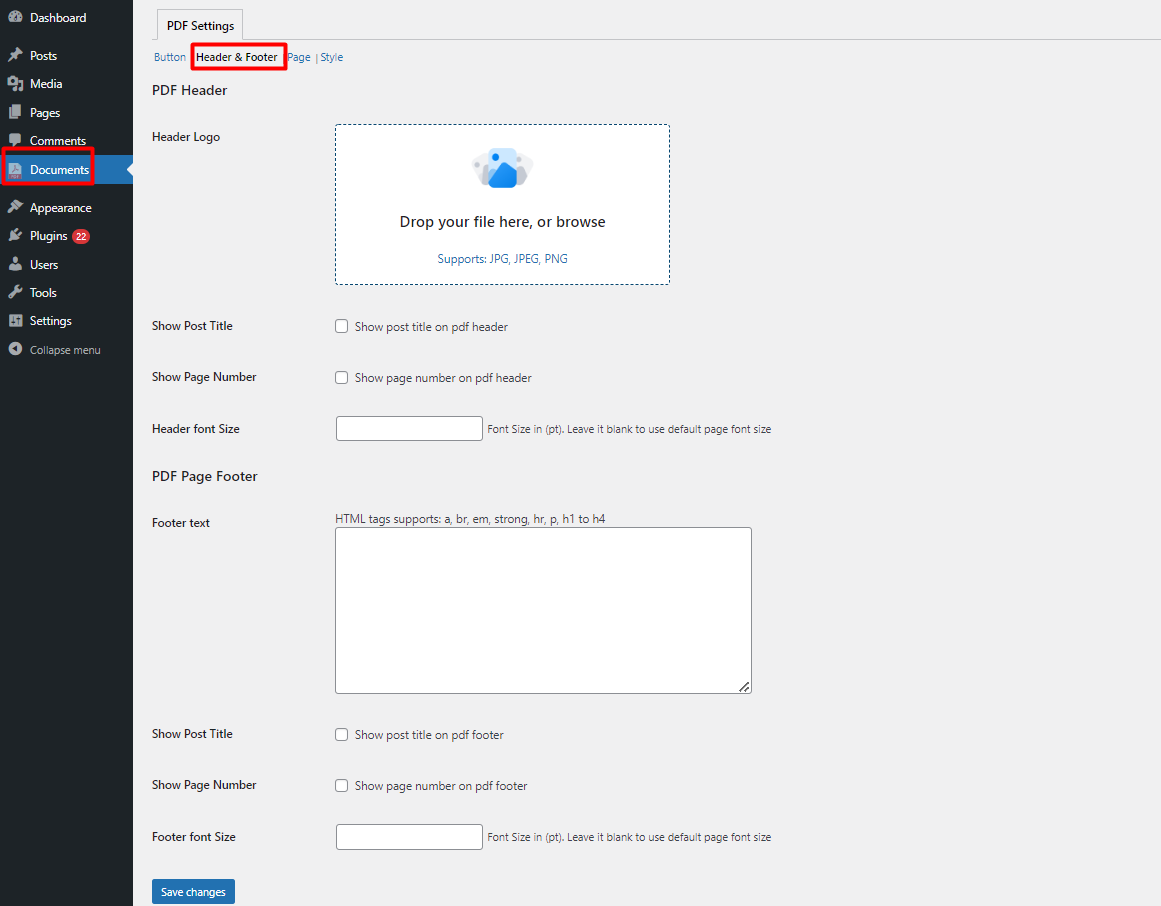
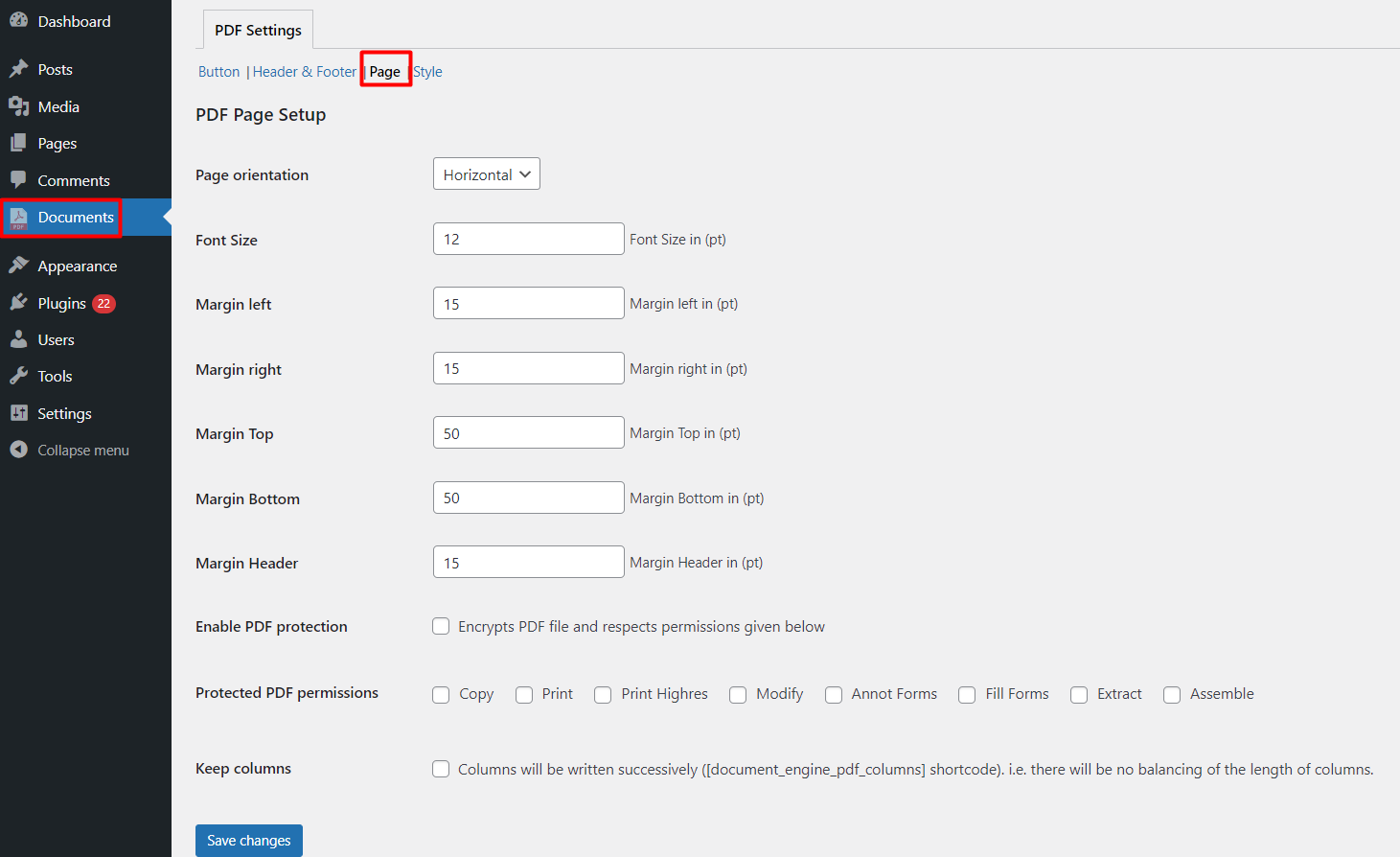
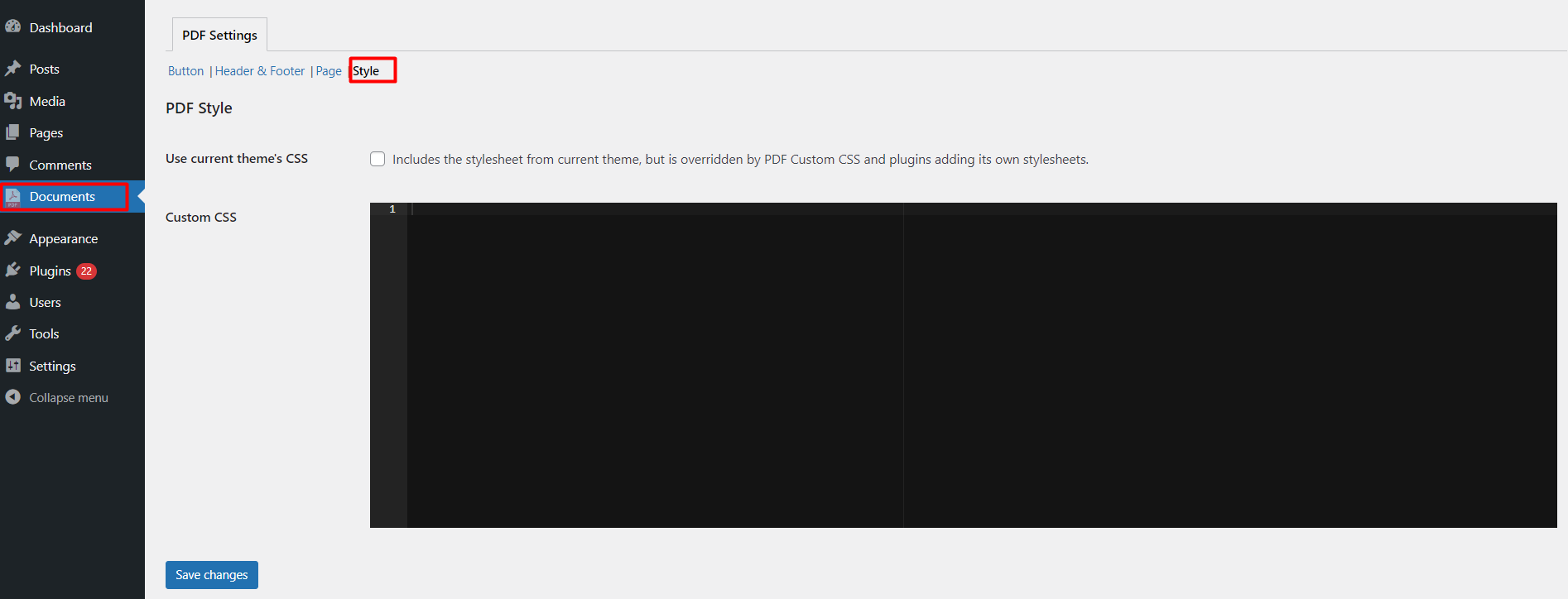
[document_engine_pdf_button]. - Header logo, title and page numbers, footer text, paper size (A4, Letter, Legal, A5, A3), your own fonts (including Chinese, Japanese, Korean), orientation, margins, custom CSS. Right-to-left languages are supported.
- Optional PDF protection (print, copy and edit permissions).
- PDF-only shortcodes for page breaks, columns and content hidden from the PDF.
- Fast and safe: generated PDFs are cached, each visitor has a per-minute limit, and only public content is exported (never private or password-protected posts).
- QR code for every document (PNG or SVG) to print on notices, agendas and handouts.
- Command palette (Ctrl/Cmd + K): add a document or jump to any document from anywhere in the admin.
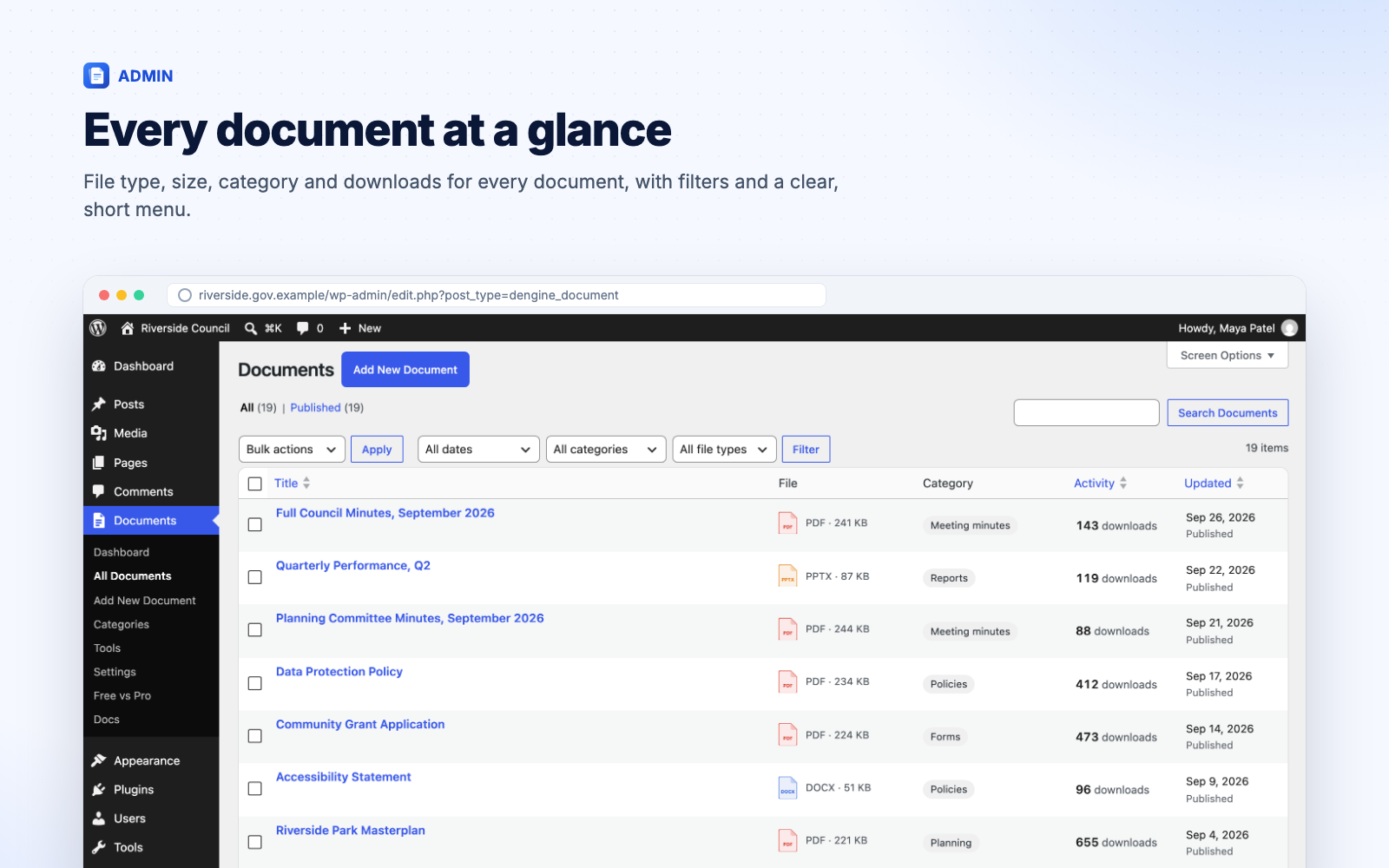
- Documents list with file type and size, category and download counts, and filters by category and file type.
- Roles: choose which roles manage all documents, publish their own, or only draft.
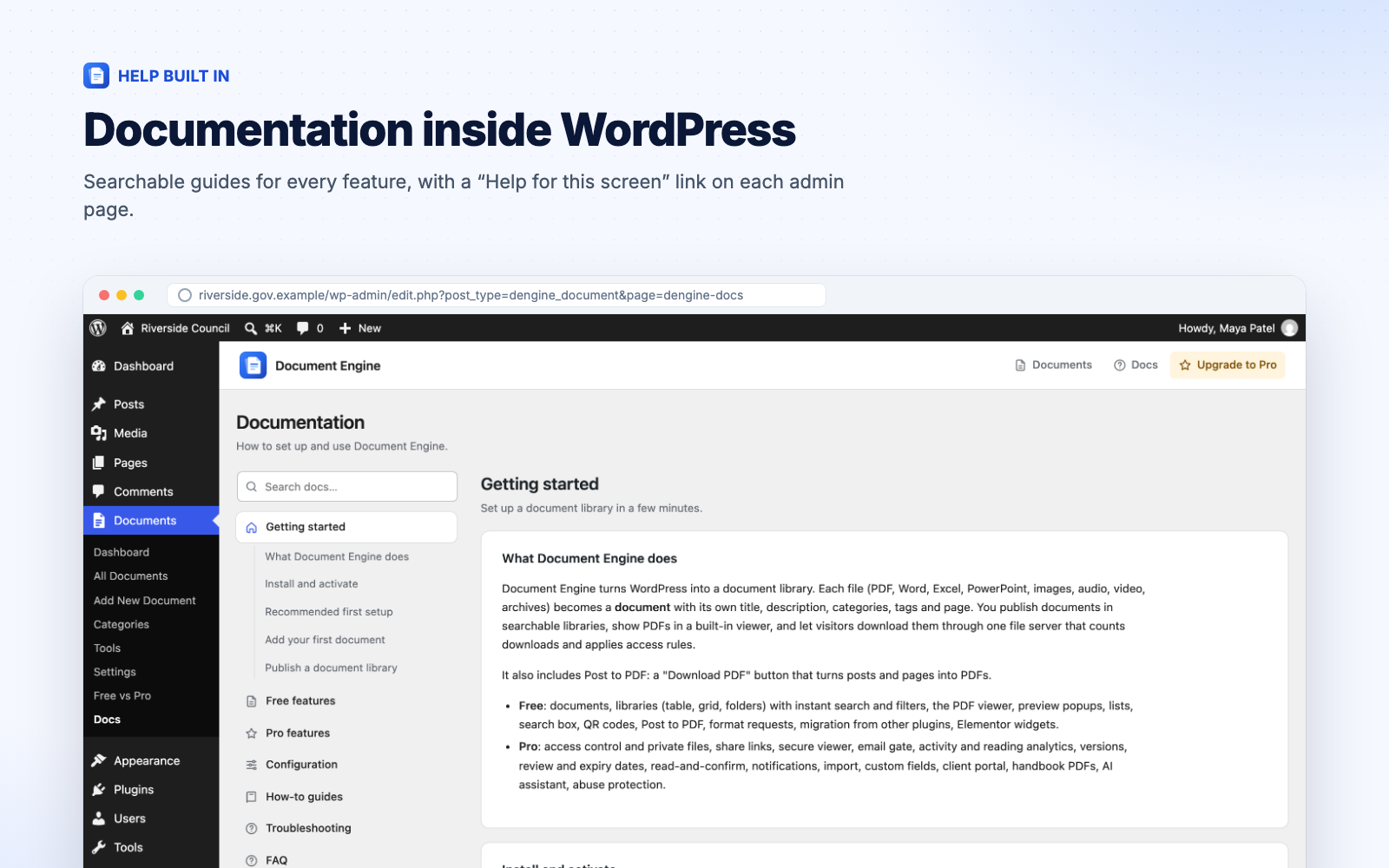
- Documentation built in under Documents → Docs.
- Multilingual: WPML and Polylang configuration included.
- Ready for AI assistants: the WordPress Abilities API lets assistants search and read your library, only ever returning documents the signed-in user may open.
- Publish staff-only or members-only documents without a membership plugin: restrict a document, or a whole category, to logged-in users, chosen roles or named people.
- Stop files being shared by their address: restricted files move out of the public uploads folder and are only served to people allowed to open them.
- Send a document to someone outside your site, such as an auditor, a board member or a client, with a link that expires and tells you when they opened it.
- Make staff confirm they've read a policy, with deadlines, reminders and evidence you can export for an inspection or audit.
- See which documents people read, for how long, and what they search for but can't find.
- Collect leads before a download (name, email, consent), for brochures, reports and whitepapers.
- Keep a register of documents with your own fields (reference number, department, review date) that visitors can filter and sort by.
- Move hundreds of files in at once from a spreadsheet, and keep them current with versions, review dates and automatic expiry.
- Members-only documents by logged-in users, roles, named people or membership levels (Paid Memberships Pro, WooCommerce Memberships), per document or category.
- Restricted documents shown with a lock or hidden from people who can't open them, and left out of site search, feeds and file-content search.
- Private file storage for restricted files, with a Site Health test that checks the folder really is private (and shows the nginx rule when it isn't).
- Share links for people without an account: expiring, named per recipient, with open tracking, single-use or limited uses, an optional email on first open, and one-click revoke.
- "My documents" block: a client or staff area listing the documents shared with the signed-in person, with what's new since their last visit.
- Secure viewer for PDFs: read-only, with no download, print or copy buttons, and the reader's name, email and date watermarked on every page.
- Stamped PDF downloads: every downloaded PDF carries the reader's details.
- Email gate: name and email (and optionally organisation) with your consent text before a download; returning visitors pass straight through. Leads are listed, exported to CSV, emailed to you or sent to a webhook (Zapier, Make), and deleted after your retention period.
- Accept terms: everyone ticks "I agree" to your licence or disclaimer before opening a document; each acceptance is logged.
- Office previews (opt-in): Word, Excel and PowerPoint files shown with Microsoft's viewer, on the document page and in the popup.
- Abuse protection: a daily limit on how many different documents one person can open, and Cloudflare Turnstile on the email gate, request and submission forms.
- Activity log of views, downloads, blocked attempts, leads and share-link opens, with charts, top documents, filters and CSV export. No IP addresses are stored; entries are deleted after your retention period.
- Reading analytics: time spent on each page of a PDF and how far people read.
- Search insights: what visitors search for, and the searches that found nothing.
- Read and confirm: ask chosen roles to confirm "I have read and understood", with deadlines, reminder emails, a Required Reading block, new rounds after an important change, and an evidence export (who, when, the statement they confirmed and a fingerprint of the file).
- Views in the last 30 days and access status right in the documents list.
- Versions: replace a file without changing its link, see the history and restore any version. Upload a new version from the documents list (or drop a file onto a row).
- Review-by and expiry dates, with a daily email of documents due for review; expired documents are unpublished automatically.
- Custom fields (text, number, date, choice list, yes/no, link, email) shown as library columns, filters with counts and sort options, on document pages and in search. Works with Advanced Custom Fields.
- PDF accessibility check that flags untagged, scanned or untitled PDFs in the documents list.
- Search inside PDF, Word (.docx), Excel (.xlsx), PowerPoint (.pptx), OpenDocument and plain text files, up to 30 MB, in libraries and site search (not older .doc, .xls and .ppt files or linked files).
- Automatic PDF thumbnails for grid layouts (when your server can make PDF previews).
- Bulk upload (drag and drop many files) and CSV import, including updates by ID and custom-field columns.
- ZIP download: visitors select several documents in a table library and download them as one ZIP (up to 100 files and 250 MB).
- Front-end submissions: chosen roles upload documents from a page, with allowed file types, a size limit and moderation.
- Watermarks on Post to PDF: text or image, with placeholders such as {name} and {date}.
- Handbook PDF: many posts in one PDF with a cover and table of contents, for admins or visitors (
[document_engine_handbook]). - Notifications: signed webhooks (for Zapier, Make or your own system), Slack or Microsoft Teams messages, and email subscriptions by category with a Subscribe block and one-click unsubscribe.
- AI assistant in the editor that suggests a title, summary, categories and tags from the file's text for you to review. It uses the AI provider connected in WordPress 7.0+ (Settings → Connectors); Pro stores no keys.
- More for AI agents: abilities to read a document's text (never for secure documents) and to list documents due for review.
- WP-CLI: list, import, stats, reindex, protect and share.
- Personal data export and erase for leads, activity, searches, reading sessions and acknowledgements, and automatic updates with an active licence.
- Personal: 1 website, $79 a year or $199 lifetime.
- Plus: 5 websites, $149 a year or $379 lifetime.
- Agency: 25 websites and priority support, $249 a year or $599 lifetime.
- Google Docs Viewer (
docs.google.com): only for PDF Viewer blocks created with version 1, on sites upgraded from version 1, until you switch on Documents → Settings → PDF Viewer → Version 1 blocks. The visitor's browser loads Google's viewer, which fetches the PDF's address. New installs never use it. Google Terms of Service, Google Privacy Policy. - MatrixAddons licence server (
store.mantrabrain.com): only when an administrator enters a Pro licence key on Documents → Free vs Pro to install Pro. The licence key and your site's address are sent to check the licence and download Pro. Terms and Conditions, Privacy Policy. - Files you link to: documents or viewers that point to a file on another website load that file from that website.
- Images in Post to PDF: when a post includes images or stylesheets from another website, your server fetches them from that website while it builds the PDF (local and private addresses are refused).
安装:
- In Plugins → Add New, search for "Document Engine", then install and activate it.
- Go to Documents → Add New Document and upload a file, or select existing files in Media → Library (list view) and choose Bulk actions → Create documents.
- Create a page and add the Document Library block. Choose the layout, columns and filters in the block settings.
- Optional: in Documents → Settings → Post to PDF, choose which post types get a "Download PDF" button.
- Optional: moving from another document plugin? Open Documents → Tools → Migrate.
屏幕截图:
常见问题:
Is the free plugin limited?
No. There's no limit on documents, libraries, downloads or time, and no ads. Pro adds features for organisations; it doesn't unlock anything that was taken out of the free plugin.
Does the PDF viewer use Google?
No. Document Engine includes its own viewer (PDF.js) and never contacts Google. The only exception is PDF Viewer blocks created with version 1 on sites that upgraded: they keep Google's viewer until you switch on Documents → Settings → PDF Viewer → Version 1 blocks (see "External services").
Do I need Pro?
Not to publish documents. The free plugin is a complete library with the viewer, search, filters and Post to PDF. You need Pro when documents must be limited to certain people, when you need proof of who read something, or when you manage enough documents to want versions, review dates, custom fields, bulk import and analytics.
How do I upgrade to Pro?
Choose a plan on the Document Engine Pro page, then either upload the Pro plugin from your account, or enter your licence key at the bottom of Documents → Free vs Pro and it installs in one step. Keep the free plugin active; Pro builds on it, and nothing needs to be moved or set up again.
Can I keep documents private?
With the free plugin you can keep documents as drafts, private posts or password-protected, and their download links respect that. Their files still live in the public uploads folder, so anyone who has a file's exact address could open it. Pro adds members-only documents by role, person or category and moves restricted files to private storage.
Will my version 1 content keep working?
Yes. Your settings, the five PDF shortcodes, the PDF Viewer block and the settings page link all keep working. The Post to PDF settings are now under Documents → Settings → Post to PDF.
Can I move from Download Monitor, WordPress Download Manager, Barn2's Document Library, Simple Download Monitor or Simple File List?
Yes, from Documents → Tools → Migrate. Files, categories, tags, dates, download counts and passwords come across; the old shortcodes keep working and old download links redirect. The original plugin's data isn't changed. Simple File List (closed on WordPress.org in July 2026) folders become nested categories, and [eeSFL] pages keep working.
Can I stop people downloading a PDF?
Hiding the viewer's download and print buttons doesn't stop a determined visitor: browsers can still save the file. Document Engine Pro's secure viewer shows the PDF read-only with the reader's name on every page, and keeps the file out of the public uploads folder.
Does it work with membership plugins?
Free: documents can be private or password-protected. Pro restricts documents by role (which works with MemberPress, Restrict Content Pro and other plugins that give members a role), by named people, or by Paid Memberships Pro level or WooCommerce Memberships plan.
Can documents be stored in the cloud (Amazon S3, Cloudflare R2)?
Document Engine keeps files in your Media Library, so a media offload plugin can move public files to a bucket. With Pro, exclude the protected documents folder from offloading; Site Health warns you if an offload plugin is active.
Can PDFs use Chinese, Japanese or Korean text?
Yes: upload a font that has those characters (for example Noto Sans SC) to the Media Library and choose it in Settings → Post to PDF → Page & protection.
Can I show PDFs hosted on another website?
Yes, if that website allows it (CORS). If it doesn't, visitors see a link to open the PDF instead.
Does it work with my theme and page builder?
Libraries use your theme's fonts and colours and adapt to the space they get. Blocks work in the block and site editors, Elementor has its own widgets, and shortcodes work everywhere else, including Divi, Bricks, Beaver Builder and WPBakery. Copy any file from the plugin's templates folder to your-theme/document_engine/ to change it, and adjust colours with CSS custom properties such as --dengine-accent.
Is it accessible?
The library, filters and viewer are keyboard and screen-reader friendly, with labelled controls, live regions and visible focus, and the libraries, viewer and admin screens pass automated WCAG 2.1 AA checks. PDFs keep a text layer, so browser search and screen readers work. You can also switch on a "Request an accessible version" form (Documents → Settings → Documents → Accessibility).
Does it slow my site down?
Styles and scripts load only on pages that use them, the viewer loads when it scrolls into view, and generated PDFs are cached. Libraries were tested with 10,000 documents.
What happens when I uninstall?
Nothing is deleted unless you choose to: turn on Documents → Settings → Advanced → When deleting the plugin first if you want documents and settings removed. Files in your Media Library are never deleted.
Where is the documentation, and how do I get help?
In your admin under Documents → Docs: getting started, every feature, settings, how-to guides, troubleshooting and developer notes, with search. The full documentation is also online.
- Questions about the free plugin: the support forum here on WordPress.org.
- Document Engine Pro: features, plans and FAQ and pre-sales questions. Pro customers get email support (priority support on the Agency plan).
Does it track visitors?
The free plugin stores documents, categories and tags as normal WordPress content, plus a download count per document. Accessible-format requests (when switched on) store the requester's name and email; they are included in WordPress's personal data export and erase tools. The plugin does not track visitors, set tracking cookies or send data to other services, apart from the optional cases listed under "External services".
Which shortcodes are there?
Every block has a shortcode for classic themes and page builders:
[document_engine_library layout="table|grid|folders" categories="slug" file_types="pdf,word" per_page="20" filters="category,tag,type,year,author,sort" multi_filters="yes"][document_engine_search page="123"][document_engine_viewer id="document ID" file="attachment ID" url="https://…" height="800px" page="1"][document_engine_document id="12" style="card|button"][document_engine_documents mode="recent|updated|popular|related" count="5" category="slug" title="Latest"][document_engine_pdf_button],[document_engine_pdf_remove]…[/document_engine_pdf_remove],[document_engine_pdf_page_break],[document_engine_pdf_columns]…[/document_engine_pdf_columns],[document_engine_pdf_column_break]
更新日志:
- New - Migrate from Simple Download Monitor and Simple File List (closed on WordPress.org in July 2026): files, descriptions, categories (Simple File List folders become nested categories), dates and download counts. Old shortcodes and download links keep working. Imported titles are plain text, and files are only copied from Simple File List's folder inside uploads.
- New - Post to PDF fonts: Sans, Serif or Monospaced, or your own .ttf/.otf font (for example for Chinese, Japanese or Korean), for all text or only for characters the main font lacks.
- Improved - Pro suggestions are now contextual and quiet: only for administrators, on Document Engine's own screens, never in the first week, one at a time and each dismissible for good. The extra "Upgrade to Pro" button in the header is gone, and Pro previews show example data.
- Improved - Block themes get a "Single Document" template: document pages no longer show the blog post byline or a "More posts" list. A theme's own template still wins.
- Improved - Right-to-left languages: the admin screens, block editor panels and the Post to PDF button now load right-to-left styles too; every screen was checked mirrored. Keyboard: every control shows a visible focus ring.
- Improved - Layout and readability: the documents list keeps titles readable with many columns, library filters wrap inside narrow content columns, muted text meets contrast guidelines in themes with grey body text, and the Docs and settings screens fit phones.
- Improved - Password-protected documents: download links go to the password form (they asked visitors to log in), and libraries label them "Password".
- Security - Post to PDF fetches images and stylesheets itself through WordPress' safe HTTP API (no internal addresses, no redirects to them), within a time limit, and never uses the request's host name; encoded or unquoted image addresses, and images inside SVG files, are handled too. Videos, iframes and scripts are left out, and files in protected or private folders are never embedded.
- Security - PDFs are only generated on the post's own address, so plugins that protect a page by checking the requested page always run first.
- Security - Creating documents from Media Library files checks that you may use each file; the Pro installer only accepts HTTPS packages.
- Fixed - The document editor shows the real name and type of files in protected storage (it showed the download address).
- Fixed - Format requests already received stay listed under Documents (or Reports with Pro) after the request form is switched off; the dashboard's "Moving from…?" card counts only what is still to move.
- Fixed - Downloads of missing files are no longer counted; the viewer frees its memory when the preview closes; keyboard focus stays in place after sorting, filtering or paging a library; the full-screen fallback can be left with Escape.
- Fixed - Save as PDF buttons placed in a theme template, synced pattern or Elementor layout work, for the content those layouts show (a single-post template: posts; a page template: pages); attachment pages no longer show a button that did nothing.
- Fixed - PDF footer "post title" option, the columns shortcode (equal columns) and [document_engine_pdf_remove tag="…"] (it switched the shortcode off for the rest of the page).
- Fixed - The daily clean-up now also runs on updated sites and network sites; theme template overrides are re-checked after a theme switch; files of trashed documents are hidden like private ones; PHP warnings for unusual search addresses; "Recently updated" order on the dashboard; untranslated PDF texts.
- New - Sort a table library by clicking a column heading (title, date, updated, size, downloads); a second click reverses the order.
- New - "Load more" pagination: adds the next documents below the ones already shown (block setting, or
pagination_style="load-more"). - New - Post to PDF paper sizes: A4, US Letter, US Legal, A5 and A3. Sites in a right-to-left language get right-to-left PDFs.
- New - Downloads appear in Google Analytics: a GA4
file_downloadevent when the site loads GA4 or Tag Manager. - New - Dates in libraries can follow your site's date format (Settings → Documents → Dates).
- Improved - The file type filter lists only the kinds of file your site has, with counts.
- Improved - The Document Search block uses your library page automatically when none is chosen.
- Improved - Typing a search updates the page address, so Back and shared links keep the search.
- Fixed - Documents created in the block editor are saved with their file type and size (they showed no size and were missed by the file type filter). Existing documents are repaired on update.
- Fixed - Add-ons are told when a document is saved from the block editor (Document Engine Pro uses this to protect restricted files).
- Improved - The built-in help, settings texts and readme now match the plugin exactly: A4 pages with orientation, margins and text size; four Elementor widgets; which files search indexes; ZIP and secure-viewer limits; the webhook signature.
- Improved - A link to the online documentation on the Docs screen, and videos of the free plugin and Pro in the readme.
- Fixed - Blocks are listed again on WordPress.org, now with their names, descriptions and icons (each block.json declares its editor script).
- Improved - Every block has a block.json with its name, description and icon, so they show properly in the block directory and on WordPress.org.
- Improved - The classic PDF Viewer block from version 1 uses the current block API (existing content is unchanged).
- Improved - "Upgrade to Pro" on the Plugins screen and in the plugin header opens the Pro pricing page on our website.
- Improved - Readme: every Pro feature links to its own section on the Document Engine Pro page.
- Improved - Bundled libraries now live in a single vendor folder (still under the plugin's own namespace, so they can't clash with other plugins).
- Improved - Readme: Free vs Pro at a glance, and links to the Pro features, comparison and pricing.
- Fixed - Post to PDF watermarks are correctly listed as a Pro feature on the Free vs Pro page and in the Docs.
- New - Documents: post type with categories, tags, single pages, file type/size, download counter, open-or-download setting, and site search.
- New - Document Library block and shortcode: table, grid and folder layouts, instant search, filters, sorting, pagination, shareable URLs.
- New - Built-in PDF viewer (PDF.js) block and shortcode. It replaces the Google Docs viewer for new content.
- New - Library filters: let visitors pick several categories, tags or file types at once ("Let visitors pick several"), plus year and author filters with counts.
- Tweak - A shorter Documents menu: related screens share one item with tabs (Categories and Tags; Reports; Tools). Existing admin links keep working.
- New - Document Download and Save as PDF blocks.
- New - Media Library bulk action "Create documents", onboarding checklist, Site Health checks.
- New - Document List block and shortcode (newest, updated, popular, related) and optional related documents on document pages.
- New - Migrate from Document Library (Barn2), Download Monitor and WordPress Download Manager, with compatibility for their shortcodes.
- New - Elementor widgets, WPML/Polylang configuration, and an optional "Request an accessible version" form.
- New - PDF viewer: search inside the document, page thumbnails and outline, clickable links, links to a page.
- New - Year and author filters, category counts, Document Search block, QR codes, command palette and Abilities API support.
- New - Post to PDF cache and per-visitor generation limit.
- Security - PDF export is limited to publicly viewable content and respects post passwords.
- Fixed - Custom PDF CSS keeps characters such as ">" (child selectors).
- Fixed - The PDF header no longer renders empty space when nothing is enabled.
- Fixed - Concurrent PDF downloads no longer delete each other's temporary files.
- Fixed - Settings field attributes (min, step) were escaped twice.
- Improved - Styles and scripts load only on pages that use them.
- Improved - mPDF 8.3.1 is bundled under the plugin's own namespace, so it can't clash with other plugins.
- New - Documents → Docs: searchable documentation inside WordPress, with a "Help for this screen" link on every screen.
- New - Documents → Free vs Pro: what each edition includes.
- New - Preview popup for PDFs, images, audio and video from any library.
- Security - Files of draft, private and password-protected documents are always streamed, never redirected to, and are hidden from the media REST API for people who can't read them.
- Security - Unpublished documents no longer reveal their title on the download link.
- Security - Post to PDF only runs for the post types you enable (or posts with the Save as PDF block), never for attachments, and skips images from internal network addresses.
- Security - Accessible-format request limits are per visitor, so one person can't block requests for everyone.
- Improved - Faster admin and front end on large libraries (tested with 10,000 documents), and accessibility fixes in admin screens.
- Improved - Bundled libraries (mPDF) live in one vendor folder under the plugin's own namespace, so they can't clash with other plugins.
- Requirements - PHP 7.4+ and WordPress 6.6+.
- Fixed - Escaping issue fixed
- Fixed - Setting page design