
DocxToPost – Convert DOCX Files to WP Posts, Pages & Custom Post Types
| 开发者 | nagarajdev |
|---|---|
| 更新时间 | 2026年9月3日 00:08 |
| PHP版本: | 8.0 及以上 |
| WordPress版本: | 7.1 |
| 版权: | GPLv2 or later |
| 版权网址: | 版权信息 |
详情介绍:
- Real blocks, not one big lump: Your document arrives as proper paragraph, heading, list, image, table and quote blocks you can move and edit individually — not a single Classic block you have to fight. Running the classic editor instead? It detects that and gives you plain HTML.
- Undo an import: Changed your mind? One link on the confirmation screen moves the post to the trash.
- Simple upload: Drag and drop your .docx file.
- Formatting preserved: Headings, paragraphs, bold, italic, underline, strikethrough, superscript, subscript, blockquotes and paragraph alignment all survive the trip.
- Real lists: Bulleted and numbered lists come through as proper lists, nested sub-bullets included.
- Tables with headers: Header rows become real table headers, so your tables stay readable and accessible.
- Embedded image extraction: Images inside your Word document are pulled out and added to the Media Library, with the alt text you set in Word.
- All public post types: Publish to Posts, Pages, or any Custom Post Type registered on your site.
- Full status options: Publish immediately, save as Draft, submit for Pending Review, or mark Private.
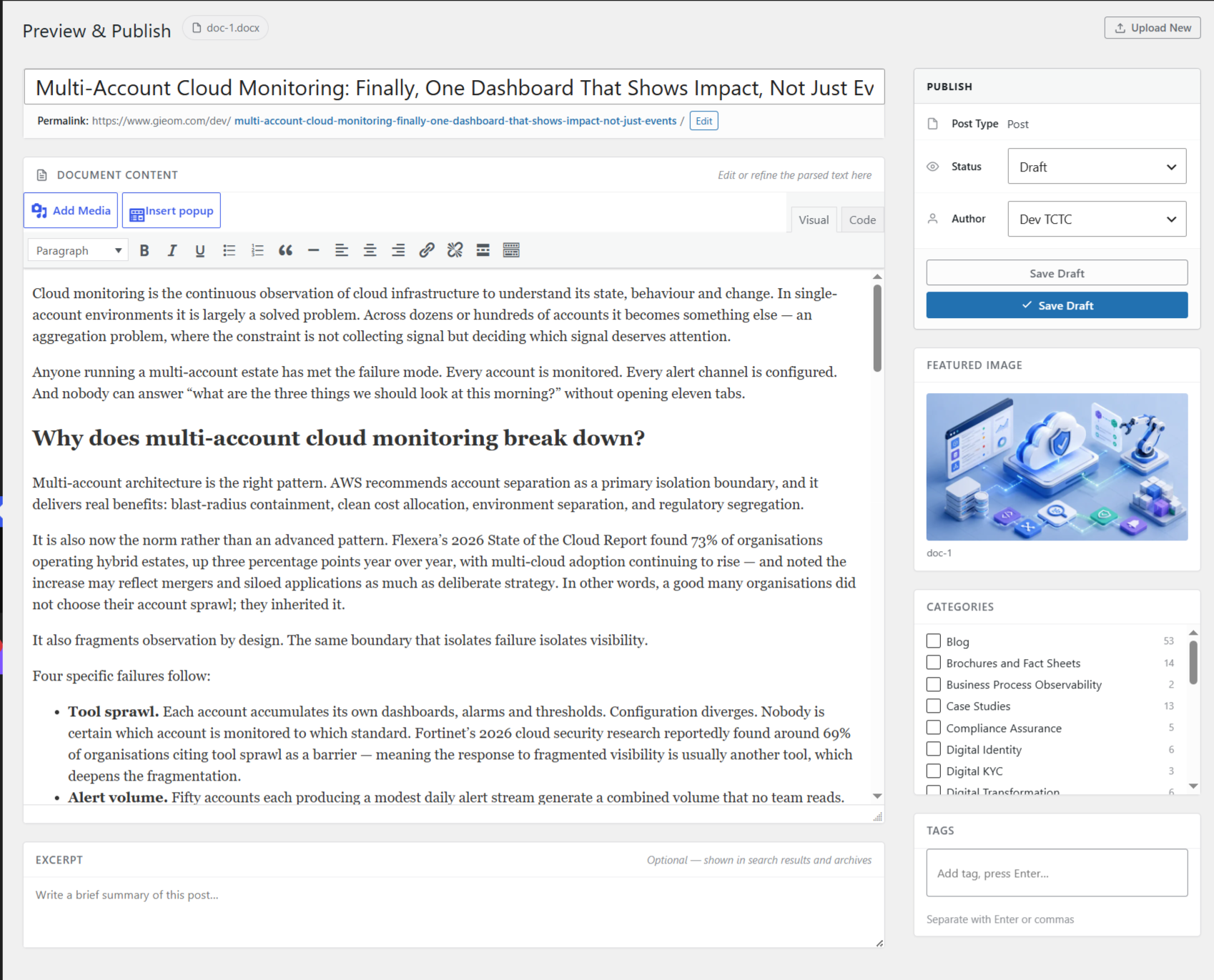
- Live preview: See exactly how the post will look before you publish.
- Featured images: Upload a featured image alongside your document.
- Categories and tags: Assign both while you import.
- Post meta: Edit the slug, excerpt and author.
- Role-based access: Choose which user roles can use the plugin.
- Bulk import — drag in up to 100 .docx files at once. The queue survives a closed tab, isolates a broken document to its own row, and lets you pause, resume or retry just the failures.
- Drip publishing — schedule a whole batch instead of publishing it at once. "One post per weekday from Monday at 09:00" is two clicks, and weekends are excluded by default.
- SEO automation — SEO title, meta description and focus keyphrase for Yoast SEO and Rank Math, filled from templates using
{title},{sitename},{excerpt},{filename},{category}and{date}, with per-document overrides.
安装:
- Install through the WordPress plugins screen, or upload the plugin files to
/wp-content/plugins/docxtowp. - Activate the plugin through the Plugins screen in WordPress.
- Go to DocxToPost in the admin menu and upload your first .docx file.
屏幕截图:


常见问题:
What post types does this plugin support?
All registered public post types on your site — Posts, Pages, and any Custom Post Type. You can only create the types your user role already allows.
Does it preserve formatting from Word?
Yes. Headings, paragraphs, bold, italic, underline, strikethrough, superscript, subscript, bulleted and numbered lists (including nested levels), tables with header rows, blockquotes, paragraph alignment, and hyperlinks all carry over.
I imported the wrong document. Can I undo it?
Yes. The confirmation screen has a "Move it to the trash" link, and the post stays recoverable from the Trash afterwards.
Why will my file not upload?
Go to Tools → Site Health → Status. DocxToPost adds a check there that reports the three usual causes: a missing PHP extension, an upload directory that is not writable, or a file size limit set higher than the server will actually accept.
What happens to images inside my Word document?
They are extracted, uploaded to the Media Library, and placed inline in the post. If you set alt text on an image in Word, that alt text comes with it.
What status options are available?
Publish, Draft, Pending Review, and Private. If your role cannot publish, the post is saved for review instead of being discarded.
Is there an upload limit?
There is no limit on how many documents you can convert. A per-file size limit (10MB by default) can be changed under Settings, up to whatever your server's PHP configuration allows.
Do I need the block editor?
No. By default the plugin looks at which editor your post type actually uses and matches it — block markup for the block editor, plain HTML for the classic editor. You can override that under Settings → Content Format if you would rather always get one or the other.
Will my imported post be one big Classic block?
Not any more. Each paragraph, heading, list, image, table and quote becomes its own block, so you can drag, duplicate and edit them the same as anything you wrote in the editor. Anything with no block equivalent is kept intact in an HTML block rather than being dropped.
Does the plugin send my documents anywhere?
No. Everything is parsed on your own server, and the plugin makes no outbound requests.
更新日志:
- Added: a dismissible notice on the plugin's own upload screen, letting you know that lifetime access to the Pro version ends on 30 September 2026. It counts down from your own server clock, disappears by itself once the date passes, and never appears anywhere outside this plugin's pages. The free plugin is not affected by the change and stays free.
- Changed: the two pages describing the Pro version no longer say how Pro is sold. They pointed at a one-time purchase, and the pricing model is changing, so they now point at the website for current pricing instead. Wording only.
- Note: nothing else changed. No functional differences, no new settings, and nothing about importing behaves differently.
- Added: block editor output. Imported documents now become real paragraph, heading, list, image, table and quote blocks instead of one Classic block containing the whole document. Anything without a block equivalent is preserved in an HTML block.
- Added: Settings → Content Format, with "Match the editor" (the default, which follows whichever editor the post type uses), "Always block editor" and "Always classic HTML".
- Added: blockquotes — Word's Quote and Intense Quote styles now become real blockquotes instead of plain paragraphs.
- Added: paragraph alignment — centred, right-aligned and justified paragraphs and headings keep their alignment.
- Added: undo an import — a "Move to trash" action on the confirmation screen, for when a document was not what you expected.
- Fixed: the confirmation screen said "Published successfully!" whatever had happened, including directly above a "Draft" badge. It now reports what actually happened — published, saved as a draft, submitted for review, scheduled or published privately.
- Fixed: a draft had no way to see the result. The confirmation screen now offers a Preview link when the post is not published.
- Added: duplicate warning — the preview screen tells you when a post with the same title already exists, and links to it. Advisory only; it never blocks.
- Added: Site Health check — Tools → Site Health now reports whether the required PHP extensions are present, whether the upload directory is writable, and whether your file size limit exceeds what the server will actually accept.
- Added: an Upgrade page describing what the Pro version does, and a Bulk Import (Pro) page describing that feature specifically. Both are descriptions — no locked or disabled functionality ships in the free plugin.
- Added: occasional dismissible notices on the plugin's own screens once you have converted a few documents. Each appears once, is dismissible, and stays dismissed.
- Note: this affects new imports only. Posts you have already created are ordinary WordPress posts and are not touched. Privacy: the plugin counts how many documents you have converted, stored against your user account on your own site. It is used only to decide when to show the notices above. Nothing is sent anywhere — the plugin still makes no outbound requests.
- Fixed: three buttons in the admin — including "Upload Another" on the success screen — linked to a page that was never registered and returned a permissions error.
- Fixed: numbered lists were imported as bulleted lists. Word gives both the same paragraph style, so the list format is now read from the document's numbering definitions.
- Fixed: nested sub-bullets were flattened into a single level. List nesting is now preserved to any depth.
- Fixed: table header rows were imported as ordinary cells. They now become real
<thead>and<th>elements. - Fixed: a slightly corrupt .docx failed on the code path meant to recover it, because of a PHP constant that does not exist.
- Fixed: images lost their sizing, so wide images could overflow their container.
- Fixed: comments were forced on for every imported post, overriding the site's own default.
- Fixed: error messages returned the server's file paths to the browser. They now go to the error log.
- Added: strikethrough, superscript and subscript are now preserved.
- Added: alt text set on an image in Word is now saved to the Media Library attachment, not just the post content.
- Added: a dismissible card describing the Pro version, on the plugin's own screens only.
- Security: creating a post now checks that your role is allowed that post type, that you may publish rather than only draft, and that you may attribute a post to another user.
- Performance: the cleanup task is scheduled on activation instead of being checked on every page load.
- Initial public release
- Support for .docx to Post, Page, and Custom Post Type conversion
- Formatting preservation and live preview
- Embedded image extraction and auto-upload to Media Library
- Featured image support
- Categories, tags, and author support
- Publish, Draft, Pending, and Private status options
- Role-based access control