
DoubleScale CRM | All-in-One CRM – Sales, Multi-Channel Marketing, Newsletter, Booking, Helpdesk, Automation, MCP & More
| 开发者 |
vixgrowy
samuelgallegos |
|---|---|
| 更新时间 | 2026年10月16日 18:12 |
| PHP版本: | 7.4 及以上 |
| WordPress版本: | 7.1.3 |
| 版权: | GPLv2 or later |
| 版权网址: | 版权信息 |
标签
下载
详情介绍:
- One contact record for everything. Campaigns, deals, invoices, bookings, tickets and tasks all attach to the same contact.
- Turn on only what you need. Every major module can be switched on or off from Control Modules, so your team sees a clean, focused admin.
- Self-hosted and GDPR-friendly. Your data stays in your WordPress database: no third-party CRM cloud, no vendor lock-in.
- No per-contact pricing. Unlimited contacts and unlimited custom fields.
- Built for WordPress. Native integrations with WooCommerce, popular form builders, LMS and membership plugins.
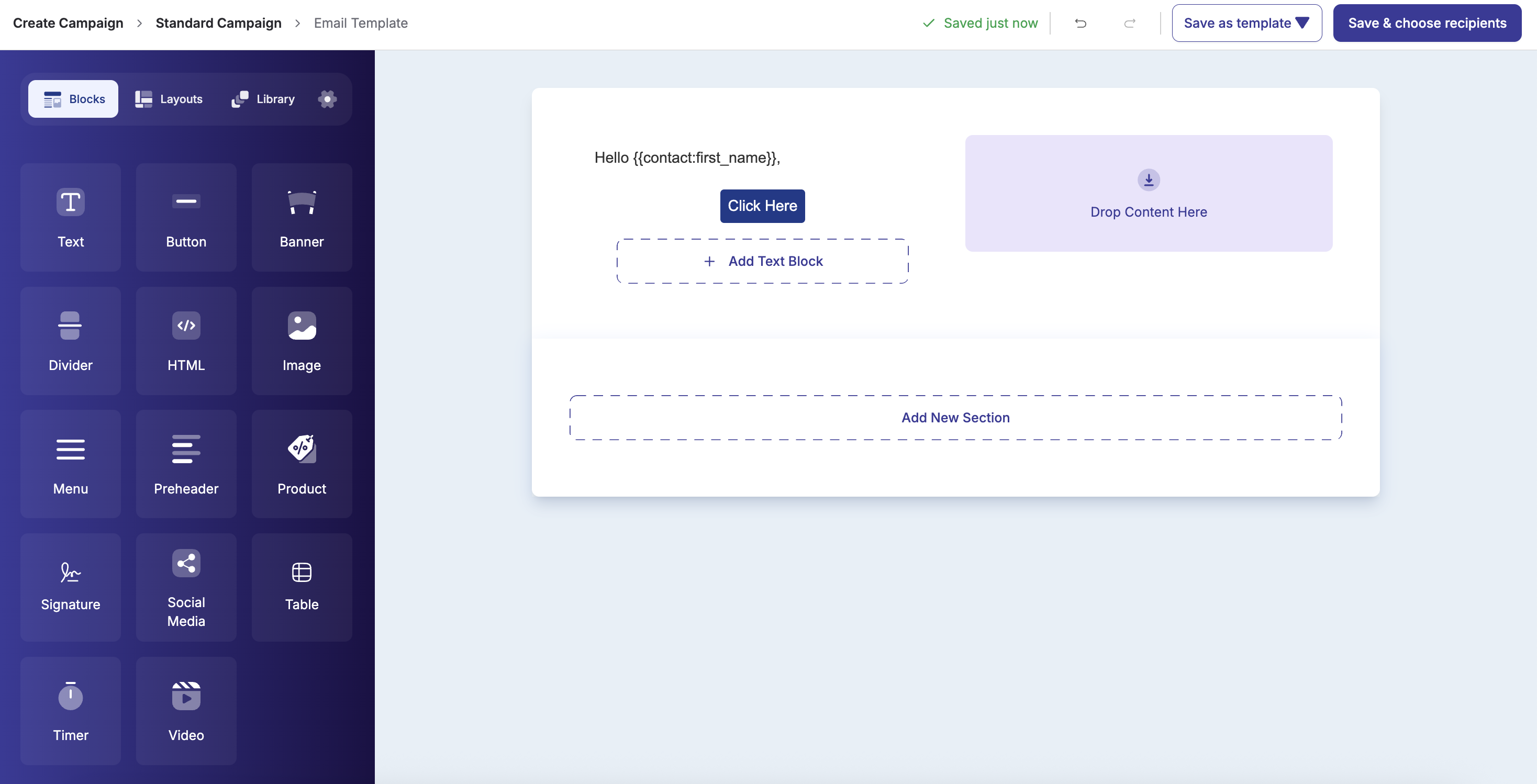
- Drag-and-drop email builder with responsive blocks, a Navigator to jump to any section, column or block, saved templates and merge tags
- Broadcast to lists, tags or segments, send now or schedule for later
- A/B testing for subject lines and content
- Email sequences (drip campaigns) for onboarding and nurture flows
- Open, click, bounce and unsubscribe tracking with full delivery logs
- Unsubscribe and preference pages handled for you
- Proposals and quotes with line items, taxes and online acceptance with e-signature
- One-click conversion from an accepted proposal to an invoice
- Invoices with branded PDFs and online payments through Stripe, PayPal and other gateways (Pro)
- Contracts with templates and signatures
- Credit notes, products and tax rates
- XRechnung e-invoices for German public-sector customers (Pro)
- Subscriptions and recurring billing (Pro)
[doublescale_client_portal] shortcode. Customers can accept proposals, pay invoices and follow their documents without emailing you.
Appointment booking and scheduling
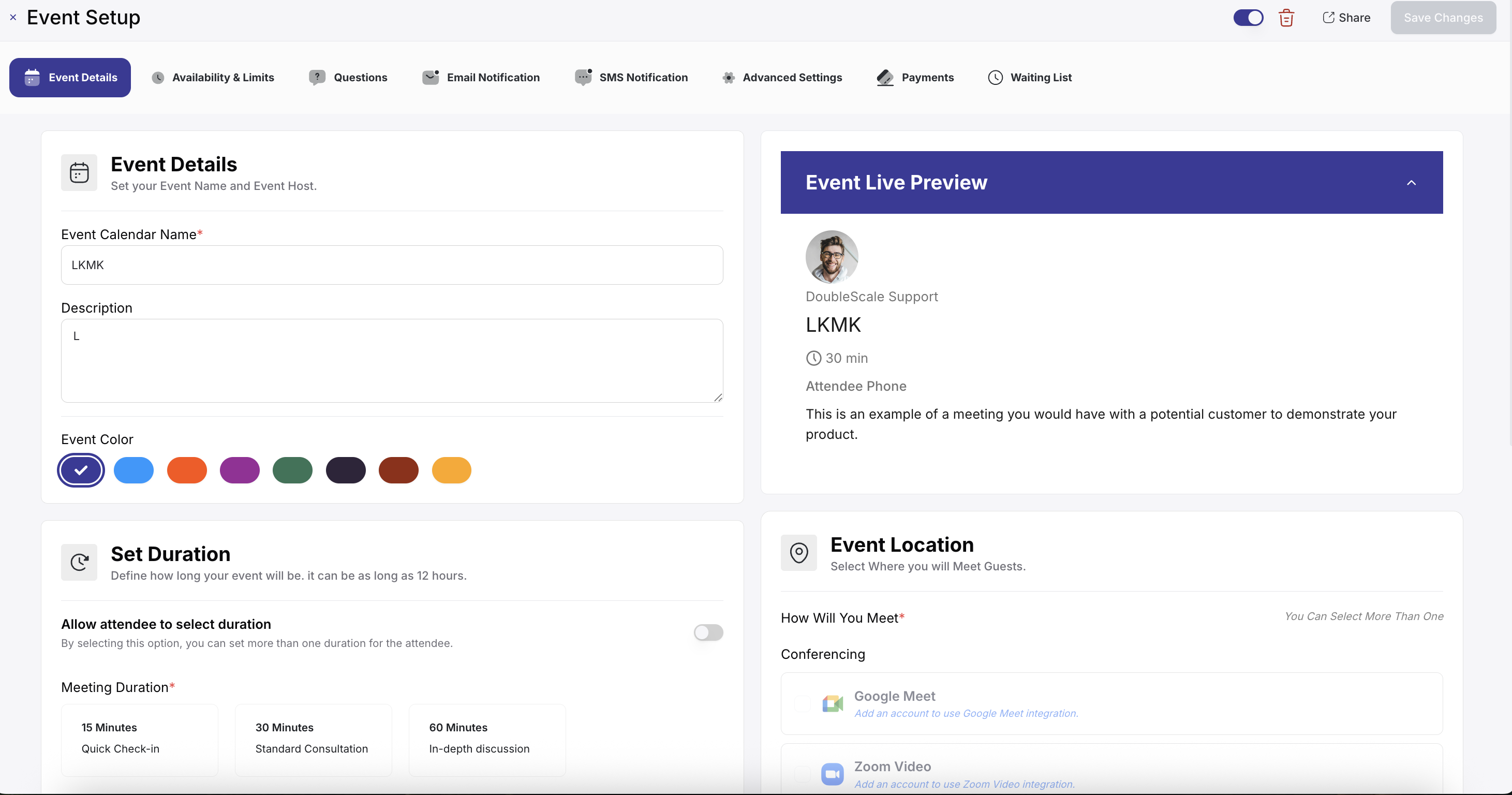
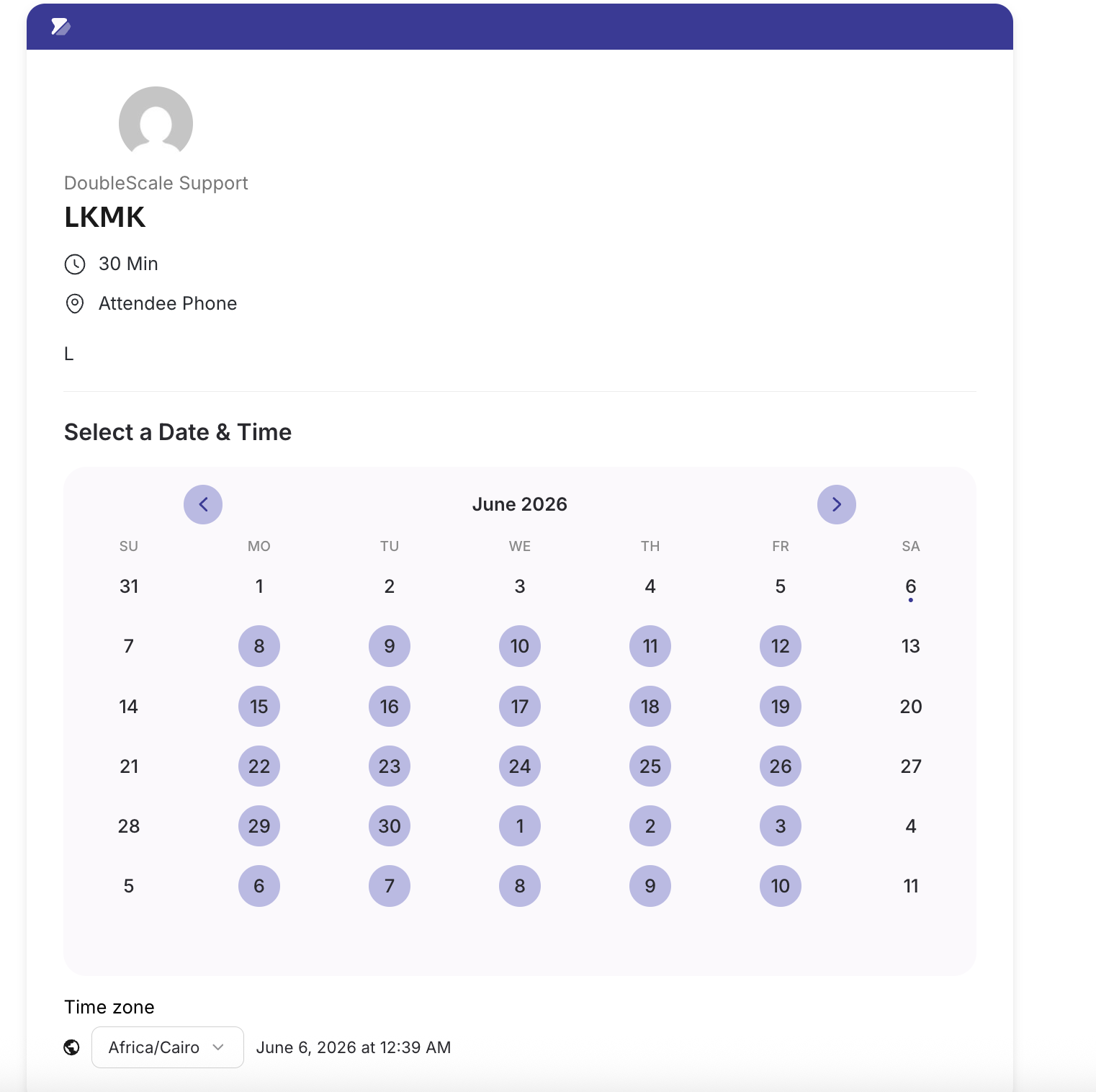
A complete appointment booking system built into your CRM, so you no longer need Calendly or a separate booking plugin. Clients book meetings, consultations, demos, classes and coaching sessions from a booking page on your own site, and every booking is saved on their contact record.
- One-to-one and group events, with a maximum number of attendees per time slot
- Availability schedules with working hours, date overrides, buffer time between meetings and booking frequency limits
- Embeddable booking pages with automatic time zone detection for your guests
- A booking form that collects your guests' details before the meeting
- Email confirmations and reminders for guests and hosts, with easy rescheduling and cancellation
- Online, phone and in-person meetings, with the meeting details sent to your guest
- Bookings dashboard to view, filter and manage every appointment
- Booking Manager and Booking Agent roles so each team member manages their own calendar
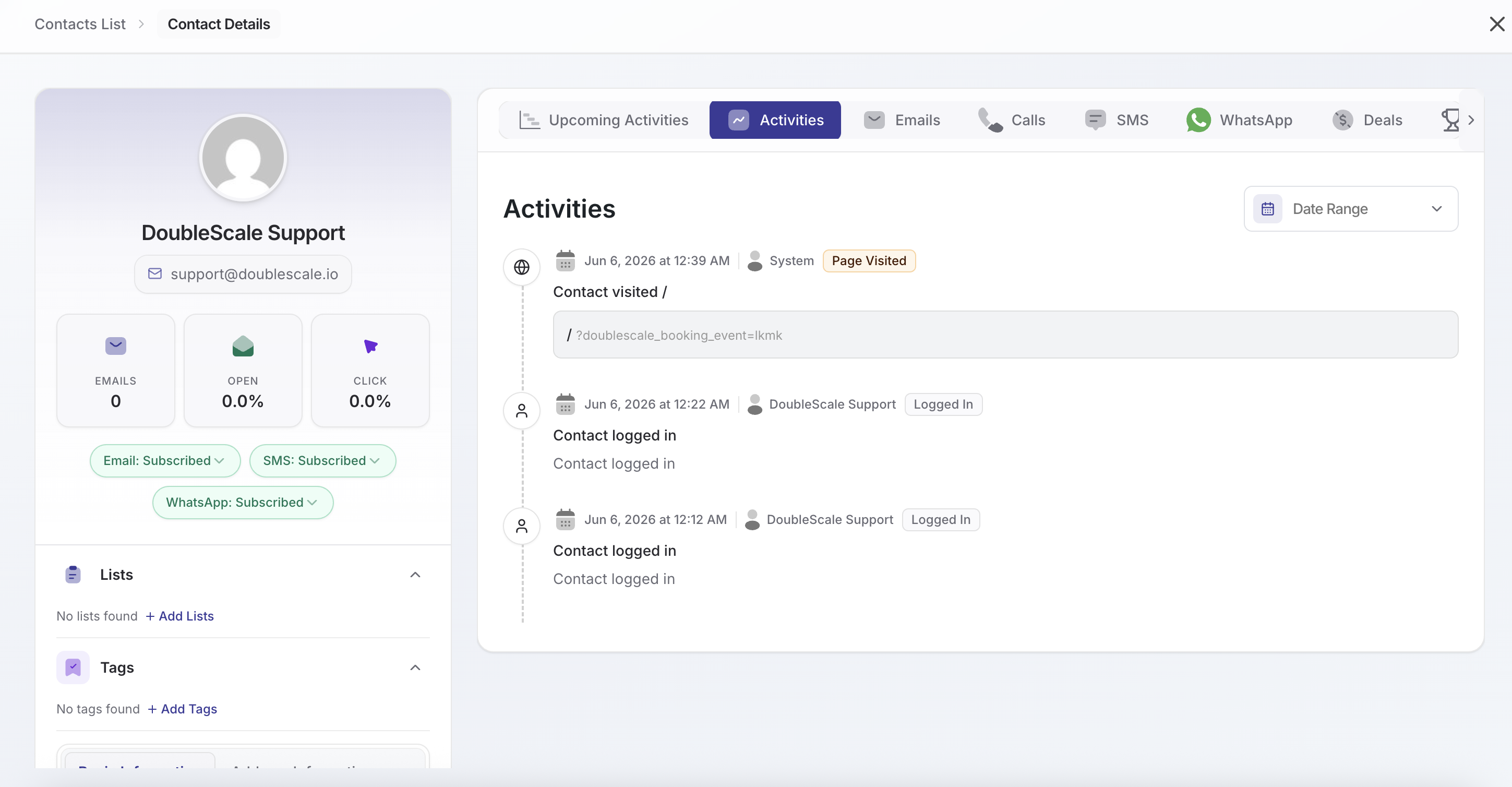
- Every booking on the contact's timeline, next to their emails, deals and tickets
- Shared inbox with overview cards for all, open, pending, resolved and closed tickets
- Assign agents, set status and priority, add tags, internal notes and CC recipients
- File attachments with secure downloads
- Customer support portal on any page with
[doublescale_support_portal], or inside the client portal - Email notifications for customers and agents, plus helpdesk reports
- Email-to-ticket through IMAP, custom ticket fields, auto close for inactive tickets and an incoming webhook (Pro)
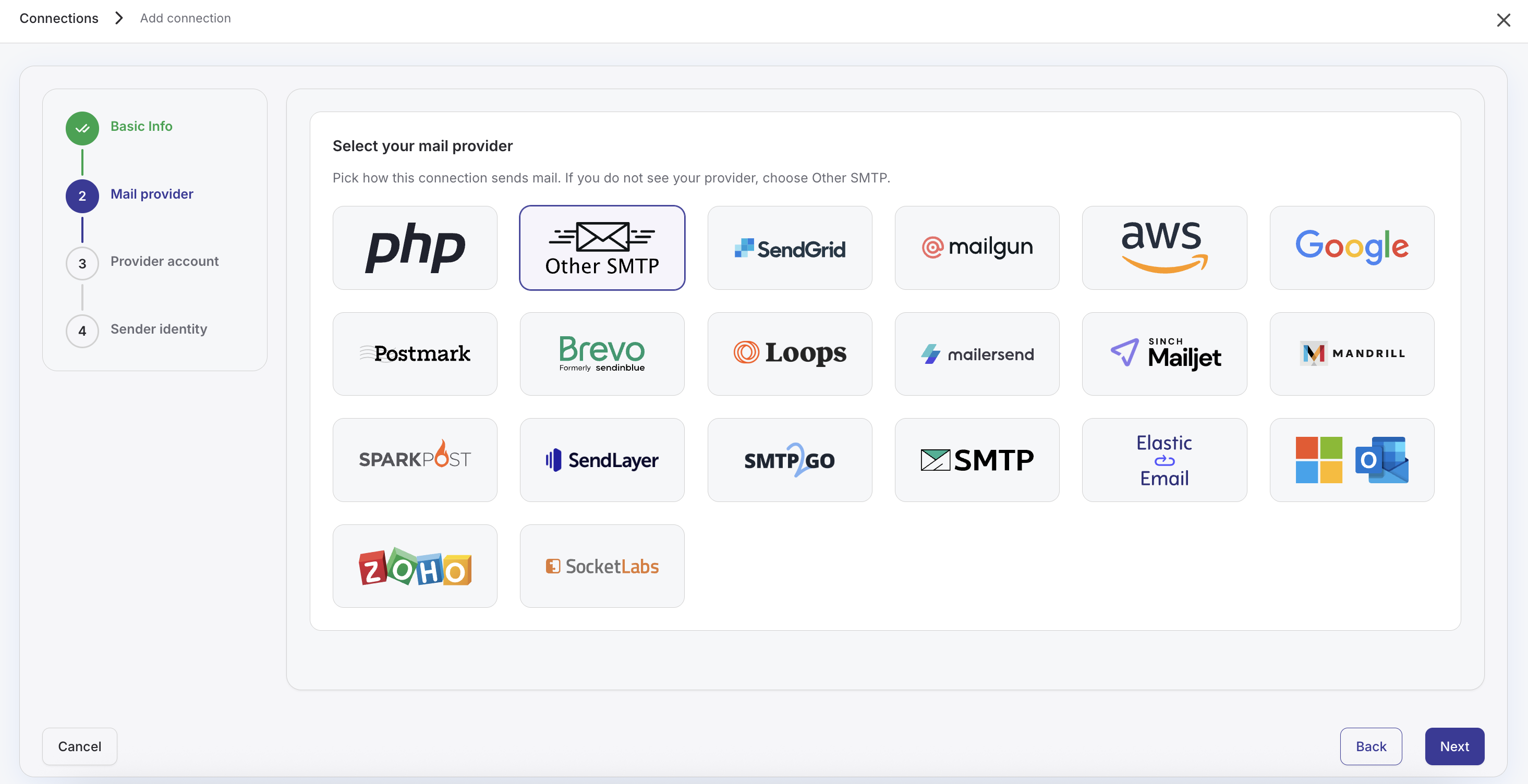
wp_mail() through 20+ email providers, including Amazon SES, SendGrid, Mailgun, Postmark, Brevo, SparkPost, SMTP2GO, Mailjet, MailerSend, Mandrill, Elastic Email, SendLayer, SocketLabs, toSend, Emailit, Gmail, Outlook, Zoho and any SMTP server. Use different connections for transactional and marketing email, add a fallback connection, send test emails and review full email logs.
Analytics and reports
Dashboards for contacts, campaigns, email delivery, automations, sales pipelines and support, with KPI cards, charts, date ranges and CSV export, so everyone can see what is working without exporting data to another tool.
Team roles and permissions
Give every team member the access they need and nothing more. Each person gets one level, Manager or Agent, with access to the whole CRM or to chosen modules: CRM Manager and CRM Agent, Campaign Manager and Campaign Agent, Sales Manager and Sales Rep (Pro), Project Manager and Project Member (Pro), Support Manager and Support Agent, Booking Manager and Booking Agent, and Automation Manager and Automation Agent. Contacts have an owner and collaborators, agents can be limited to their own contacts, new leads can be routed to one person or shared in turns, and a departing member's records can be handed to someone else in one step. Each person chooses their own notifications.
AI and MCP
- AI writing assistant. Connect your own OpenAI, Google Gemini, Groq, OpenRouter or OpenAI-compatible API key to draft emails, generate templates and suggest subject lines.
- Built-in MCP server. Connect Claude, Cursor and other Model Context Protocol clients with API keys, so AI assistants can work with your contacts, documents, campaigns and bookings, within the same module and role permissions as your team.
- E-commerce: WooCommerce (orders, customers, abandoned carts, subscriptions and reviews), Easy Digital Downloads and SureCart
- Form builders: Contact Form 7, WPForms, Fluent Forms and Quill Forms (free); Elementor Forms, Gravity Forms, Ninja Forms, Formidable Forms, Forminator, MetForm, WS Form, Bit Form, SureForms, eForm and JetFormBuilder (Pro)
- LMS: LearnDash, Tutor LMS, LifterLMS and LearnPress
- Membership: MemberPress and Paid Memberships Pro
- Messaging and payments: Twilio, WhatsApp Business, Stripe, PayPal and more
安装:
- In wp-admin go to Plugins → Add New
- Search for DoubleScale
- Install and activate
- Open DoubleScale from the admin menu and complete onboarding
- Download the plugin ZIP
- Plugins → Add New → Upload Plugin
- Activate DoubleScale
- Review DoubleScale → Settings
- Connect an SMTP provider (the SMTP module replaces
wp_mail()immediately) - Import or sync contacts (CSV, WordPress users, or WooCommerce customers)
- Create your first list, automation, booking calendar, or campaign
屏幕截图:
常见问题:
Can DoubleScale really replace my CRM, email marketing, booking and helpdesk tools?
Yes, that is what it is built for. DoubleScale covers contact management, email marketing and newsletters, marketing automation, sales pipelines, proposals and invoices, appointment booking, a helpdesk, built-in SMTP and reports in one plugin, with SMS, WhatsApp, tasks and projects available in Pro. Every module shares one contact record, one activity timeline and one automation engine, so you can retire separate tools such as a hosted CRM, Mailchimp, Calendly, an SMTP plugin and a standalone helpdesk.
Can I turn off the modules I do not need?
Yes. Click Control Modules in the DoubleScale header to switch Sales (and its sub-modules), Campaigns, Automations, Forms, Booking, Helpdesk, Tasks, Projects and SMTP on or off. A disabled module's menus, APIs, background jobs and role permissions are paused, and everything comes back exactly as it was when you turn it on again. Contacts are always on.
How is DoubleScale different from FluentCRM or Groundhogg?
Most WordPress CRM plugins focus on contacts, email marketing and automation. DoubleScale includes those and adds sales pipelines, proposals and invoices, appointment booking, a support ticket system, a client portal and built-in SMTP, all around the same contact record, so you do not need extra plugins for each. See the full DoubleScale vs FluentCRM comparison.
Is there a limit on contacts?
No. DoubleScale never charges per contact, and the free plugin supports unlimited contacts. Sites with more than 100,000 contacts have been benchmarked.
Where is my data stored?
In your own WordPress database. Contacts, deals, documents, emails, tickets and tracking events are stored in tables on your server. Third-party services such as email providers, Twilio or Stripe are only contacted when you connect them yourself.
Does DoubleScale work with WooCommerce?
Yes, natively. Customers and orders flow into the CRM, and you can trigger campaigns and automations from order, subscription, review and abandoned cart events, including abandoned cart recovery. See the DoubleScale WooCommerce CRM integration guide.
Can I send SMS and WhatsApp messages?
Yes, with DoubleScale Pro. SMS is sent through Twilio and WhatsApp through the WhatsApp Business Platform with Meta-approved templates. Both use the same audiences, composer and merge tags as email, in campaigns and in automations.
How does the booking module compare to Calendly?
It offers the core scheduling experience: availability rules, embeddable booking pages, confirmations, reminders and automatic time zones. The difference is that every booking lands on the contact record and stays in your own database. Booking automations, paid bookings, waiting lists, video meeting links and calendar sync are available in Pro.
Can the helpdesk replace Help Scout, Zendesk or Freshdesk?
For many small and growing teams, yes. You get a shared ticket inbox with statuses, priorities, tags, internal notes, agent assignment, attachments, email notifications, reports and a customer support portal. Pro adds email-to-ticket through IMAP, custom ticket fields, auto close and an incoming webhook. Because tickets sit next to sales and marketing data, agents always see the full customer history.
Can customers open tickets from my website?
Yes. Add the [doublescale_support_portal] shortcode to any page for a dedicated support portal, or use the [doublescale_client_portal] shortcode to give customers one place for their tickets, proposals, invoices and bookings. The client portal page is created automatically when you activate the plugin.
How do team roles work?
DoubleScale adds scoped roles so each person sees only what they need: CRM Manager, Sales Manager and Sales Rep (Pro), Project Manager and Project Member (Pro), Support Manager and Support Agent, Booking Manager and Booking Agent, and Automation Manager and Automation Agent. For example, a sales rep sees only their own deals, a support agent works on their assigned tickets, and an automation agent manages only the workflows they created. Site administrators have full access, users can hold several roles, and each person chooses their own notifications.
Which form plugins are supported?
Fifteen form builders. Four are included in the free plugin: Contact Form 7, WPForms, Fluent Forms and Quill Forms. Eleven more come with Pro: Elementor Forms, Gravity Forms, Ninja Forms, Formidable Forms, Forminator, MetForm, WS Form, Bit Form, SureForms, eForm and JetFormBuilder. Submissions create or update contacts with tags, lists and mapped fields.
How do I import my existing contacts?
Import from a CSV file with field mapping and a preview, sync WordPress users, or import WooCommerce customers. Pro adds connectors for other CRMs and email platforms, such as ActiveCampaign.
Will DoubleScale slow down my website?
No. Heavy work such as campaign sending, automations and tracking runs in the background through Action Scheduler, so your public pages stay fast.
Where can I learn how to use it?
Watch the step-by-step video tutorials on the DoubleScale YouTube channel, or open Watch Tutorial inside the plugin. Documentation and setup guides are at doublescale.io/docs.
How do I get help?
Free support is available in the WordPress.org forum. DoubleScale Pro includes email and priority support.
更新日志:
- Contacts › Lists: each list shows how many contacts are subscribed to it, the number its link opens, plus "+N unsubscribed" when some members unsubscribed from the list. That link opens them with the new "Unsubscribed from" list filter
- Mobile app: team members see exactly what their role allows, the same as in the admin, including the Campaign Manager and Campaign Agent roles
- Fixed a critical error that took the whole site down when DoubleScale ran next to MailerPress, or any other plugin that bundles its own copy of Laravel's libraries. DoubleScale now keeps its copies of Illuminate, Carbon and Doctrine under its own names, so two plugins can no longer clash over them
- Every DoubleScale Pro version keeps working with this update, whichever of the two plugins you update first
- The reminder to update DoubleScale Pro for WhatsApp sending now asks for Pro 1.2.35, the release that brings it. It asked for 1.3.0, a version that won't be released
- Sales Reps and CRM Agents can no longer hand one of their sales documents to a colleague through another role's project access
- Sales (Pro): XRechnung e-invoicing can be switched off in Sales › Settings › E-invoicing. When it is off, invoices show no XRechnung button, the invoice list offers no XML download and the form no longer asks for a Leitweg-ID. It stays on for sites that already use it
- Daily send limits: each channel has one daily limit that counts every message sent, whether a campaign or a workflow sent it, and the count starts again every day. The email limit is the "max per day" in Settings › Email
- Automations: a failed workflow step always shows why it failed
- Campaigns pause when they reach the daily limit and carry on just after midnight, and they give way while workflow messages are waiting to send
- The per-second sending limit is now exact: no single second sends more than the limit
- Turning off the Campaigns module now also stops the scheduled SMS sending task, so it no longer fails every minute
- More consistent capitalisation across the interface text
- Email sequences with more than about 1,400 contacts could lose their enrolments and settings. Campaign settings now have room for any size, and existing sites are updated automatically
- Notification emails name your site in the footer instead of "Plugin", and their "Manage preferences" and "View details" links also work when the admin menu is white-labelled
- Saving settings with an invalid From email now explains what is wrong instead of failing with a server error
- Booking: the contact timeline no longer shows an error when another plugin fires a booking event without a booking
- Client portal: clients can log out from the portal header, and Home lists what is waiting for them with a direct link: invoices with money due (overdue first), contracts to sign and proposals to answer
- Client portal: a new My Profile area where clients keep their name, phone and address up to date, with clear guidance on what each field takes. Your team sees each change on the contact's timeline, and you can turn editing off for everyone or for one client
- Calendar: projects appear on their due date in the team calendar and the client portal calendar, coloured by status (done, late or open), with a Projects filter
- Client portal bookings: online meetings show their join link (Zoom, Google Meet, Teams or any web link) and in-person meetings their address, and the event's rules on cancelling and rescheduling now apply in the portal too
- Booking: the confirmation, waiting-list and cancel pages link back to your website
- Email builder: sections now have Corner Radius and Border controls (solid, dashed or dotted, with a width per side and a colour), so rounded cards and accent bars can be designed and edited in the builder
- Invoices: an invoice that has only offline payment methods ticked (such as bank transfer or cash) no longer offers online payment on the public invoice page or in the client portal. Invoices with no method ticked still offer every enabled gateway. Check invoices that should take card payments have a gateway ticked
- Campaigns: merge tags with a fallback, such as {{contact:first_name|there}}, now work in campaigns sent through SMTP2GO and through bulk providers such as Mailgun or SendGrid. Before, they could arrive exactly as written
- Campaigns: queued SMS and WhatsApp messages go to the contact's current number, even when it changed after the message was queued
- WhatsApp: a contact's new WhatsApp number no longer inherits the old number's 24-hour messaging window
- DoubleScale Pro stays active when an update moves it to a different plugin folder
- Payments: a card form that cannot load Stripe now says so instead of showing a Pay Now button that does nothing
- Client portal: the portal loads wherever its shortcode is placed, including synced patterns, page builders and theme templates
- Client portal: the ticket and document lists keep every ticket and every unpaid invoice or waiting proposal, Home's numbers update after the client pays or cancels, and errors are explained in plain words
- Client portal: amounts are written one way and in the store's currency, Total paid is shown per currency, payments name their method with a real date and reference, and overdue invoices stay marked overdue
- Client portal: documents show when they were signed, accepted or declined, contracts end on their last day, bookings say whether they await approval, payment or a spot, and activity is dated by when it happened in the reader's own language
- Support: ticket dates appear in the reader's own time zone with the day, threads show who wrote each message and the assigned agent, replies answer the customer's latest email, and the portal's new ticket window shows file limits and custom fields
- Client portal: a page locked to one support department counts its own open tickets, a ticket names the department the client picked, and the documents status filter no longer offers "Draft"
- Booking: the host's address opens a map, their phone starts a call, and a custom meeting place opens its link
- Contracts: an expired contract shows "Expired" once instead of twice
- Email builder: a new Navigator lists every section, column and block as a tree. Click a row to select it and jump to it on the canvas, hover to outline it, and drag the panel anywhere. Open it from the Navigator button or with Ctrl/Cmd + I
- Emails: an email that already has its own unsubscribe link no longer gets the email footer from your settings added below it, so designed emails with their own footer are sent as designed. Emails without an unsubscribe link still get the footer
- Security fix: file attachments (client portal, helpdesk tickets, contact and email attachments) are now checked against a strict list of allowed file types, and every file is stored under a safe name with its verified extension. Thanks to wachiss (Datafarm Co., Ltd.) for responsibly reporting this through the Wordfence Bug Bounty Program. We recommend updating right away.
- Team roles: each member gets one level, Manager or Agent, with access to the whole CRM or to chosen modules, set from a new one-screen role picker. New CRM Agent role, and Campaign Manager and Campaign Agent (renamed from Marketing)
- Contact ownership: contacts have an owner and collaborators. Choose whether agents see every contact or only their own, shared and unassigned ones, change owners in bulk, and records shared through deals, tasks, tickets and bookings stay visible to the people working on them
- Lead routing: send new leads to one person or share them in turns, with rules per source; each form can name its own owner, and removing a team member hands their records to someone else
- Client portal: choose what each client sees, area by area, from Settings → Client Portal, or give one client their own access from their contact page (which can also create their account)
- Client portal: projects are now cards with progress, budget and due date, and each project opens with tabs for its overview, invoices, proposals, shared files and history
- Client portal: customise the welcome message clients see
- Team notification when a client uploads or removes a file in the portal
- Every booking is recorded on the guest's contact: booked, confirmed, rescheduled, cancelled and completed appear in the timeline and the Meetings tab
- Contact import maps CSV columns to contact fields automatically
- Mention teammates with @ in comments
- Project managers and members get their own tasks, settings and notifications
- New video tutorials for the Client Portal, WhatsApp, Projects, Tasks and Booking
- Booking: a switched-off event can no longer be booked, private events stay off the calendar page, paid bookings returning from the payment page follow Redirect After Booking, and names or emails a guest edits after prefill are kept
- Booking: time format, week start and calendar files follow your booking settings; confirmation pages no longer write a calendar file on every view, and old leftover files are cleaned up
- Booking: clearer wording, readable dates and locations, form fields validated when you leave them, and the host's calendar photo shown instead of the WordPress avatar
- Converting a proposal by hand records its acceptance; Recurring Invoice is offered only with Pro
- Quill Forms dates, consent and number answers, and zip codes, map to contacts correctly
- The lead score shows on the contact card again, and merging duplicates keeps the identifiers you typed
- Settings: Export logs downloads the log file, and client portal settings can only be changed from Settings → Client Portal
- The AI key saved in Settings → AI works without reloading the page, and Projects remembers Kanban or List view
- Invoices and tickets in the client portal scroll properly on a phone
- Customers can upload files from the client portal (DoubleScale Pro): turn it on in Settings → Client Portal, and optionally allow only the file types you pick. Each file is added to the contact's Attachments
- Contact attachments (DoubleScale Pro) show who uploaded each file, the client or a team member, and the contact's timeline names the client when they upload or remove a file
- File links in the contact timeline keep opening; they used to stop working about an hour after the file was attached
- Attachments on contacts, deals, projects and tasks can no longer be opened from a direct file address; they open through DoubleScale only
- Contacts → Advanced Filters: the Tags and Lists pickers keep loading as you scroll, drag the scrollbar or use the keyboard, instead of stopping at the first 10
- Advanced Filters return the right contacts: "Is not" and "Does not contain" keep contacts whose field is empty, the Status filter works again, and Role, Page Visited, checkbox fields and Last Email Open/Sent/Clicked rules match correctly
- "Between" date rules ask for a From and a To date, in Advanced Filters and in automation conditions
- Helpdesk inbox overview: All, Open, Pending, Resolved and Closed cards that filter the ticket list in one click
- Helpdesk: an actions menu on every ticket (view, mark as resolved, close, reopen, delete)
- Helpdesk staff (Support Manager and Support Agent) choose their own helpdesk notifications in Settings
- Automation Manager and Automation Agent roles: agents build and manage their own workflows, managers see them all
- Automation staff choose their own automation alerts
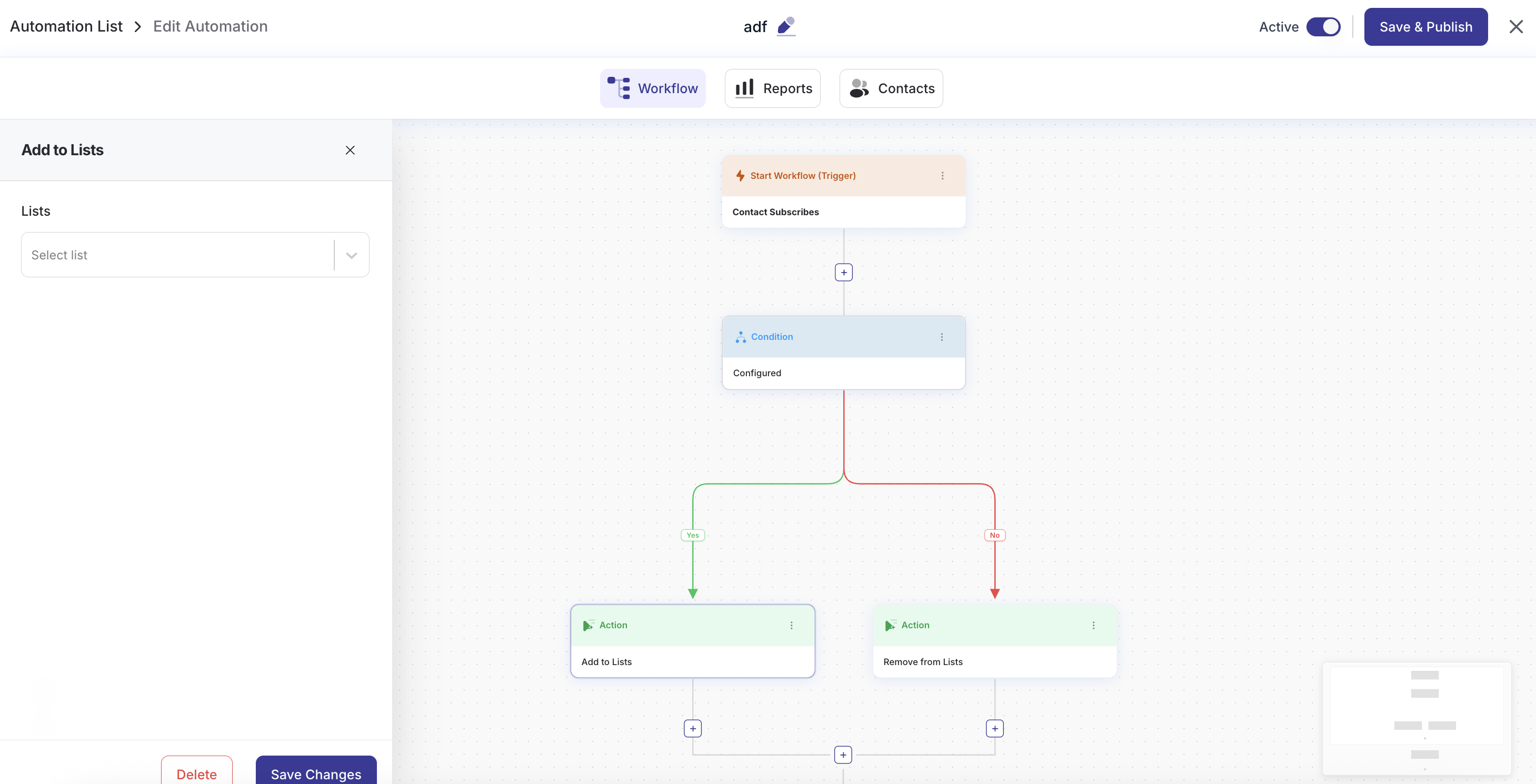
- Automation goals: a contact who reaches a goal jumps ahead, and an unmet goal can wait, continue or end the run, with the journey showing why
- New "Email Opened" automation trigger (DoubleScale Pro): start a workflow when a contact opens an email, for every email or only chosen campaigns
- A link click in an email whose images were blocked now counts as an open for automations, notifications and lead scoring
- toSend and Emailit email providers in SMTP
- "Watch Tutorial" buttons open the video tutorials for Email Marketing, Sales Pipeline, Proposals & Invoices, Automations and Helpdesk
- Middle-click and Ctrl/Cmd+click open admin pages and list entries in a new tab
- Invoices: service date or period of supply, buyer reference, and the § 19 / reverse-charge note for untaxed lines
- Invoices: hooks for DoubleScale Pro's XRechnung e-invoice export, a warning when an invoice changed after its XRechnung was issued, and add-ons can attach files to the invoice email
- Campaigns: unsubscribe reasons and contact links in the overview, and the open tab is kept in the address
- Campaigns: open a contact's profile from the Unsubscribes list
- WhatsApp campaign analytics show one Total Recipients card
- Contacts: hover "+N" to see the tags and lists it hides
- Refreshed booking editor layout and icons
- Team management now says "Team Member" and explains what each member can do
- Campaigns: merge tags (unsubscribe link, first name, open tracking) are converted for the mailer the From address actually sends through, and the batch size follows that mailer
- Campaigns: scheduled campaigns show their send time in the lists
- Campaigns: the SMS and WhatsApp phone preview shows the real message
- Campaigns: paused and cancelled campaigns open on their overview
- Campaigns: the Unsubscribes list shows the real reason and the WhatsApp number
- Campaigns: duration is reported in whole seconds (no PHP 8.1 deprecation notice)
- Helpdesk: reports count agent replies, not every message activity
- Helpdesk: the ticket stays on screen while it saves, and status, priority and tag changes show at once
- Helpdesk: ticket history reads as plain sentences with the agents' names
- Helpdesk: a single support mailbox, with no mailbox choices to make
- Client portal: customers see their real ticket history, and a ticket shows as Open again right after they reply
- Helpdesk: the agent reply email no longer assumes the agent's gender
- Automations: a phone number shared by two contacts never blocks a run or takes over the other contact
- Automations: WooCommerce order workflows (DoubleScale Pro) save the buyer's phone number on the contact, and their WhatsApp number with the country code
- Automations: a step panel closed while saving stays closed, condition rules line up, and the trigger list names "Lists Applied" instead of its slug
- Automations: delay lengths read naturally in the journey
- Automations: the Zapier action is removed; the HTTP Request action covers it
- Contacts: long tag and list chips no longer overflow the contacts table
- Contacts: the unsubscribe preference form answers exactly once
- Email: a saved copy of the default footer still counts as the default, and an email's own unsubscribe link takes precedence over it
- Email: buttons keep their styling across email clients
- Documents: the admin preview, client portal and public pages show the company block exactly as the PDF prints it
- Documents: the PDF, XRechnung and View buttons fit on the document card
- Errors from invoice and proposal list actions now scroll into view instead of appearing off-screen
- Booking: a missing booking answers "not found", and the bookings list always shows the latest filter's results
- SMTP: saving a toSend connection checks that its From domain is verified
- SMTP: email subjects keep characters such as < > and %
- Tables keep their rows in place when a page rebuilds its columns
- The sales email template editor loads only for people who may edit it
- Rename a campaign at any status from the campaign list or the campaign overview
- Show the total contact count while searching
- Keep campaign delivery and read rates in sync with the per-status counts
- Name the missing email, phone, or WhatsApp address in the skipped-recipients banner
- Cap the campaign recipients list so Next Step stays reachable
- Fix contact filters so "Is empty" and "Is not empty" match the right people
- Apply WhatsApp recipient cooldown on campaign resends
- Keep a delivered Send Email, SMS, or WhatsApp automation step from failing the run = 1.4.5 = 27 Sep 2026
- Update the product overview YouTube video = 1.4.4 = 27 Sep 2026
- Show the product overview video on Get Started
- Stop WhatsApp resends from hitting Meta's per-user marketing cap
- Keep the booking event screen from going blank when limits were never saved = 1.4.3 = 25 Sep 2026
- Fix an issue with Meta daily limits = 1.4.2 = 24 Sep 2026
- Collect named WhatsApp template variables in the campaign step
- Stop campaigns from pausing on Meta messaging-tier quotas
- Still block WhatsApp sends when the Meta account itself is restricted
- Prevent deleting or renaming email templates that a campaign still uses
- Improve campaign message lists and bulk actions
- Keep debug logs working when a message contains malformed UTF-8 = 1.4.1 = 23 Sep 2026
- Add WhatsApp campaigns with Meta template matching, header media, carousel cards, and button variables
- Show how many WhatsApp recipients are reachable before send
- Cancel a scheduled campaign
- Recover stranded campaign messages and keep campaign analytics in sync
- Add merge-tag fallbacks when a field is empty
- Show a created date on SMTP connections (including older connections)
- Always log DoubleScale emails, including automations, by tracking reference instead of the HTML body
- Submit sales documents for approval
- Improve booking iframe embedding, confirmation layout, and mobile layout
- Keep queued task callbacks working when Action Scheduler unwraps their arguments
- Distinguish a disabled module from a failed request in admin fetches = 1.4.0 = 21 Sep 2026
- Always log campaign and automation emails as a tracking reference instead of a copy of the HTML per recipient
- Send individual emails as conversation messages, without the campaign card or “Sent from” footer
- Do not append a second unsubscribe footer when the message already has one
- Isolate the support portal in a Shadow DOM so theme CSS cannot restyle it
- Route SMTP by matching the From address before falling back to other connections
- Keep typing in paginated selects while options are still loading
- Ignore stale WhatsApp failure webhooks after the message has already been delivered
- Apply the per-second send cap to automation emails
- Run consecutive cheap automation steps in one go instead of queueing each one
- Size the Action Scheduler runner for queue-heavy modules
- Keep editor selection working inside Shadow DOM contenteditable fields
- Show CSV in uppercase on the contact import wizard The full history of earlier versions is in changelog.txt.