
Draft2Publish - AI Content Writer, Autoblogging & Image Generator
| 开发者 | draft2plublish |
|---|---|
| 更新时间 | 2026年10月25日 06:14 |
| PHP版本: | 7.4 及以上 |
| WordPress版本: | 7.1 |
| 版权: | GPLv2 or later |
| 版权网址: | 版权信息 |
详情介绍:
- AI blog post generator: Create structured articles with headings, source references and featured images.
- Source-backed research and writing: Find and check supporting sources before generating article content, with citations for your review.
- SEO content preparation: Generate titles, meta descriptions, excerpts and tags alongside your article.
- Bring Your Own Gemini Key: Use your own Google Gemini API key. No token markup from us.
- Gemini-Powered Workflow: Choose Gemini 3.6 Flash (recommended), Gemini 3.1 Pro Preview, Gemini 2.5 Flash, or Gemini 2.5 Pro for research and writing.
- Flexible Word Count: Generate articles from 700 to 1,000 words with a simple slider (Pro extends this to 2,500).
- Review before publishing: Scheduled articles support Draft or Pending Review. Quick Generate saves as Draft. Automatic publishing is a Pro feature.
- Fact-Based Writing: Generates structured articles with headings, lists, references, and source citations.
- AI image generator: Automatically generates one featured image per article through Google's image endpoint.
- AI autoblogging and content automation: Configure up to 3 scheduled days per week, one article per scheduled day, with per-day content types, times, and categories (Pro unlocks all 7 days and multiple articles per day).
- Google Search Grounding: Research uses real-time Google search for fact-checked, sourced content.
- Setup checklist and inline help: Follow the four setup steps, test the saved content model, and open linked explanations beside settings.
- Internal linking and pillar posts: Scheduled Internal Linking can be enabled per day. When enabled, relevant published pillar posts in the same category are preferred; links are added only where a natural anchor exists. The pillar option marks new scheduled posts for Draft2Publish and for Rank Math or Yoast when active.
- Trending threshold: Not active yet. Trending topics are still found automatically. This threshold will apply in a future version.
- Answer-first structure: Direct answers under question-style headings, the format AI engines can quote.
- FAQ-ready content: Question and answer blocks that can support schema-friendly pages.
- Citations built in: Real sources and references for trust signals readers and search engines can evaluate.
- Full on-page SEO: Meta title, description, slug, tags, excerpt, and article structure prepared automatically.
- All 7 scheduled days and multiple articles per day
- Automatic publishing (publish or schedule articles without manual review)
- Long-form articles up to 2,500 words
- Additional AI providers and model options
- Priority support and roadmap access
- Bloggers who want to maintain a consistent publishing schedule
- Marketers building authority sites with E-E-A-T structure
- Agencies managing multiple client websites
- Publishers scaling content production
- Research: Find supporting sources with Google Search Grounding and check evidence before writing.
- Write: Generate a structured article with citations and references.
- Optimize: Prepare SEO metadata, article structure and featured images.
- Prepare for publishing: Save the finished article in WordPress for review. Automatic publishing is available in Pro.
安装:
- Upload the plugin files to the
/wp-content/plugins/draft2publishdirectory, or install the plugin through the WordPress plugins screen. - Activate the plugin through the "Plugins" screen in WordPress.
- Go to the "D2P" menu in your WordPress admin.
- Navigate to the "API Keys" tab.
- Enter your Google Gemini API key (get one at https://ai.google.dev/).
- Start generating high-quality, fact-checked articles.
屏幕截图:




常见问题:
Is this an AI content writer or an autoblogger?
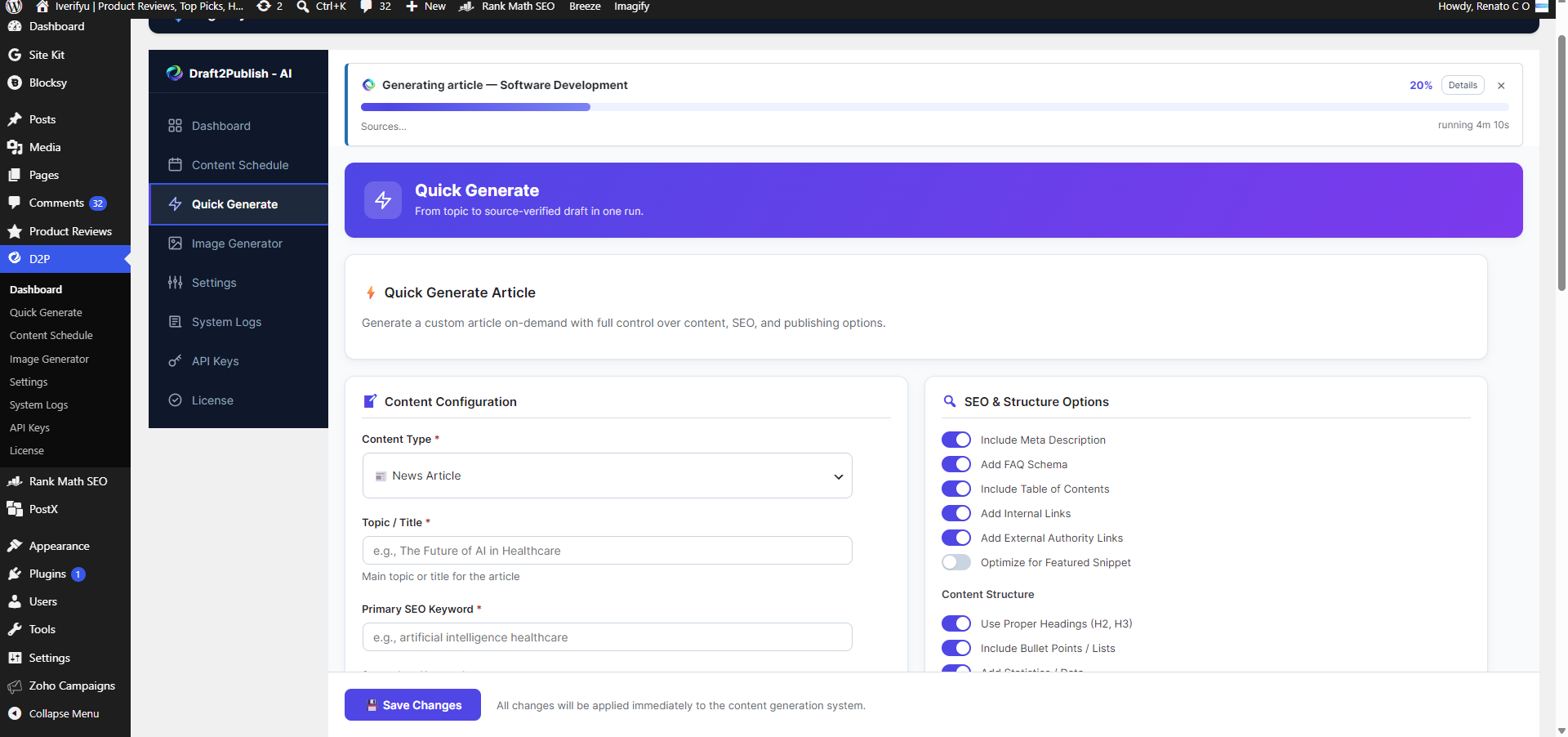
Both. Use Quick Generate as an AI content writer for one-off articles, or use Content Schedule to automate recurring article generation through WordPress Cron.
Does the free version automatically publish blog posts?
No. The free version automates article generation for review. Scheduled articles can use Draft or Pending Review; Quick Generate saves as Draft. Automatic publishing requires Draft2Publish Pro.
Do I need my own API key?
Yes. The WordPress.org version runs on your own Google Gemini API key. You pay Google directly for any API usage, and Draft2Publish adds no token markup.
How many articles can I generate?
The free scheduler ships with up to 3 scheduled days per week, one article per day, and Quick Generate for one-off articles. The plugin never stops working or locks you out based on usage; your practical API usage depends on your own Google Gemini quota (see https://ai.google.dev/pricing). Draft2Publish Pro unlocks all 7 days and multiple articles per day.
What article length can I generate?
The free version includes 700 to 1,000 word controls for generated articles. Draft2Publish Pro extends this to 2,500 words for long-form content.
What is GEO (Generative Engine Optimization)?
GEO means structuring content so AI answer engines can understand, summarize, and cite it. Draft2Publish uses answer-first sections, question-style headings, FAQ-ready blocks, and source references.
Does the free WordPress.org version support ChatGPT or Claude?
No. The free version is Gemini-only. Draft2Publish Pro (available as an in-plugin upgrade) adds expanded provider and model options.
Will Google penalize AI-generated content?
Google Search focuses on helpful, high-quality content, regardless of how it is produced. However, using automation mainly to manipulate rankings can violate spam policies. Draft2Publish helps with research, citations, structure, and review workflows, but you should still verify facts and add your own expertise before publishing important content.
Does it support featured images?
Yes. The plugin can automatically generate and attach one featured image per article using Google's image endpoint.
Can I schedule posts for future dates?
Yes. The Content Schedule tab lets you configure per-day content types, publish times, and categories. Articles are generated through WordPress Cron at your scheduled times.
Do I need coding knowledge?
No. Everything works through a point-and-click interface in your WordPress admin.
Will this work with my theme?
Yes. Draft2Publish generates standard WordPress posts that work with any theme.
Is the content unique?
Yes. Every article is generated fresh based on your topic, keywords, settings, and available research context.
更新日志:
- Fixed scheduled runs that could stop before finishing when research was slow.
- Your chosen save status (Draft or Pending Review) is always kept.
- Research switches to a working fallback model for the rest of the run.
- Expanded drafts cannot add numbers or quotes the sources do not support.
- Cleaner verbose logs, with evidence snapshots included in Copy diagnostics.
- New: a Tone setting for scheduled articles, next to Writing Style. Engaging is now the default style everywhere.
- The writer keeps your chosen style and tone through every editing step, and uses today's date so articles don't call an older release the latest one.
- Simpler fact-check: the final check flags only sentences the sources contradict, the writer fixes just those sentences, and the article is checked once more. Free articles still save as Draft or Pending Review.
- Fact-check results, flagged sentences and the sources used are saved and shown in the editor panel.
- More reliable runs: better recovery when a model call fails or times out, a fresh source search when the first evidence is thin, and clearer run details in System Logs, including the final saved word count.
- Fixed: generation error notices can be dismissed again, and an outdated model notice no longer appears.
- Added a four-step setup checklist with an exact saved-model connection test and per-admin dismissal after the first generated article.
- Added accessible inline help with links to the current setup, model, category, and plan documentation.
- Scheduled Internal Linking now honors its per-day toggle and prefers relevant same-category pillar posts where a natural anchor exists.
- Marked scheduled pillar articles for Draft2Publish and the active Rank Math or Yoast integration.
- Clarified that the Trending Score Threshold is not active yet; trending topics continue to be found automatically.
- Refreshed Gemini models while preserving saved model selections.
- Recover from temporary model failures after two attempts and retain the working fallback for the rest of the run.
- Added final generation outcomes, best-effort interruption reporting, and per-source rejection details in System Logs.
- Added final fact-check review and an editor panel showing unresolved issues and verified sources.
- Added source-grounded SEO title, slug and focus keyword metadata with safe Yoast and Rank Math mapping.
- Added optional FAQ structured data, emitted only for approved visible FAQ content when no SEO plugin provides FAQ schema.
- Clarified Free onboarding: generated articles remain Draft or Pending Review for manual publishing.
- Added fixed-choice first-run onboarding that respects saved API keys, plus Gemini zero-quota billing guidance.
- Updated Freemius SDK to the latest version
- Quick Generate now uses the shared research and source-verification workflow before writing a draft.
- Improved source reachability checks, soft-404 detection, publisher diversity and duplicate-evidence handling.
- Added bounded retries for temporary provider failures and an alternate Gemini discovery model for cold-start research.
- Improved metadata and excerpt generation, FAQ parsing, evidence checks and editable Gutenberg output.
- Prevented overlapping Quick Generate requests and scheduled slots, and improved progress and failure reporting.
- Refreshed Gemini model choices and migration of retired selections; retained Free scheduling and draft/review limits.
- Updated plugin-site link attribution to distinguish plugin-header visits from directory links.
- Updated Gemini content, research, and image model selections to current supported IDs while preserving legacy saved selections
- Fixed Gemini Test Connection so it tests the selected model instead of a hardcoded fallback
- Added a duplicate-activation guard so the free and Pro distributions cannot trigger a shared-class fatal error
- Added plain Redeem License links in the plugin submenu and settings upgrade guidance
- Improved scheduled-title sequencing so finished articles keep their concrete subject, content promise, and supported list count
- Added stronger title validation against vague category shells, incomplete headlines, unsupported counts, and source-headline duplication
- Replaced the limited serialized System Log history with indexed 14-day database retention and a 10,000-entry safety cap
- Added per-run identifiers, selected-day log views, warning normalization, and streamlined default logs with optional Verbose diagnostics
- Free/Pro editions: free version focuses on review-first drafting (up to 3 scheduled days per week, one article per day, 700-1,000 words, draft or pending review status)
- Added optional in-dashboard account and upgrade pages powered by Freemius (opt-in, skippable)
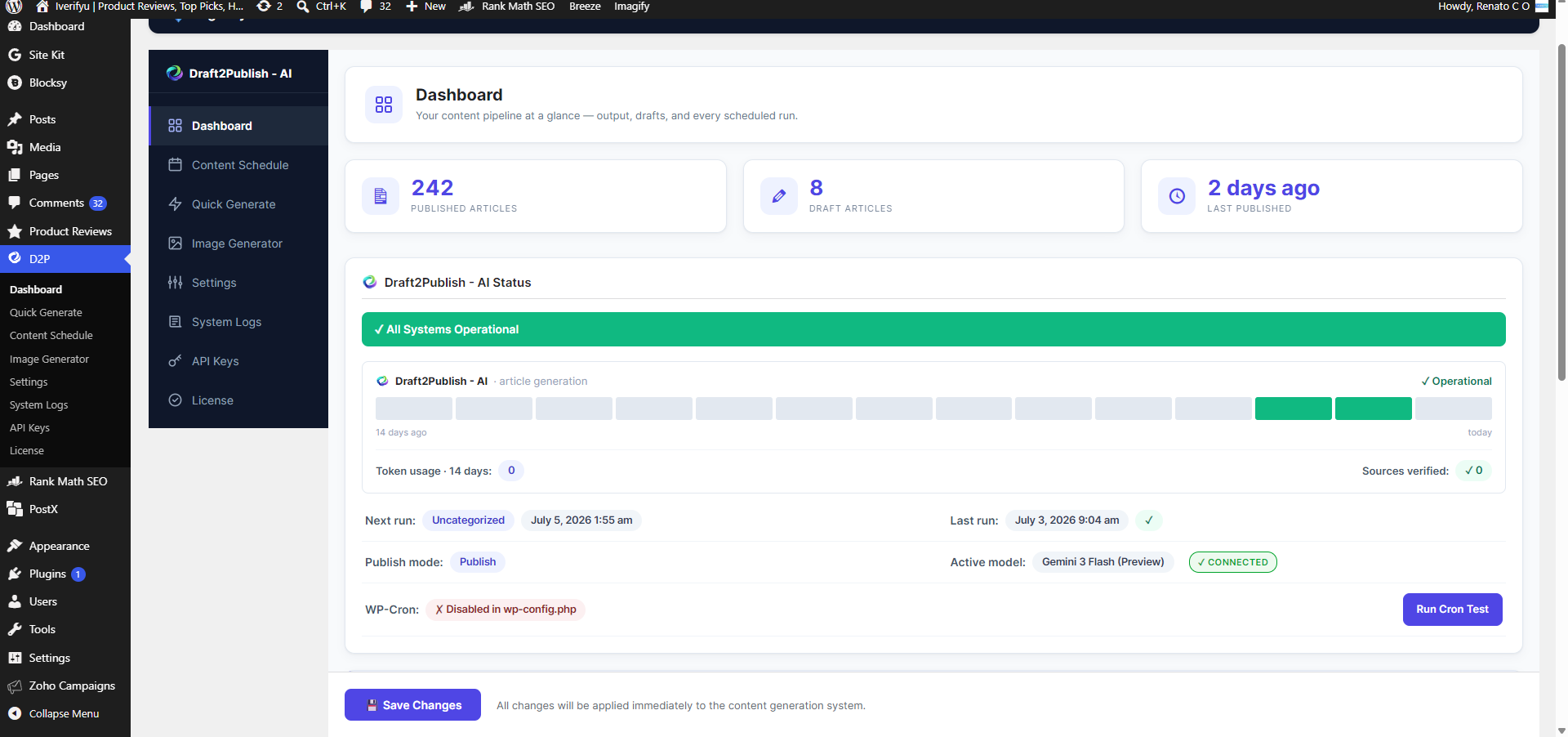
- Redesigned dashboard: statuspage-style status card with 14-day health bars
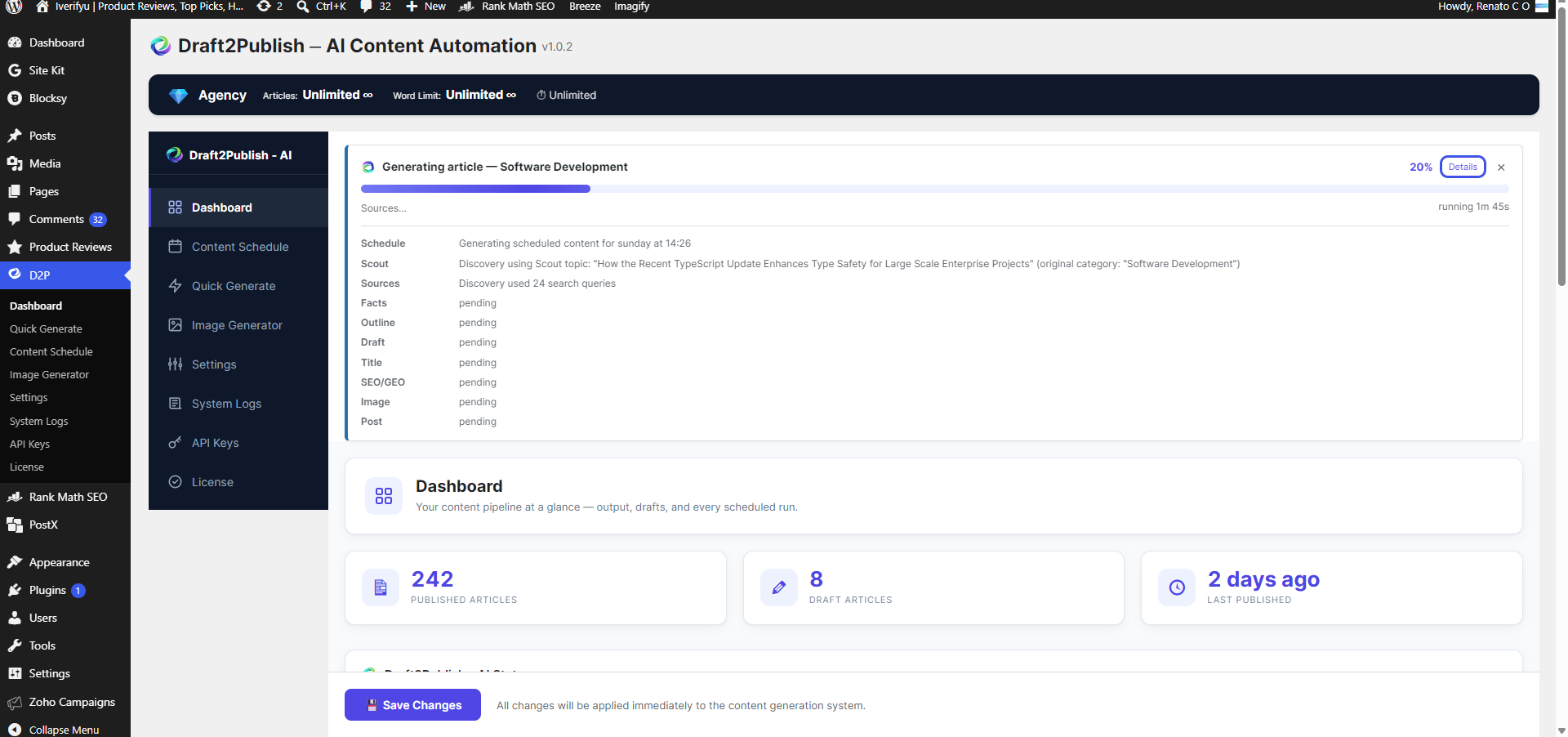
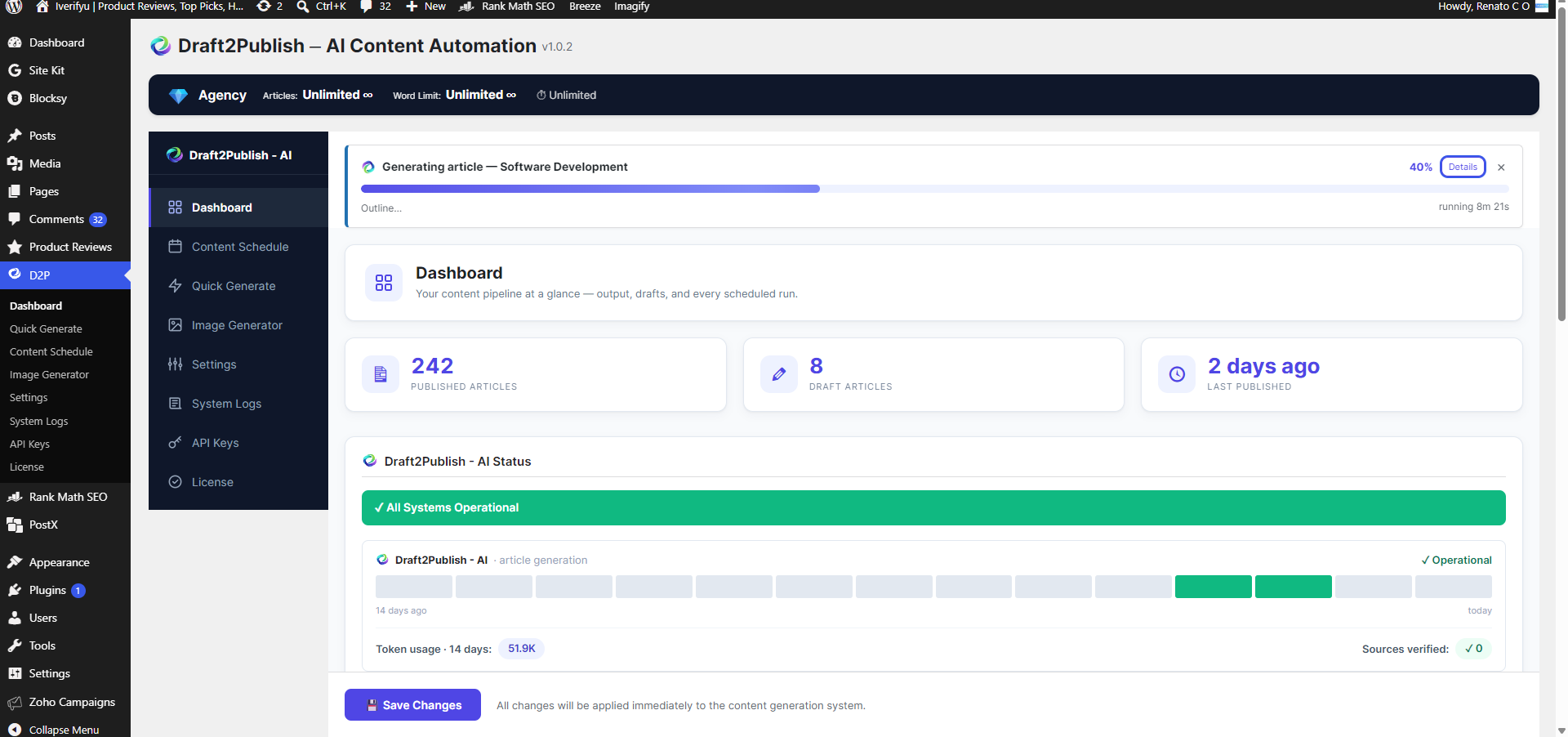
- Live generation progress strip with per-step fill bar and completion toast
- Token usage tracking: daily Gemini token totals shown on the dashboard
- Sources-verified counter for scheduled articles
- This Week's Schedule widget with per-day content type and time tiles
- Admin submenu flyout with deep links to each tab
- More reliable next-run scheduling (fixed off-by-one when a day's slot had passed)
- Adaptive research retry for low-source topics and stricter article title validation
- Hardened HTTP: TLS certificate verification on all API calls
- Updated WordPress compatibility to 7.0
- Refreshed plugin listing copy, FAQ, and screenshot captions
- Added GEO positioning and AI-search optimization copy
- Initial release of Draft2Publish for WordPress.org
- Gemini-powered AI content automation (2.5 Flash, 2.5 Pro, 3 Flash, 3 Pro)
- Articles from 700 to 2,500 words with flexible publish status
- Weekly content scheduling with per-day configuration
- Featured image generation via Gemini/Imagen
- Google Search Grounding for fact-based research
- About tab with feature summary and Google API key link